
The Glassdoor jobs scraper extracts job title, company name, company rating, location, job description, company overview URL, and scrape status from Glassdoor job pages. Recruiting teams, job board operators, and data teams use it to convert job listings into structured records for pipelines, matching systems, and reporting tables.
Use the extract scraper when you already have job URLs. Use the search scrapers when you want ScrapeNow to find listings from a keyword, location, or browser-built search URL. A production workflow discovers listings with a search scraper, deduplicates them by job ID, then extracts each job page into a stable schema.
The extract route works best when another system already collected URLs. That source can be a recruiter export, a saved search, a partner feed, or a previous crawl. Keep the URL source beside every record because it makes audits and replay jobs much easier.
How to use this scraper
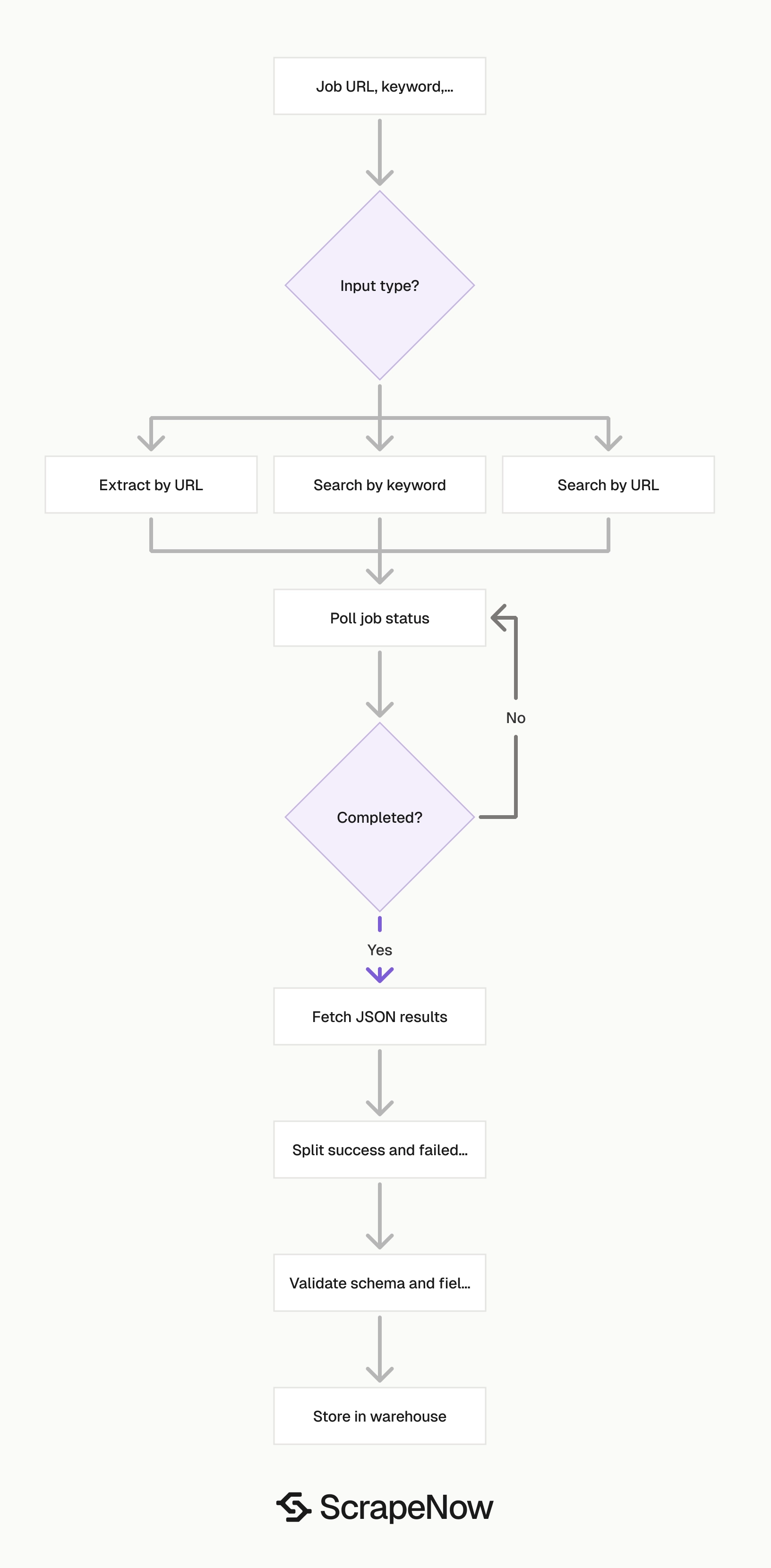
Use Pull structured Glassdoor job listings when you already have a Glassdoor job listing URL. This route returns one structured record for each submitted listing URL.
Use Search Glassdoor jobs by keyword when you want ScrapeNow to search Glassdoor by keyword and location. Use Glassdoor Jobs Search by URL when you already built the search in the browser and want to keep those filters.
The three scrapers cover different stages of the same pipeline. Search routes find listing URLs. The extract route turns each listing URL into fields your database can store.
Run the search scraper on a schedule when you need new listings. Run the extract scraper on known URLs when you need job details, refreshes, or enrichment. Keep those jobs separate so failures stay easy to trace.
Step 1. Find the Glassdoor job URL
Open Glassdoor and start from the homepage.
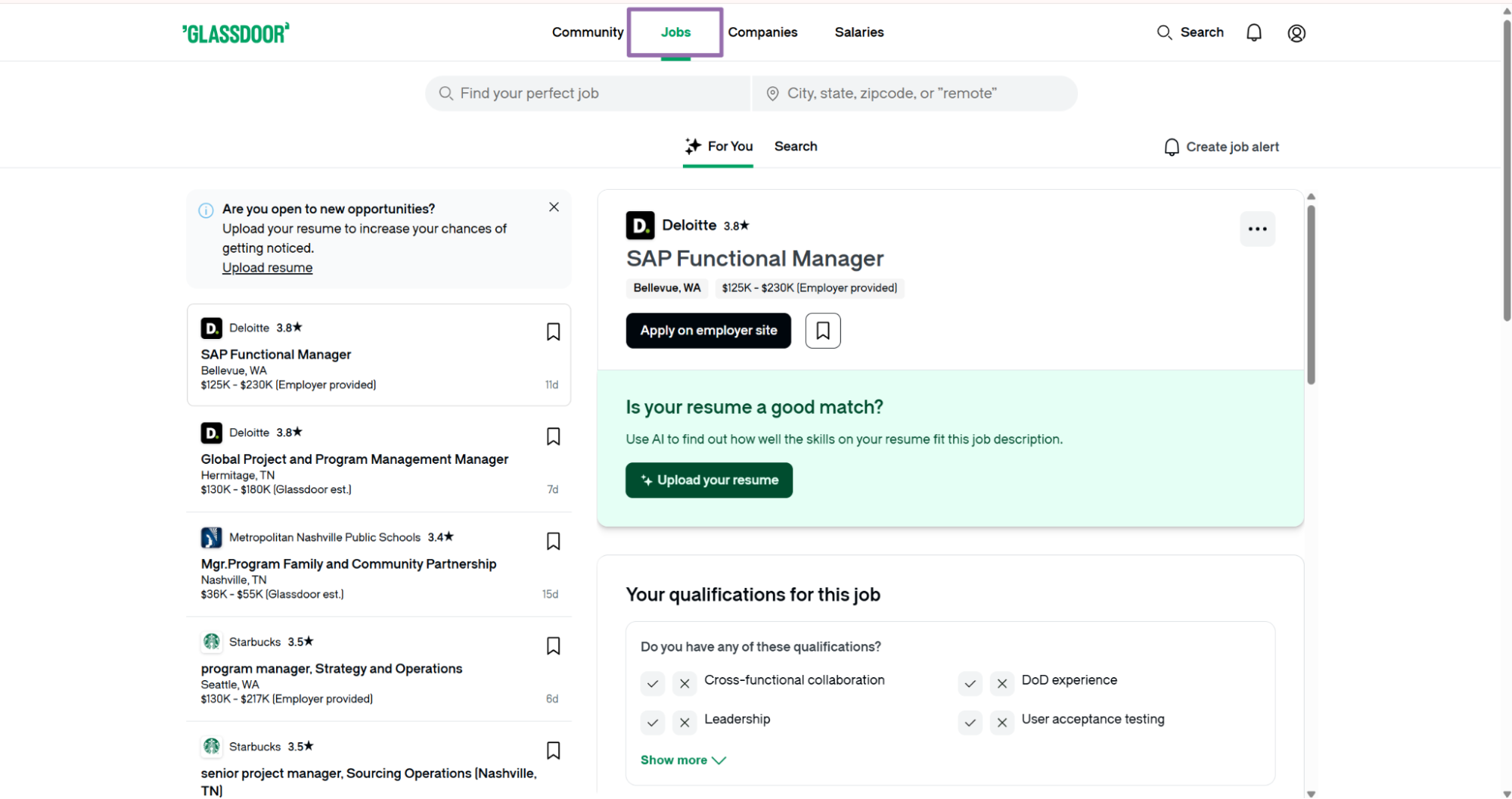
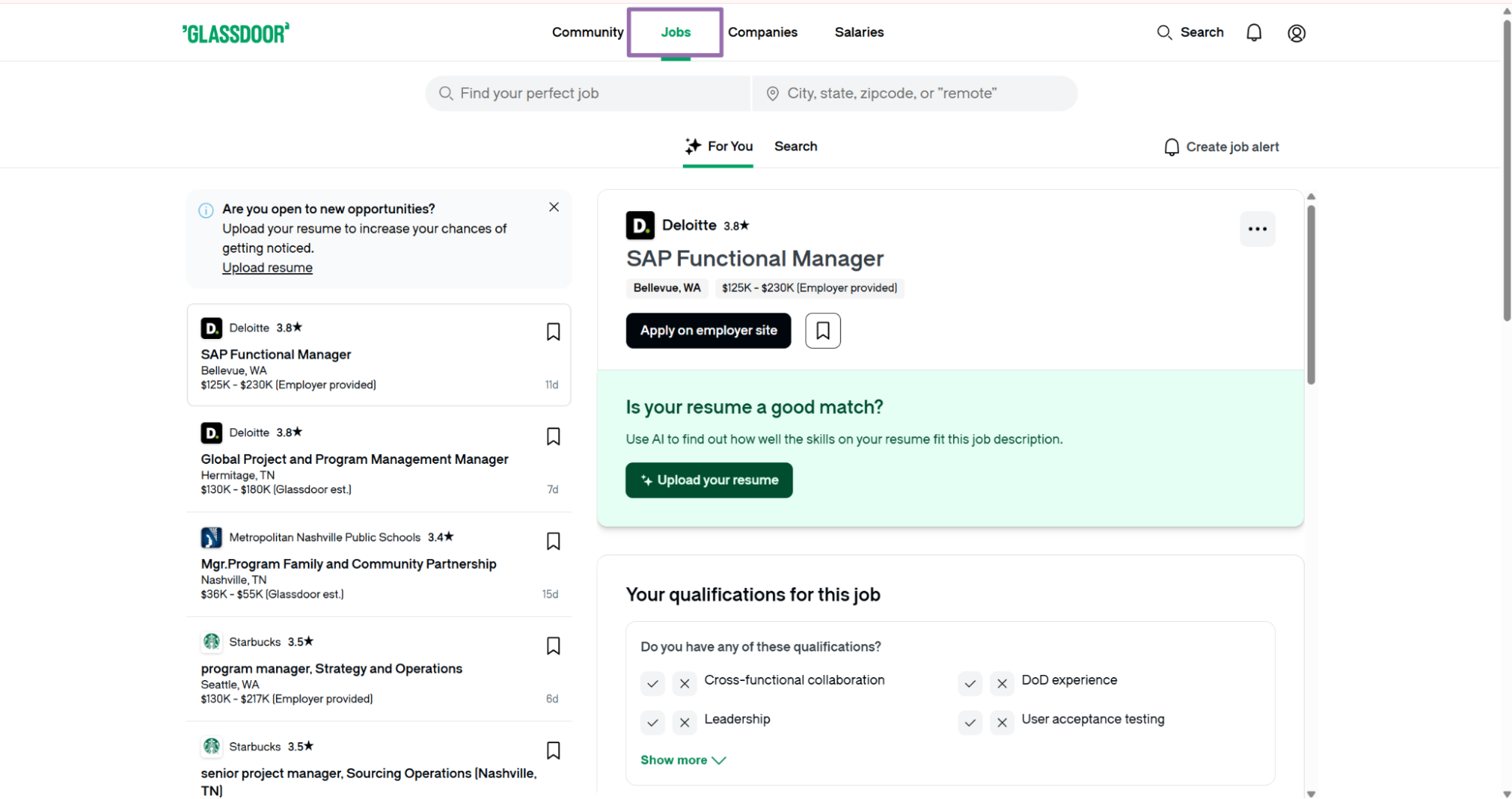
Click the Jobs option in the top navigation.
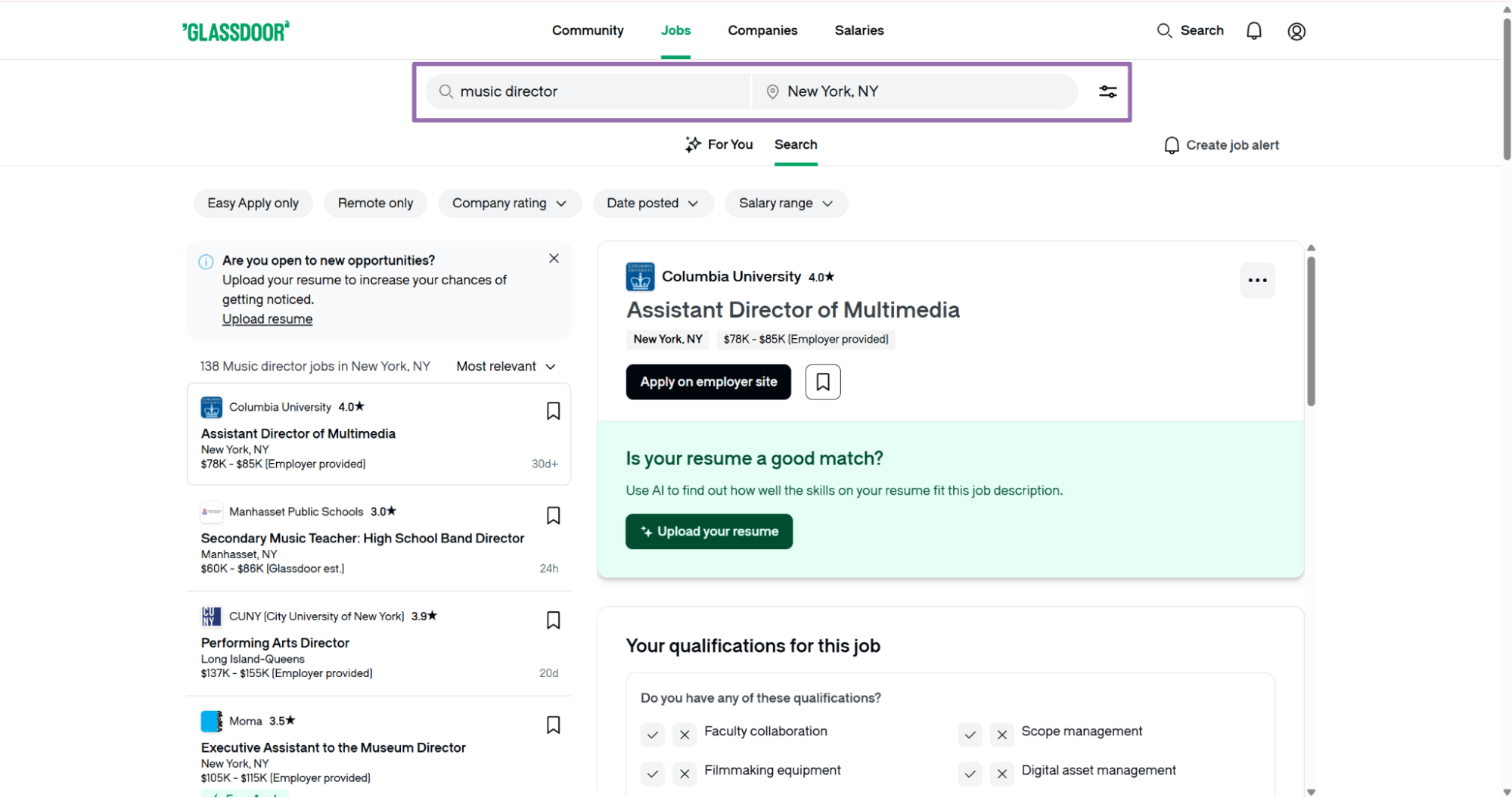
Search for a job title and location. For example, search for Music Director in New York.
In the left panel, right-click the target job listing and open it in a new tab. Opening the listing in a new tab makes the final job URL easier to copy. It also keeps the search results page available for follow-up checks.
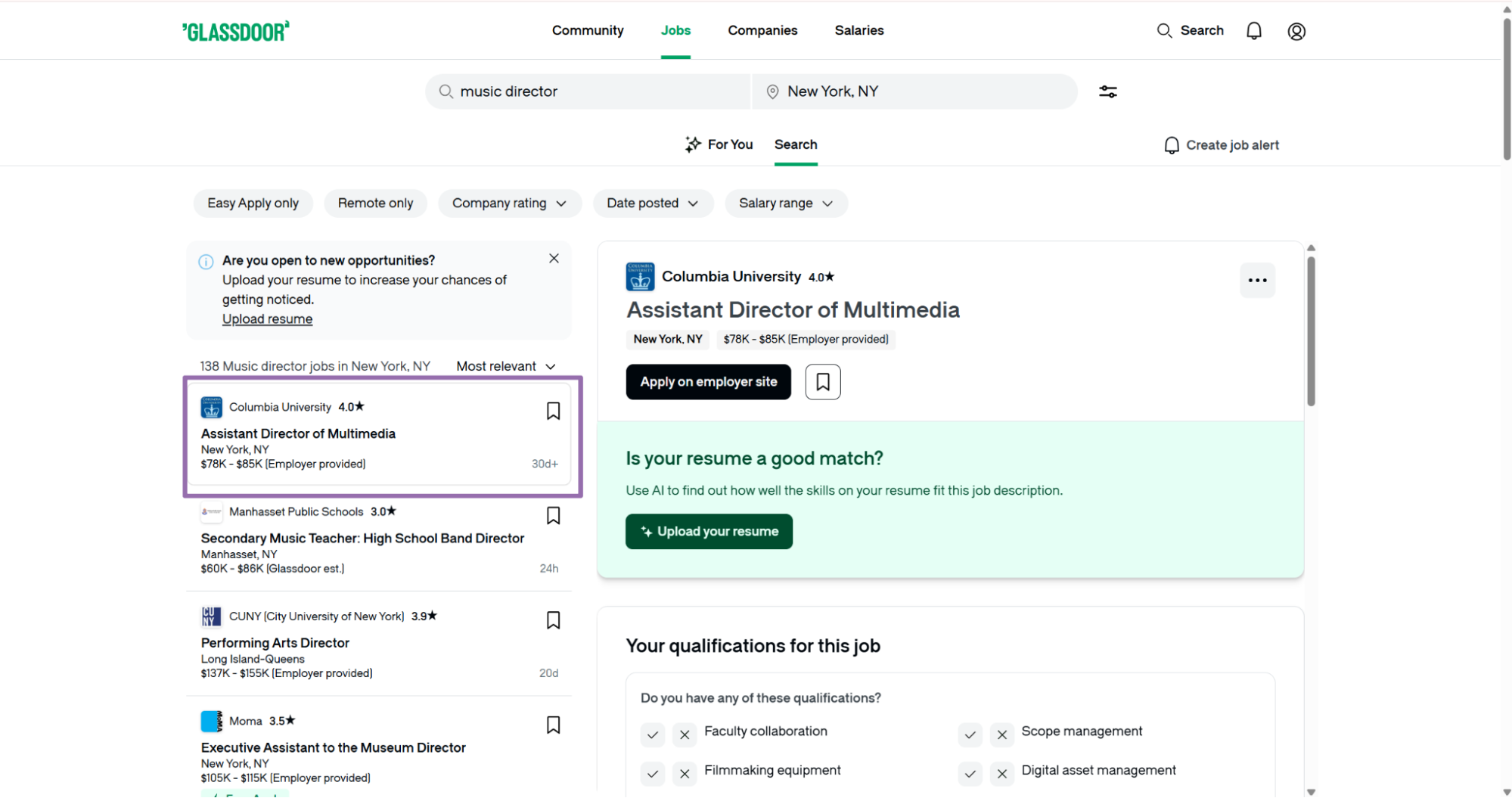
Copy the URL from the browser search bar on the job listing page.
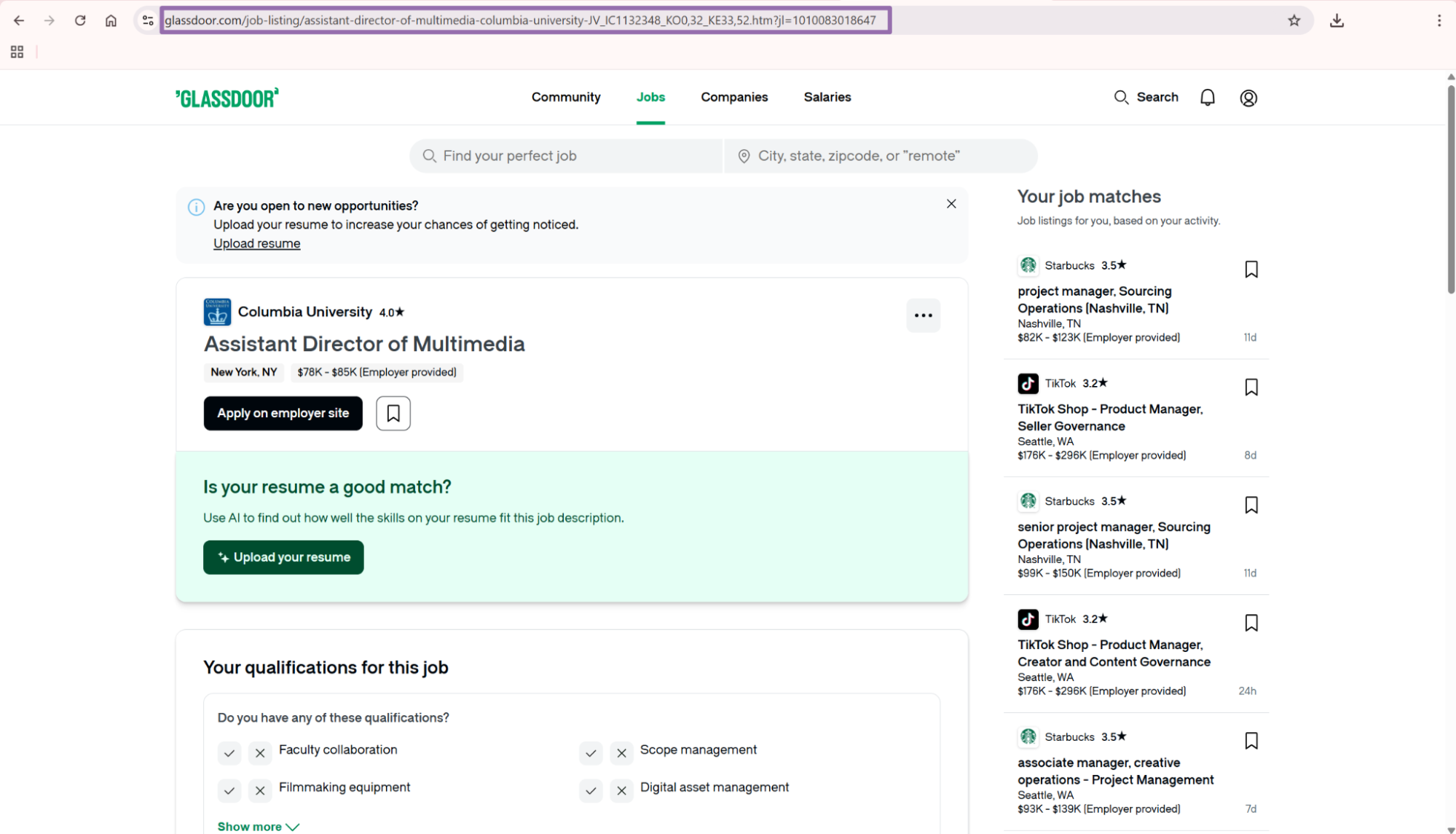
The url input is the Glassdoor job listing page you want to scrape. The dashboard input guidance expects a Glassdoor URL that starts with https://www.glassdoor.com/v.
Glassdoor also uses /job-listing/ URLs for many job pages. The scraper accepts valid Glassdoor job listing pages, and the URL validation example below covers both patterns.
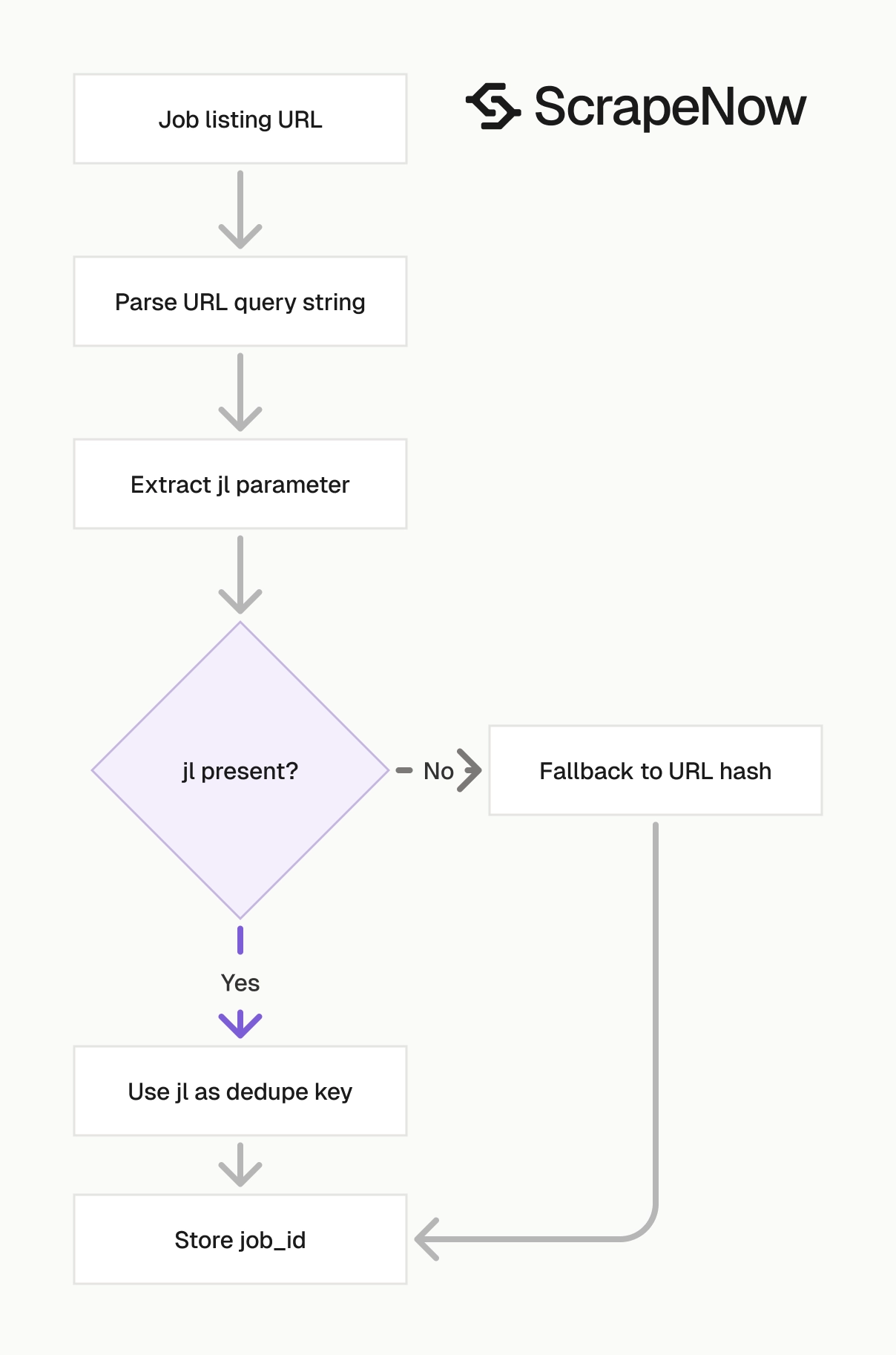
Keep the full URL, including the query string. The jl parameter often contains the Glassdoor job ID. That ID gives you a better dedupe key than the visible path.
Copy URLs from the final listing page rather than from a redirect or ad link. Redirect URLs add noise to dedupe logic and make audits harder. The final listing URL usually includes the stable job path and the jl value.
Step 2. Run the API request
Create an output folder before running the script if you keep the original save path. The script below creates that folder for you. It writes the result file under output/glassdoor-jobs-extract-by-url.json.
Install requests if your environment does not have it.
pip install requests
Use Python 3.10 or later for the type hint syntax in this script. If you run Python 3.9, replace str | None with Optional[str] and import Optional from typing.
Set API_KEY before running the script. Keep the key in an environment variable for production jobs. Hardcoding works for a local test and creates unnecessary risk in a shared repository.
Use this Python code:
"""
Configuration:
    - Set SCRAPER_SLUG to the scraper you want to run.
    - Set SCRAPER_INPUTS to the list of input dicts matching that scraper's schema.
    - Set API_KEY to your scraper API key.
"""

import sys
import time
import json
import requests
import os

API_KEY = "YOUR_API_KEY"

SCRAPER_SLUG = "glassdoor-jobs-extract-by-url"

SCRAPER_INPUTS = [
    {
        "url": "https://www.glassdoor.com/job-listing/music-production-dj-teaching-artist-building-beats-JV_IC1132430_KO0,35_KE36,50.htm?jl=1009670875901"
    }
]

BASE_URL = "https://api.scrapenow.io/api/v1/scraping"
TIMEOUT_SECONDS = 3600
POLL_INTERVAL = 5
SPINNER = "|/-\\"


def build_headers(api_key: str, content_type: str | None = None) -> dict:
    """Build request headers with your API key."""
    headers = {"Authorization": f"Bearer {api_key}"}
    if content_type:
        headers["Content-Type"] = content_type
    return headers


def trigger_scrape(slug: str, inputs: list[dict]) -> str:
    """POST to the scrape endpoint and return the job_id."""
    url = f"{BASE_URL}/scrape?scraper={slug}"

    response = requests.post(
        url,
        headers=build_headers(API_KEY, "application/json"),
        json={"inputs": inputs},
        timeout=30,
    )
    response.raise_for_status()
    return response.json()["data"]["job_id"]


def poll_until_done(job_id: str) -> str:
    """Poll the job status until it reaches a terminal state."""
    start = time.time()
    i = 0

    while True:
        elapsed = time.time() - start
        if elapsed > TIMEOUT_SECONDS:
            print(f"\nTimeout after {TIMEOUT_SECONDS}s")
            sys.exit(1)

        response = requests.get(
            f"{BASE_URL}/jobs/{job_id}",
            headers=build_headers(API_KEY),
            timeout=30,
        )
        response.raise_for_status()

        data = response.json()
        status = data["data"]["status"]

        mins, secs = divmod(int(elapsed), 60)
        sys.stdout.write(f"\r[{SPINNER[i % 4]}] Waiting... {status} ({mins}m {secs:02d}s)  ")
        sys.stdout.flush()

        if status in ("completed", "failed"):
            print()
            return status

        time.sleep(POLL_INTERVAL)
        i += 1


def fetch_results(job_id: str) -> dict:
    """Download the completed job results as JSON."""
    response = requests.get(
        f"{BASE_URL}/jobs/{job_id}/results?format=json",
        headers=build_headers(API_KEY),
        timeout=60,
    )
    response.raise_for_status()
    return response.json()


def save_results(data: dict, filepath: str) -> str:
    """Write results to the requested JSON file and return the filepath."""
    directory = os.path.dirname(filepath)
    if directory:
        os.makedirs(directory, exist_ok=True)

    with open(filepath, "w", encoding="utf-8") as f:
        json.dump(data, f, indent=2, ensure_ascii=False)

    return filepath


def main() -> None:
    print(f"Triggering scraper: {SCRAPER_SLUG}")
    job_id = trigger_scrape(SCRAPER_SLUG, SCRAPER_INPUTS)
    print(f"Job started: {job_id}")

    final_status = poll_until_done(job_id)

    if final_status != "completed":
        print(f"Job failed with status: {final_status}")
        sys.exit(1)

    print("Fetching results...")
    results = fetch_results(job_id)

    output_file = save_results(
        results,
        os.path.join("output", f"{SCRAPER_SLUG}.json"),
    )
    print(f"Results saved to: {output_file}")


if __name__ == "__main__":
    main()
The same API pattern works for the other scrapers in this group, including glassdoor-jobs-search-by-keyword and glassdoor-jobs-search-by-url. Change the SCRAPER_SLUG and SCRAPER_INPUTS values for each scraper.
Run one URL first. A single test run catches API key issues, malformed URLs, missing folders, and schema mistakes before you submit a large batch.
Keep the first output file. It gives you a known-good response for tests, parser fixtures, and warehouse schema checks. Store it with your pipeline code so schema changes show up in review before they reach production.
For scheduled jobs, move API_KEY into an environment variable and read it with os.environ. That keeps secrets out of shell history, notebooks, and shared code. It also lets you rotate keys without editing the scraper script.
Step 3. Use keyword search when you do not have URLs
For keyword search, open Glassdoor and click Jobs.
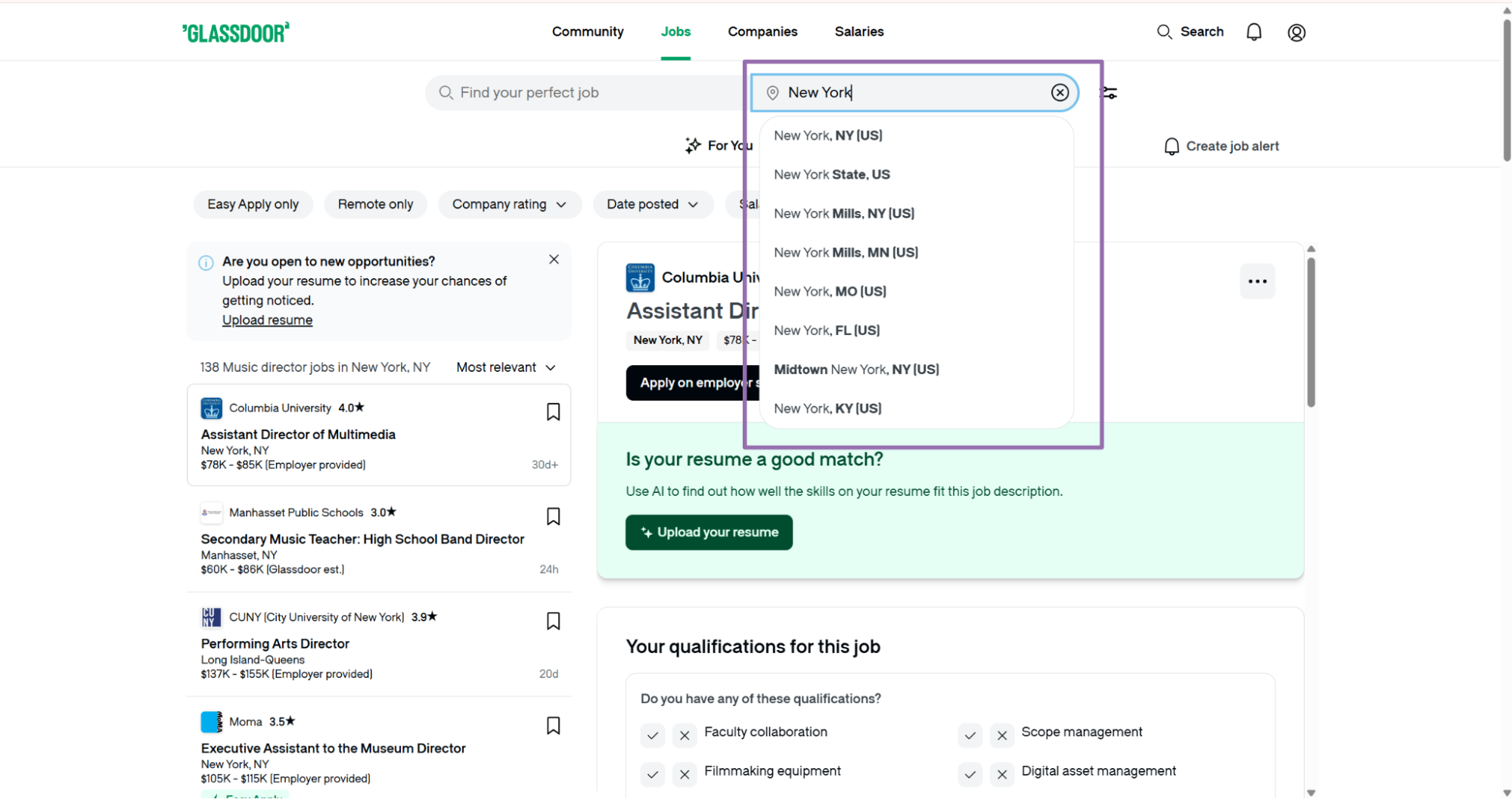
Choose a location for the search, such as New York.
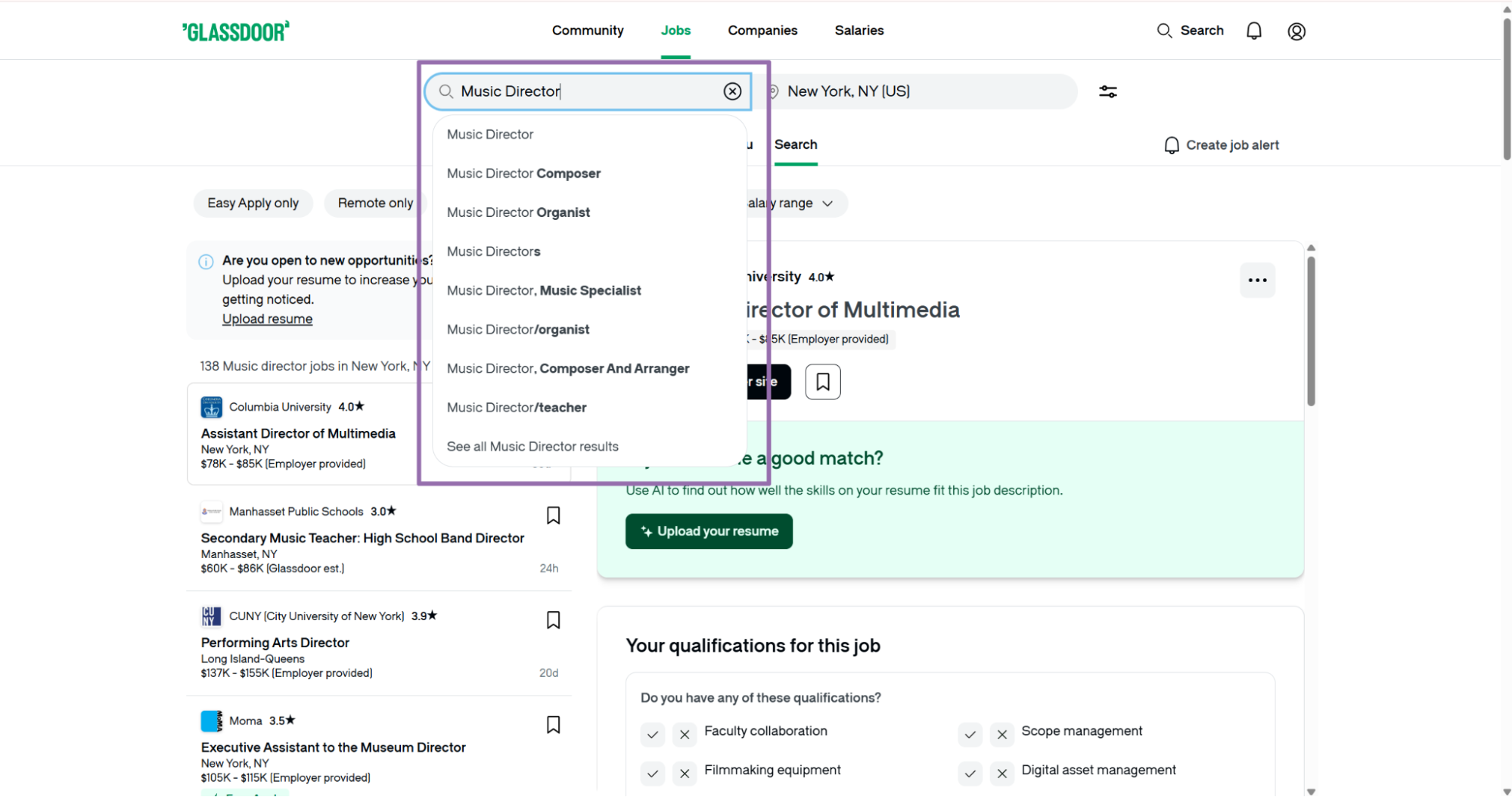
Enter the keyword for the job search.
The keyword scraper accepts these inputs:
| Input | Required | Example | Notes |
|---|---|---|---|
keyword |
Yes | Music Director |
Job keyword to search |
location |
Yes | New York |
Location for the job search |
country |
No | US |
Two-letter ISO 3166-1 country code |
date_posted |
No | Last day |
Send the exact value as a string |
Use Extract Glassdoor company data after job extraction when you want company-level data from the company_url_overview field. That keeps the jobs schema focused. It also pulls company metadata through a scraper built for company pages.
Keyword search works for discovery. For example, a job board can run searches for Music Director, Audio Engineer, and Teaching Artist across several cities. Then it can extract each returned job listing.
Keep keyword batches small during testing. Start with one keyword and one location, verify the output shape, then add the rest of your search matrix.
Use exact keyword strings from your taxonomy. If your database stores Audio Engineer, send that string. Keep the query value beside the returned listing.
Keyword inputs should match the categories your downstream system uses. If your matching model groups Audio Engineer and Sound Engineer separately, run separate searches and store the original keyword. That context prevents analysts from guessing why a listing matched a category.
Step 4. Use a search results URL when your query is already built
Open Glassdoor and run the job search in the browser.
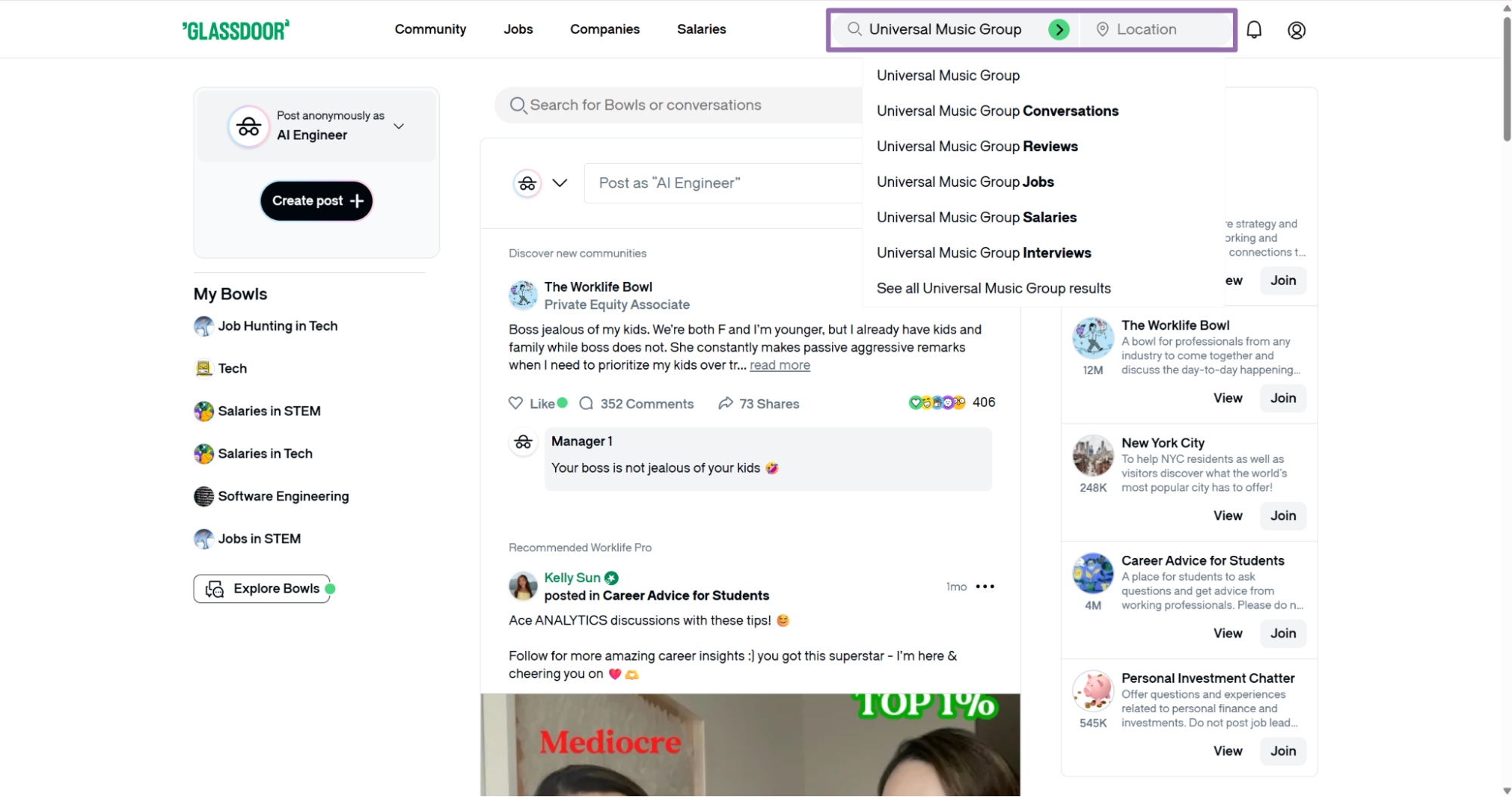
Set the job title, location, and filters you want.
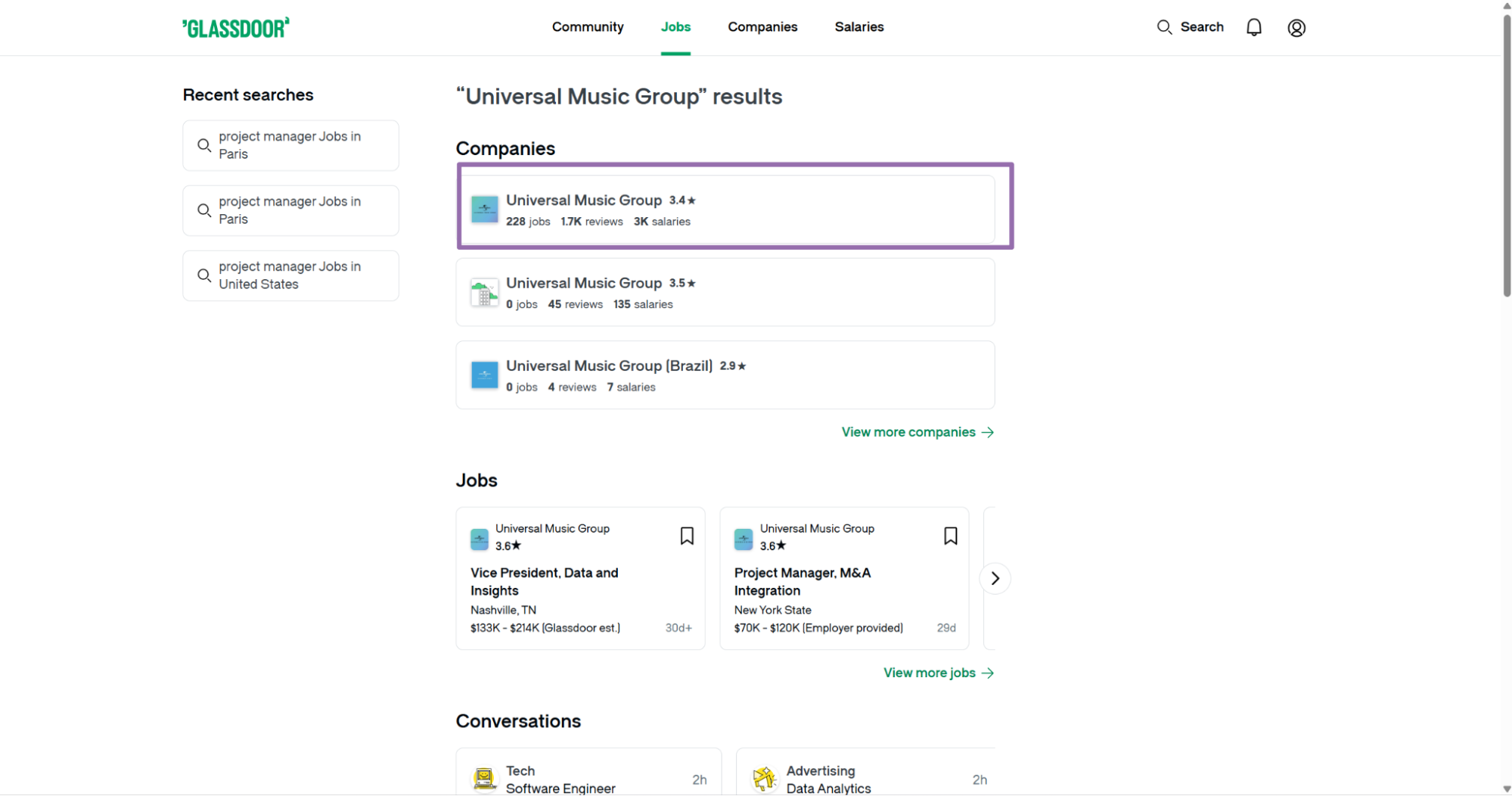
Open the target search page.
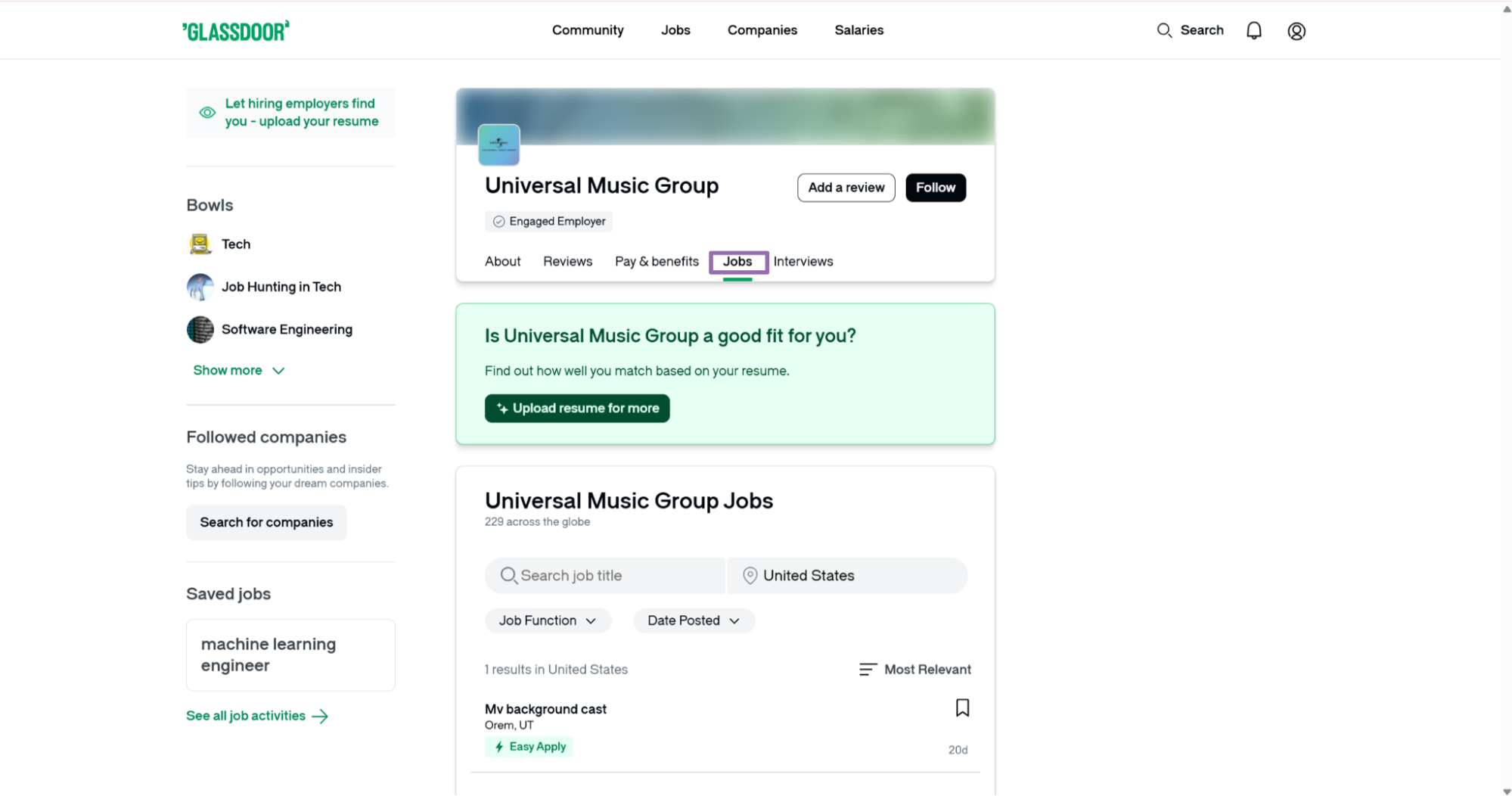
Copy the URL from the browser search bar.
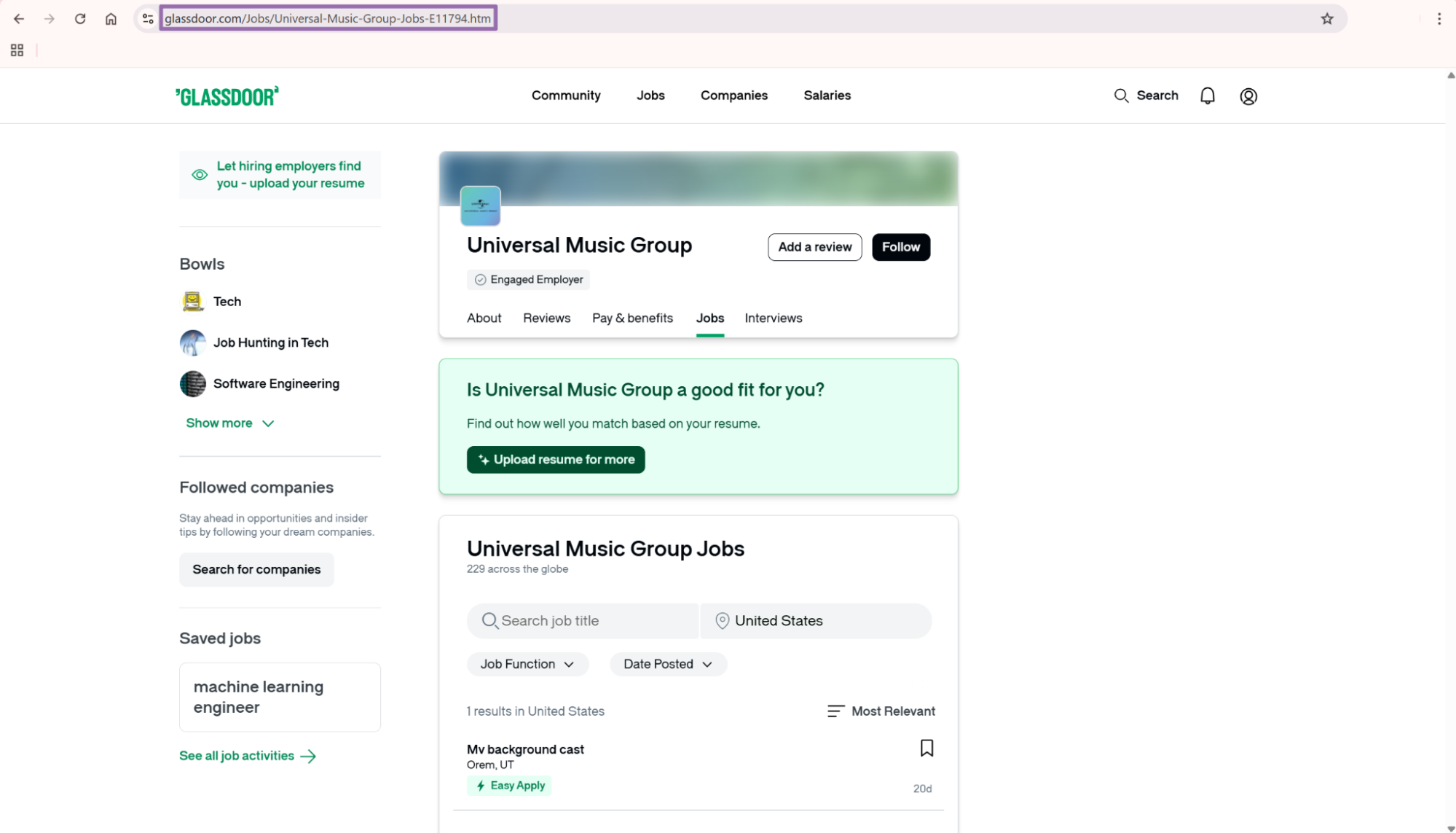
This route works well when the URL already contains filters you want to preserve. Browser-built URLs often include date filters, location filters, remote filters, and query parameters that take time to rebuild by hand.
Store the original search URL with each run. When a downstream user asks why a job entered the dataset, that URL shows the exact query that produced it.
Search URLs also help with repeatability. If a filter changes in the browser UI, the stored URL still documents the source query for that run.
Use one stored search URL per logical query. Mixing several browser-built searches into one batch makes QA slower because one failed result can have several possible sources. A separate search_run_id for each URL keeps the lineage clear.
Step 5. Read the JSON response
A successful job returns scrape_status as success and one record per input URL. This trimmed response shows the fields you should expect:
[
  {
    "inputs": {
      "url": "https://www.glassdoor.com/job-listing/music-production-dj-teaching-artist-building-beats-JV_IC1132430_KO0,35_KE36,50.htm?jl=1009670875901"
    },
    "scrape_status": "success",
    "url": "https://www.glassdoor.com/job-listing/music-production-dj-teaching-artist-building-beats-JV_IC1132430_KO0,35_KE36,50.htm?jl=1009670875901",
    "company_url_overview": "https://www.glassdoor.com/Overview/Working-at-Building-Beats-EI_IE2349971.11,25.htm",
    "company_name": "Building Beats",
    "company_rating": 5,
    "job_title": "Music Production + DJ Teaching Artist",
    "job_location": "Staten Island, NY",
    "job_overview": "Join Building Beats as a Teaching Artist for music production, DJing, music coding, and podcasting workshops. This part-time role works across schools and community centers in New York City.\n\nAbout Building Beats\nBuilding Beats provides music programs for students. The organization uses music projects to teach creative, leadership, and business skills.\n\nPosition Overview\nTeaching Artists lead workshops, write lesson plans, travel to program sites, and help students complete final projects.\n\nKey Responsibilities\nLead music production, DJing, podcasting, and music coding workshops.\nCreate lesson plans for each residency.\nSupport students during class projects.\nCoordinate with school and program staff.\n\n... (truncated)"
  }
]
Treat this response as the raw source record. Write it to object storage or a raw database table before applying normalization rules.
Glassdoor descriptions often contain newline characters, section headings, and repeated blocks. Preserve that formatting in the raw field because it helps later parsing, search indexing, and audit checks.
Do not flatten the description before storage. Flattening removes section boundaries that help parsers detect responsibilities, requirements, benefits, and salary text.
Keep the full inputs object as well as the returned fields. The input object tells you exactly what the API received. That matters when a source system submits an outdated URL or a URL with extra tracking parameters.
Ready to get this data? Try the Glassdoor scraper with your own URLs.
What data you get back
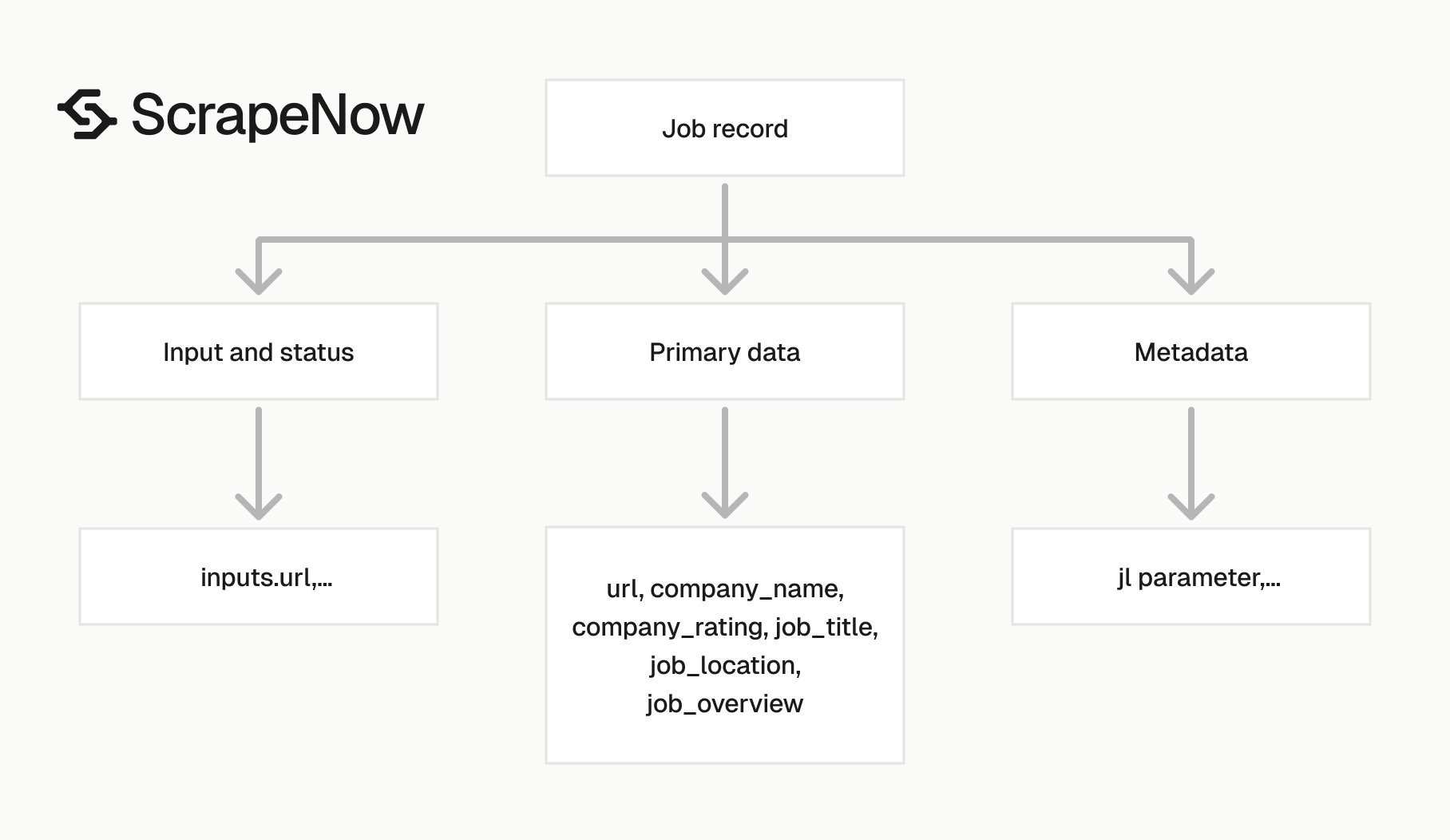
The Glassdoor jobs API response is built around the job listing URL you send in. Store the inputs.url and the returned url. Those two values give you a clean audit trail for every row.
| Field | Type | What to do with it |
|---|---|---|
inputs.url |
string | Original URL submitted to the scraper |
scrape_status |
string | Use this for retry logic and quality checks |
url |
string | Canonical job listing URL returned by the scraper |
company_url_overview |
string | Feed this into a company scraper when you need company metadata |
company_name |
string | Normalize this before joining to company tables |
company_rating |
number | Store as decimal or float |
job_title |
string | Use for matching, search, and categorization |
job_location |
string | Parse into city, state, and country if your warehouse needs separate columns |
job_overview |
string | Full job description text, often multiline |
job_overview is the field that needs the most care. Glassdoor descriptions include line breaks, section headings, and long paragraphs. Store it as text instead of forcing it into a short varchar.
Use a text column that can hold long descriptions. In Postgres, text is the right default. In BigQuery, use STRING and avoid artificial length caps.
company_url_overview is the bridge into company enrichment. If your pipeline needs company size, industry, or profile data, send that URL into Extract Glassdoor company data.
Keep company fields out of the jobs table until you have a stable join key. Company names change, contain suffixes, and collide across regions. The overview URL is a better bridge than a raw name.
Store numeric ratings without converting them to strings. A numeric type keeps filters, averages, and quality checks simple in the warehouse.
Expect optional fields to be empty for some listings. A company can lack a rating, a posting can omit a location detail, and expired pages can return partial context. Your loader should accept nulls and route failed scrapes through status checks.
Use a schema that separates scrape metadata from job attributes. For example, keep scraped_at, batch_id, and scrape_status beside the record. Keep job_title, job_location, and job_overview as the content fields your users query.
Production tips for cleaner Glassdoor job data
Validate inputs before sending jobs
Invalid URLs waste credits and fill failure queues with records that never should have entered the batch. Validate the URL shape before calling the API.
from urllib.parse import urlparse

def validate_glassdoor_job_url(url: str) -> None:
    parsed = urlparse(url)

    if parsed.scheme != "https":
        raise ValueError("Glassdoor job URL must use https")

    if parsed.netloc != "www.glassdoor.com":
        raise ValueError("Glassdoor job URL must use www.glassdoor.com")

    if "/job-listing/" not in parsed.path and not parsed.path.startswith("/v/"):
        raise ValueError("URL must point to a Glassdoor job listing page")

urls = [
    "https://www.glassdoor.com/job-listing/music-production-dj-teaching-artist-building-beats-JV_IC1132430_KO0,35_KE36,50.htm?jl=1009670875901"
]

for url in urls:
    validate_glassdoor_job_url(url)
Run this check before building SCRAPER_INPUTS. A 10,000 URL batch with 3 percent malformed URLs sends 300 records into manual review for no useful reason.
Validate the domain exactly. Accepting any domain that contains glassdoor.com admits copied URLs, redirect URLs, and tracking links that do not resolve to job pages.
Add validation before dedupe. That order keeps malformed URLs out of your key generator. It also stops invalid records from entering later pipeline stages.
Log rejected URLs with a reason code. Use values like invalid_scheme, invalid_domain, and invalid_path. Reason codes turn a failed batch into a fixable upstream issue.
Deduplicate by job ID when possible
Glassdoor URLs often contain a jl query parameter. Use it as the primary dedupe key when present, then fall back to the full URL.
from urllib.parse import urlparse, parse_qs

def glassdoor_job_key(url: str) -> str:
    parsed = urlparse(url)
    query = parse_qs(parsed.query)

    if "jl" in query and query["jl"]:
        return f"glassdoor:job:{query['jl'][0]}"

    return f"glassdoor:url:{url.rstrip('/')}"

url = "https://www.glassdoor.com/job-listing/music-production-dj-teaching-artist-building-beats-JV_IC1132430_KO0,35_KE36,50.htm?jl=1009670875901"
print(glassdoor_job_key(url))
Expected output:
glassdoor:job:1009670875901
Do this before inserting records into your warehouse. It prevents duplicates when the same job appears through multiple search pages.
Keep the fallback key deterministic. Strip trailing slashes, preserve the query string, and avoid lowercasing the full URL unless your parser already normalizes Glassdoor paths safely.
Store the dedupe key beside both the input URL and returned URL. That gives analysts one stable key while preserving the original source values.
Treat the job ID as source-specific. Prefix the key with glassdoor so it never collides with an Indeed, LinkedIn, or internal ATS identifier. Prefixes look redundant at first and pay off when you merge sources.
Store raw and cleaned fields
Keep the raw scraper output. Build a second cleaned table for analytics, matching, and reporting.
A practical warehouse shape looks like this:
| Column | Source | Type |
|---|---|---|
job_key |
derived from url |
text |
source_url |
url |
text |
input_url |
inputs.url |
text |
company_name_raw |
company_name |
text |
company_name_normalized |
cleaned | text |
company_rating |
company_rating |
numeric |
job_title_raw |
job_title |
text |
job_title_normalized |
cleaned | text |
job_location_raw |
job_location |
text |
job_city |
parsed from job_location |
text |
job_region |
parsed from job_location |
text |
job_country |
parsed from job_location |
text |
job_description |
job_overview |
text |
company_overview_url |
company_url_overview |
text |
scrape_status |
scrape_status |
text |
scraped_at |
pipeline timestamp | timestamp |
Do not throw away raw fields. Normalization rules change, and the raw JSON gives you a clean rebuild path.
For example, your first title normalizer can map Sr. Software Engineer to Senior Software Engineer. Six months later, an analyst asks to split seniority into a separate column. Raw titles let you rebuild without scraping the same pages again.
Apply the same pattern to company names. Keep Acme Inc. in the raw column. Store acme or a matched company ID in cleaned columns.
Version your cleaning rules. A field like job_title_normalized_version tells you which parser produced the value. That detail matters when a model score changes because the title parser changed.
Treat scrape status as a state machine
The example code polls every 5 seconds and times out after 3600 seconds. That works for a local run.
For a scheduled pipeline, persist job_id, status, attempt count, and the input payload. Then process terminal states only.
TERMINAL_STATUSES = {"completed", "failed"}

def should_retry(record: dict) -> bool:
    if record["status"] != "failed":
        return False

    if record["attempt_count"] >= 3:
        return False

    return True


def next_action(record: dict) -> str:
    status = record["status"]

    if status == "completed":
        return "fetch_results"

    if should_retry(record):
        return "retry"

    if status == "failed":
        return "send_to_review"

    return "poll_again"
Three attempts handle most transient failures. Past that, send the URL to a review table and move on.
Store the last error message beside the attempt count when your job API returns one. That makes review faster because an operator can separate invalid input from temporary scrape failure.
A state machine also stops duplicate fetches. Once a job reaches a terminal state, your worker should fetch results once and mark the record processed.
Keep polling workers idempotent. If a worker restarts, it should read the stored job state and continue without creating a second scrape job. Idempotency matters during deploys, queue retries, and network interruptions.
Batch inputs with review in mind
Send batches that your team can inspect when something fails. A 50,000 URL run creates a large review surface if an upstream URL collector breaks.
A safer pattern is 500 to 2,000 URLs per job for scheduled backfills. Use smaller batches when you test a new source of URLs or a new search query.
Record a batch_id with every submitted input. That ID lets you pause, replay, or delete one run without touching unrelated records.
Use a batch naming scheme that includes the source and date. For example, glassdoor_music_roles_2025_02_10_001 is easier to trace than a random UUID alone.
Keep batch boundaries aligned with source queries. If one keyword starts returning irrelevant listings, you can replay that query without rerunning every other search. This saves credits and keeps manual review focused.
Normalize locations after extraction
job_location is a display string. Treat it as a raw value, then parse it into warehouse columns after extraction.
For US jobs, a value like Staten Island, NY can split into city and state. For remote or multi-location jobs, keep the raw string and add a parsed status such as remote, hybrid, or multi_location.
Do not force every location into city and state columns. That creates null-heavy tables and hides useful text such as Remote in United States.
Keep your parser conservative. If the location string does not match a known pattern, store the raw value. Set a parse status like unparsed.
Use a reference table for state abbreviations, country names, and common remote phrases. Hardcoded string splits break once listings include values like New York, NY, United States or Remote, US. A small reference table keeps the parser readable and testable.
Track source query context
Job records become easier to debug when you keep the query that found them. Store the keyword, location, country, date filter, and search URL when you use search scrapers.
This context explains why a record entered your dataset. It also helps you measure which searches produce useful listings and which searches return duplicates.
For extract-by-URL runs, store the source system that supplied each URL. That source can be a saved search, internal recruiter list, partner feed, or previous crawl.
Keep query context in a separate table when one listing appears from multiple searches. A single job can match several keywords. A many-to-one relationship preserves every discovery path without duplicating the job record.
Handle expired and changed listings
Job pages change. Some listings expire, some redirect, and some keep the same URL while the description changes.
Store every scrape timestamp. A current row is useful for search and matching, while historical rows help you detect changes over time. If your product displays job freshness, the timestamp gives you the evidence.
Keep a content hash for the fields that matter. Hash job_title, job_location, company_name, and job_overview after trimming whitespace. When the hash changes, write a new version or update the current record with a change log.
Expired jobs should not disappear from your warehouse without a status change. Mark them as unavailable, failed, or needs review based on the scrape response. Silent deletes make reporting unstable and break downstream counts.
Add basic data quality checks
Run checks after each batch finishes. You need to catch extraction problems before records reach matching, alerts, or analytics.
Start with field presence checks. Require url, scrape_status, and job_title for successful records. Allow company_rating to be null because many companies lack ratings.
Add length checks for descriptions. A job_overview with 20 characters usually means the page did not expose the full description. Route short descriptions to review rather than treating them as complete job posts.
Track success rate by batch. If a normal batch succeeds at a high rate and the next run drops sharply, pause the loader and inspect the source URLs. Fast failure beats filling the warehouse with incomplete records.
Choosing the right Glassdoor jobs scraper
Use the scraper that matches the input you already have. That keeps the API payload small and makes failures easier to debug.
| Starting point | Scraper | Best use case |
|---|---|---|
| One or more job listing URLs | Pull structured Glassdoor job listings | Backfilling known job pages |
| Keyword and location | Search Glassdoor jobs by keyword | Finding jobs from search terms |
| Search results URL | Glassdoor Jobs Search by URL | Keeping browser-built filters |
If you need company records after collecting jobs, use Glassdoor Companies Search by Keyword for discovery. Use Glassdoor Companies Extract from Search Page when you already have a company search URL.
The full catalog has 86+ pre-built scrapers across 14 platforms under the ScrapeNow scrapers hub. Use that page when your pipeline needs Glassdoor plus LinkedIn, Indeed, Google, or other sources.
Pick the most specific scraper available for your starting point. Extract-by-URL is the right choice for backfills, job monitoring, and enrichment of known listings. Search scrapers fit discovery workflows where your input is a query instead of a listing.
A common production setup uses both routes. The search scraper finds new jobs each day, and the extract scraper refreshes known jobs for status, title, location, and description changes.
Separate discovery cadence from refresh cadence. New searches can run daily for active roles. Known job pages can refresh every few days, depending on how quickly your users need status changes.
Pricing
ScrapeNow charges per returned row. One row costs one credit, starting at $0.04 per credit for small runs and dropping with volume. No monthly contracts, no proxy fees, no charges for failed rows. See the pricing page for current rates.


