One YouTube URL returns more than 30 structured fields for the video, channel, metrics, media, and metadata.
The YouTube videos scraper extracts title, channel, video ID, views, likes, comments, description, publish date, thumbnails, music metadata, transcript settings, and video-level fields from YouTube video URLs. Developers use it to enrich video lists, track creator output, build media datasets, and feed internal search or analytics pipelines.
Use Extract YouTube video data when you already have video URLs and need structured records. If you need video discovery, run a search scraper, store the returned URLs, then pass those URLs into the extractor.
That two-step path keeps discovery and enrichment separate. Search jobs find candidate videos. Extraction jobs normalize each video into the same response schema.
How to use this scraper
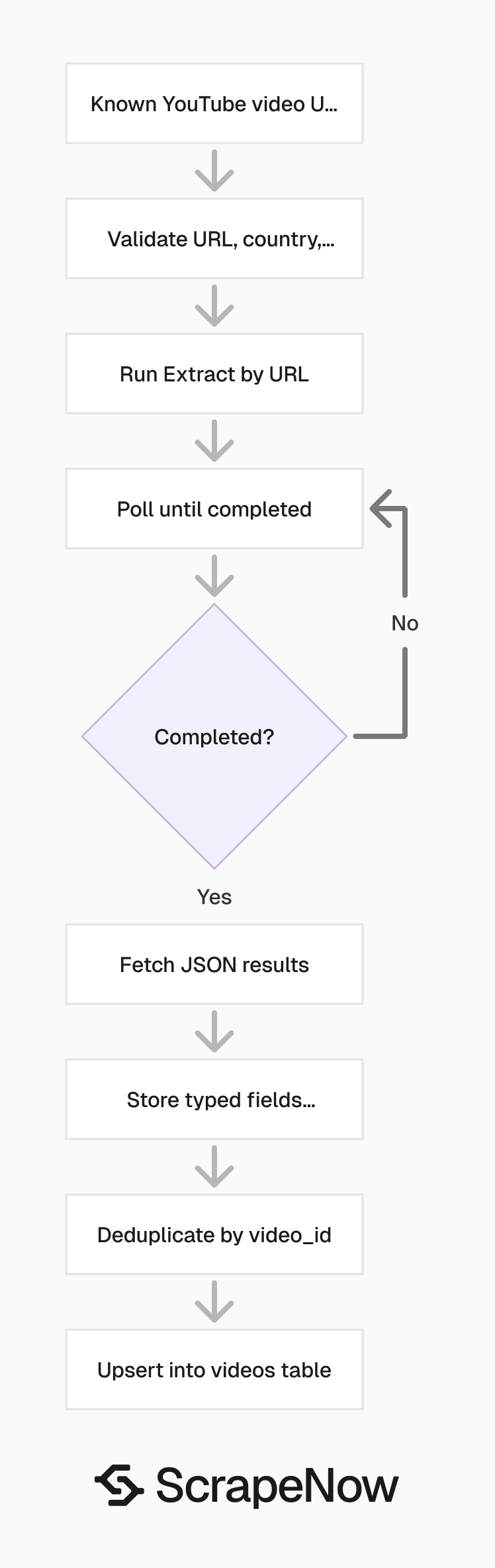
For known video URLs, use Extract YouTube video data. The input stays small, so you can validate, replay, and audit each request.
Send one YouTube URL, an optional country code, and an optional transcription language. Run one URL first, inspect the response shape, and confirm the fields your pipeline needs.
After the first row looks correct, send a larger batch. Keep batch size aligned with your retry policy, because a completed job can contain row-level failures.
Batch size should match your storage and retry design. A 10,000-row batch is painful to replay if your ingestion job dies halfway through the write step.
Step 1, get the input values
The API takes these fields:
url, required. Use a YouTube video URL that starts withhttps://www.youtube.com/.country, optional. Send a two-letter ISO 3166-1 country code as a string, such asUS.transcription_language, optional. Send the exact language label as a string, such asEnglish (auto-generated).
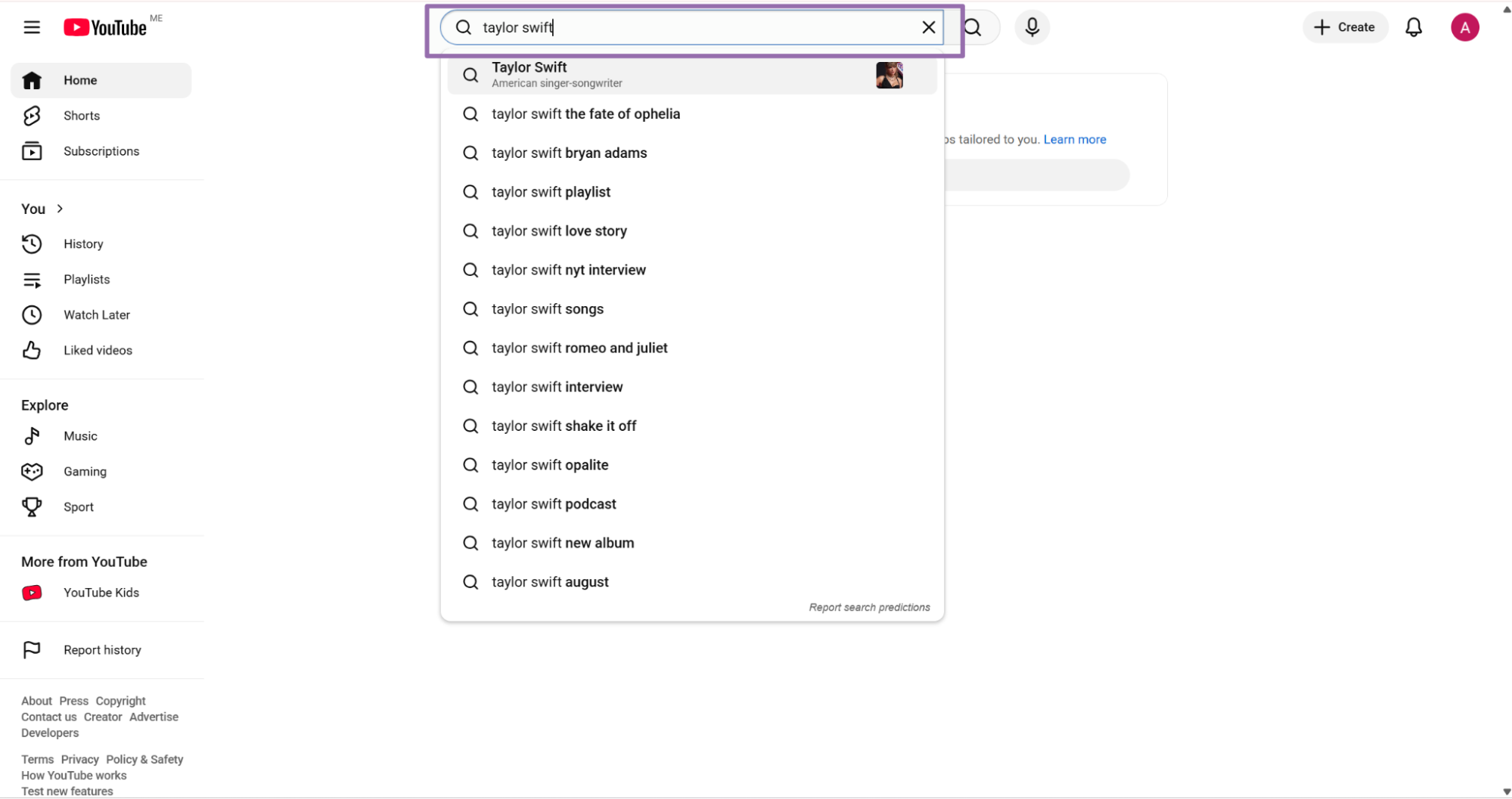
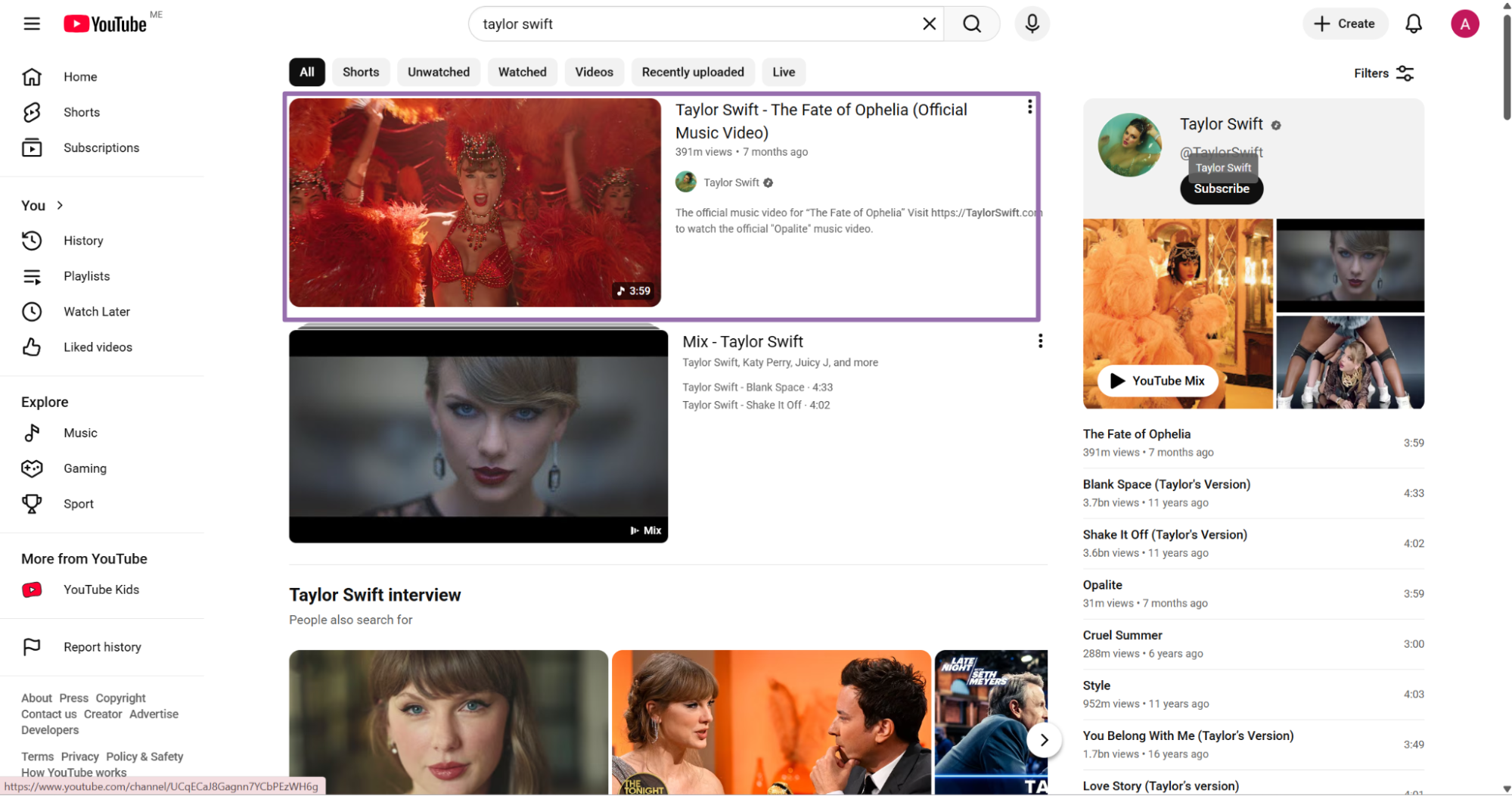
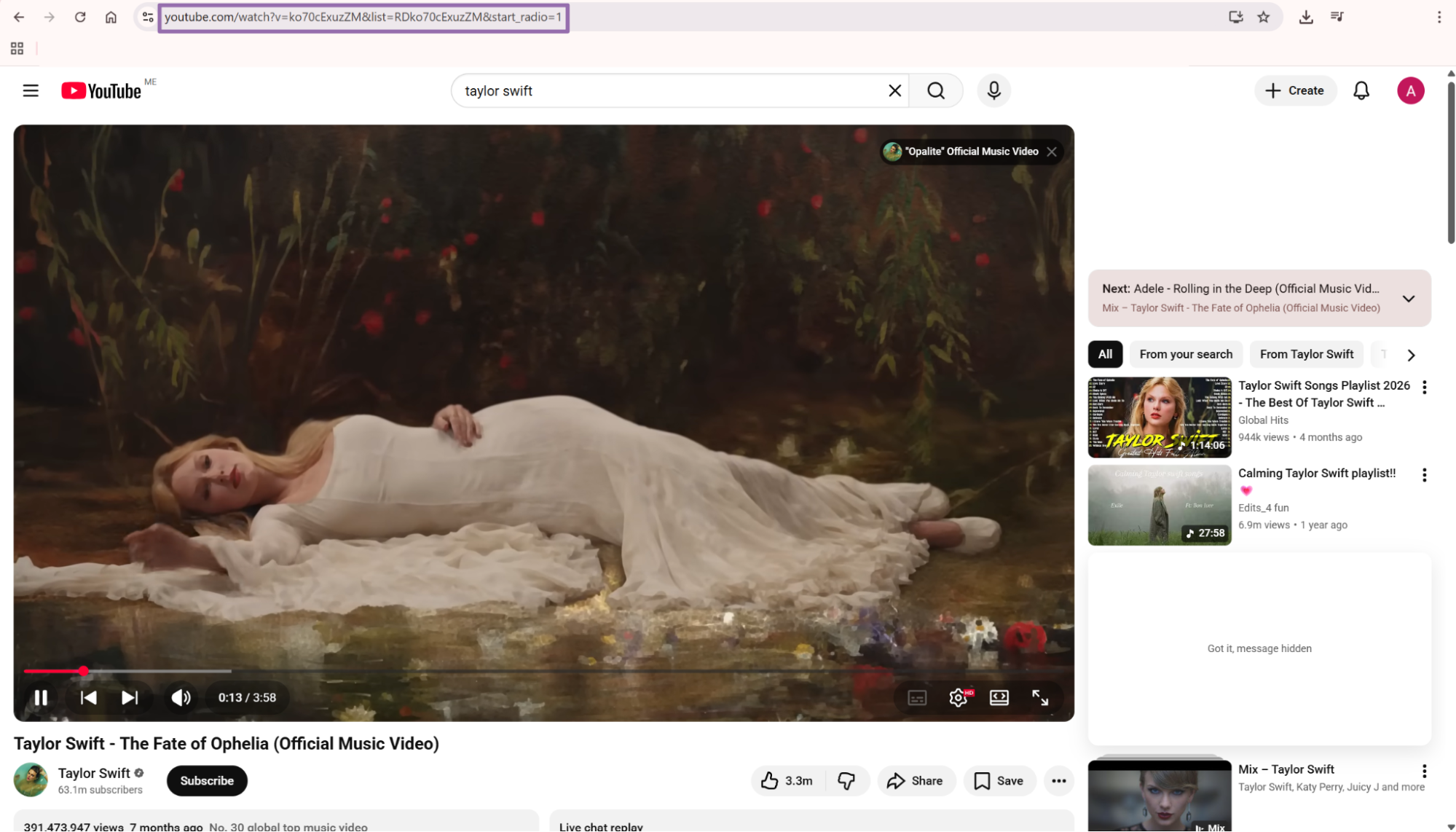
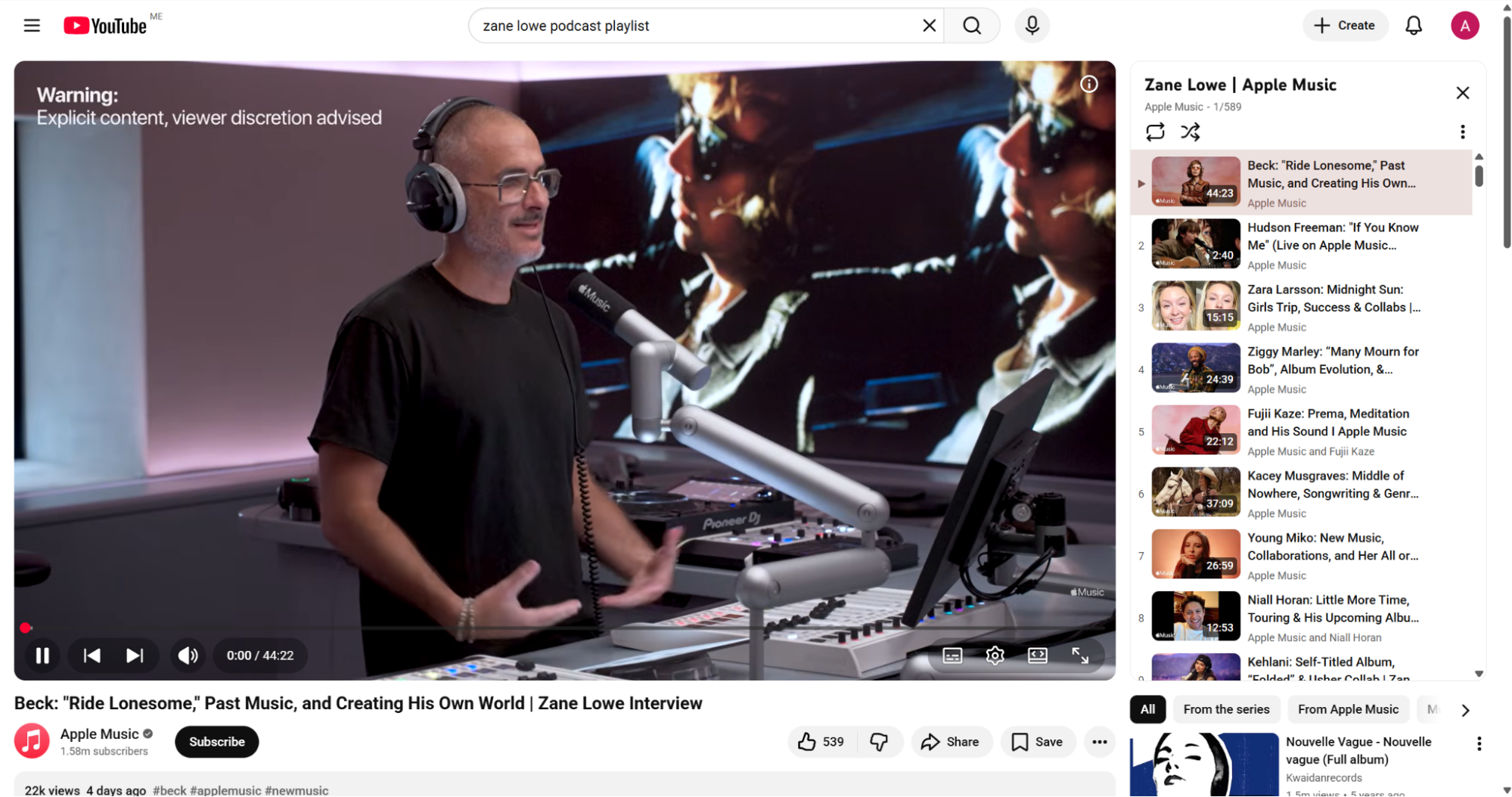
Open YouTube, search for the creator or topic, and click the video you want. Copy the URL from the browser address bar.
Keep the full watch URL from the browser. The extractor returns the canonical video_id, so you can deduplicate after extraction.
You do not need to strip playlist parameters before submission. Store the raw input URL because it helps you debug source feeds later.
For example, a source feed can contain the same video as a watch URL, a playlist URL, and a URL with tracking parameters. The raw URL explains where the record came from. The extracted video_id tells you which YouTube video it represents.
Step 2, run the API request
Use this Python script. Replace YOUR_API_KEY with your ScrapeNow API key.
The script needs Python 3.10 or newer because it uses str | None type syntax. Install requests before running it with pip install requests.
"""
Configuration:
    - Set SCRAPER_SLUG to the scraper you want to run.
    - Set SCRAPER_INPUTS to the list of input dicts matching that scraper's schema.
    - Set API_KEY to your scraper API key.
"""

import sys
import time
import json
import requests
import os

API_KEY = "YOUR_API_KEY"

SCRAPER_SLUG = "youtube-videos-extract-by-url"

SCRAPER_INPUTS = [
    {
        "url": "https://www.youtube.com/watch?v=ZDQU_f_uZU0",
        "country": "US",
        "transcription_language": "English (auto-generated)"
    }
]

BASE_URL = "https://api.scrapenow.io/api/v1/scraping"
TIMEOUT_SECONDS = 3600
REQUEST_TIMEOUT_SECONDS = 60
POLL_INTERVAL = 5
SPINNER = "|/-\\"


def build_headers(api_key: str, content_type: str | None = None) -> dict:
    """Build headers using your API key."""
    headers = {"Authorization": f"Bearer {api_key}"}
    if content_type:
        headers["Content-Type"] = content_type
    return headers


def trigger_scrape(slug: str, inputs: list[dict]) -> str:
    """POST to the scrape endpoint and return the job_id."""
    url = f"{BASE_URL}/scrape?scraper={slug}"

    response = requests.post(
        url,
        headers=build_headers(API_KEY, "application/json"),
        json={"inputs": inputs},
        timeout=REQUEST_TIMEOUT_SECONDS,
    )
    response.raise_for_status()
    return response.json()["data"]["job_id"]


def poll_until_done(job_id: str) -> str:
    """Poll the job status until it reaches a terminal state."""
    start = time.time()
    i = 0

    while True:
        elapsed = time.time() - start
        if elapsed > TIMEOUT_SECONDS:
            print(f"\nTimeout after {TIMEOUT_SECONDS}s")
            sys.exit(1)

        response = requests.get(
            f"{BASE_URL}/jobs/{job_id}",
            headers=build_headers(API_KEY),
            timeout=REQUEST_TIMEOUT_SECONDS,
        )
        response.raise_for_status()

        data = response.json()
        status = data["data"]["status"]

        mins, secs = divmod(int(elapsed), 60)
        sys.stdout.write(f"\r[{SPINNER[i % 4]}] Waiting... {status} ({mins}m {secs:02d}s)  ")
        sys.stdout.flush()

        if status in ("completed", "failed"):
            print()
            return status

        time.sleep(POLL_INTERVAL)
        i += 1


def fetch_results(job_id: str) -> dict:
    """Download the completed job results as JSON."""
    response = requests.get(
        f"{BASE_URL}/jobs/{job_id}/results?format=json",
        headers=build_headers(API_KEY),
        timeout=REQUEST_TIMEOUT_SECONDS,
    )
    response.raise_for_status()
    return response.json()


def save_results(data: dict, slug: str) -> str:
    """Write results to output/{slug}.json and return the filename."""
    os.makedirs("output", exist_ok=True)

    filename = os.path.join("output", f"{slug}.json")
    with open(filename, "w", encoding="utf-8") as f:
        json.dump(data, f, indent=2, ensure_ascii=False)

    return filename


def main() -> None:
    print(f"Triggering scraper: {SCRAPER_SLUG}")
    job_id = trigger_scrape(SCRAPER_SLUG, SCRAPER_INPUTS)
    print(f"Job started: {job_id}")

    final_status = poll_until_done(job_id)

    if final_status != "completed":
        print(f"Job failed with status: {final_status}")
        sys.exit(1)

    print("Fetching results...")
    results = fetch_results(job_id)

    output_file = save_results(results, SCRAPER_SLUG)
    print(f"Results saved to: {output_file}")


if __name__ == "__main__":
    main()
The same API pattern works for the other scrapers in this group. Use youtube-videos-search-by-filters, youtube-videos-search-by-hashtag, or youtube-videos-search-by-podcast for discovery workflows.
Change the SCRAPER_SLUG and SCRAPER_INPUTS values for each scraper. Keep the polling, result download, and JSON write code the same.
The script does 4 things:
- Starts a scrape job with
SCRAPER_SLUG. - Polls the job every
5seconds. - Stops after
3600seconds if the job does not finish. - Saves the result as JSON in the
outputdirectory.
A 5-second polling interval works well for local testing and small batches. For high-volume runs, move polling into a worker queue and store job IDs in your database.
Use a request timeout on every HTTP call. A job-level timeout protects the run, while a request timeout stops one stalled network call from blocking the process.
Keep the polling process separate from the result writer when you run this in production. The poller should update job status. The writer should fetch completed results and push rows into storage.
That separation makes retries safer. If the writer fails after downloading results, you can replay the write step without starting another scrape job.
Step 3, inspect the JSON output
A completed result uses the structure below. This sample is trimmed because fields like video_url can be long.
[
  {
    "inputs": {
      "url": "https://www.youtube.com/watch?v=ZDQU_f_uZU0",
      "country": "US",
      "transcription_language": "English (auto-generated)"
    },
    "scrape_status": "success",
    "url": "https://www.youtube.com/watch?v=ZDQU_f_uZU0",
    "title": "I Care (Homecoming Live)",
    "youtuber": "UCoPQ_TWm8JZ5nJv4a5BzSWA",
    "youtuber_md5": "538ddfd29d924360c382179dba479d07",
    "video_url": "https://rr4---sn-aj2im9-5q.googlevideo.com/videoplayback?...",
    "video_length": 249,
    "likes": 3878,
    "views": 369381,
    "date_posted": "2023-06-01T10:00:20.000Z",
    "description": "Provided to YouTube by Columbia\n\nI Care (Homecoming Live) · Beyoncé\n\nHOMECOMING: THE LIVE ALBUM\n\n℗ 2019 Parkwood Entertainment LLC...",
    "num_comments": 36,
    "subscribers": 29000000,
    "music": {
      "song": "I Care (Homecoming Live)",
      "artist": "Beyoncé"
    },
    "video_id": "ZDQU_f_uZU0",
    "channel_url": "https://www.youtube.com/channel/UCoPQ_TWm8JZ5nJv4a5BzSWA",
    "preview_image": "https://i.ytimg.com/vi_webp/ZDQU_f_uZU0/maxresdefault.webp",
    "shortcode": "ZDQU_f_uZU0",
    "verified": false,
    "handle_name": "Beyoncé",
    "avatar_img_channel": "https://yt3.ggpht.com/4UxYRy4fJ0Fo54TRPkw19_W6uCCnzTBSkzm75vGIiEObg4IgY5Ie1BIsNcflFNqofAjxEpTRcQ=s48-c-k-c0x00ffffff-no-rj",
    "is_sponsored": false,
    "related_videos": null,
    "license": null,
    "viewport_frames": "360x360 / -",
    "current_optimal_res": "360x360@25 / 360x360@25",
    "codecs": "avc1.42001E, mp4a.40.2 / mp4a.40..."
  }
]
Check scrape_status before reading fields. A completed job can contain successful rows and failed rows.
Store the original inputs object with each result. It gives you the exact request payload for retries, audits, and source-level debugging.
For ingestion, treat the top-level array as the batch result. Treat each object inside it as the unit of storage, retry, and billing review.
A row should move through your pipeline with its input, output, status, and scrape timestamp. That gives you enough state to replay failures without guessing which source produced the row.
Choose the right YouTube scraper
flowchart TD
  A[Have a video URL] --> B[Use Extract by URL]
  A2[Have keyword or hashtag] --> C[Use search scraper]
  A3[Have podcast page URL] --> C
  C --> D[Save discovered video URLs]
  D --> E[Deduplicate exact URLs]
  E --> B[Run Extract by URL]
  B --> F[Store normalized video records]
  F --> G[Track discovery and enrichment separately]
ScrapeNow keeps these YouTube video scrapers with the rest of the 86+ pre-built scrapers. Pick the scraper based on the data you already have.
| Starting point | Scraper to run | Next action | Credit model |
|---|---|---|---|
| Known video URLs | Extract YouTube video data | Store the returned video records | 1 result row costs 1 credit |
| Keyword and filters | Search YouTube videos by filters | Send returned URLs into the extractor | Result rows use the same credit model |
| Campaign hashtag | Search YouTube videos by hashtag | Normalize videos with the extractor | Result rows use the same credit model |
| Podcast page URL | Search YouTube podcast episodes | Extract each episode URL | Result rows use the same credit model |
This split matters in production. Discovery output changes with query settings, while extraction output follows the video URL.
Keep one job type per workflow stage. That makes cost tracking, retries, and schema mapping easier to debug during failed imports.
Use a separate job label for each stage. For example, youtube_search_hashtag_2026_01_15 should produce URLs, and youtube_extract_hashtag_2026_01_15 should enrich those URLs.
That naming pattern also helps when you compare costs. You can see how many credits went into discovery and how many went into enrichment.
Use search variants when you do not have video URLs
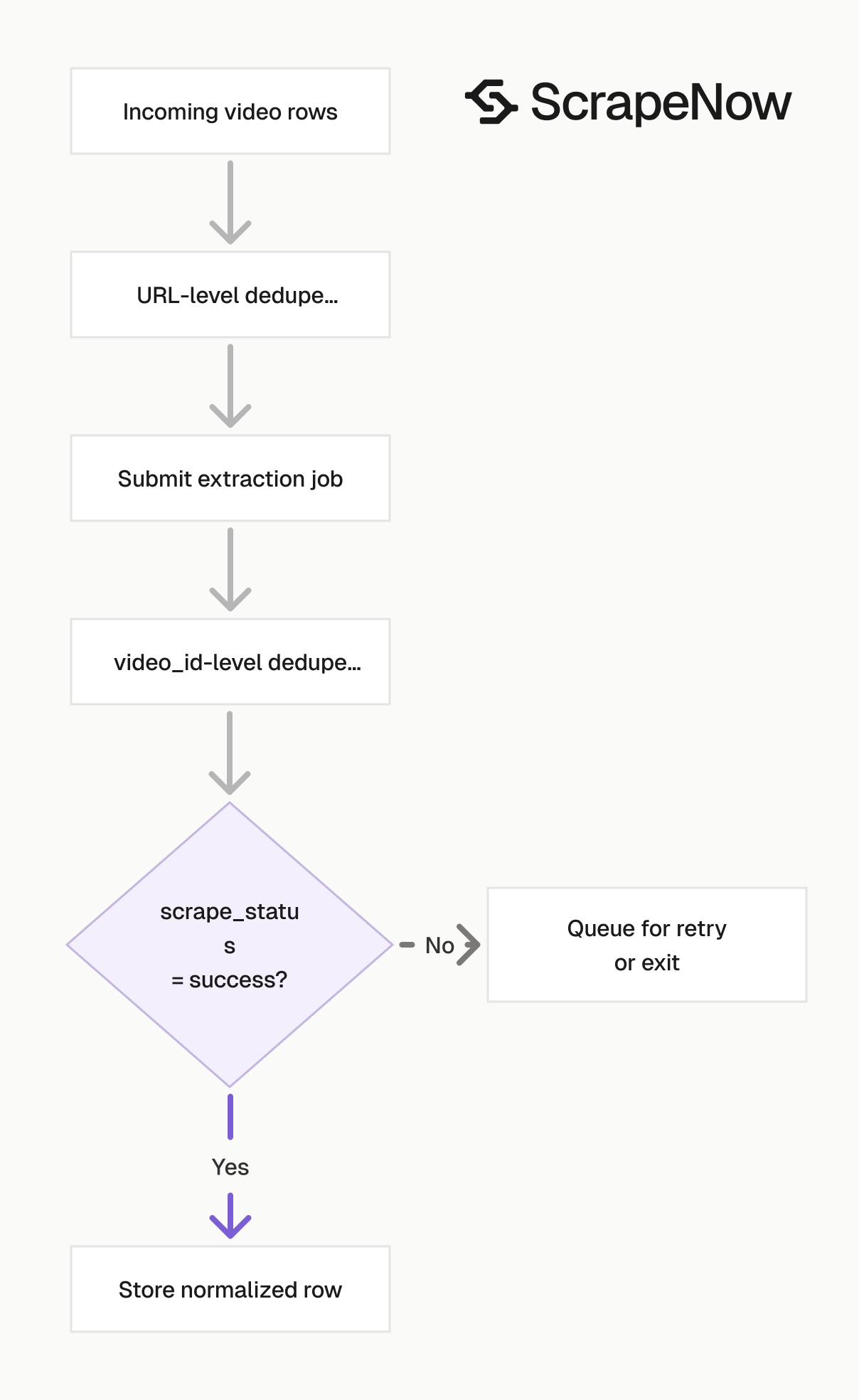
If you already have a list of URLs, stay with Extract YouTube video data. If you need discovery first, use a search scraper and send the returned video URLs into the extractor.
Search scrapers answer the source question. The extractor answers the record question.
A clean pipeline follows this sequence:
- Run search by filters, hashtag, or podcast.
- Save the discovered video URLs and the discovery inputs.
- Deduplicate exact URLs before enrichment.
- Run Extract YouTube video data.
- Store typed fields and the raw JSON payload.
That path gives you a repeatable audit trail. You can trace every extracted row back to the search query, hashtag, podcast page, or manual URL list.
Keep the discovery payload even after extraction succeeds. Discovery metadata explains ranking position, search settings, and the source that produced the URL.
Search by filters
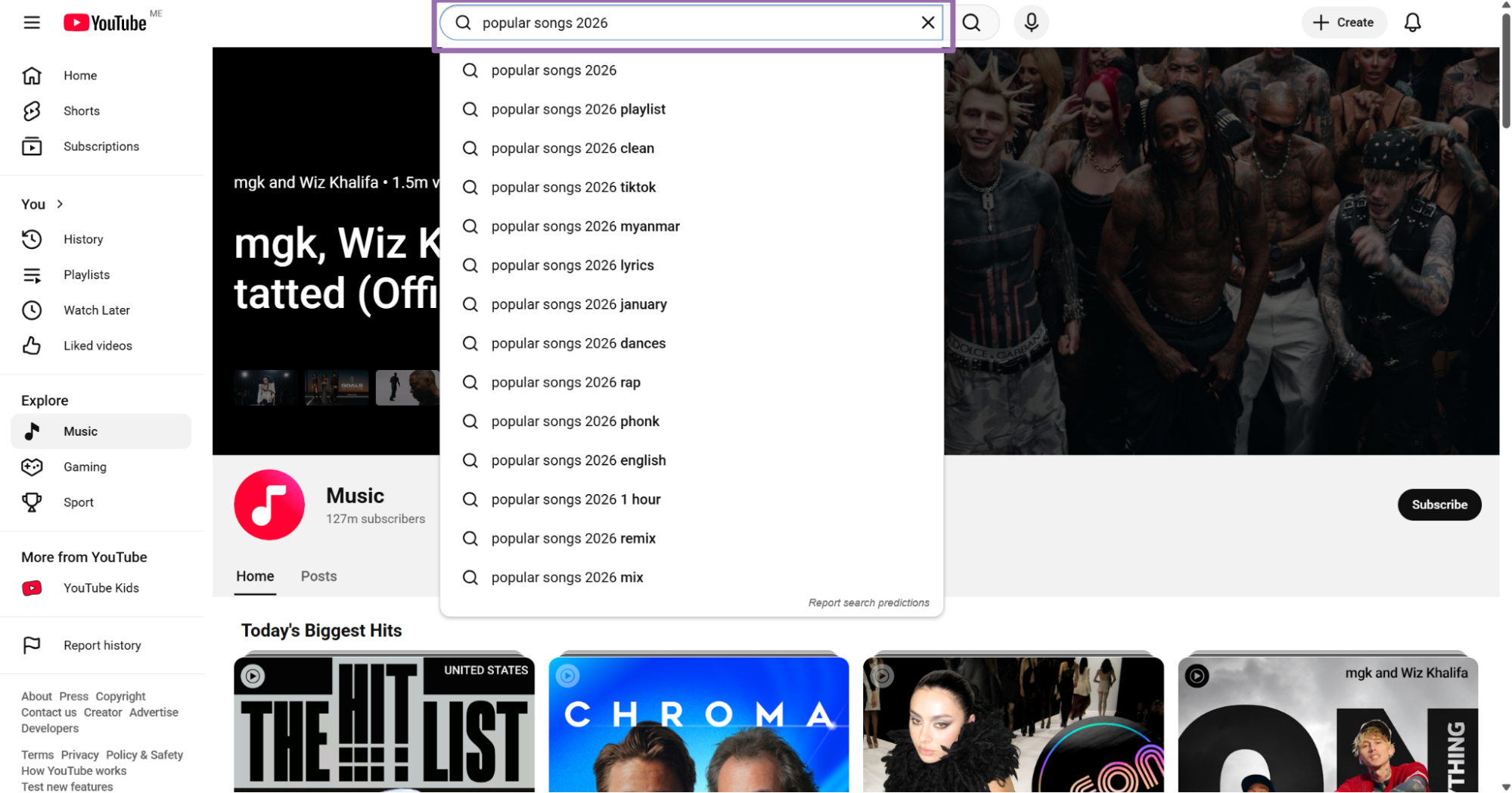
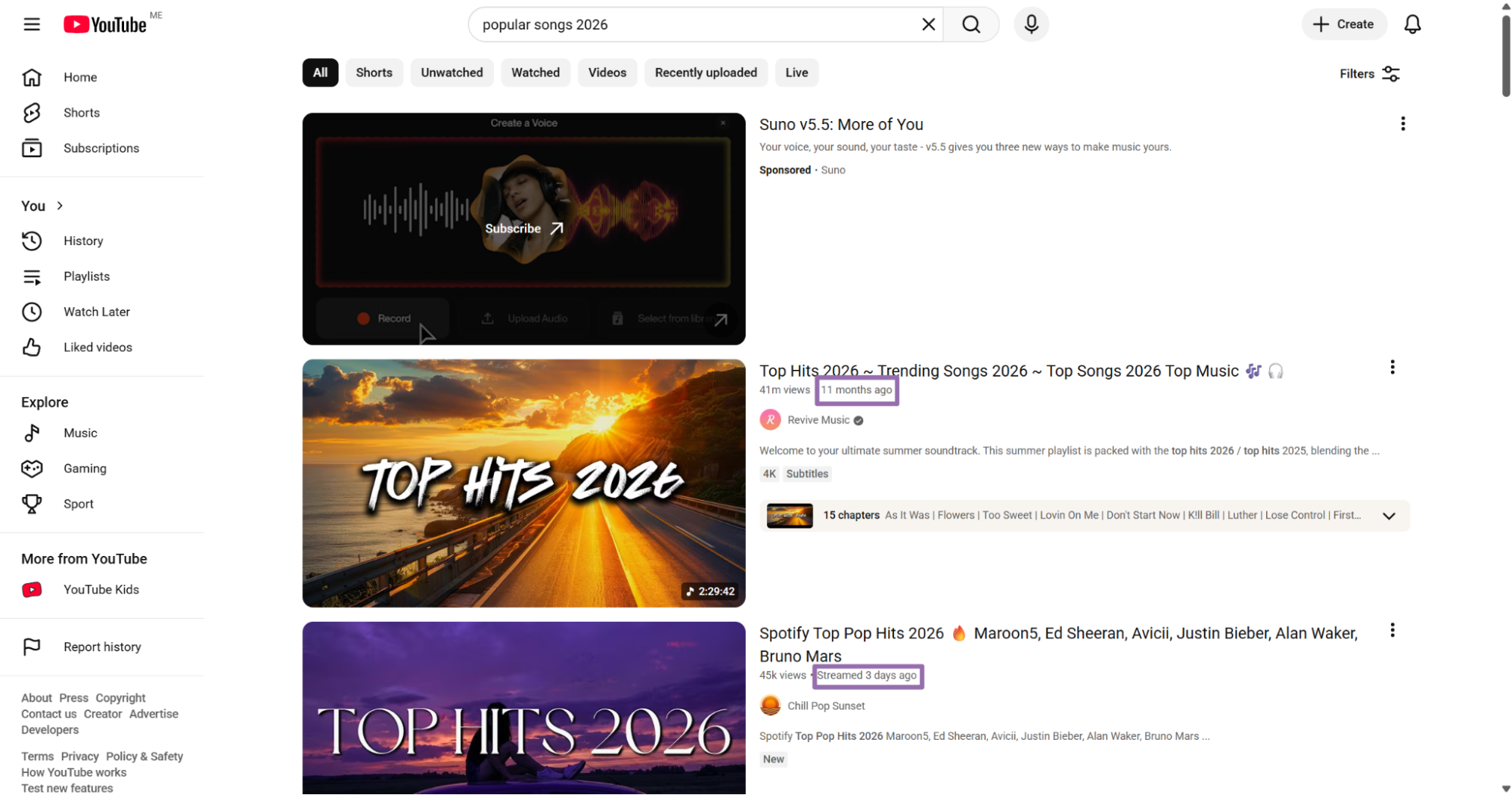
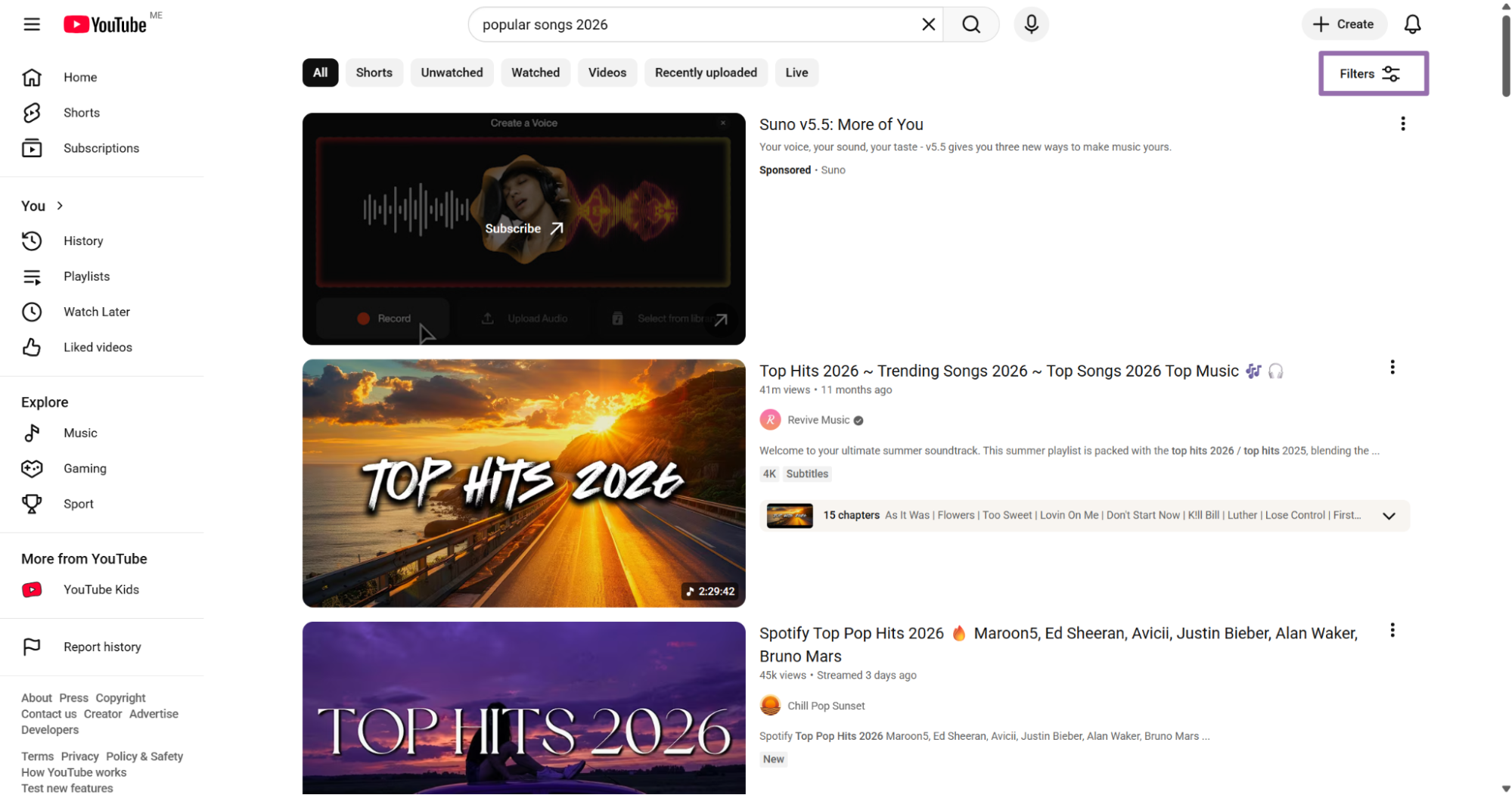
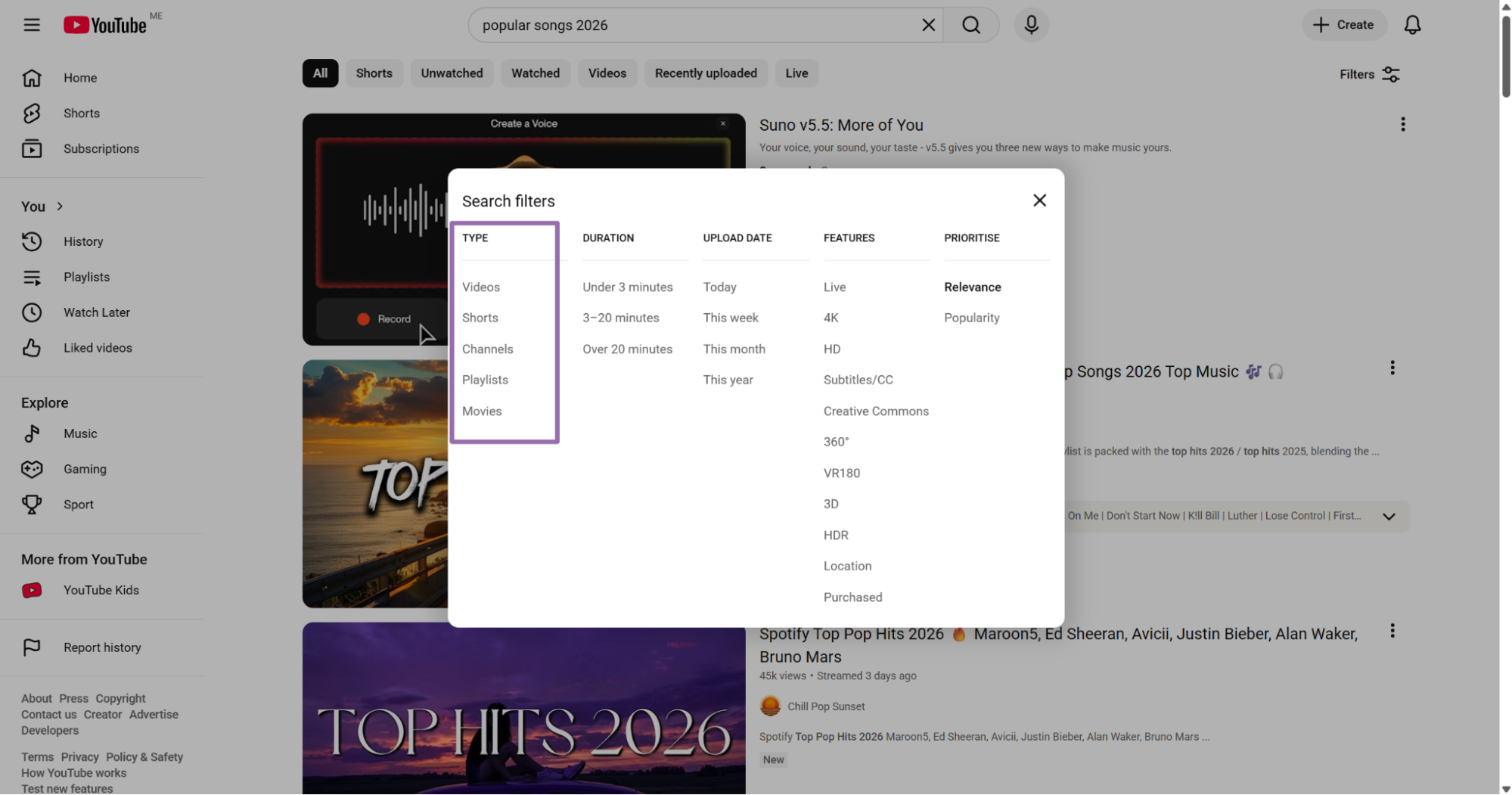
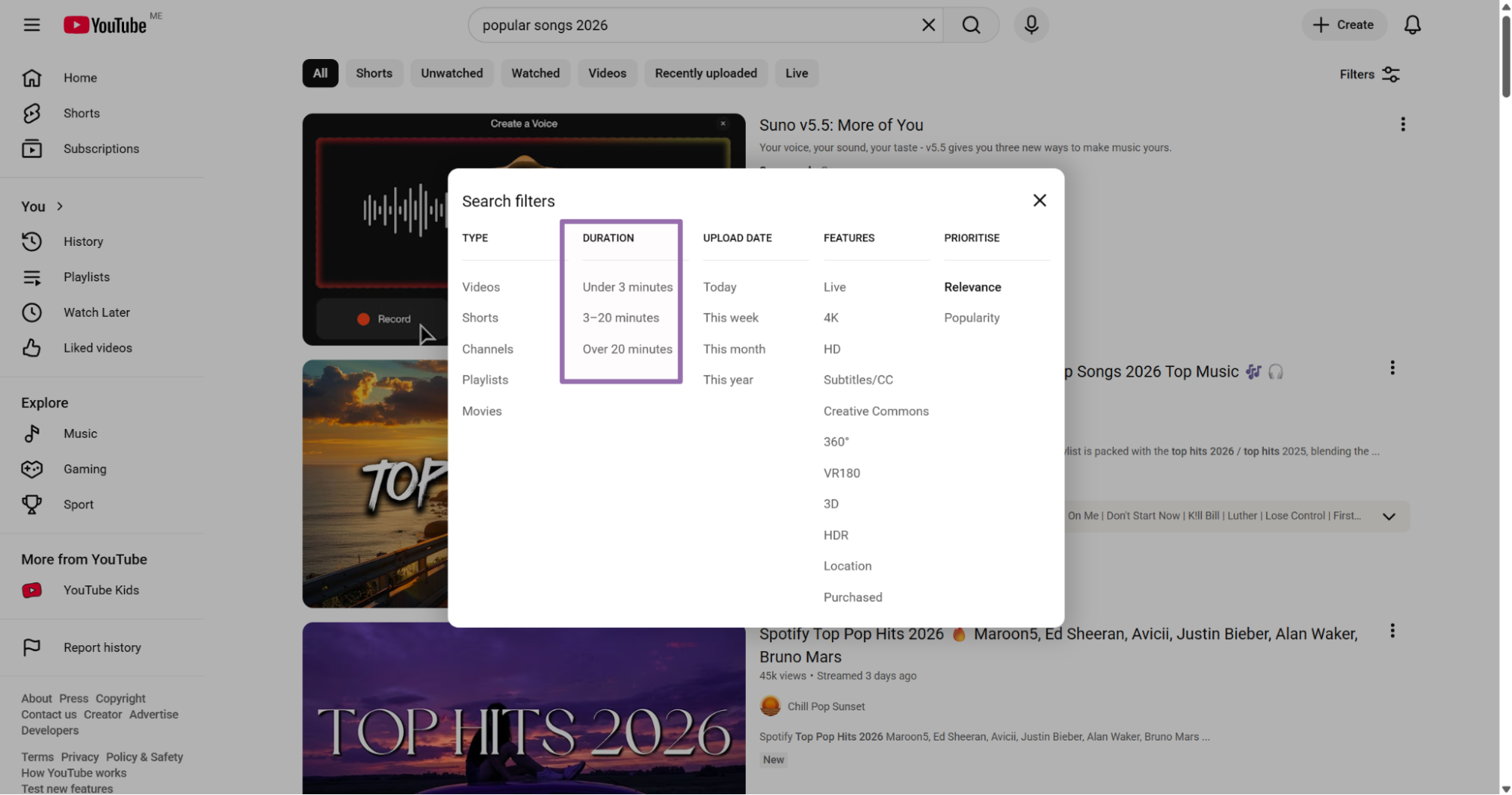
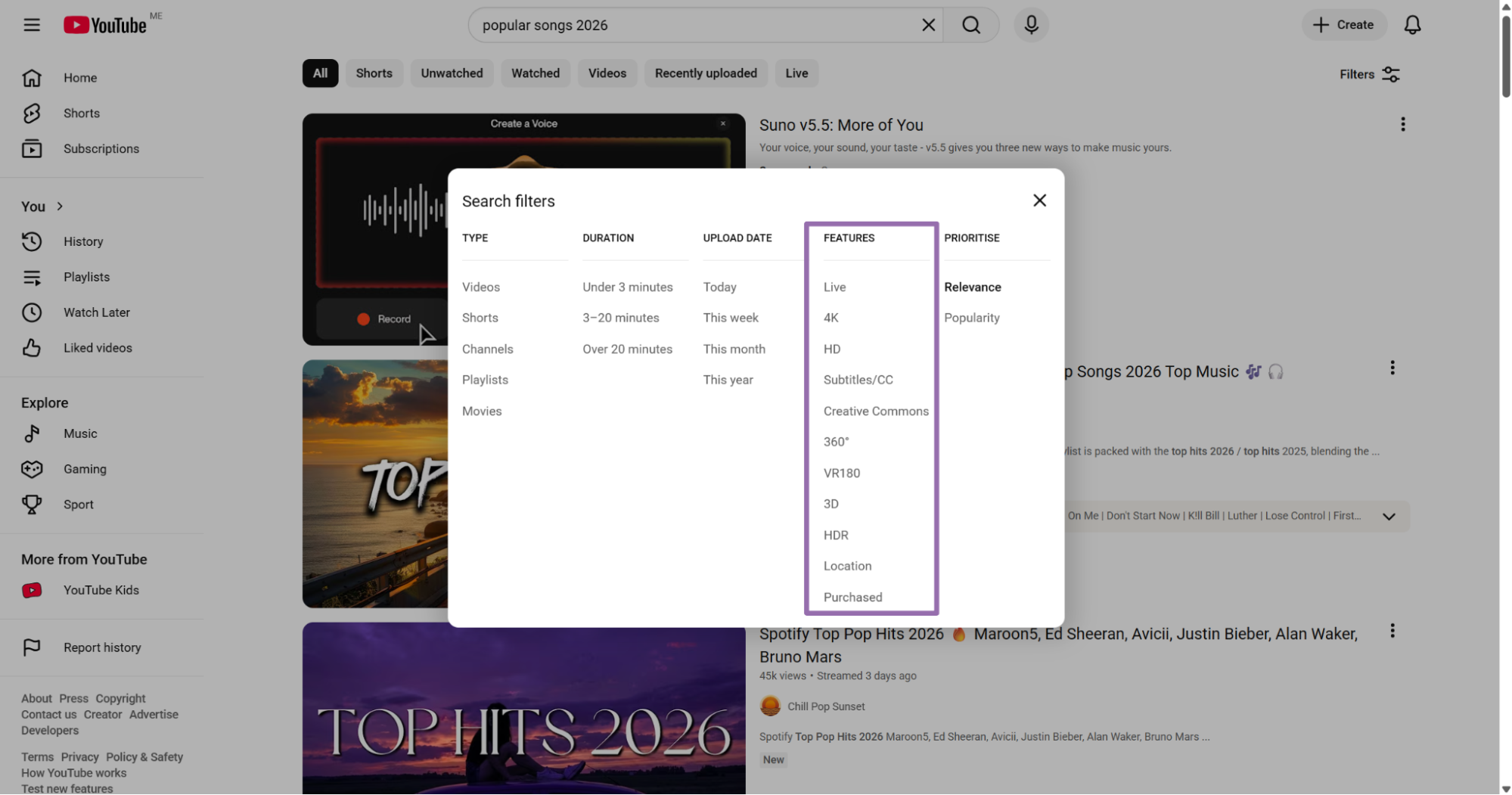
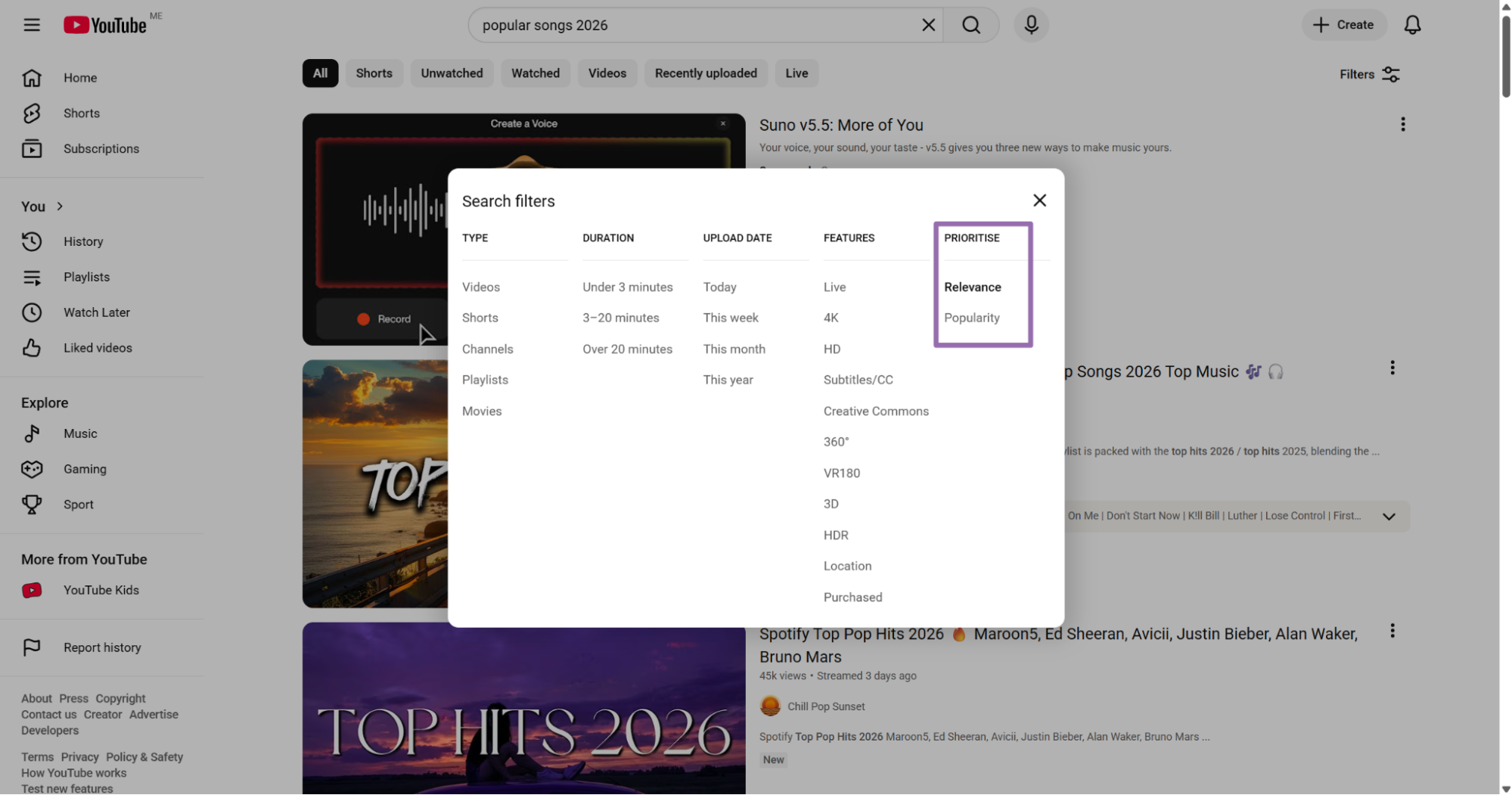
Use Search YouTube videos by filters when you want videos by keyword, upload date, duration, feature, country, and sort order. This scraper fits topic research, competitor monitoring, news tracking, and ranked keyword collection.
Input variables:
keyword, optional. Topic keyword to search for videos.upload_date, optional. Send the exact value as a string, such asToday.content_type, required. Choose the content type, such as video, channel, or user.duration, optional. Send the exact duration filter value as a string.features, optional. Send the exact feature value as a string, such as4KorHD.country, optional. Send a two-letter ISO 3166-1 country code, such asUS.sort_by, optional. Send the exact sort value as a string, such asRelevance.
Use consistent filters across repeated runs. Changing country, sort_by, or upload_date changes the result set and makes trend comparisons harder.
For daily monitoring, store the full filter object with each search job. The keyword alone does not explain why a later run returned a different set of videos.
If you compare two creators or topics, run both with the same country and sort settings. Small filter changes create different rankings and hide the pattern you wanted to measure.
Search by hashtag
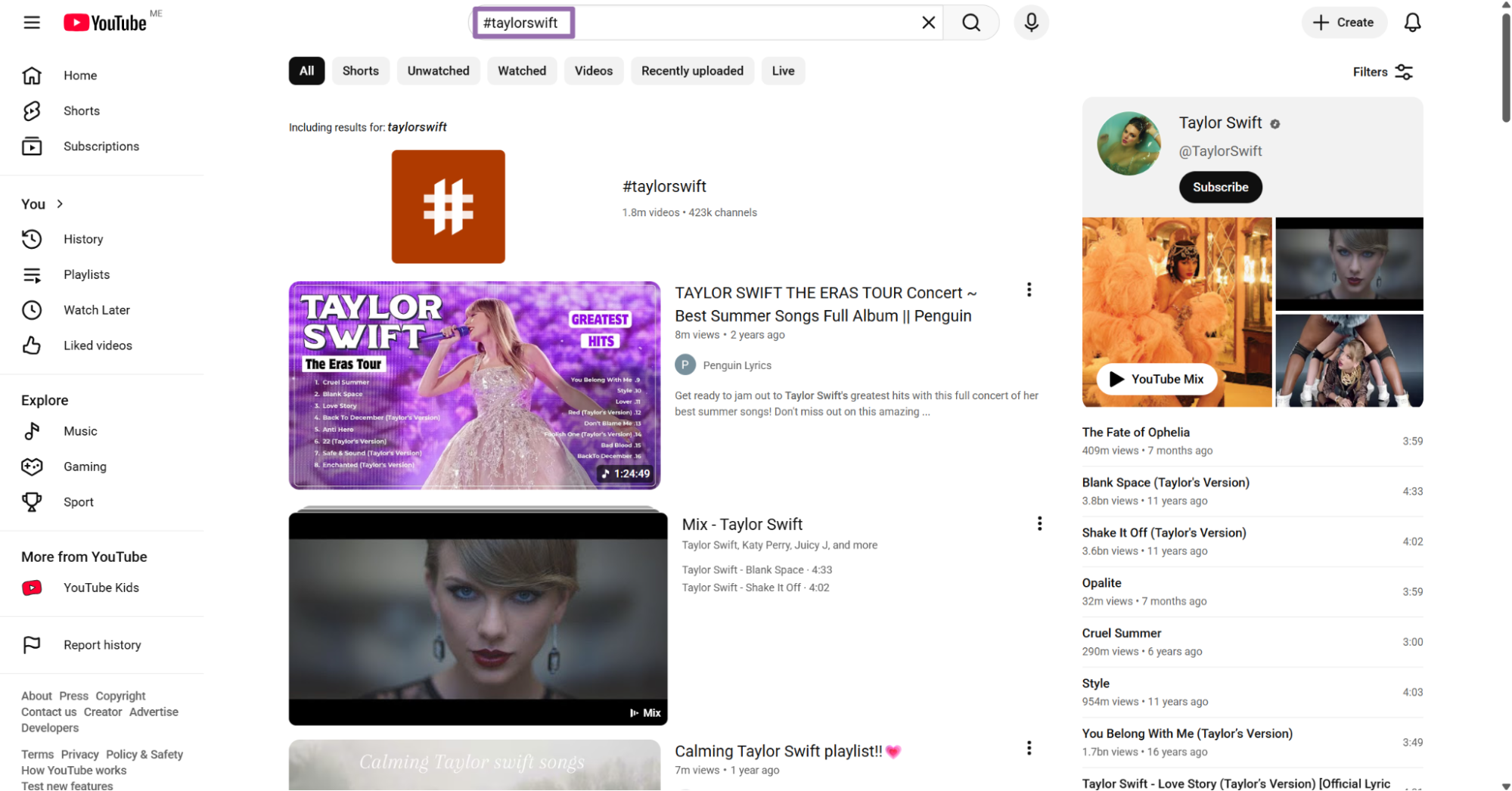
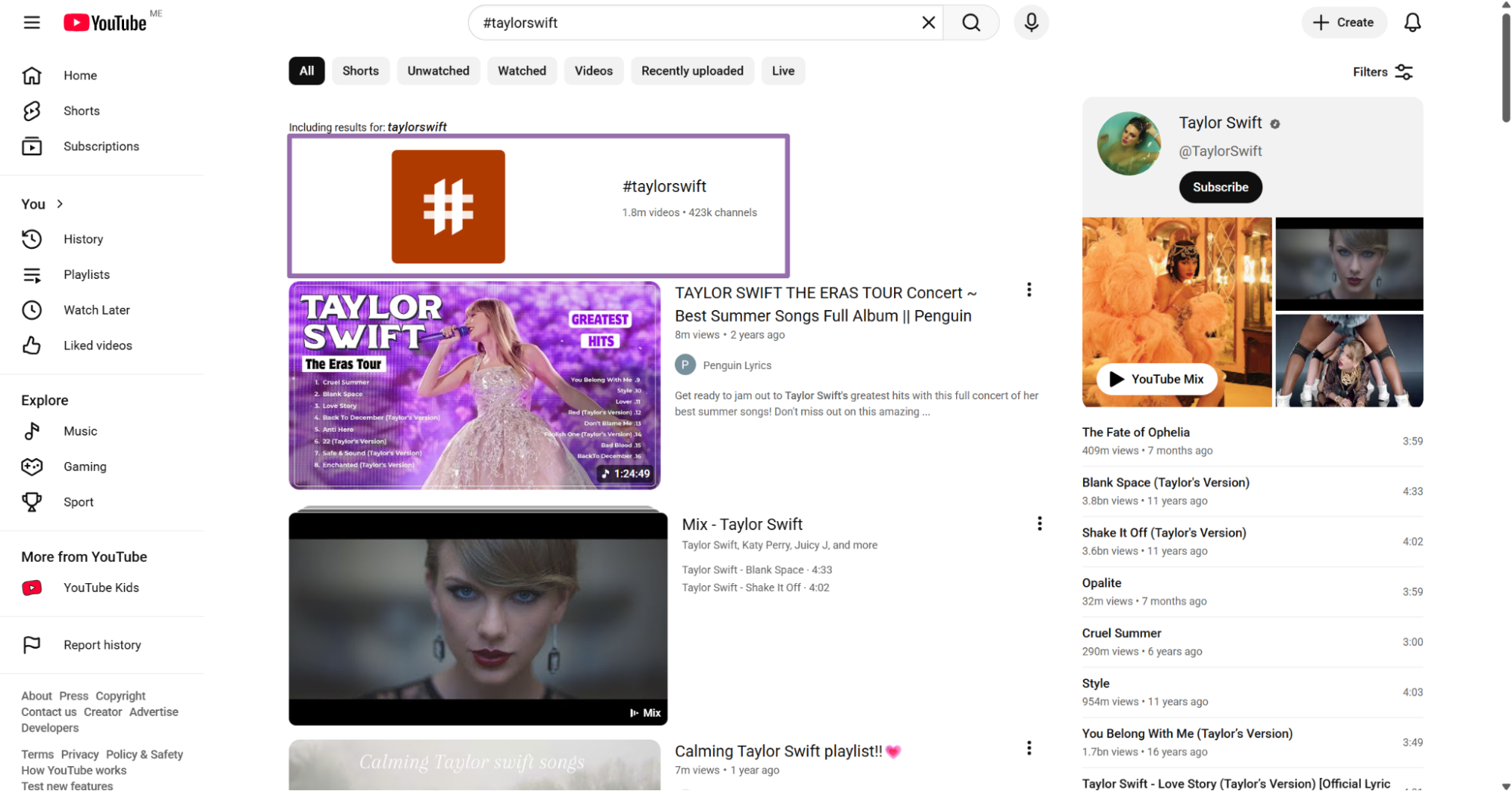
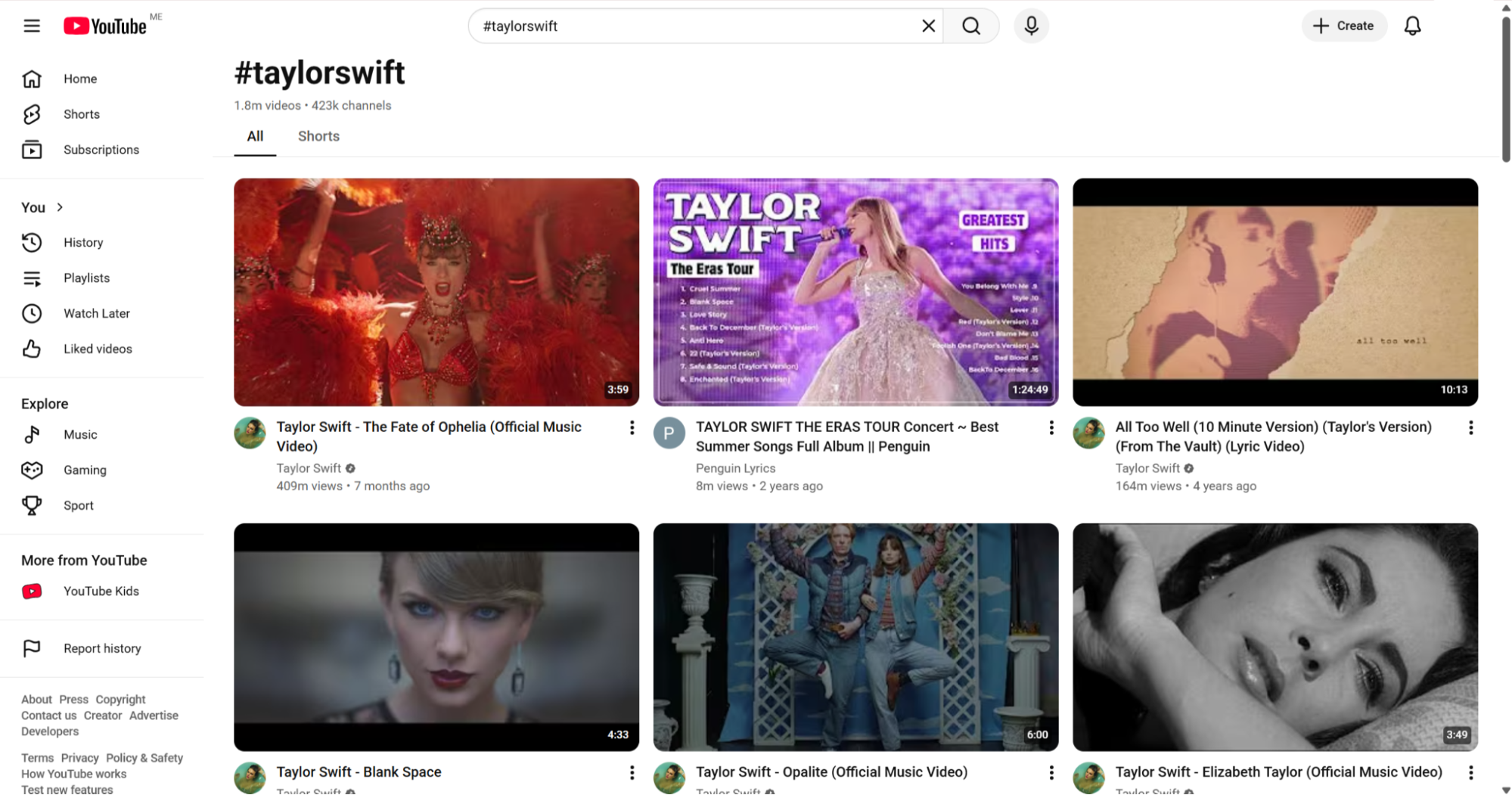
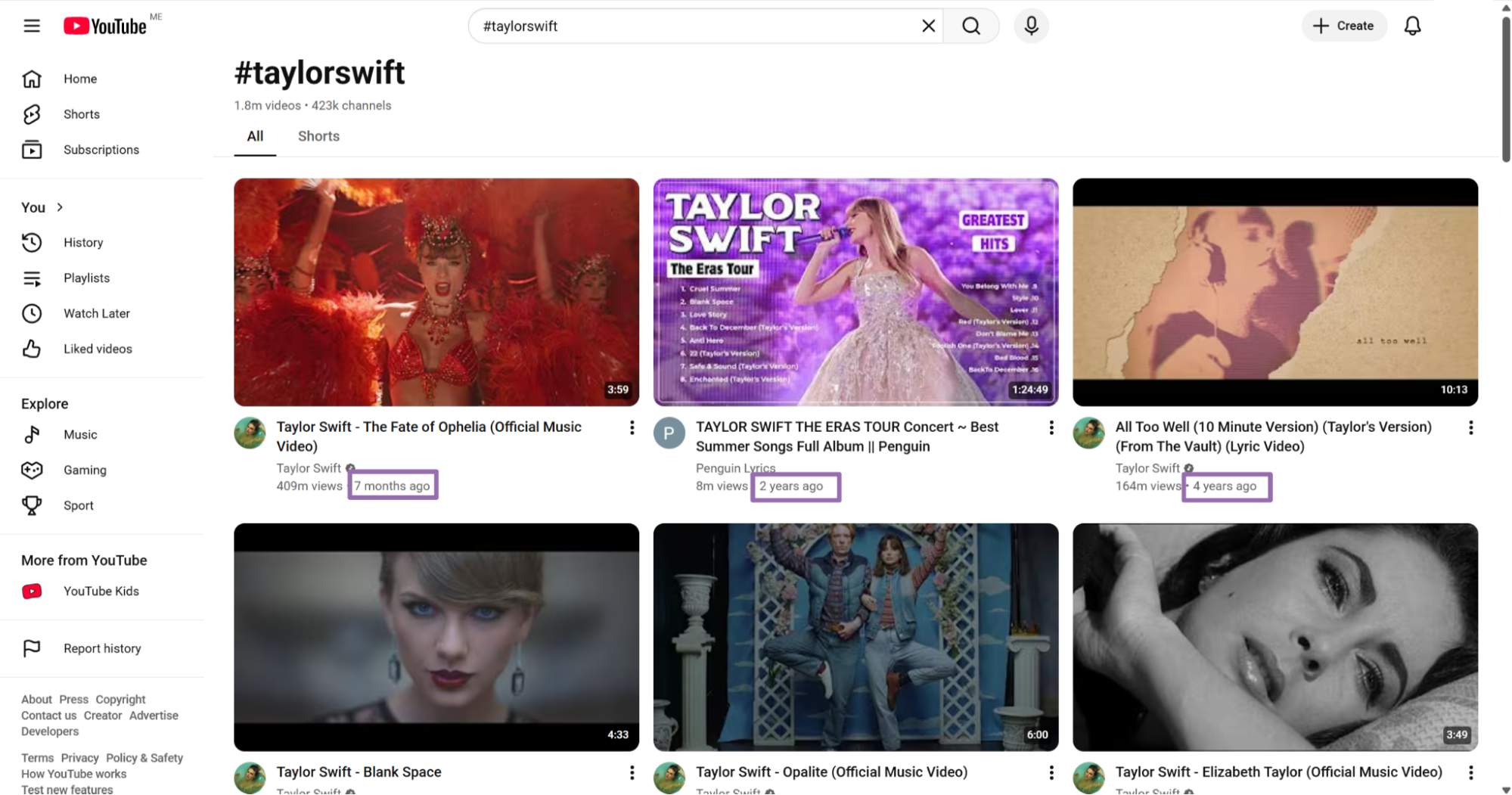
Use Search YouTube videos by hashtag when your seed value is a hashtag instead of a keyword. This path works for Shorts campaigns, creator challenges, branded tags, and event hashtags.
Hashtag search returns clustered content around a campaign, meme, event, or creator prompt. Run extraction after search so you can compare views, likes, comments, creator IDs, and publish dates in one schema.
Store the hashtag exactly as submitted, including capitalization. YouTube can display and rank hashtag pages differently from plain keyword search.
For campaign tracking, store the scrape timestamp and the rank position from discovery. That lets you compare which videos stayed visible across multiple runs.
Search by podcast
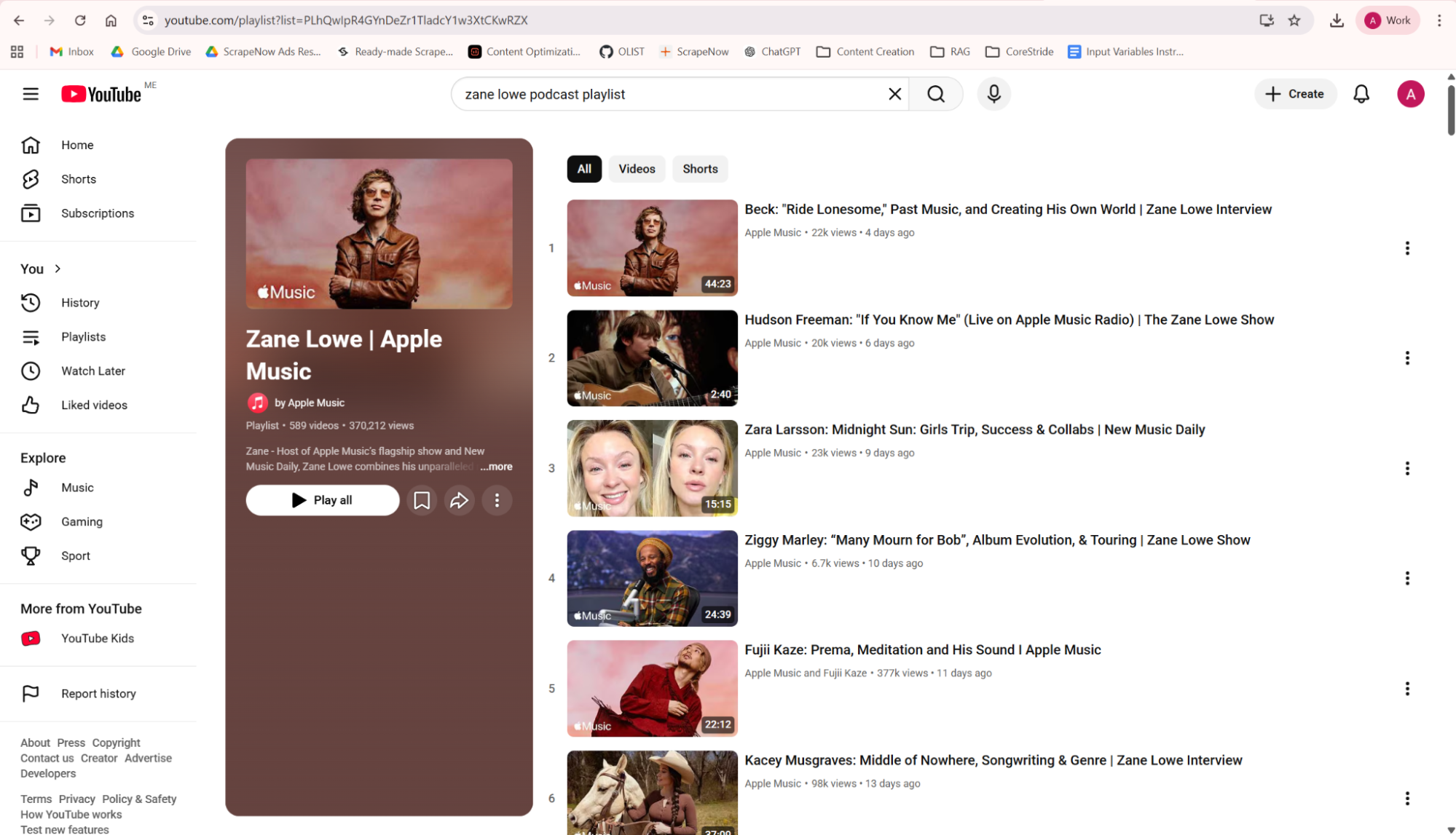
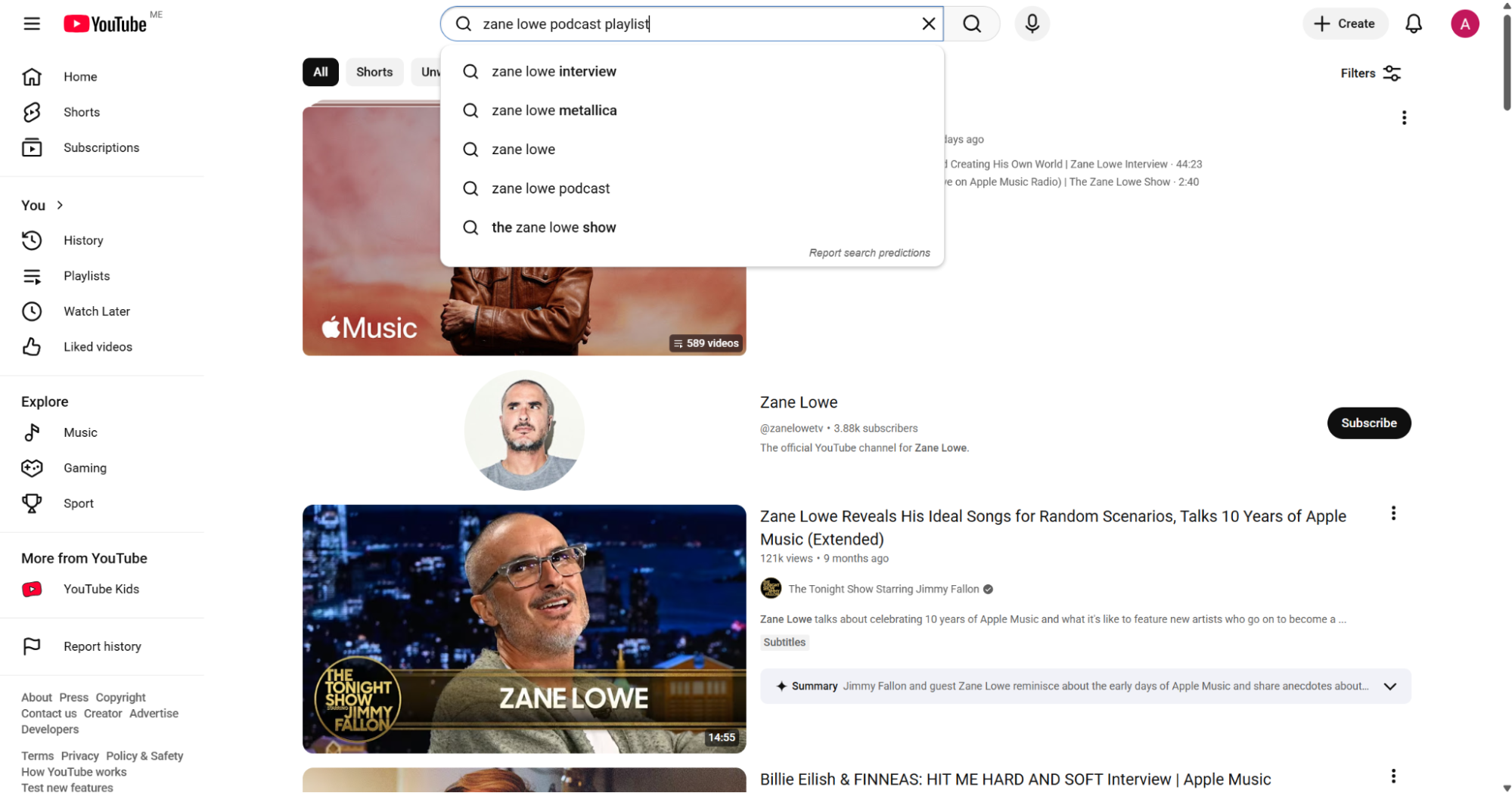
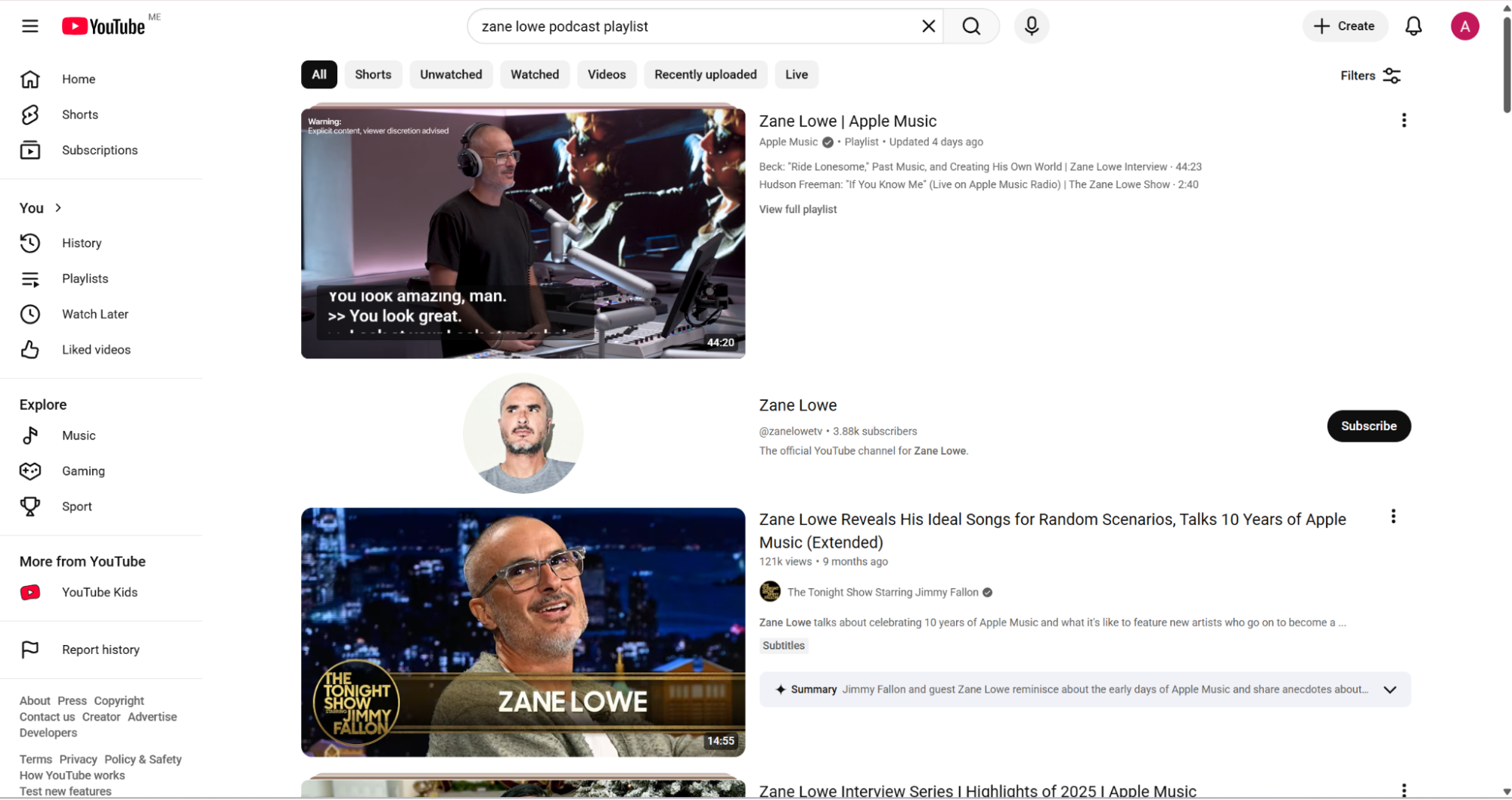
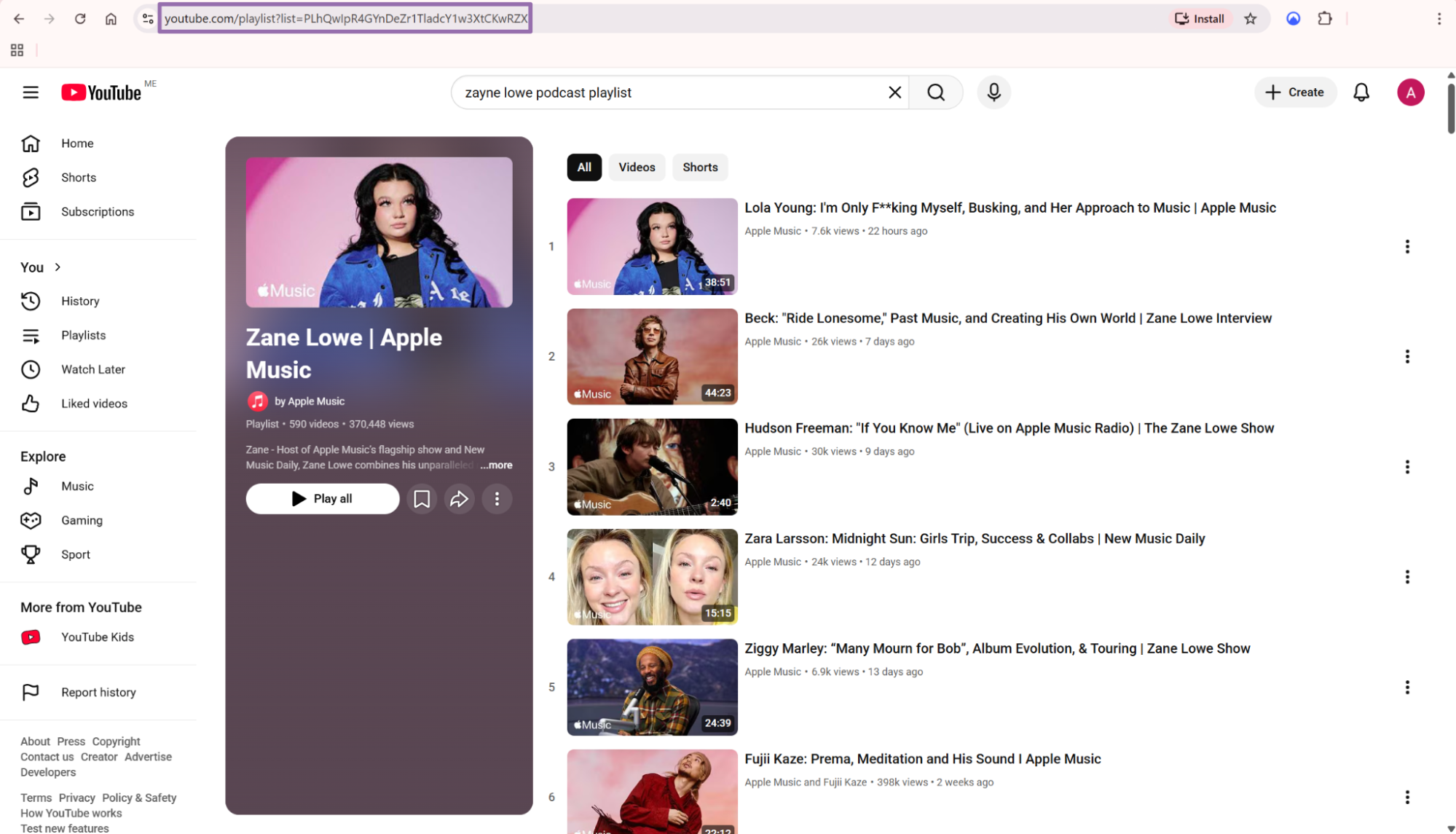
Use the podcast search scraper when your input is a YouTube podcast URL and you need episode-level video records. It works well when the podcast page is your source of truth and every episode needs a row.
After discovery, pass the returned episode URLs into the video extractor. That gives you the same field set as standard video URLs, including metrics, descriptions, thumbnails, channel data, and media details.
Podcast workflows need stable ordering. Store the podcast URL, the extracted episode URL, and the scrape timestamp so you can detect new episodes later.
For recurring jobs, compare the latest discovered episode URLs against the stored video_id list. New IDs become extraction inputs. Existing IDs can move straight to metric refresh.
What data you get back
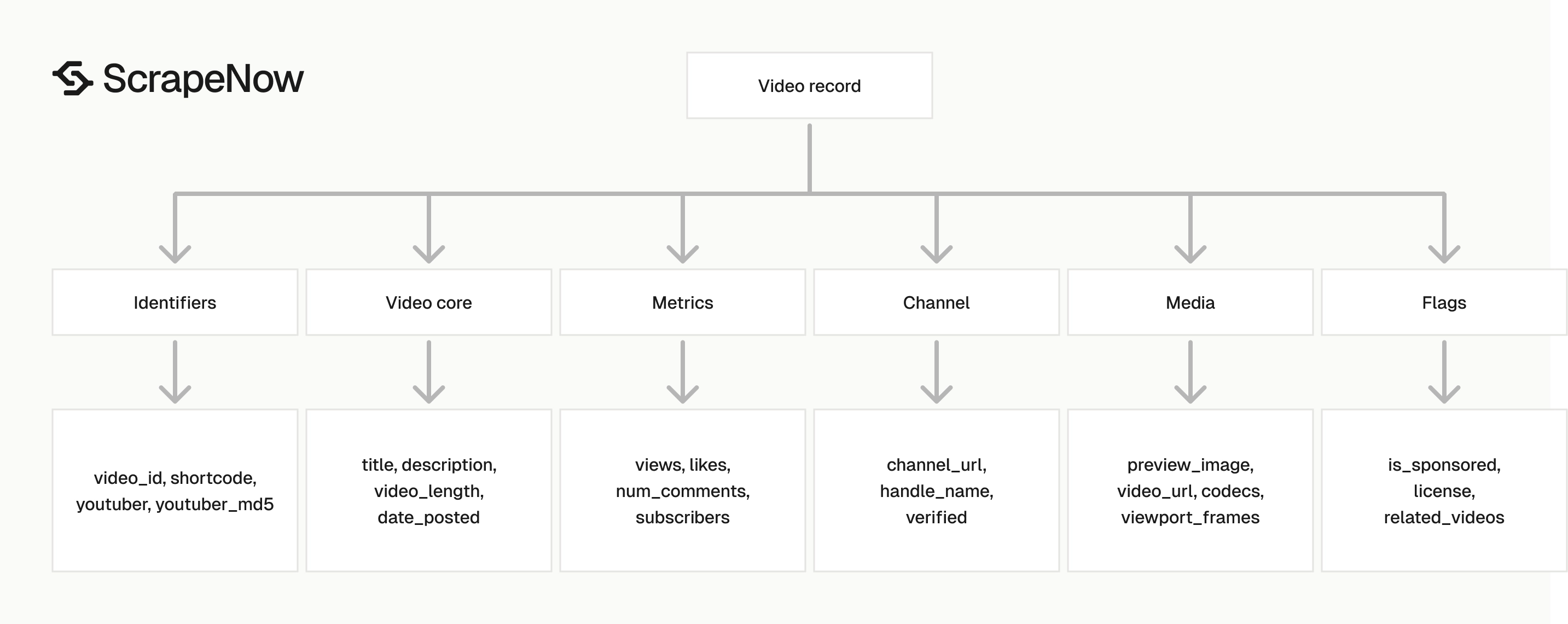
The video extractor returns one JSON object per input URL. Treat scrape_status as the row-level status because one invalid URL should not invalidate a batch.
Use this field map when shaping the response into your database:
| Field | Type | Use it for |
|---|---|---|
scrape_status |
string | Row-level success or failure handling |
url |
string | Original YouTube video URL |
title |
string | Display title and search indexing |
video_id |
string | Stable YouTube video identifier |
shortcode |
string | Same video ID format used in short URLs |
youtuber |
string | Channel ID |
youtuber_md5 |
string | Stable hashed channel key |
channel_url |
string | Channel page URL |
handle_name |
string | Creator or channel display name |
verified |
boolean | Channel verification flag |
views |
integer | Video popularity metric |
likes |
integer | Engagement metric |
num_comments |
integer | Comment count |
subscribers |
integer | Channel subscriber count |
date_posted |
string | Publish timestamp in ISO format |
video_length |
integer | Duration in seconds |
description |
string | Full video description |
preview_image |
string | Thumbnail URL |
avatar_img_channel |
string | Channel avatar URL |
music |
object | Song and artist metadata when present |
is_sponsored |
boolean | Sponsorship flag when detected |
video_url |
string | Resolved video media URL when available |
codecs |
string | Media codec details when available |
For analytics work, store views, likes, num_comments, subscribers, date_posted, and video_length as typed fields. Do not store metrics as strings if you plan to sort, aggregate, or calculate growth rates.
For search or enrichment, keep title, description, handle_name, channel_url, and preview_image. These fields support internal search pages, creator profiles, recommendation features, and moderation review queues.
music works for music videos and Shorts-style datasets. Keep it as a nested object or flatten it into music_song and music_artist.
Treat video_url as a resolved media field that can change. Store it when you need it, and refresh it when your downstream process depends on direct media access.
Use video_id as the primary identifier for video records. Use youtuber or youtuber_md5 as the channel identifier when your database separates creators from videos.
Keep nullable fields nullable in your schema. Music metadata, sponsorship flags, license values, and media details depend on the video page and the available metadata.
Do not use title as an identifier. Creators can edit titles after publication, and two different videos can use the same title.
Production tips
Validate inputs before sending jobs
Invalid input wastes credits and creates noisy output. Validate the URL prefix, country code shape, and transcription language before you call the API.
import re

ALLOWED_TRANSCRIPTION_LANGUAGES = {
    "English (auto-generated)",
    "Spanish (auto-generated)",
    "French (auto-generated)"
}

def validate_youtube_video_input(row: dict) -> dict:
    url = row.get("url", "")
    country = row.get("country", "US")
    transcription_language = row.get("transcription_language")

    if not url.startswith("https://www.youtube.com/"):
        raise ValueError(f"Invalid YouTube URL: {url}")

    if not re.fullmatch(r"[A-Z]{2}", country):
        raise ValueError(f"Invalid country code: {country}")

    if transcription_language and transcription_language not in ALLOWED_TRANSCRIPTION_LANGUAGES:
        raise ValueError(f"Invalid transcription language: {transcription_language}")

    return {
        "url": url,
        "country": country,
        "transcription_language": transcription_language
    }
Keep the language list aligned with the values exposed in the scraper UI. The API expects the exact string.
Validate before batching. One validation pass catches malformed URLs, lowercase country codes, empty strings, and language labels copied from the wrong locale.
Reject unsupported hosts before submission. If your source feed includes youtu.be links, normalize them to full watch URLs during your preprocessing step.
A small normalizer prevents duplicate work. Convert https://youtu.be/ZDQU_f_uZU0 into https://www.youtube.com/watch?v=ZDQU_f_uZU0 before validation.
If you accept user-submitted URLs, store the rejected rows with rejection reasons. That gives support and engineering the same answer when a feed owner asks why a URL was skipped.
Deduplicate by video ID
YouTube URLs vary. The same video can arrive as a normal watch URL, a playlist URL with extra query parameters, or a copied URL with tracking parameters.
Deduplicate after extraction with video_id instead of the raw input URL. Raw URLs represent the copied path, while video_id represents the video.
def dedupe_video_rows(rows: list[dict]) -> list[dict]:
    seen = set()
    clean_rows = []

    for row in rows:
        if row.get("scrape_status") != "success":
            clean_rows.append(row)
            continue

        key = row.get("video_id") or row.get("shortcode") or row.get("url")

        if key in seen:
            continue

        seen.add(key)
        clean_rows.append(row)

    return clean_rows
This keeps failed rows in the output so you can retry them later. It also prevents duplicate successful rows from inflating your counts.
For large runs, deduplicate twice. Remove exact duplicate URLs before submission, then deduplicate successful rows by video_id after extraction.
Keep a count of removed duplicates in your job log. That count helps explain why submitted input volume differs from stored record volume.
Use a unique constraint on video_id in the destination table. Application-level dedupe catches most duplicates, and the database constraint catches race conditions.
If two rows share a video_id, keep the newer scrape payload and preserve both source records. This keeps enrichment current while retaining source lineage.
Store a stable schema
Video counts change. Titles, descriptions, and thumbnails also change.
Keep immutable identifiers separate from changing metrics:
| Column group | Fields |
|---|---|
| Stable IDs | video_id, shortcode, youtuber, youtuber_md5, channel_url |
| Video metadata | title, description, date_posted, video_length, preview_image |
| Channel metadata | handle_name, verified, avatar_img_channel, subscribers |
| Metrics | views, likes, num_comments |
| Media details | video_url, viewport_frames, current_optimal_res, codecs |
| Row control | scrape_status, inputs, scraped_at |
For daily tracking, upsert by video_id and append metrics snapshots into a separate table. That gives you time-series data without overwriting yesterday’s view count.
A simple schema uses one videos table and one video_metric_snapshots table. The first stores current metadata, and the second stores video_id, views, likes, num_comments, subscribers, and scraped_at.
Add a unique constraint on videos.video_id. Add an index on video_metric_snapshots(video_id, scraped_at) for growth calculations.
Keep source fields in a third table if you collect videos from many workflows. A video_sources table can store video_id, source_type, source_value, batch_id, and discovered_at.
That source table prevents overwrite problems. The same video can come from a hashtag search, a keyword search, and a manual review queue.
Handle failed rows without killing the batch
A job can complete while individual rows fail. Treat scrape_status as a per-row control field.
def split_success_and_retry(rows: list[dict]) -> tuple[list[dict], list[dict]]:
    success_rows = []
    retry_inputs = []

    for row in rows:
        if row.get("scrape_status") == "success":
            success_rows.append(row)
        else:
            original_input = row.get("inputs")
            if original_input:
                retry_inputs.append(original_input)

    return success_rows, retry_inputs
Retry failed inputs in a smaller batch. If the same URL fails twice, log it with the response payload and move on.
Do not block the full import because one row failed. Load successful rows, queue failed inputs, and attach the error payload to your retry log.
Use a retry table with input_hash, attempt_count, last_error, and last_attempted_at. That prevents endless retry loops on removed or private videos.
Set a maximum attempt count. Three attempts are enough for transient failures in most ingestion systems, and permanent failures need review.
Separate retryable failures from permanent failures when the payload gives you enough detail. Removed videos, private videos, and malformed URLs should exit the retry queue.
Batch known URLs by source
Do not mix unrelated URL sources in one job if you need clear debugging. Keep creator exports, search results, hashtag results, and manual URL lists in separate jobs.
A simple batch label saves time later:
{
  "batch_id": "youtube_creator_export_2026_01_15",
  "source": "channel_seed_list",
  "inputs": [
    {
      "url": "https://www.youtube.com/watch?v=ZDQU_f_uZU0",
      "country": "US",
      "transcription_language": "English (auto-generated)"
    }
  ]
}
Use one country code per batch when you compare metrics across runs. Country-specific request context can affect the available transcript and page details.
Name batches with source, date, and purpose. A clear name like youtube_hashtag_shorts_2026_01_15 beats a generic name like batch_12 during incident review.
Store the batch label outside the scraper input if your ingestion system supports metadata. That keeps ScrapeNow inputs clean while preserving internal lineage.
Batch labels also help with cost reviews. You can tie credits back to a campaign, customer, analyst request, or scheduled job.
For recurring jobs, keep the batch naming format fixed. Consistent names make warehouse queries and dashboards simpler.
Track crawl time separately from publish time
date_posted tells you when the video was published. It does not tell you when your system collected the row.
Add your own scraped_at timestamp during ingestion. Use UTC, store it as a timestamp type, and populate it after you fetch the result payload.
from datetime import datetime, timezone

def add_scraped_at(rows: list[dict]) -> list[dict]:
    scraped_at = datetime.now(timezone.utc).isoformat()

    for row in rows:
        row["scraped_at"] = scraped_at

    return rows
This gives you clean metric snapshots. You can answer questions like how many views a video had 24 hours after publication.
You can also calculate campaign velocity from repeated snapshots. Store the snapshot even when only one metric changes.
Do not reuse the job start time as the row collection time for long jobs. Use the timestamp when you fetch or ingest the completed result payload.
For strict reporting, store both job_started_at and scraped_at. The first measures scrape execution. The second measures data freshness in your warehouse.
Keep raw JSON for replay
Store the parsed fields in tables for querying. Also keep the raw JSON response in object storage or a JSONB column.
Raw payloads save time when you add a new field later. You can backfill without rerunning old jobs, which saves credits and avoids historical drift.
Use a retention policy if storage cost matters. For example, keep raw payloads for 90 days and keep typed metric snapshots forever.
Name raw files with the job ID and batch ID. That makes replay work predictable when you need to reprocess a single failed import.
A practical object key looks like youtube/videos_extract/batch_id/job_id/results.json. Keep the date in the batch ID or add a partition folder.
Store parser version with each import. If you change your transformation code, the version tells you which rows came from the old mapping.
Monitor cost per workflow
ScrapeNow pre-built scrapers use credits, so cost tracking should match your job design. One result row costs one credit, regardless of whether the row came from discovery or extraction.
Track submitted inputs, successful rows, failed rows, retry rows, and stored rows. Those five counts tell you where credits went.
For example, a hashtag workflow can produce 500 discovered URLs and 480 stored enriched videos after deduplication. Store both numbers so finance and engineering see the same cost story.
Do not compare workflow cost using final stored rows alone. Deduplication and failed inputs change that number after the scraper has already returned results.
Track discovery and extraction credits separately. A workflow with cheap discovery and expensive enrichment behaves differently from a workflow that enriches every known URL.
Add credits_used, result_rows, and stored_rows to your job table. Those fields make per-campaign cost reporting a warehouse query, not a manual spreadsheet task.
Pricing
ScrapeNow charges per returned row. One row costs one credit, starting at $0.04 per credit for small runs and dropping with volume. No monthly contracts, no proxy fees, no charges for failed rows. See the pricing page for current rates.


