TikTok video pages contain captions, engagement counts, video URLs, music metadata, and publish timestamps. The ScrapeNow TikTok posts scraper extracts all of these and returns structured JSON per video.
Use the URL scraper when you already have a list of TikTok post links. Use the search scrapers when your job starts with a keyword or creator profile.
How to use this scraper
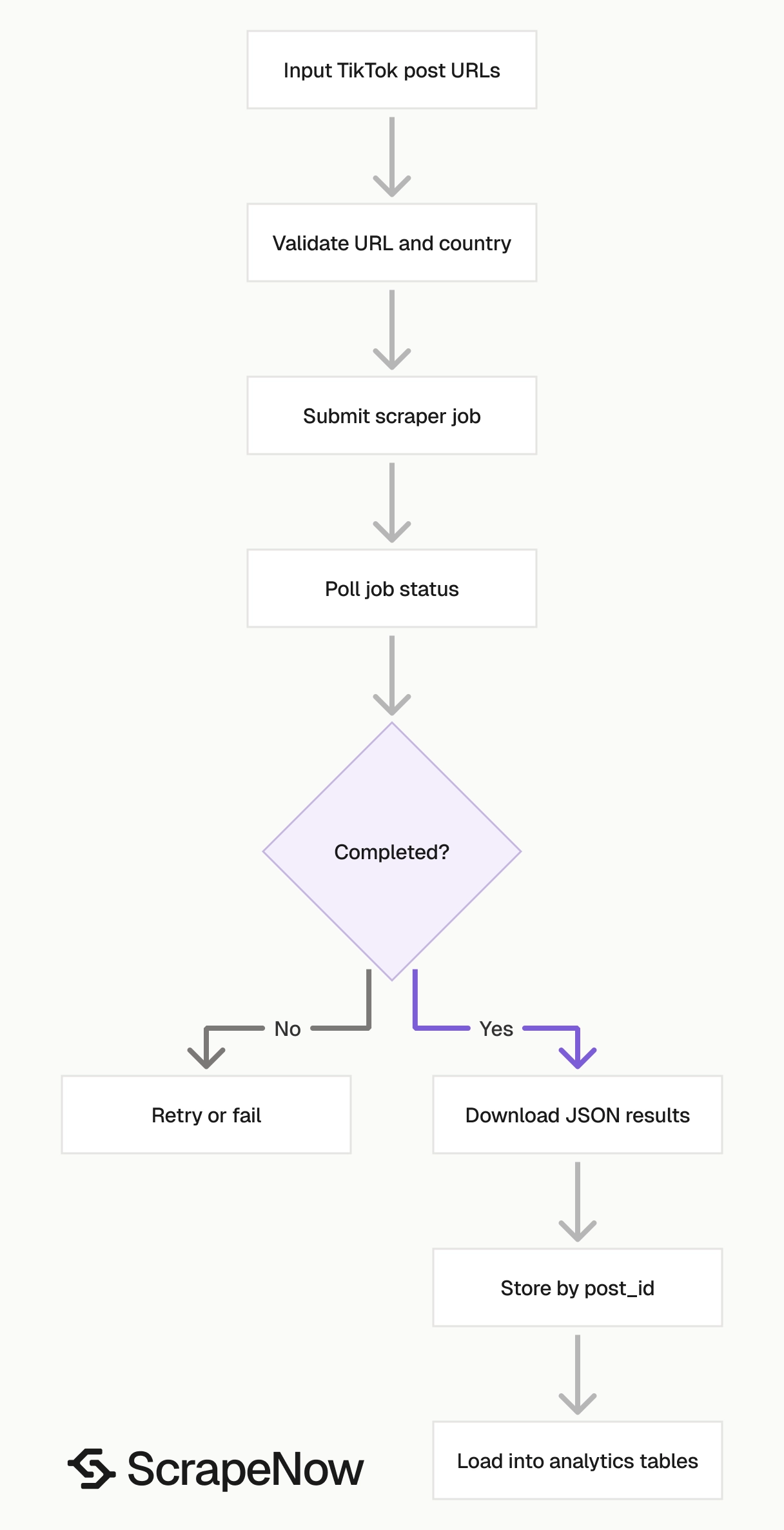
The direct URL scraper is the shortest path when you already have TikTok video URLs. Use Extract TikTok post data when your input is a list of post URLs. Use Search TikTok posts by keyword when ScrapeNow needs to find posts from a search term.
Step 1. Get the input values
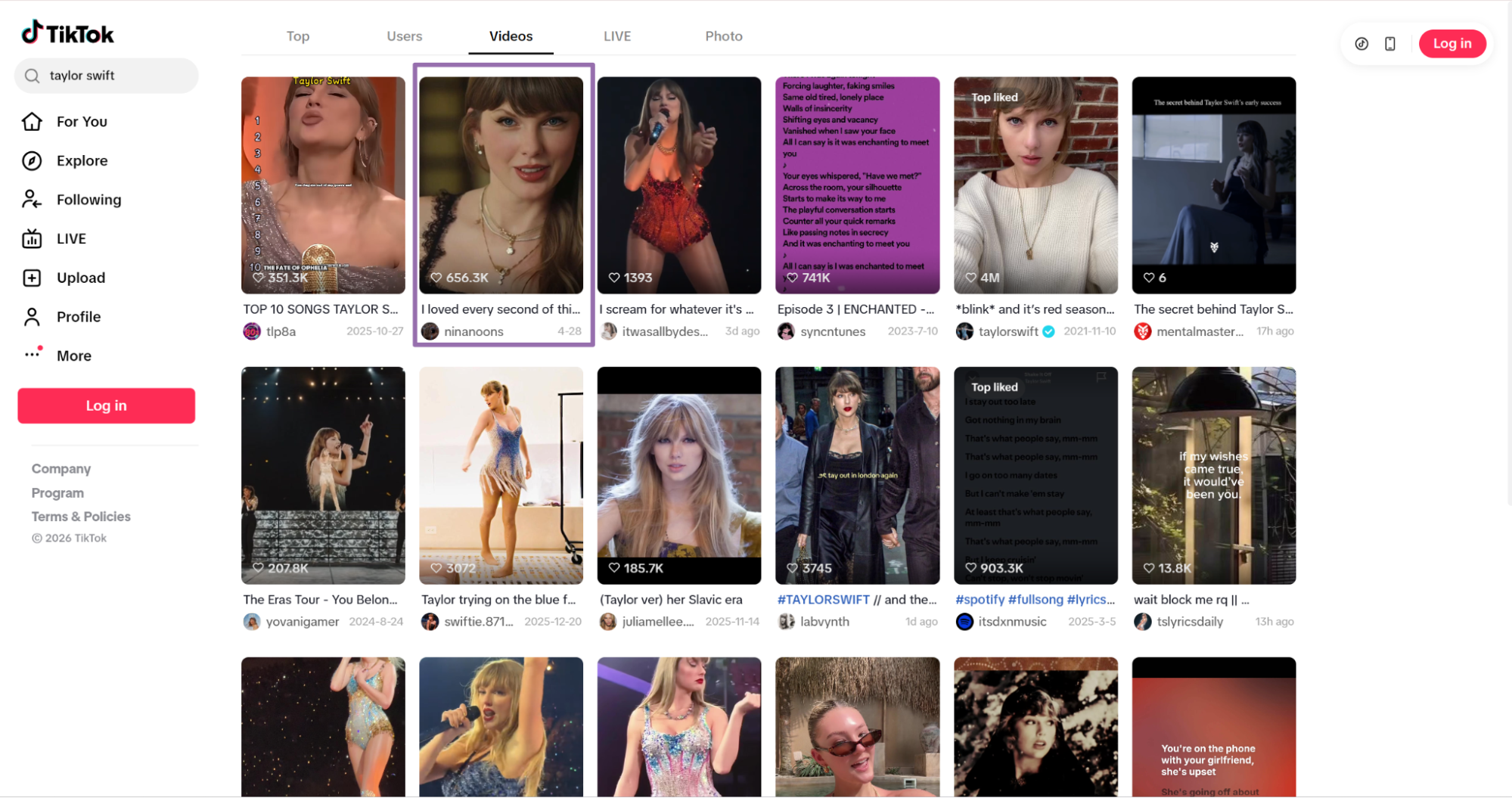
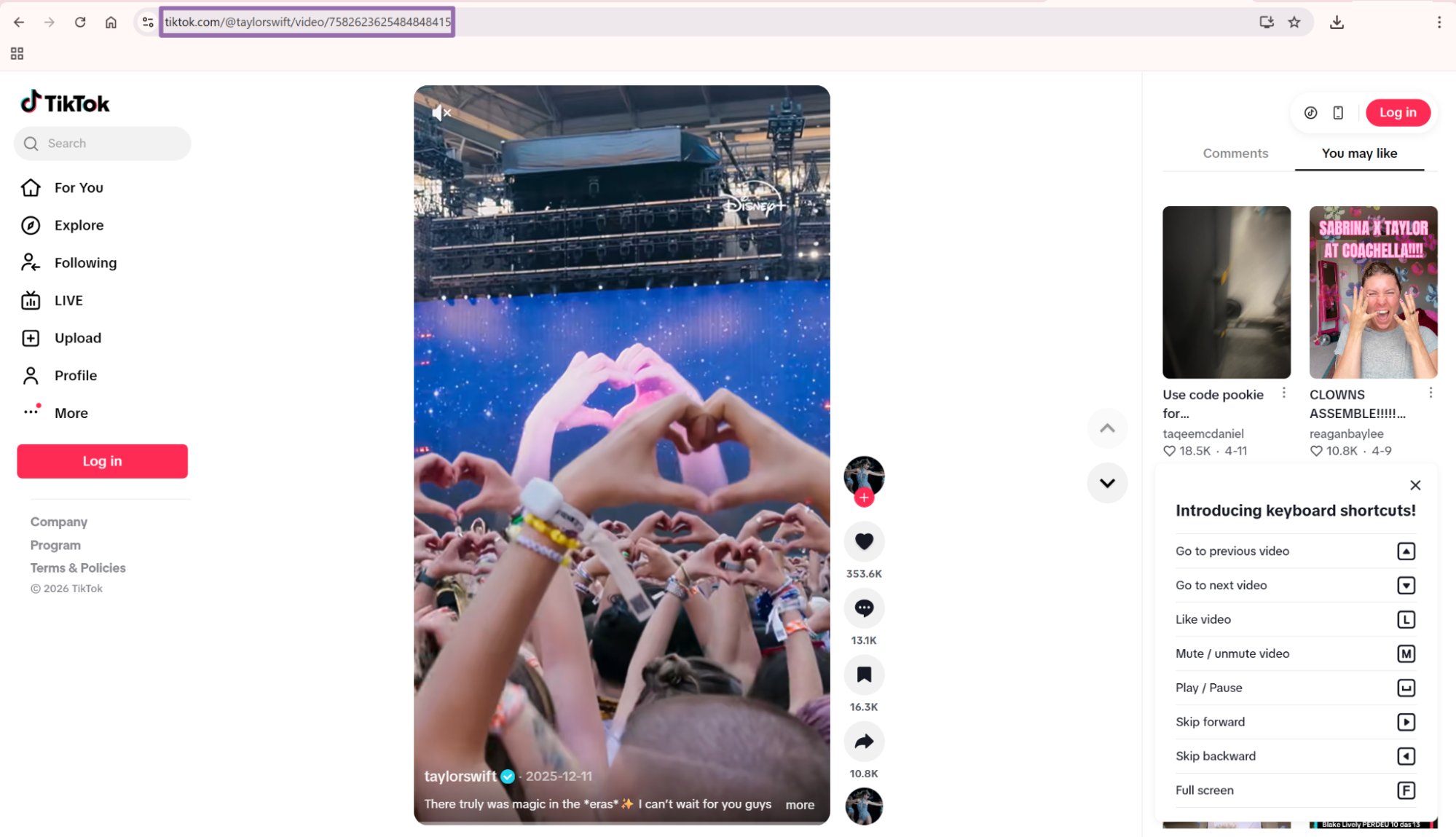
For the TikTok Posts Extract by URL scraper, the required input is:
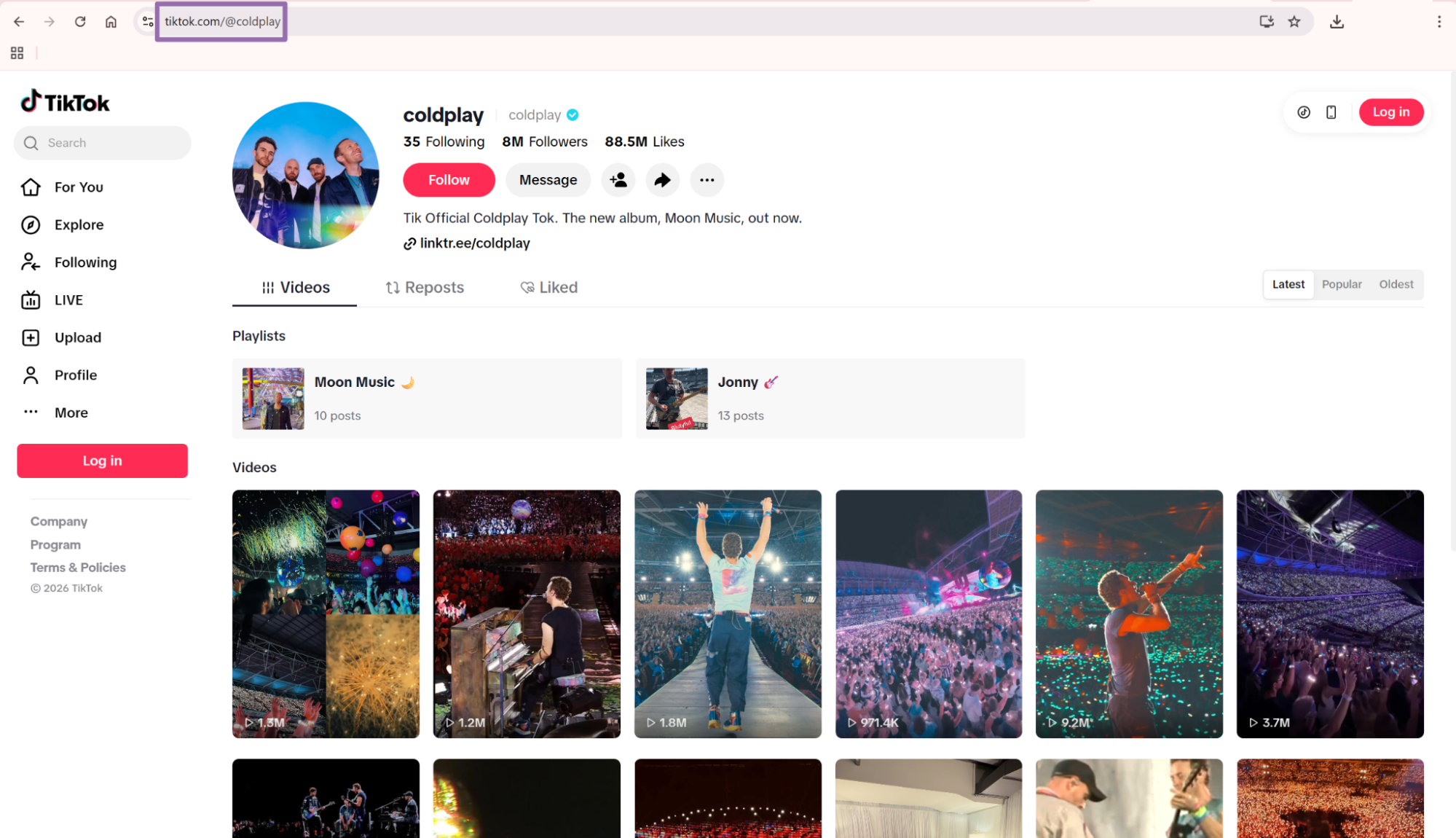
url, URL to a TikTok video. It must start withhttps://www.tiktok.com/.country, Optional. Send a two-letter ISO 3166-1 country code as a string, such asUS.
{
  "url": "https://www.tiktok.com/@taylorswift/video/7582623625484848415",
  "country": "US"
}
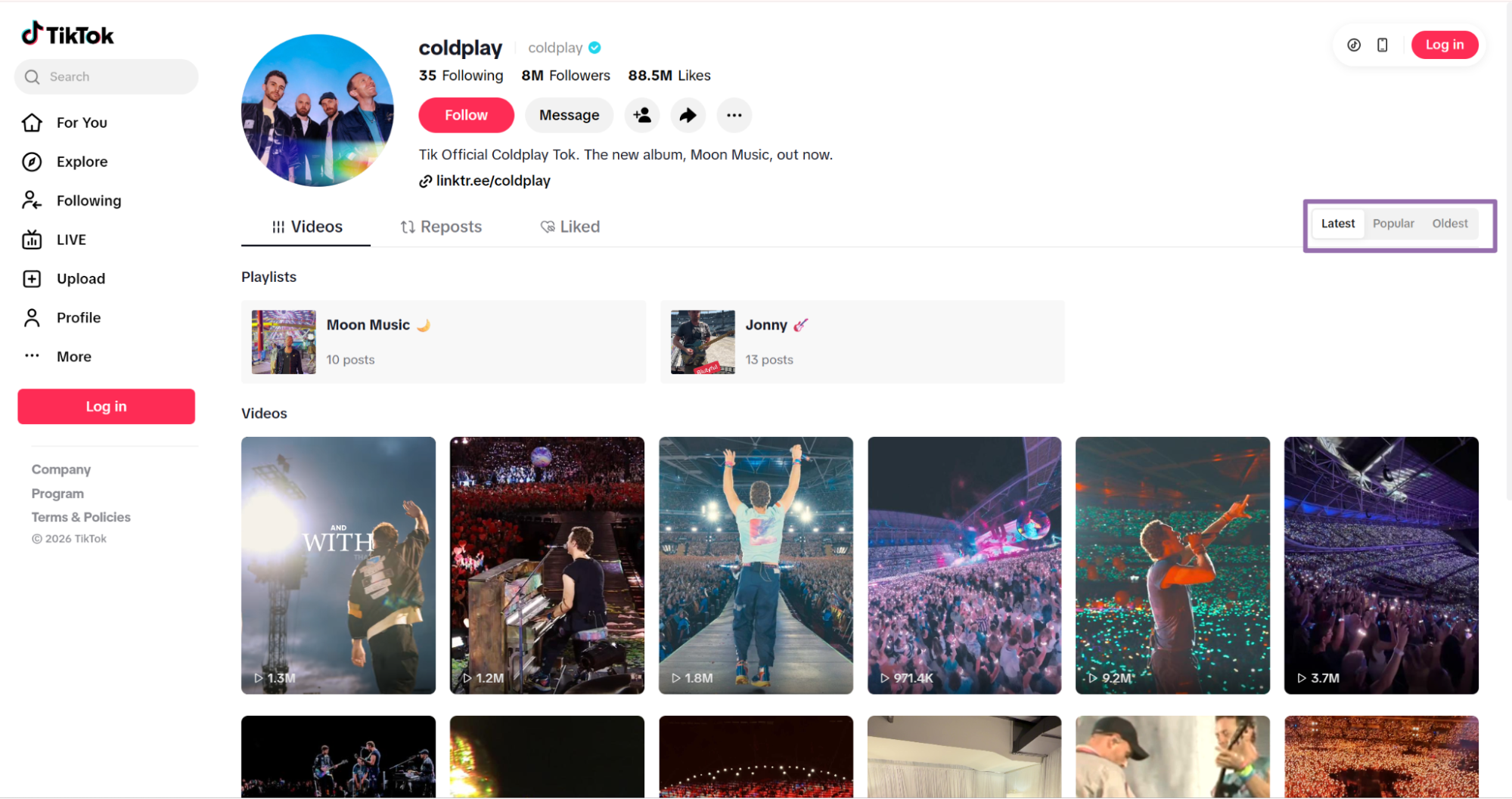
For keyword search, use these inputs:
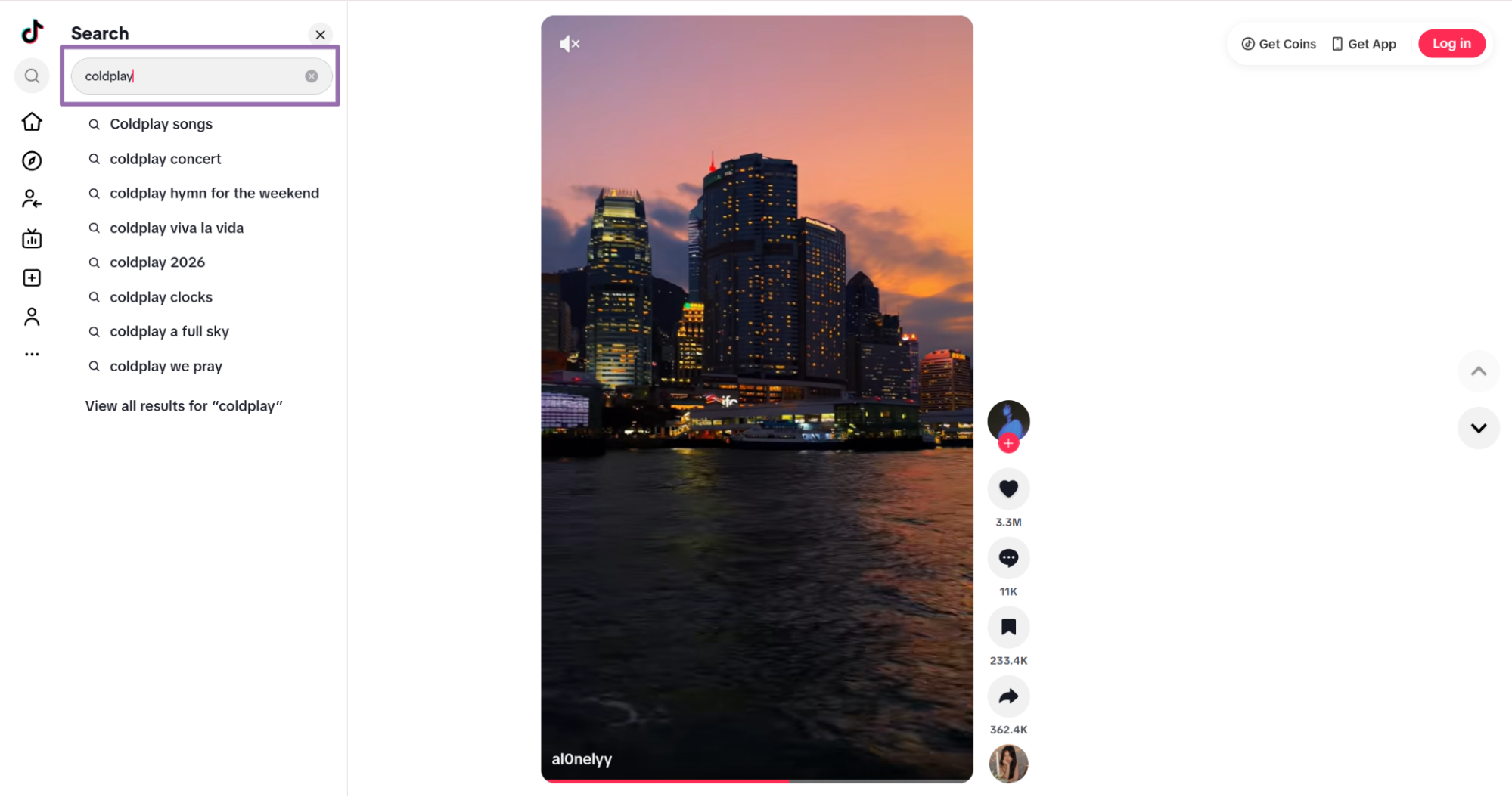
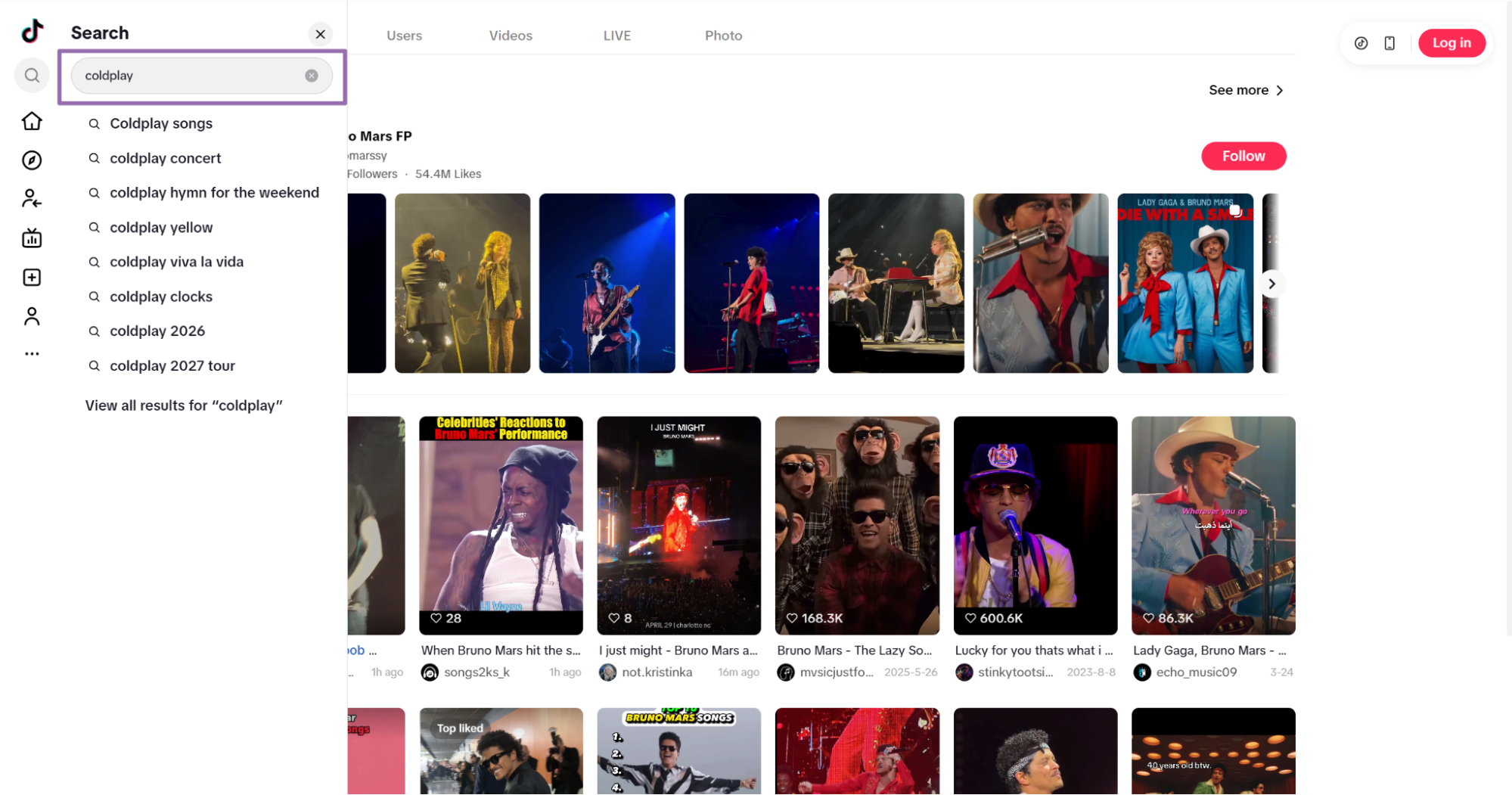
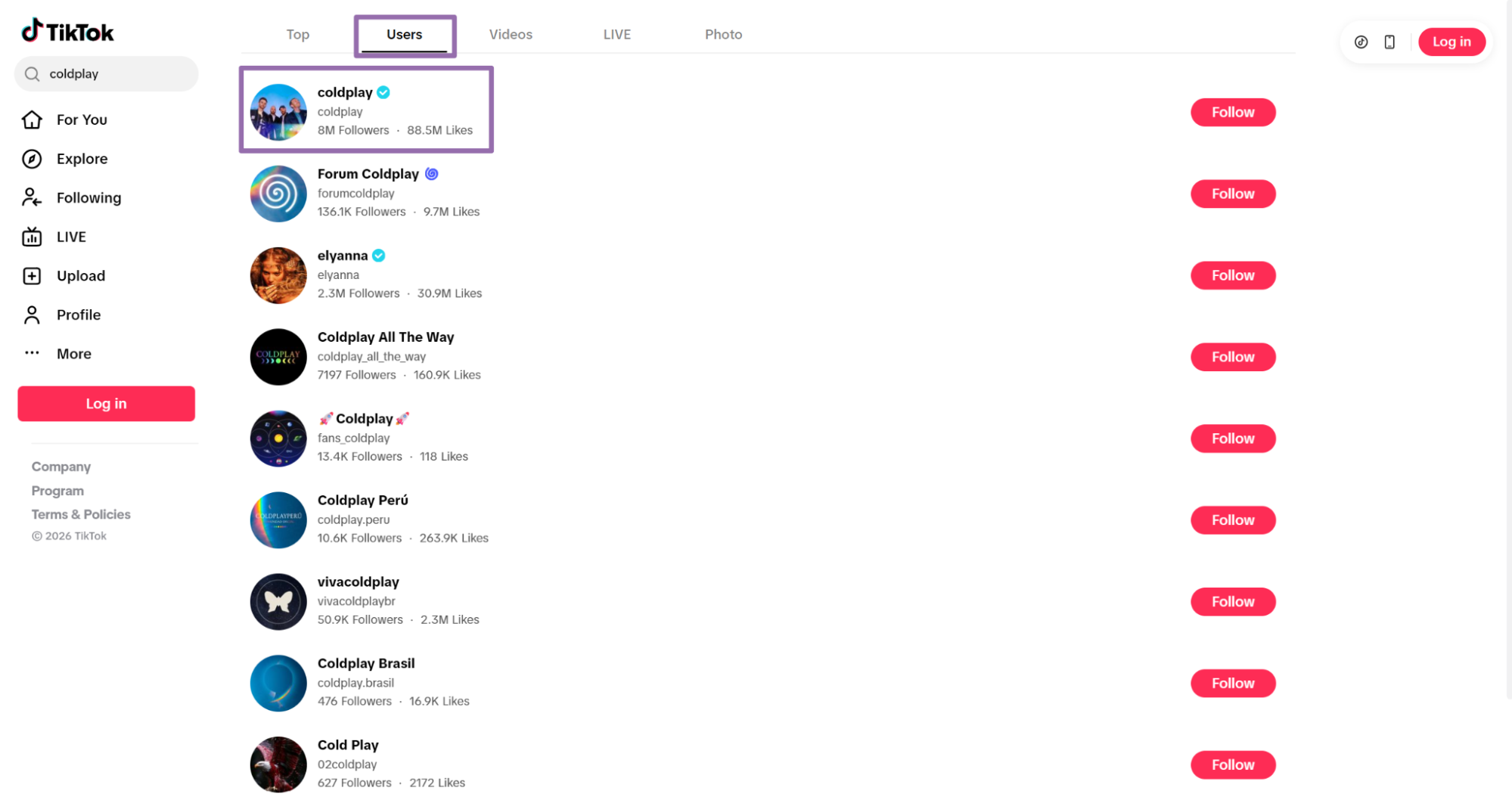
keyword, Search term to send to TikTok, such ascoldplay.max_posts, Maximum number of posts to scrape. Send this as an integer.country, Optional. Send a two-letter ISO 3166-1 country code as a string, such asUS.
Step 2. Run the API code
This example runs the TikTok Posts Extract by URL scraper, polls the job every 5 seconds, waits up to 3600 seconds, then saves the JSON file locally.
The script also creates an output directory before writing the file. Keep that in production code. Failed file writes create avoidable reruns.
"""
Configuration:
    - Set SCRAPER_SLUG to the scraper you want to run.
    - Set SCRAPER_INPUTS to the list of input dicts matching that scraper's schema.
    - Set API_KEY to your ScrapeNow API key.
"""

import sys
import time
import json
import requests
import os

API_KEY = "YOUR_API_KEY"

SCRAPER_SLUG = "tiktok-posts-extract-by-url"

SCRAPER_INPUTS = [
    {
        "url": "https://www.tiktok.com/@taylorswift/video/7582623625484848415",
        "country": "US"
    }
]

BASE_URL = "https://api.scrapenow.io/api/v1/scraping"
TIMEOUT_SECONDS = 3600
POLL_INTERVAL = 5
SPINNER = "|/-\\"


def build_headers(api_key: str, content_type: str | None = None) -> dict:
    headers = {"Authorization": f"Bearer {api_key}"}
    if content_type:
        headers["Content-Type"] = content_type
    return headers


def trigger_scrape(slug: str, inputs: list[dict]) -> str:
    url = f"{BASE_URL}/scrape?scraper={slug}"
    response = requests.post(
        url,
        headers=build_headers(API_KEY, "application/json"),
        json={"inputs": inputs},
    )
    response.raise_for_status()
    return response.json()["data"]["job_id"]


def poll_until_done(job_id: str) -> str:
    start = time.time()
    i = 0
    while True:
        elapsed = time.time() - start
        if elapsed > TIMEOUT_SECONDS:
            print(f"\nTimeout after {TIMEOUT_SECONDS}s")
            sys.exit(1)
        response = requests.get(
            f"{BASE_URL}/jobs/{job_id}",
            headers=build_headers(API_KEY),
        )
        response.raise_for_status()
        data = response.json()
        status = data["data"]["status"]
        mins, secs = divmod(int(elapsed), 60)
        sys.stdout.write(
            f"\r[{SPINNER[i % 4]}] Waiting... {status} ({mins}m {secs:02d}s)  "
        )
        sys.stdout.flush()
        if status in ("completed", "failed"):
            print()
            return status
        time.sleep(POLL_INTERVAL)
        i += 1


def fetch_results(job_id: str) -> dict:
    response = requests.get(
        f"{BASE_URL}/jobs/{job_id}/results?format=json",
        headers=build_headers(API_KEY),
    )
    response.raise_for_status()
    return response.json()


def save_results(data: dict, slug: str) -> str:
    os.makedirs("output", exist_ok=True)
    filename = os.path.join("output", f"{slug}.json")
    with open(filename, "w", encoding="utf-8") as f:
        json.dump(data, f, indent=2, ensure_ascii=False)
    return filename


def main() -> None:
    print(f"Triggering scraper: {SCRAPER_SLUG}")
    job_id = trigger_scrape(SCRAPER_SLUG, SCRAPER_INPUTS)
    print(f"Job started: {job_id}")
    final_status = poll_until_done(job_id)
    if final_status != "completed":
        print(f"Job failed with status: {final_status}")
        sys.exit(1)
    print("Fetching results...")
    results = fetch_results(job_id)
    output_file = save_results(results, SCRAPER_SLUG)
    print(f"Results saved to: {output_file}")


if __name__ == "__main__":
    main()
The same API pattern works for the other scrapers in this group. Use Search TikTok posts by keyword for keyword discovery. Use Pull posts from a TikTok profile for creator feeds.
Change the scraper slug and input values in the code for each scraper. Keep the polling, result download, and file write logic unchanged.
Step 3. Read the response
A completed job returns an array of post records. This trimmed response shows the fields you should expect from a successful URL scrape.
[
  {
    "inputs": {
      "url": "https://www.tiktok.com/@taylorswift/video/7582623625484848415",
      "country": "US"
    },
    "scrape_status": "success",
    "url": "https://www.tiktok.com/@taylorswift/video/7582623625484848415",
    "post_id": "7582623625484848415",
    "description": "There truly was magic in the *eras*✨ I can’t wait for you guys to see the first two episodes of The End of an Era and relive The Eras Tour | The Final Show TOMORROW on @Disney+ starting 12am PT / 3am ET ",
    "create_time": "2025-12-11T15:32:37.000Z",
    "digg_count": 354100,
    "share_count": "10800",
    "collect_count": 16326,
    "comment_count": 13200,
    "play_count": 5800000,
    "video_duration": 30,
    "original_sound": "Taylor Swift: original sound",
    "profile_id": "6881290705605477381",
    "profile_username": "Taylor Swift",
    "profile_url": "https://www.tiktok.com/@taylorswift",
    "profile_avatar": "https://p19-common-sign.tiktokcdn-us.com/tos-useast8-avt-0068-tx2/701431b0215286dd09f201e25b483662~tplv-tiktokx-cropcenter:1080:1080.jpeg?dr=9640&refresh_token=384e9292&x-expires=1778932800&x-signature=YqegqQHrSe3uniCWtuZ7NNzMJvo%3D&t=4d5b0474&ps=13740610&shp=a5d48078&shcp=81f88b70&idc=useast8",
    "profile_biography": "This is pretty much just a cat account",
    "preview_image": "https://p19-common-sign.tiktokcdn-us.com/tos-useast8-p-0068-tx2/ocBEQCDmFAXUOy1DARiyACTEC4vIQVAfApubfE~tplv-tiktokx-origin.image?dr=9636&x-expires=1778932800&x-signature=Q5uUG4nQSchC5fVMqLQGwP5pDI4%3D&t=4d5b0474&ps=13740610&shp=81f88b70&shcp=43f4a2f9&idc=useast8",
    "post_type": "video",
    "offical_item": false,
    "secu_id": "MS4wLjABAAAAqB08cUbXaDWqbD6MCga2RbGTuhfO2EsHayBYx08NDrN7IE3jQuRDNNN6YwyfH6_6",
    "original_item": false,
    "shortcode": "7582623625484848415",
    "width": 720,
    "ratio": "720p",
    "video_url": "https://v16-webapp-prime.us.tiktok.com/video/tos/useast8/tos-useast8-pve-0068-tx2/oY5peL9IIEUIApdDc6egGEFAjyeVSGqaIQoCCc/?a=1988&bti=ODszNWYuMDE6&&bt=1305&ft=4KJMyMzm8Zmo0iZuFa4jVgQOQpWrKsd.&mime_type=video_mp4&rc=ODszNDc5PGQ3MzQ1aGU8ZEBpM3hucXQ5cjNoNzMzaTczNEBeLS01NC40NWMxYzBiLTY2YSMwMG1jMmRrNXFhLS1kMTJzcw%3D%3D&expire=1778933445&l=20260514121015CAA19F4496299602DF64&ply_type=2&policy=2&signature=b3c739fbb8fbf029868272bc23df770c&tk=tt_chain_token&btag=e00088000",
    "music": {
      "authorname": "Taylor Swift",
      "covermedium": "https://p16-common-sign.tiktokcdn-us.com/tos-useast8-avt-0068-tx2/701431b0215286dd09f201e25b483662~tplv-tiktokx-cropcenter:720:720.jpeg?dr=9640&refresh_token=ce2c100a&x-expires=1778932800&x-signature=rpt4Cp0zLMhn1W5s4XnWrrCP100%3D&t=4d5b0474&ps=13740610&shp=a5d48078&shcp=81f88b70&idc=useast8",
      "id": "7582623461881678622",
      "original": true,
      "playurl": "https://v19.tiktokcdn-us.com/ba8eab38e77ecf24c188b76311ec7c13/6a061025/video/tos/useast8/tos-useast8-v-27dcd7-tx2/oIbQIVwqXDCCyvAfAuFvEJpABUKAjB2OIBfJ1E/?a=1233&bti=ODszNWYuMDE6&&bt=125&ft=GSDrKInz7Thdz2pGXq8Zmo&mime_type=audio_mpeg&rc=... (truncated)"
    }
  }
]
Treat direct media URLs as time-sensitive. TikTok asset URLs often contain signatures and expiration parameters. Store them for short-term processing, then refresh the post if your downloader receives an expired asset response.
What data you get back
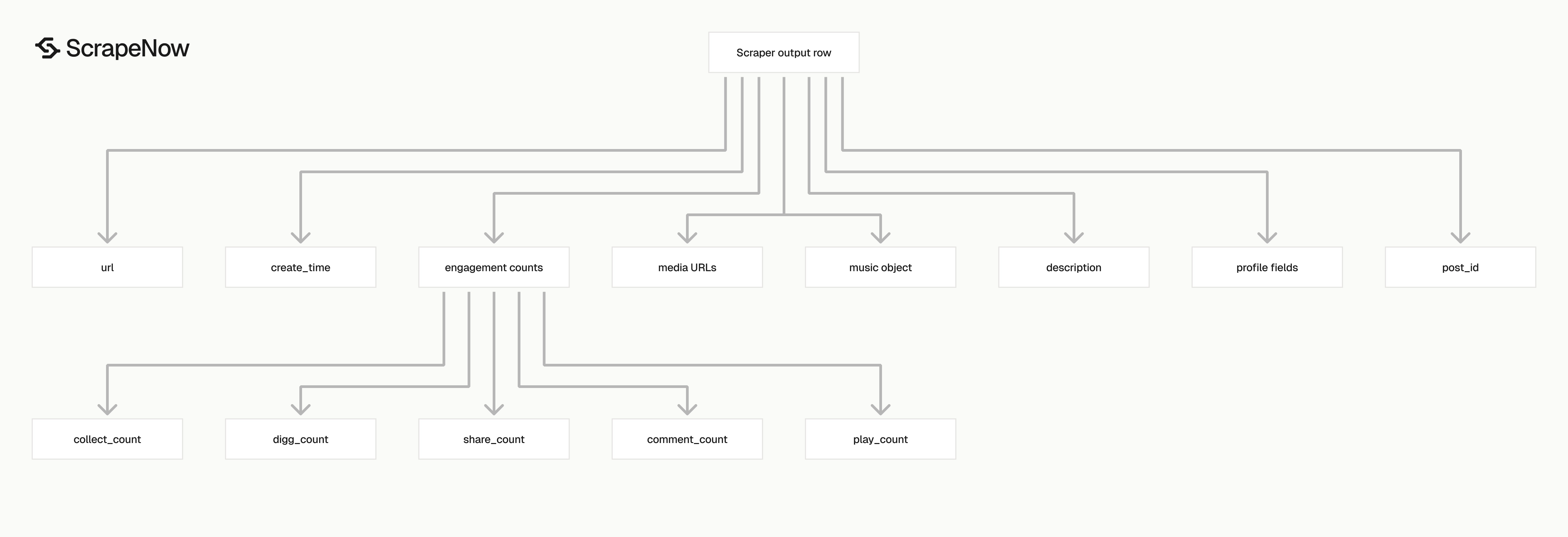
The scraper returns one record per input URL. If you submit 100 URLs, expect up to 100 result objects. Each object includes its original input and scrape status.
| Field | Type | Use it for |
|---|---|---|
scrape_status |
string | Filter successful and failed rows |
post_id |
string | Primary key for deduplication |
url |
string | Canonical post URL |
description |
string | Caption text and hashtags |
create_time |
string | Post timestamp in ISO format |
digg_count |
integer | Likes |
share_count |
string | Shares |
collect_count |
integer | Saves or collections |
comment_count |
integer | Comment volume |
play_count |
integer | Views |
video_duration |
integer | Duration in seconds |
original_sound |
string | Display name for the audio |
profile_id |
string | Creator ID |
profile_username |
string | Creator display username |
profile_url |
string | Creator profile URL |
preview_image |
string | Thumbnail URL |
video_url |
string | Direct video asset URL when available |
music |
object | Nested audio metadata |
Ready to get this data? Extract TikTok post data.
Use post_id as your stable post key. TikTok URLs vary by tracking parameters, copied share links, and browser state. The post ID stays fixed across those variants.
Use profile_id when joining post rows to creator rows from Get TikTok profile data. The profile URL works for human review. The ID works better for database joins.
Use scrape_status before loading rows into production tables. Send failed rows to a retry queue with the original inputs object intact. That object gives you the exact URL and country used on the failed attempt.
Keep description as raw text. Captions can include emojis, hashtags, mentions, line breaks, and campaign tags. Parse hashtags into a separate table if you query them often.
Store music as JSON. Audio metadata changes less often than engagement counts, but the nested shape gives you fields that do not belong in the main post table.
Production tips for clean TikTok post data
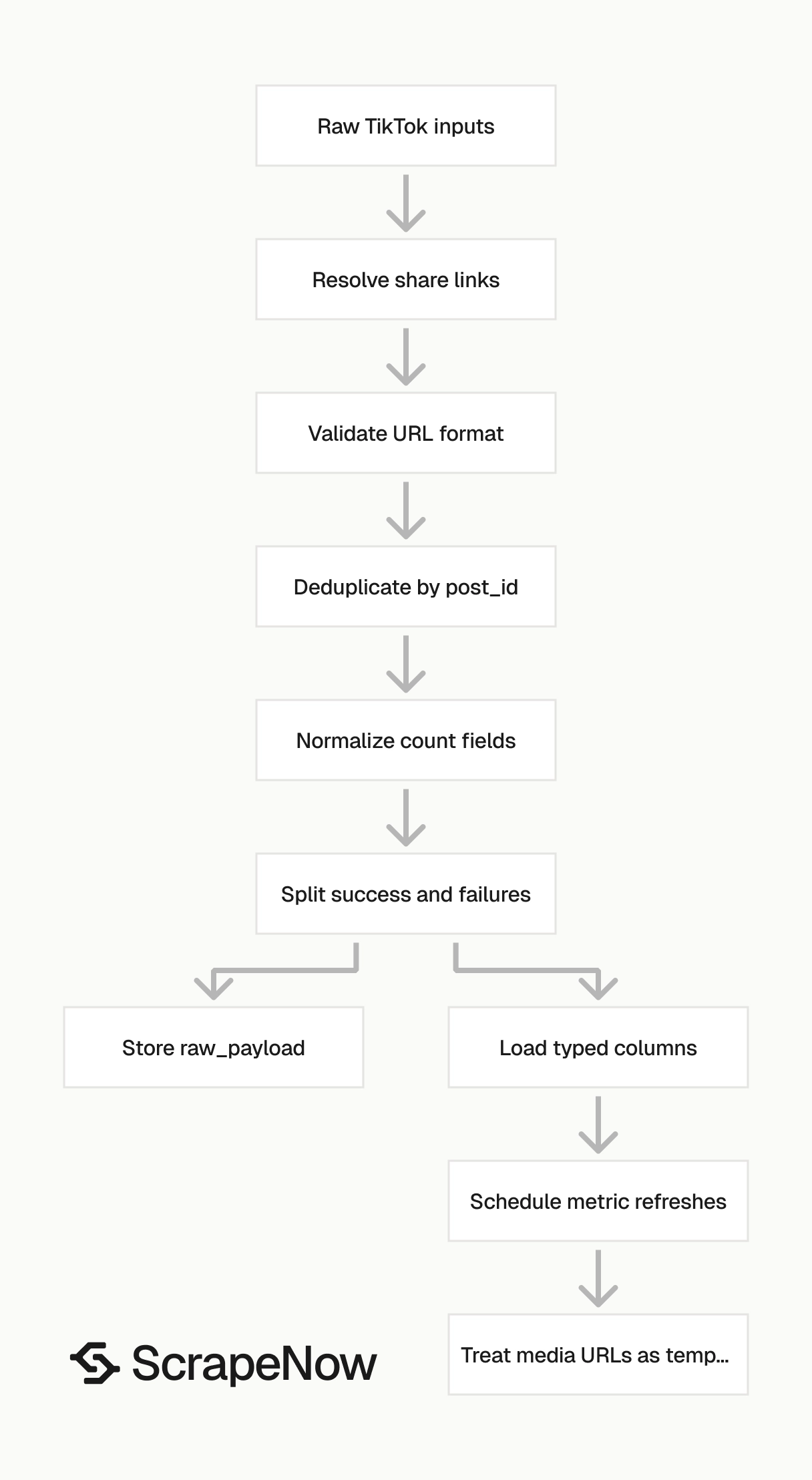
Validate URLs before sending jobs
Reject invalid URLs before you spend credits.
from urllib.parse import urlparse

def validate_tiktok_video_input(item: dict) -> dict:
    url = item.get("url", "")
    country = item.get("country", "US")

    parsed = urlparse(url)

    if parsed.scheme != "https":
        raise ValueError(f"Invalid scheme: {url}")

    if parsed.netloc != "www.tiktok.com":
        raise ValueError(f"Invalid host: {url}")

    if "/video/" not in parsed.path:
        raise ValueError(f"URL is not a TikTok video URL: {url}")

    if not isinstance(country, str) or len(country) != 2:
        raise ValueError(f"Country must be a 2-letter code: {country}")

    return {
        "url": url,
        "country": country.upper()
    }


inputs = [
    {"url": "https://www.tiktok.com/@taylorswift/video/7582623625484848415", "country": "us"}
]

clean_inputs = [validate_tiktok_video_input(item) for item in inputs]
print(clean_inputs)
Expected output:
[
  {
    "url": "https://www.tiktok.com/@taylorswift/video/7582623625484848415",
    "country": "US"
  }
]
Resolve TikTok short links before validation if your input source contains copied mobile share URLs.
Deduplicate on post_id
Use post_id as the primary key. Extract the ID from /video/{id} in the input URL to dedupe before scraping.
import re

def extract_post_id(url: str) -> str | None:
    match = re.search(r"/video/(\d+)", url)
    return match.group(1) if match else None


def dedupe_inputs(inputs: list[dict]) -> list[dict]:
    seen = set()
    deduped = []

    for item in inputs:
        post_id = extract_post_id(item["url"])
        key = post_id or item["url"]

        if key in seen:
            continue

        seen.add(key)
        deduped.append(item)

    return deduped


raw_inputs = [
    {"url": "https://www.tiktok.com/@taylorswift/video/7582623625484848415", "country": "US"},
    {"url": "https://www.tiktok.com/@taylorswift/video/7582623625484848415", "country": "US"}
]

print(dedupe_inputs(raw_inputs))
Expected output:
[
  {
    "url": "https://www.tiktok.com/@taylorswift/video/7582623625484848415",
    "country": "US"
  }
]
If you dedupe across countries, include country in your key when regional access matters.
Keep a typed schema
Counts can arrive as integers or strings. Normalize before loading into your warehouse.
COUNT_FIELDS = [
    "digg_count",
    "share_count",
    "collect_count",
    "comment_count",
    "play_count"
]

def to_int(value):
    if value is None or value == "":
        return None
    return int(value)


def normalize_post(row: dict) -> dict:
    normalized = dict(row)

    for field in COUNT_FIELDS:
        normalized[field] = to_int(row.get(field))

    normalized["post_id"] = str(row["post_id"])
    normalized["profile_id"] = str(row.get("profile_id", ""))
    normalized["video_duration"] = to_int(row.get("video_duration"))

    return normalized
Store the full response JSON in a raw_payload column and map the fields you query often into typed columns.
CREATE TABLE tiktok_posts (
  post_id TEXT PRIMARY KEY,
  url TEXT NOT NULL,
  description TEXT,
  create_time TIMESTAMP,
  digg_count INTEGER,
  share_count INTEGER,
  collect_count INTEGER,
  comment_count INTEGER,
  play_count INTEGER,
  video_duration INTEGER,
  original_sound TEXT,
  profile_id TEXT,
  profile_username TEXT,
  profile_url TEXT,
  preview_image TEXT,
  video_url TEXT,
  scrape_status TEXT NOT NULL,
  raw_payload JSONB,
  scraped_at TIMESTAMP DEFAULT CURRENT_TIMESTAMP
);
Write engagement snapshots to a separate table so overwriting the main row does not lose trend data.
CREATE TABLE tiktok_post_metrics (
  post_id TEXT NOT NULL,
  digg_count INTEGER,
  share_count INTEGER,
  collect_count INTEGER,
  comment_count INTEGER,
  play_count INTEGER,
  scraped_at TIMESTAMP DEFAULT CURRENT_TIMESTAMP,
  PRIMARY KEY (post_id, scraped_at)
);
Separate failed rows from empty fields
Use scrape_status and post_id together. A row with missing video_url can still be usable. A row without post_id needs review or retry.
def split_success_and_failures(results: list[dict]) -> tuple[list[dict], list[dict]]:
    successes = []
    failures = []

    for row in results:
        if row.get("scrape_status") == "success" and row.get("post_id"):
            successes.append(row)
        else:
            failures.append({
                "inputs": row.get("inputs"),
                "scrape_status": row.get("scrape_status"),
                "url": row.get("url")
            })

    return successes, failures
Cap retries at 3 attempts per URL. Track retry counts in your queue or job table, and keep scrape results immutable.
Refresh metrics on a schedule
Scrape new campaign posts more often during the first day, then reduce frequency once growth slows. After repeated failures, mark the post as unavailable and stop scheduling it.
Treat media URLs as temporary
video_url, preview_image, and music playurl fields contain signed CDN URLs. Download the asset soon after the scrape if you need durable media storage.
Pick the right TikTok post scraper
Use the URL scraper when you already know the posts. Use the search scrapers when discovery is part of the job.
| Scraper | Input | Best fit |
|---|---|---|
| Extract TikTok post data | TikTok video URL | Hydrating known post URLs with metrics and metadata |
| Search TikTok posts by keyword | Keyword, max posts, country | Finding posts that match a search term |
| Pull posts from a TikTok profile | Profile URL | Collecting posts from one creator |
| Extract TikTok comments | TikTok post URL | Pulling comment rows after you identify posts |
For campaign monitoring, start with profile or keyword search. Then feed the returned post URLs into the URL scraper for refreshes. That pattern separates discovery from metric updates.
For known post lists, skip search. Send the URLs directly and store the result by post_id.
If you need comments after collecting posts, the TikTok comments scraper covers the comment-level response and API pattern. For the full list of TikTok and other platform scrapers, use the Browse all 86+ scrapers.
Pricing
ScrapeNow charges per returned row. One row costs one credit, starting at $0.04 per credit for small runs and dropping with volume. No monthly contracts, no proxy fees, no charges for failed rows. See the pricing page for current rates.
Start with Extract TikTok post data if you have video URLs ready. Copy the Python script above, replace YOUR_API_KEY, and run one URL.
After the first job completes, check scrape_status, post_id, and the count fields before loading more URLs. Then switch the slug to the TikTok Posts Search by Keyword scraper or the TikTok Posts Search by Profile URL scraper when you need discovery.


