
The TikTok comments scraper extracts public comments from a TikTok video URL. It returns comment text, likes, replies, commenter profile URL, commenter ID, and comment URL. Teams use it to pull comment datasets from specific videos while ScrapeNow handles TikTok selectors, sessions, retries, and anti-bot handling.
Use this scraper when you already have the TikTok video URL. If you need to discover videos first, start with a TikTok post search scraper, then pass the selected video URLs into this comments scraper.
How to use this scraper
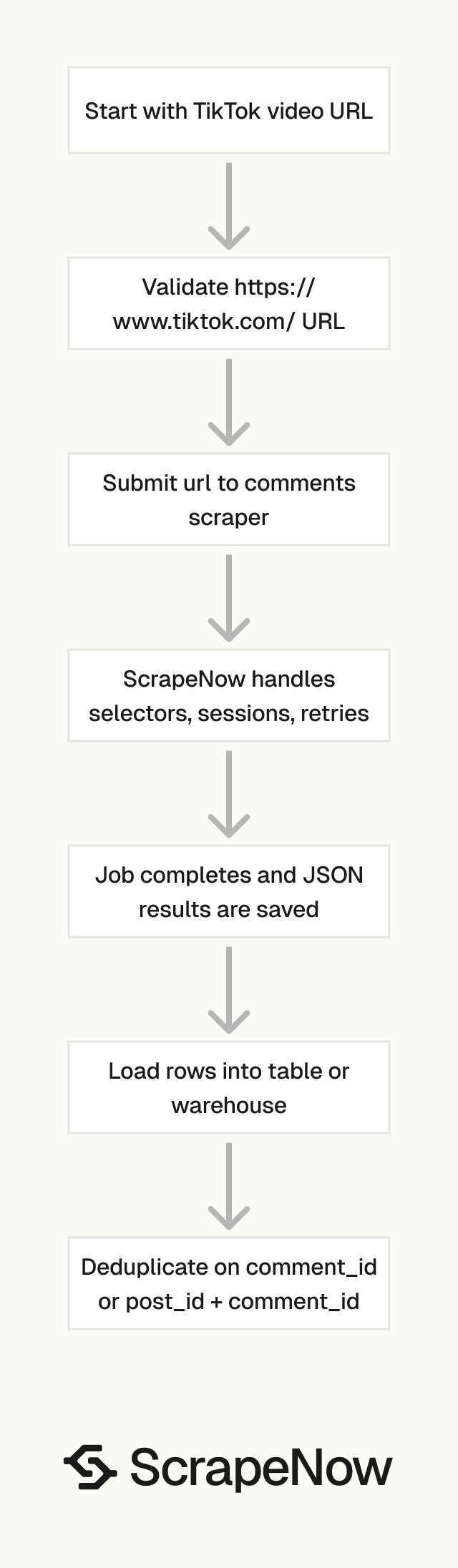
ScrapeNow’s Extract TikTok comments scraper takes one input field, url, and returns structured comment records.
The input must be a TikTok video URL that starts with https://www.tiktok.com/.
Step 1. Get the TikTok video URL
Open TikTok in your browser.
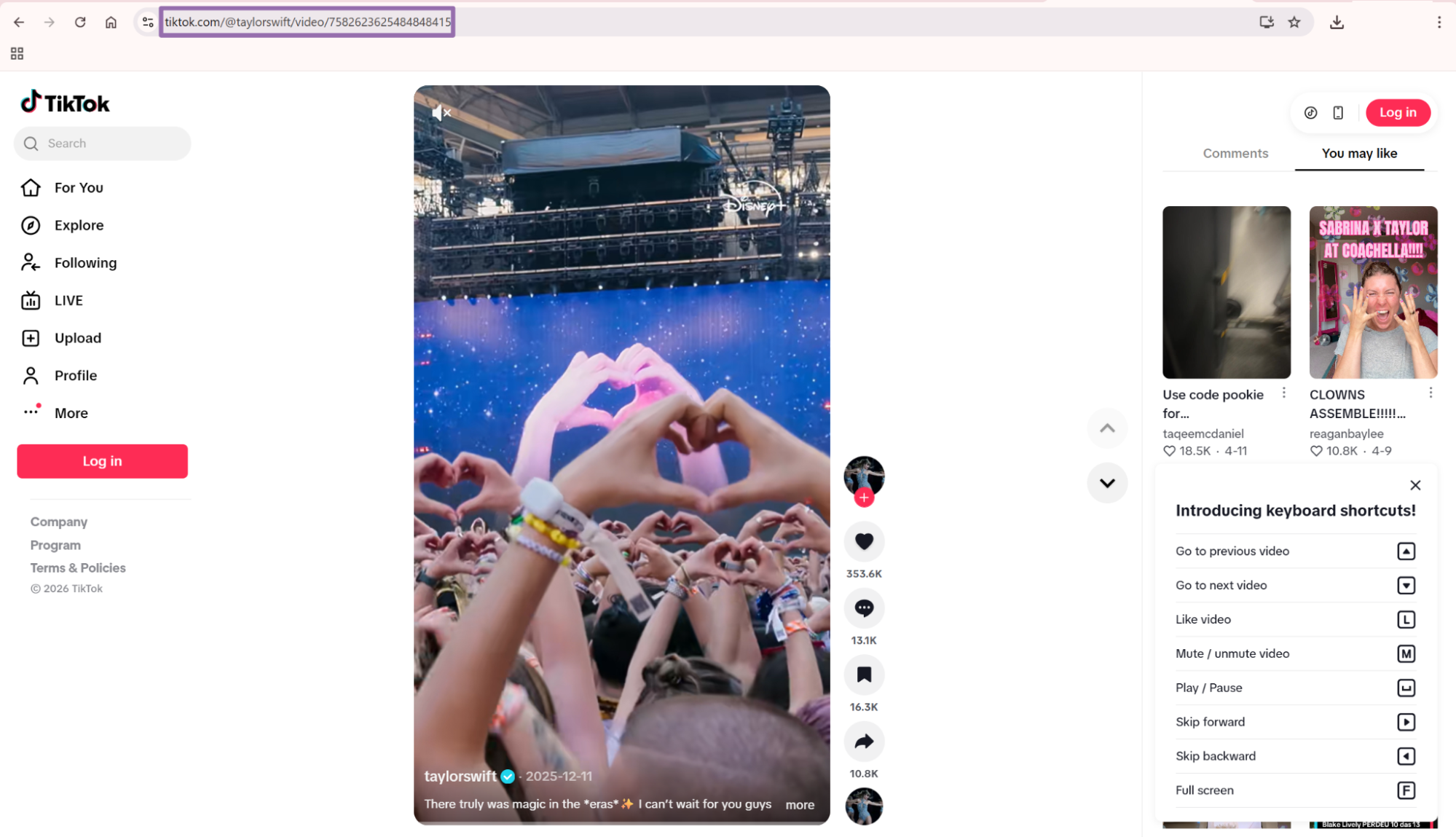
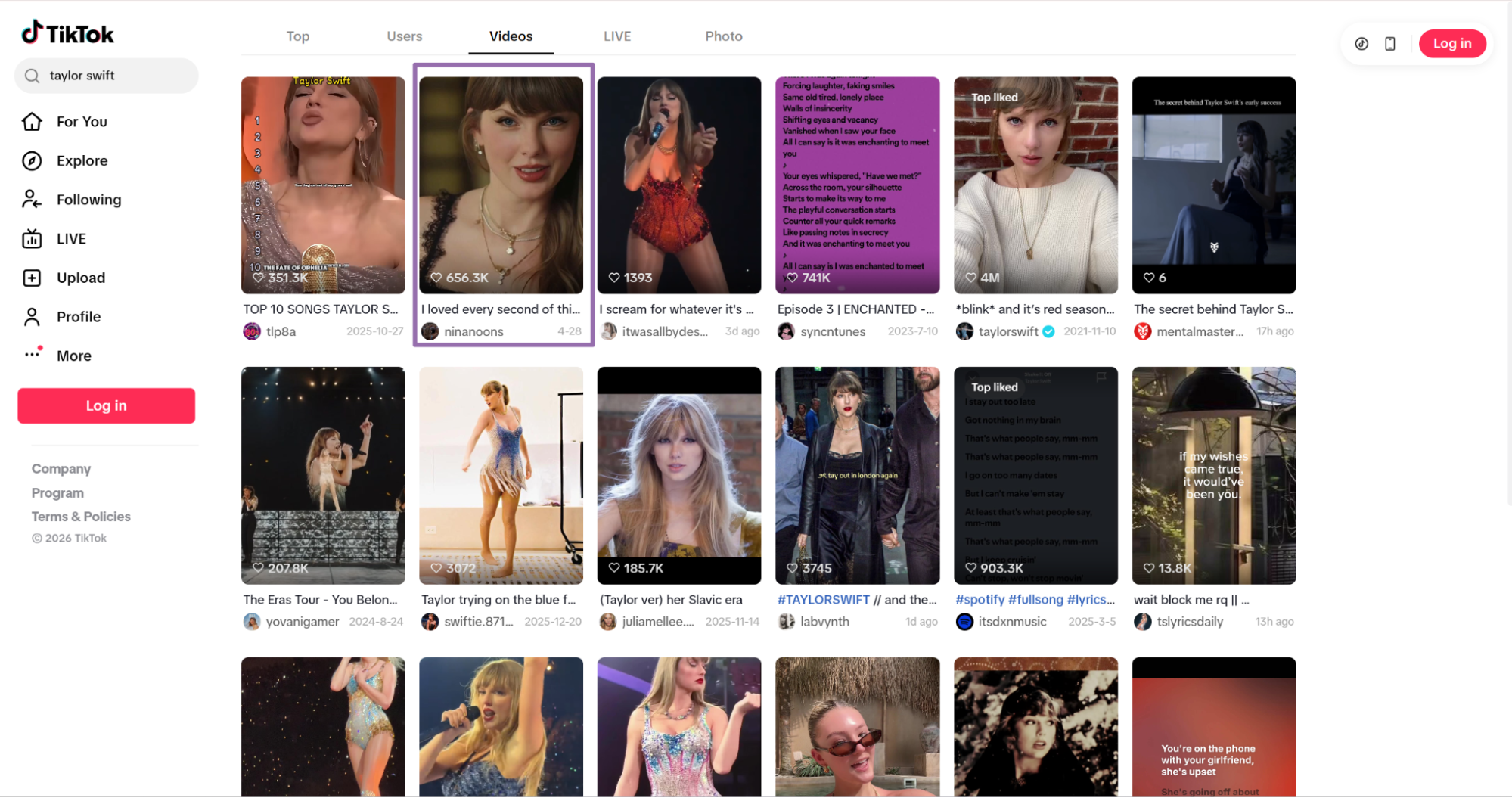
Copy the URL from the browser address bar.
{
  "url": "https://www.tiktok.com/@taylorswift/video/7582623625484848415"
}
If you need video metadata before pulling comments, run the Extract TikTok post data scraper against the same video URL. That gives you the post ID, author details, caption, engagement counts, and timestamps before you collect the comment thread.
Step 2. Run the scraper with the API
Create an output directory first. The script writes results to output/tiktok-comments-extract-by-url.json.
mkdir -p output
Use this exact Python script:
"""
Configuration:
    - Set SCRAPER_SLUG to the scraper you want to run.
    - Set SCRAPER_INPUTS to the list of input dicts matching that scraper's schema.
    - Set API_KEY to your scraper API key.
"""

import sys
import time
import json
import requests
import os

API_KEY = "YOUR_API_KEY"

SCRAPER_SLUG = "tiktok-comments-extract-by-url"

SCRAPER_INPUTS = [
    {
        "url": "https://www.tiktok.com/@taylorswift/video/7582623625484848415"
    }
]


BASE_URL = "https://api.scrapenow.io/api/v1/scraping"
TIMEOUT_SECONDS = 3600
POLL_INTERVAL = 5
SPINNER = "|/-\\"


def build_headers(api_key: str, content_type: str | None = None) -> dict:
    headers = {"Authorization": f"Bearer {api_key}"}
    if content_type:
        headers["Content-Type"] = content_type
    return headers


def trigger_scrape(slug: str, inputs: list[dict]) -> str:
    url = f"{BASE_URL}/scrape?scraper={slug}"
    response = requests.post(
        url,
        headers=build_headers(API_KEY, "application/json"),
        json={"inputs": inputs},
    )
    response.raise_for_status()
    return response.json()["data"]["job_id"]


def poll_until_done(job_id: str) -> str:
    start = time.time()
    i = 0
    while True:
        elapsed = time.time() - start
        if elapsed > TIMEOUT_SECONDS:
            print(f"\nTimeout after {TIMEOUT_SECONDS}s")
            sys.exit(1)
        response = requests.get(
            f"{BASE_URL}/jobs/{job_id}",
            headers=build_headers(API_KEY),
        )
        response.raise_for_status()
        data = response.json()
        status = data["data"]["status"]
        mins, secs = divmod(int(elapsed), 60)
        sys.stdout.write(
            f"\r[{SPINNER[i % 4]}] Waiting... {status} ({mins}m {secs:02d}s)  "
        )
        sys.stdout.flush()
        if status in ("completed", "failed"):
            print()
            return status
        time.sleep(POLL_INTERVAL)
        i += 1


def fetch_results(job_id: str) -> dict:
    response = requests.get(
        f"{BASE_URL}/jobs/{job_id}/results?format=json",
        headers=build_headers(API_KEY),
    )
    response.raise_for_status()
    return response.json()


def save_results(data: dict, slug: str) -> str:
    os.makedirs("output", exist_ok=True)
    filename = os.path.join("output", f"{slug}.json")
    with open(filename, "w", encoding="utf-8") as f:
        json.dump(data, f, indent=2, ensure_ascii=False)
    return filename


def main() -> None:
    print(f"Triggering scraper: {SCRAPER_SLUG}")
    job_id = trigger_scrape(SCRAPER_SLUG, SCRAPER_INPUTS)
    print(f"Job started: {job_id}")
    final_status = poll_until_done(job_id)
    if final_status != "completed":
        print(f"Job failed with status: {final_status}")
        sys.exit(1)
    print("Fetching results...")
    results = fetch_results(job_id)
    output_file = save_results(results, SCRAPER_SLUG)
    print(f"Results saved to: {output_file}")


if __name__ == "__main__":
    main()
The script uses limit_per_input set to 1 for a small smoke test. Raise that value when you want more comments per video. Keep the lower value while testing authentication, job polling, and file output.
For multiple videos, add more input objects to SCRAPER_INPUTS. Each object needs its own url field.
SCRAPER_INPUTS = [
    {"url": "https://www.tiktok.com/@creator/video/1111111111111111111"},
    {"url": "https://www.tiktok.com/@creator/video/2222222222222222222"},
]
Step 3. Read the output JSON
The script starts a job, polls every 5 seconds, waits up to 3600 seconds, downloads the results as JSON, and saves them locally.
A trimmed response looks like this:
[
  {
    "inputs": {
      "url": "https://www.tiktok.com/@taylorswift/video/7582623625484848415"
    },
    "scrape_status": "success",
    "url": "https://www.tiktok.com/@taylorswift/video/7582623625484848415",
    "post_url": "https://www.tiktok.com/@taylorswift/video/7582623625484848415",
    "post_id": "7582623625484848415",
    "post_date_created": "2025-12-11T15:32:37.000Z",
    "date_created": "2026-01-21T10:07:18.000Z",
    "comment_text": "sorry kanye, you were right.",
    "num_likes": 2418,
    "num_replies": 45,
    "commenter_user_name": "mcsmooth",
    "commenter_id": "7245691966805148715",
    "commenter_url": "https://www.tiktok.com/@mcsmoothie",
    "comment_id": "7597753568250905374",
    "comment_url": "https://www.tiktok.com/@taylorswift/video/7582623625484848415?comment_id=7597753568250905374",
    "replies": null,
    "scrape_error": null,
    "scrape_error_code": null
  }
]
What data you get back, response fields that matter
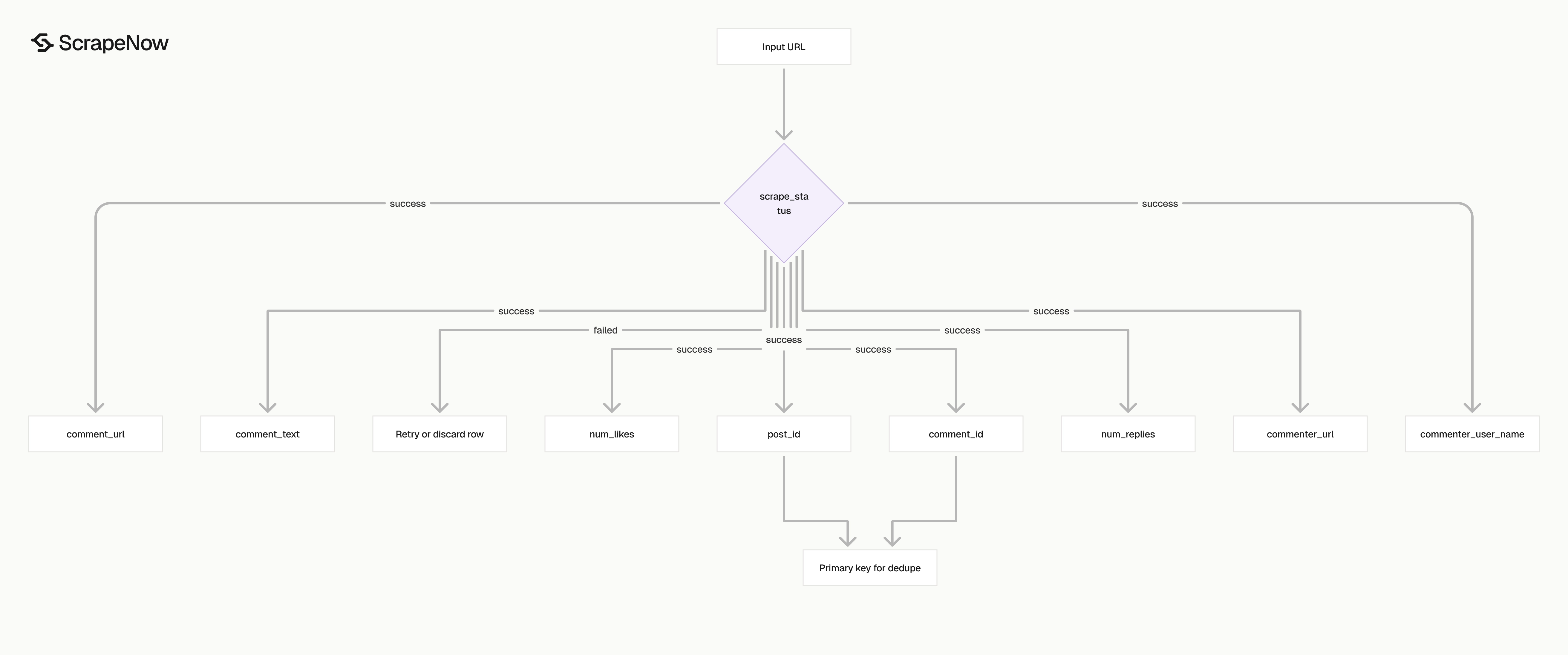
Each row is one scraped comment from one TikTok video.
| Field | Type | What it gives you |
|---|---|---|
inputs.url |
string | The video URL you submitted |
scrape_status |
string | success or a failed scrape state |
post_url |
string | Canonical TikTok video URL |
post_id |
string | TikTok video ID |
post_date_created |
string | Video creation timestamp |
date_created |
string | Comment creation timestamp |
comment_text |
string | Comment body |
num_likes |
integer | Like count on the comment |
num_replies |
integer | Reply count on the comment |
commenter_user_name |
string | Public TikTok username |
commenter_id |
string | TikTok user ID |
commenter_url |
string | Public profile URL for the commenter |
comment_id |
string | Stable comment ID |
comment_url |
string | Direct URL to the video with comment_id attached |
replies |
object or null | Reply payload when returned |
scrape_error |
string or null | Error message for failed rows |
scrape_error_code |
string or null | Machine-readable error code |
Ready to get this data? Extract TikTok comments.
For storage, use comment_id as the primary key when you scrape one video.
Use (post_id, comment_id) as the primary key when you scrape many videos into the same table. TikTok IDs are strings. Do not cast them to integers in JavaScript, spreadsheets, or databases with fixed integer ranges.
This matters in JavaScript because large numeric IDs exceed Number.MAX_SAFE_INTEGER. A string ID stays exact. A numeric ID can lose precision and break joins, deduplication, and comment URL reconstruction.
Production tips, validation, deduplication, schema, error handling
Validate input before the API call, store raw output, dedupe on stable IDs, and retry failed rows without rerunning successful rows.
Validate input URLs before sending jobs
Reject short links, mobile app links, and empty strings before you call the API.
from urllib.parse import urlparse

def validate_tiktok_video_url(url: str) -> str:
    if not isinstance(url, str) or not url.strip():
        raise ValueError("url is required")

    cleaned = url.strip()
    parsed = urlparse(cleaned)

    if parsed.scheme != "https":
        raise ValueError("url must use https")

    if parsed.netloc != "www.tiktok.com":
        raise ValueError("url must start with https://www.tiktok.com/")

    if "/video/" not in parsed.path:
        raise ValueError("url must be a TikTok video URL")

    return cleaned


urls = [
    "https://www.tiktok.com/@taylorswift/video/7582623625484848415"
]

SCRAPER_INPUTS = [{"url": validate_tiktok_video_url(url)} for url in urls]
If you need to find videos first, use the Search TikTok posts by keyword scraper to build a video URL list. Then pass those URLs into the comments scraper.
Deduplicate on comment_id
Use comment_id for one-video jobs. Use (post_id, comment_id) for multi-video jobs.
import json

def load_rows(path: str) -> list[dict]:
    with open(path, "r", encoding="utf-8") as f:
        return json.load(f)


def dedupe_comments(rows: list[dict]) -> list[dict]:
    seen = set()
    clean = []

    for row in rows:
        post_id = row.get("post_id")
        comment_id = row.get("comment_id")

        if not post_id or not comment_id:
            continue

        key = (post_id, comment_id)
        if key in seen:
            continue

        seen.add(key)
        clean.append(row)

    return clean


rows = load_rows("output/tiktok-comments-extract-by-url.json")
deduped = dedupe_comments(rows)

print(f"Loaded {len(rows)} rows")
print(f"Kept {len(deduped)} unique rows")
Run deduplication before inserts and after retries.
Store IDs as text
Store post_id, comment_id, and commenter_id as TEXT. Do not store them as floats.
CREATE TABLE tiktok_comments (
    post_id TEXT NOT NULL,
    comment_id TEXT NOT NULL,
    post_url TEXT,
    comment_url TEXT,
    comment_text TEXT,
    date_created TIMESTAMP,
    post_date_created TIMESTAMP,
    num_likes INTEGER,
    num_replies INTEGER,
    commenter_user_name TEXT,
    commenter_id TEXT,
    commenter_url TEXT,
    scrape_status TEXT,
    scrape_error TEXT,
    scrape_error_code TEXT,
    raw_json JSONB,
    inserted_at TIMESTAMP DEFAULT CURRENT_TIMESTAMP,
    PRIMARY KEY (post_id, comment_id)
);
Keep raw_json so you can backfill historical rows when you add a field later.
Handle failed rows without dropping the full job
Filter scrape_status, store failed rows, and retry only failed inputs.
def split_success_and_failed(rows: list[dict]) -> tuple[list[dict], list[dict]]:
    success = []
    failed = []

    for row in rows:
        if row.get("scrape_status") == "success" and not row.get("scrape_error"):
            success.append(row)
        else:
            failed.append(row)

    return success, failed


success_rows, failed_rows = split_success_and_failed(deduped)

print(f"Successful rows: {len(success_rows)}")
print(f"Failed rows: {len(failed_rows)}")

retry_inputs = []
for row in failed_rows:
    input_url = row.get("inputs", {}).get("url")
    if input_url:
        retry_inputs.append({"url": input_url})

print(retry_inputs)
Store scrape_error_code with the failed row to separate input problems from temporary scrape failures.
For profile-level jobs, collect profile URLs with the Get TikTok profile data scraper. Pull posts by profile URL, then extract comments from selected videos.
When to use the comments scraper with other TikTok scrapers
The comments scraper starts from a video URL. That works when you already know the posts you care about.
If you need discovery before comment extraction, use this flow:
| Job | Scraper |
|---|---|
| Find posts by query | Search TikTok posts by keyword |
| Find posts from a creator | Pull posts from a TikTok profile |
| Pull metadata for known videos | Extract TikTok post data |
| Pull comments from known videos | Extract TikTok comments |
A common production path starts with keyword search, filters videos by engagement, then scrapes comments for the selected post URLs. Another path starts with creator profiles, pulls recent posts, and extracts comments from posts that pass your threshold.
The full TikTok scraper set lives under Browse all 86+ scrapers, covering 14 platforms.
Pricing
ScrapeNow charges per returned row. One row costs one credit, starting at $0.04 per credit for small runs and dropping with volume. No monthly contracts, no proxy fees, no charges for failed rows. See the pricing page for current rates.


