
Glassdoor company overview pages expose employer profile data in repeatable fields.
The Glassdoor Companies Scraper extracts company profile data from Glassdoor overview pages. It returns ratings, employee count, headquarters, industry, revenue, review counts, and related Glassdoor URLs.
Developers, recruiting operations teams, and data teams use it to convert Glassdoor company pages into structured JSON. You do not have to maintain selectors, browser sessions, cookies, retries, or page-specific parsing code.
Use this scraper when your pipeline needs company-level data from Glassdoor. Common use cases include employer research, recruiting market maps, company enrichment, competitive hiring analysis, and lead scoring.
Glassdoor Companies Scraper use cases
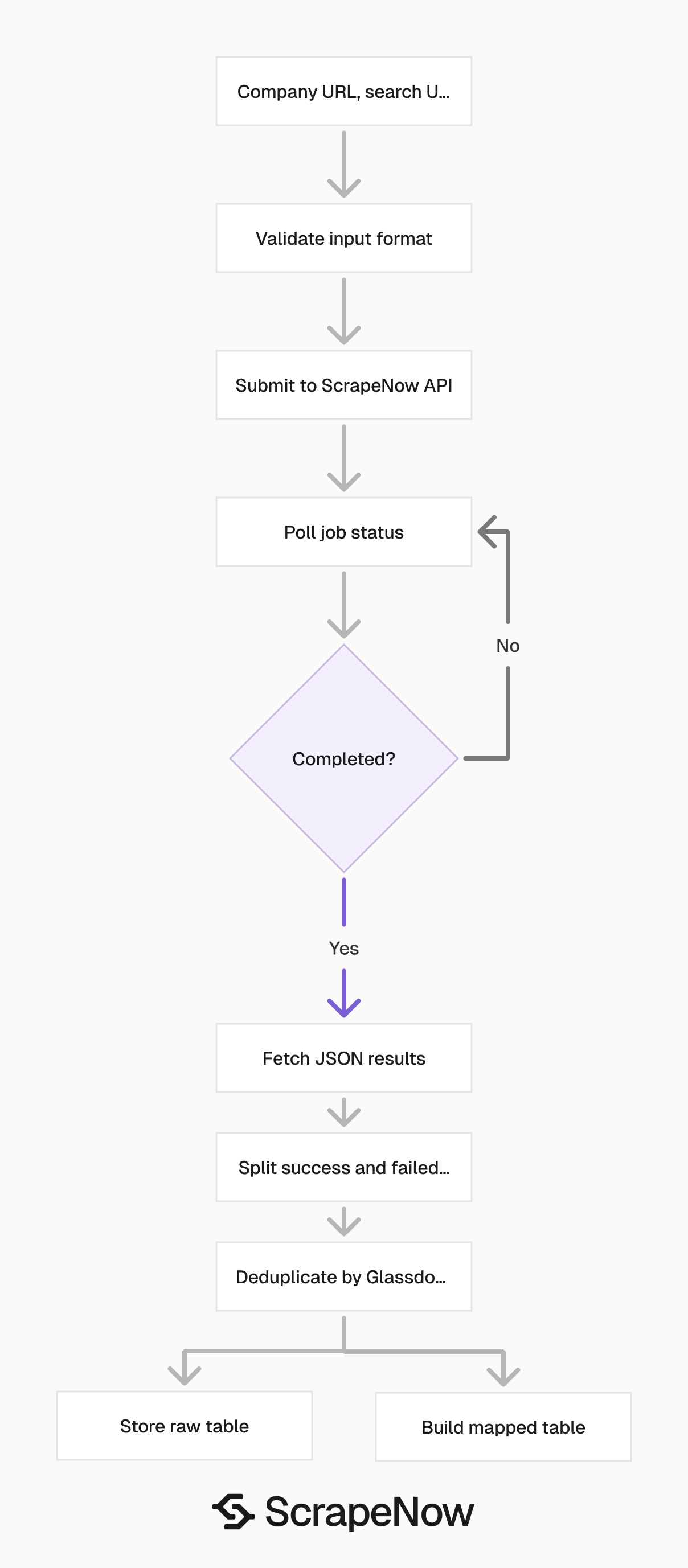
The Glassdoor company scraper group has three entry points. Pick the scraper based on the input you already have.
Use the Extract Glassdoor company data when you already have a company overview URL. This is the direct path for known targets.
Use the Glassdoor Companies Extract from Search Page scraper when you have a filtered Glassdoor Explore URL. It reads the companies from that search results page.
Use the Search Glassdoor Companies by keyword when you want ScrapeNow to run the Glassdoor search flow from a keyword. That path works for repeated searches across industries, roles, locations, or seed terms.
| Scraper | Input | Best fit | Typical pipeline |
|---|---|---|---|
glassdoor-companies-extract-by-url |
Company overview URL | You already know the target company | Enrichment, CRM updates, account research |
glassdoor-companies-extract-from-search-page |
Glassdoor Explore search URL | You already filtered results in Glassdoor | Market maps, location lists, industry lists |
glassdoor-companies-search-by-keyword |
Keyword | You want ScrapeNow to run search | Discovery, seed list expansion, recurring research |
The ScrapeNow scraper catalog acts as the hub for the Glassdoor group. From there, you can move between company, job, review, and search scrapers without changing API patterns.
How to use the Glassdoor Companies Scraper
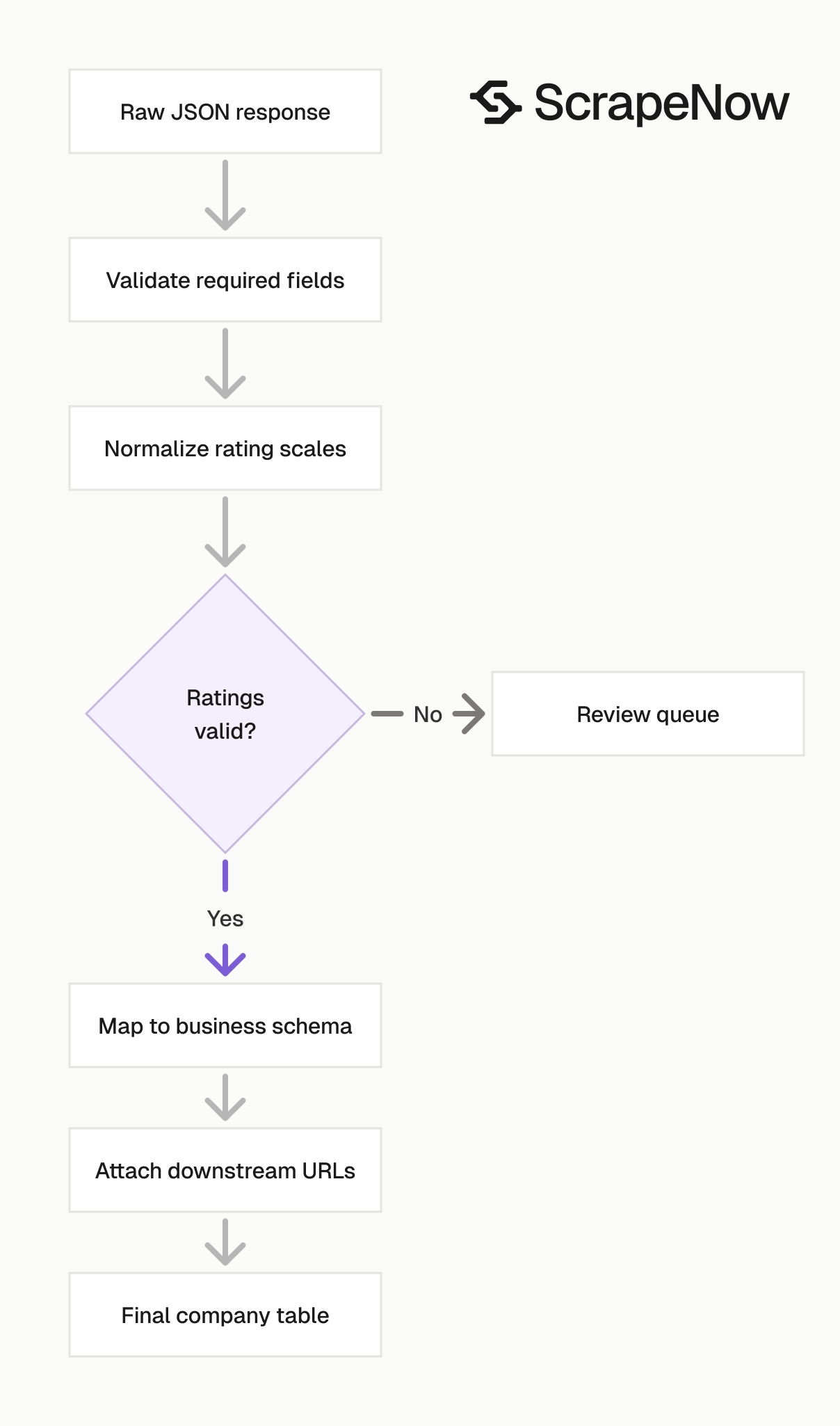
The API flow stays the same across the three company scrapers. You submit inputs, poll the job, download JSON, and store the result.
The only change is the scraper slug and input shape. Keep those values explicit in your pipeline configuration.
Step 1. Get a company overview URL
Input variable:
url, the URL to the company's overview page- It must start with
https://www.glassdoor.com/
Open Glassdoor.
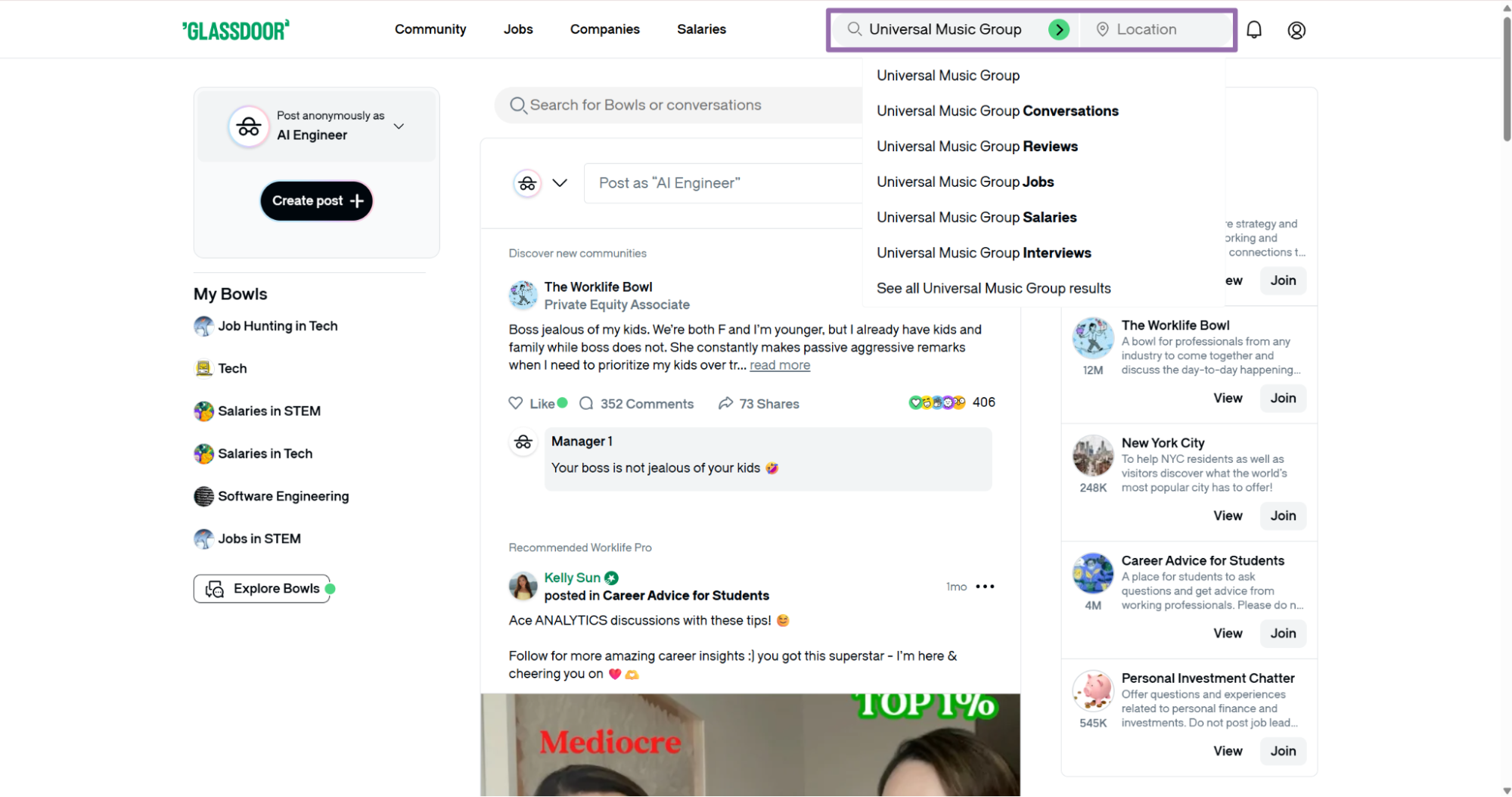
Type the company name in the search bar. This example uses Universal Music Group.
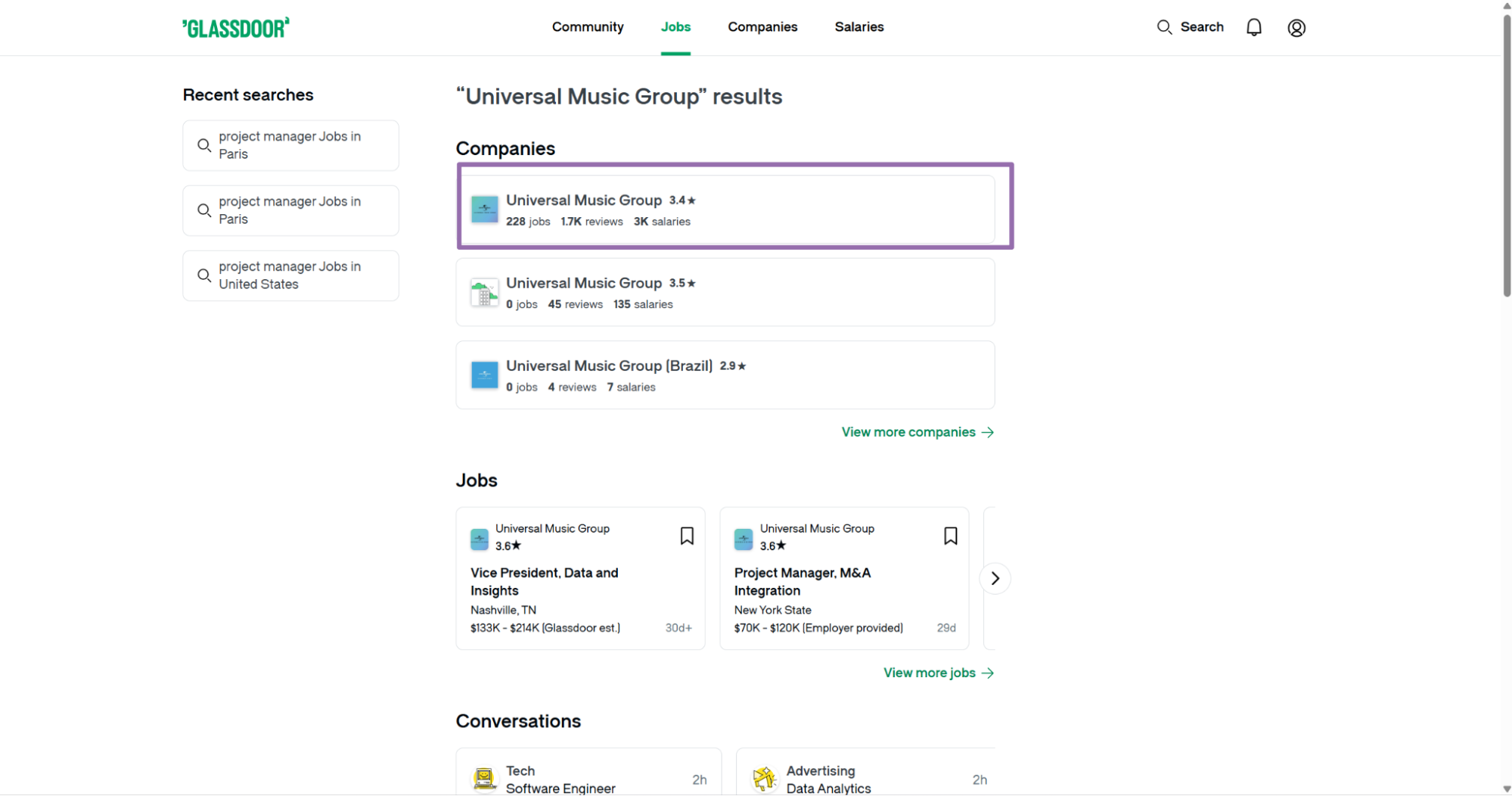
Open the company page from the search results. Copy the URL from the browser address bar.
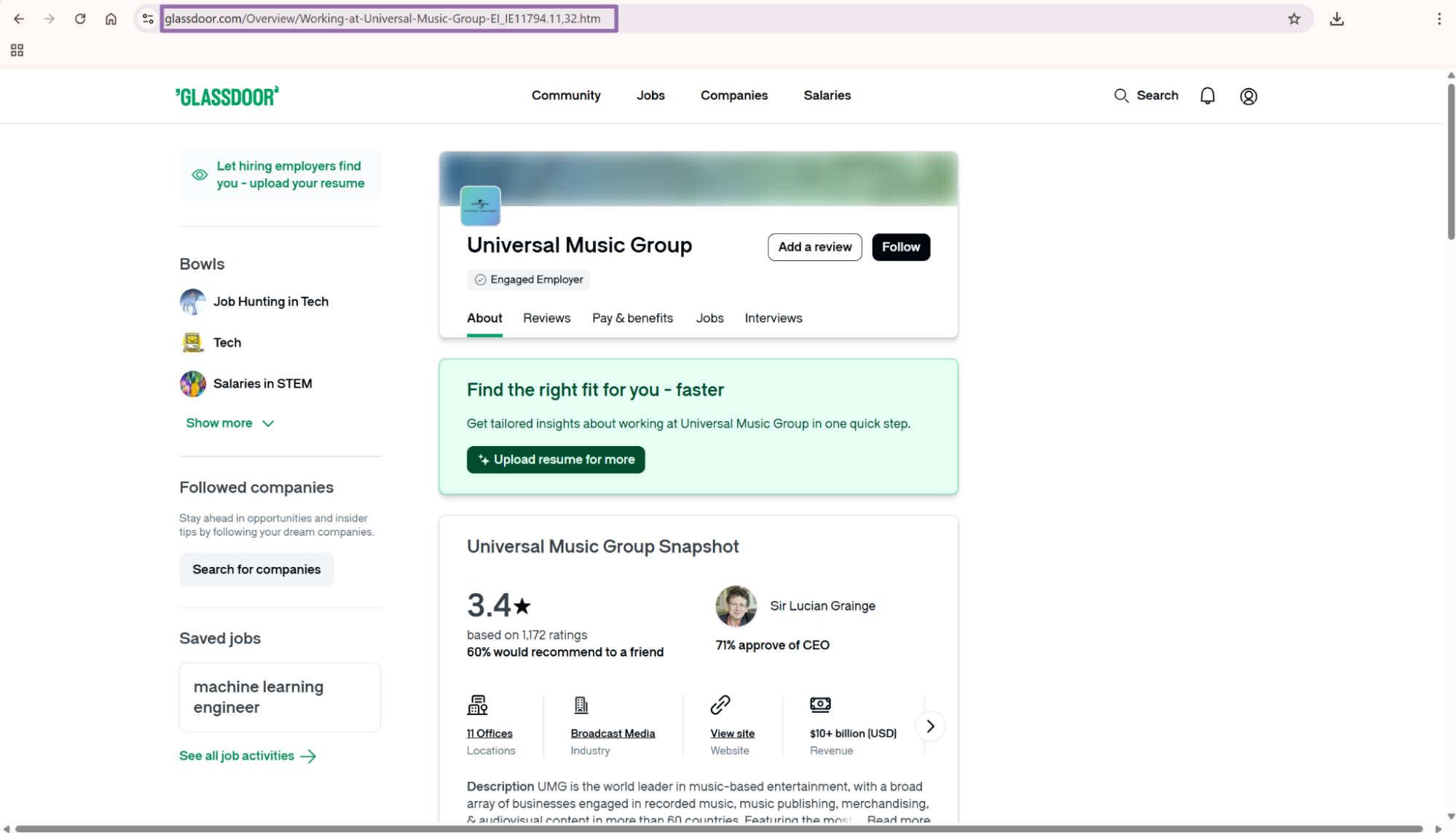
The URL scraper input should match this shape:
[
  {
    "url": "https://www.glassdoor.com/Overview/Working-at-Universal-Music-Group-EI_IE11794.11,32.htm"
  }
]
Use the overview URL. Do not send the reviews URL, jobs URL, or salaries URL to the by-URL company scraper.
The overview page carries the company profile data this scraper reads. The related URLs come back in the output, so you can chain jobs later.
Step 2. Get a filtered search page URL
Input variable:
url, the URL from Glassdoor search results- It must start with
https://www.glassdoor.com/
Open glassdoor.com/Explore/index.htm.
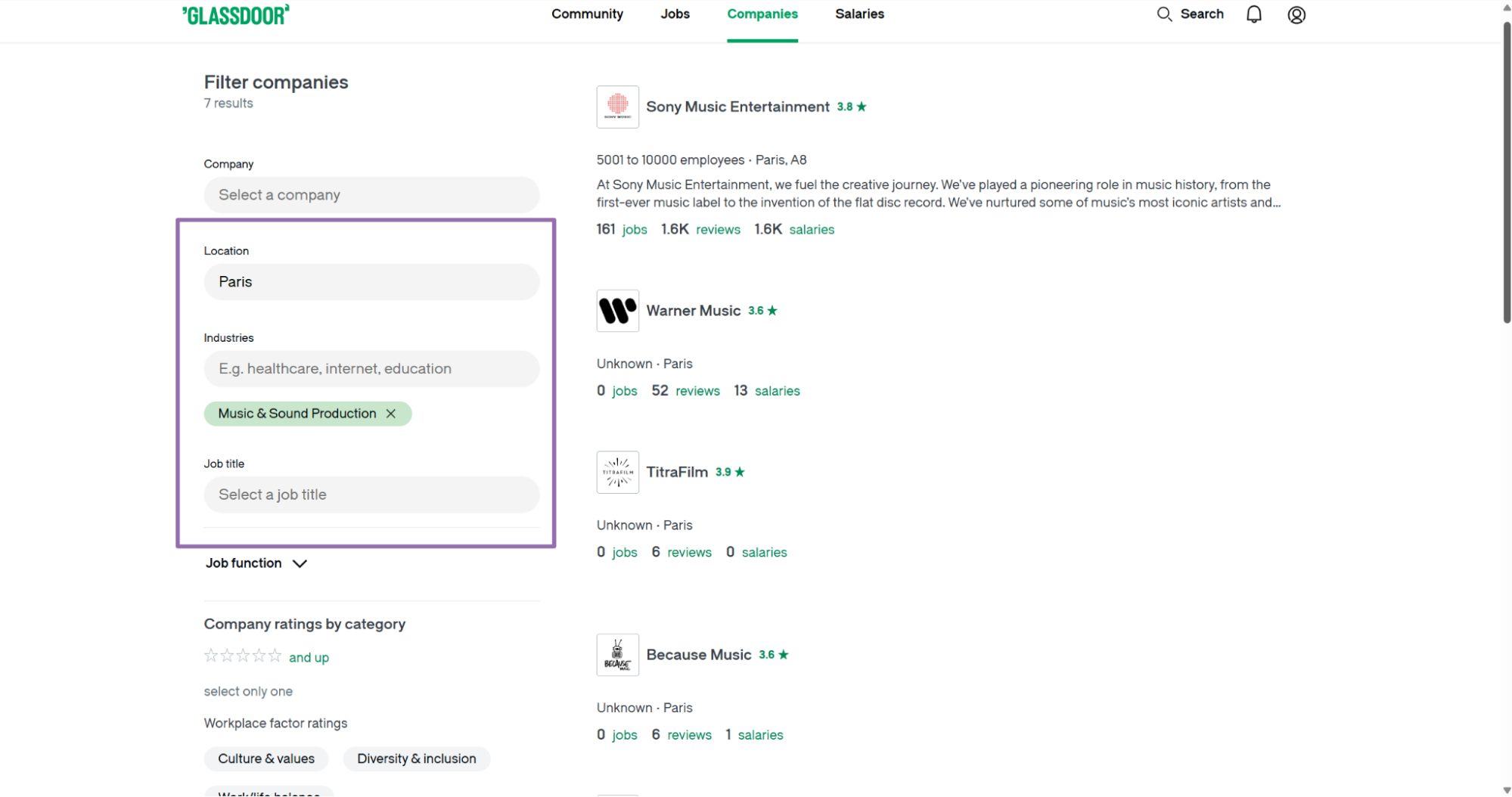
Choose the filters you want. For example, set Location to Paris and Industry to Music & Sound Production.
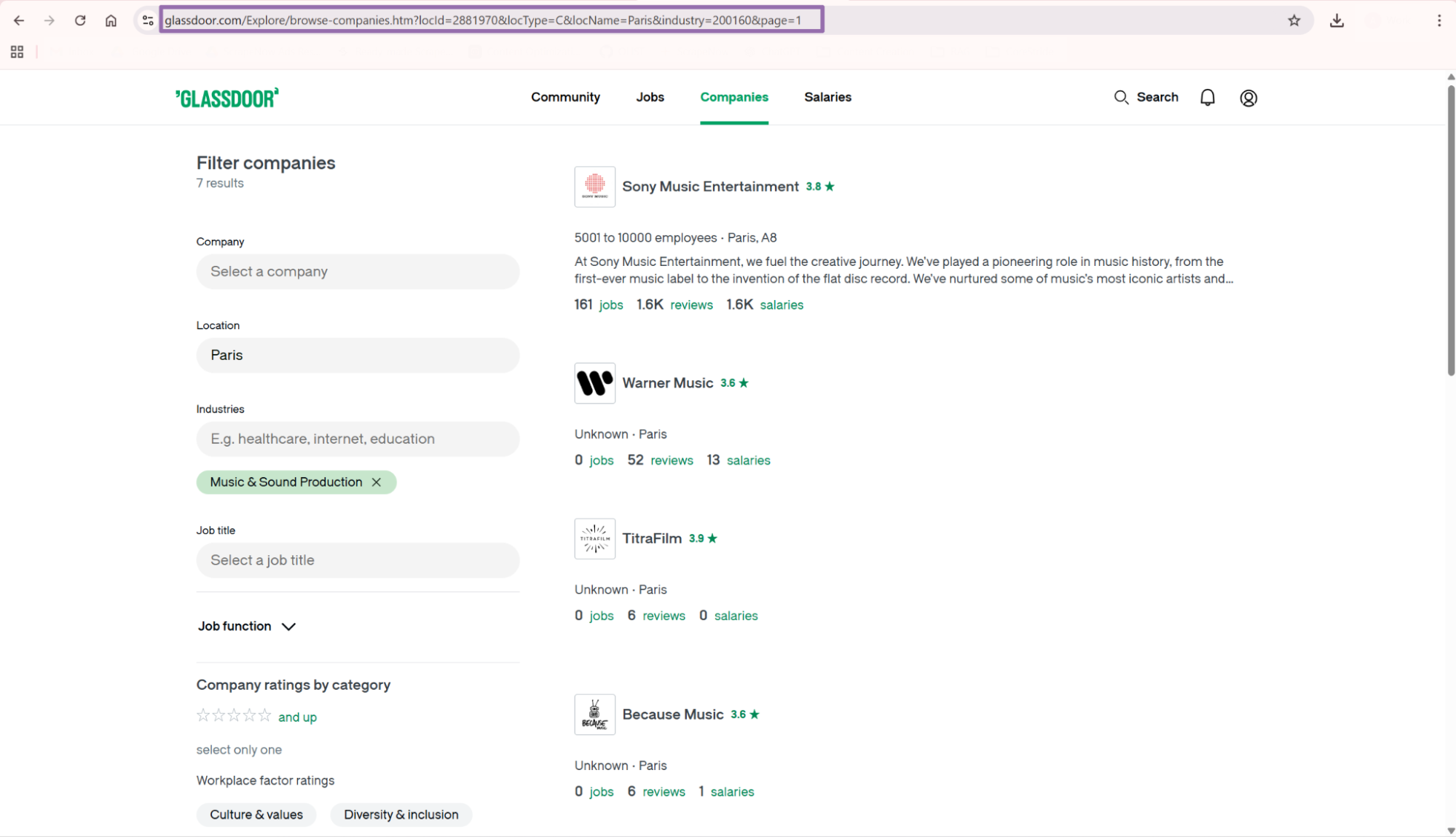
Copy the URL from the browser address bar. Pass it to glassdoor-companies-extract-from-search-page.
This scraper returns company records from the visible results page. If your workflow needs multiple result pages, run one job per search page URL.
Search-page extraction works well when a human or upstream system already built the filter set. It keeps the exact Glassdoor query visible in your logs.
Step 3. Search by keyword instead
Use the Search Glassdoor Companies by keyword when your input is a keyword. This works for lists like music, fintech, or remote software.
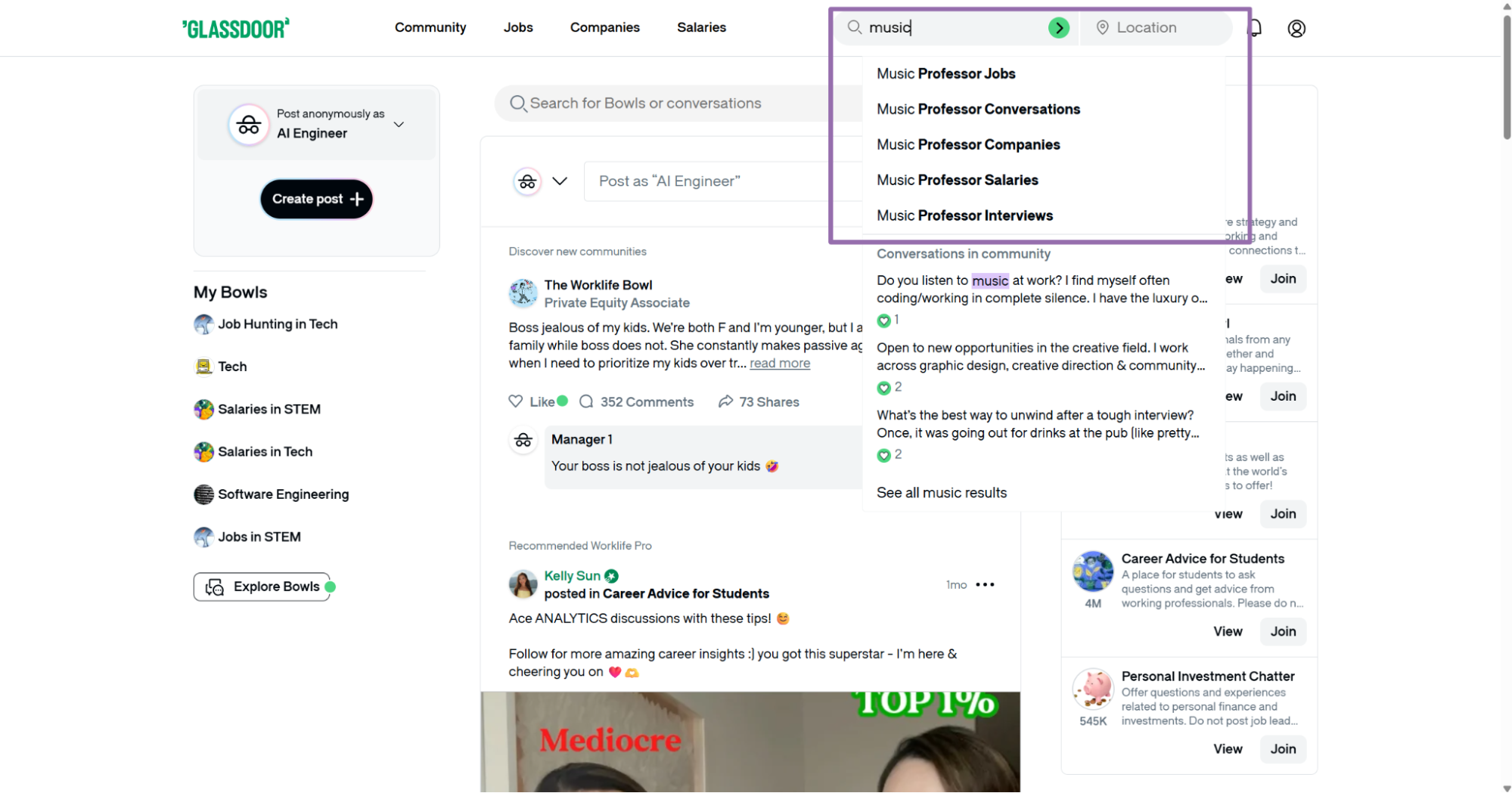
Enter the keyword in the search input.
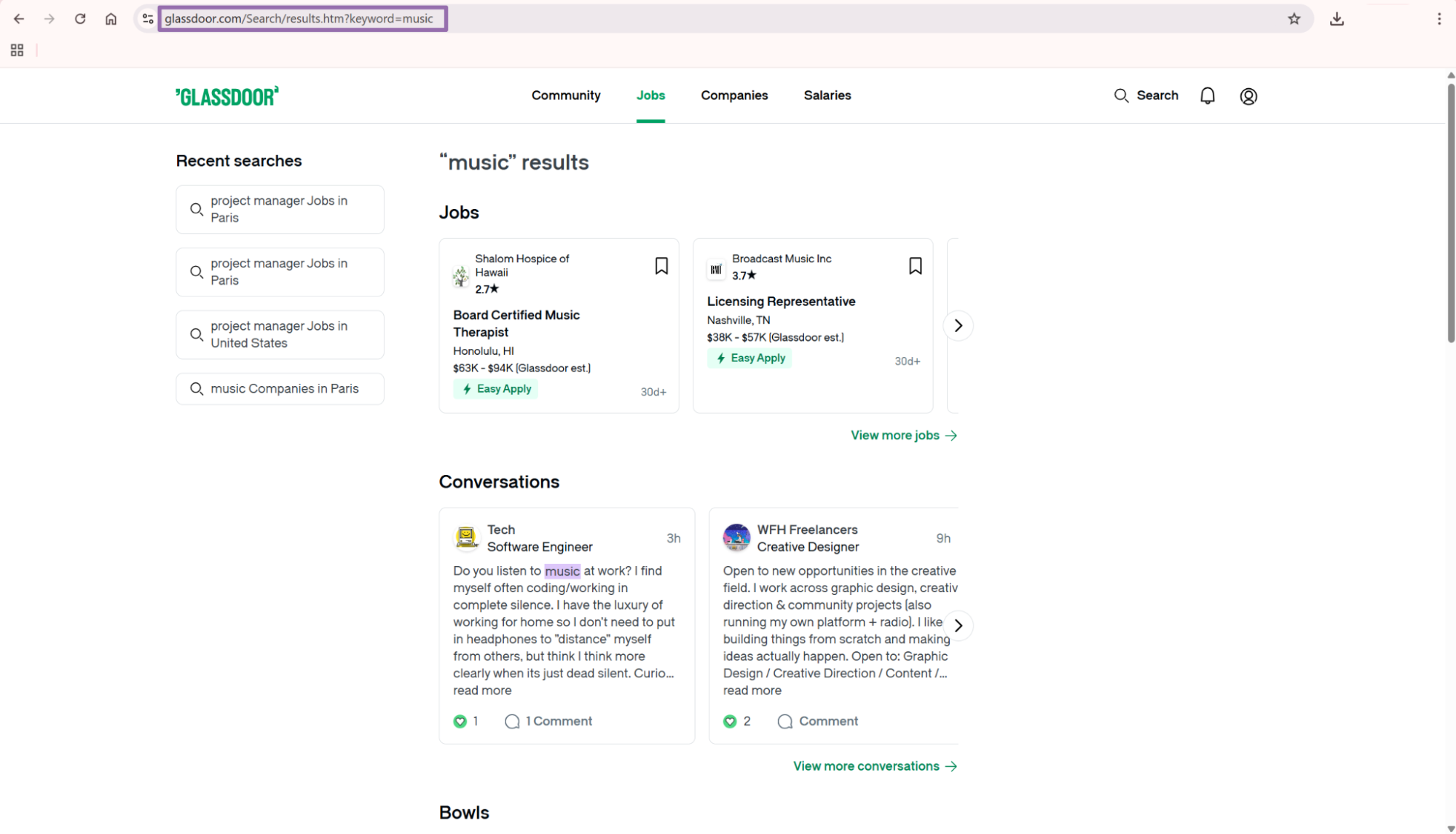
Keyword search fits discovery pipelines. URL extraction fits exact company targets.
For recurring jobs, store the keyword and run timestamp beside each output batch. That gives you a clean audit trail when search results change.
Step 4. Run the API request
Create an output directory before running the script. The script writes results to output/glassdoor-companies-extract-by-url.json.
Install requests if your environment does not include it:
pip install requests
Use this ScrapeNow API code:
"""
Configuration:
    - Set SCRAPER_SLUG to the scraper you want to run.
    - Set SCRAPER_INPUTS to the list of input dicts matching that scraper's schema.
    - Set API_KEY to your scraper API key.
"""

import sys
import time
import json
import requests
import os

API_KEY = "YOUR_API_KEY"

SCRAPER_SLUG = "glassdoor-companies-extract-by-url"

SCRAPER_INPUTS = [
    {
        "url": "https://www.glassdoor.com/Overview/Working-at-Universal-Music-Group-EI_IE11794.11,32.htm"
    }
]

BASE_URL = "https://api.scrapenow.io/api/v1/scraping"
TIMEOUT_SECONDS = 3600
POLL_INTERVAL = 5
SPINNER = "|/-\\"


def build_headers(api_key: str, content_type: str | None = None) -> dict:
    """Build headers using your API key."""
    headers = {"Authorization": f"Bearer {api_key}"}
    if content_type:
        headers["Content-Type"] = content_type
    return headers


def trigger_scrape(slug: str, inputs: list[dict]) -> str:
    """POST to the scrape endpoint and return the job_id."""
    url = f"{BASE_URL}/scrape?scraper={slug}"

    response = requests.post(
        url,
        headers=build_headers(API_KEY, "application/json"),
        json={"inputs": inputs},
        timeout=60,
    )
    response.raise_for_status()
    return response.json()["data"]["job_id"]


def poll_until_done(job_id: str) -> str:
    """Poll job status until the job reaches a terminal state."""
    start = time.time()
    i = 0

    while True:
        elapsed = time.time() - start
        if elapsed > TIMEOUT_SECONDS:
            print(f"\nTimeout after {TIMEOUT_SECONDS}s")
            sys.exit(1)

        response = requests.get(
            f"{BASE_URL}/jobs/{job_id}",
            headers=build_headers(API_KEY),
            timeout=60,
        )
        response.raise_for_status()
        data = response.json()

        status = data["data"]["status"]

        mins, secs = divmod(int(elapsed), 60)
        sys.stdout.write(f"\r[{SPINNER[i % 4]}] Waiting... {status} ({mins}m {secs:02d}s)  ")
        sys.stdout.flush()

        if status in ("completed", "failed"):
            print()
            return status

        time.sleep(POLL_INTERVAL)
        i += 1


def fetch_results(job_id: str) -> dict:
    """Download the completed job results as JSON."""
    response = requests.get(
        f"{BASE_URL}/jobs/{job_id}/results?format=json",
        headers=build_headers(API_KEY),
        timeout=120,
    )
    response.raise_for_status()
    return response.json()


def save_results(data: dict, slug: str) -> str:
    """Write results to output/{slug}.json and return the filename."""
    os.makedirs("output", exist_ok=True)

    filename = os.path.join("output", f"{slug}.json")
    with open(filename, "w", encoding="utf-8") as f:
        json.dump(data, f, indent=2, ensure_ascii=False)

    return filename


def main() -> None:
    print(f"Triggering scraper: {SCRAPER_SLUG}")
    job_id = trigger_scrape(SCRAPER_SLUG, SCRAPER_INPUTS)
    print(f"Job started: {job_id}")

    final_status = poll_until_done(job_id)

    if final_status != "completed":
        print(f"Job failed with status: {final_status}")
        sys.exit(1)

    print("Fetching results...")
    results = fetch_results(job_id)

    output_file = save_results(results, SCRAPER_SLUG)
    print(f"Results saved to: {output_file}")


if __name__ == "__main__":
    main()
The same API pattern works for the other scrapers in this group. Change SCRAPER_SLUG and SCRAPER_INPUTS for each run.
Use glassdoor-companies-extract-from-search-page for filtered search URLs. Use glassdoor-companies-search-by-keyword for keyword searches.
For batch jobs, keep each scraper slug in a config file. That prevents hard-coded values from drifting across staging, production, and one-off research scripts.
Step 5. Read the response
A completed job returns JSON. This trimmed response comes from glassdoor-companies-extract-by-url:
[
  {
    "inputs": {
      "url": "https://www.glassdoor.com/Overview/Working-at-Universal-Music-Group-EI_IE11794.11,32.htm"
    },
    "scrape_status": "success",
    "id": "11794",
    "company": "Universal Music Group",
    "ratings_overall": 3.5,
    "details_size": "5001 to 10000 Employees",
    "details_founded": 1934,
    "details_type": "Company - Public",
    "company_type": "Company - Public",
    "url_jobs": "https://www.glassdoor.com/Jobs/Universal-Music-Group-Jobs-E11794.htm",
    "url_overview": "https://www.glassdoor.com/Overview/Working-at-Universal-Music-Group-EI_IE11794.11,32.htm",
    "url_reviews": "https://www.glassdoor.com/Reviews/Universal-Music-Group-Reviews-E11794.htm",
    "benefits_url": "https://www.glassdoor.com/pay-and-benefits/Universal-Music-Group-E11794",
    "details_headquarters": "Santa Monica, CA",
    "details_industry": "Broadcast Media",
    "details_revenue": "$$10+ billion (USD)",
    "details_website": "www.umusiccareers.com",
    "interviews_url": "https://www.glassdoor.com/Interview/Universal-Music-Group-Interview-Questions-E11794.htm",
    "ratings_career_opportunities": 2.9,
    "ratings_ceo_approval": 0.73,
    "ratings_ceo_approval_count": 0,
    "ratings_compensation_benefits": 3.3,
    "ratings_cutlure_values": 3.4,
    "diversity_inclusion_score": "3.7",
    "diversity_inclusion_count": "556",
    "ratings_senior_management": 3.1,
    "ratings_work_life_balance": 3.6,
    "ratings_business_outlook": 0.5,
    "ratings_recommend_to_friend": 0.61,
    "ratings_rated_ceo": "Sir Lucian Grainge",
    "salaries_count": 0,
    "career_opportunities_distribution": {
      "one_star": 121,
      "two_star": 186,
      "three_star": 296,
      "four_star": 228,
      "five_star": 182
    },
    "interviews_count": 0,
    "benefits_count": 0,
    "jobs_count": 0,
    "reviews_count": 1703,
    "url": "https://www.glassdoor.com/Overview/Working-at-Universal-Music-Group-EI_IE11794.11,32.htm",
    "industry": "Broadcast Media",
    "additional_information": null,
    "stock_symbol": null,
    "scrape_error": null,
    "scrape_error_code": null
  }
]
The field name ratings_cutlure_values appears as returned. Keep it as-is during ingestion unless you add a mapped field later.
Do not rename raw response keys before storing them. Rename fields in a mapped table or model layer where you can version the change.
Glassdoor Companies Scraper output fields
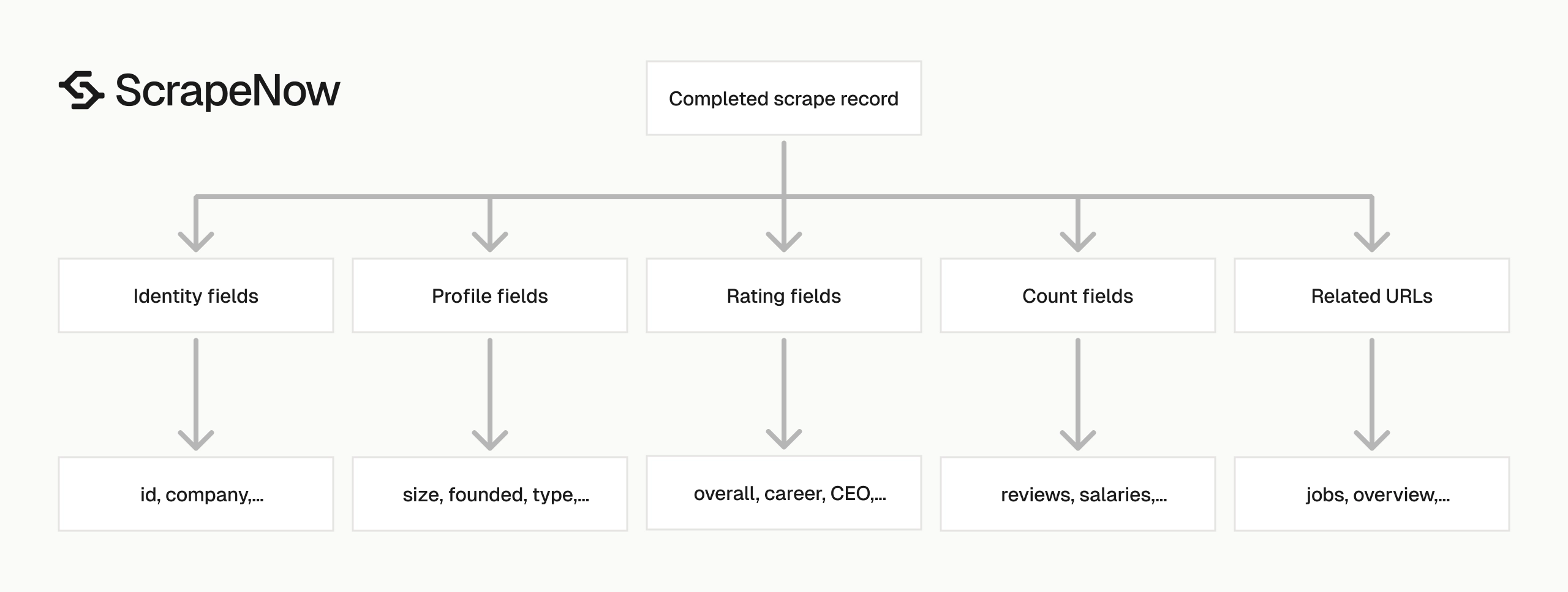
The response has four field groups. Treat each group differently in your database schema.
A practical schema stores raw scraped values first. Derived fields, normalized ranges, and reporting labels belong in a second table or transform step.
This split saves time when Glassdoor changes page markup or field availability. Your raw table remains the source record, and your mapped table changes safely.
Input and scrape status fields
inputs.url is the URL you submitted. Store it because it gives you a direct audit trail from source input to output row.
scrape_status tells you whether extraction worked. For successful rows, scrape_error and scrape_error_code return null.
{
  "scrape_status": "success",
  "scrape_error": null,
  "scrape_error_code": null
}
Use these fields for retry logic. Do not retry rows with scrape_status = "success".
For failed rows, keep the original inputs object. That gives your retry worker the exact payload to resubmit.
Store the job ID beside each row if your pipeline has a jobs table. That makes batch-level debugging faster when one run has mixed outcomes.
Company identity fields
id is the Glassdoor company ID. For Universal Music Group, the ID is 11794.
company gives you the display name. Store id as your dedupe key because company names change and can include punctuation differences.
{
  "id": "11794",
  "company": "Universal Music Group",
  "details_website": "www.umusiccareers.com",
  "stock_symbol": null
}
Glassdoor company IDs also appear inside related URLs. That makes the ID useful for joining company, job, review, and interview datasets.
Treat the display name as a label. Treat the ID as the durable key for joins, updates, and dedupe operations.
Company profile fields
These fields describe the company page:
{
  "details_size": "5001 to 10000 Employees",
  "details_founded": 1934,
  "details_type": "Company - Public",
  "details_headquarters": "Santa Monica, CA",
  "details_industry": "Broadcast Media",
  "details_revenue": "$$10+ billion (USD)"
}
Keep size and revenue fields as strings unless you have a range parser. details_founded is numeric in this response, so store it as a nullable integer.
Range fields need careful handling. A value like 5001 to 10000 Employees has lower and upper bounds, while some pages use text labels.
Do not force every company into the same size range during ingestion. Add range parsing later, then keep the raw field for audits.
Rating fields
Glassdoor ratings use mixed scales. ratings_overall is a 5-point score.
Fields like ratings_ceo_approval and ratings_recommend_to_friend are ratios between 0 and 1.
{
  "ratings_overall": 3.5,
  "ratings_career_opportunities": 2.9,
  "ratings_ceo_approval": 0.73,
  "ratings_compensation_benefits": 3.3,
  "ratings_work_life_balance": 3.6,
  "ratings_recommend_to_friend": 0.61
}
Do not multiply these ratios at ingestion time. Store raw values, then convert to percentages in your application layer.
This keeps the source table stable. Reporting teams can change percentage formatting without rewriting scraped records.
Document each rating scale in your data dictionary. Mixed scales create silent reporting errors when downstream code assumes every score uses 0 to 5.
Count and distribution fields
The count fields tell you how much data exists behind the profile page.
{
  "reviews_count": 1703,
  "salaries_count": 0,
  "interviews_count": 0,
  "benefits_count": 0,
  "jobs_count": 0
}
Counts help rank data quality. A company with many reviews gives stronger rating signals than a company with a few reviews.
career_opportunities_distribution gives you star buckets. Use it when you need more than a single average score.
{
  "career_opportunities_distribution": {
    "one_star": 121,
    "two_star": 186,
    "three_star": 296,
    "four_star": 228,
    "five_star": 182
  }
}
Star buckets help you detect polarized ratings. Two companies can share the same average score and have different distributions.
For ranking models, use review volume as a confidence signal. A 4.2 rating from 20 reviews should not carry the same weight as a 4.2 rating from 2,000 reviews.
Related Glassdoor URLs
The scraper returns URLs for related pages. Use these to chain jobs into other ScrapeNow scrapers.
{
  "url_jobs": "https://www.glassdoor.com/Jobs/Universal-Music-Group-Jobs-E11794.htm",
  "url_reviews": "https://www.glassdoor.com/Reviews/Universal-Music-Group-Reviews-E11794.htm",
  "interviews_url": "https://www.glassdoor.com/Interview/Universal-Music-Group-Interview-Questions-E11794.htm"
}
If you need job postings after collecting company profiles, pass company job URLs into the Pull structured Glassdoor job listings.
For keyword-based job collection, use the Search Glassdoor jobs by keyword.
Store these URLs even if your current pipeline does not use them. They are cheap to keep and useful when you add downstream extraction later.
This is the guide model for the Glassdoor scraper group. Company pages give you the IDs and related URLs that feed job, review, interview, and benefits extraction.
Production tips for clean company data
Validate inputs before sending jobs
Reject invalid URLs before you spend credits. The scraper expects Glassdoor URLs that start with https://www.glassdoor.com/.
from urllib.parse import urlparse

def validate_glassdoor_url(url: str) -> None:
    parsed = urlparse(url)

    if parsed.scheme != "https":
        raise ValueError(f"URL must use https: {url}")

    if parsed.netloc != "www.glassdoor.com":
        raise ValueError(f"URL must use www.glassdoor.com: {url}")

    if not parsed.path:
        raise ValueError(f"URL is missing a path: {url}")


urls = [
    "https://www.glassdoor.com/Overview/Working-at-Universal-Music-Group-EI_IE11794.11,32.htm"
]

for url in urls:
    validate_glassdoor_url(url)
Run this check before calling the ScrapeNow API. It catches pasted search snippets, HTTP URLs, and non-Glassdoor inputs.
For stricter validation, require the path to contain /Overview/ for the URL extraction scraper. Search-page extraction should accept /Explore/ paths.
def validate_company_overview_url(url: str) -> None:
    validate_glassdoor_url(url)

    parsed = urlparse(url)
    if "/Overview/" not in parsed.path:
        raise ValueError(f"URL is not a Glassdoor overview page: {url}")
This guard catches review pages and job pages before they enter the wrong scraper. It also keeps error rates lower in batch runs.
Add this validation at the boundary of your system. A CLI command, queue consumer, or scheduled job should reject malformed inputs before creating a ScrapeNow job.
Deduplicate by Glassdoor company ID
Use id as the main key. If a row does not include id, fall back to normalized url_overview.
import json

def dedupe_companies(rows: list[dict]) -> list[dict]:
    seen = set()
    output = []

    for row in rows:
        key = row.get("id") or row.get("url_overview") or row.get("url")

        if not key:
            key = row.get("company", "").strip().lower()

        if key in seen:
            continue

        seen.add(key)
        output.append(row)

    return output


with open("output/glassdoor-companies-extract-by-url.json", "r", encoding="utf-8") as f:
    rows = json.load(f)

clean_rows = dedupe_companies(rows)
print(f"Input rows: {len(rows)}")
print(f"Unique rows: {len(clean_rows)}")
This matters when you combine URL extraction, search-page extraction, and keyword search. The same company can appear in all three paths.
Normalize URL keys before deduplication if you ingest data from multiple sources. Remove query strings, trailing slashes, and tracking parameters.
from urllib.parse import urlparse, urlunparse

def normalize_url_key(url: str) -> str:
    parsed = urlparse(url)
    return urlunparse((parsed.scheme, parsed.netloc, parsed.path, "", "", ""))
Use the Glassdoor ID whenever it exists. Treat URL normalization as the fallback key strategy.
Name-based dedupe should be the last fallback. Company names collide, change punctuation, and vary by region.
Keep raw ratings and derived ratings separate
Store raw fields exactly as returned. Add derived fields in a second pass.
def add_rating_percentages(row: dict) -> dict:
    row = dict(row)

    ratio_fields = [
        "ratings_ceo_approval",
        "ratings_business_outlook",
        "ratings_recommend_to_friend",
    ]

    for field in ratio_fields:
        value = row.get(field)
        if isinstance(value, (int, float)):
            row[f"{field}_percent"] = round(value * 100, 2)

    return row


row = {
    "ratings_ceo_approval": 0.73,
    "ratings_business_outlook": 0.5,
    "ratings_recommend_to_friend": 0.61
}

print(add_rating_percentages(row))
Expected output:
{
  "ratings_ceo_approval": 0.73,
  "ratings_business_outlook": 0.5,
  "ratings_recommend_to_friend": 0.61,
  "ratings_ceo_approval_percent": 73.0,
  "ratings_business_outlook_percent": 50.0,
  "ratings_recommend_to_friend_percent": 61.0
}
This keeps your warehouse accurate. Raw scraped values stay unchanged, and reporting fields can change without rewriting source data.
Use the same pattern for size and revenue parsing. Keep details_size and details_revenue, then add employee_count_min, employee_count_max, or revenue buckets later.
Add a parsed_at timestamp when you create derived fields. That lets you rerun parsers and compare old mappings against new mappings.
Use a typed schema
Start with a schema that allows nulls. Glassdoor pages vary across companies, regions, and profile completeness.
Fields like stock_symbol, additional_information, and counts can be missing or empty. Your ingestion code should treat that as valid data.
from typing import TypedDict, Optional

class GlassdoorCompany(TypedDict, total=False):
    id: str
    company: str
    ratings_overall: Optional[float]
    details_size: Optional[str]
    details_founded: Optional[int]
    details_type: Optional[str]
    company_type: Optional[str]
    details_headquarters: Optional[str]
    details_industry: Optional[str]
    details_revenue: Optional[str]
    details_website: Optional[str]
    reviews_count: Optional[int]
    jobs_count: Optional[int]
    url_overview: Optional[str]
    url_jobs: Optional[str]
    url_reviews: Optional[str]
    scrape_status: str
    scrape_error: Optional[str]
    scrape_error_code: Optional[str]
Do not force every field to exist. Missing profile data should create null values.
If you load the data into a warehouse, map strings and numeric fields explicitly. Avoid automatic type inference on mixed scraped data.
Use nullable columns for fields that Glassdoor does not show on every profile. That includes stock symbols, CEO ratings, diversity scores, and some count fields.
Handle failed rows without dropping the batch
A job can complete while individual rows return scrape errors. Split successful rows from failed rows and retry the failed inputs later.
def split_success_and_failed(rows: list[dict]) -> tuple[list[dict], list[dict]]:
    success = []
    failed = []

    for row in rows:
        if row.get("scrape_status") == "success":
            success.append(row)
        else:
            failed.append(row)

    return success, failed


success_rows, failed_rows = split_success_and_failed(clean_rows)

print(f"Successful rows: {len(success_rows)}")
print(f"Failed rows: {len(failed_rows)}")

retry_inputs = [
    row["inputs"]
    for row in failed_rows
    if row.get("inputs")
]

print(json.dumps(retry_inputs, indent=2))
Keep failed rows in a separate table or queue. Include scrape_error_code so you can group failures by cause.
A production retry worker should cap attempts. Three attempts is enough for transient fetch failures in most scraping pipelines.
def build_retry_payload(row: dict, attempt: int) -> dict | None:
    if row.get("scrape_status") == "success":
        return None

    inputs = row.get("inputs")
    if not inputs:
        return None

    return {
        "inputs": inputs,
        "attempt": attempt + 1,
        "scrape_error_code": row.get("scrape_error_code"),
    }
Store the attempt count beside the retry payload. That prevents the same failing input from cycling forever.
Separate retryable errors from permanent input errors in your queue. A malformed URL should go to a dead-letter table after validation fails.
Version your output mapping
Scraped fields change as platforms change their pages. Keep your raw response table separate from your mapped business table.
Use a mapping version when you rename fields, add derived values, or change parsing rules. A simple integer version works.
def map_company_row(row: dict, mapping_version: int = 1) -> dict:
    return {
        "mapping_version": mapping_version,
        "glassdoor_id": row.get("id"),
        "company_name": row.get("company"),
        "website": row.get("details_website"),
        "industry": row.get("details_industry") or row.get("industry"),
        "headquarters": row.get("details_headquarters"),
        "overall_rating": row.get("ratings_overall"),
        "reviews_count": row.get("reviews_count"),
        "source_url": row.get("url_overview") or row.get("url"),
    }
This pattern saves time during audits. You can trace every mapped row back to the raw payload and mapping version.
Store the mapping version with every downstream record. When a parser changes, you can compare version 1 and version 2 without guessing.
Pricing
ScrapeNow charges per returned row. One row costs one credit, starting at $0.04 per credit for small runs and dropping with volume. No monthly contracts, no proxy fees, no charges for failed rows. See the pricing page for current rates.


