TikTok Shop product pages contain pricing, seller details, reviews, shipping info, and product variants. The ScrapeNow TikTok Shop scraper extracts all of these from a product URL.
The the TikTok Shop Extract by URL scraper scraper extracts product data from a TikTok Shop product detail page. It returns title, price, availability, variants, store details, images, product specs, review counts, and sold counts.
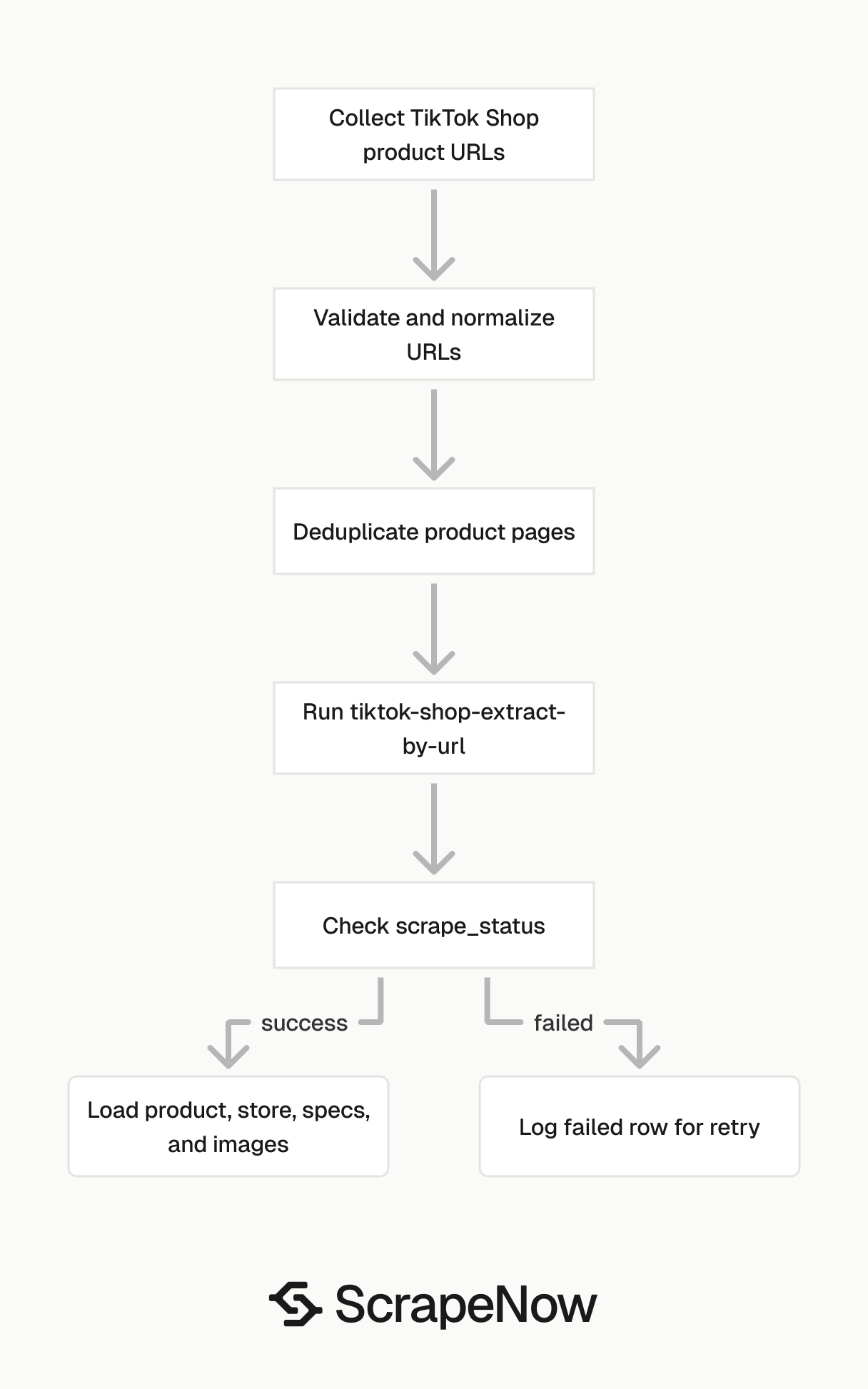
Use it after you already have product page URLs. For discovery, run category or shop search first, collect product URLs, dedupe them, then pass those URLs into this scraper.
Data teams use this flow for catalog tracking, price monitoring, seller analysis, and product enrichment. The output is built for product tables, price history tables, seller tables, and spec child tables.
How to use this scraper
The scraper slug is the TikTok Shop Extract by URL scraper. The required input is a TikTok Shop product URL that starts with https://www.tiktok.com/.
Run one known product URL first. Check the JSON shape, map the fields to your schema, then scale the batch.
Step 1. Find the product URL
Input variable:
url, URL to the product page on TikTok Shop. It must start withhttps://www.tiktok.com/.
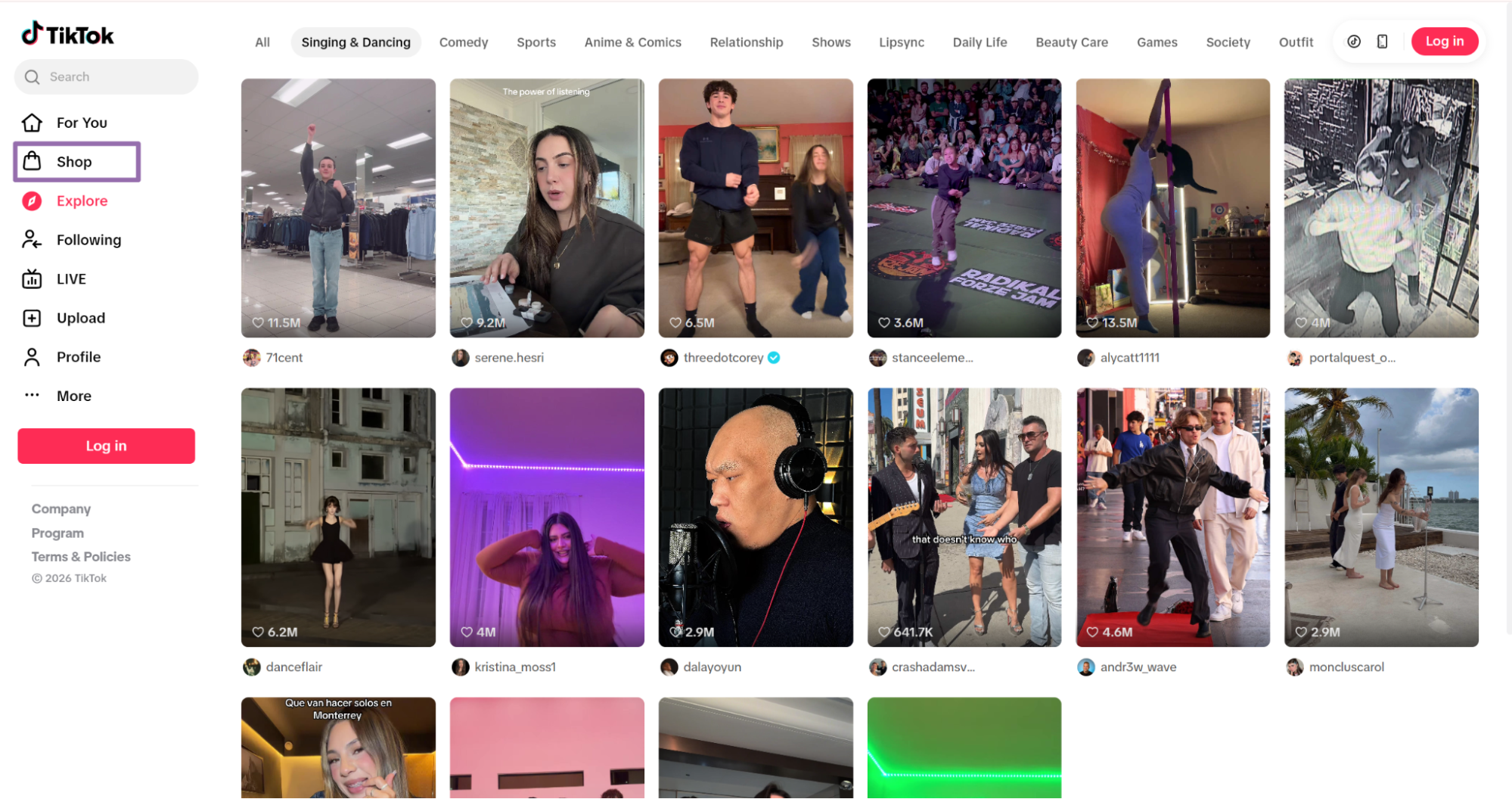
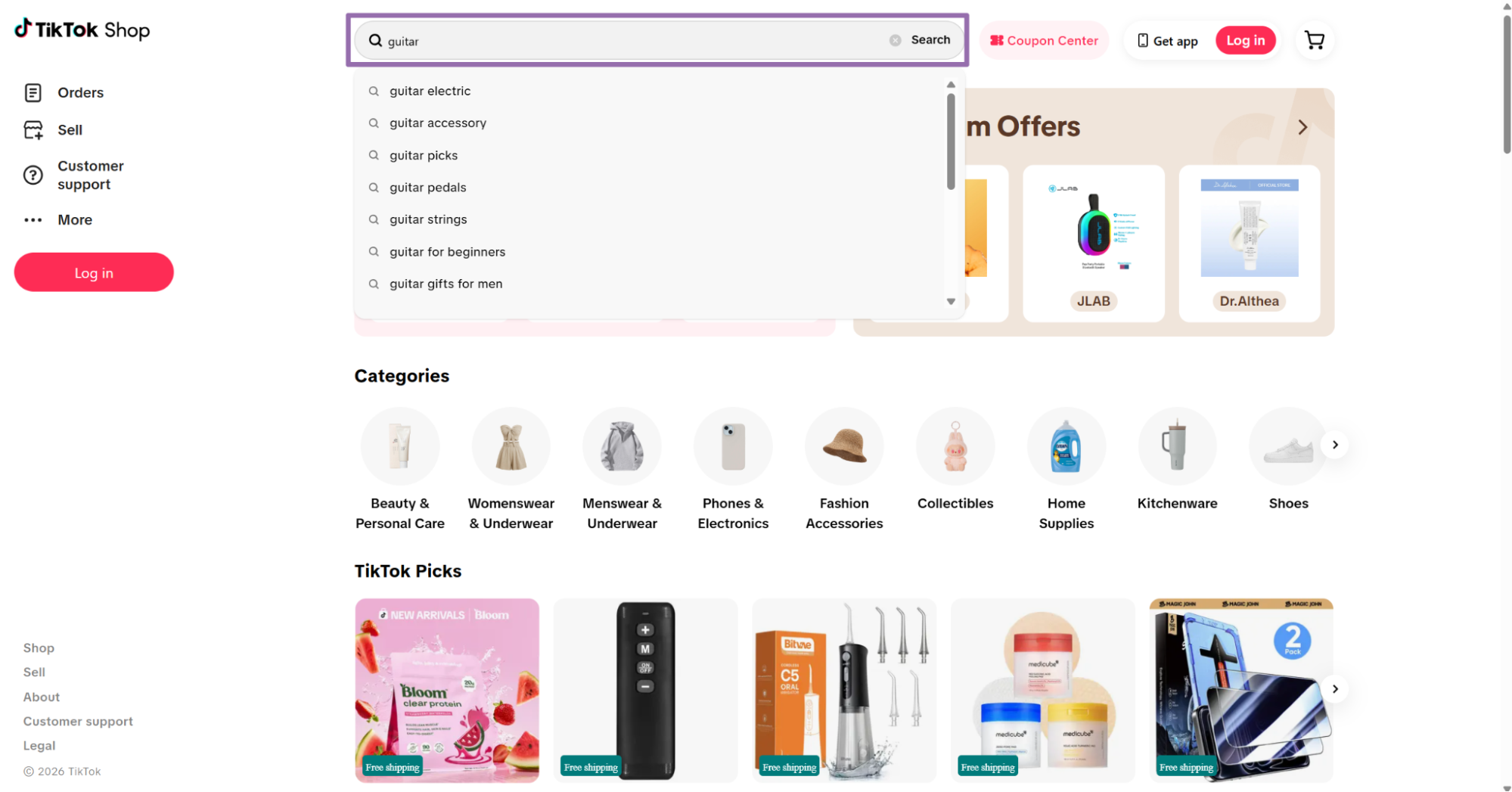
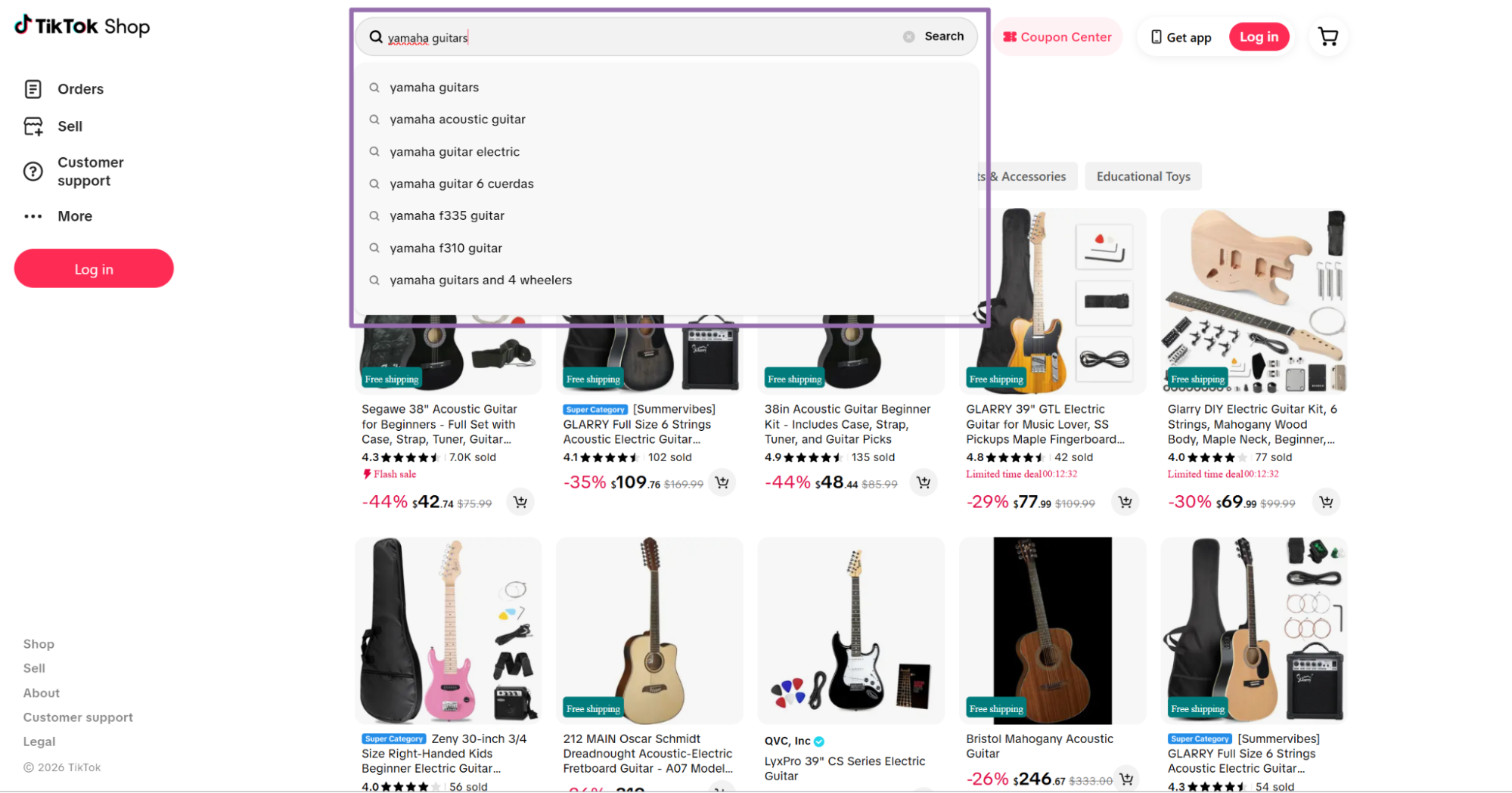
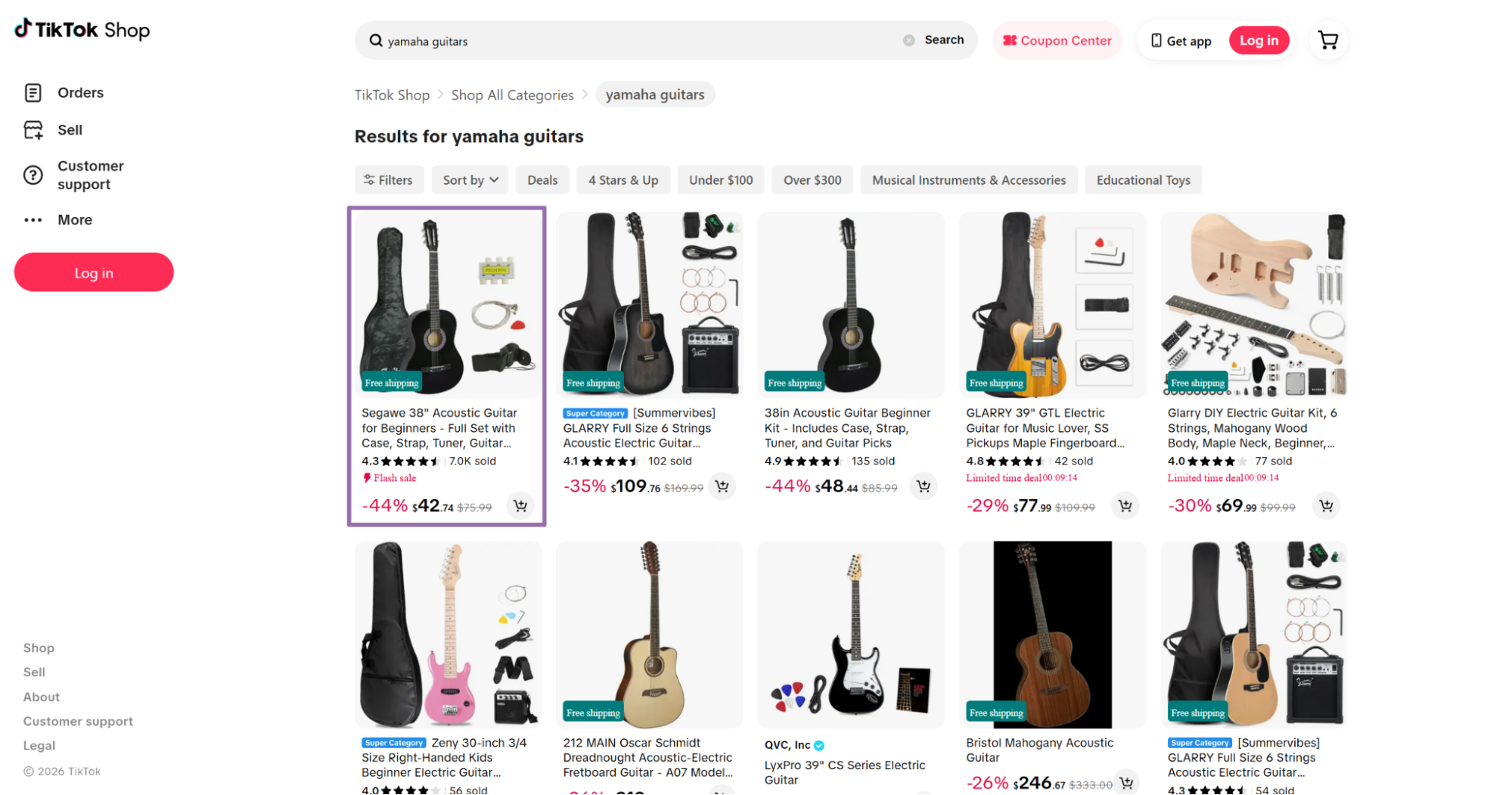
Search for the product in the search bar. For example, search for guitar.
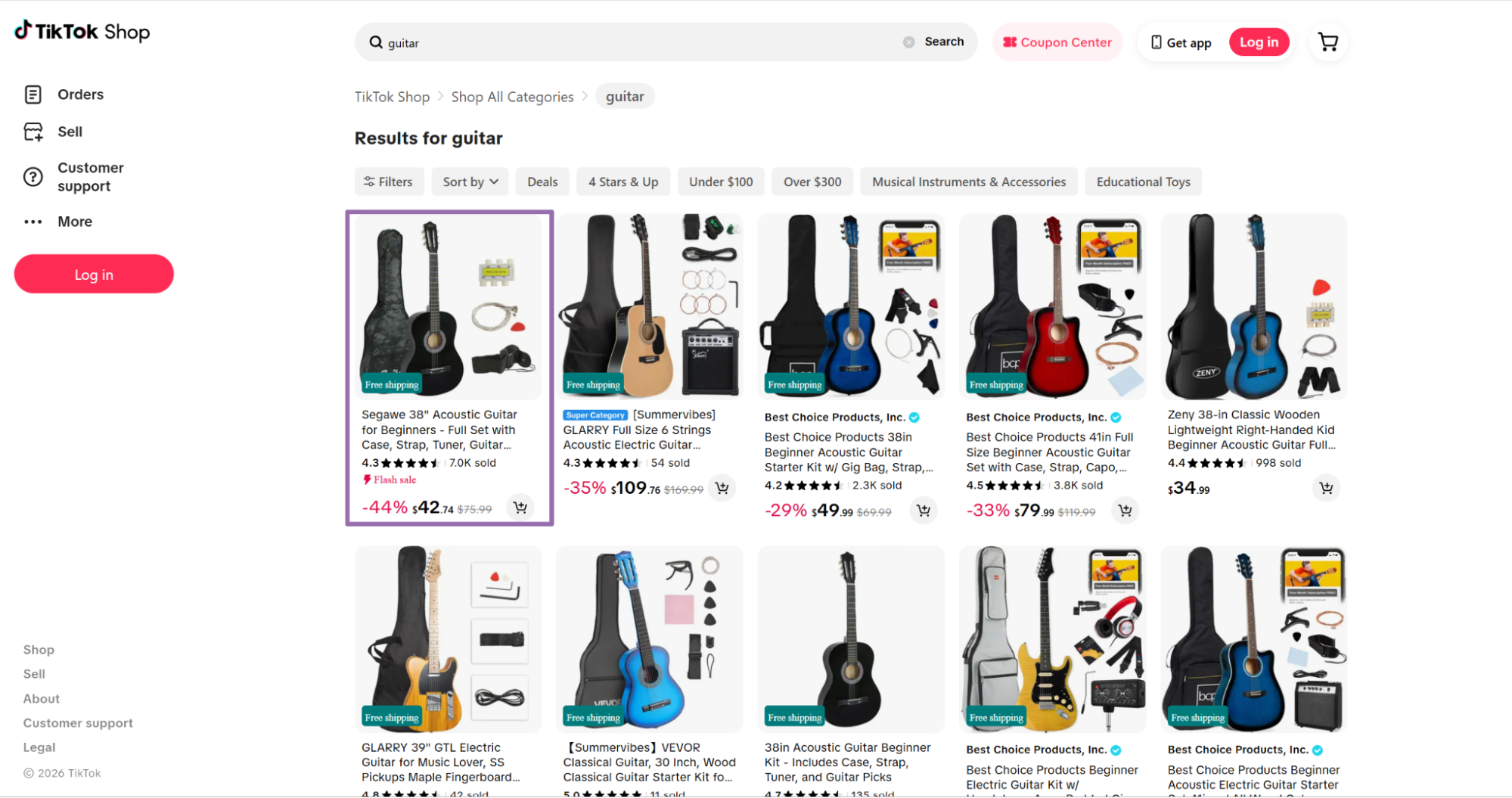
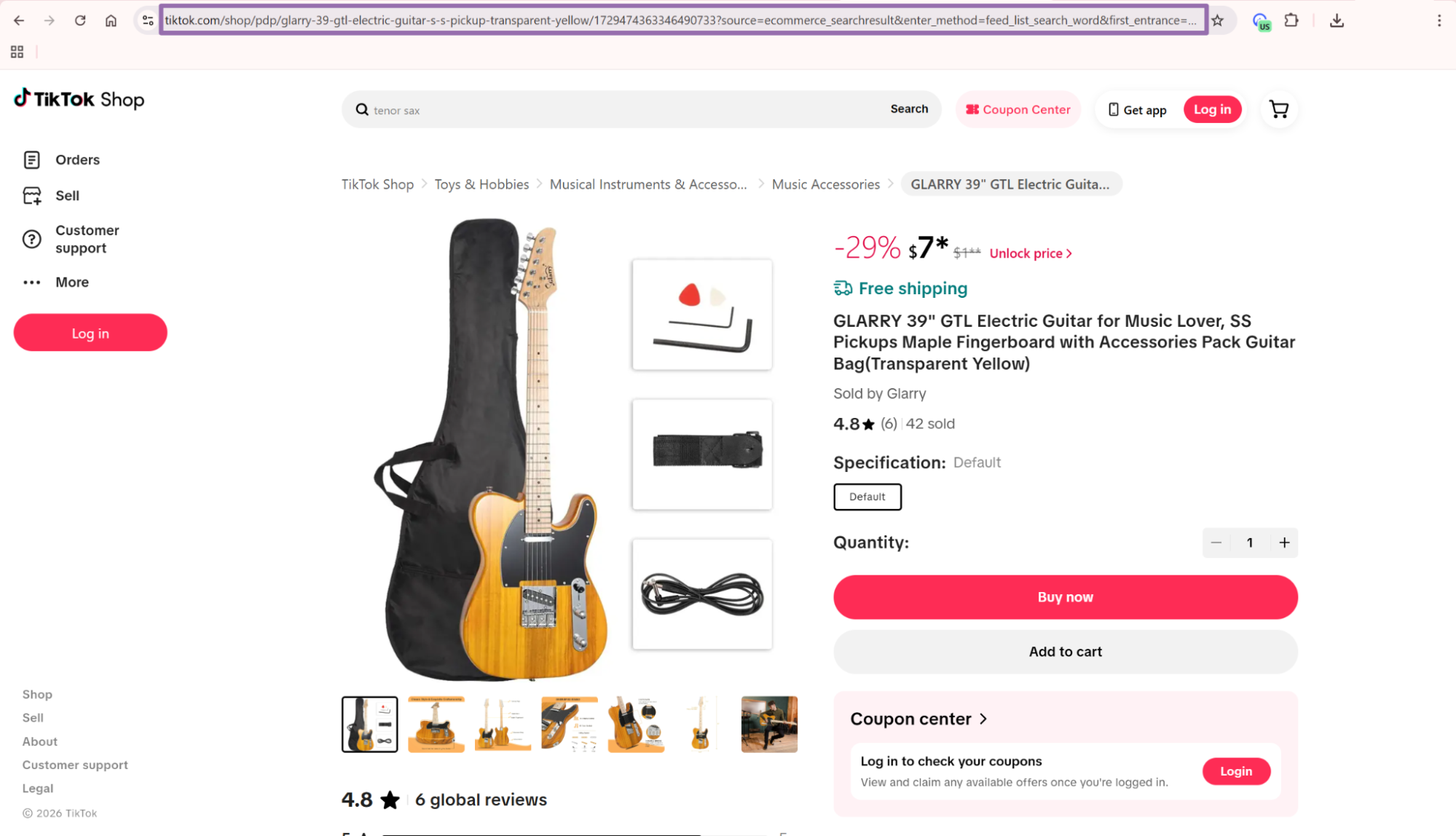
That first run should match the page you opened in the browser. After you confirm the output, normalize URLs for deduplication and joins.
Step 2. Run the API request
Use this Python script. Replace YOUR_API_KEY with your ScrapeNow API key.
"""
Configuration:
    - Set SCRAPER_SLUG to the scraper you want to run.
    - Set SCRAPER_INPUTS to the list of input dicts matching that scraper's schema.
    - Set API_KEY to your scraper API key.
"""

import sys
import time
import json
import requests
import os

API_KEY = "YOUR_API_KEY"

SCRAPER_SLUG = "tiktok-shop-extract-by-url"

SCRAPER_INPUTS = [
    {
        "url": "https://www.tiktok.com/shop/pdp/glarry-6-string-acoustic-electric-guitar-starter-kit-amp-amp/1729495699318543725?source=ecommerce_searchresult&enter_method=feed_list_search_word&first_entrance=explore_page&first_entrance_position=navigation_bar&first_entrance_tt_scene=seo"
    }
]


BASE_URL = "https://api.scrapenow.io/api/v1/scraping"
TIMEOUT_SECONDS = 3600
POLL_INTERVAL = 5
SPINNER = "|/-\\"


def build_headers(api_key: str, content_type: str | None = None) -> dict:
    headers = {"Authorization": f"Bearer {api_key}"}
    if content_type:
        headers["Content-Type"] = content_type
    return headers


def trigger_scrape(slug: str, inputs: list[dict]) -> str:
    url = f"{BASE_URL}/scrape?scraper={slug}"
    response = requests.post(
        url,
        headers=build_headers(API_KEY, "application/json"),
        json={"inputs": inputs},
    )
    response.raise_for_status()
    return response.json()["data"]["job_id"]


def poll_until_done(job_id: str) -> str:
    start = time.time()
    i = 0
    while True:
        elapsed = time.time() - start
        if elapsed > TIMEOUT_SECONDS:
            print(f"\nTimeout after {TIMEOUT_SECONDS}s")
            sys.exit(1)
        response = requests.get(
            f"{BASE_URL}/jobs/{job_id}",
            headers=build_headers(API_KEY),
        )
        response.raise_for_status()
        data = response.json()
        status = data["data"]["status"]
        mins, secs = divmod(int(elapsed), 60)
        sys.stdout.write(
            f"\r[{SPINNER[i % 4]}] Waiting... {status} ({mins}m {secs:02d}s)  "
        )
        sys.stdout.flush()
        if status in ("completed", "failed"):
            print()
            return status
        time.sleep(POLL_INTERVAL)
        i += 1


def fetch_results(job_id: str) -> dict:
    response = requests.get(
        f"{BASE_URL}/jobs/{job_id}/results?format=json",
        headers=build_headers(API_KEY),
    )
    response.raise_for_status()
    return response.json()


def save_results(data: dict, slug: str) -> str:
    os.makedirs("output", exist_ok=True)
    filename = os.path.join("output", f"{slug}.json")
    with open(filename, "w", encoding="utf-8") as f:
        json.dump(data, f, indent=2, ensure_ascii=False)
    return filename


def main() -> None:
    print(f"Triggering scraper: {SCRAPER_SLUG}")
    job_id = trigger_scrape(SCRAPER_SLUG, SCRAPER_INPUTS)
    print(f"Job started: {job_id}")
    final_status = poll_until_done(job_id)
    if final_status != "completed":
        print(f"Job failed with status: {final_status}")
        sys.exit(1)
    print("Fetching results...")
    results = fetch_results(job_id)
    output_file = save_results(results, SCRAPER_SLUG)
    print(f"Results saved to: {output_file}")


if __name__ == "__main__":
    main()
The script starts a job, polls every 5 seconds, waits up to 3600 seconds, downloads JSON, and writes it to disk. The save function creates the output directory before it writes the file.
The same request flow works for the other TikTok Shop scrapers. For Search TikTok Shop by category and Search TikTok shops, change the scraper slug and SCRAPER_INPUTS.
Keep the polling interval conservative during development. A 5-second interval gives you fast feedback without hammering the job endpoint.
For production jobs, log job_id, input count, start time, end time, and final status. Those fields save time when a scheduled run fails at 3 a.m.
Step 3. Check the JSON output
This trimmed response shows the shape returned by the TikTok Shop Extract by URL scraper.
[
  {
    "inputs": {
      "url": "https://www.tiktok.com/shop/pdp/glarry-6-string-acoustic-electric-guitar-starter-kit-amp-amp/1729495699318543725?source=ecommerce_searchresult&enter_method=feed_list_search_word&first_entrance=explore_page&first_entrance_position=navigation_bar&first_entrance_tt_scene=seo"
    },
    "scrape_status": "success",
    "url": "https://www.tiktok.com/shop/pdp/glarry-6-string-acoustic-electric-guitar-starter-kit-amp-amp/1729495699318543725?source=ecommerce_searchresult&enter_method=feed_list_search_word&first_entrance=explore_page&first_entrance_position=navigation_bar&first_entrance_tt_scene=seo",
    "title": "[Summervibes] GLARRY Full Size 6 Strings Acoustic Electric Guitar Beginner Kit w/ 15W Amp, Cutaway 41 Inch Electric Acoustic Guitar w/Inbuilt Tuner, Bag, Strap, Picks, Strings, Basswood Guitarra",
    "available": true,
    "description": "Low-Battery Display\nThe on-board 4 band EQ with low-battery display can go electric when it is plug-into an AMP.\nAdjustable Neck\nThe neck can be adjusted by using the simple wrench (included) to keep straight in different seasons and temperature.\nHigh-Precision Screws\nThe 18:1 high-precision tuning screws helps you tune efficiently and accurately, keeping your guitar's tone stable for a long time.",
    "currency": "USD",
    "initial_price": 1,
    "final_price": 1,
    "discount_percent": 35,
    "initial_price_low": 1,
    "initial_price_high": 1,
    "final_price_low": 1,
    "final_price_high": 1,
    "sold": 55,
    "colors": [
      "Distressed Black",
      "Distressed Green",
      "Matte Natural"
    ],
    "sizes": null,
    "shipping_fee": null,
    "specifications": [
      {
        "title": "CA Prop 65: Repro. Chems",
        "value": "No"
      },
      {
        "title": "CA Prop 65: Carcinogens",
        "value": "No"
      },
      {
        "title": "Contains Batteries or Cells?",
        "value": "None"
      }
    ],
    "reviews_count": 11,
    "reviews": null,
    "store_details": {
      "name": "Glarry",
      "url": "https://www.tiktok.com/shop/store/glarry/7494313903714501997",
      "num_of_items": 64,
      "rating": 4.4,
      "num_sold": 64,
      "followers": 228,
      "badge": "https://p19-oec-general-useast5.ttcdn-us.com/tos-useast5-i-omjb5zjo8w-tx/129551baaf7d4cdda6220a5928f6a63c~tplv-fhlh96nyum-resize-png:300:300.png?dr=12184&t=555f072d&ps=933b5bde&shp=905da467&shcp=6ce186a1&idc=useast5&from=2422056039"
    },
    "images": [
      "https://p16-oec-general-useast5.ttcdn-us.com/tos-useast5-i-omjb5zjo8w-tx/2d1cebb22ed949289a943f6dfa941b26~tplv-fhlh96nyum-crop-webp:1453:1453.webp?dr=12190&t=555f072d&ps=933b5bde&shp=8dbd94bf&shcp=607f11de&idc=useast5&from=2378011839",
      "https://p16-oec-general-useast5.ttcdn-us.com/tos-useast5-i-omjb5zjo8w-tx/7336c21fb75744bfb4ea14c55bc09766~tplv-fhlh96nyum-crop-webp:1500:1500.webp?dr=12190&t=555f072d&ps=933b5bde&shp=8dbd94bf&shcp=607f11de&idc=useast5&from=2378011839",
      "https://p16-oec-genera
... (truncated)
A successful row has scrape_status set to success. Check that field before you load the row into your product table.
Treat the response as an array, even when you submit one URL. That keeps your code path identical for single runs and batches.
How to get category and shop inputs
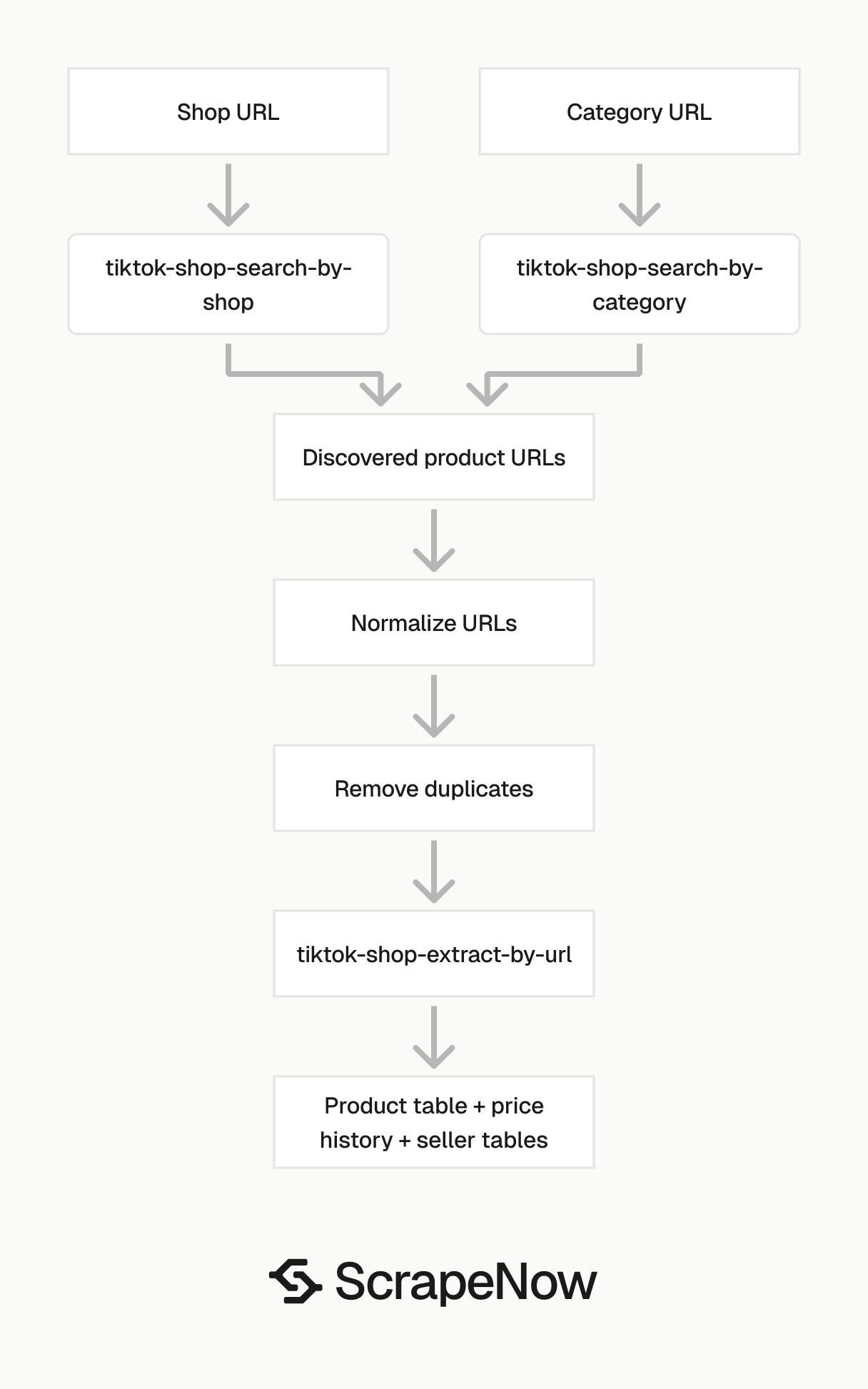
Use product URL extraction when you already have PDP URLs. Use category or shop search when you need product discovery before extraction.
| Scraper | Input | Use it for |
|---|---|---|
| the TikTok Shop Extract by URL scraper | Product page URL | Pull full data from known product pages |
tiktok-shop-search-by-category |
Category page URL | Find products inside a TikTok Shop category |
tiktok-shop-search-by-shop |
Shop page URL | Find products from one seller |
The search scrapers return product URLs that you can feed into the TikTok Shop Extract by URL scraper. In production, run discovery first, normalize product URLs, remove duplicates, then run extraction on the remaining PDPs.
This staged flow gives you a clean checkpoint. Discovery finds candidates, extraction spends credits on the pages you choose to keep.
Get a category URL
Input variable:
url, URL to the category page on TikTok Shop. It must start withhttps://www.tiktok.com/.
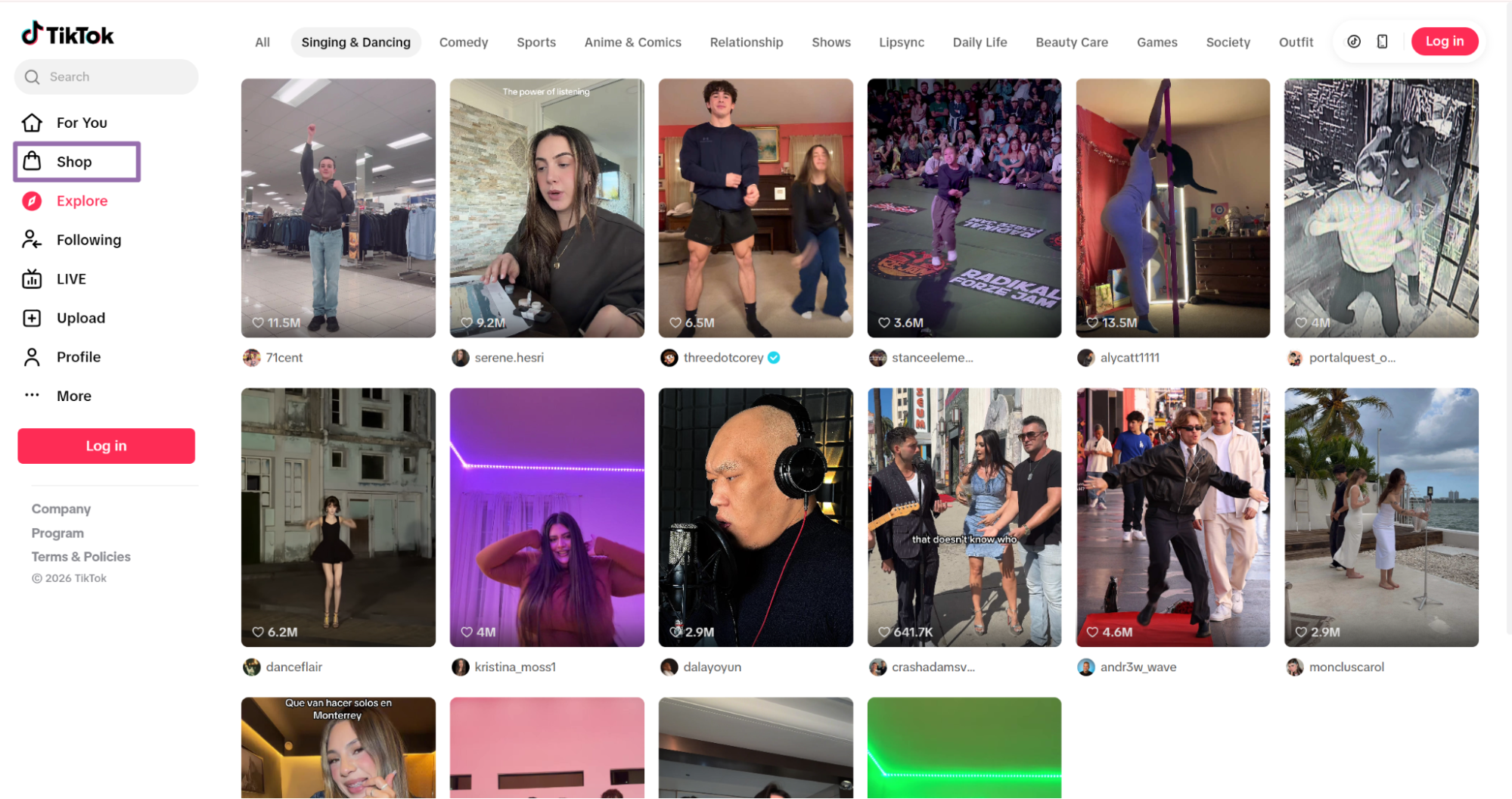
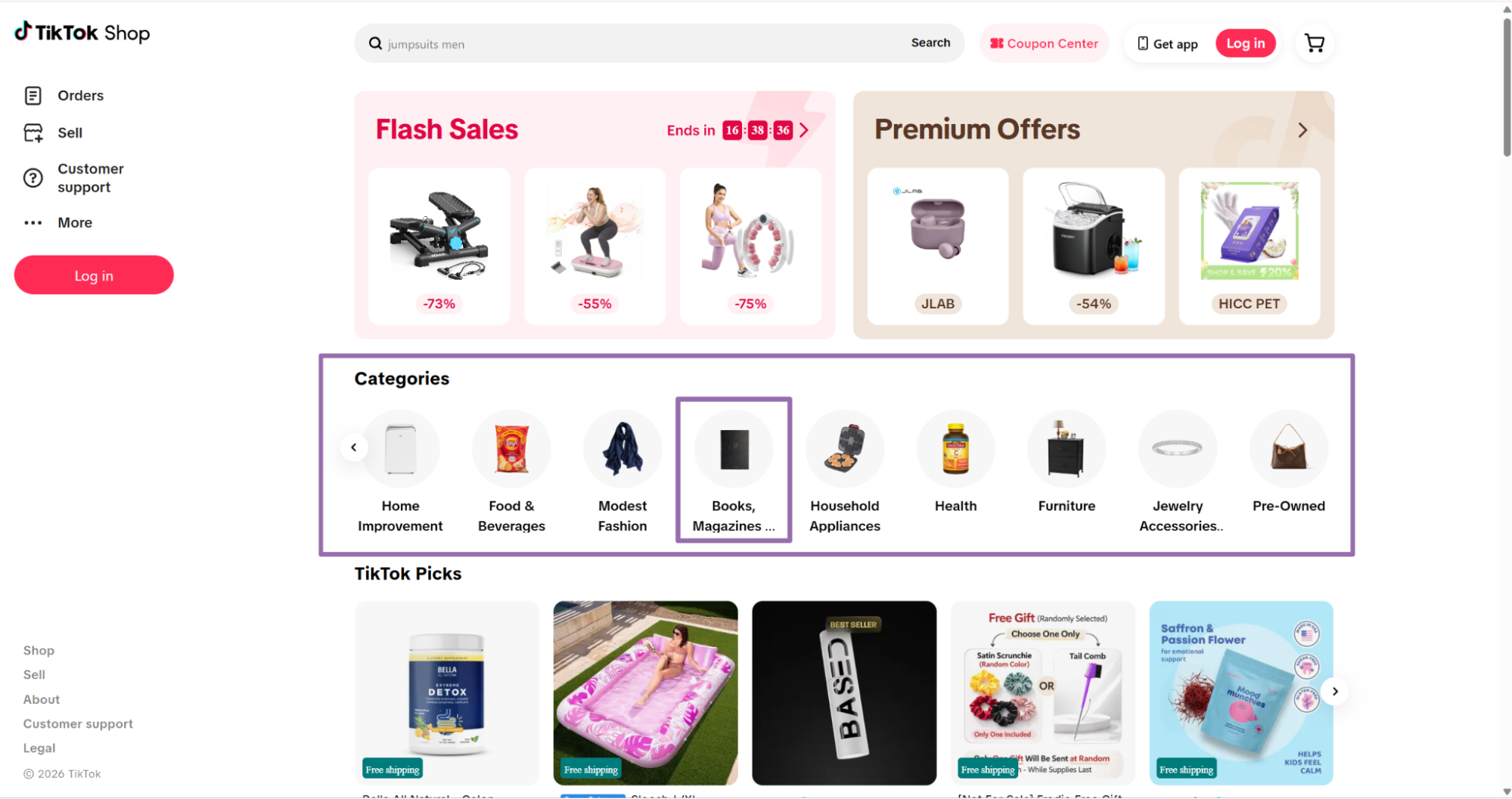
On the Home page, choose a category from the category bar. For example, select Books, Magazines & Audio.
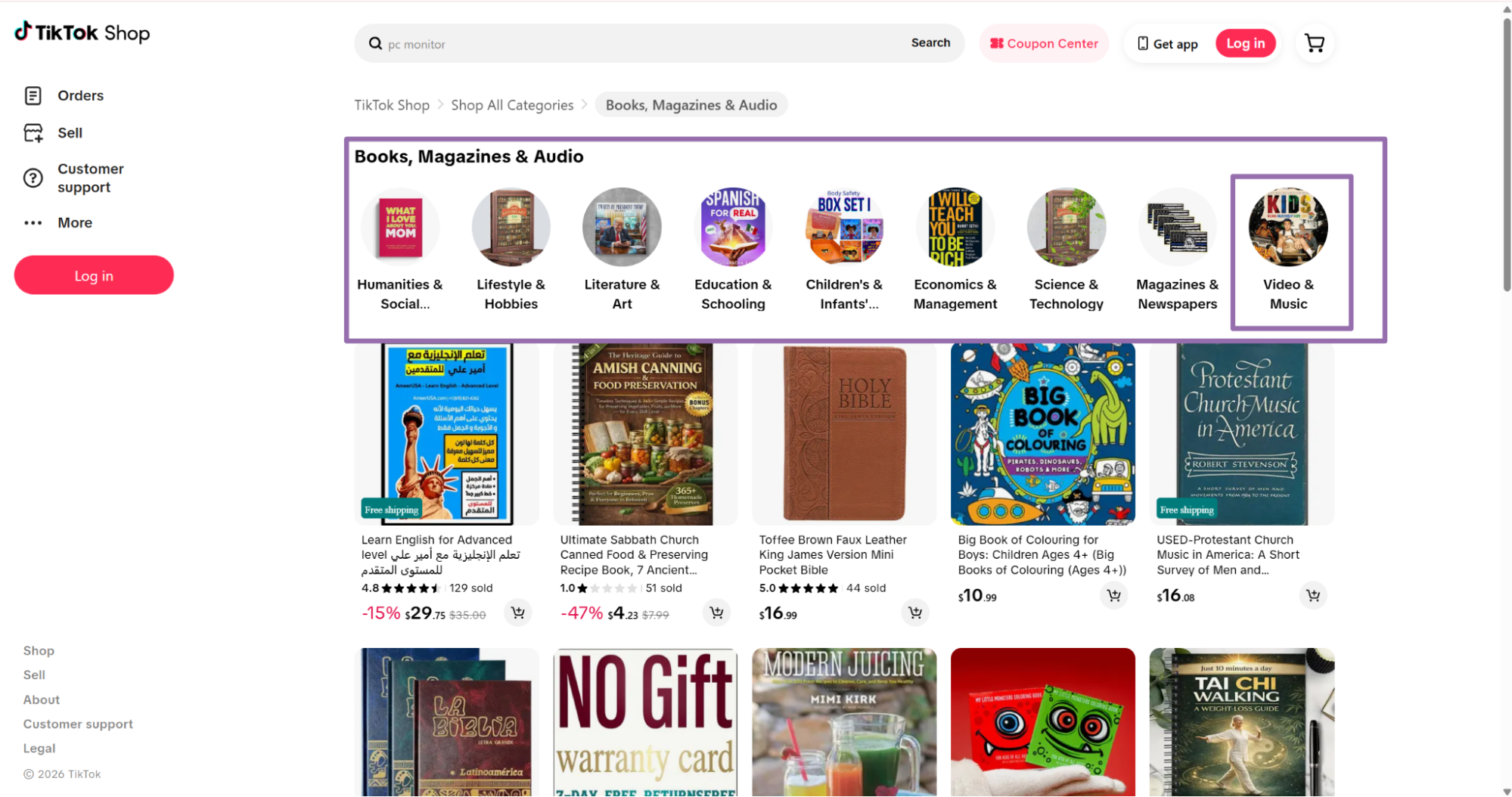
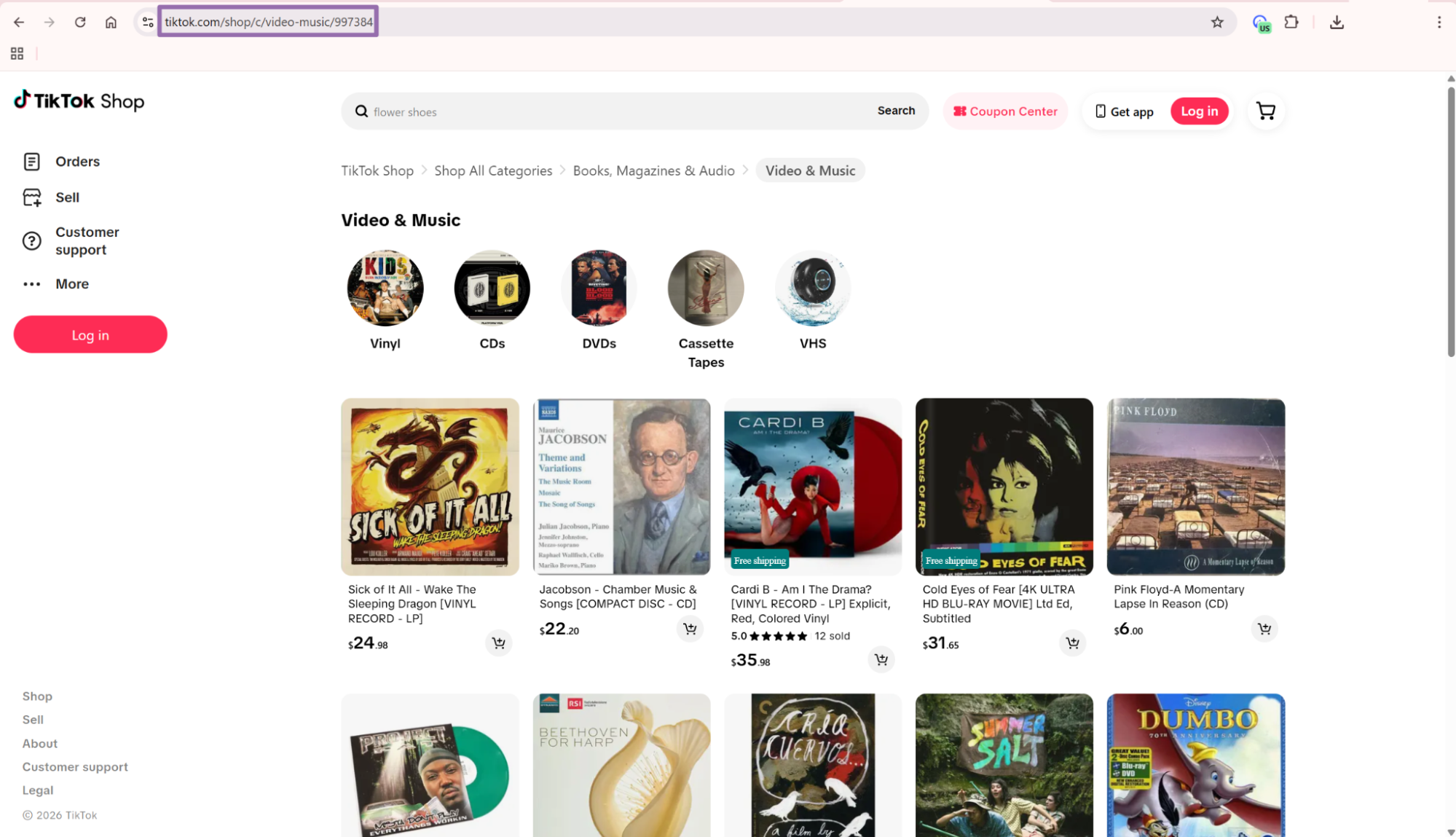
That source field helps during audits. If the same product appears in multiple categories, you can trace every discovery path.
Get a shop URL
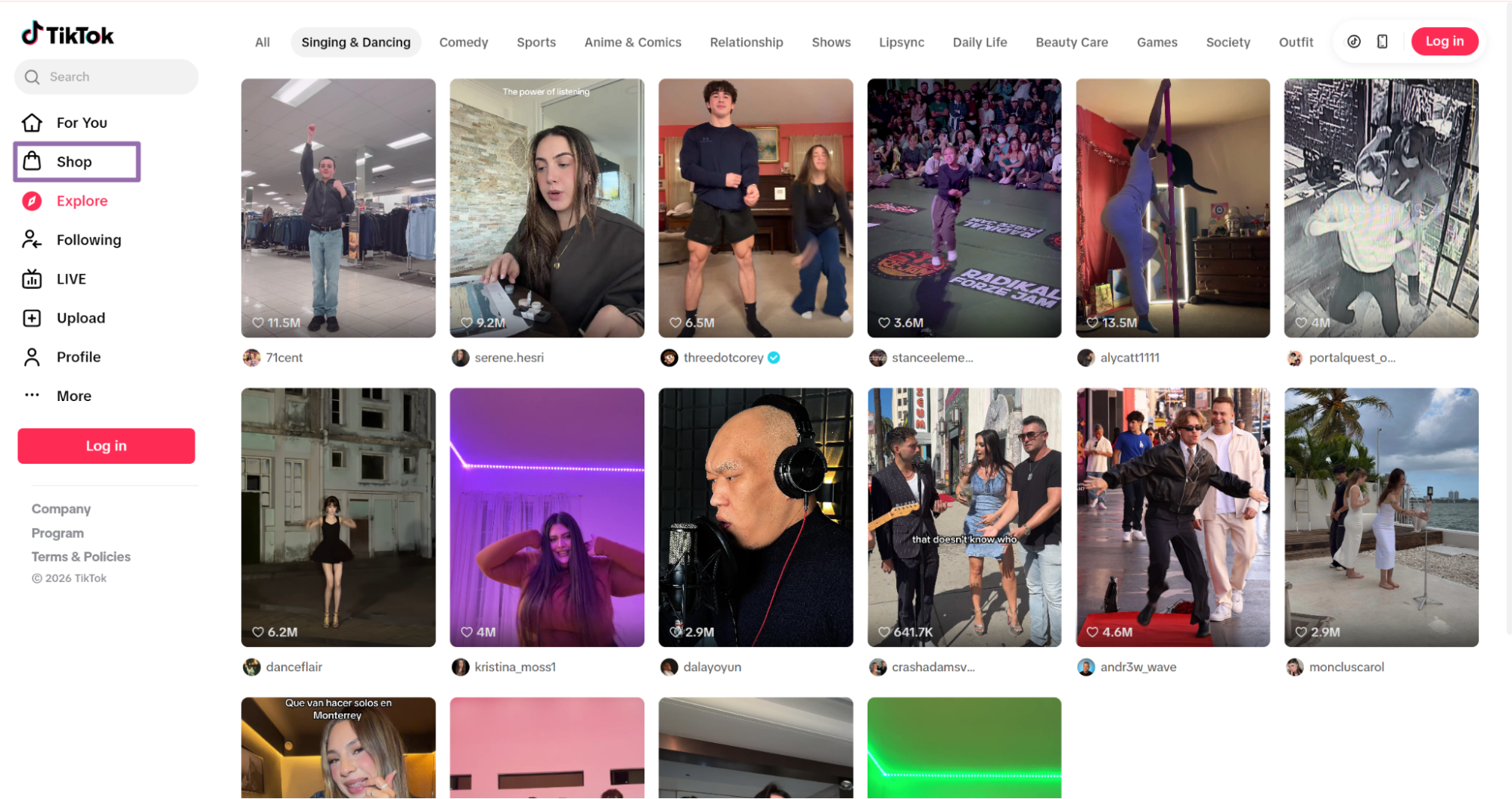
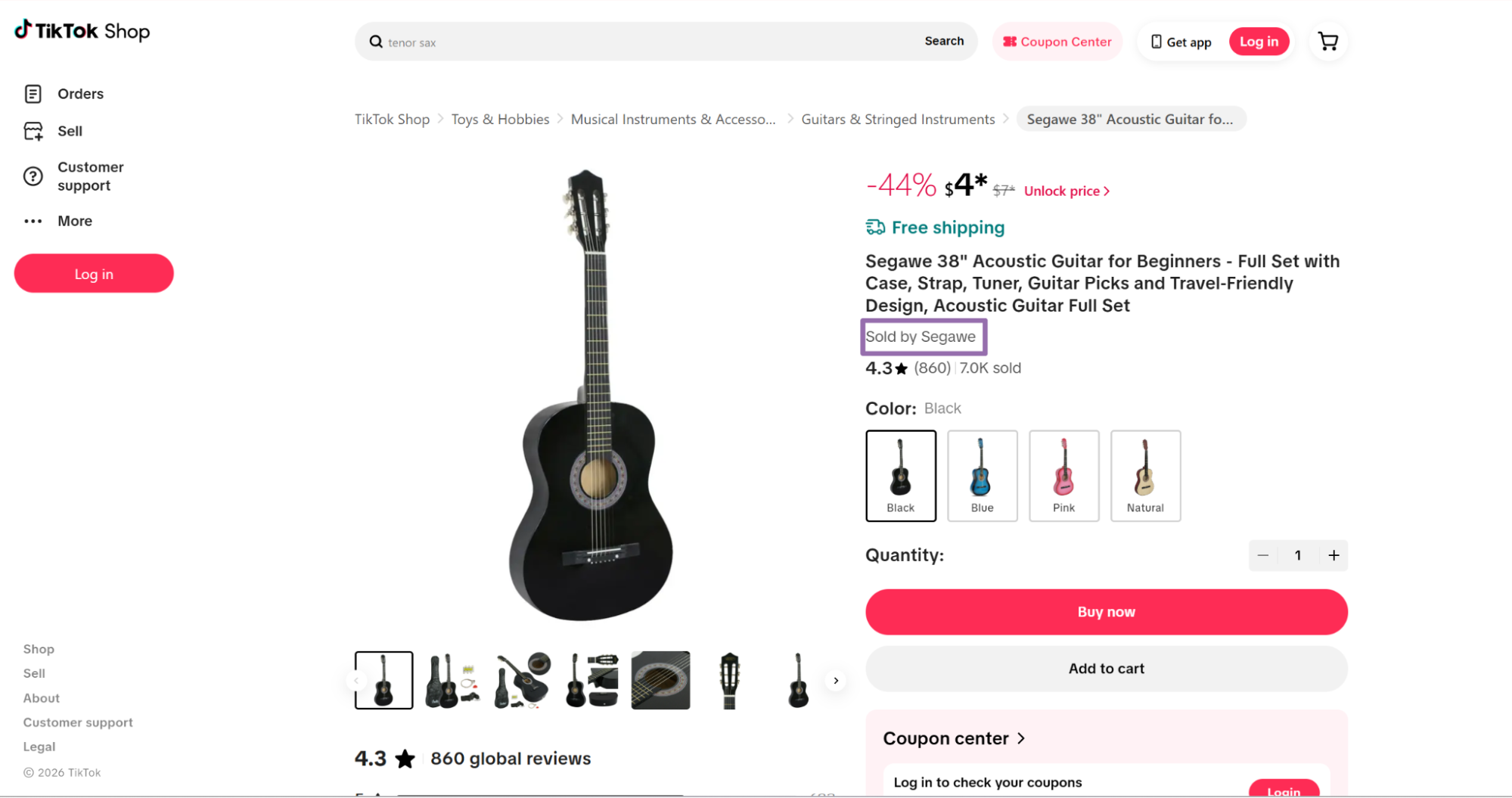
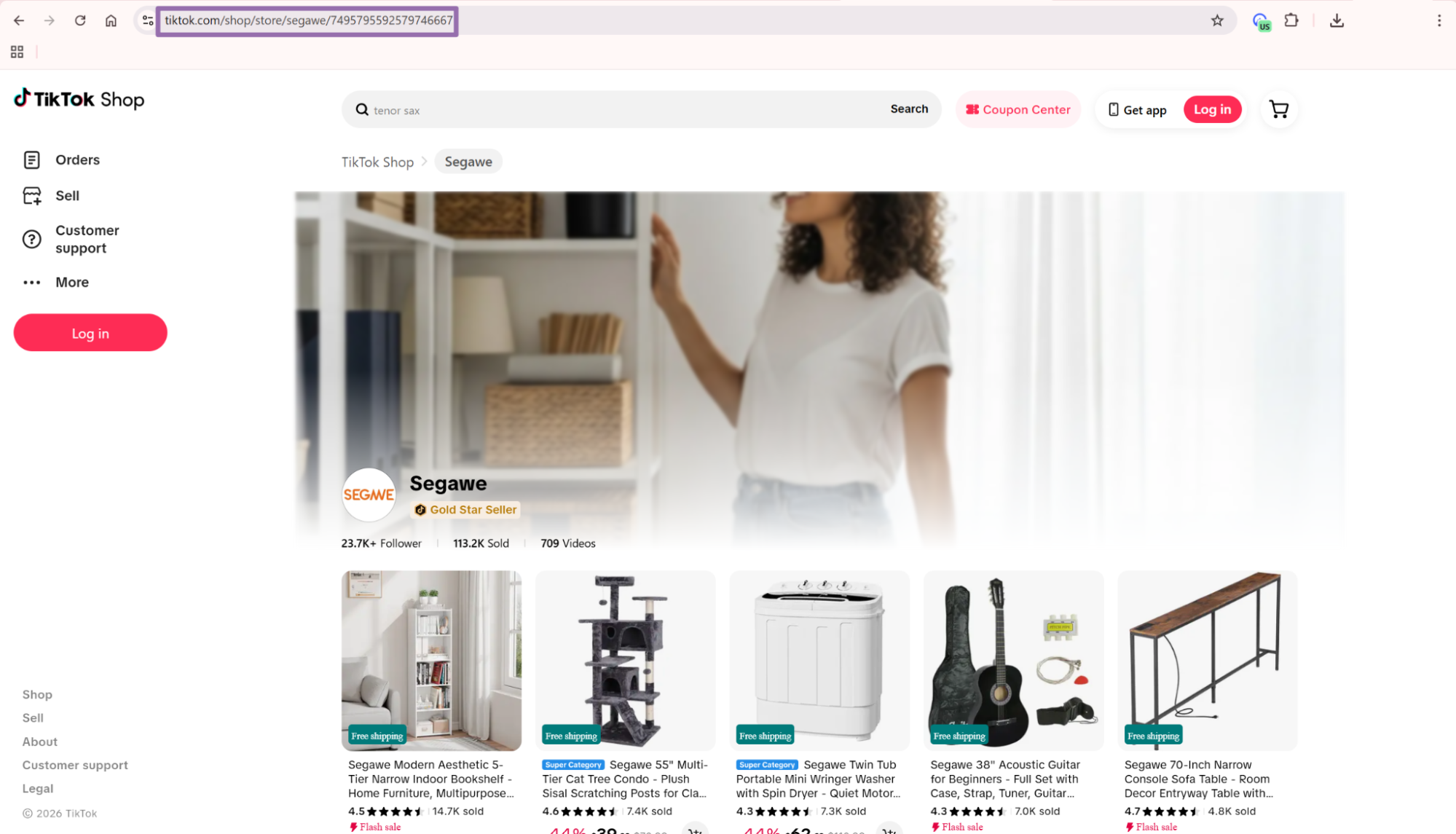
Use shop URLs when you want all products from one seller. This path works well for seller monitoring, competitive tracking, and brand catalog audits.
What data you get back
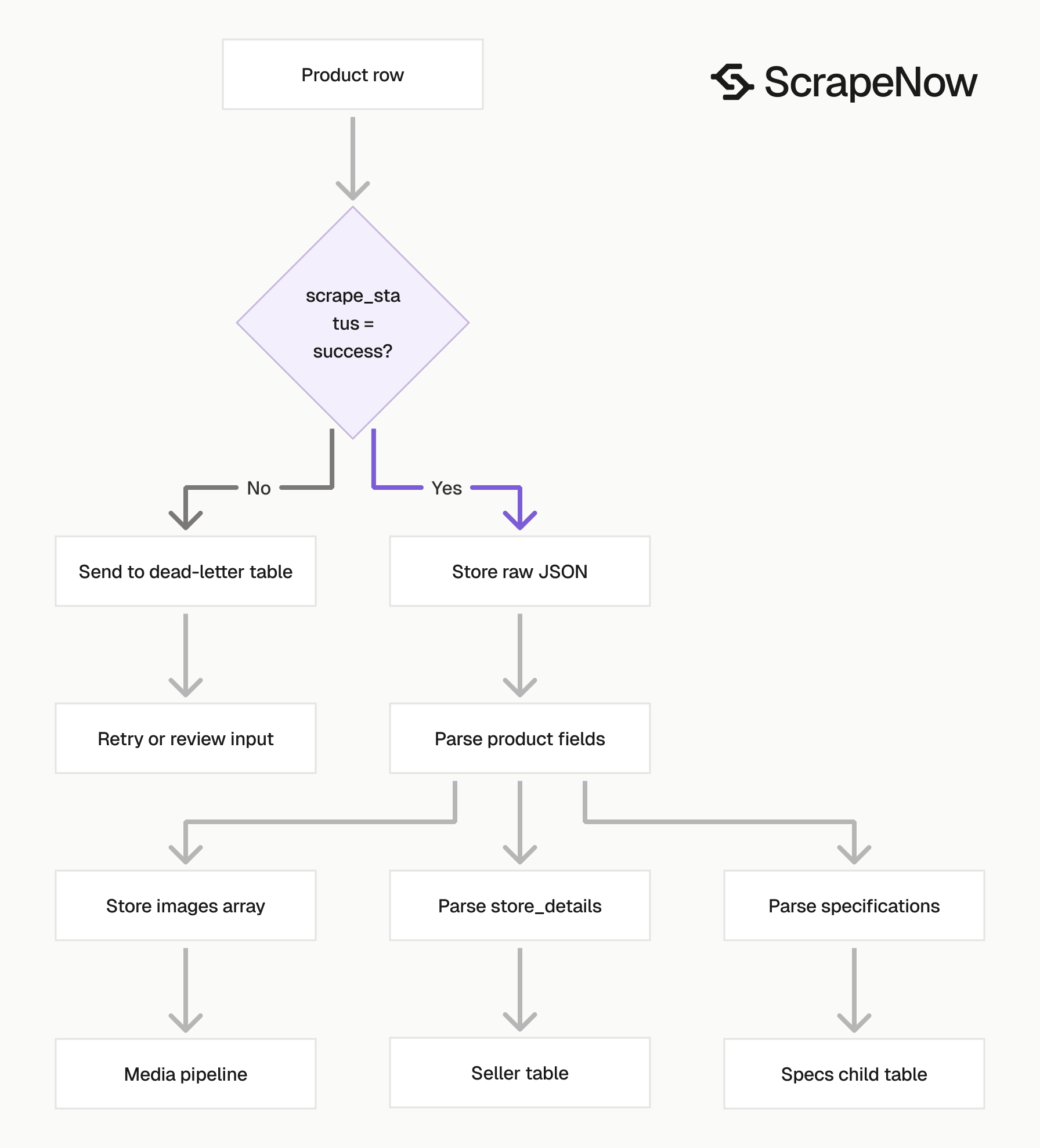
Each result includes the original input, scrape status, product fields, seller fields, and media URLs. Treat scrape_status as the first field to check before you write the row to your database.
The scraper returns nullable fields where TikTok Shop does not show a value. Code for null, empty arrays, and missing optional attributes.
Product identity fields
url is the product page that was scraped. Store it as the canonical key if your system does not already assign a product ID.
title is the product listing title. TikTok Shop titles often combine brand names, bundle details, sizes, model numbers, and promo text in one string.
description is the product description with line breaks preserved. Keep it as raw text, then create a cleaned copy for search indexing or keyword matching.
For catalog matching, avoid title-only joins. Combine url, store_details.url, image hashes, and selected specs when you match products across sellers or refresh runs.
Title strings change often. Merchants add discount text, seasonal tags, and shipping claims without changing the underlying product.
Price fields
currency tells you the money unit, such as USD.
initial_price and final_price give the current displayed price values. For range pricing, read initial_price_low, initial_price_high, final_price_low, and final_price_high.
discount_percent is a number, so store it as an integer or decimal. In the sample response, the value is 35.
For price monitoring, keep a separate price history table. Write the normalized product URL, observed price fields, currency, scrape timestamp, and scrape status for every successful run.
Use the current product table for the latest price. Use the history table for trend lines, alerting, and rollback checks.
Availability and sales fields
available returns true or false. Use it for stock monitoring, product availability alerts, and catalog suppression rules.
sold gives the product-level sold count. In the sample response, the product has 55 sold.
reviews_count gives the count of reviews on the product page. In the sample, that value is 11.
Sales and review counts are page-level counters. Store them as observed values rather than permanent product attributes.
If you refresh daily, these counters become time-series data. That makes velocity checks possible without extra scraping.
Variant fields
colors returns an array of color options. The sample includes Distressed Black, Distressed Green, and Matte Natural.
sizes can return an array or null. Code against both shapes.
shipping_fee can return a value or null. Store it as nullable.
For variants, preserve the original array order. Merchants often place the default or promoted option first, and that order matters for storefront audits.
If you need variant-level inventory, store each variant value in a child table. Product-level rows cannot represent every combination cleanly.
Specification fields
specifications is an array of objects with title and value.
This format works well in a child table:
| product_url | title | value |
|---|---|---|
| TikTok Shop product URL | CA Prop 65: Repro. Chems | No |
| TikTok Shop product URL | CA Prop 65: Carcinogens | No |
| TikTok Shop product URL | Contains Batteries or Cells? | None |
Avoid flattening every spec into a product column unless your category set is small. TikTok Shop categories use different spec names, and a wide table becomes hard to maintain.
A child table also handles repeated spec names. If a merchant changes casing or punctuation, your ingest job can store the raw value first.
Store fields
store_details gives you seller metadata. The sample includes the store name, store URL, item count, rating, sold count, follower count, and badge image.
Useful fields include:
store_details.namestore_details.urlstore_details.num_of_itemsstore_details.ratingstore_details.num_soldstore_details.followersstore_details.badge
Use store_details.url as the seller key when you build seller-level tables. Store names can change, while the seller URL gives you a steadier join key.
If you enrich sellers separately, the Get TikTok profile data scraper can pull profile data when your dataset includes creator or brand profile URLs.
Keep seller metrics in their own table. Product refreshes can update seller follower counts, ratings, and item counts without overwriting product facts.
Image fields
images returns an array of image URLs. Store the array as JSON if you need the raw response.
If your app needs one primary image, use images[0] and keep the full array in a secondary field. This keeps the product table small while preserving every image URL for media checks.
For image pipelines, download media outside the scraper job. Queue image fetches separately so product extraction does not block on media storage, resizing, or hash generation.
Store image hashes if you track duplicate products. Image similarity catches catalog copies that use different titles or seller names.
Ready to get this data? Get TikTok Shop product data.
Production tips for clean TikTok Shop data
Validate inputs before starting jobs
Reject empty strings and non-TikTok URLs before you call the API.
from urllib.parse import urlparse

def validate_tiktok_url(url: str) -> None:
    parsed = urlparse(url)

    if parsed.scheme != "https":
        raise ValueError(f"Invalid scheme: {url}")

    if parsed.netloc != "www.tiktok.com":
        raise ValueError(f"Invalid host: {url}")

    if not parsed.path:
        raise ValueError(f"Missing path: {url}")


urls = [
    "https://www.tiktok.com/shop/pdp/glarry-6-string-acoustic-electric-guitar-starter-kit-amp-amp/1729495699318543725"
]

for url in urls:
    validate_tiktok_url(url)
Deduplicate by normalized product URL
Strip query parameters before deduplication.
from urllib.parse import urlparse, urlunparse

def normalize_product_url(url: str) -> str:
    parsed = urlparse(url)
    return urlunparse((parsed.scheme, parsed.netloc, parsed.path.rstrip("/"), "", "", ""))


raw_urls = [
    "https://www.tiktok.com/shop/pdp/glarry-6-string-acoustic-electric-guitar-starter-kit-amp-amp/1729495699318543725?source=ecommerce_searchresult",
    "https://www.tiktok.com/shop/pdp/glarry-6-string-acoustic-electric-guitar-starter-kit-amp-amp/1729495699318543725"
]

deduped = sorted({normalize_product_url(url) for url in raw_urls})
print(deduped)
Expected output:
[
  "https://www.tiktok.com/shop/pdp/glarry-6-string-acoustic-electric-guitar-starter-kit-amp-amp/1729495699318543725"
]
Keep both the raw URL and the normalized URL for debugging and joins.
Store raw JSON and typed tables
A practical schema uses 3 tables:
| Table | Key | Purpose |
|---|---|---|
tiktok_shop_products |
normalized_url |
Product title, prices, availability, sold count, review count |
tiktok_shop_stores |
store_url |
Seller name, rating, followers, item count |
tiktok_shop_product_specs |
normalized_url, title |
Product specification rows |
Add a raw table with job_id, input_url, normalized_url, scrape_status, scraped_at, and the full JSON payload so you can replay old payloads during schema changes.
Handle failed rows without dropping the batch
Check scrape_status per row.
def split_results(rows: list[dict]) -> tuple[list[dict], list[dict]]:
    good = []
    bad = []

    for row in rows:
        if row.get("scrape_status") == "success":
            good.append(row)
        else:
            bad.append({
                "input": row.get("inputs"),
                "status": row.get("scrape_status"),
                "url": row.get("url")
            })

    return good, bad
Cap retries at 2-3 attempts. Separate transient failures from permanent input failures so timeouts get retried and invalid URLs go to a rejection report.
Where this fits in a TikTok scraping workflow
TikTok Shop product extraction covers the commerce page. TikTok post and profile data cover the content around the product.
Use this split:
| Data needed | Scraper to run |
|---|---|
| Product title, price, variants, specs, store details | the TikTok Shop Extract by URL scraper |
| Product discovery by category | tiktok-shop-search-by-category |
| Product discovery by seller | tiktok-shop-search-by-shop |
| Video metadata from known post URLs | Extract TikTok post data |
| Videos from a profile URL | Pull posts from a TikTok profile |
| Videos from search terms | Search TikTok posts by keyword |
A common workflow starts with category search, then extracts every discovered product page. After that, a scheduled job refreshes known PDPs daily and records price, availability, sold count, and review count changes.
For seller monitoring, start with shop search. Extract every product URL from the seller, join rows on store_details.url, and keep one seller table plus one product table.
The full ScrapeNow scraper catalog lives under Browse all 86+ scrapers. It includes TikTok, Amazon, Google, LinkedIn, Instagram, YouTube, and other platforms.
Pricing
ScrapeNow charges per returned row. One row costs one credit, starting at $0.04 per credit for small runs and dropping with volume. No monthly contracts, no proxy fees, no charges for failed rows. See the pricing page for current rates.
Your next step is specific. Open Get TikTok Shop product data, paste one PDP URL into the script, run it, and inspect scrape_status, title, final_price, store_details.url, and images[0] before you send a batch.


