The LinkedIn posts scraper extracts structured data from public LinkedIn post URLs. It returns post text, author IDs, post IDs, publish dates, embedded profile links, image URLs, and source URLs.
How to use this scraper
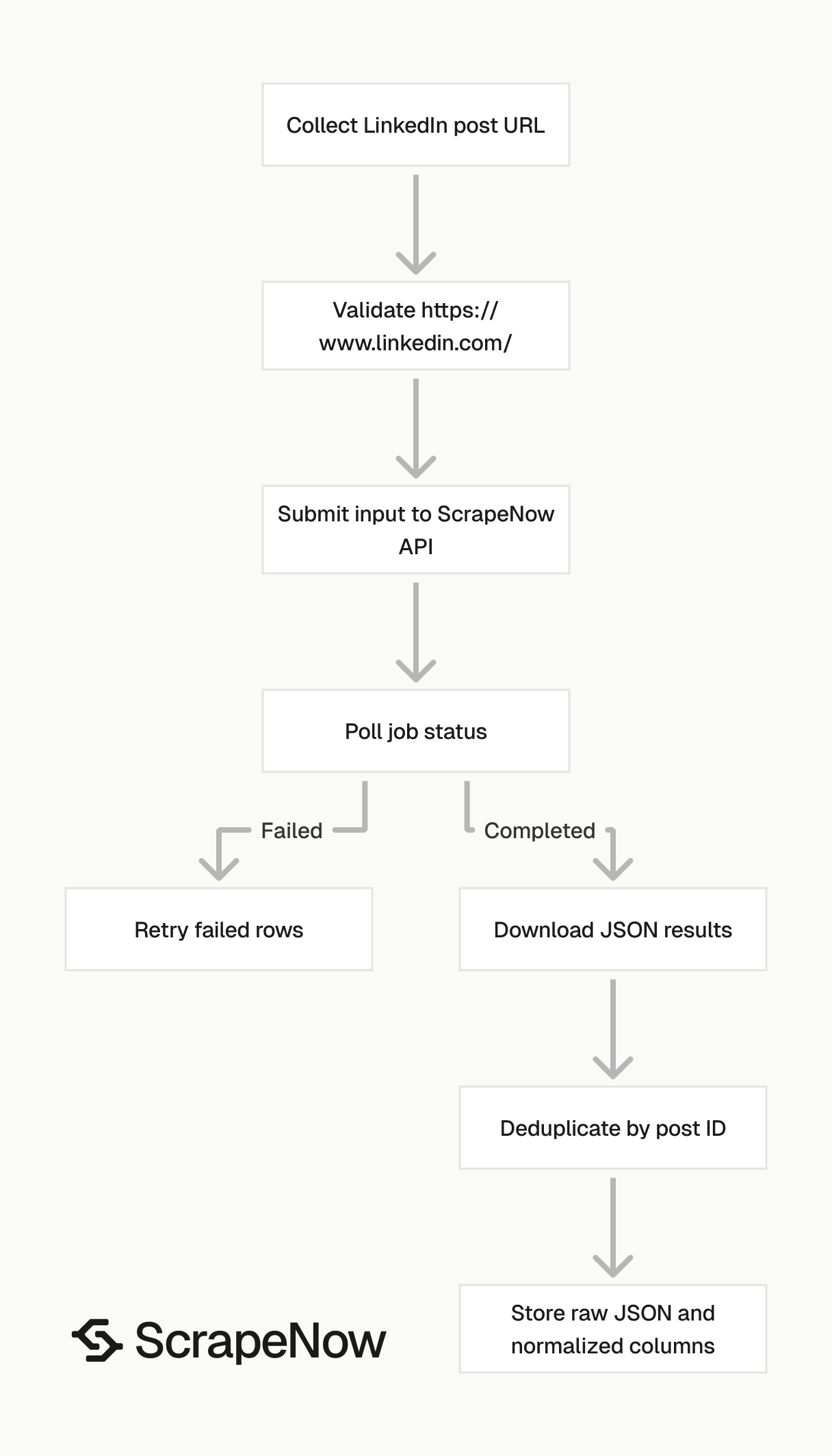
ScrapeNow’s Extract LinkedIn post data scraper takes one input field. That field is the LinkedIn post URL.
The URL must start with https://www.linkedin.com/. Validate that before you submit batch jobs. Invalid LinkedIn URLs create failed rows and waste credits.
Step 1. Find the post URL
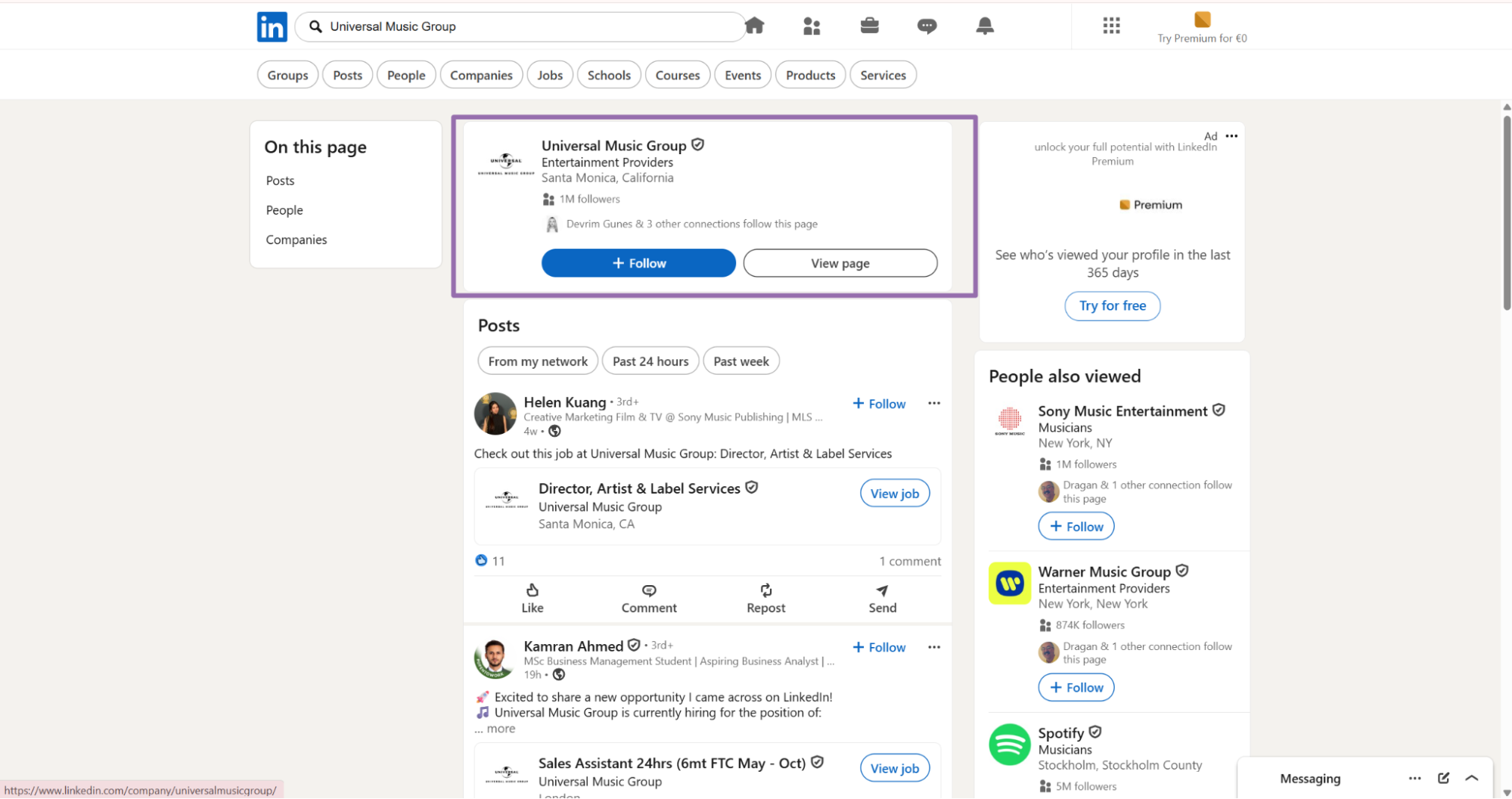
Open linkedin.com.
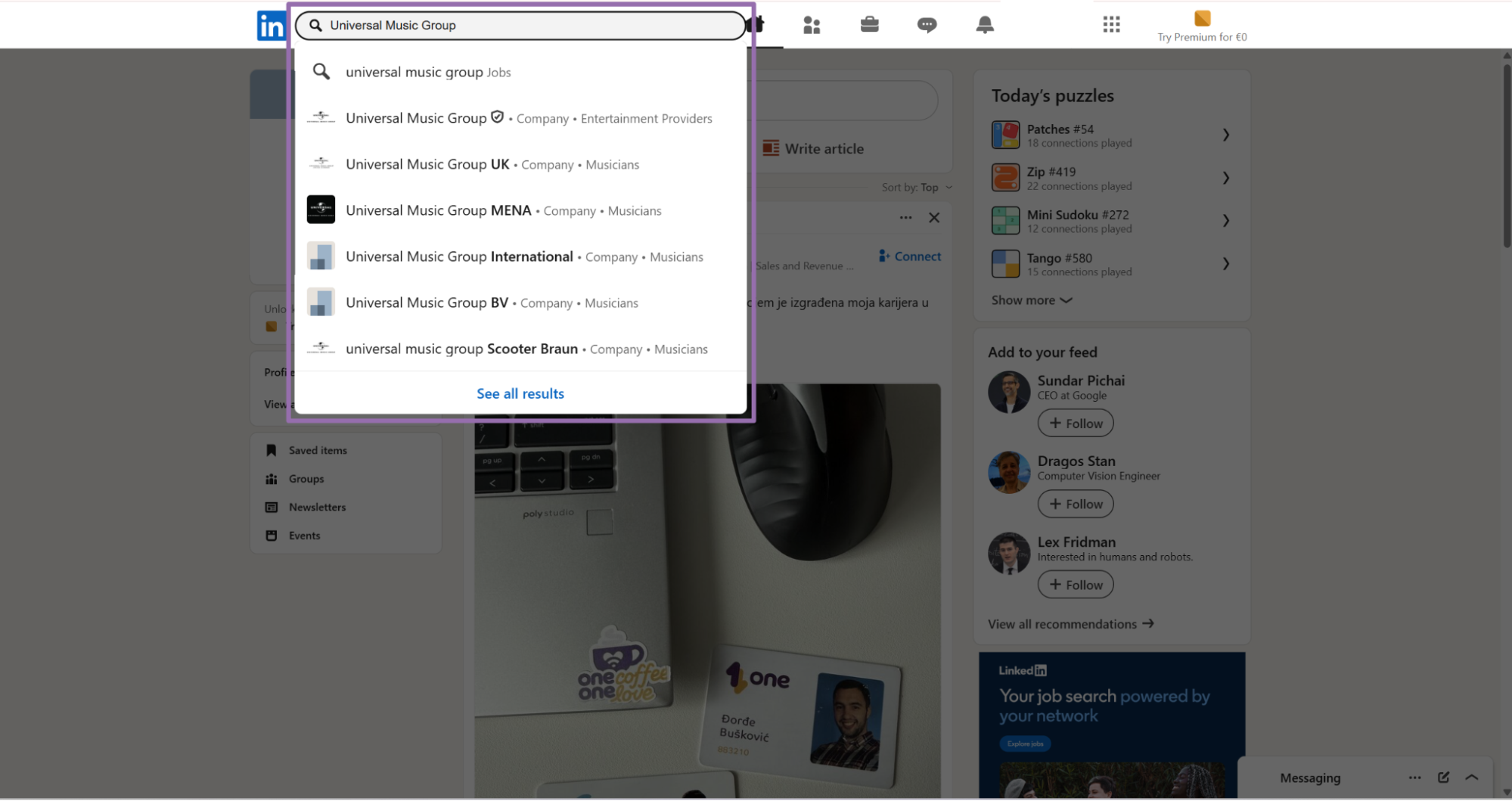
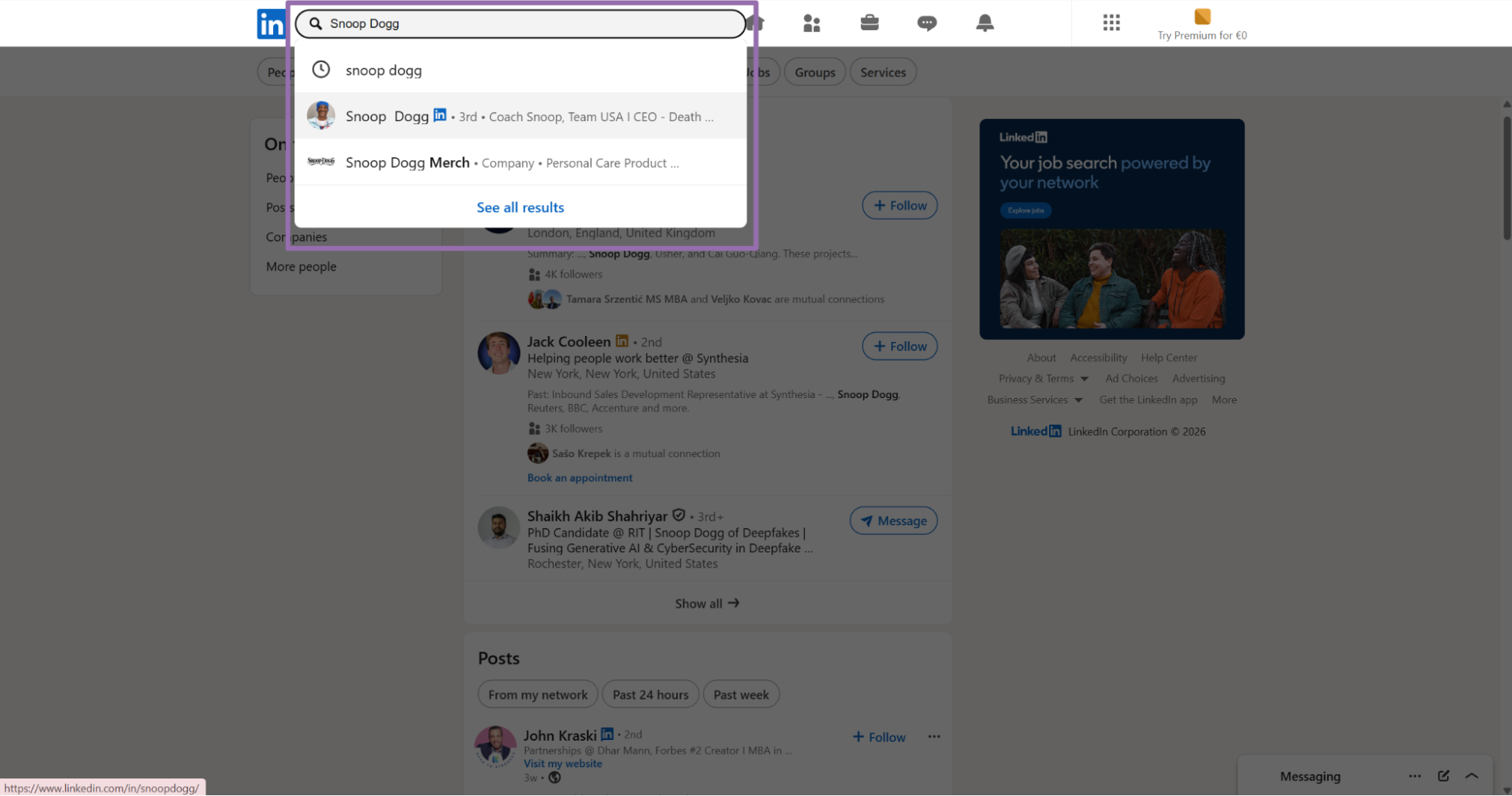
In the search bar, type a keyword, company name, or user name. For this example, use Universal Music Group.
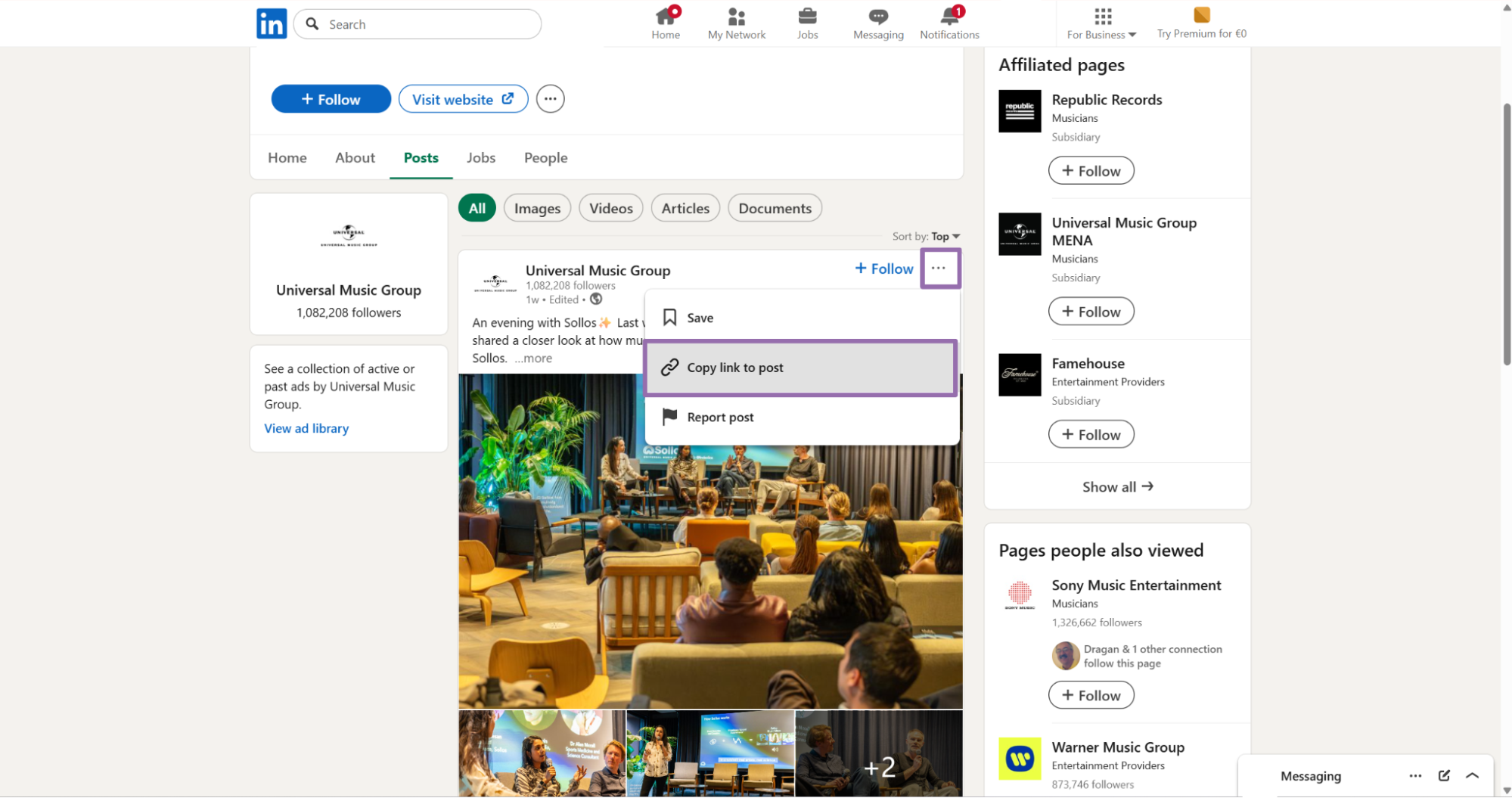
Find the post you want to scrape. Click the ... button in the top right corner of the post. Then click Copy post URL.
{
  "url": "https://www.linkedin.com/posts/universalmusicgroup_an-evening-with-sollos-last-week-at-the-activity-7455024985502371849-7v88"
}
The scraper input screen uses the same field.
Step 2. Run the API request
Use this Python script. Replace YOUR_API_KEY with your ScrapeNow API key.
The script starts a scraping job, polls until the job reaches a final state, downloads JSON results, and writes them to disk. Keep this pattern for production workers. It gives you one place to handle timeouts, retries, and result storage.
"""
Configuration:
    - Set SCRAPER_SLUG to the scraper you want to run.
    - Set SCRAPER_INPUTS to the list of input dicts matching that scraper's schema.
    - Set API_KEY to your scraper API key.
"""

import sys
import time
import json
import requests
import os

API_KEY = "YOUR_API_KEY"

SCRAPER_SLUG = "linkedin-posts-extract-by-url"

SCRAPER_INPUTS = [
    {
        "url": "https://www.linkedin.com/posts/universalmusicgroup_an-evening-with-sollos-last-week-at-the-activity-7455024985502371849-7v88"
    }
]


BASE_URL = "https://api.scrapenow.io/api/v1/scraping"
TIMEOUT_SECONDS = 3600
POLL_INTERVAL = 5
SPINNER = "|/-\\"


def build_headers(api_key: str, content_type: str | None = None) -> dict:
    headers = {"Authorization": f"Bearer {api_key}"}
    if content_type:
        headers["Content-Type"] = content_type
    return headers


def trigger_scrape(slug: str, inputs: list[dict]) -> str:
    url = f"{BASE_URL}/scrape?scraper={slug}"
    response = requests.post(
        url,
        headers=build_headers(API_KEY, "application/json"),
        json={"inputs": inputs},
    )
    response.raise_for_status()
    return response.json()["data"]["job_id"]


def poll_until_done(job_id: str) -> str:
    start = time.time()
    i = 0
    while True:
        elapsed = time.time() - start
        if elapsed > TIMEOUT_SECONDS:
            print(f"\nTimeout after {TIMEOUT_SECONDS}s")
            sys.exit(1)
        response = requests.get(
            f"{BASE_URL}/jobs/{job_id}",
            headers=build_headers(API_KEY),
        )
        response.raise_for_status()
        data = response.json()
        status = data["data"]["status"]
        mins, secs = divmod(int(elapsed), 60)
        sys.stdout.write(
            f"\r[{SPINNER[i % 4]}] Waiting... {status} ({mins}m {secs:02d}s)  "
        )
        sys.stdout.flush()
        if status in ("completed", "failed"):
            print()
            return status
        time.sleep(POLL_INTERVAL)
        i += 1


def fetch_results(job_id: str) -> dict:
    response = requests.get(
        f"{BASE_URL}/jobs/{job_id}/results?format=json",
        headers=build_headers(API_KEY),
    )
    response.raise_for_status()
    return response.json()


def save_results(data: dict, slug: str) -> str:
    os.makedirs("output", exist_ok=True)
    filename = os.path.join("output", f"{slug}.json")
    with open(filename, "w", encoding="utf-8") as f:
        json.dump(data, f, indent=2, ensure_ascii=False)
    return filename


def main() -> None:
    print(f"Triggering scraper: {SCRAPER_SLUG}")
    job_id = trigger_scrape(SCRAPER_SLUG, SCRAPER_INPUTS)
    print(f"Job started: {job_id}")
    final_status = poll_until_done(job_id)
    if final_status != "completed":
        print(f"Job failed with status: {final_status}")
        sys.exit(1)
    print("Fetching results...")
    results = fetch_results(job_id)
    output_file = save_results(results, SCRAPER_SLUG)
    print(f"Results saved to: {output_file}")


if __name__ == "__main__":
    main()
The same API pattern works for the other scrapers in this group:
- linkedin-posts-search-by-company-url
- linkedin-posts-search-by-profile-url
- linkedin-posts-search-by-url
Change the scraper slug and input values in the code for each scraper. Keep the polling and result-download code unchanged unless your worker already has a shared job runner.
For batch runs, pass multiple input objects in SCRAPER_INPUTS. Start with 10 to 50 URLs, verify the output shape, then raise the batch size.
Step 3. Use company URL search for multiple posts
The extract scraper handles one known post URL. For posts from a company page, use the company URL scraper and pass the company page URL.
Input variables:
url, URL to a company profile on LinkedIn. It must start withhttps://www.linkedin.com/.start_date, optional start date for the scrape window. For API usage, passYYYY-MM-DD HH:MM:SS.end_date, optional end date for the scrape window. For API usage, passYYYY-MM-DD HH:MM:SS.
Open linkedin.com.
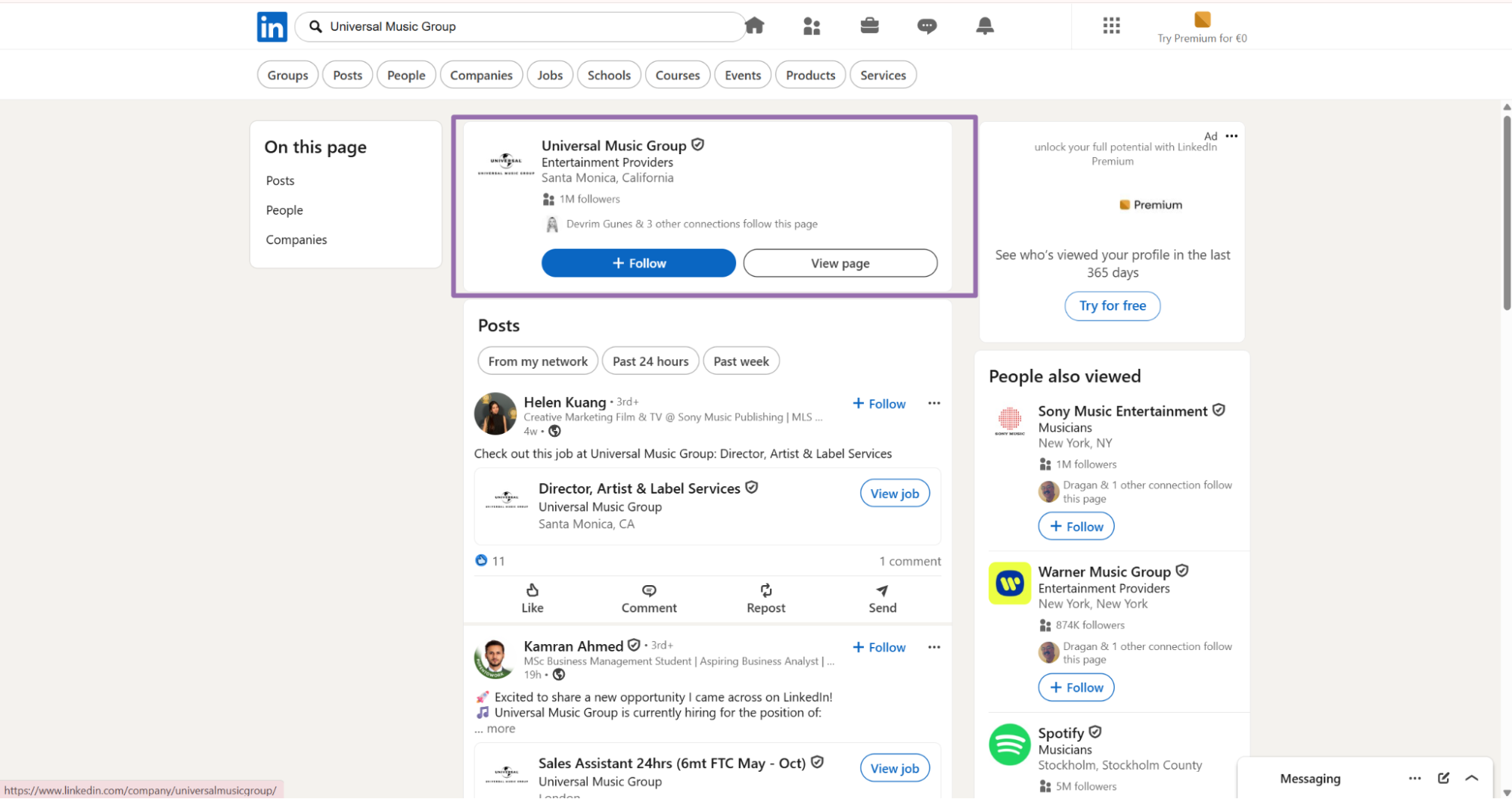
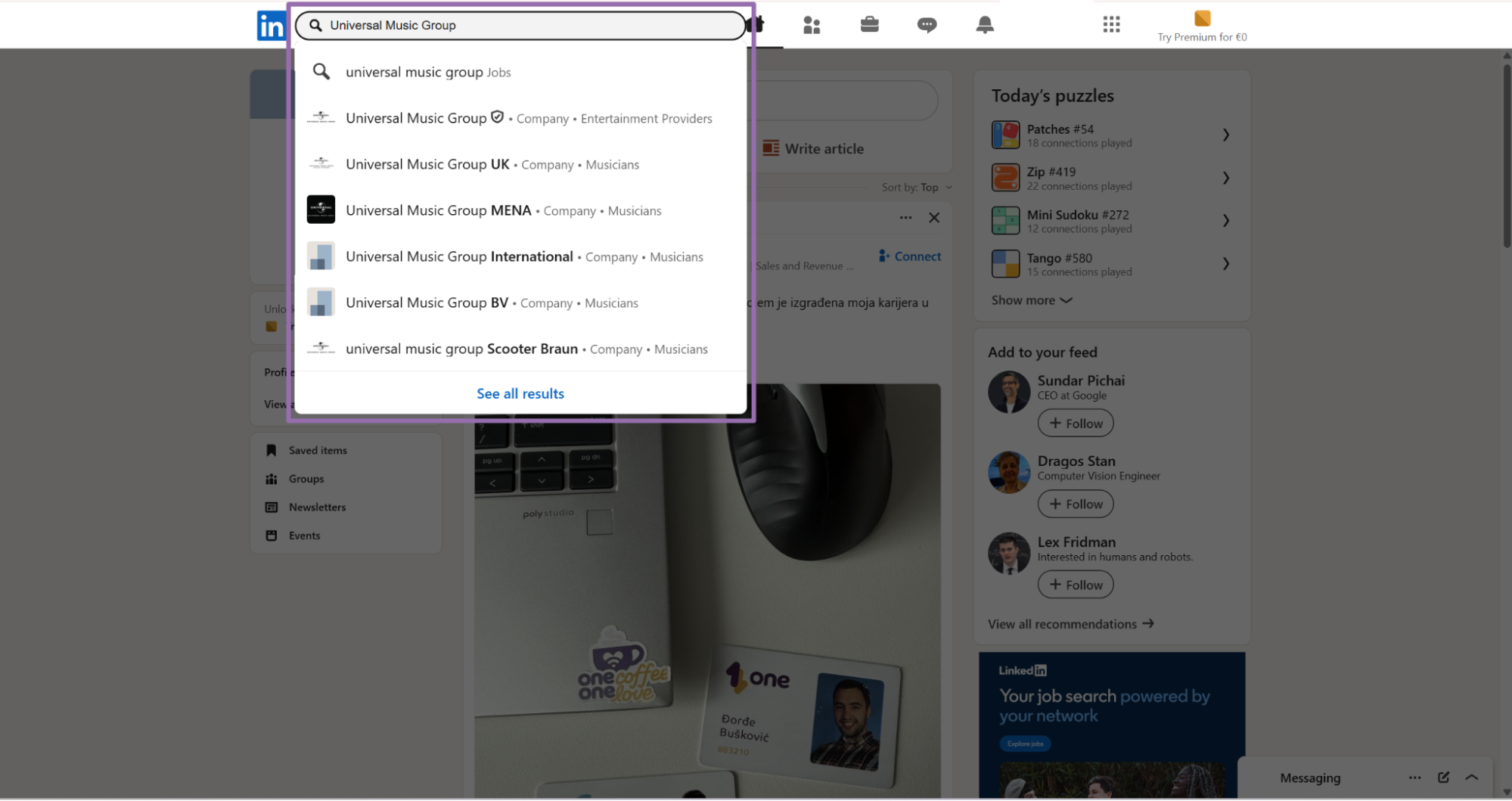
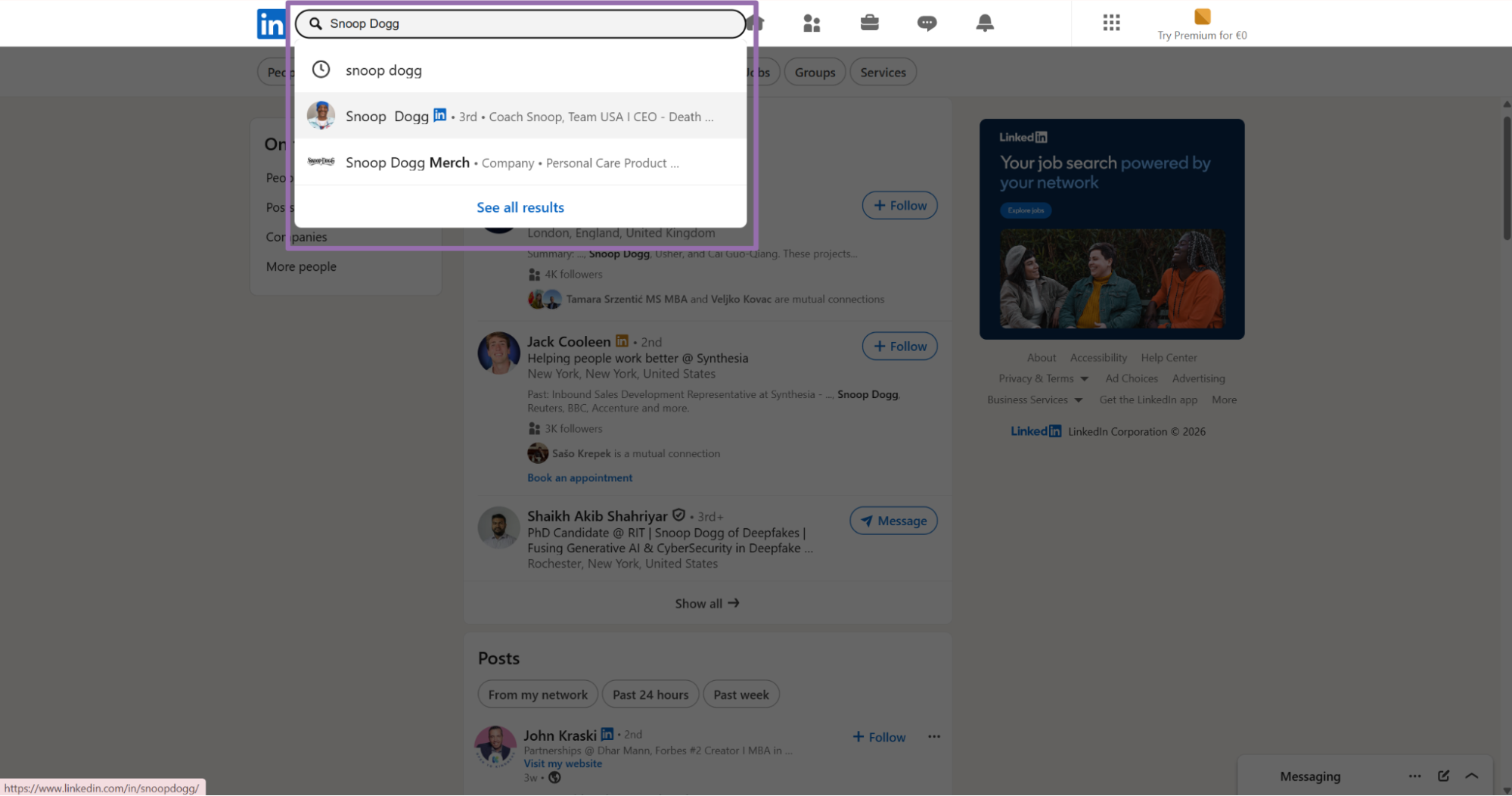
In the search bar, type a keyword or company name. For this example, use Universal Music Group.
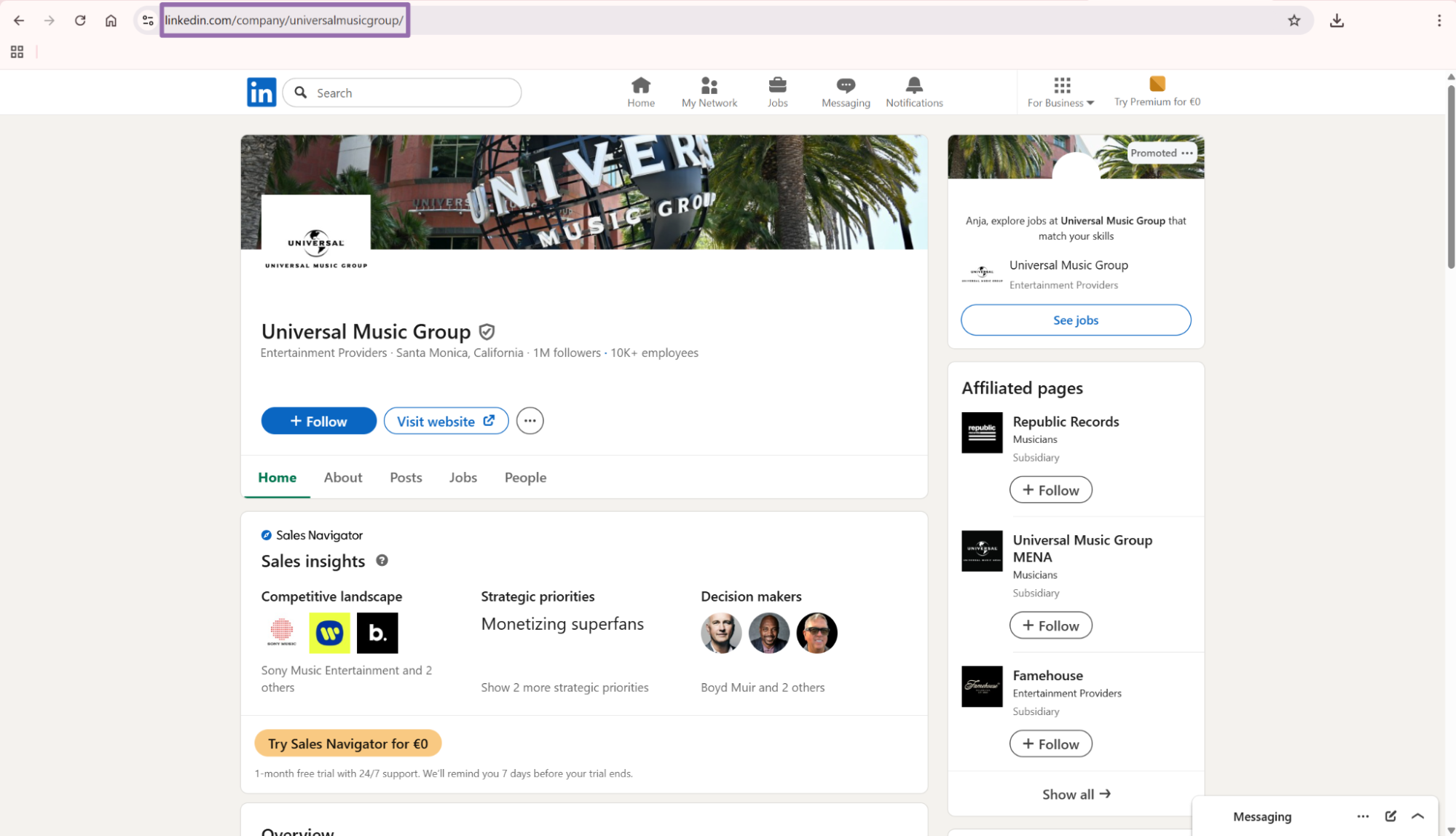
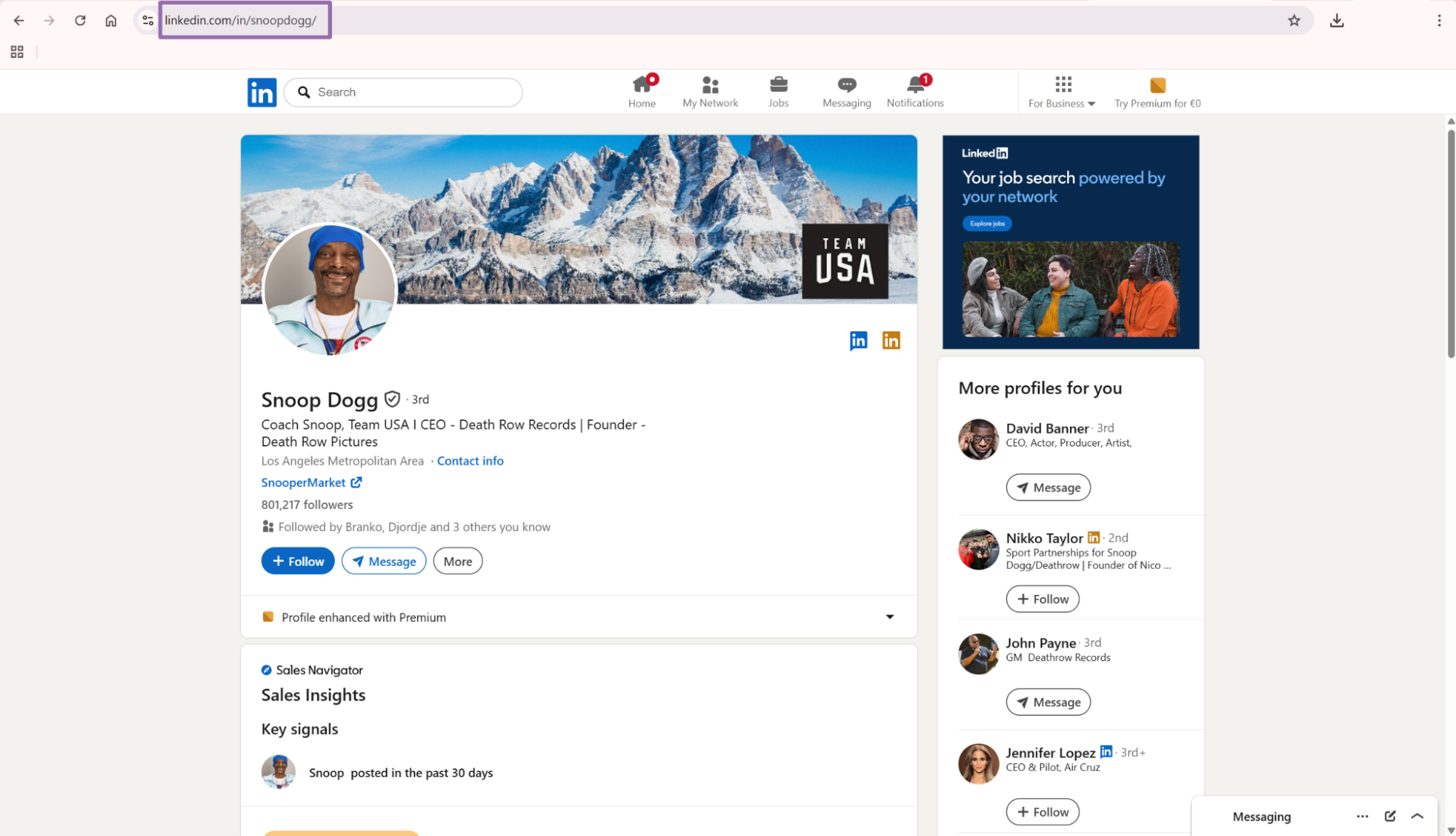
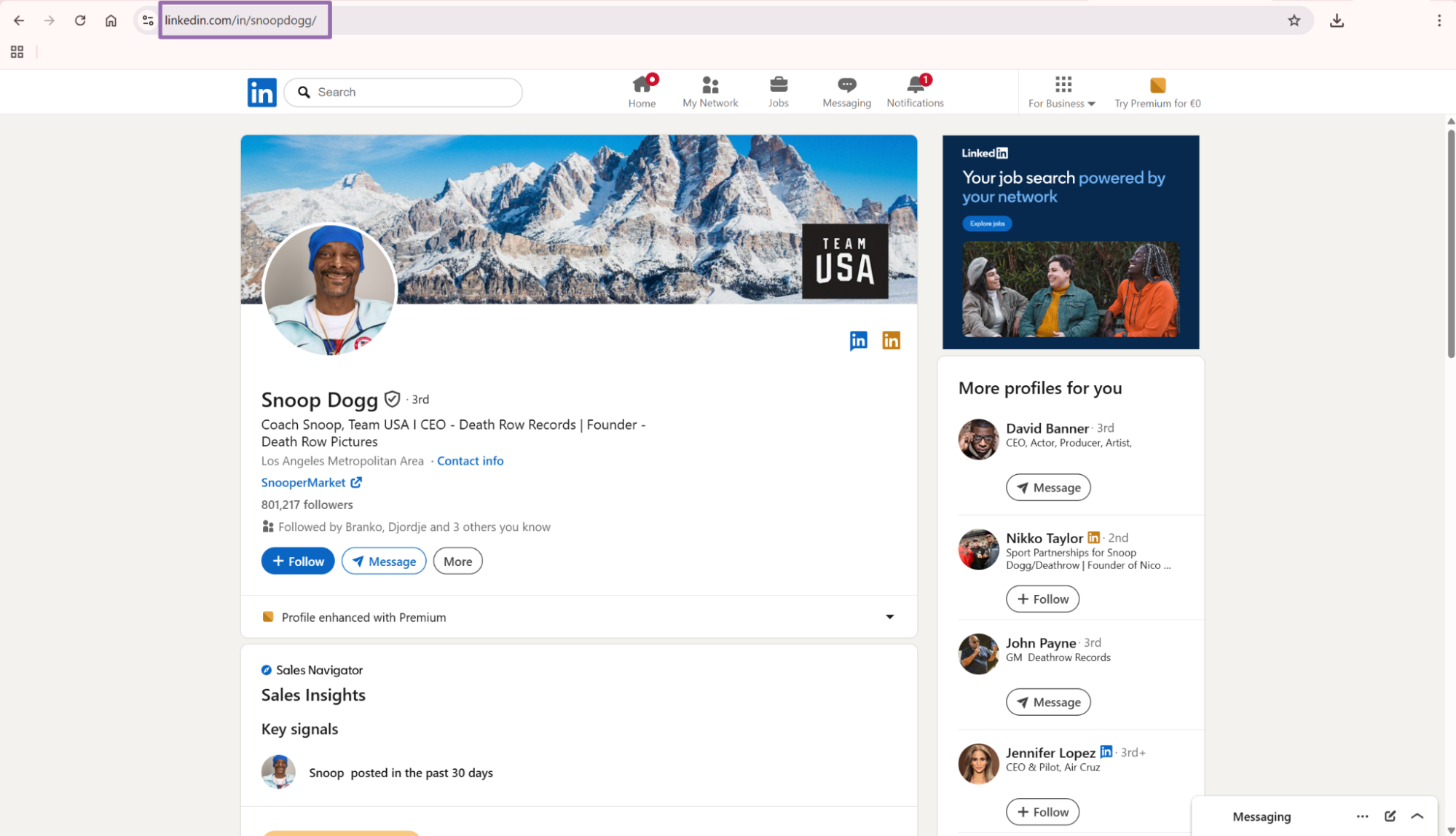
Copy the URL from the address bar.
A weekly collection job usually needs a wider overlap window. LinkedIn can surface older posts again after comments, reactions, or repost activity. Deduplication keeps that overlap safe.
Step 4. Use profile and URL search inputs when the source changes
Profile post search uses a LinkedIn profile URL as the source.
Example JSON output
A completed job returns an array of records. Each record includes the original input, scrape status, post identifiers, text fields, date, links, and media URLs.
[
  {
    "inputs": {
      "url": "https://www.linkedin.com/posts/universalmusicgroup_an-evening-with-sollos-last-week-at-the-activity-7455024985502371849-7v88"
    },
    "scrape_status": "success",
    "url": "https://www.linkedin.com/posts/universalmusicgroup_an-evening-with-sollos-last-week-at-the-activity-7455024985502371849-7v88",
    "id": "7455024985502371849",
    "user_id": "universalmusicgroup",
    "use_url": "https://www.linkedin.com/company/universalmusicgroup?trk=public_post_feed-actor-image",
    "title": "An evening with Sollos✨ Last week at the Universal Music Group UK HQ Library, we shared a closer look at how music, cognitive science and technology come together at Sollos. After a short intro… | Universal Music Group | 14 comments",
    "headline": "An evening with Sollos✨ Last week at the Universal Music Group UK HQ Library, we shared a closer look at how music, cognitive science and technology come together at Sollos.",
    "post_text": "An evening with Sollos✨ Last week at the Universal Music Group UK HQ Library, we shared a closer look at how music, cognitive science and technology come together at Sollos. After a short intro from Emily Ingram and panel with Tara Venkatesan, PhD , Ian Sherwin and Alan McCall we let the music speak for itself with immersive experiences for focus, relaxation and sleep. A powerful testimonial video and a special message from Sophie Hutchings brought it all to life. The response in the room said it all. Thanks to everyone who came, despite the tube strikes! And if you picked up an Apple Music gift card, you know what to do: search “Sollos” or “Sound Therapy” to listen.",
    "date_posted": "2026-04-28T22:47:44.184Z",
    "hashtags": null,
    "embedded_links": [
      "https://uk.linkedin.com/in/emily-ingram-444b9b80?trk=public_post-text",
      "https://uk.linkedin.com/in/tara-venkatesan?trk=public_post-text",
      "https://uk.linkedin.com/in/iansherwin?trk=public_post-text",
      "https://uk.linkedin.com/in/alan-mccall-97498229?trk=public_post-text"
    ],
    "images": [
      "https://media.licdn.com/dms/image/v2/D5622AQHGLzTkNMfF5Q/feedshare-shrink_800/B56Z3WRt96IIAc-/0/1777416462746?e=2147483647&v=beta&t=UPP1U7v8ljuXbiMPWApM5WPjlCGt2Rm9Gthneon4W8c",
      "https://media.licdn.com/dms/image/v2/D5622AQFQS_TWmQ8lbw/feedshare-shrink_800/B56Z3WRt9JHEAc-/0/1777416462700?e=2147483647&v=beta&t=dceJzwL2K_LLpEgr5R9htleTPEjN85k8X17OoZqS5c0",
      "https://media.licdn.com/dms/image/v2/D5622AQFJwSusAS_Irw/feedshare-shrink_800/B56Z3WRt9KGsAc-/0/1777416462748?e=2147483647&v=beta&t=8MVWwPyV8U0WKnIdmSQ78mOs9M6b690T21VpcIC333s",
      "https://media.licdn.com/dms/image/v2/D5622AQF4ruHXwV7MLA/feedshare-shrink_800/B56Z3WRt7PKUAg-/0/1777416462669?e=2147483647&v=beta&t=OBc1oH5ewjPfW1WRFHCKmqfKXX_f4e0Lqcoma5OzwWY",
      "https://media.licdn.com/dms/image/v2/D5622AQFVBq8QsVJl8A/feedshare-shrink_800/B56Z3WRt7kGoAc-/0/1777416462681?e=2147483647&v=beta&t=N7NNDDf-fLGNjhsjKaDP7cBvy3DcgWF5ssIxsDg0iO0"
    ]
  }
]
Store this JSON before you transform it. LinkedIn field availability changes by post type, author type, visibility, and media format. Raw storage gives you a clean replay path when you add columns later.
What data you get back
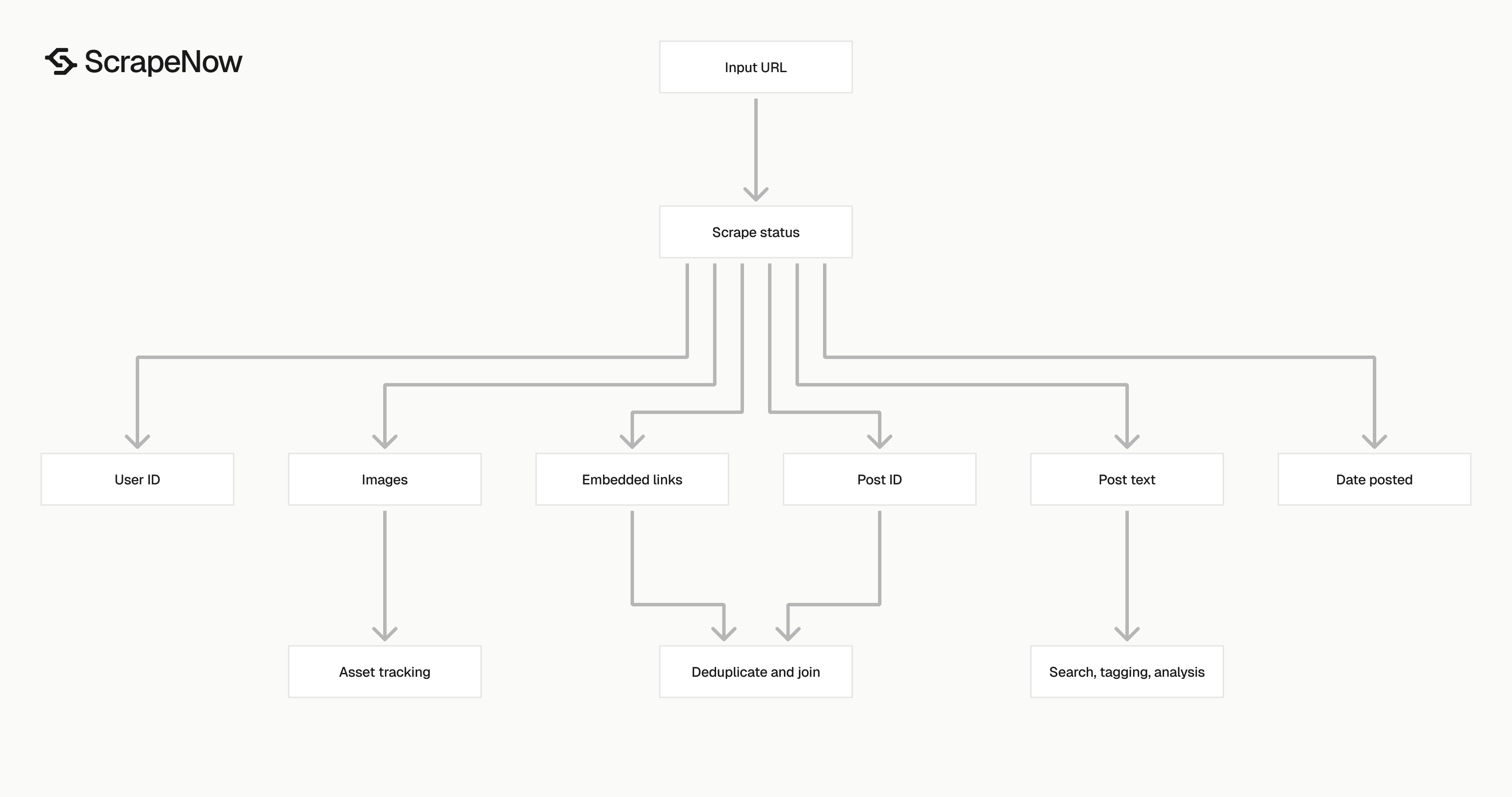
The response shape is built for storage. You get the input, status, source URL, LinkedIn IDs, text, dates, links, and media arrays in one record.
| Field | Type | Use it for |
|---|---|---|
inputs.url |
string | Trace each row back to the submitted post URL |
scrape_status |
string | Filter successful and failed rows |
url |
string | Store the canonical post URL |
id |
string | Deduplicate posts across jobs |
user_id |
string | Group posts by author or company slug |
use_url |
string | Join the post back to a company or profile page |
title |
string | Display preview text with LinkedIn’s title format |
headline |
string | Store the short post summary |
post_text |
string | Run text analysis, matching, tagging, or search indexing |
date_posted |
ISO datetime | Sort feeds and filter by publish window |
hashtags |
array or null | Track campaign tags when LinkedIn exposes them |
embedded_links |
array | Extract mentioned profiles and outbound entities |
images |
array | Store media URLs for asset tracking |
Ready to get this data? Extract LinkedIn post data.
Use id as the primary LinkedIn post key. URLs can carry tracking parameters, while the post ID stays stable for the same post.
Normalize embedded_links if you plan to join mentions against people or company tables. Keep images as an array unless your asset pipeline needs one row per image.
For author enrichment, pair post records with ScrapeNow’s Extract LinkedIn company data scraper. For hiring content analysis, combine post output with the Pull structured LinkedIn job listings scraper or keyword-based job collection from the Search LinkedIn jobs by keyword scraper.
Production tips
Validate URLs before you submit them
Invalid inputs waste credits and create noisy failure rows. Reject any URL that does not start with https://www.linkedin.com/.
from urllib.parse import urlparse

def validate_linkedin_url(url: str) -> None:
    parsed = urlparse(url)

    if parsed.scheme != "https":
        raise ValueError(f"LinkedIn URL must use https: {url}")

    if parsed.netloc not in {"www.linkedin.com", "linkedin.com"}:
        raise ValueError(f"URL must be on linkedin.com: {url}")

    if not parsed.path:
        raise ValueError(f"LinkedIn URL is missing a path: {url}")


urls = [
    "https://www.linkedin.com/posts/universalmusicgroup_an-evening-with-sollos-last-week-at-the-activity-7455024985502371849-7v88"
]

for url in urls:
    validate_linkedin_url(url)
For extract-by-URL jobs, also check that the URL path contains /posts/ or an activity ID pattern. Keep validation strict in batch jobs.
A practical rule is to reject rows before they reach the API. Put this check in your queue producer, not in the worker that calls ScrapeNow.
You can also normalize linkedin.com to www.linkedin.com before submission. That keeps logs and deduplication keys consistent across browser-copied URLs.
Deduplicate on id
Run deduplication after every job. LinkedIn post URLs can be copied with different tracking parameters, so URL-based deduplication misses duplicates.
import json

with open("linkedin-posts-extract-by-url.json", "r", encoding="utf-8") as f:
    records = json.load(f)

seen = set()
deduped = []

for record in records:
    post_id = record.get("id")

    if not post_id:
        continue

    if post_id in seen:
        continue

    seen.add(post_id)
    deduped.append(record)

print(f"Input rows: {len(records)}")
print(f"Unique posts: {len(deduped)}")
Use a unique index on id in your database. If you run company post search daily, the index prevents duplicates from overlapping collection windows.
Post IDs also make retries safe. You can rerun failed or uncertain inputs without creating duplicate production rows.
If your pipeline stores reposts separately, add another table for repost relationships. Keep the source post ID as the stable join key.
Store raw JSON and normalized columns
Keep the full response JSON in object storage or a raw_json column. LinkedIn fields change over time, and raw storage gives you a replay path when your schema changes.
A practical relational table starts here:
CREATE TABLE linkedin_posts (
    post_id TEXT PRIMARY KEY,
    source_url TEXT NOT NULL,
    user_id TEXT,
    author_url TEXT,
    title TEXT,
    headline TEXT,
    post_text TEXT,
    date_posted TIMESTAMP,
    scrape_status TEXT NOT NULL,
    embedded_links JSONB,
    images JSONB,
    raw_json JSONB NOT NULL,
    scraped_at TIMESTAMP DEFAULT NOW()
);
Use post_id for joins. Use scraped_at to track when you collected the row. Keep it separate from date_posted, which comes from LinkedIn.
Add indexes based on your query pattern. Brand monitoring usually needs indexes on date_posted, user_id, and full-text search over post_text.
For PostgreSQL, store embedded_links and images as JSONB. If analysts query those fields often, create derived tables with one row per link or image.
Treat failed rows as retry candidates
The API job can finish with failed rows in the result set. Store failures with the original input and retry them in a separate job.
def split_success_and_failed(records: list[dict]) -> tuple[list[dict], list[dict]]:
    success = []
    failed = []

    for record in records:
        if record.get("scrape_status") == "success":
            success.append(record)
        else:
            failed.append(record)

    return success, failed


success_rows, failed_rows = split_success_and_failed(records)

retry_inputs = [
    row["inputs"]
    for row in failed_rows
    if "inputs" in row and "url" in row["inputs"]
]

print(f"Success rows: {len(success_rows)}")
print(f"Retry rows: {len(retry_inputs)}")
Cap retries at 3 attempts per URL. After that, write the input to a dead-letter table and inspect the URL.
Keep input batches easy to replay
Write every submitted input to durable storage before you call the API. A simple table with batch_id, input_url, submitted_at, and job_id gives you a recovery path after worker restarts.
Log row counts at each stage
Count rows at submission, result download, validation, deduplication, and database write. These numbers catch silent pipeline failures.
Which LinkedIn post scraper to use
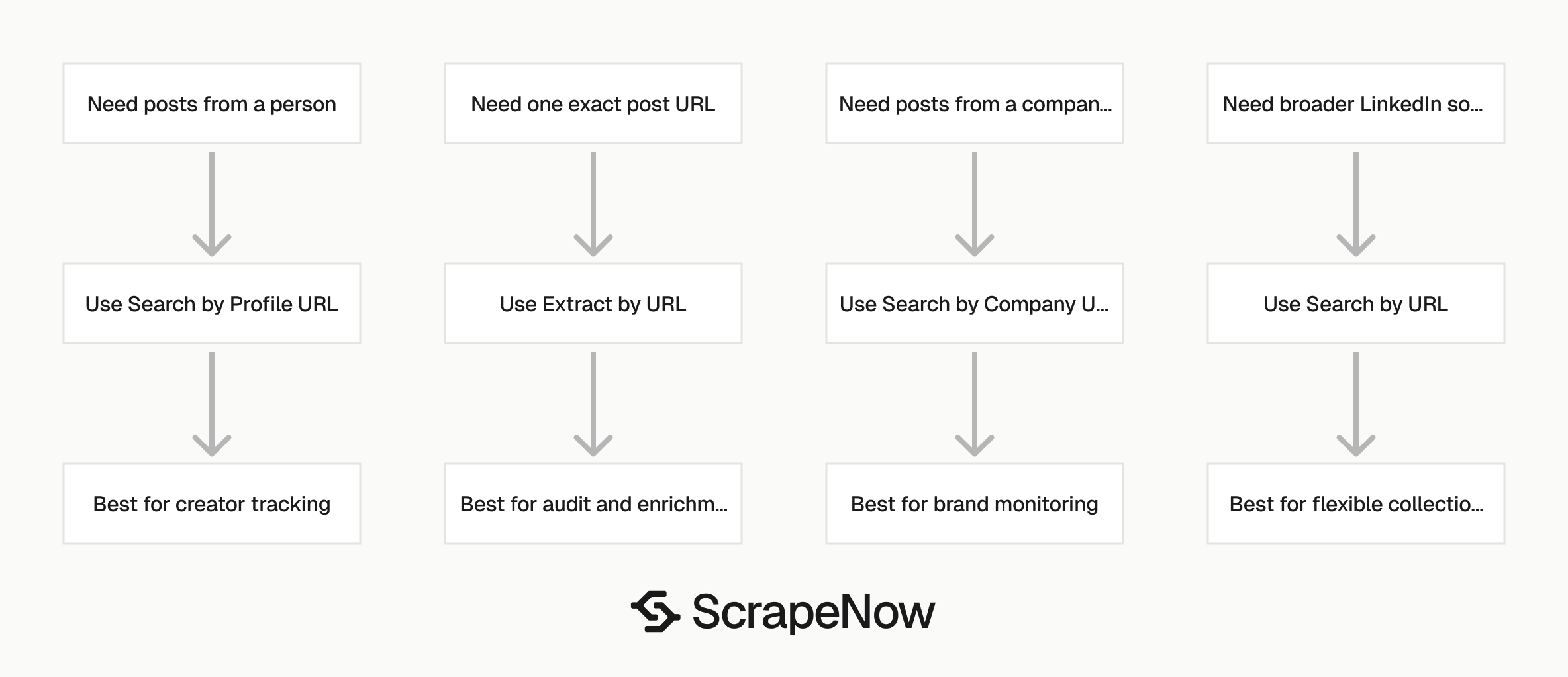
Pick the scraper by the input you already have.
| Scraper | Input | Use this when |
|---|---|---|
| Extract LinkedIn post data | One post URL | You already have exact post URLs |
| LinkedIn Posts Search by Company URL | Company page URL, optional dates | You need posts from one company page |
| LinkedIn Posts Search by Profile URL | Profile URL | You need posts from one person |
| LinkedIn Posts Search by URL | LinkedIn URL | You want search-style collection from a LinkedIn source |
Use Extract LinkedIn post data for audit workflows, enrichment queues, and manual review tools. It is the right scraper when another system already collected the exact post URL.
Use company search for brand monitoring and competitor tracking. The company URL is stable, and date windows let you schedule repeat collection.
Use profile search for creator tracking, founder monitoring, analyst coverage, and executive communications. Keep profile sources in their own queue because people pages change more often than company pages.
Use URL search when your source does not fit the company or profile pattern. Treat it as a broader collection mode and review the returned rows before feeding them into production joins.
ScrapeNow has 86+ pre-built scrapers across 14 platforms. Browse all 86+ scrapers for the full LinkedIn scraper group and the rest of the pre-built extractors.
Pricing
ScrapeNow charges per returned row. One row costs one credit, starting at $0.04 per credit for small runs and dropping with volume. No monthly contracts, no proxy fees, no charges for failed rows. See the pricing page for current rates.


