
LinkedIn job pages contain title, company, location, description, and posting metadata. The LinkedIn Jobs Extract by URL scraper returns normalized job records from LinkedIn job pages.
How to use this scraper
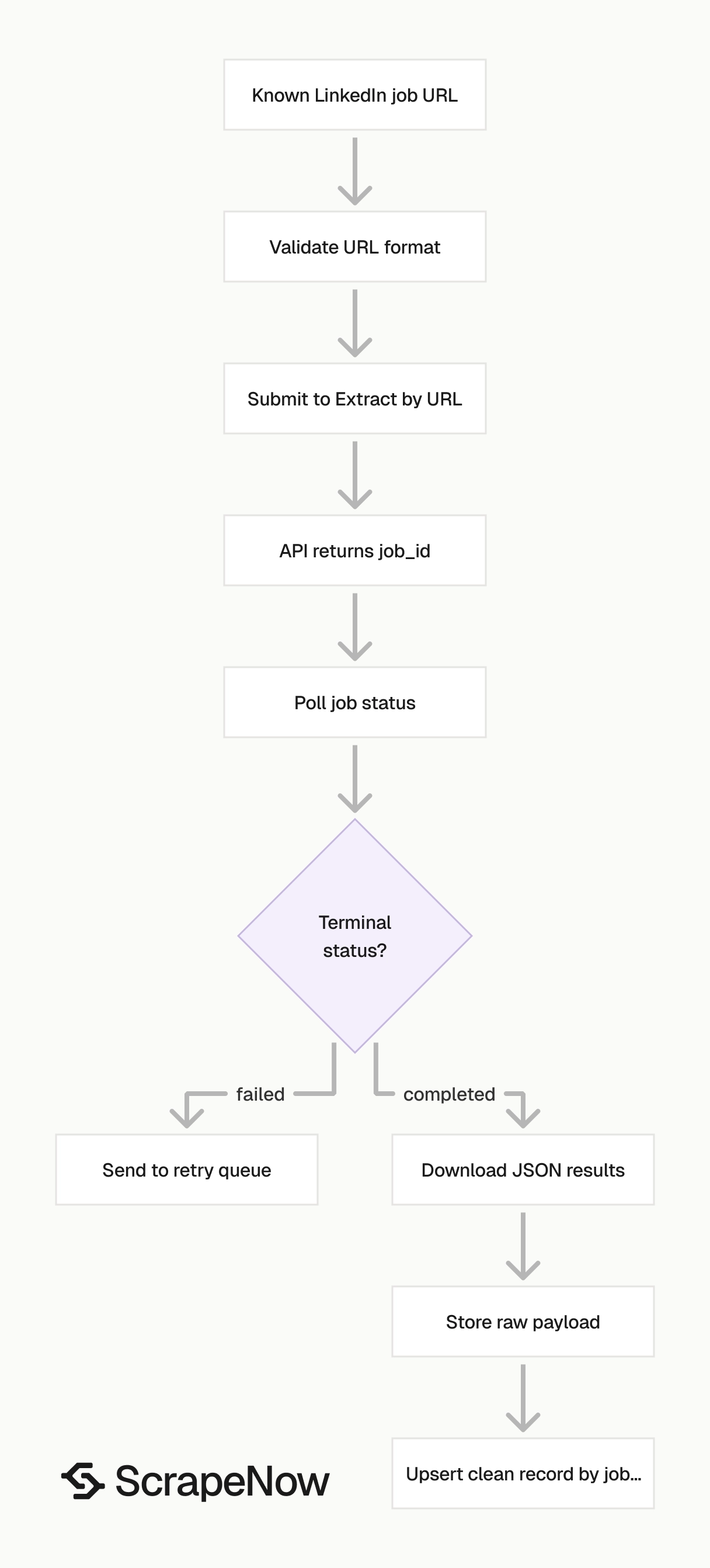
ScrapeNow has three LinkedIn jobs scrapers in this group.
| Scraper | Use it when | Input style |
|---|---|---|
| Pull structured LinkedIn job listings | You already have one or more LinkedIn job URLs | Job URL |
| Search LinkedIn jobs by keyword | You want to search jobs by title, company, location, filters, or radius | Keyword and filters |
| Search LinkedIn jobs by URL | You already built a LinkedIn Jobs search URL | Search URL |
Use Extract by URL for records from known job posts. Use Search by Keyword for discovery across titles, companies, locations, and job filters.
A production flow usually uses both. Search by Keyword finds new job posts, Extract by URL refreshes known posts, and your database deduplicates records by job_posting_id.
Use Search by URL when a human already built the exact LinkedIn filter state. The search URL preserves LinkedIn filters, which keeps QA runs repeatable.
The fastest test path has four steps. Submit one known LinkedIn job URL, poll the job, download JSON, then verify job_posting_id and scrape_status.
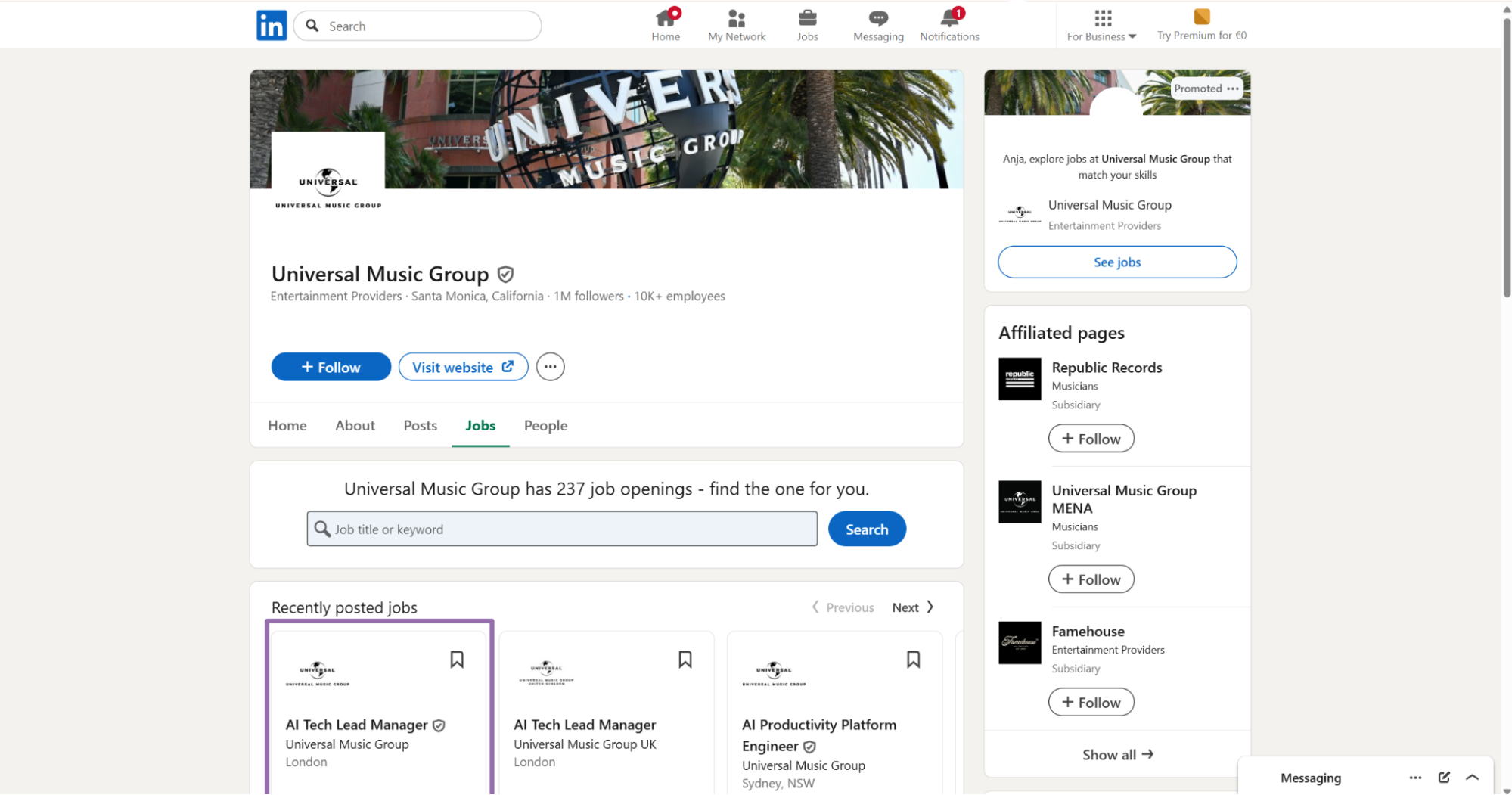
Step 1. Get the job URL
The Extract by URL scraper takes one input field named url.
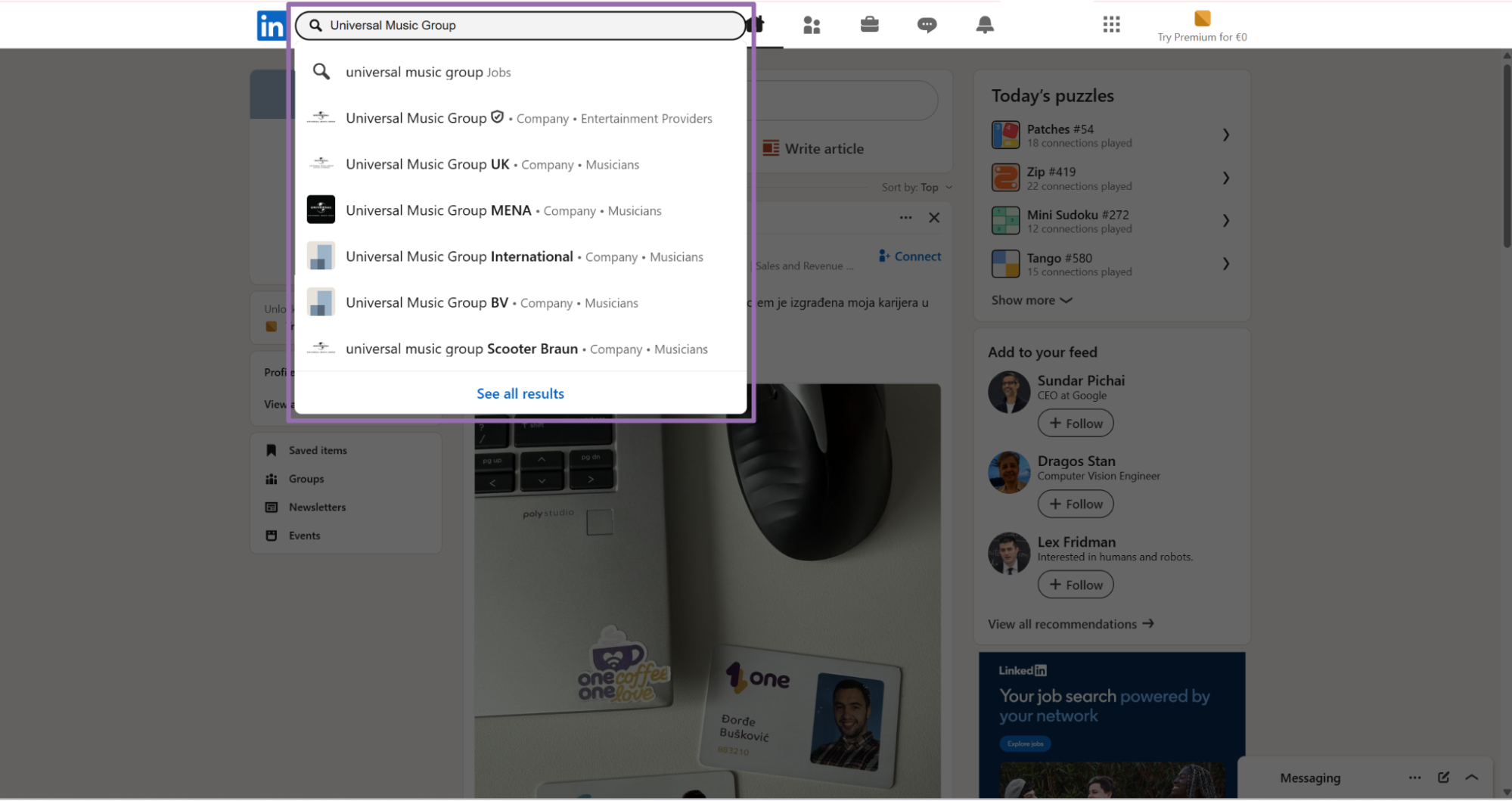
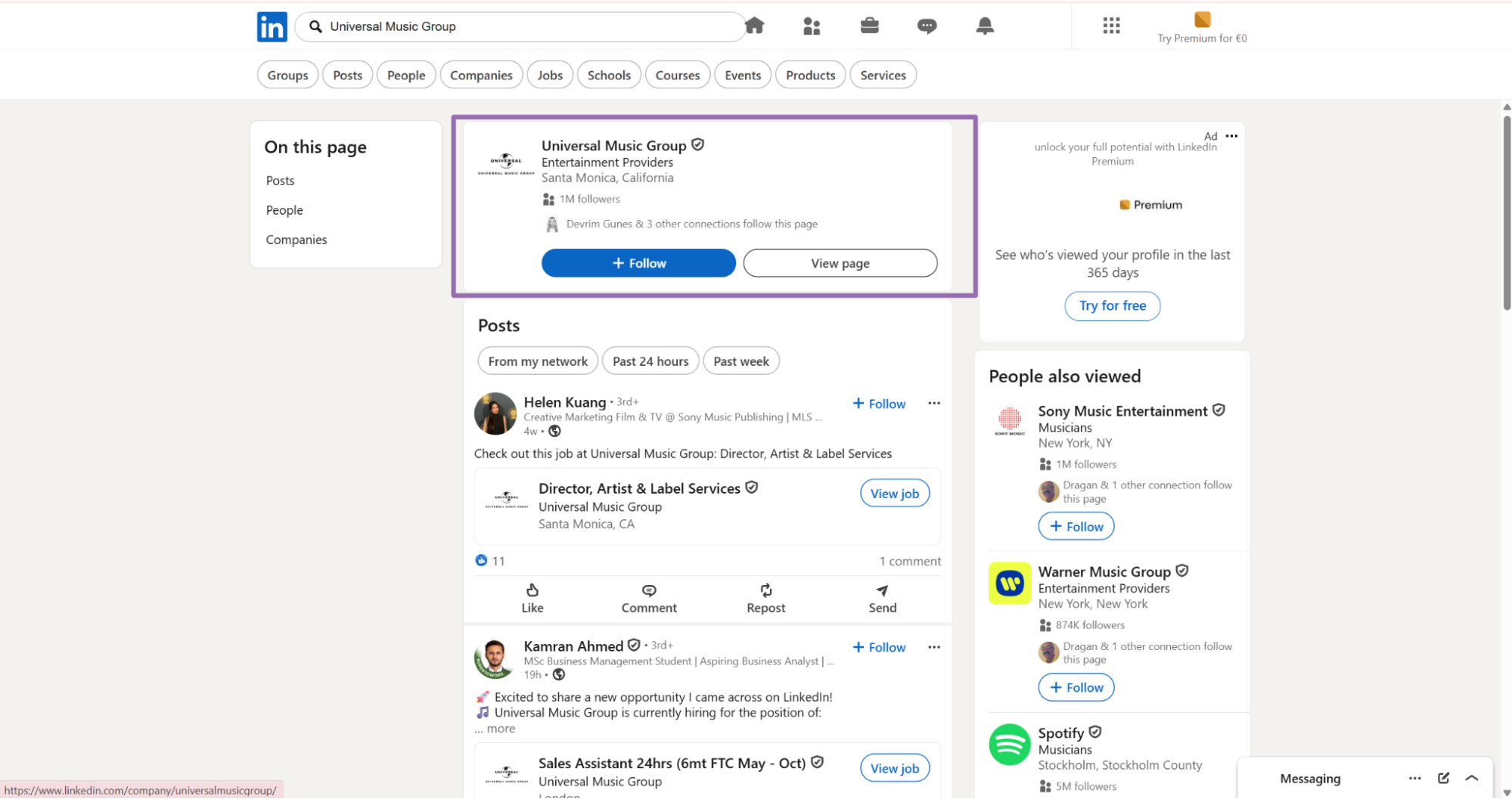
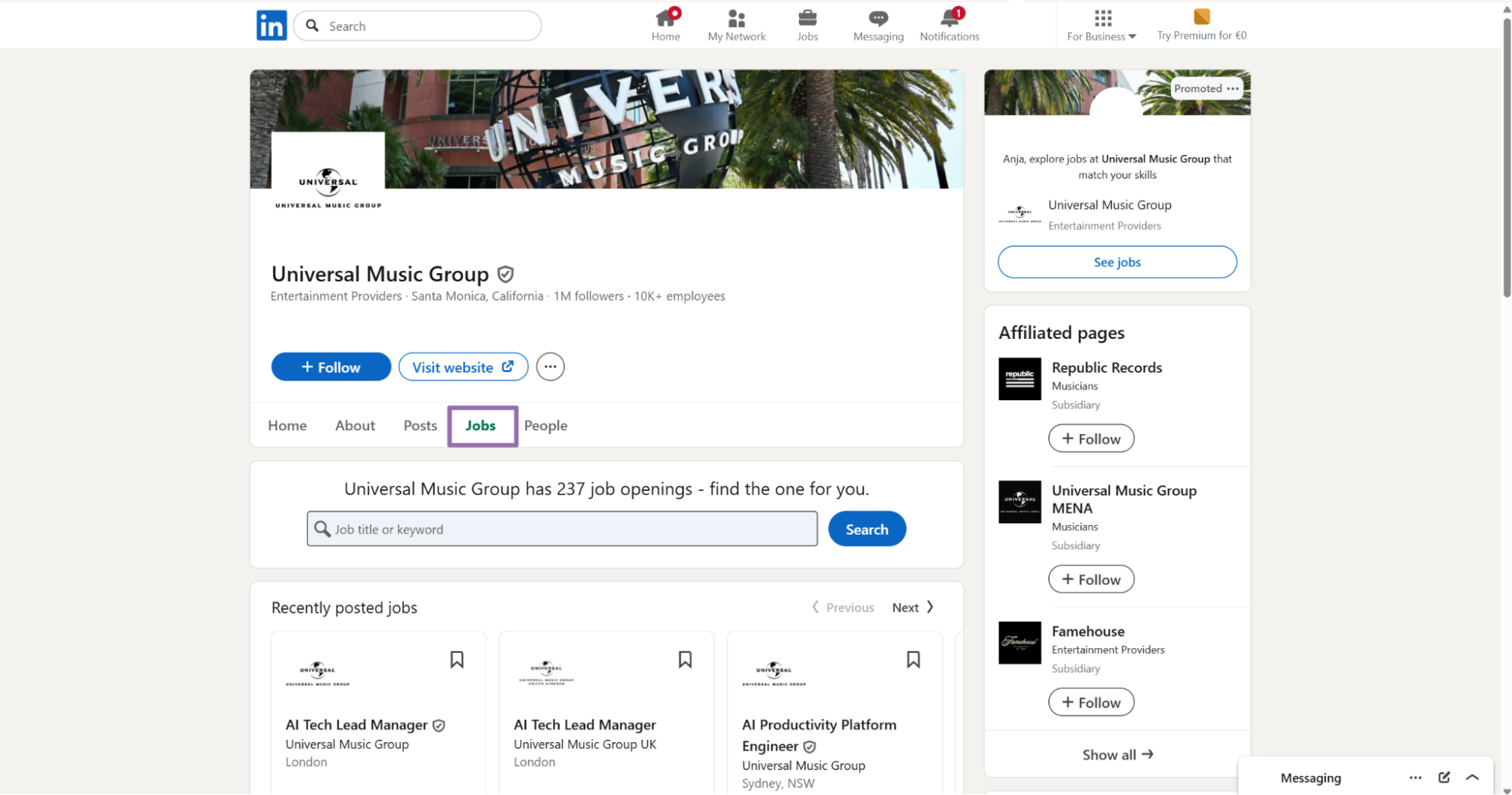
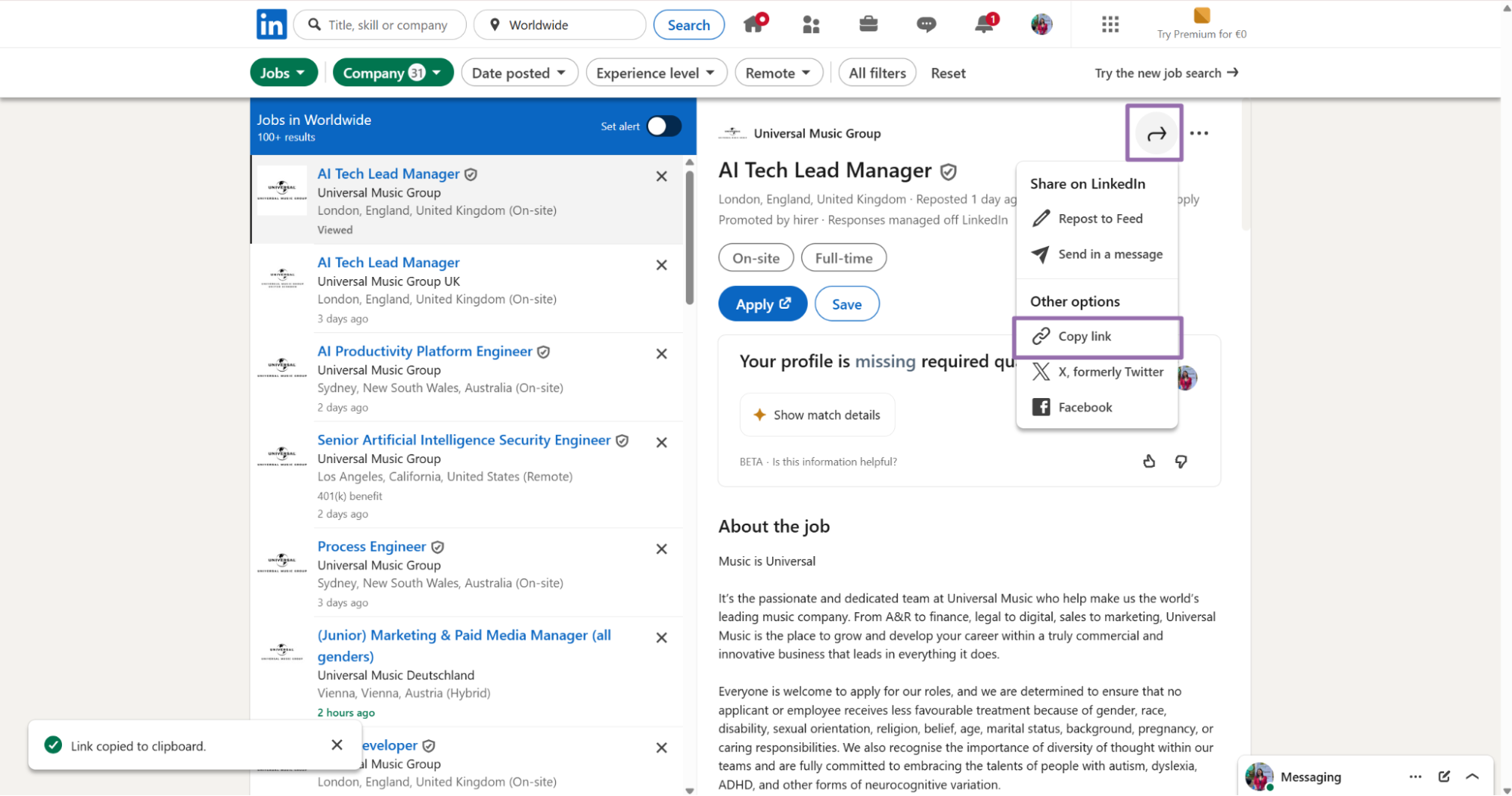
Click the arrow button in the top right corner of the job post. Then click Copy link.
[
  {
    "url": "https://www.linkedin.com/jobs/view/4387478109"
  }
]
Send one object per job URL. For a batch run, add more objects to the same inputs array.
[
  {
    "url": "https://www.linkedin.com/jobs/view/4387478109"
  },
  {
    "url": "https://www.linkedin.com/jobs/view/4387478110"
  }
]
Keep the original URL in your database. It gives your pipeline a stable audit trail when a job expires, redirects, or returns a partial record.
Store the LinkedIn URL exactly as your system received it. Tracking parameters help audits because they show which alert, search, or source created the request.
For large batches, keep an input file with one row per job URL. Add internal source fields, such as account_id, search_name, or requested_by, before you call the API.
Use one input object for each job post. If your queue stores 10,000 URLs, split them into batches that match your worker retry policy.
Step 2. Run the API request
Use this Python script with your ScrapeNow API key.
"""
Configuration:
    - Set SCRAPER_SLUG to the scraper you want to run.
    - Set SCRAPER_INPUTS to the list of input dicts matching that scraper's schema.
    - Set API_KEY to your scraper API key.
"""

import sys
import time
import json
import requests
import os

API_KEY = "YOUR_API_KEY"

SCRAPER_SLUG = "linkedin-jobs-extract-by-url"

SCRAPER_INPUTS = [
    {
        "url": "https://www.linkedin.com/jobs/view/4387478109"
    }
]


BASE_URL = "https://api.scrapenow.io/api/v1/scraping"
TIMEOUT_SECONDS = 3600
POLL_INTERVAL = 5
SPINNER = "|/-\\"


def build_headers(api_key: str, content_type: str | None = None) -> dict:
    headers = {"Authorization": f"Bearer {api_key}"}
    if content_type:
        headers["Content-Type"] = content_type
    return headers


def trigger_scrape(slug: str, inputs: list[dict]) -> str:
    url = f"{BASE_URL}/scrape?scraper={slug}"
    response = requests.post(
        url,
        headers=build_headers(API_KEY, "application/json"),
        json={"inputs": inputs},
    )
    response.raise_for_status()
    return response.json()["data"]["job_id"]


def poll_until_done(job_id: str) -> str:
    start = time.time()
    i = 0
    while True:
        elapsed = time.time() - start
        if elapsed > TIMEOUT_SECONDS:
            print(f"\nTimeout after {TIMEOUT_SECONDS}s")
            sys.exit(1)
        response = requests.get(
            f"{BASE_URL}/jobs/{job_id}",
            headers=build_headers(API_KEY),
        )
        response.raise_for_status()
        data = response.json()
        status = data["data"]["status"]
        mins, secs = divmod(int(elapsed), 60)
        sys.stdout.write(
            f"\r[{SPINNER[i % 4]}] Waiting... {status} ({mins}m {secs:02d}s)  "
        )
        sys.stdout.flush()
        if status in ("completed", "failed"):
            print()
            return status
        time.sleep(POLL_INTERVAL)
        i += 1


def fetch_results(job_id: str) -> dict:
    response = requests.get(
        f"{BASE_URL}/jobs/{job_id}/results?format=json",
        headers=build_headers(API_KEY),
    )
    response.raise_for_status()
    return response.json()


def save_results(data: dict, slug: str) -> str:
    os.makedirs("output", exist_ok=True)
    filename = os.path.join("output", f"{slug}.json")
    with open(filename, "w", encoding="utf-8") as f:
        json.dump(data, f, indent=2, ensure_ascii=False)
    return filename


def main() -> None:
    print(f"Triggering scraper: {SCRAPER_SLUG}")
    job_id = trigger_scrape(SCRAPER_SLUG, SCRAPER_INPUTS)
    print(f"Job started: {job_id}")
    final_status = poll_until_done(job_id)
    if final_status != "completed":
        print(f"Job failed with status: {final_status}")
        sys.exit(1)
    print("Fetching results...")
    results = fetch_results(job_id)
    output_file = save_results(results, SCRAPER_SLUG)
    print(f"Results saved to: {output_file}")


if __name__ == "__main__":
    main()
The script does four things:
- Starts a scraping job with
POST /scrape?scraper=linkedin-jobs-extract-by-url - Polls
/jobs/{job_id}every 5 seconds - Downloads JSON results from
/jobs/{job_id}/results?format=json - Saves the response to
output/linkedin-jobs-extract-by-url.json
The timeout is set to 3600 seconds. Keep that value for bulk runs because LinkedIn response times vary by job page and geo.
The polling interval is set to 5 seconds. That interval keeps status traffic low and gives your worker quick feedback when a run finishes.
The same API pattern works for the other scrapers in this group. Change the scraper slug and input values in the code for each scraper.
For production workers, store the returned job_id before polling. If your process restarts, resume polling with the stored ID.
Treat the scrape job as asynchronous work. Submit once, persist the job_id, and let a worker poll until the API returns a terminal status.
Poll every 5 seconds in a production queue. A 1-second interval adds status traffic without improving batch throughput.
Log the request payload, job_id, final status, and result count. Those four values usually answer the first debugging question after a failed batch.
Step 3. Use keyword search when you need discovery
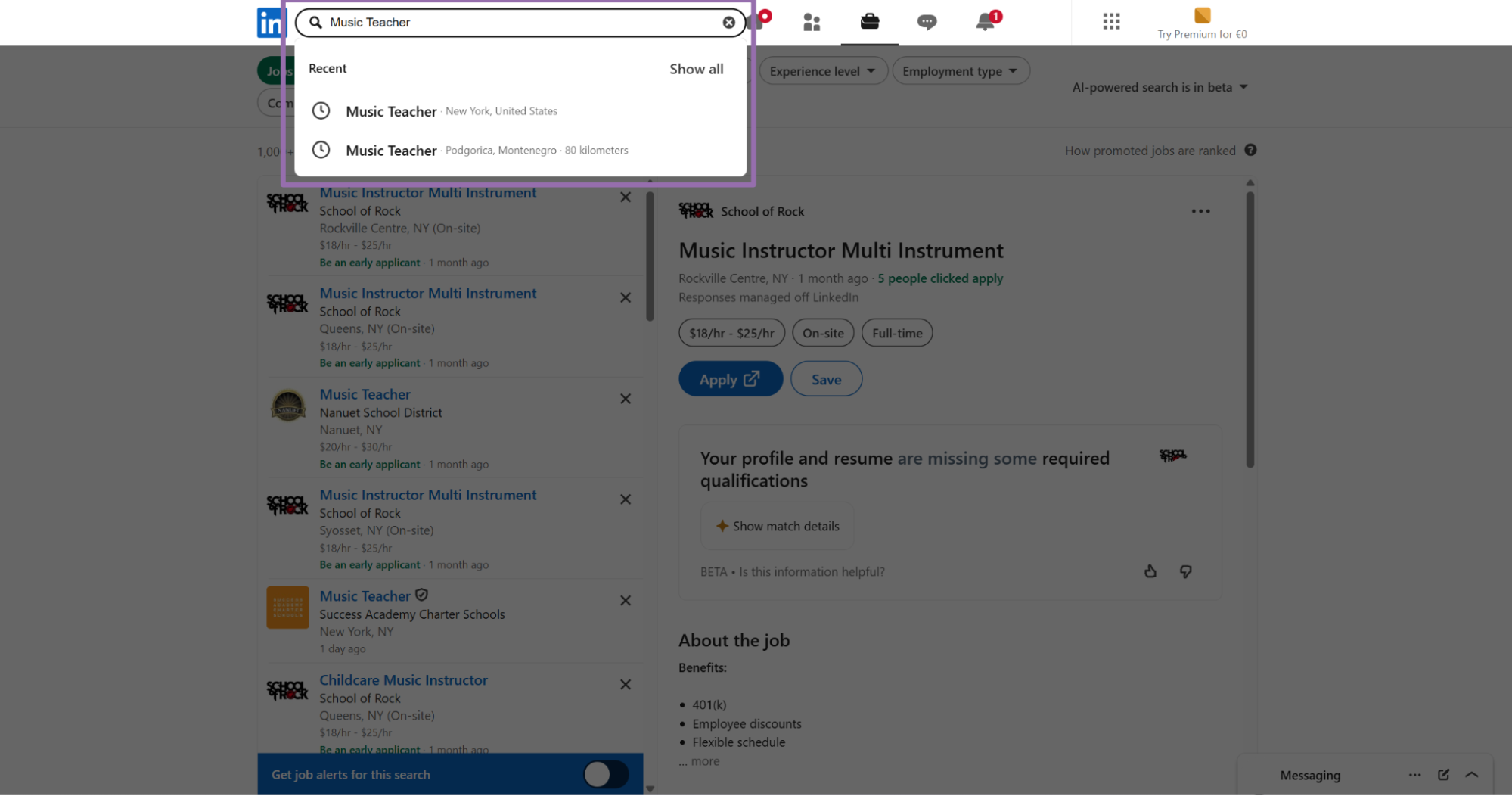
The keyword scraper takes search filters instead of a single job URL.
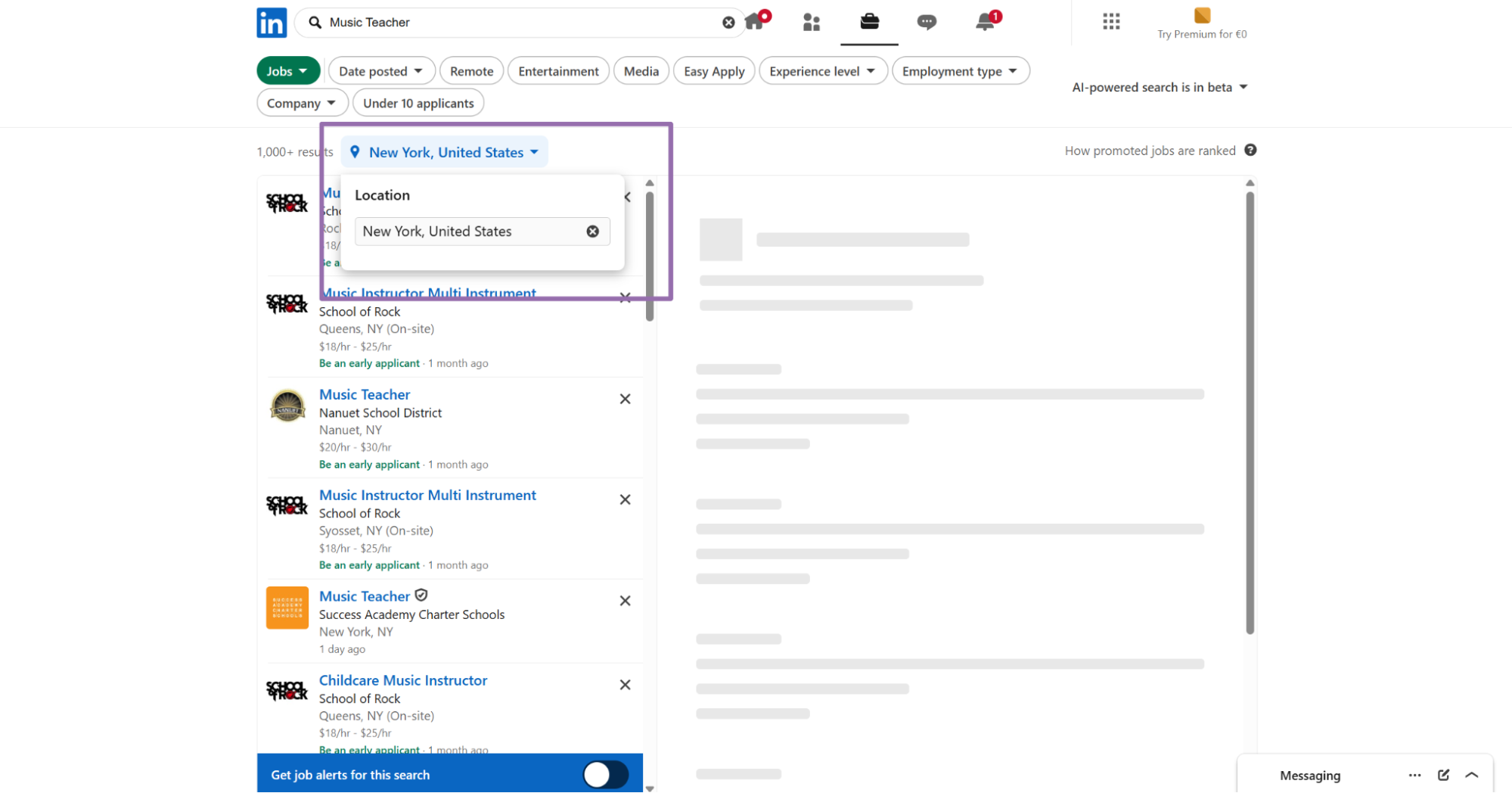
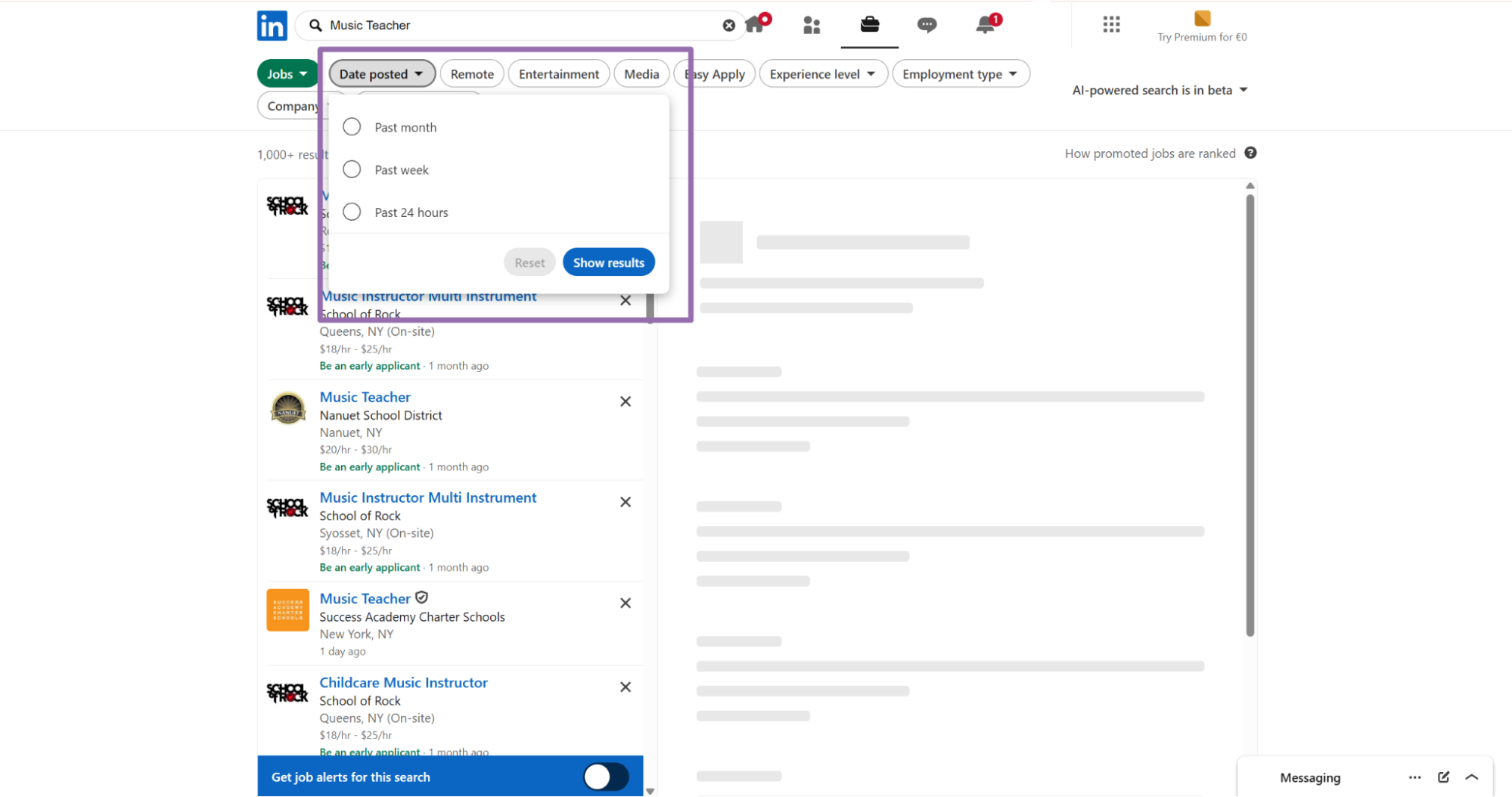
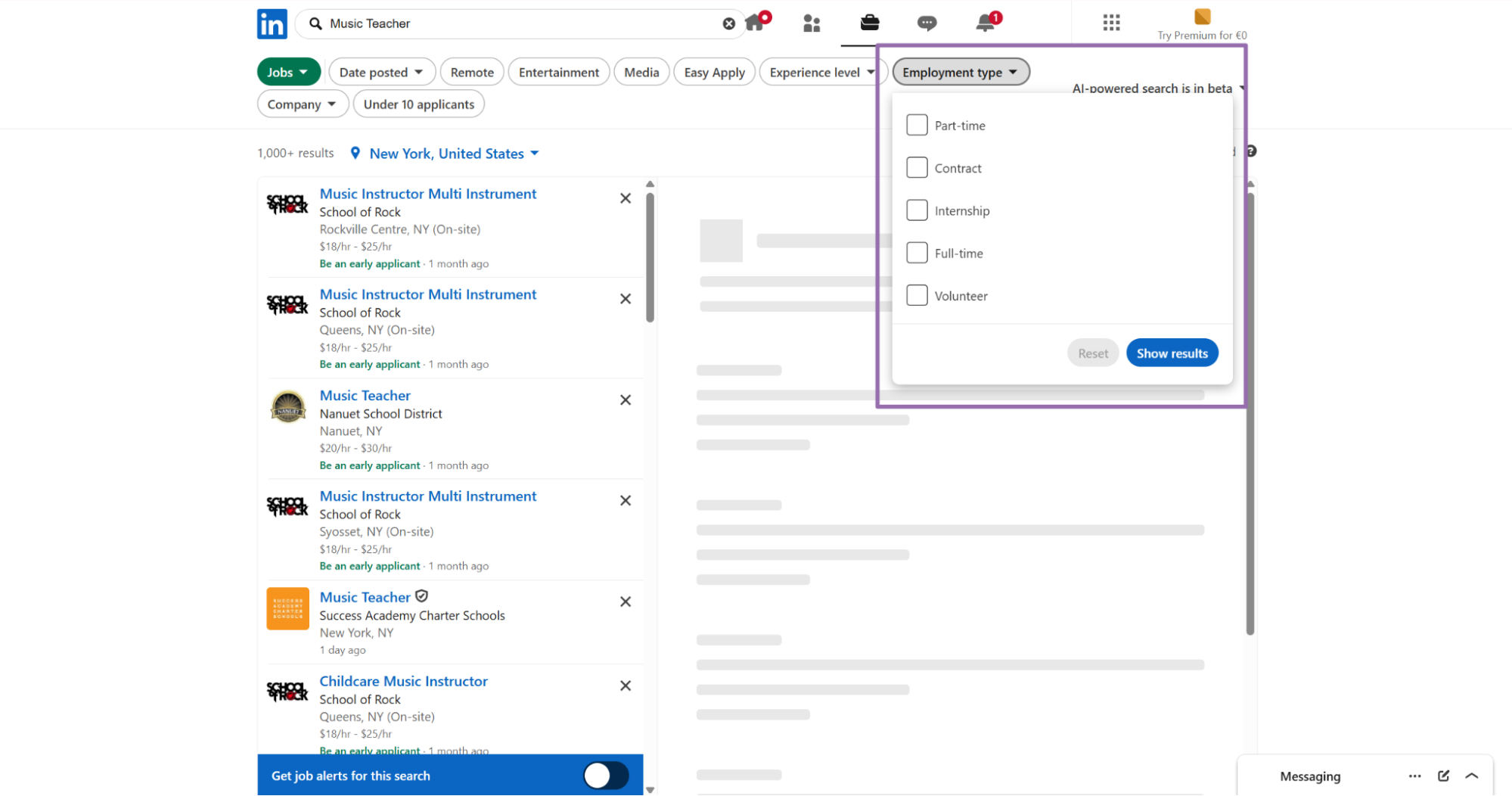
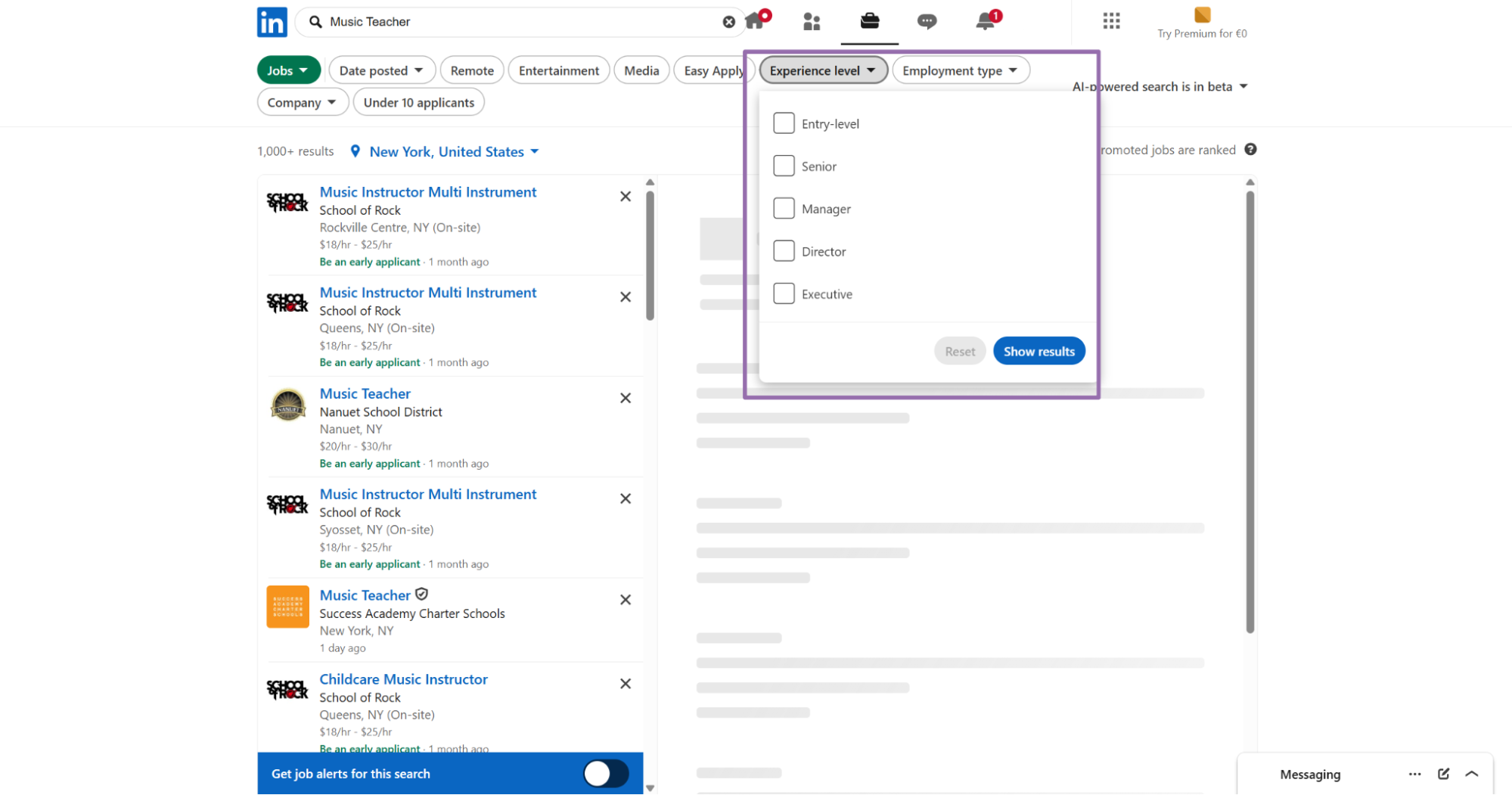
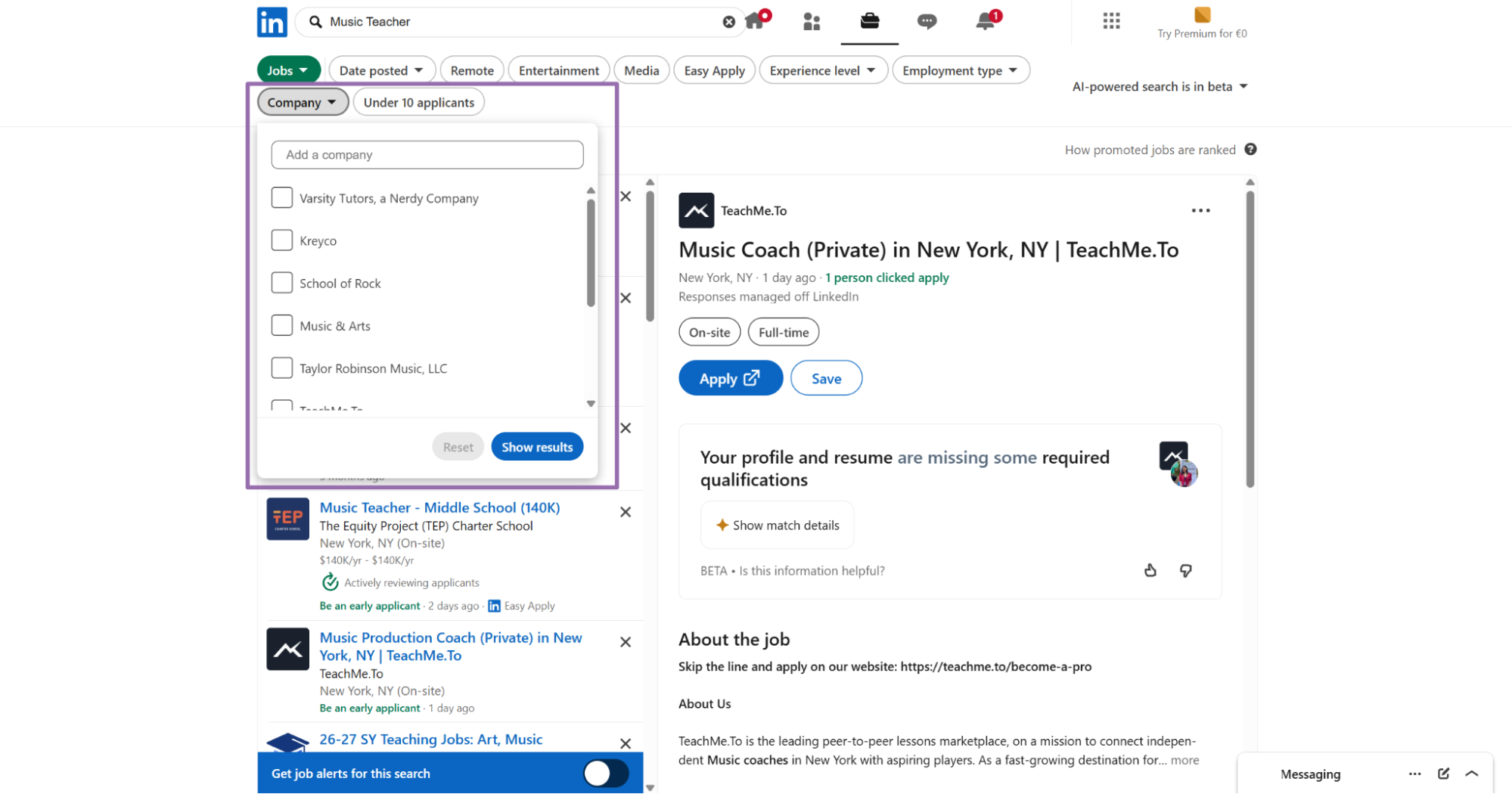
locationis the city, region, metro area, or location text used for the search.keywordis the search term, such asMusic Teacher.countryis optional. For API usage, send a 2-letter ISO 3166-1 country code, such asUS.date_postedcontrols how old posts can be, such asPast 24 hours.employment_typefilters full-time, part-time, temporary, and related job types.experience_levelfilters jobs by required experience, such asEntry-Level.work_locationfilters remote, on-site, or hybrid jobs.companynarrows results to one company name.selective_searchexcludes jobs that do not contain the exact keyword in the title when set totrue.location_radiuscontrols the radius around the chosen location, such as5 miles (8km).
[
  {
    "keyword": "Music Teacher",
    "location": "Philadelphia, PA",
    "country": "US",
    "date_posted": "Past 24 hours",
    "employment_type": "Full-time",
    "experience_level": "Entry-Level",
    "work_location": "On-site",
    "company": "",
    "selective_search": "true",
    "location_radius": "5 miles (8km)"
  }
]
Set selective_search to true when title precision matters more than total volume. This setting works well for alerts like Music Teacher, Data Engineer, or Account Executive.
Leave company empty when you want a market scan. Set it when your pipeline tracks hiring activity for a named account list.
Keyword search is the right starting point for net-new monitoring. Run it on a schedule, store the returned job URLs, then pass each job URL into Extract by URL.
Use tight filters when the downstream team receives alerts. Broad searches create more review work, especially for common titles like Engineer, Manager, or Analyst.
A daily Past 24 hours search works well for alert queues. A weekly search with broader filters works better for market reports.
Step 4. Use search URL when your filter state already exists in LinkedIn
The Search LinkedIn jobs by URL scraper works when a teammate sends you a filtered LinkedIn Jobs URL. It also works when your app already builds that URL.
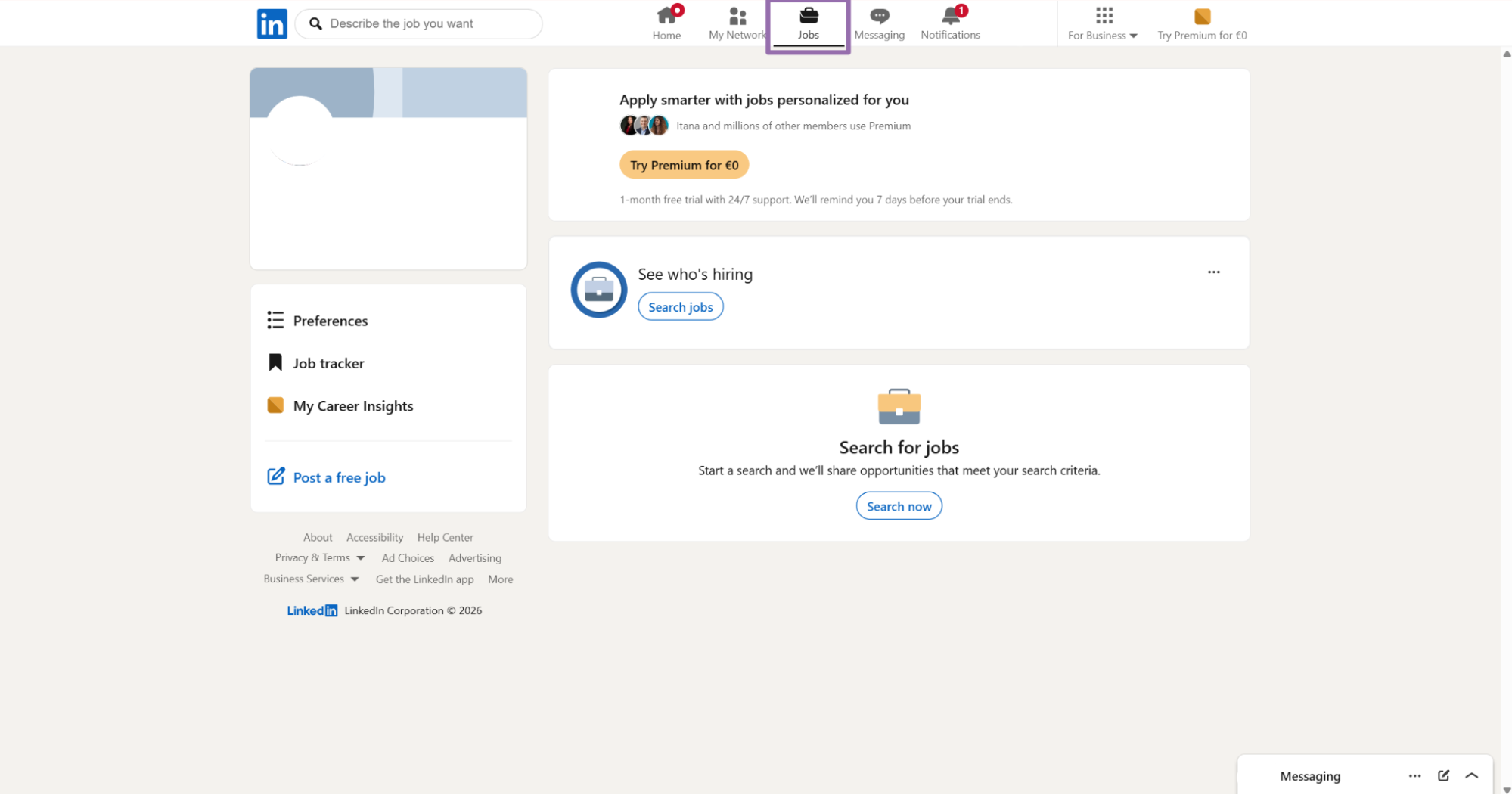
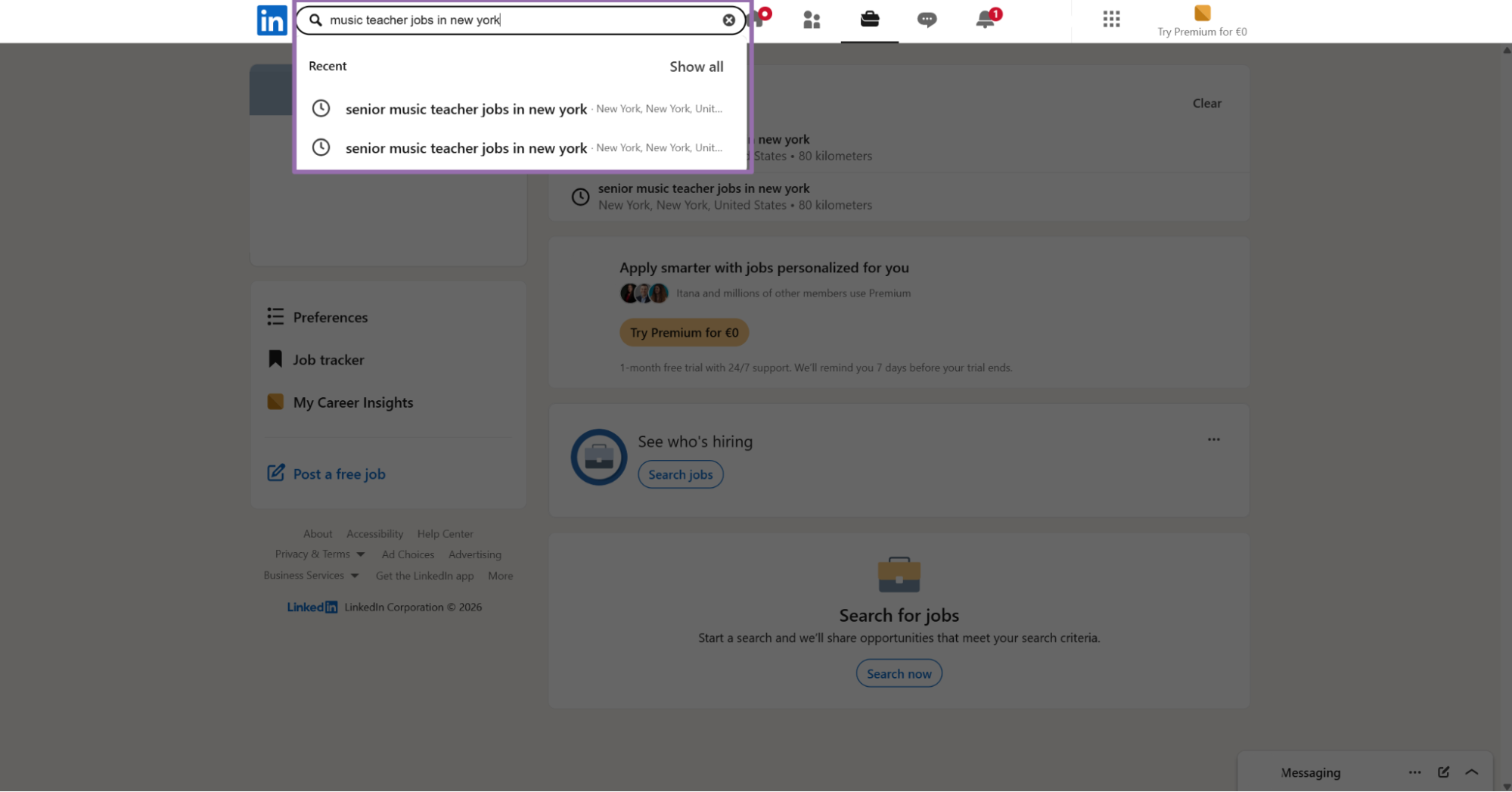
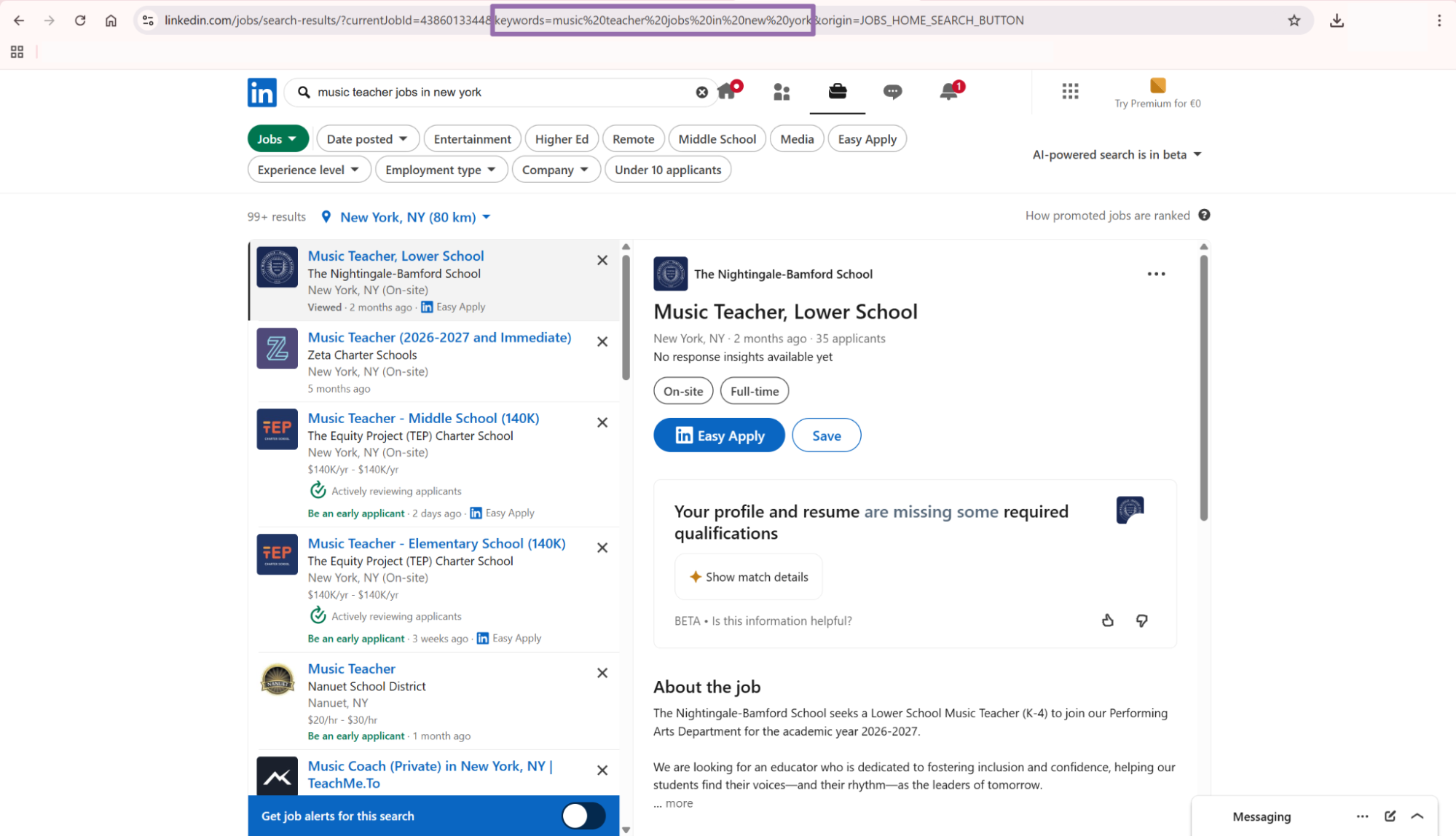
This pattern also works well for QA. If a keyword input returns unexpected results, copy the equivalent LinkedIn URL and run the URL scraper against that state.
Search URLs help during handoffs between recruiters and data teams. A recruiter can send the exact search they trust, and your pipeline can process it without rebuilding filters.
Keep copied search URLs in raw storage. They give you a record of the filter state that produced each batch.
Use URL search when your QA team cares about exact filter parity with LinkedIn. Use keyword search when your application owns the filter configuration.
API response sample
Here is a trimmed response from the LinkedIn Jobs Extract by URL scraper.
[
  {
    "inputs": {
      "url": "https://www.linkedin.com/jobs/view/4387478109"
    },
    "scrape_status": "success",
    "url": "https://www.linkedin.com/jobs/view/4387478109?_l=en",
    "job_posting_id": "4387478109",
    "job_title": "Video Editor",
    "company_name": "Universal Music Group",
    "company_id": "3007",
    "job_location": "Philadelphia, PA",
    "job_summary": "We are UMG, the Universal Music Group. We are the world's leading music company. We own and operate businesses in recorded music, music publishing, merchandising, and audiovisual content in more than 60 countries. Famehouse, a division of UMG, supports direct-to-consumer commerce for labels, artists, and third-party clients. The Video Editor creates video content across e-commerce, marketing, social, and live-stream formats. The role sits within the Post Production team and reports to the Post Production Supervisor. The editor works with Creative Directors, Producers, Motion Designers, and Post Production leadership. Responsibilities include editing campaign assets, assembling rough cuts, refining pacing, and delivering final edits for multiple platforms. The role requires platform-specific knowledge, strong storytelling judgment, and the ability to work within production timelines. (truncated)"
  }
]
What data you get back, field guide
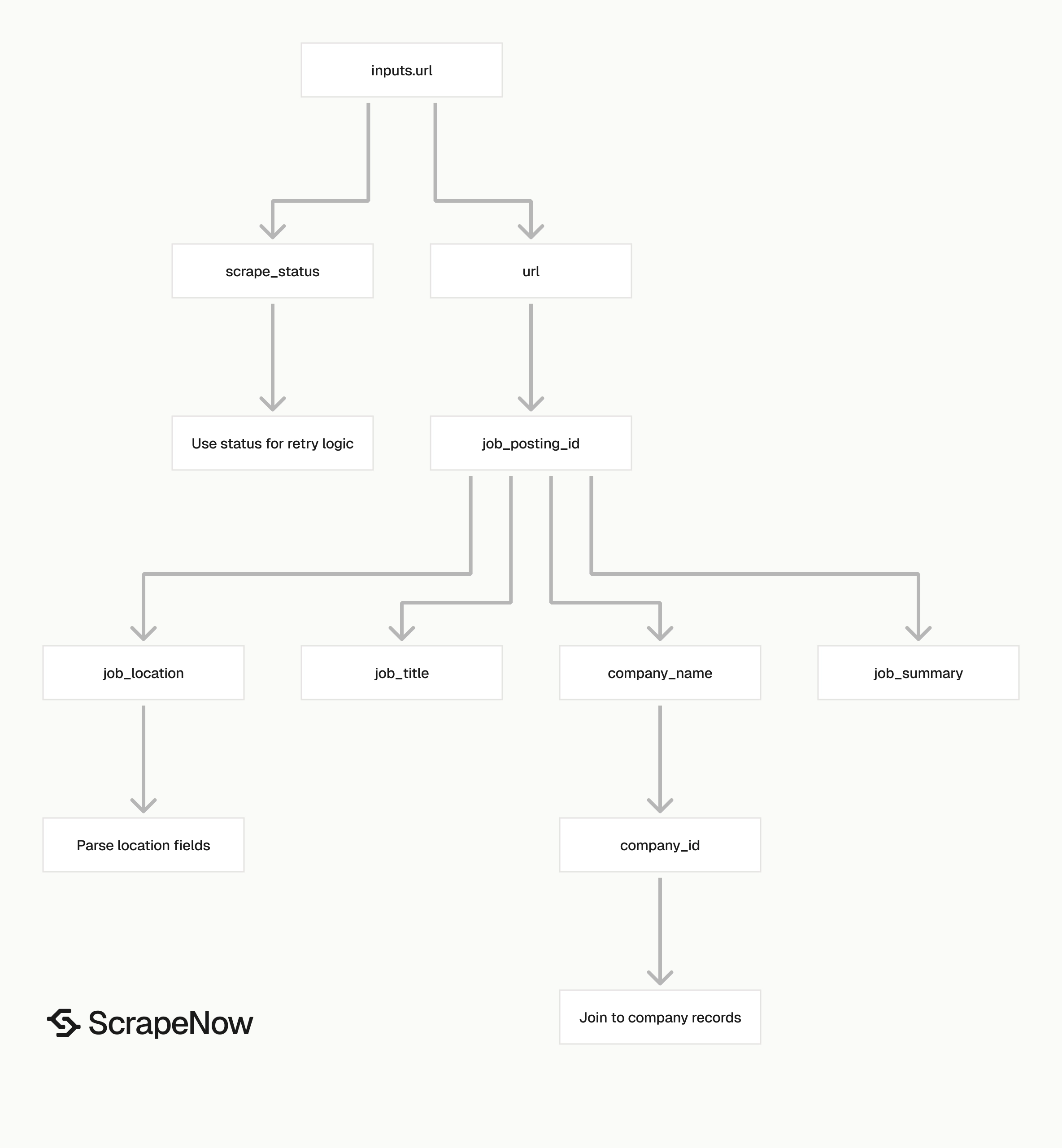
Each result object includes the original input, scrape status, normalized URL, job identifiers, company identifiers, location, and text content.
inputs.url is the job URL you submitted. Store this field with the output so your pipeline can trace each result back to the source request.
scrape_status tells you whether extraction worked for that input. Treat any value other than success as a failed item and send it to a retry queue.
url is the resolved LinkedIn job URL. LinkedIn can append parameters such as _l=en, so use job_posting_id for stable deduplication.
job_posting_id is the LinkedIn job ID. For https://www.linkedin.com/jobs/view/4387478109, the ID is 4387478109.
job_title is the title shown on the job post. This field is the first value most teams index for search, alerts, and matching logic.
company_name is the hiring company name on the job page. If you need company-level records, Extract LinkedIn company data returns structured company data from LinkedIn company pages.
company_id is the LinkedIn company identifier when available. Use it to join multiple jobs from the same company without relying on company name text.
job_location is the location text from the posting. Keep it as raw text in your first table, then parse it into city, region, and country.
job_summary is the full description text. Expect long values here, often 2,000 to 8,000 characters depending on the job post.
For analytics, keep both the raw job_location and parsed location fields. Raw text preserves LinkedIn's source value, while parsed fields support grouping by metro, state, country, or region.
For search, index job_title, company_name, job_location, and job_summary. Keep job_posting_id as the document ID so updates replace existing records.
For account intelligence, join jobs to companies on company_id when LinkedIn returns it. Fall back to normalized company names only when the company ID is missing.
For compliance and QA, store the full response payload. A raw payload gives your team evidence when a job disappears or LinkedIn changes visible fields.
Store scraped_at beside every result. LinkedIn job pages change, and a timestamp tells you which version your downstream users saw.
Ready to get this data? Pull structured LinkedIn job listings.
Production tips, validation, deduplication, schema, and errors
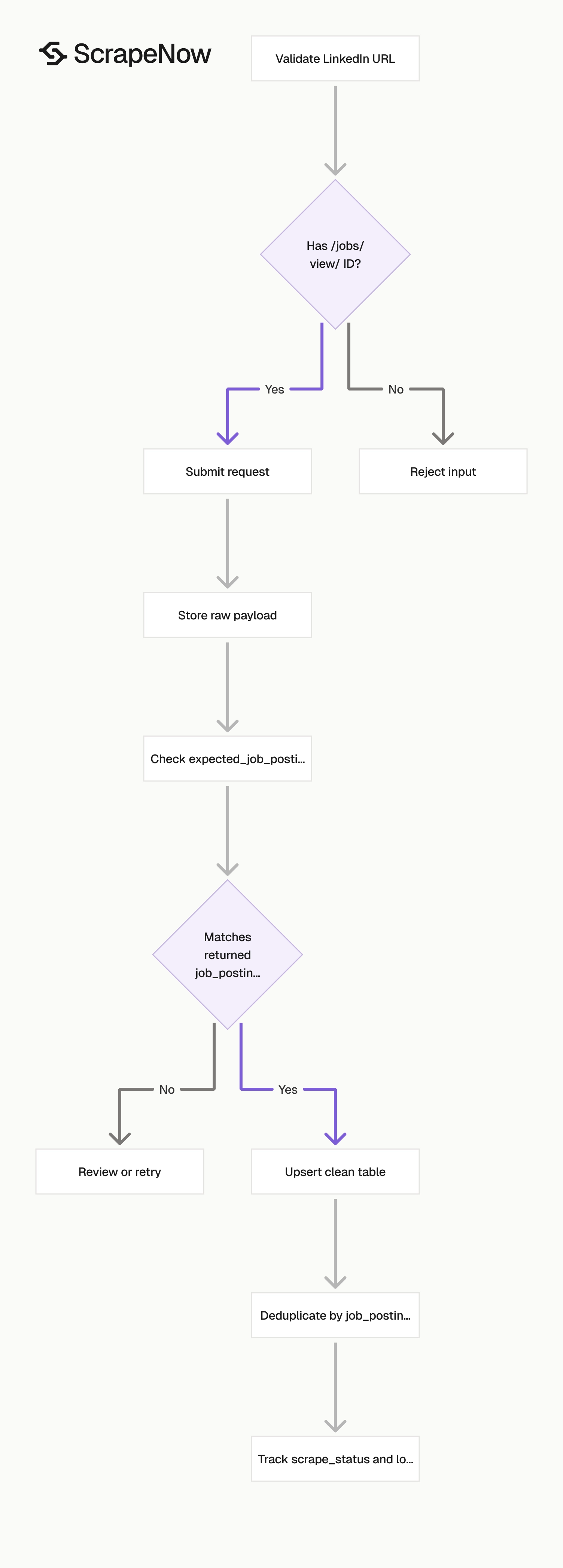
Validate before sending requests and after receiving results. Load raw data before applying business rules so you have replay support when your schema changes.
Validate LinkedIn job URLs before submission
Reject non-LinkedIn URLs before you spend credits. Also reject LinkedIn company pages, profile pages, feed URLs, and search URLs when using Extract by URL.
from urllib.parse import urlparse
import re

JOB_ID_PATTERN = re.compile(r"/jobs/view/(\d+)")

def extract_linkedin_job_id(url: str) -> str | None:
    parsed = urlparse(url)

    if parsed.netloc not in {"www.linkedin.com", "linkedin.com"}:
        return None

    match = JOB_ID_PATTERN.search(parsed.path)
    if not match:
        return None

    return match.group(1)


urls = [
    "https://www.linkedin.com/jobs/view/4387478109",
    "https://example.com/jobs/view/123",
    "https://www.linkedin.com/company/universal-music-group"
]

valid_inputs = []
for url in urls:
    job_id = extract_linkedin_job_id(url)
    if job_id:
        valid_inputs.append({"url": url, "expected_job_posting_id": job_id})

print(valid_inputs)
Expected output:
[
  {
    "url": "https://www.linkedin.com/jobs/view/4387478109",
    "expected_job_posting_id": "4387478109"
  }
]
The expected_job_posting_id field is optional. It gives your validation step a second check after extraction.
Compare expected_job_posting_id with the returned job_posting_id. If they differ, send the record to review before loading it into your clean table.
This check catches redirects, copied search URLs, and malformed inputs. It also catches rows where a user pasted a company URL into a job extraction queue.
Run this validation before batching inputs. There is no reason to send a URL that fails a local path check.
Normalize the host before validation if your source system stores uppercase domains. Keep the original URL separately for audits.
Deduplicate on job_posting_id
Use job_posting_id as the primary key. Job titles change, company names vary, and URLs include tracking parameters.
def dedupe_jobs(rows: list[dict]) -> list[dict]:
    seen = set()
    clean = []

    for row in rows:
        job_id = row.get("job_posting_id")
        if not job_id:
            continue

        if job_id in seen:
            continue

        seen.add(job_id)
        clean.append(row)

    return clean
For search scrapers, deduplication matters more. The same job can appear across multiple keyword, company, location, and radius combinations.
Deduplicate after every batch before writing to your clean table. Use job_posting_id as the conflict key and keep both first_seen_at and last_seen_at timestamps.
Store raw output and normalized output
Keep two tables.
| Table | Purpose | Example fields |
|---|---|---|
linkedin_jobs_raw |
Preserve the API response | input_url, scrape_status, payload_json, scraped_at |
linkedin_jobs |
Query clean records | job_posting_id, job_title, company_id, company_name, job_location, job_summary |
Raw storage protects you when LinkedIn changes a page field or your parser needs a fix. Clean storage gives your app stable columns.
A minimal SQL schema looks like this:
CREATE TABLE linkedin_jobs (
  job_posting_id TEXT PRIMARY KEY,
  job_title TEXT,
  company_id TEXT,
  company_name TEXT,
  job_location TEXT,
  job_summary TEXT,
  source_url TEXT,
  scrape_status TEXT,
  scraped_at TIMESTAMP DEFAULT CURRENT_TIMESTAMP
);
For raw storage, use a JSON column if your database supports it. PostgreSQL teams usually store the payload in JSONB and index job_posting_id separately.
CREATE TABLE linkedin_jobs_raw (
  id BIGSERIAL PRIMARY KEY,
  input_url TEXT,
  scrape_status TEXT,
  payload_json JSONB,
  scraped_at TIMESTAMP DEFAULT CURRENT_TIMESTAMP
);
Keep raw records even when extraction fails. Use raw storage as your replay source when a new field becomes useful.
Retry failed inputs with a cap
Cap retries at 2 attempts per URL. Store attempt_count per input and record the final failure reason after the last attempt so your team can separate invalid URLs from temporary extraction failures.
Truncate summaries only after storage
Store the full job_summary first. Truncate later for previews, dashboards, embeddings, or search snippets. Job summaries can run several thousand characters, so use a text column designed for long values and keep everything in UTF-8.
Track scrape status separately from pipeline status
scrape_status tells you what happened during extraction. Your pipeline status tells you what happened after the API returned data. Keep those states separate because a row can have scrape_status = success and still fail your database load due to a schema error.
| Field | Example values | Meaning |
|---|---|---|
scrape_status |
success, failed |
Extraction result from the scraper |
load_status |
pending, loaded, rejected |
Result of your database write |
attempt_count |
0, 1, 2 |
Number of retry attempts |
last_error |
missing job_posting_id |
Last pipeline error message |
Schedule refreshes by job age
Refresh recent jobs more often than older ones. A practical schedule is daily for jobs posted in the last 7 days, weekly after that, and no refresh after your retention window ends. Track first_seen_at, last_seen_at, and last_scraped_at separately since those fields answer different questions during reporting.
Normalize locations after ingestion
Store the original job_location string first, then parse it into normalized fields in a separate job. LinkedIn location strings vary by market (Philadelphia, PA, Greater London, Remote, Berlin, Germany).
| Field | Example |
|---|---|
job_location_raw |
Philadelphia, PA |
city |
Philadelphia |
region |
PA |
country |
US |
work_location_type |
On-site |
Keep both raw and normalized location fields. Raw values support audits, while normalized fields support grouping and joins.
Common workflows
Recruiting operations
Recruiting operations teams use this scraper to monitor competitor hiring, track role growth, and build reports for talent planning.
A common workflow starts with keyword searches for target roles. The pipeline extracts each job, deduplicates by job_posting_id, and groups records by company, location, and posting age.
For alerts, index job_title and company_name. Send a notification when a watched company posts a matching role in a target market.
Add date_posted filters when you want daily hiring alerts. A Past 24 hours search keeps the alert queue small and reduces duplicate review.
For weekly reports, group by company and normalized function. A talent team can see which competitors are hiring sales, engineering, support, or marketing roles.
Keep alert thresholds explicit. For example, notify recruiters when a competitor posts three engineering roles in the same metro within 7 days.
Sales and account intelligence
Sales teams use LinkedIn job posts as account signals. Hiring for implementation, migration, security, data, or revenue roles often maps to active budget.
A typical account workflow starts with a company list. Your system searches jobs for each company, extracts matching posts, and adds the result to the account record.
Use company_id when available. Company names change, abbreviations vary, and subsidiaries can share similar names.
Map job titles to buying signals with a controlled ruleset. For example, Salesforce Administrator, RevOps Manager, and CRM Migration Lead belong to different signal categories.
Store the matched rule beside the job record. Sales teams trust a signal more when they can see why the system flagged it.
Add the source job URL to the CRM note or account timeline. A rep can open the posting and read the signal without asking data engineering.
Data engineering
Data teams use the scraper to load job records into warehouses, search indexes, and internal datasets.
The safest pipeline writes raw results first, validates required fields, then upserts clean records. That gives you replay support when schema rules change.
Required fields usually include job_posting_id, job_title, company_name, job_location, source_url, and scrape_status. Treat missing job_posting_id as a rejection for the clean table.
Add data quality checks after every batch. At minimum, count total inputs, successful extractions, failed extractions, missing IDs, duplicate IDs, and loaded rows.
Publish those counts with the batch ID. When a downstream dashboard looks wrong, those numbers show where the loss happened.
Track cost beside batch size. ScrapeNow charges per returned row, so a 25,000-row successful extraction maps directly to 25,000 credits.
Pricing
ScrapeNow charges per returned row. One row costs one credit, starting at $0.04 per credit for small runs and dropping with volume. No monthly contracts, no proxy fees, no charges for failed rows. See the pricing page for current rates.
Next step
Start with Pull structured LinkedIn job listings if you already have job URLs. Submit one LinkedIn job URL and verify scrape_status, job_posting_id, company_id, and job_summary.
Use Search LinkedIn jobs by keyword when you need to find jobs first. Store the returned URLs, then extract and deduplicate records by job_posting_id.
For a clean test, run one URL through Pull structured LinkedIn job listings today. Save the JSON response, confirm the primary key, and wire the same request into your batch worker.


