Instagram Reels contain captions, engagement counts, video URLs, thumbnails, and timestamps. The ScrapeNow Reels scraper extracts all of these from a public Instagram profile and returns structured JSON per Reel.
Teams use it to monitor creator output, archive Reels, track engagement changes, and push short-form video records into internal dashboards.
Use this scraper when the input is a profile URL and the output needs every matching Reel from that profile. If you already have one Reel URL, use the single-Reel scraper later in this guide.
How to use this scraper
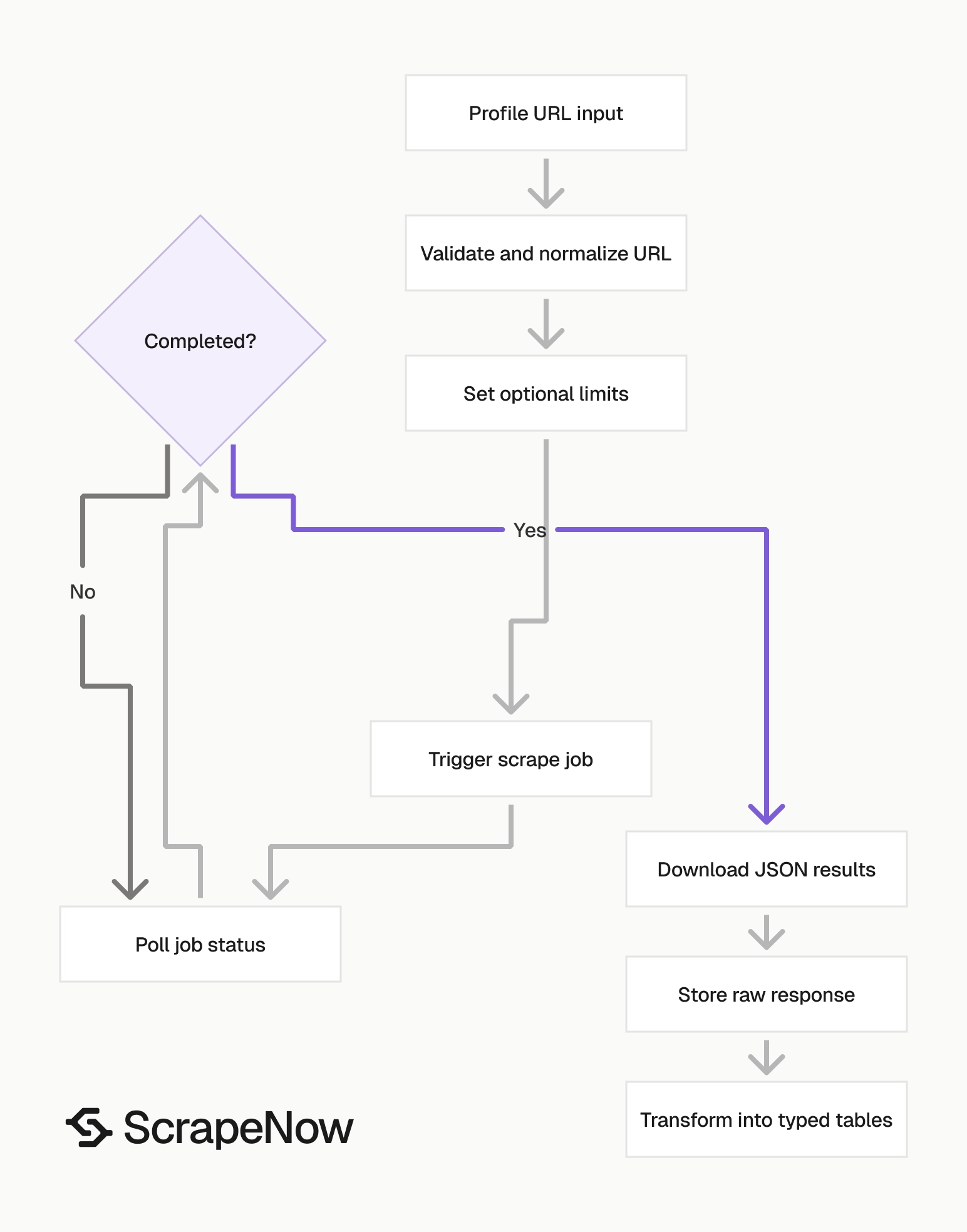
The Pull Instagram Reels data scraper takes an Instagram account URL and returns Reels from that profile. You can filter by date range and cap the returned record count.
If you need feed posts from the same profile, ScrapeNow’s Extract Instagram post data scraper returns post-level data from a post URL. For account metadata, use the Get Instagram profile data scraper.
A production flow usually starts with profile collection, then Reels collection, then daily snapshot storage. The profile scraper gives you account metadata. The Reels scraper gives you content rows.
Keep those jobs separate. Profile metadata changes at a different rate than Reels. Engagement counts change faster than both.
Step 1. Get the Instagram account URL
Input variable:
urlis the Instagram account URL.- It must start with
https://www.instagram.com/.
To get it:
Open
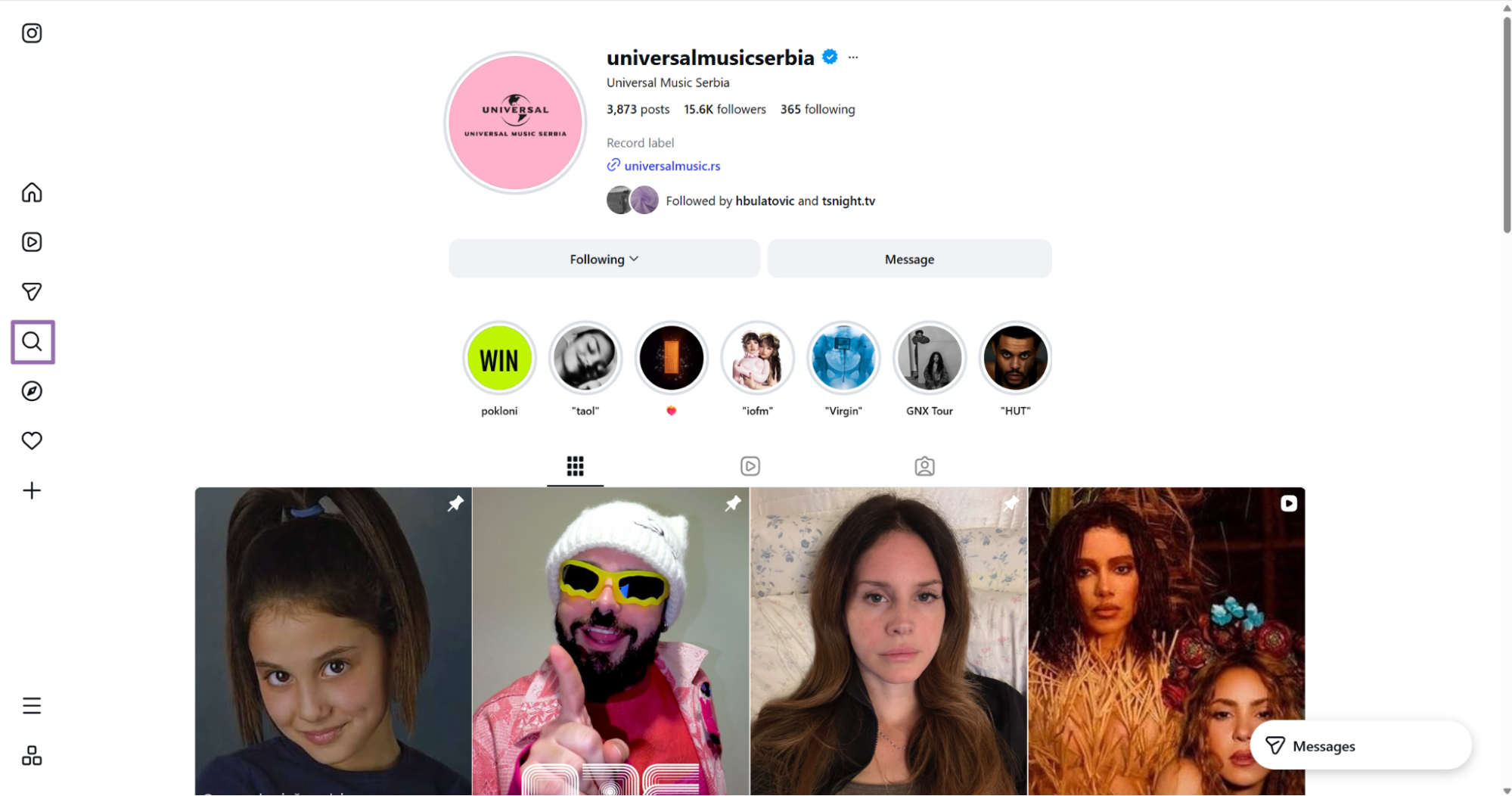
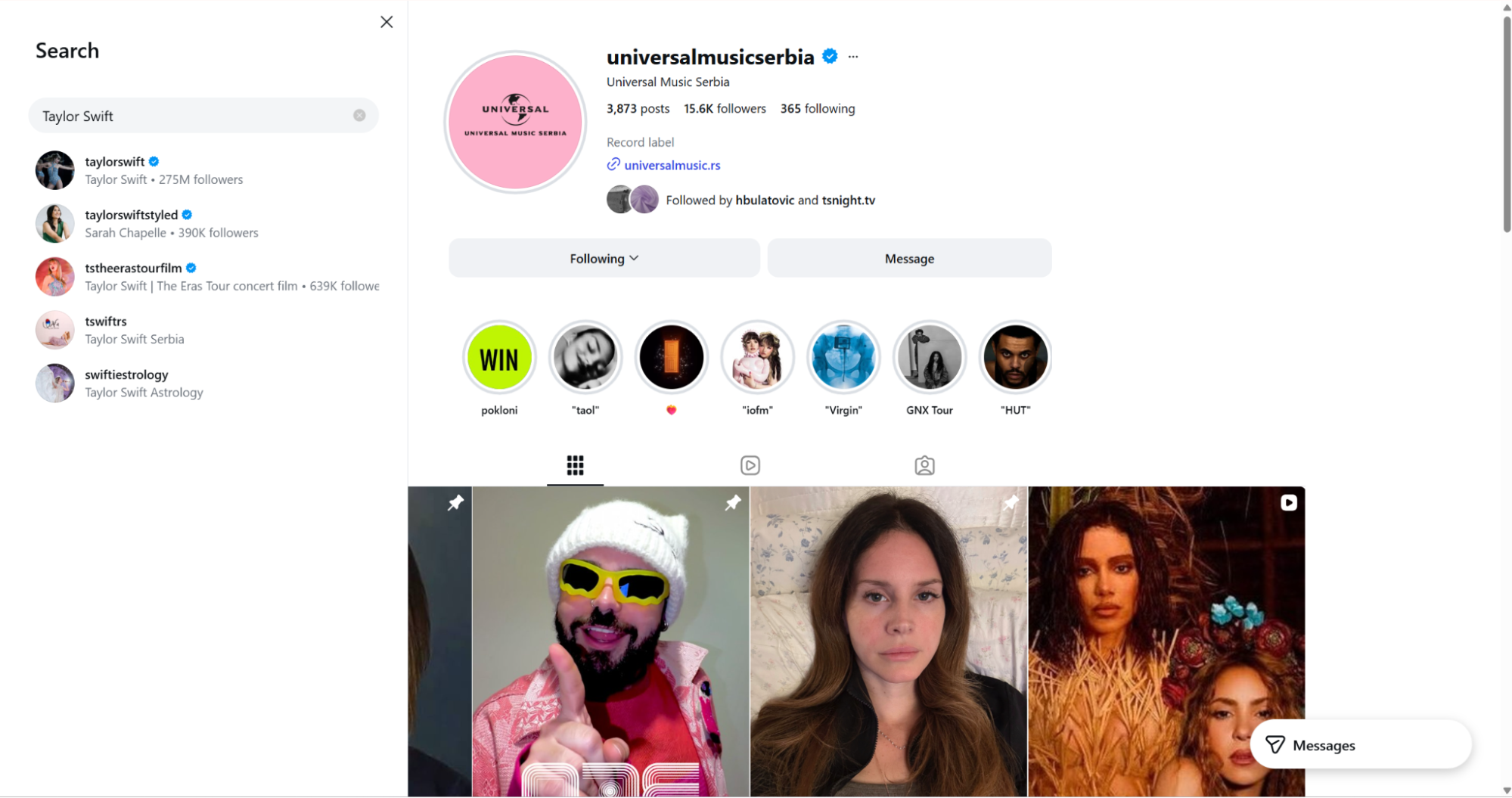
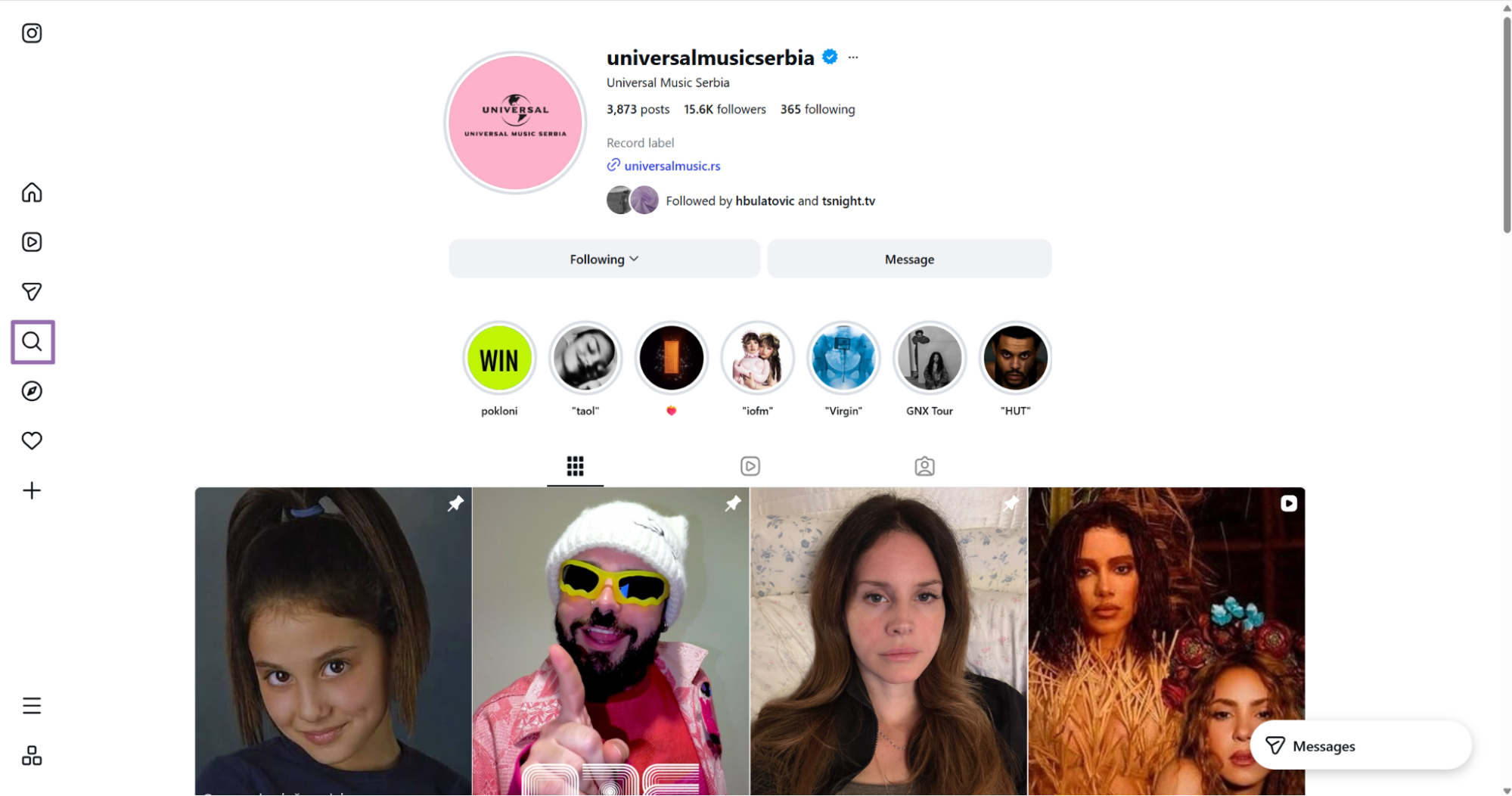
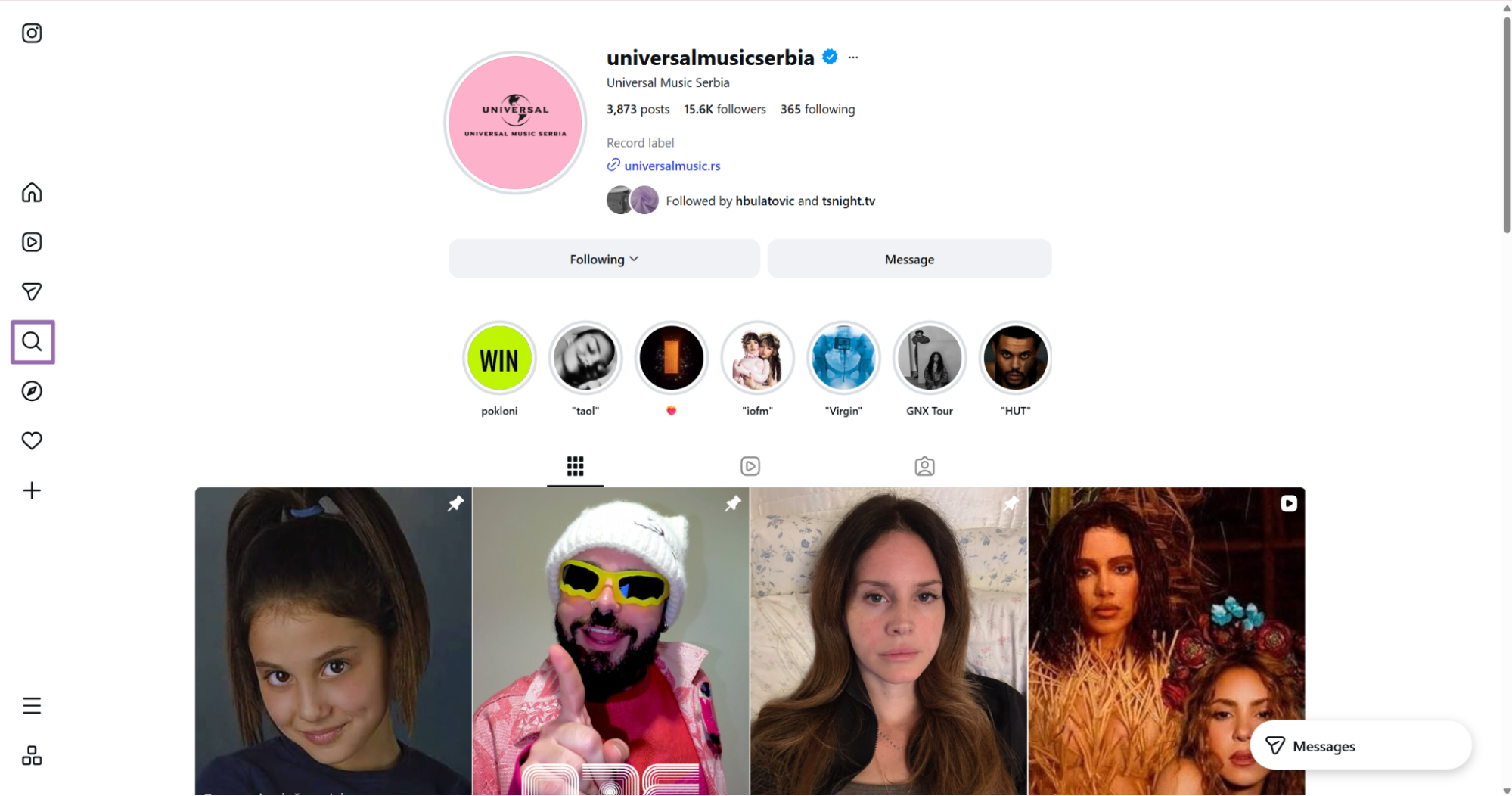
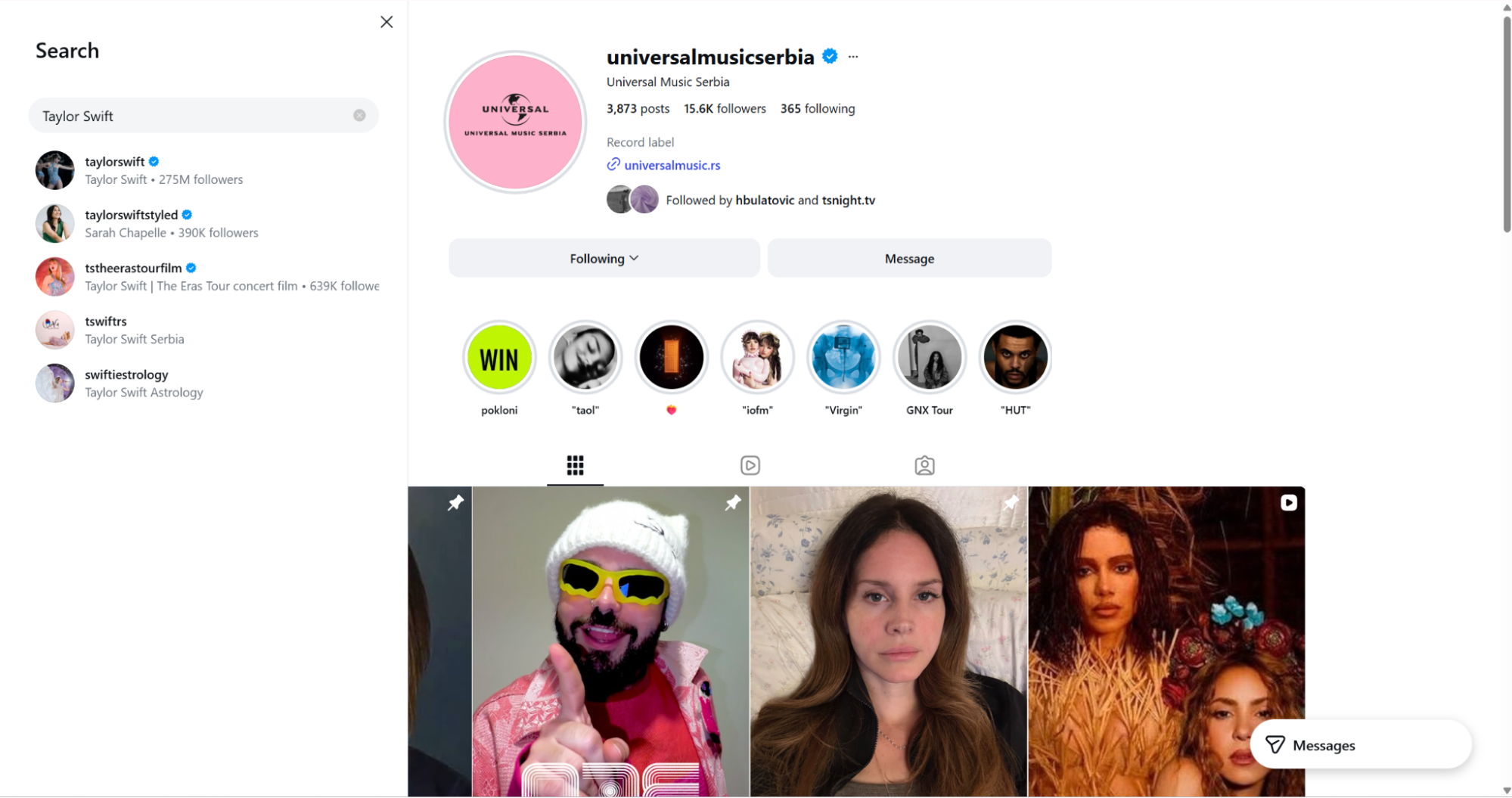
instagram.com.In the page navigation bar, click the search icon.
Search for any account, such as Taylor Swift.
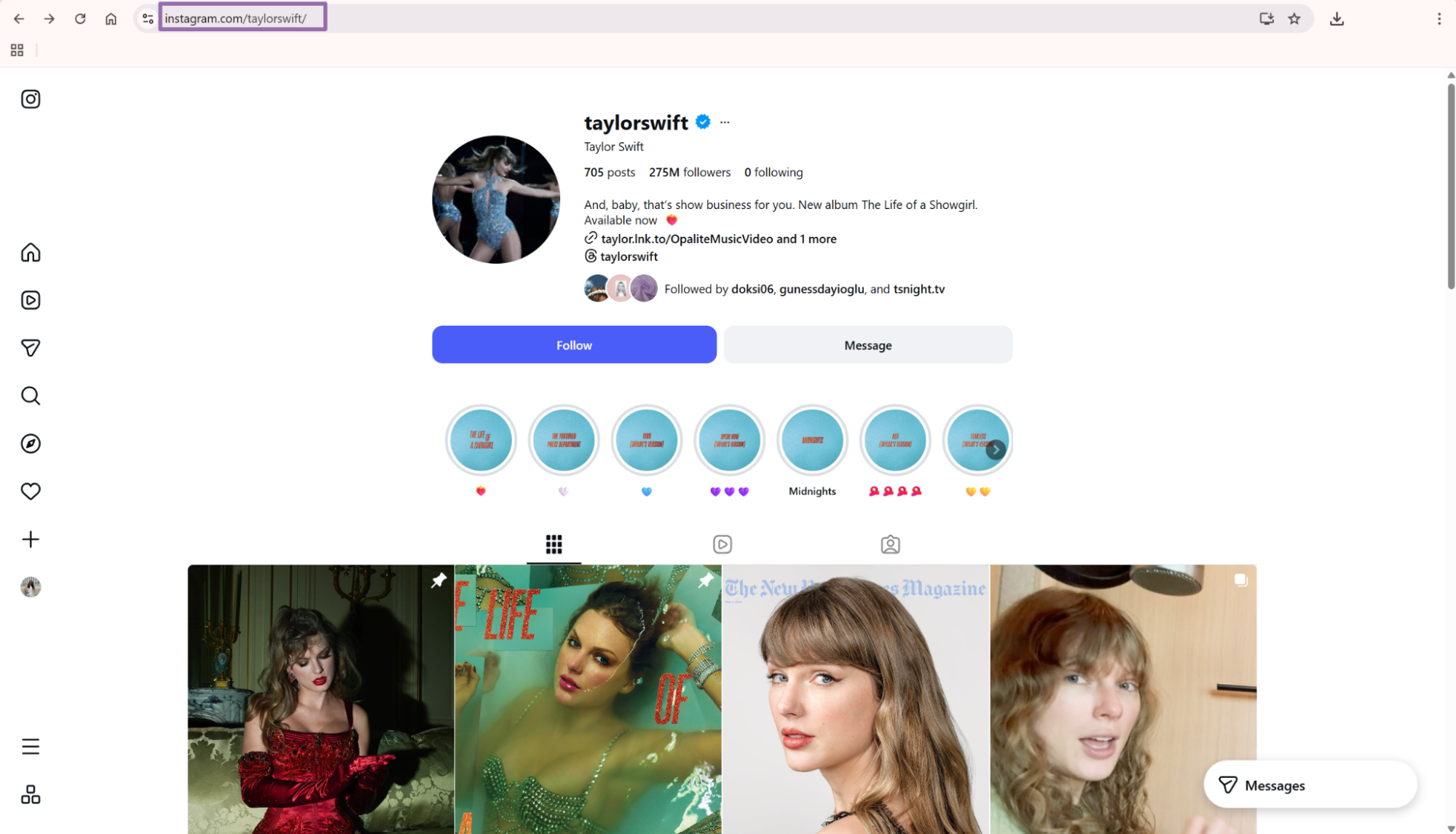
Open the account and copy the URL from the browser bar.
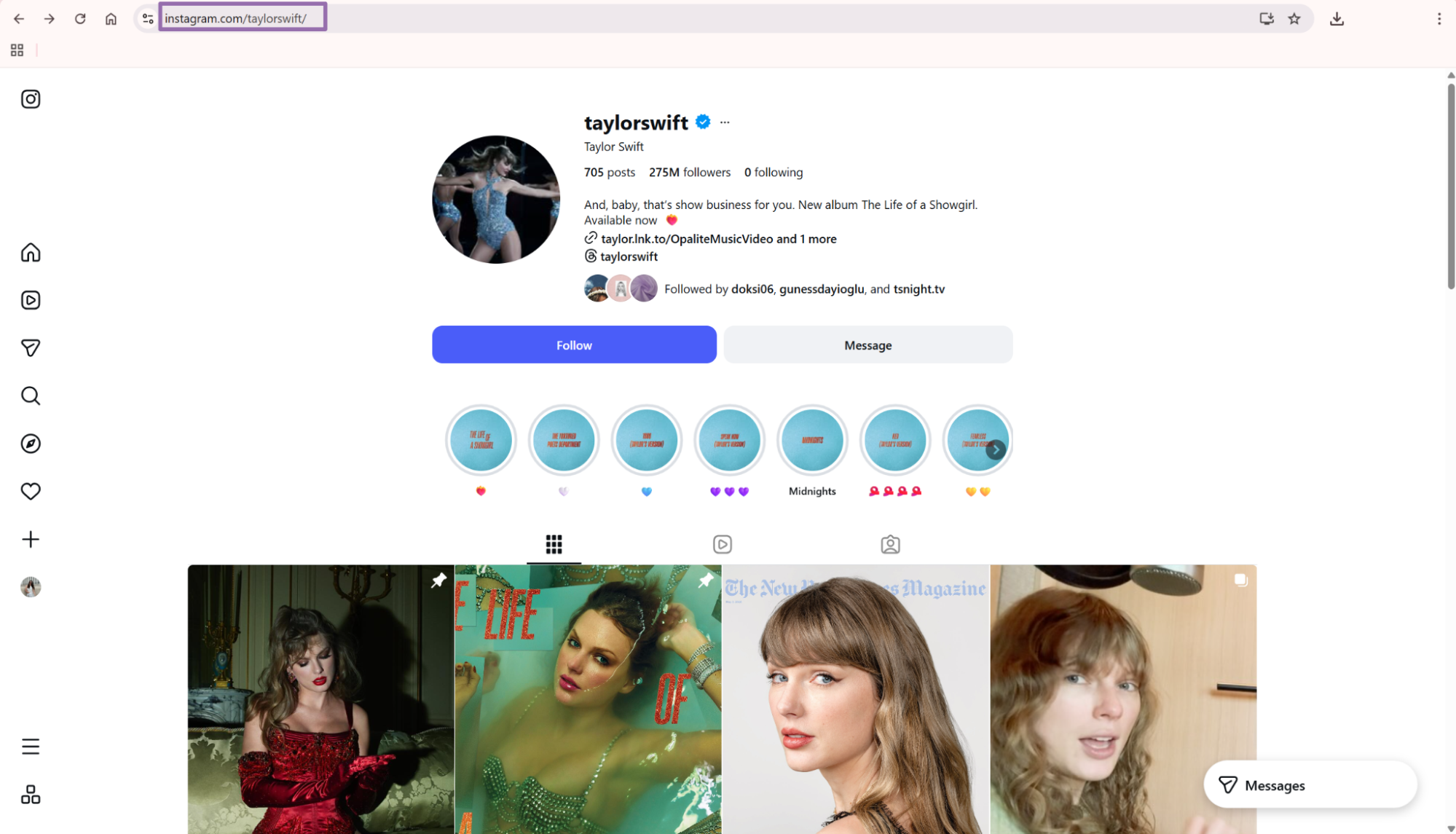
Remove query parameters before you submit the URL. Send https://www.instagram.com/taylorswift, not https://www.instagram.com/taylorswift/?hl=en.
Normalize the same profile the same way every time. That keeps your job logs, raw storage, and dedupe checks readable.
Strip trailing slashes unless your internal URL standard keeps them. The scraper accepts the profile URL either way, but your storage layer should use one format.
Step 2. Set the optional limits
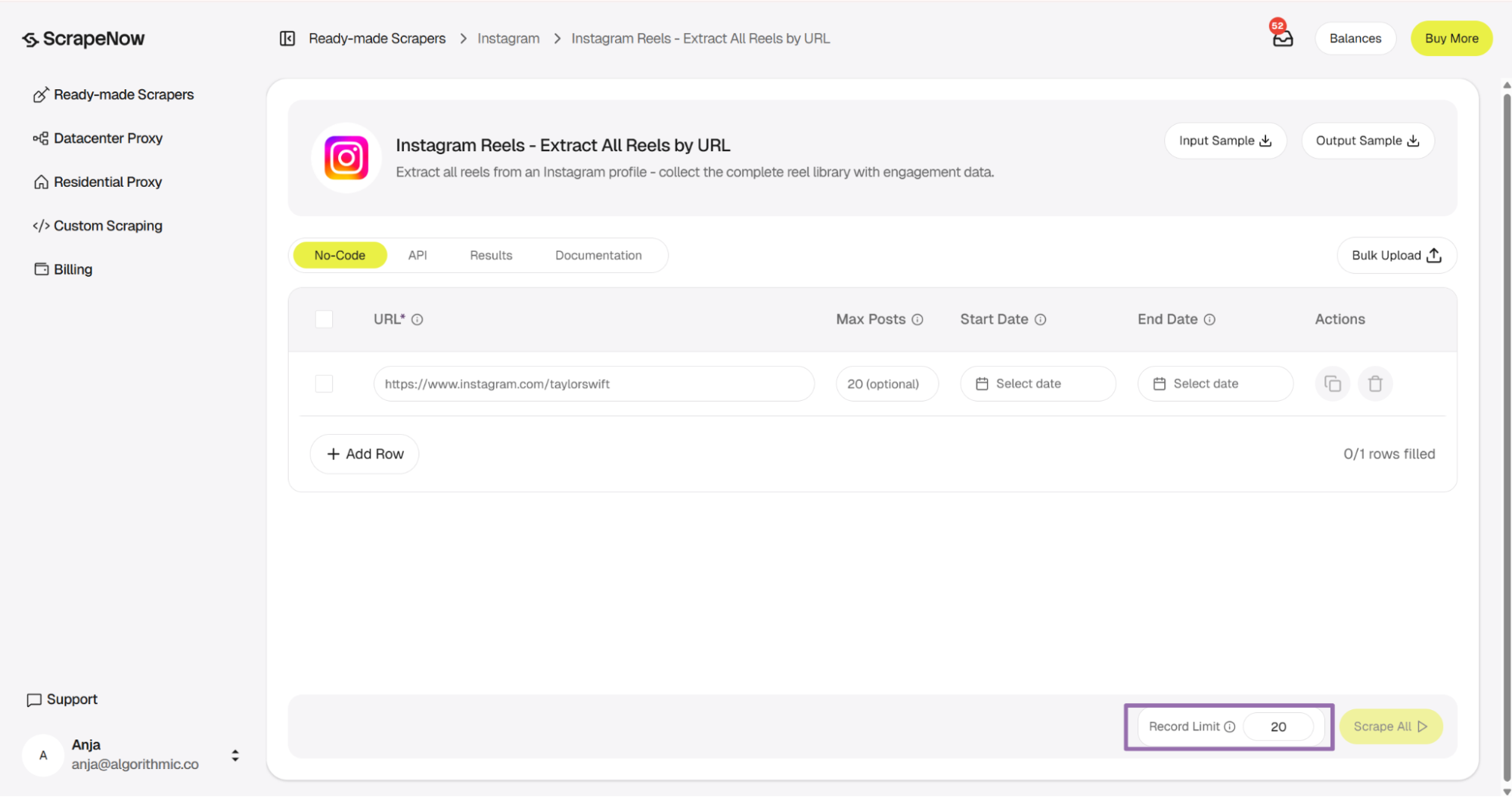
The UI label is max_posts. The API example below uses num_of_posts because that is the scraper schema field.
Optional inputs:
max_postsis the maximum number of Reels to scrape.- The value must be less than or equal to the record limit.
- For API usage, pass the value as an integer.
start_dateis the earliest post date to include.- For API usage, pass dates in
YYYY-MM-DDformat. end_dateis the latest post date to include.- For API usage, pass dates in
YYYY-MM-DDformat.
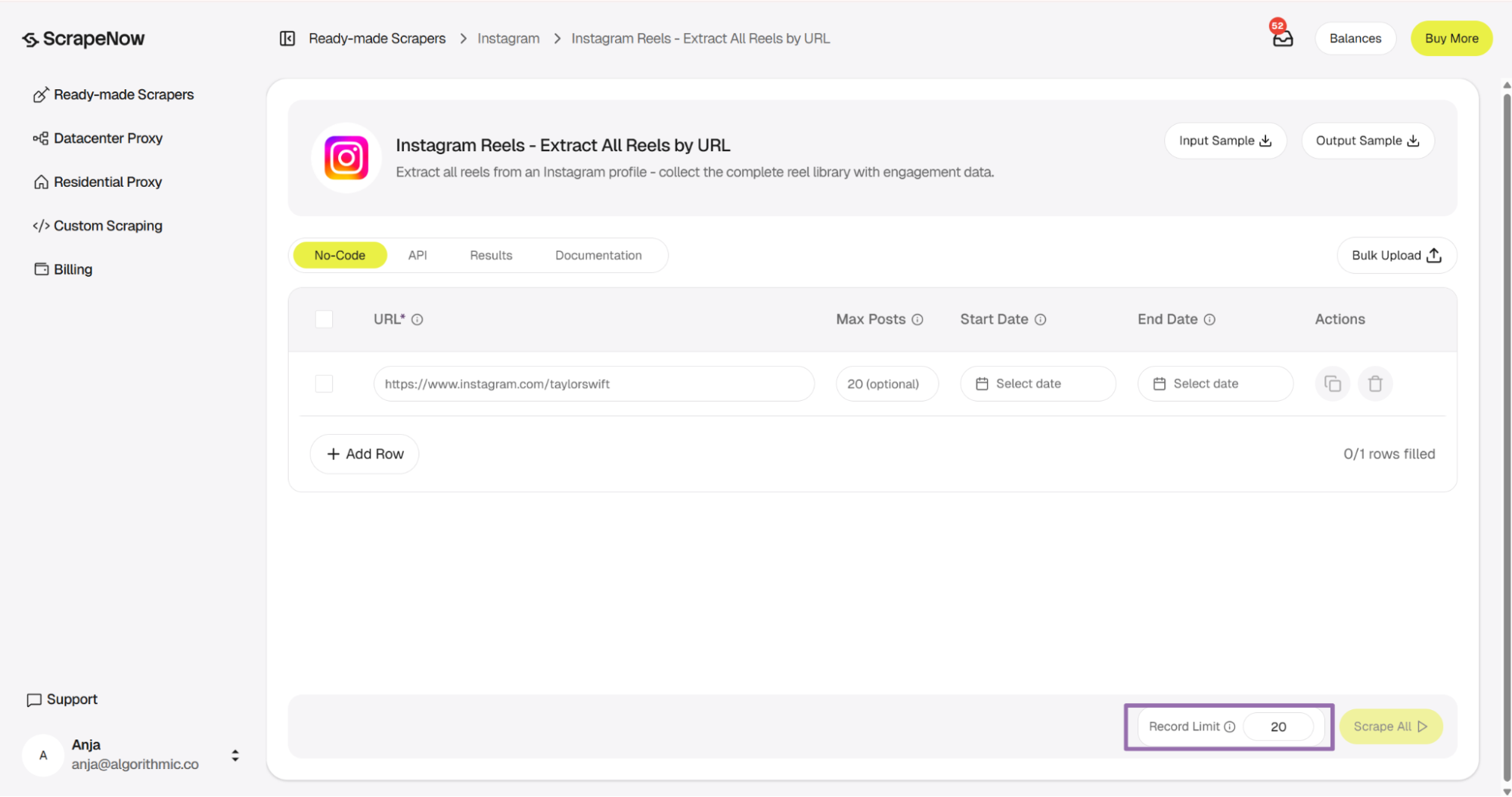
For backfills, keep the date window wider and cap the returned records. For example, collect 50 Reels per profile, then rerun older windows when your archive needs them.
For monitoring jobs, keep num_of_posts low. A daily run with num_of_posts set to 5 catches new Reels for most creator accounts. It also avoids pulling old rows on every run.
Use the same date window logic across every profile in a batch. Mixed windows make retry queues harder to read.
Store the requested limit with the raw result. When a profile returns fewer rows than expected, the stored input tells you whether the limit or the profile caused it.
For campaign launches, use a wider window during the first run. Then switch to a daily window after the baseline is in storage.
Step 3. Run the API job
Use this Python script. Replace YOUR_API_KEY with your ScrapeNow API key.
"""
Configuration:
    - Set SCRAPER_SLUG to the scraper you want to run.
    - Set SCRAPER_INPUTS to the list of input dicts matching that scraper's schema.
    - Set API_KEY to your scraper API key.
"""

import json
import sys
import time
from pathlib import Path

import requests

API_KEY = "YOUR_API_KEY"

SCRAPER_SLUG = "instagram-reels-extract-all-reels-by-url"

SCRAPER_INPUTS = [
    {
        "url": "https://www.instagram.com/taylorswift",
        "num_of_posts": 1,
        "start_date": "2025-01-17",
        "end_date": "2025-10-17"
    }
]


BASE_URL = "https://api.scrapenow.io/api/v1/scraping"
TIMEOUT_SECONDS = 3600
POLL_INTERVAL = 5
SPINNER = "|/-\\"


def build_headers(api_key: str, content_type: str | None = None) -> dict:
    headers = {"Authorization": f"Bearer {api_key}"}
    if content_type:
        headers["Content-Type"] = content_type
    return headers


def trigger_scrape(slug: str, inputs: list[dict]) -> str:
    url = f"{BASE_URL}/scrape?scraper={slug}"
    response = requests.post(
        url,
        headers=build_headers(API_KEY, "application/json"),
        json={"inputs": inputs},
    )
    response.raise_for_status()
    return response.json()["data"]["job_id"]


def poll_until_done(job_id: str) -> str:
    start = time.time()
    i = 0
    while True:
        elapsed = time.time() - start
        if elapsed > TIMEOUT_SECONDS:
            print(f"\nTimeout after {TIMEOUT_SECONDS}s")
            sys.exit(1)
        response = requests.get(
            f"{BASE_URL}/jobs/{job_id}",
            headers=build_headers(API_KEY),
        )
        response.raise_for_status()
        data = response.json()
        status = data["data"]["status"]
        mins, secs = divmod(int(elapsed), 60)
        sys.stdout.write(
            f"\r[{SPINNER[i % 4]}] Waiting... {status} ({mins}m {secs:02d}s)  "
        )
        sys.stdout.flush()
        if status in ("completed", "failed"):
            print()
            return status
        time.sleep(POLL_INTERVAL)
        i += 1


def fetch_results(job_id: str) -> dict:
    response = requests.get(
        f"{BASE_URL}/jobs/{job_id}/results?format=json",
        headers=build_headers(API_KEY),
    )
    response.raise_for_status()
    return response.json()


def save_results(data: dict, slug: str) -> str:
    os.makedirs("output", exist_ok=True)
    filename = os.path.join("output", f"{slug}.json")
    with open(filename, "w", encoding="utf-8") as f:
        json.dump(data, f, indent=2, ensure_ascii=False)
    return filename


def main() -> None:
    print(f"Triggering scraper: {SCRAPER_SLUG}")
    job_id = trigger_scrape(SCRAPER_SLUG, SCRAPER_INPUTS)
    print(f"Job started: {job_id}")
    final_status = poll_until_done(job_id)
    if final_status != "completed":
        print(f"Job failed with status: {final_status}")
        sys.exit(1)
    print("Fetching results...")
    results = fetch_results(job_id)
    output_file = save_results(results, SCRAPER_SLUG)
    print(f"Results saved to: {output_file}")


if __name__ == "__main__":
    main()
The same API pattern works for the other scrapers in this group. Use Pull Instagram Reels data for one Reel URL. Use Pull Instagram Reels data for account-based Reels search.
Change the scraper slug and input values in the code for each scraper. Keep the polling, result download, and file-writing code the same.
This script starts a scrape job, polls every 5 seconds, waits up to 3600 seconds, then writes the output to a JSON file. One input is shown. SCRAPER_INPUTS accepts a list of input dictionaries for multiple profile URLs.
Keep your first API run small. One profile URL with num_of_posts set to 1 confirms authentication, schema, polling, and result download in one pass.
Add request timeouts to production scripts. A network stall should fail the request and enter your retry path. It should not block the worker indefinitely.
Use a separate timeout for job polling and HTTP requests. The example uses 60 seconds for HTTP calls and 3600 seconds for the full job.
Step 4. Extract one Reel by URL when you already have the link
Use the single-Reel scraper when your pipeline already stores Reel URLs. The input is url, and it must start with https://www.instagram.com/.
To get the link:
Open
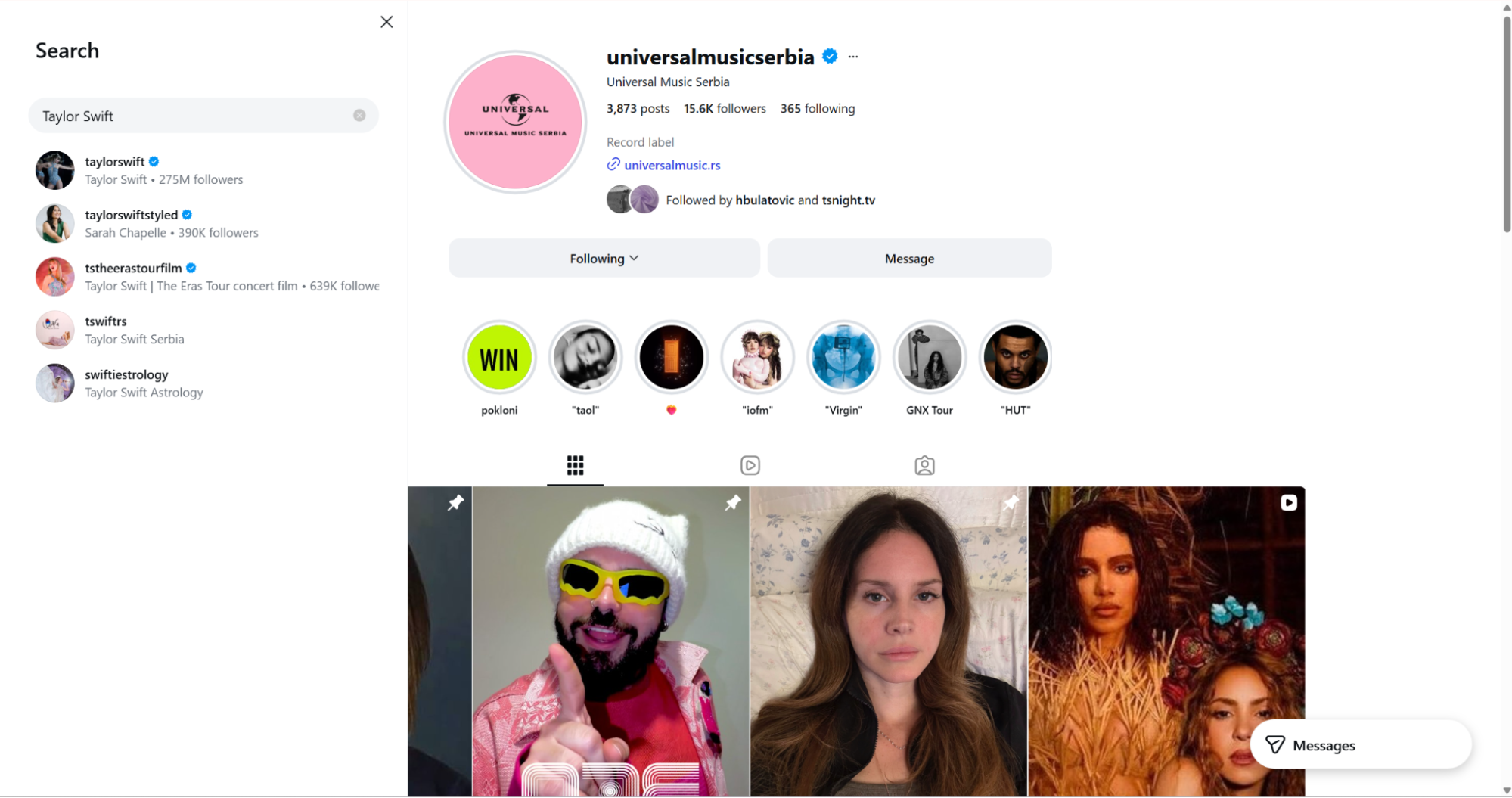
instagram.com.In the page navigation bar, click the search icon.
Search for any account, such as Taylor Swift.
Open the desired account and choose a Reel to scrape.
Click the Reels icon.
Choose and click the desired Reel.
Copy the URL from the browser bar.
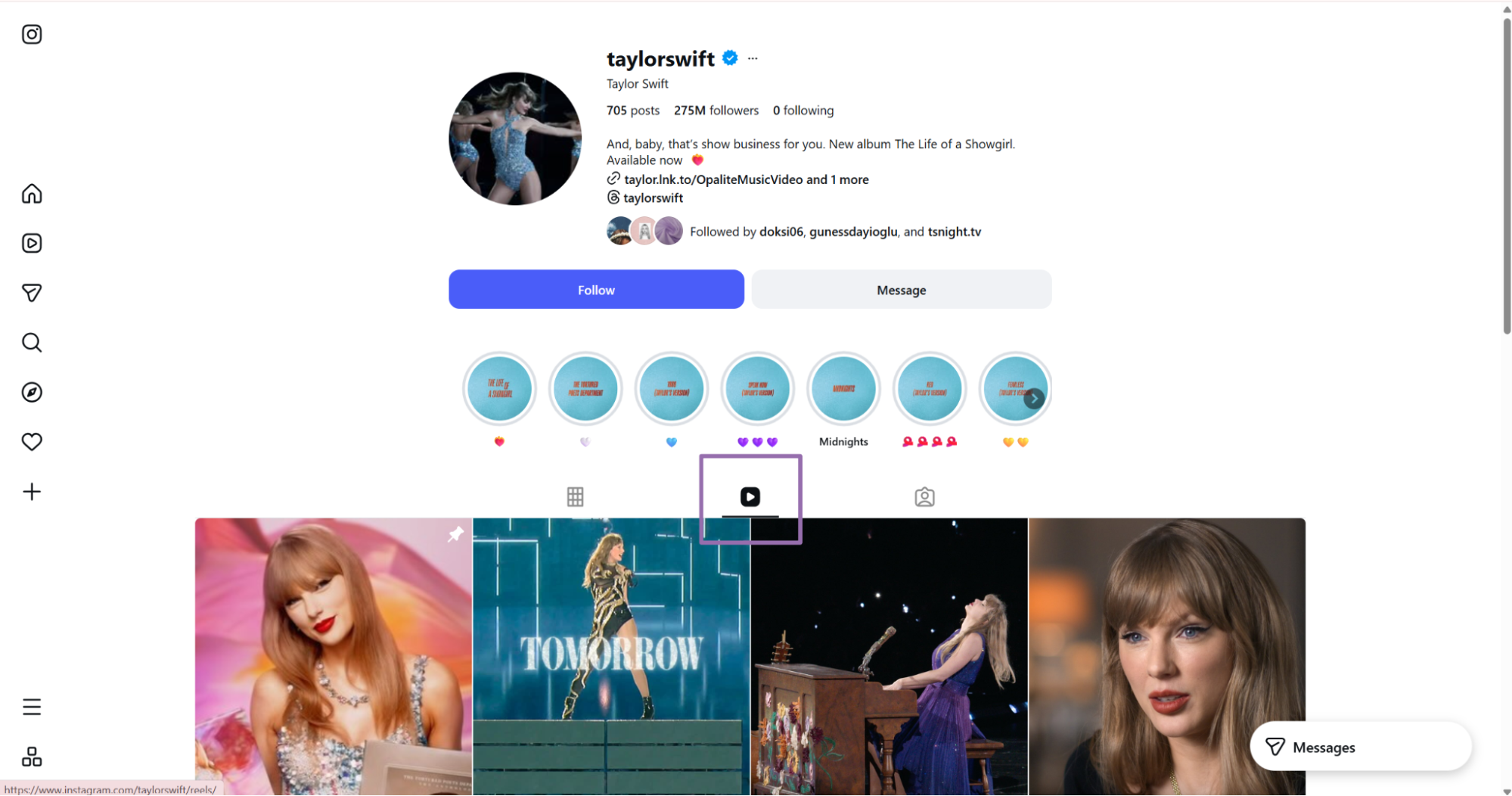
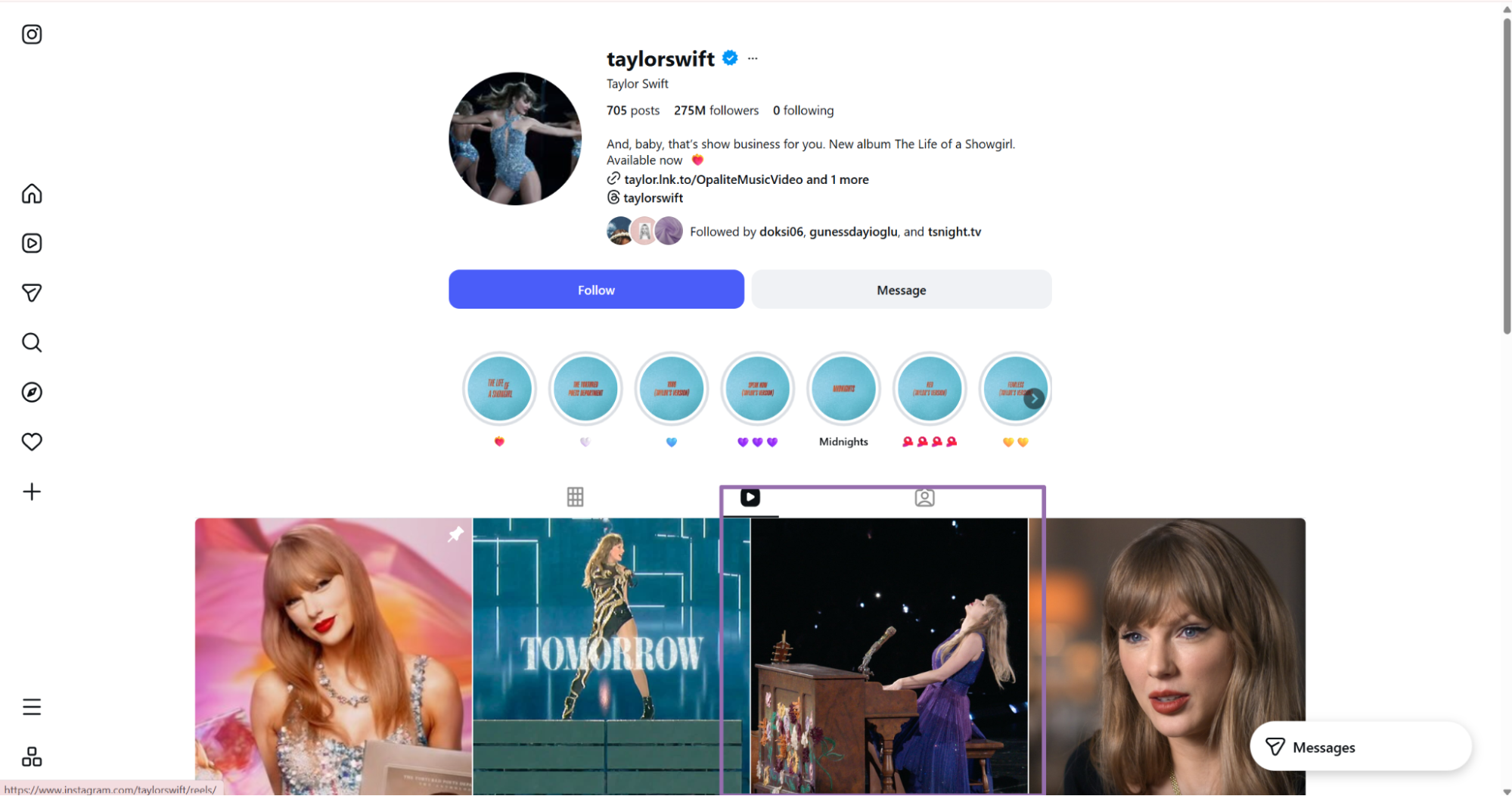
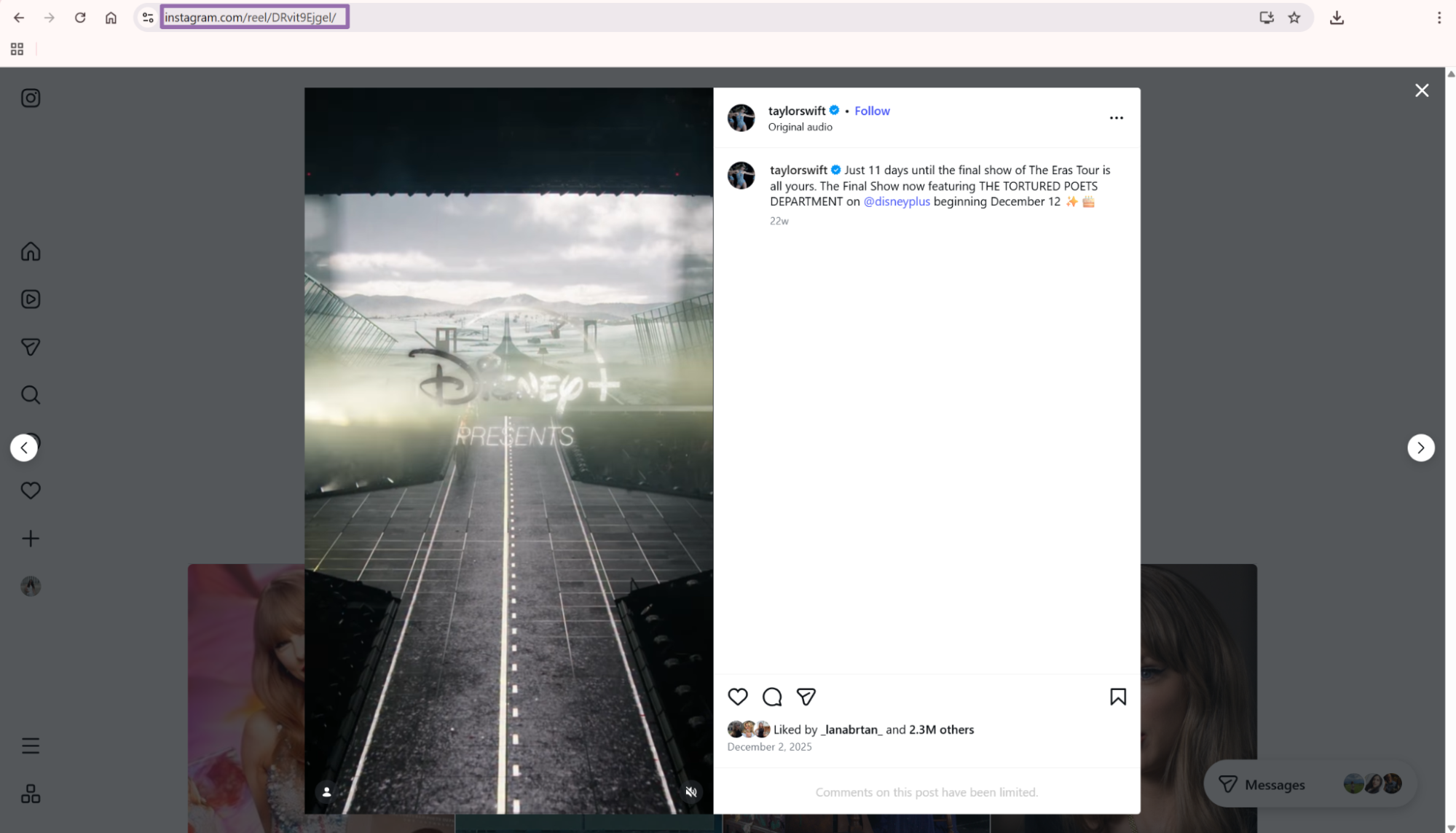
Single-Reel extraction also helps with retries. If one Reel fails during a profile run, retry that Reel directly. That avoids rerunning the full profile window.
Use the single-Reel scraper for manual review queues as well. Analysts can paste a saved Reel URL, run extraction, and compare the returned fields with the stored row.
A single-Reel run also works for backfilling missed metadata. If your archive has URLs without video_play_count, submit those URLs and patch the missing columns.
Step 5. Search Reels from an account URL
The Reels search flow also starts from an Instagram account URL. Use it when you want Reels that match a profile-level input and a max-post count.
Both flows return content records that use the same downstream handling pattern. Validate inputs, store raw JSON, dedupe by post_id, and snapshot engagement fields over time.
Keep discovery output separate from archive output until you dedupe it. Search jobs and profile jobs can return the same Reel.
Tag each stored row with its source job type. That makes later audits easier when the same Reel arrives from discovery and archive runs.
Example API response
A completed job returns an array of records. This trimmed response shows the main fields returned by the all-Reels scraper.
[
  {
    "inputs": {
      "url": "https://www.instagram.com/taylorswift",
      "end_date": "2025-10-17",
      "start_date": "2025-01-17",
      "num_of_posts": 1
    },
    "scrape_status": "success",
    "url": "https://www.instagram.com/reel/DPv799Fjpsr/",
    "user_posted": "taylorswift",
    "description": "It was the End of an Era and we knew it. We wanted to remember every moment leading up to the culmination of the most important and intense chapter of our lives, so we allowed filmmakers to capture this tour and all the stories woven throughout it as it wound down. And to film the final show in its entirety. \n\nThe Eras Tour | The Final Show, featuring the entire Tortured Poets Department set, and the first two episodes of The End of an Era, a 6-episode behind-the-scenes docuseries will be yours December 12th on @disneyplus",
    "hashtags": null,
    "num_comments": 0,
    "date_posted": "2025-10-13T12:19:58.000Z",
    "likes": 4227113,
    "views": 17943873,
    "video_play_count": 73452096,
    "top_comments": [],
    "post_id": "3742473557591890731_11830955",
    "thumbnail": "https://scontent-lga3-2.cdninstagram.com/v/t51.82787-15/563332892_18601350355054956_375911328311957841_n.jpg",
    "shortcode": "DPv799Fjpsr",
    "content_id": "3742473557591890731_11830955_11830955",
    "product_type": "clips",
    "coauthor_producers": [],
    "tagged_users": [
      {
        "full_name": "Disney+",
        "id": "7522677467",
        "is_verified": true,
        "profile_pic_url": "https://scontent-lga3-1.cdninstagram.com/v/t51.82787-19/608524124_18326358286253468_1598730757163145361_n.jpg",
        "username": "disneyplus"
      }
    ],
    "length": "99.432",
    "video_url": "https://scontent-lga3-2.cdninstagram.com/o1/v/t2/f2/m86/AQPgBK9NqFqJlw9v1M57h6aOLKeWs7wLPfg8NTag-0wHLJhWXuN15mjR5_Pqv00cGHOUJC54kH9Nd5rz3WQFk_HYvULAKceNuu4TFrc.mp4",
    "video_url_note": "truncated"
  }
]
Store the full response before transforming it. Instagram media URLs can be long, and signed URLs expire.
Treat video_url as a temporary media reference. Download media only if your rights, retention policy, and use case allow it.
Keep inputs with each row. It gives you the exact profile URL, date window, and requested count used for the scrape.
Store scrape_status even when the row succeeds. That field makes mixed success and failure handling easier during retries.
Save the response body exactly as returned. A later transform can drop fields, but raw storage should preserve them.
What data you get back, key fields in the API response
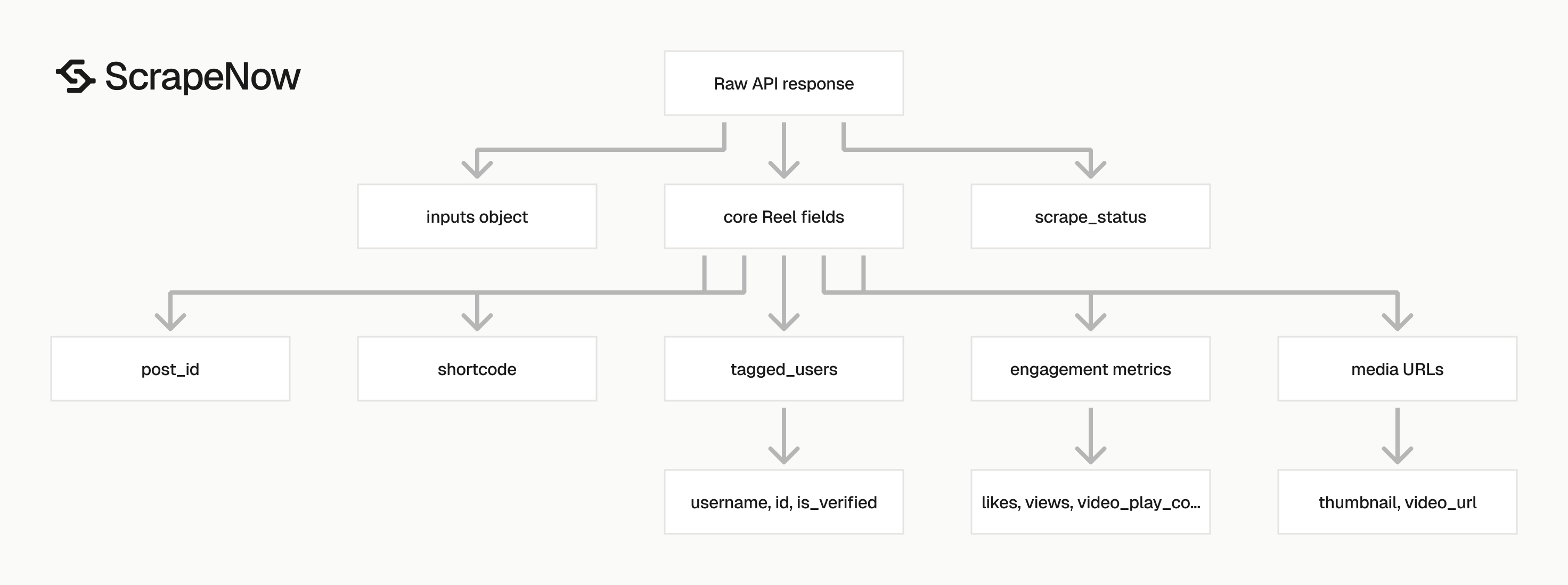
The response includes the original input under inputs. Keep this object in your raw table because it records the source profile URL, date window, and requested post count for every row.
| Field | Type | Use it for |
|---|---|---|
scrape_status |
string | Check whether the row succeeded |
url |
string | Canonical Reel URL |
user_posted |
string | Instagram username that posted the Reel |
description |
string or null | Caption text |
hashtags |
array or null | Hashtag extraction when present |
num_comments |
integer | Comment count |
date_posted |
ISO timestamp | Time-series filters and daily syncs |
likes |
integer | Engagement tracking |
views |
integer | Reel view count |
video_play_count |
integer | Play-count analysis |
post_id |
string | Stable dedupe key |
shortcode |
string | URL-safe content identifier |
thumbnail |
string | Preview image URL |
video_url |
string | Direct media URL when returned |
tagged_users |
array | Brand, creator, or account mentions |
length |
string | Video duration in seconds |
product_type |
string | Usually clips for Reels |
Use post_id as the primary content key. shortcode works well for URLs. post_id maps better to database joins because it includes the media ID and account ID.
date_posted uses an ISO timestamp. Parse it as UTC and store the raw value beside your normalized date column.
likes, views, and video_play_count change over time. Store snapshots when you need history. Do not overwrite the only copy of those counts.
Tagged users return as nested objects with username, id, full_name, is_verified, and profile_pic_url. Flatten them into a child table if you need account-level joins later.
Treat description as user-generated text. Store it as UTF-8, keep line breaks, and avoid fixed-width columns that truncate long captions.
Treat hashtags as optional. Some captions contain hashtags in plain text, and the parsed hashtags field can return null.
For adjacent Instagram data, the Look up Instagram profiles by username scraper helps resolve usernames before Reels collection. The Search Instagram posts by URL scraper fits the same workflow when you need feed posts next to Reels.
Keep nested fields nested in raw storage. Flatten only the columns your warehouse, dashboard, or alerting system reads.
Use a typed column for each metric you chart. If you leave counts inside JSON blobs, dashboard queries become slower and harder to test.
Ready to get this data? Pull Instagram Reels data.
Production tips, validation, deduplication, schema, error handling
Start with input validation. Invalid profile URLs waste job slots and make retries harder to read.
from datetime import datetime


def validate_reels_input(item: dict) -> dict:
    url = item.get("url", "").strip()

    if not url.startswith("https://www.instagram.com/"):
        raise ValueError(f"Invalid Instagram URL: {url}")

    for key in ("start_date", "end_date"):
        value = item.get(key)
        if value:
            datetime.strptime(value, "%Y-%m-%d")

    start_date = item.get("start_date")
    end_date = item.get("end_date")
    if start_date and end_date:
        start = datetime.strptime(start_date, "%Y-%m-%d")
        end = datetime.strptime(end_date, "%Y-%m-%d")
        if start > end:
            raise ValueError("start_date must be on or before end_date")

    num_of_posts = item.get("num_of_posts")
    if num_of_posts is not None:
        if not isinstance(num_of_posts, int):
            raise TypeError("num_of_posts must be an integer")
        if num_of_posts < 1:
            raise ValueError("num_of_posts must be >= 1")

    return {
        "url": url.rstrip("/"),
        "num_of_posts": num_of_posts,
        "start_date": start_date,
        "end_date": end_date
    }
Normalize profile URLs before sending them to the API. Remove tracking parameters, trim whitespace, and standardize trailing slashes.
Validate date ranges before the job starts. Reject inputs where start_date comes after end_date.
Reject empty profile URLs at the queue boundary. A failure raised before job creation costs less time than a failed scrape row.
The validation function above parses the date strings before it returns the cleaned input. It also converts one long comparison into named variables, which makes failures easier to inspect.
For deduplication, use post_id first and shortcode second. A simple upsert key works for most pipelines.
from datetime import datetime


def reel_key(row: dict) -> str:
    if row.get("post_id"):
        return row["post_id"]

    if row.get("shortcode"):
        return row["shortcode"]

    return row["url"].rstrip("/").split("/")[-1]


def upsert_reels(rows: list[dict], existing: dict[str, dict]) -> dict[str, dict]:
    for row in rows:
        if row.get("scrape_status") != "success":
            continue

        key = reel_key(row)
        existing[key] = {
            **existing.get(key, {}),
            **row,
            "last_seen_at": datetime.utcnow().isoformat(timespec="seconds") + "Z"
        }

    return existing
Keep a raw JSON store and a typed analytics table. Raw storage protects you when Instagram adds fields or changes nested objects.
A practical table layout looks like this:
| Table | Key | What goes in it |
|---|---|---|
instagram_reel_raw |
job_id + row_index |
Full untouched JSON response |
instagram_reel |
post_id |
One current row per Reel |
instagram_reel_snapshot |
post_id + collected_at |
Likes, views, comments, play count over time |
instagram_reel_tagged_user |
post_id + username |
Flattened tagged users |
Add collected_at to every row you store. Engagement counts need a collection timestamp to make trend charts accurate.
Use separate tables for current state and historical state. A current table answers “what is the latest count” fast. A snapshot table answers “how did it change” without overwriting history.
Handle API failures at the job level and the row level. A completed job can still include rows with a failed scrape status.
def split_success_and_failed(results: list[dict]) -> tuple[list[dict], list[dict]]:
    success = []
    failed = []

    for row in results:
        if row.get("scrape_status") == "success":
            success.append(row)
        else:
            failed.append(row)

    return success, failed


def retry_inputs_from_failed_rows(failed_rows: list[dict]) -> list[dict]:
    retry_inputs = []

    for row in failed_rows:
        original = row.get("inputs")
        if original and original.get("url"):
            retry_inputs.append(original)

    return retry_inputs
Start with small batches (ten profile URLs, num_of_posts set to 5) to validate schema mapping and retry behavior. Write the job_id and scraper slug into your logs for traceability.
Cap retries at 3 attempts with backoff using the original inputs object. Track input count, success count, and failed count at the job level.
Common workflow patterns
For creator monitoring, run the profile scraper once per day. Store new Reels in instagram_reel, then write engagement counts into instagram_reel_snapshot.
For campaign tracking, filter tagged users and captions after collection. A brand mention can appear in tagged_users, in the caption text, or in both places.
For media archiving, store thumbnail, video_url, and the raw JSON response together. Signed media URLs expire, so keep collection time next to every media reference.
For analytics dashboards, keep the current row separate from snapshots. The current row powers tables, and the snapshot table powers trend charts.
For alerting, compare today’s snapshot against the last stored snapshot. Trigger alerts on new Reels, large view jumps, or tagged-account changes.
For creator scoring, snapshot the same profiles on the same schedule. Uneven collection times distort growth rates because older snapshots have more time to collect views.
For brand safety review, preserve the caption exactly as returned. Line breaks, mentions, emojis, and hashtags often matter during review.
For duplicate detection, compare post_id, then shortcode, then normalized URL. That order avoids false duplicates when URLs vary by trailing slash.
For warehouse loads, parse timestamps during ingestion and store the raw string beside the parsed value. This makes timezone mistakes easier to audit.
For QA, sample rows from both high-volume and low-volume profiles. Creator accounts with sparse posting patterns expose different edge cases than major accounts.
For reporting, group snapshots by collection date and publish date separately. Collection date tells you when you measured. Publish date tells you when the Reel went live.
Recommended storage flow
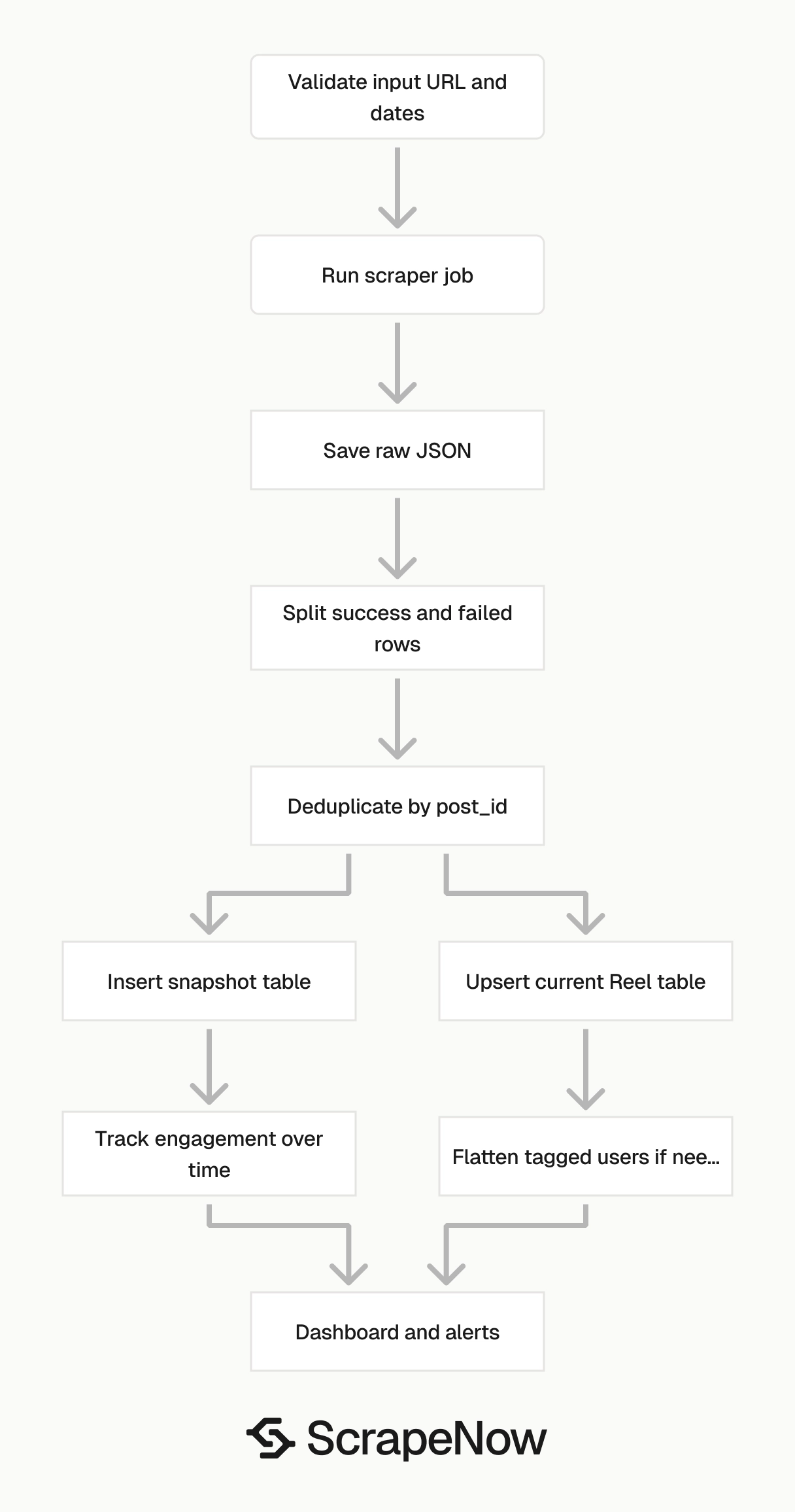
Write raw results first. Then transform them into typed tables.
A simple production flow has five steps:
- Create the scrape job and store
job_id. - Poll until the job reaches a terminal status.
- Save the raw JSON response with
job_idand collection time. - Split success rows from failed rows.
- Upsert current rows and insert snapshot rows.
This order keeps recovery simple. If the transform fails, rerun it from the raw JSON file instead of calling the scraper again.
Use append-only storage for snapshots. Engagement metrics are observations, and observations should not change after collection.
Use upserts for the current table. The current row should represent the newest version of the Reel record your system has seen.
Keep raw files immutable after write. If you need to reprocess data, write a new transform output and keep the original scrape response intact.
Partition snapshot tables by collection date when volume grows. Daily partitions keep retention jobs and dashboard filters predictable.
Field handling rules
Treat every field from Instagram as nullable unless your own tests prove otherwise. Social platforms change response shapes, especially around media, captions, and account objects.
Store numeric engagement fields as integers. If your warehouse ingests JSON as strings, cast likes, views, num_comments, and video_play_count before charting.
Store length as a decimal or float after parsing. The example value "99.432" represents seconds.
Keep thumbnail and video_url as text fields. Signed URLs can exceed short varchar limits, and truncation makes them useless.
Store tagged_users in a separate table when you query them often. Array scans work for small jobs, then become expensive as row counts grow.
Preserve coauthor_producers even when it is empty. Coauthored Reels matter for attribution, and the field can become populated later.
Keep top_comments as an array in raw storage. If you later analyze comment text, split it into a child table with comment-level keys.
Store product_type even if every current row says clips. Platform fields change, and keeping the value costs little.
Pricing
ScrapeNow charges per returned row. One row costs one credit, starting at $0.04 per credit for small runs and dropping with volume. No monthly contracts, no proxy fees, no charges for failed rows. See the pricing page for current rates.


