Indeed job pages expose a stable jk job key. The Indeed jobs scraper uses that key to return structured records from job pages, search results, and browser-built search URLs.
Send ScrapeNow a job URL, keyword query, or Indeed search URL. The API returns job title, company name, job ID, full description text, source URL, and per-record scrape status.
Start with 10 known URLs before wiring this into a queue. Run Indeed Jobs Extract by URL, inspect the returned jobid values, then add dedupe and storage.
The output works as a raw jobs table, queue input, or feed into enrichment jobs. Common enrichment jobs parse salary, location, remote status, employment type, certification requirements, and seniority level.
Recruiting teams, labor data teams, and job aggregation products use this scraper when they need repeatable collection. The important part is the workflow. Validate inputs, submit a batch, poll the job, fetch JSON results, dedupe on jobid, and store raw description text.
Indeed jobs scraper workflow
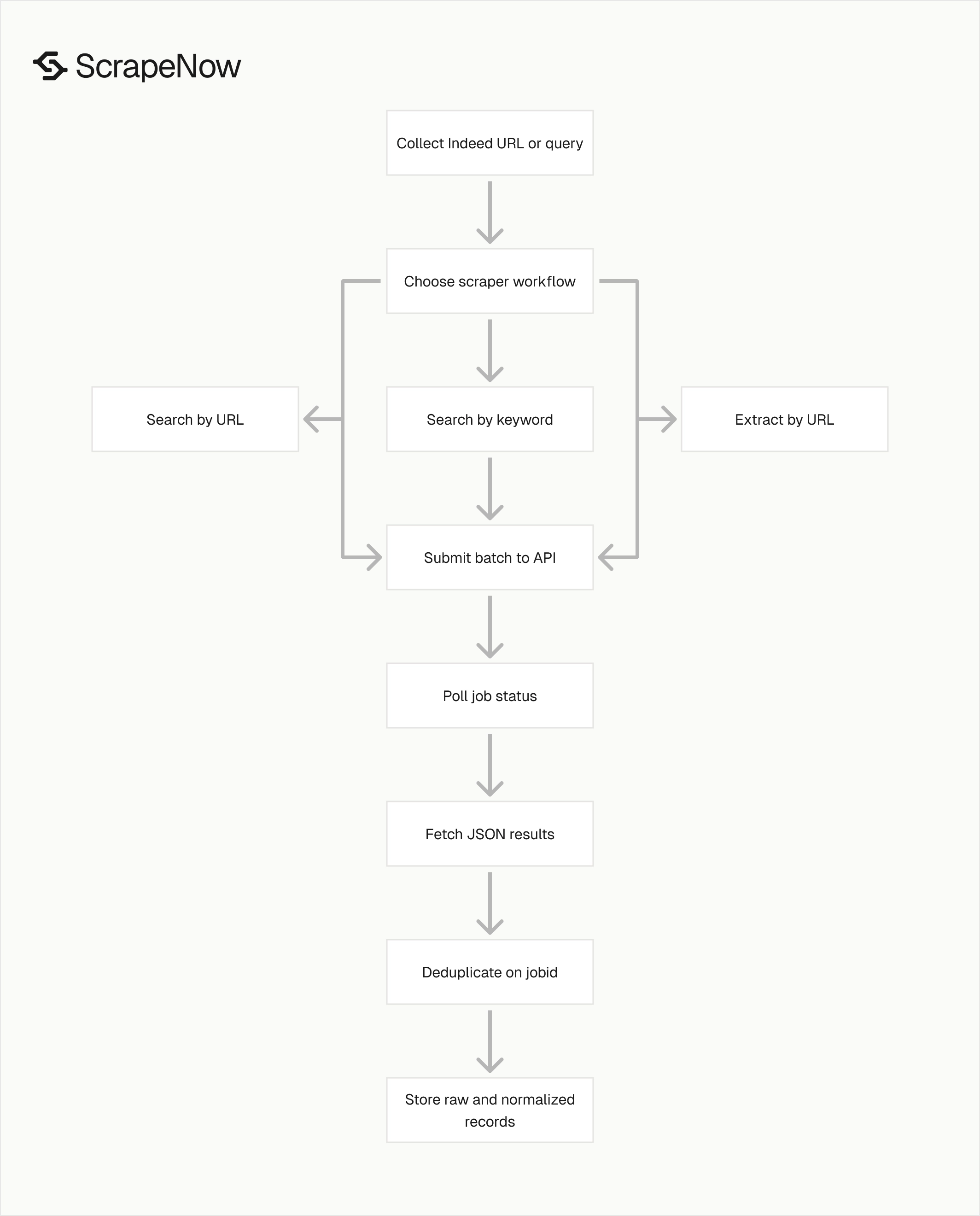
ScrapeNow has three common Indeed jobs workflows.
Use Indeed Jobs Extract by URL when you already have job listing URLs. This is the safest starting point because one valid URL should produce one job record.
Use Indeed Jobs Search by Keyword when you want ScrapeNow to search Indeed by keyword, location, domain, pay, radius, and posting age. This workflow fits scheduled collection jobs that rebuild a current market view every day or every week.
If your pipeline stores browser-generated Indeed search URLs, use Indeed Jobs Search by URL. That workflow keeps the exact filters your user selected in the browser, including query parameters that are tedious to rebuild by hand.
The Indeed scraper hub groups the job and company scrapers in one place. Use it when you need to connect job postings, employer pages, ratings, and company-level fields in the same pipeline.
Extract a job by URL
The indeed-jobs-extract-by-url scraper takes one required input. Send one URL for each job record you want to extract.
| Input | Required | Format | Example |
|---|---|---|---|
url |
Yes | String starting with https://www.indeed.com/ |
https://www.indeed.com/viewjob?jk=44f9305d780a77e8 |
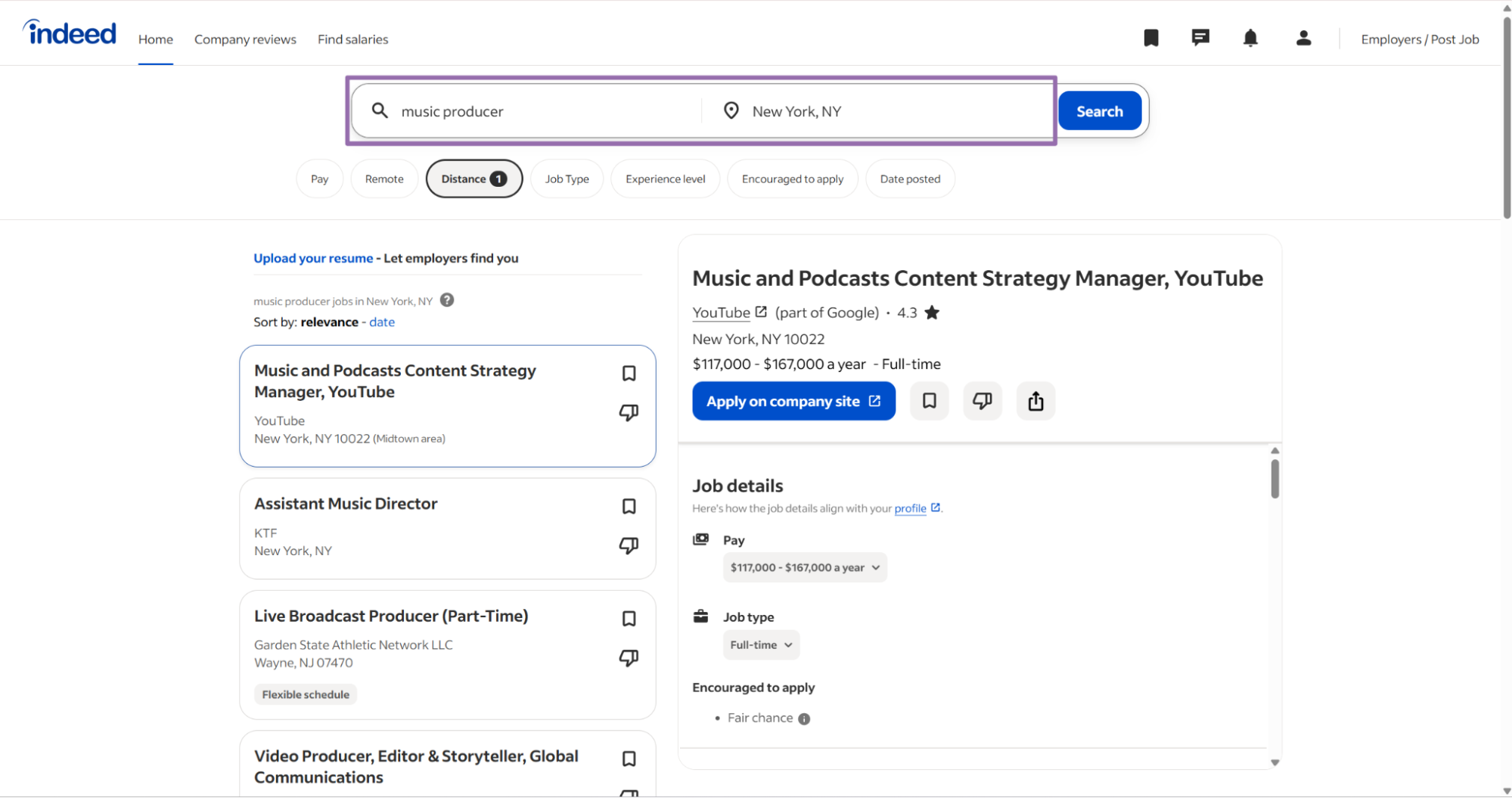
Open Indeed and search for a job title, company, and location.
Right-click the job title you want and open it in a new tab.
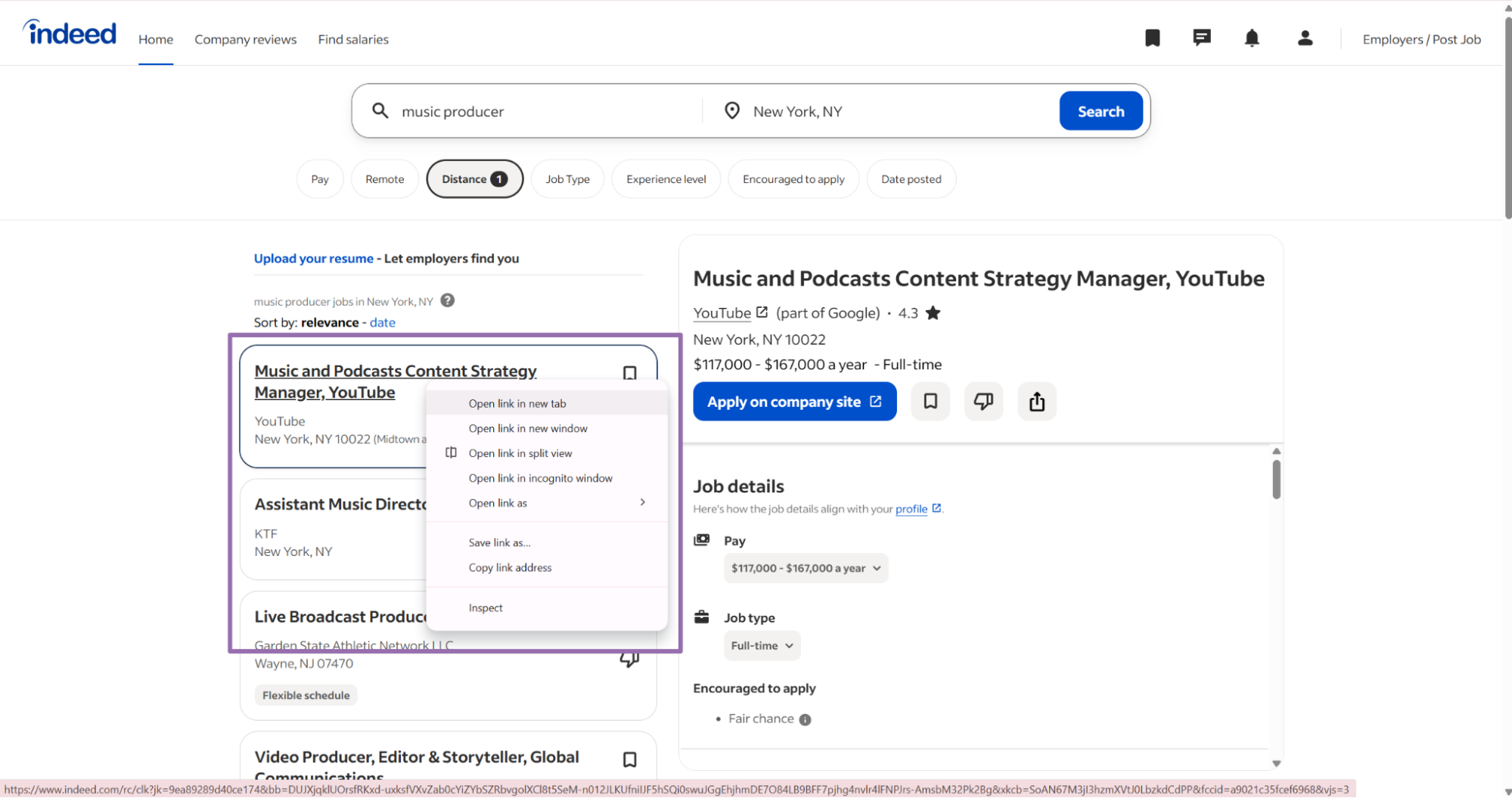
Copy the URL from the address bar.
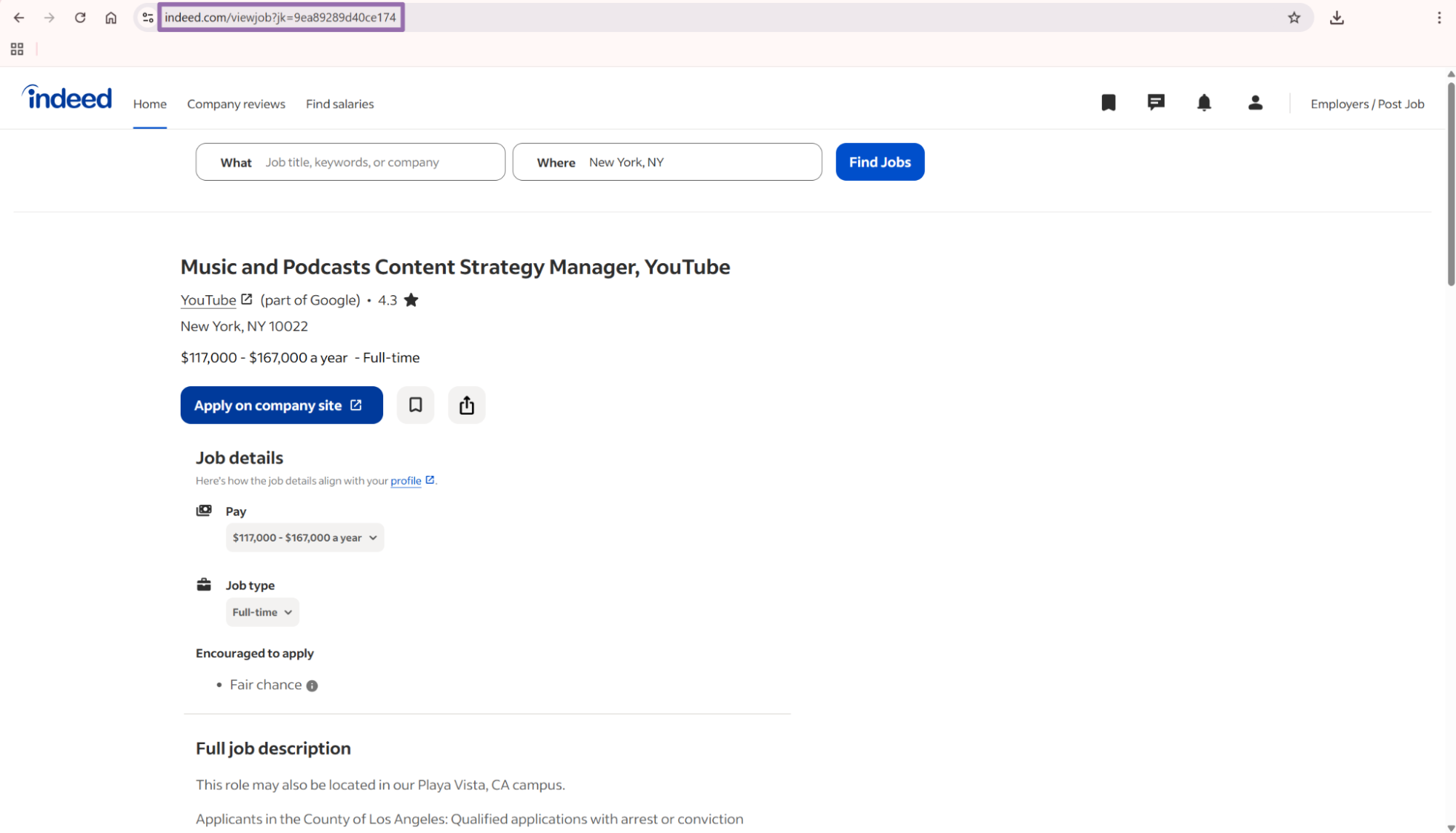
Use that URL as the url value in SCRAPER_INPUTS.
"""
Configuration:
    - Set SCRAPER_SLUG to the scraper you want to run.
    - Set SCRAPER_INPUTS to the list of input dicts matching that scraper schema.
    - Set API_KEY to your scraper API key.
"""

import sys
import time
import json
import requests
import os

API_KEY = "YOUR_API_KEY"

SCRAPER_SLUG = "indeed-jobs-extract-by-url"

SCRAPER_INPUTS = [
    {
        "url": "https://www.indeed.com/viewjob?jk=44f9305d780a77e8"
    }
]

BASE_URL = "http://194.180.207.126:8080/api/v1/scraping"
TIMEOUT_SECONDS = 3600
POLL_INTERVAL = 5
SPINNER = "|/-\\"


def build_headers(api_key: str, content_type: str | None = None) -> dict:
    """Build headers with your API key."""
    headers = {"Authorization": f"Bearer {api_key}"}
    if content_type:
        headers["Content-Type"] = content_type
    return headers


def trigger_scrape(slug: str, inputs: list[dict]) -> str:
    """POST to the scrape endpoint and return the job_id."""
    url = f"{BASE_URL}/scrape?scraper={slug}"

    response = requests.post(
        url,
        headers=build_headers(API_KEY, "application/json"),
        json={"inputs": inputs},
    )
    response.raise_for_status()
    return response.json()["data"]["job_id"]


def poll_until_done(job_id: str) -> str:
    """Poll the job status until it reaches a final state."""
    start = time.time()
    i = 0
    while True:
        elapsed = time.time() - start
        if elapsed > TIMEOUT_SECONDS:
            print(f"\nTimeout after {TIMEOUT_SECONDS}s")
            sys.exit(1)

        data = requests.get(
            f"{BASE_URL}/jobs/{job_id}",
            headers=build_headers(API_KEY),
        ).json()
        status = data["data"]["status"]

        mins, secs = divmod(int(elapsed), 60)
        sys.stdout.write(f"\r[{SPINNER[i % 4]}] Waiting... {status} ({mins}m {secs:02d}s)  ")
        sys.stdout.flush()

        if status in ("completed", "failed"):
            print()
            return status

        time.sleep(POLL_INTERVAL)
        i += 1


def fetch_results(job_id: str) -> dict:
    """Download the completed job results as JSON."""
    response = requests.get(
        f"{BASE_URL}/jobs/{job_id}/results?format=json",
        headers=build_headers(API_KEY),
    )
    response.raise_for_status()
    return response.json()


def save_results(data: dict, slug: str) -> str:
    """Write results to {slug}.json and return the filename."""
    filename = f"{slug}.json"
    os.makedirs(os.path.dirname(filename), exist_ok=True)
    with open(filename, "w", encoding="utf-8") as f:
        json.dump(data, f, indent=2, ensure_ascii=False)
    return filename


def main() -> None:
    print(f"Triggering scraper: {SCRAPER_SLUG}")
    job_id = trigger_scrape(SCRAPER_SLUG, SCRAPER_INPUTS)
    print(f"Job started: {job_id}")

    final_status = poll_until_done(job_id)

    if final_status != "completed":
        print(f"Job failed with status: {final_status}")
        sys.exit(1)

    print("Fetching results...")
    results = fetch_results(job_id)

    output_file = save_results(results, os.path.join("output", SCRAPER_SLUG))
    print(f"Results saved to: {output_file}")


if __name__ == "__main__":
    main()
The same API pattern works for the other scrapers in this group. Change SCRAPER_SLUG and SCRAPER_INPUTS for indeed-jobs-search-by-keyword or indeed-jobs-search-by-url.
Keep the polling loop in your client. Large batches take longer than a single URL, and a fixed polling interval avoids unnecessary status requests.
ScrapeNow returns a platform job ID when you trigger the scrape. Store that ID beside your internal batch ID so you can connect queue events, API status, and result files later.
Search jobs by keyword
The keyword search scraper works when you need a batch of listings from a query. Use it when your input is a role, a city, and a set of filters.
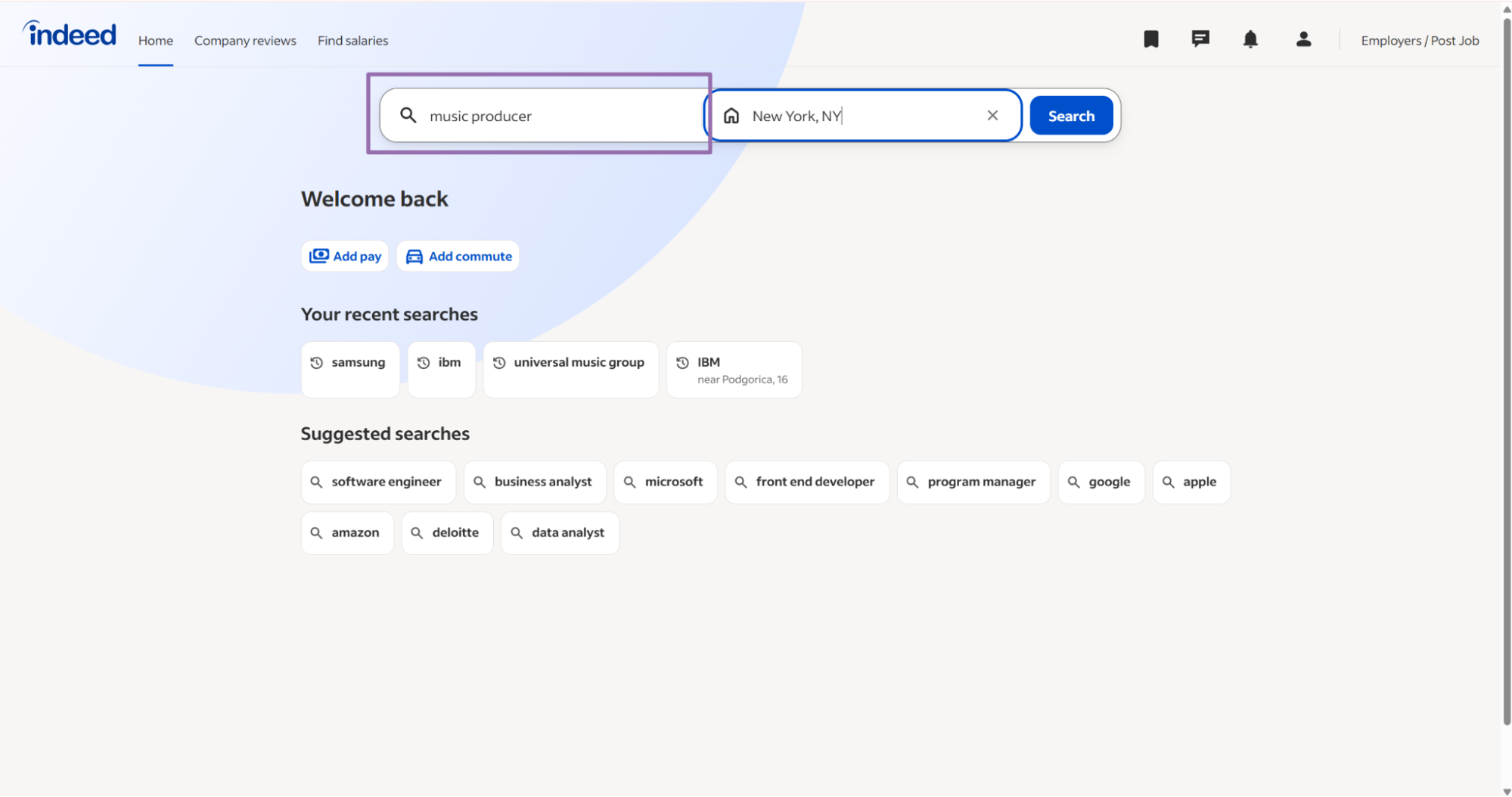
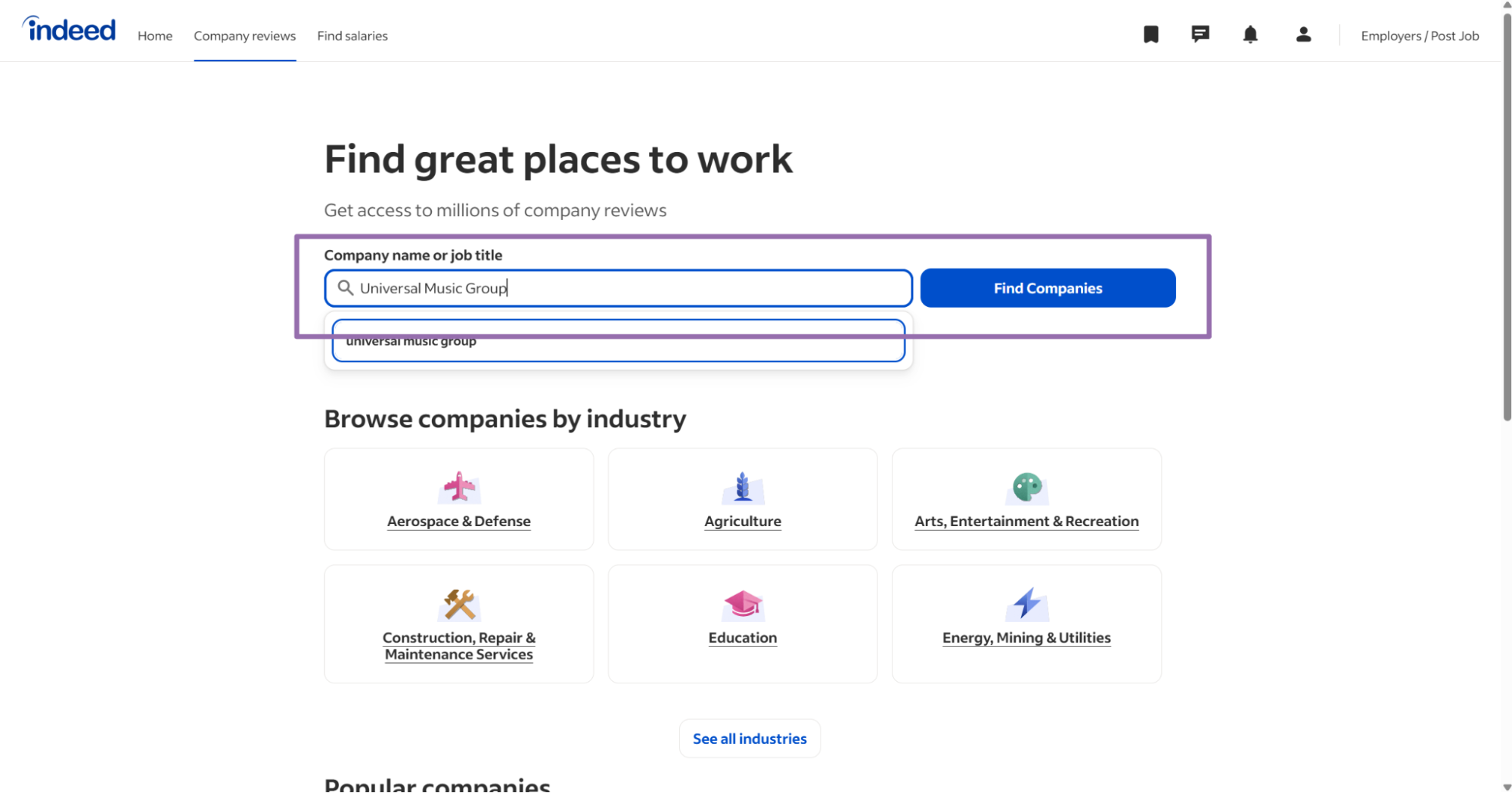
Open Indeed and enter the job keyword and location.
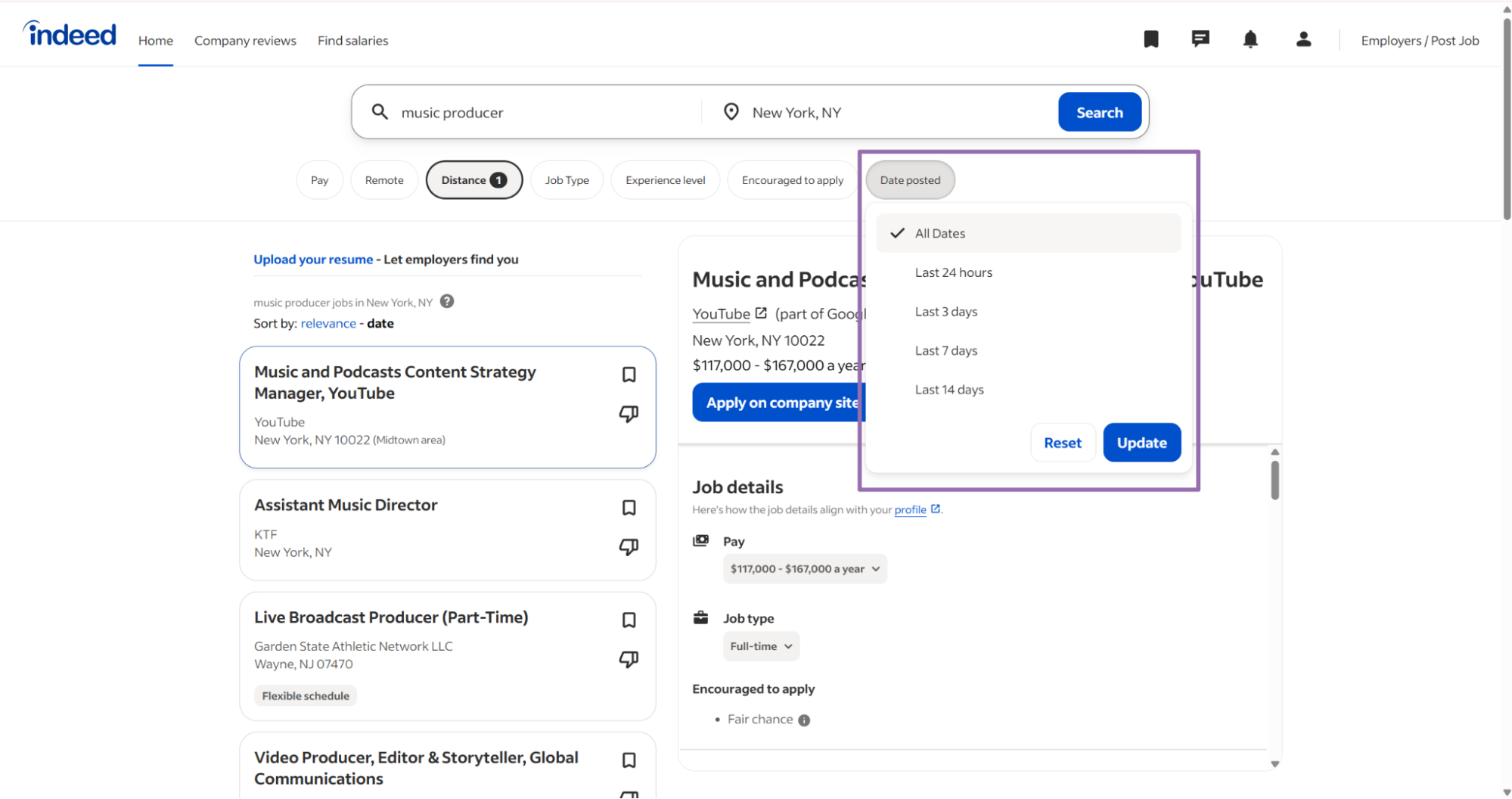
Pick the domain and filters that match the search you want to run.
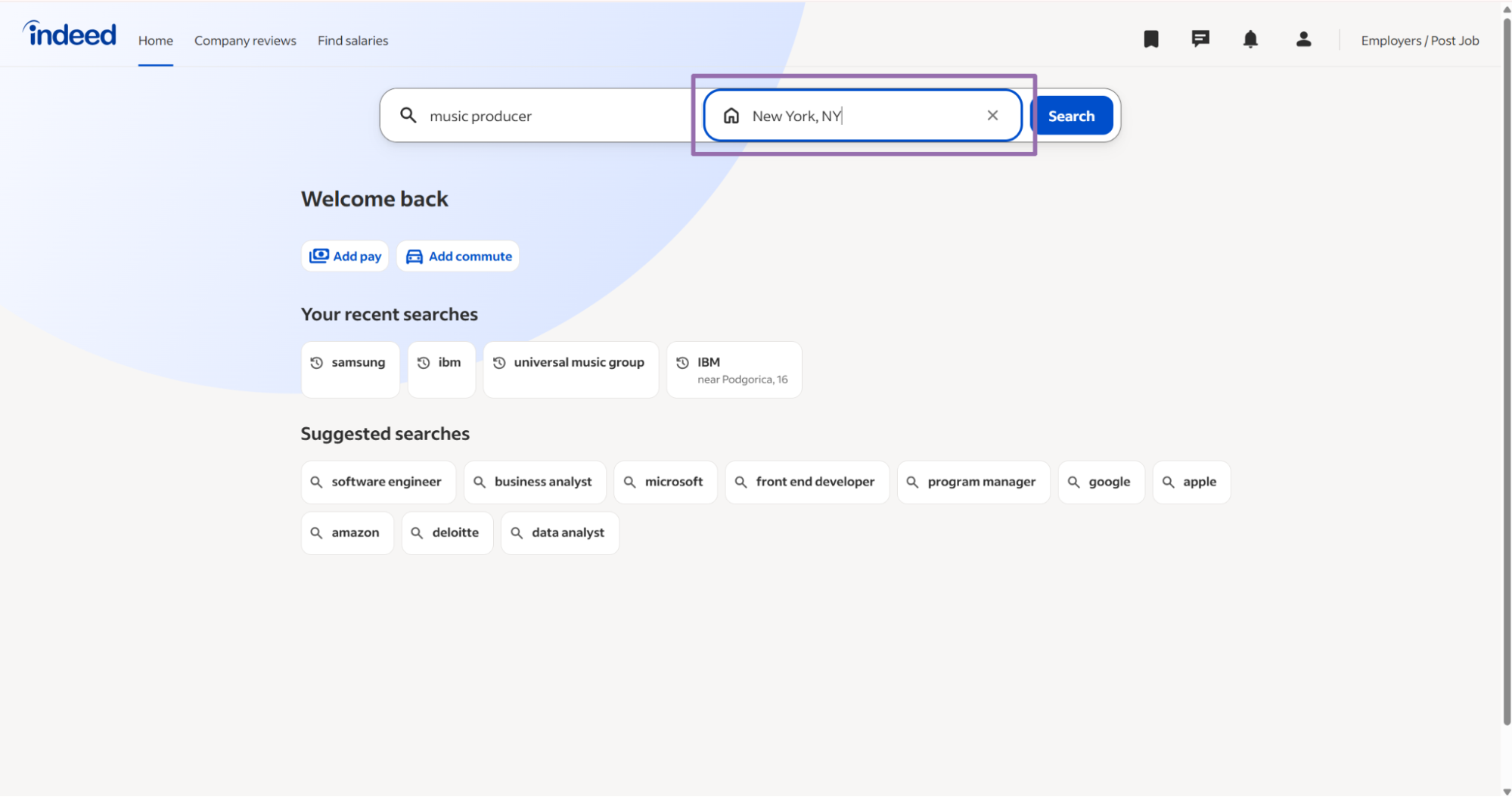
Use the same values in the API input.
The keyword search inputs are:
| Input | Required | Format | Example |
|---|---|---|---|
country |
No | ISO 3166-1 two-letter code | US |
domain |
Yes | Indeed domain string | www.indeed.com |
keyword |
Yes | Search phrase | music producer |
location |
Yes | City or area | New York |
date_posted |
No | Exact filter label | Last 24 hours |
posted_by |
No | Exact filter label | Employer |
minimum_pay |
No | Integer | 25 |
location_radius |
No | Radius string | 25 |
A keyword search input looks like this:
SCRAPER_SLUG = "indeed-jobs-search-by-keyword"

SCRAPER_INPUTS = [
    {
        "country": "US",
        "domain": "www.indeed.com",
        "keyword": "music producer",
        "location": "New York",
        "date_posted": "Last 24 hours",
        "posted_by": "Employer",
        "minimum_pay": 25,
        "location_radius": "25"
    }
]
Match filter labels exactly. If the browser shows Last 24 hours, send Last 24 hours, including spaces and capitalization.
Keep domain explicit. A query for www.indeed.com and a query for ca.indeed.com can return different employers, salaries, and location formats.
Use Indeed Companies Search by Keyword when the pipeline needs employer records instead of job postings. Company scrapers return employer pages, ratings, review counts, and related company-level fields.
Search jobs from an Indeed search URL
Search-by-URL works when your team already stores Indeed search URLs from the browser or another workflow. It also works when users build searches manually inside a product UI.
Open Indeed and run the search.
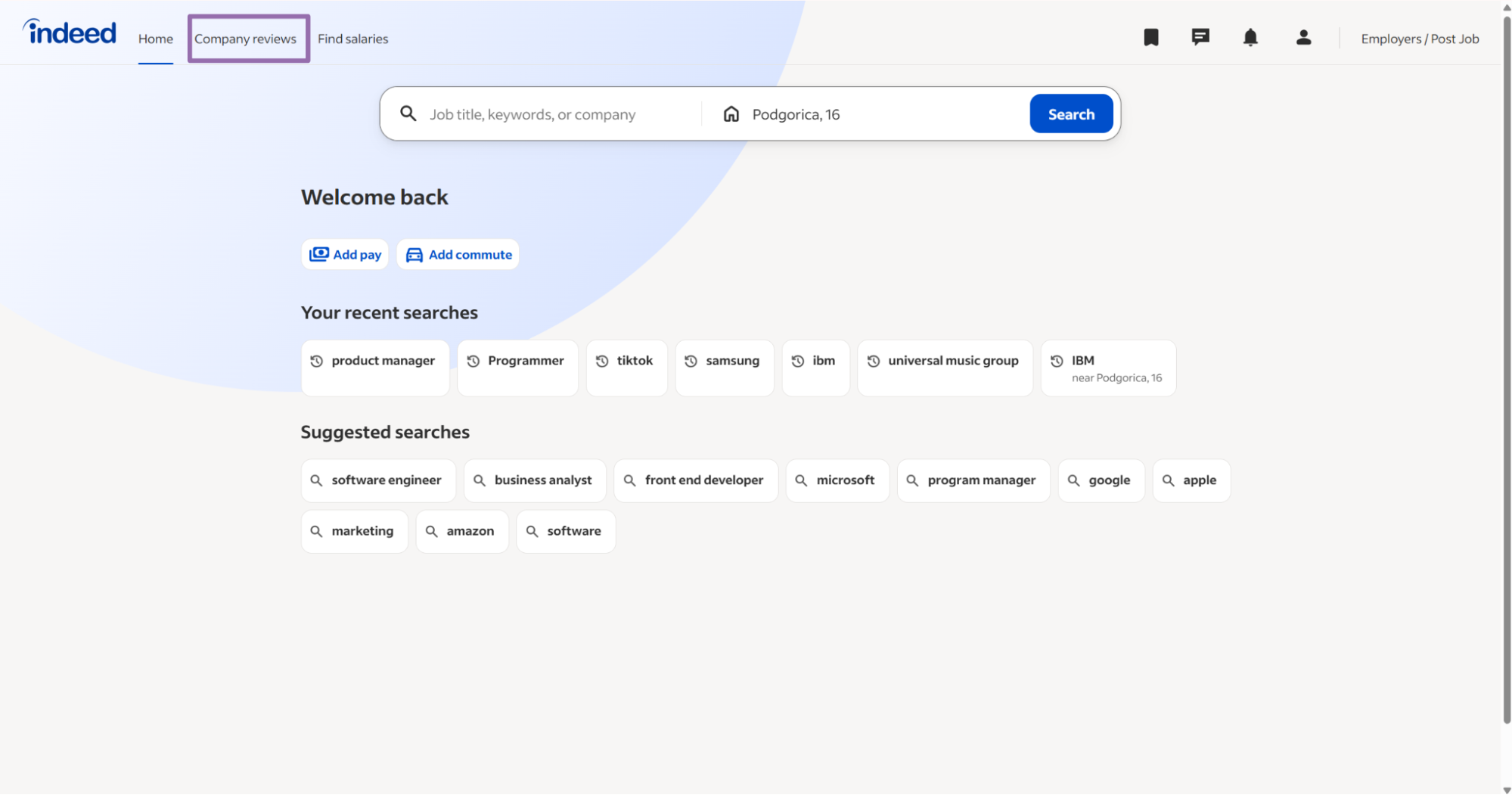
Set the location and filters.
Apply the date posted filter if you only want recent listings.
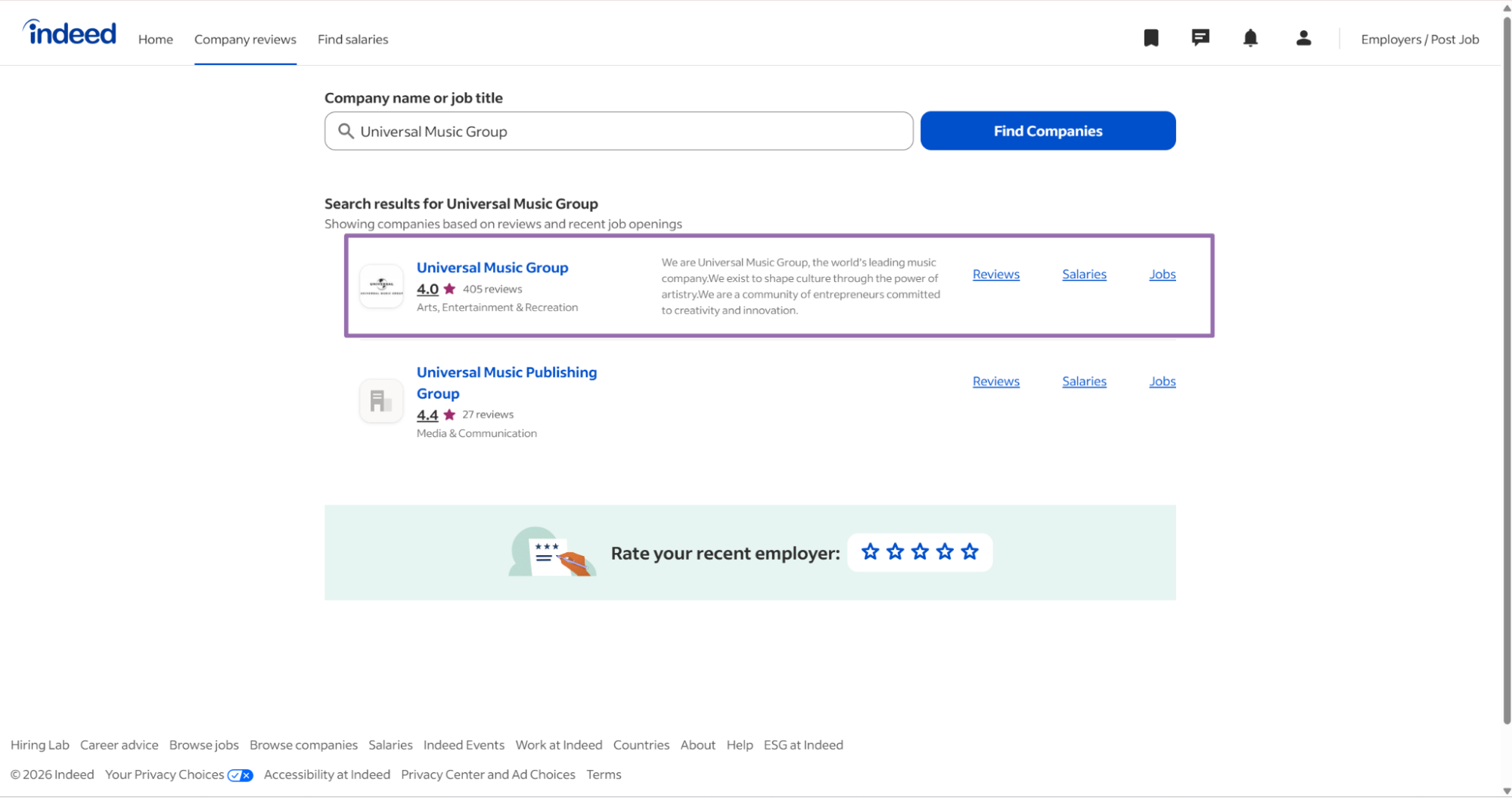
Review the results page.
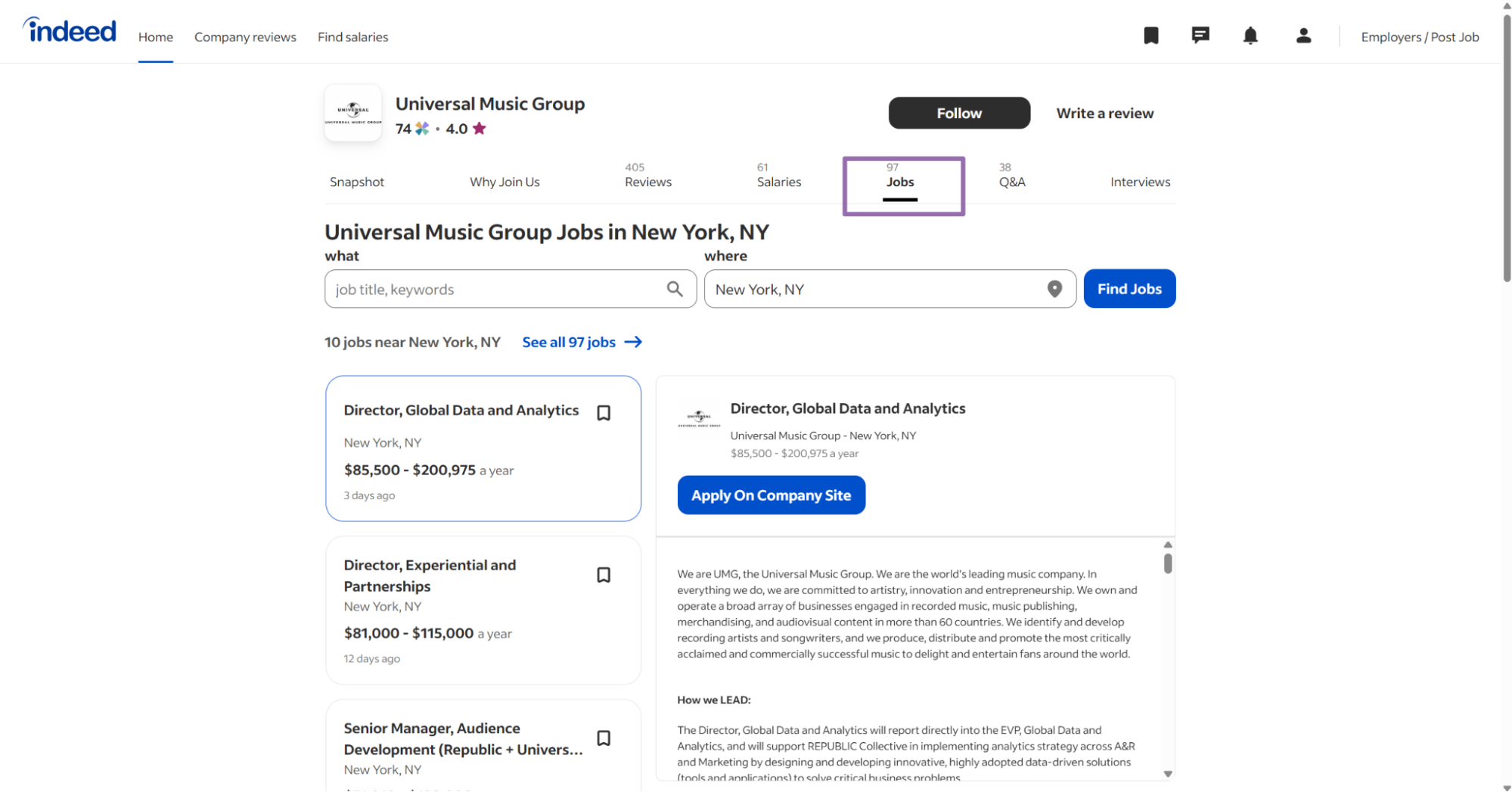
Copy the full search URL from the browser.
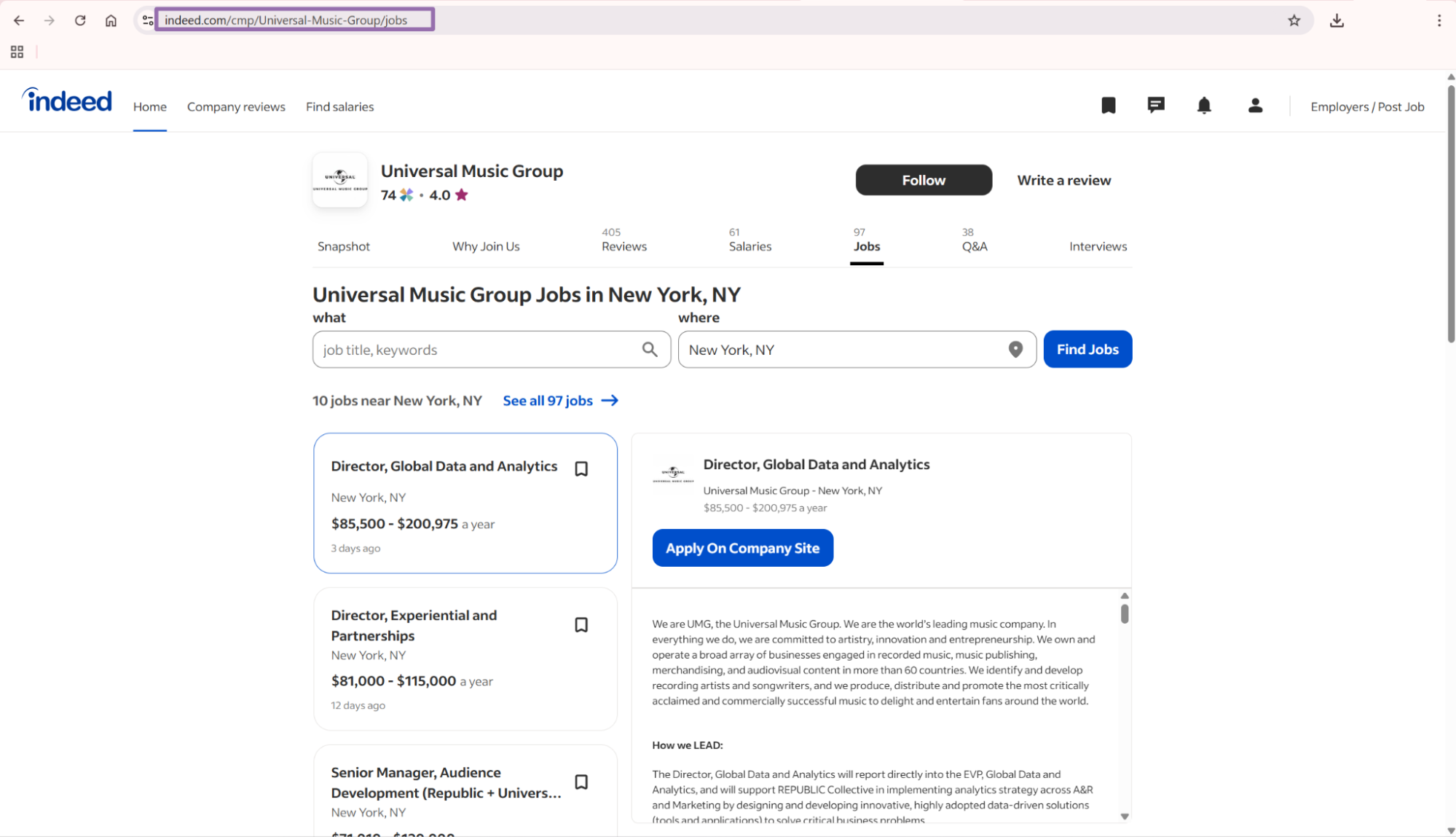
That URL becomes the scraper input for the search-by-URL workflow. Store the original URL with the job output so you can trace which query produced each listing.
This workflow is useful for product teams that let users create saved searches. Store the search URL once, replay it on a schedule, and compare new jobid values against the last run.
Indeed jobs scraper JSON output from the API
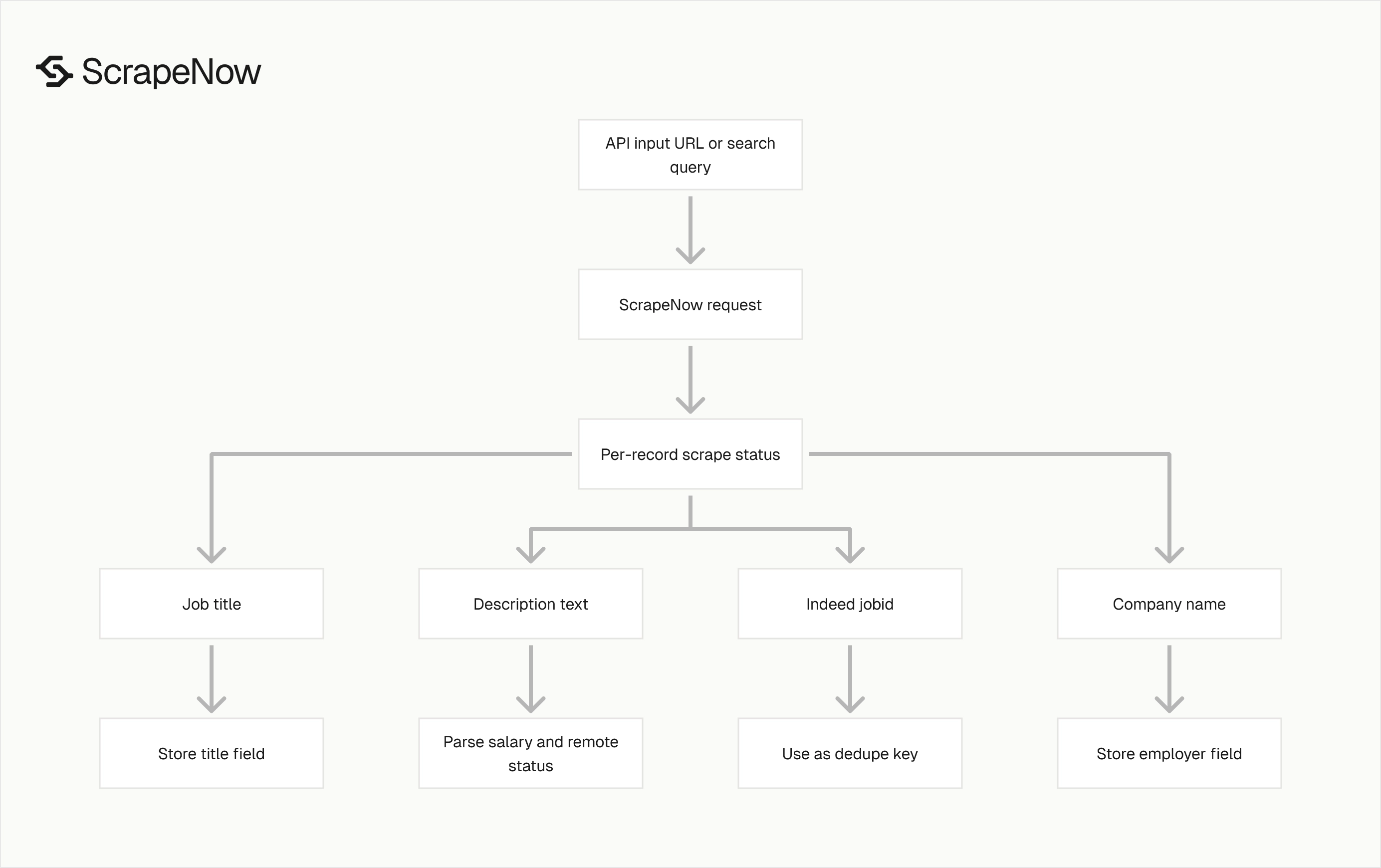
The API returns an array of result objects. Each object includes the original input, scrape status, Indeed job ID, company name, job title, and job description text.
[
  {
    "inputs": {
      "url": "https://www.indeed.com/viewjob?jk=44f9305d780a77e8"
    },
    "scrape_status": "success",
    "jobid": "44f9305d780a77e8",
    "company_name": "Educational Service District 112",
    "job_title": "K-12 Music Teacher (26-27 SY)",
    "description_text": "Thank you for your interest in our employment opportunities. We invite you to apply to be a part of our team providing educational services throughout Southwest Washington, and other areas of the state. For more information review the NEOGOV Application Guide and Frequently Asked Questions. General Responsibilities. This job is not a position that is being filled by ESD 112. Candidates for this position will be hired directly by the Naselle School District. If you are interested in ESD 112 positions please contact the ESD 112 HR Coordinator, RaeLynn Forcella at raelynn.forcella@esd112.org. The Naselle-Gray Rivers School District is a K-12 district located 30 miles east of the Pacific Ocean in southwest Washington serving about 300 students. General Responsibilities: Provide standards-aligned music instruction for students K-12; maintain a positive learning environment; differentiate to support performances and program events; communicate with families; and collaborate with staff to support student success. Terms of Employment: The salary range for the 2026-2027 school year is $56,038-$105,621 annually based on education and experience. Full benefits include health, dental, vision insurance, Department of Retirement Systems retirement and other optional benefits. Other extracurricular roles and pay stipends may also be available. Contact the district for more information. Essential Functions: Teach assigned music courses across K-12. Provide elementary general music and secondary music offerings as scheduled. Provide band, choir, instrumental, or vocal instruction as assigned. Plan and support concerts, performances, and program events. Maintain a safe, structured classroom; differentiate instruction; use assessment data. Communicate with families and collaborate with colleagues. Other duties as assigned. Minimum Qualifications: Valid Washington State teaching certificate or eligible. Strong classroom management and communication skills. Preferred Qualifications: Music endorsement K-12. Additional endorsements such as Elementary, Instrumental, or Vocal. Working Conditions: Classroom environment and performance settings. Occasional evening commitments for concerts and performances. Employment Requirements: Successful completion of a criminal history and fingerprint check through the WA State Patrol and FBI."
  }
]
The description_text field is long. Plan for multi-kilobyte values in your storage layer, and avoid fixed-width columns for descriptions.
ScrapeNow echoes the original inputs object in each result. That makes failed record handling easier because the result carries the exact URL or query that produced it.
The scrape_status field is per record. A batch can complete while individual records still fail, so split success and failure after you fetch results.
What data the Indeed jobs scraper returns
The response is built for storage first. You can write it to Postgres, BigQuery, S3, or a queue worker after a small validation pass.
| Field | Type | Use |
|---|---|---|
inputs.url |
String | Original Indeed URL submitted to the scraper |
scrape_status |
String | Per-record status, usually success or a failure state |
jobid |
String | Indeed job key, good dedupe key |
company_name |
String | Employer name shown on the listing |
job_title |
String | Job title shown on the listing |
description_text |
String | Full extracted job description text |
Use jobid as the primary dedupe field for Indeed jobs. The URL can change through tracking parameters, search parameters, and redirects.
The jk value is the stable job key on Indeed job pages. For URL extraction, compare it with jobid before inserting the record.
description_text is plain text by design. Store the raw text, then build downstream fields like salary range, certification requirements, or remote status in your enrichment layer.
Keep raw description text after parsing. Extraction rules change, and raw text lets you reprocess old records without scraping the same listing again.
A practical storage pattern is raw first, parsed second. Put the ScrapeNow result in a raw table, then write parser output to a derived table with confidence scores.
Production tips for clean job data
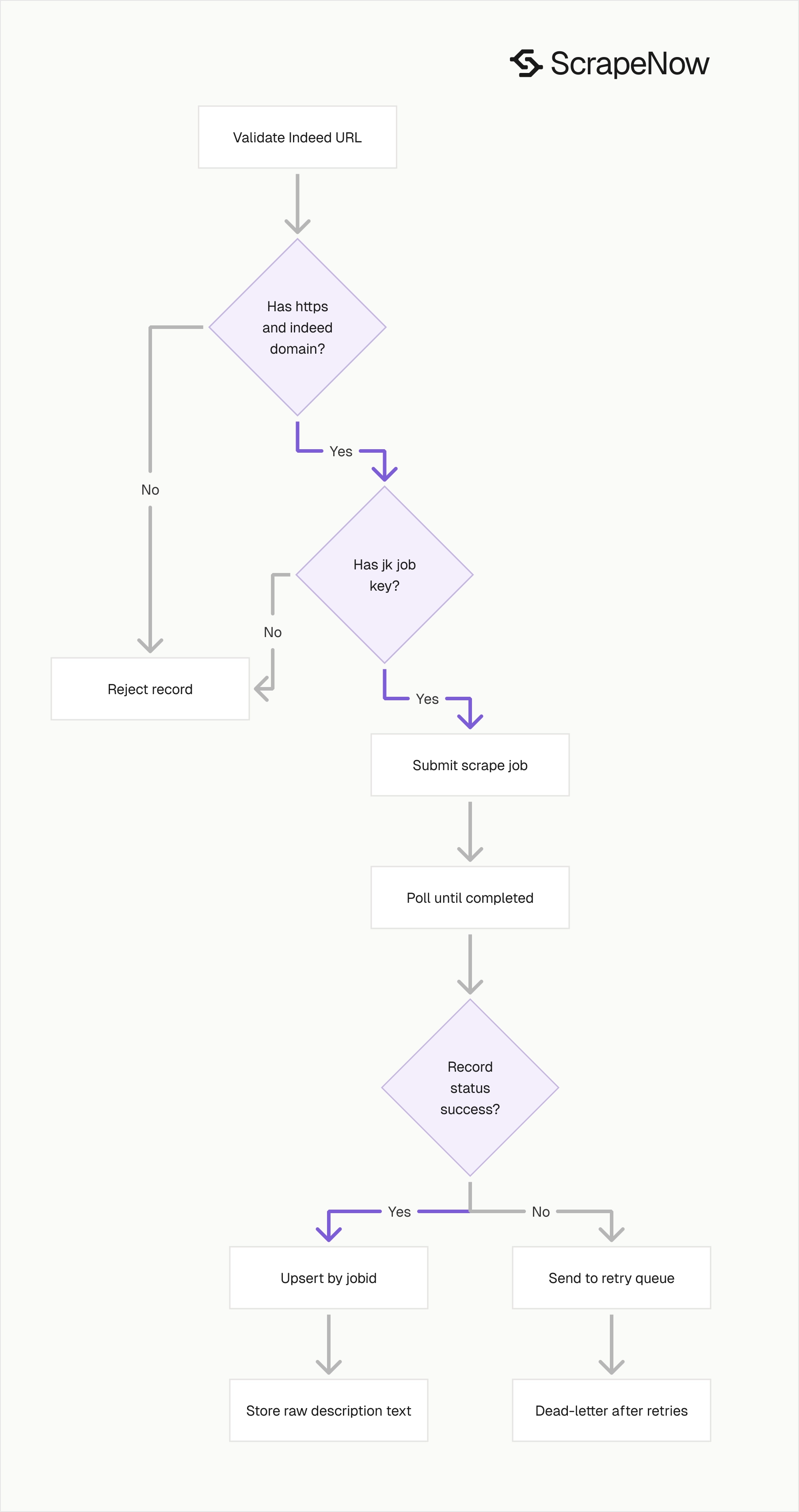
Validate inputs before sending requests
Invalid URLs waste credits and create noisy failure logs. Check the scheme and domain before sending records to the API.
from urllib.parse import urlparse, parse_qs

def validate_indeed_job_url(url: str) -> tuple[bool, str]:
    parsed = urlparse(url)

    if parsed.scheme != "https":
        return False, "URL must use https"

    if parsed.netloc != "www.indeed.com":
        return False, "URL must start with https://www.indeed.com/"

    query = parse_qs(parsed.query)
    if "jk" not in query:
        return False, "URL must include the jk job ID parameter"

    return True, query["jk"][0]


urls = [
    "https://www.indeed.com/viewjob?jk=44f9305d780a77e8",
    "https://example.com/viewjob?jk=bad"
]

for url in urls:
    ok, value = validate_indeed_job_url(url)
    print(url, ok, value)
Expected output:
https://www.indeed.com/viewjob?jk=44f9305d780a77e8 True 44f9305d780a77e8
https://example.com/viewjob?jk=bad False URL must start with https://www.indeed.com/
Run this validation before the API call. You want malformed records rejected at the queue boundary, before the scrape job runs.
For multi-country scraping, validate the domain against the country you intend to scrape. A record for Canada should not flow through www.indeed.com if your reporting expects ca.indeed.com.
Also validate URL length before writing to your database. Browser-built search URLs can include several filters, and some teams store them in columns that are too short.
Deduplicate on the Indeed job ID
For URL extraction, the jk parameter and the response jobid should match. Use that ID before inserting into your database.
def normalize_record(record: dict) -> dict:
    inputs = record.get("inputs", {})
    url = inputs.get("url", "")

    return {
        "source": "indeed",
        "source_url": url,
        "job_id": record.get("jobid"),
        "company_name": record.get("company_name"),
        "job_title": record.get("job_title"),
        "description_text": record.get("description_text"),
        "scrape_status": record.get("scrape_status")
    }


def dedupe_records(records: list[dict]) -> list[dict]:
    seen = set()
    clean = []

    for record in records:
        normalized = normalize_record(record)
        job_id = normalized["job_id"]

        if not job_id or job_id in seen:
            continue

        seen.add(job_id)
        clean.append(normalized)

    return clean
This keeps one row per job, even if your input queue contains the same listing from multiple searches. It also prevents search campaigns from inflating counts when the same listing appears under nearby locations.
Use an upsert in production. Insert new records by job_id, then update mutable fields such as company_name, job_title, description_text, and scraped_at.
Track the batch that last touched each record. That gives you a clean answer when someone asks why a listing appeared in a report.
Store a fixed schema
A fixed table schema keeps downstream jobs predictable. Predictable tables reduce ETL failures and make backfills easier.
CREATE TABLE indeed_jobs (
    source TEXT NOT NULL DEFAULT 'indeed',
    job_id TEXT PRIMARY KEY,
    source_url TEXT NOT NULL,
    company_name TEXT,
    job_title TEXT,
    description_text TEXT,
    scrape_status TEXT NOT NULL,
    scraped_at TIMESTAMP NOT NULL DEFAULT NOW()
);
Keep description_text as text. Add parsed fields in separate columns after you have stable extraction rules.
Common parsed fields include salary_min, salary_max, salary_period, employment_type, remote_type, and location_text. Store parser confidence beside fields that come from free text.
If you store raw API results in object storage, use a predictable path. A path such as s3://bucket/raw/indeed/jobs/dt=2026-01-15/job_id.json makes reprocessing and audits simpler.
Treat failed records as retryable work
The sample API client waits up to 3600 seconds and polls every 5 seconds. Keep that pattern in production, then split failed records into a retry queue.
def split_success_and_failed(records: list[dict]) -> tuple[list[dict], list[dict]]:
    success = []
    failed = []

    for record in records:
        if record.get("scrape_status") == "success" and record.get("jobid"):
            success.append(record)
        else:
            failed.append(record)

    return success, failed


results = [
    {"scrape_status": "success", "jobid": "44f9305d780a77e8"},
    {"scrape_status": "failed", "inputs": {"url": "https://www.indeed.com/viewjob?jk=bad"}}
]

success, failed = split_success_and_failed(results)
print(f"success={len(success)} failed={len(failed)}")
Expected output:
success=1 failed=1
Retry failures after checking the input URL. If the URL is malformed, send it to a dead-letter file instead of retrying forever.
Add retry metadata to every failed record. Store the input, scraper slug, failure status, attempt count, first failure time, and last failure time.
A simple retry policy works well for job extraction. Retry twice for transient failures, then move the record to a dead-letter queue for manual review or scheduled cleanup.
Do not mix API job failure with record failure. The API job has a final status, and each returned record has its own scrape_status.
Batch inputs by workflow
Keep URL extraction batches separate from keyword search batches. They have different failure modes, output counts, and dedupe behavior.
A URL extraction batch should return one result per valid input URL. A keyword search batch returns a set of jobs for each query, and the count changes as Indeed updates listings.
Use batch names that encode the source and date. Names like indeed_url_2026_01_15 and indeed_keyword_music_producer_ny_2026_01_15 make backfills easier to audit.
For scheduled searches, store the query separately from the run. The query describes what you asked for, and the run describes when ScrapeNow collected it.
Log enough to debug failures
Store the API job ID returned by trigger_scrape. That ID connects your internal queue record to the ScrapeNow job status endpoint.
Log the scraper slug, input count, start time, final status, and result count. For failed records, log the original input and the scrape_status value.
Avoid logging full description text in application logs. Job descriptions are large, and they make logs expensive to search.
Log a hash of description_text if you need change detection. That gives you drift tracking without pushing multi-kilobyte fields into every log event.
Which Indeed scraper to use
Pick the scraper based on the input you already have.
| You have | Use this scraper | Use case |
|---|---|---|
| A list of Indeed job URLs | Indeed Jobs Extract by URL | Enriching saved job links |
| A keyword and location | Indeed Jobs Search by Keyword | Building a current jobs dataset |
| An Indeed search URL | Indeed Jobs Search by URL | Reusing browser-built search filters |
| Company names | Indeed Companies Search by Company List | Pulling employer pages from known companies |
| Industry and state | Indeed Companies Search by Industry and State | Building company lists by segment |
If you are building across more than one source, the full ScrapeNow scraper catalog includes 86+ pre-built scrapers. The catalog covers Indeed, Glassdoor, LinkedIn, Google, Amazon, Yelp, Zillow, and other platforms.
Use one source identifier across all tables. For example, store source='indeed' for job rows and source='indeed_company' for employer rows.
Use the Indeed scraper hub when you want to expand from jobs into companies. Keeping the hub in your runbook helps other developers find the matching company scrapers.
Pricing for the Indeed jobs scraper
ScrapeNow pre-built scrapers use credit pricing. One returned row costs 1 credit, starting at $0.04 per credit for 1 to 250 credits and dropping to $0.012 per credit at 100K+ credits.
For URL extraction, start with Indeed Jobs Extract by URL. For search-based collection, use Indeed Jobs Search by Keyword.
Budget URL extraction from the number of input URLs. Budget keyword search from observed result counts, since one search query can return many job records.
Keep a daily credit cap in your scheduler. Search pages change, and a broad query can return more rows than the previous run.
Run the API client against 10 URLs
Copy the Python client above, replace YOUR_API_KEY, and run it against 10 known Indeed job URLs. Use records you can verify in the browser.
Check that every returned jobid matches the jk value in the input URL. Then write the JSON to your raw store and insert normalized rows into your indeed_jobs table.
After the first batch works, add queue integration, retries, and dedupe. Keep the polling interval at 5 seconds until you have enough run history to change it.
The next production step is specific. Run indeed-jobs-extract-by-url, save the returned API job ID, fetch JSON results, and upsert by jobid.


