The ScrapeNow Google Flights scraper extracts search results from Google Flights by origin, destination, dates, trip type, passenger counts, and cabin class. Travel teams, pricing analysts, and data engineers use the Search Google Flights data to pull structured fare data without maintaining browser automation.
Use this scraper when you need fares, itinerary IDs, booking URLs, provider names, currencies, and fare ranges for specific routes. It works well for daily price tracking, market monitoring, fare audits, and route coverage checks.
How to use this scraper
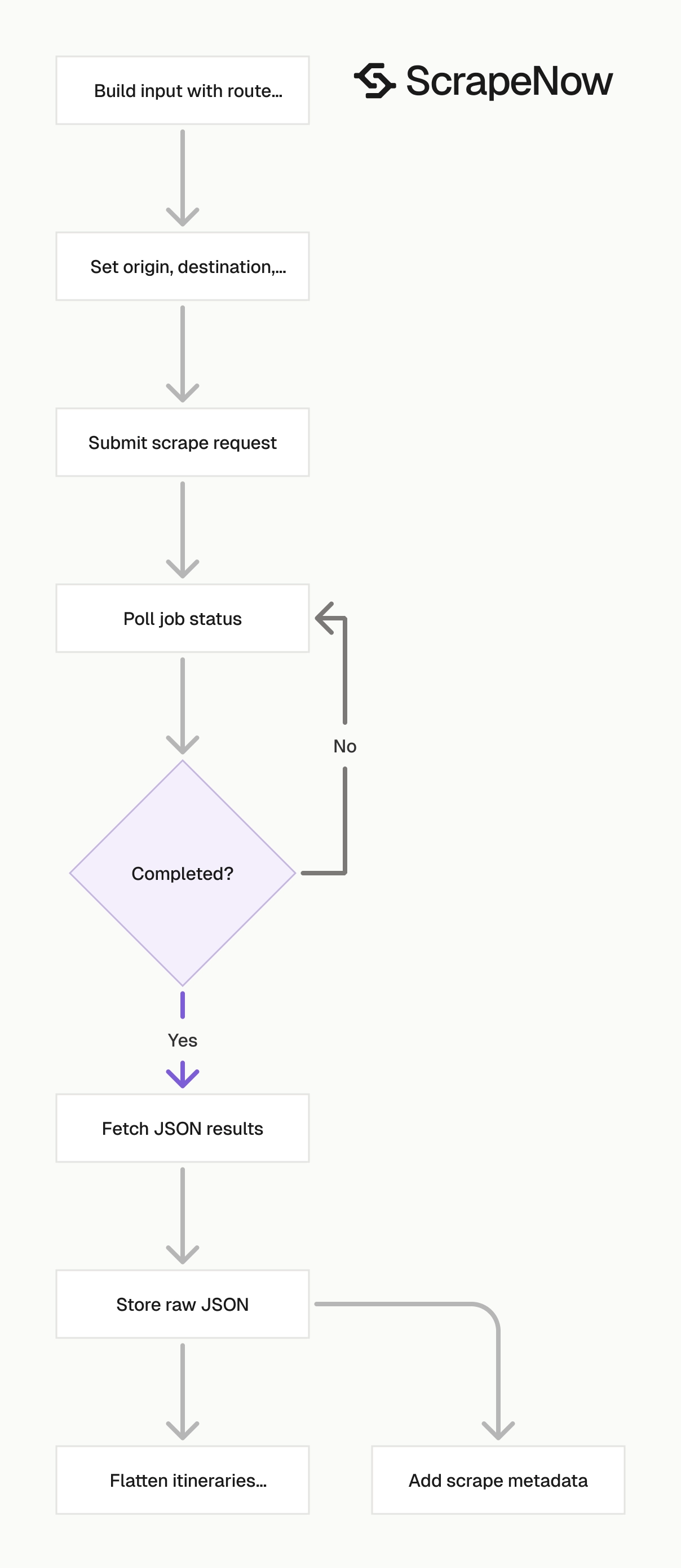
This scraper takes filter inputs instead of a Google Flights URL. You send the same values a user selects in the Google Flights interface.
The scraper slug is:
google-flights-search-by-filters
Use this slug in the scrape endpoint. Each input row represents one Google Flights search.
If you build across Google travel surfaces, the same input pattern applies to the Search Google Hotels by filters. The Extract Google Hotels data handles hotel detail pages. For the full Google scraper catalog, use the ScrapeNow scrapers hub.
Step 1. Pick the origin
Open Google Flights at google.com/travel/flights.
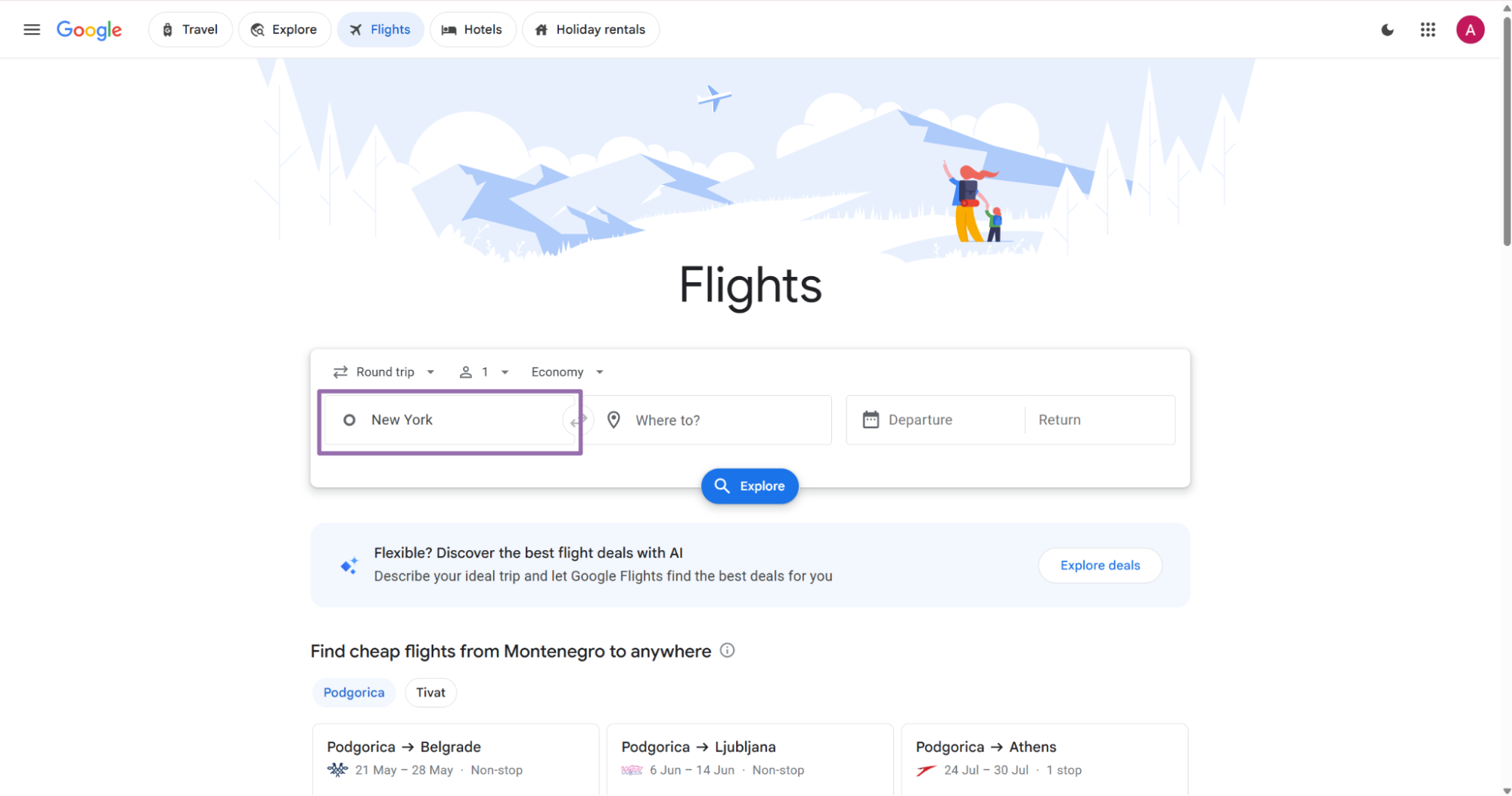
Example:
{
  "origin": "New York"
}
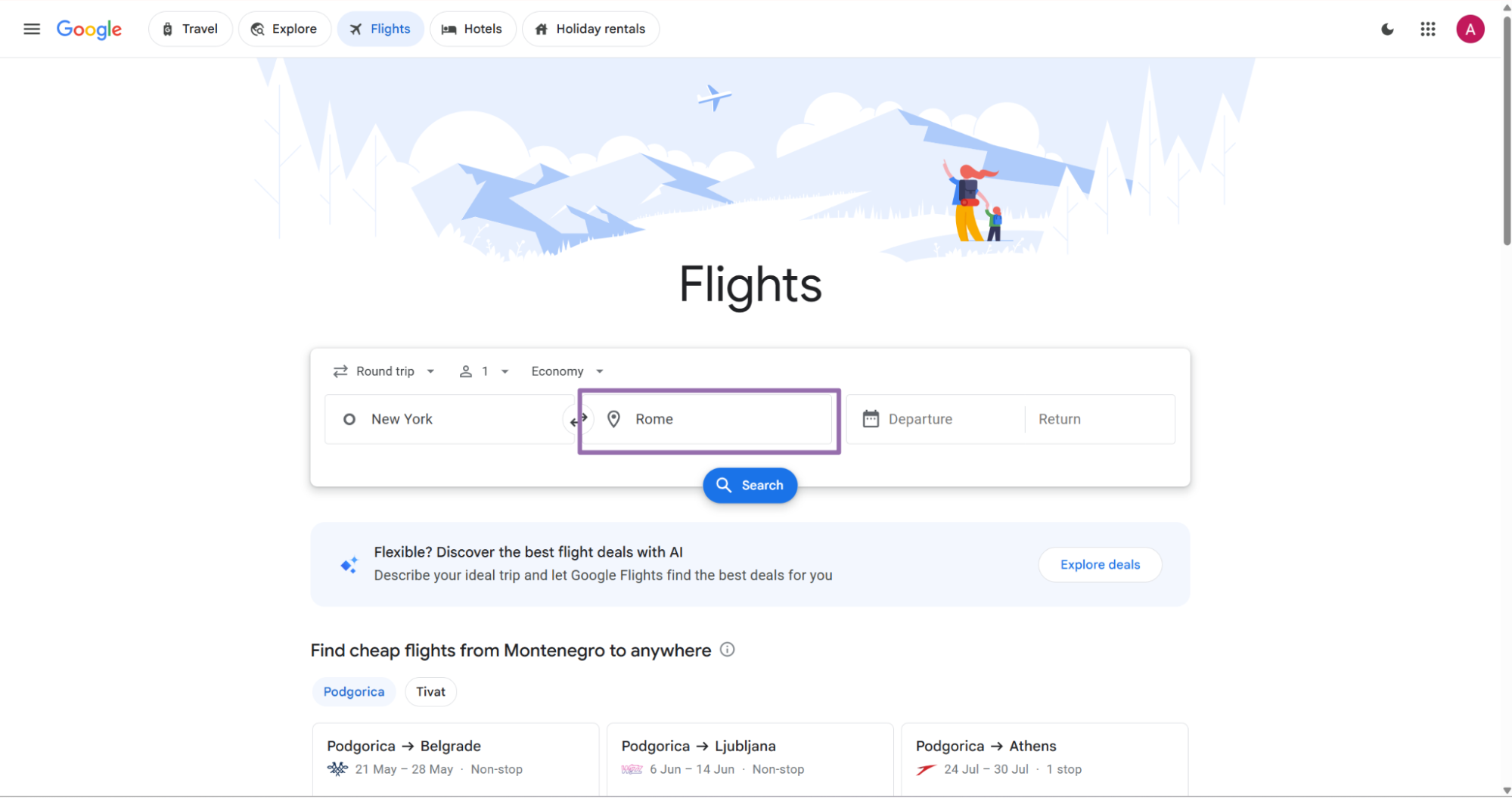
For scheduled jobs, pick one naming style and use it across the batch. Mixing city names and airport codes makes downstream grouping harder.
Step 2. Pick the destination
Use the “Where to?” field for the destination. Send the destination as the same visible value from Google Flights.
Example:
{
  "destination": "Nashville"
}
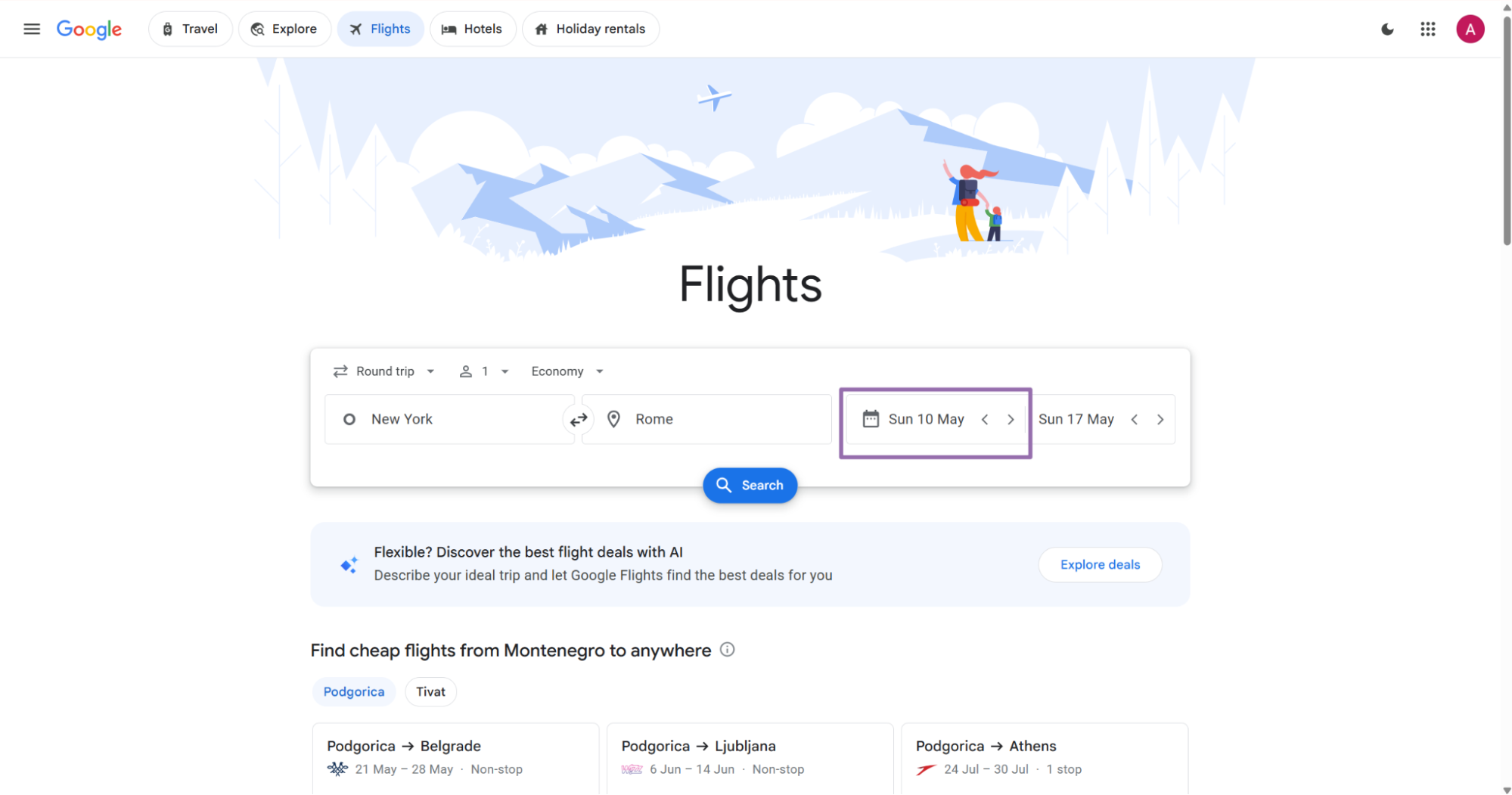
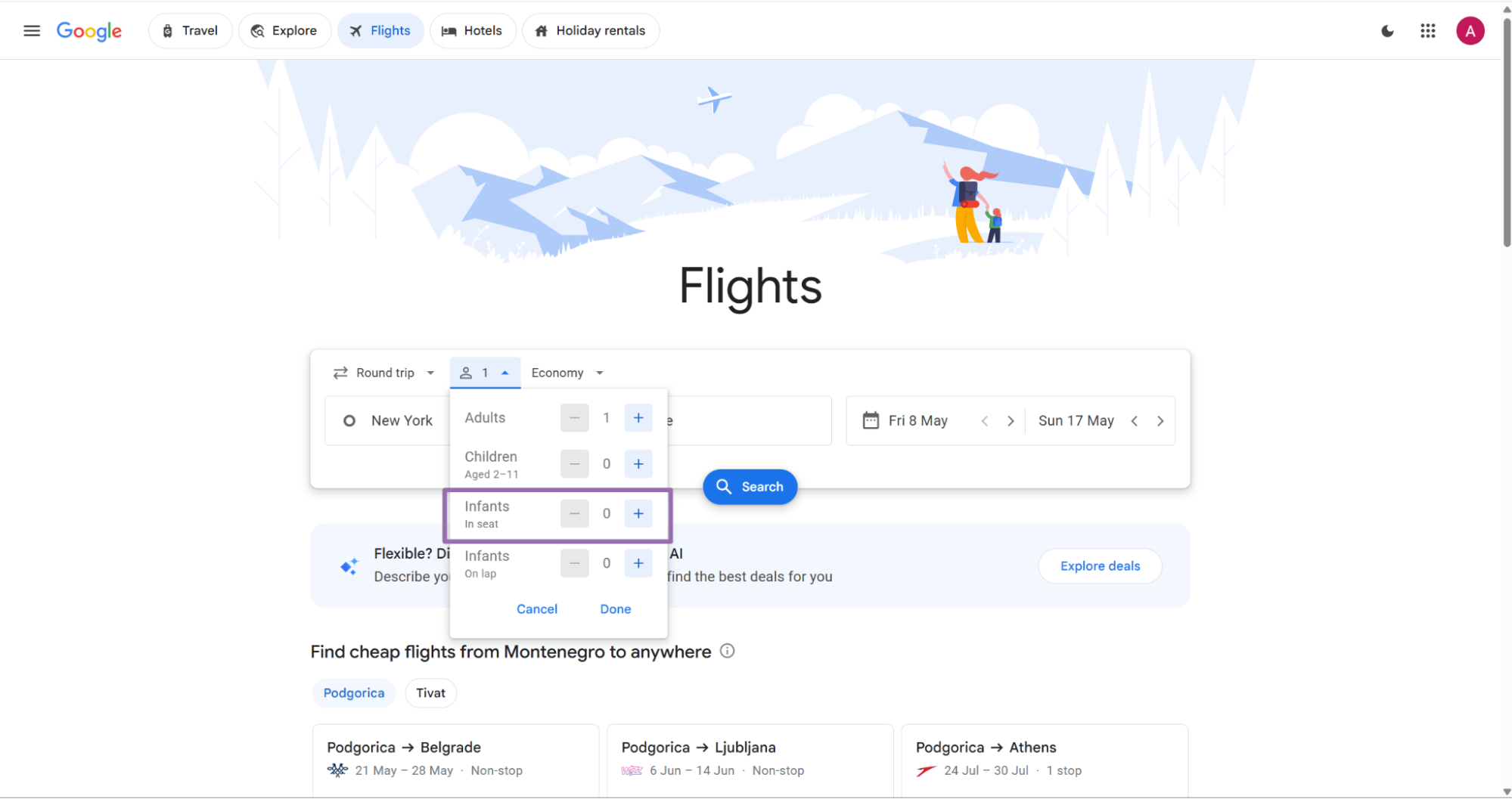
Step 3. Pick departure and return dates
Choose the departure date in the Departure field. For API usage, send dates in YYYY-MM-DD format or the full timestamp format shown below.
{
  "departure": "2026-06-01T00:00"
}
For a round trip, choose the return date in the Return field. A one-way search does not need a return date.
{
  "return": "2026-06-08T00:00"
}
Google Flights date pickers show different UI states based on previous selections. The API input stays the same, so treat the UI as a reference for the selected value.
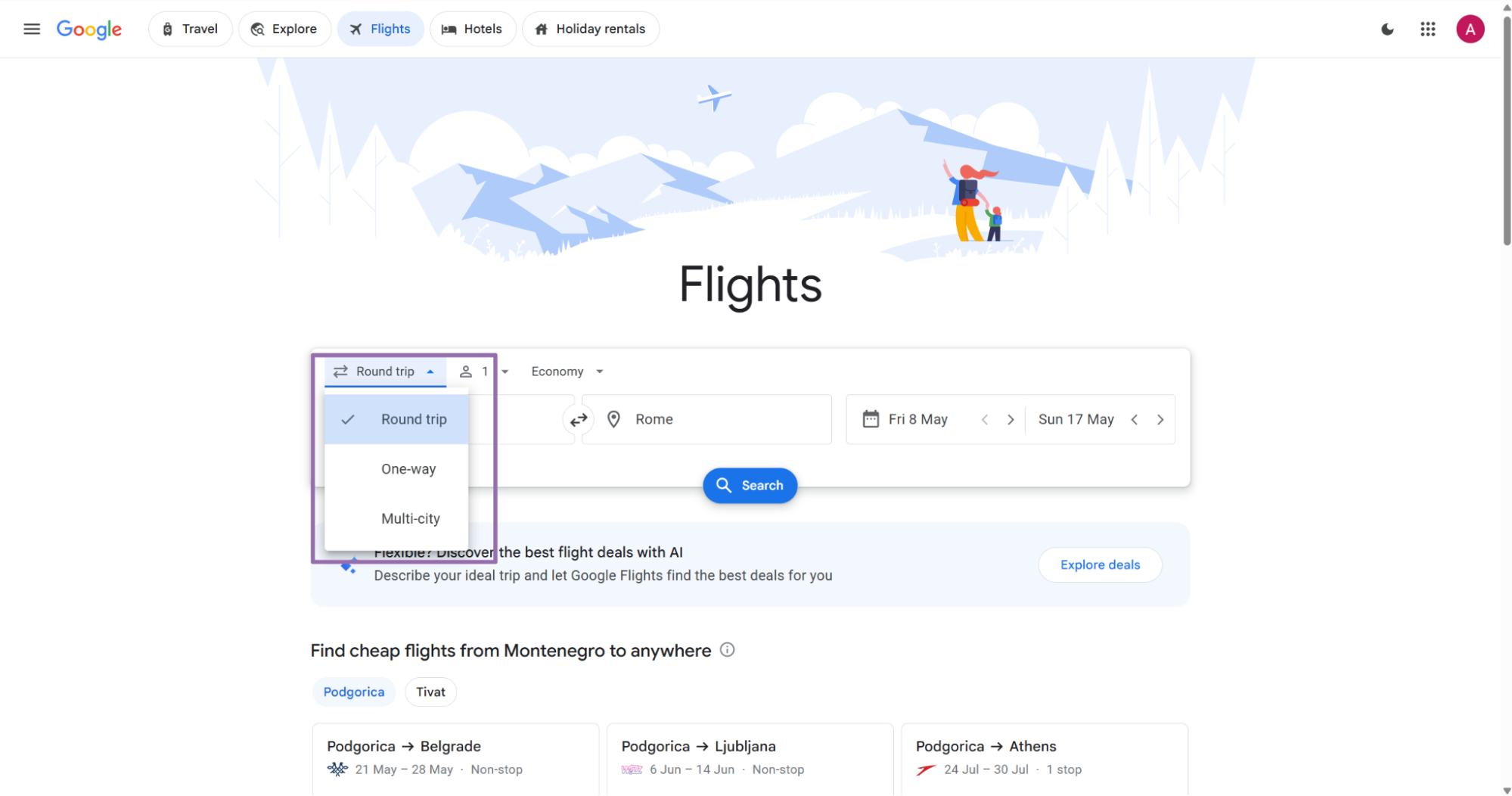
Step 4. Set trip type
Choose the trip type from the trip filter. Send the exact string value from the scraper schema.
Valid examples:
{
  "trip_type": "Round trip"
}
{
  "trip_type": "One way"
}
For round trips, include both departure and return. For one-way trips, send departure and omit return unless your internal schema requires a null value.
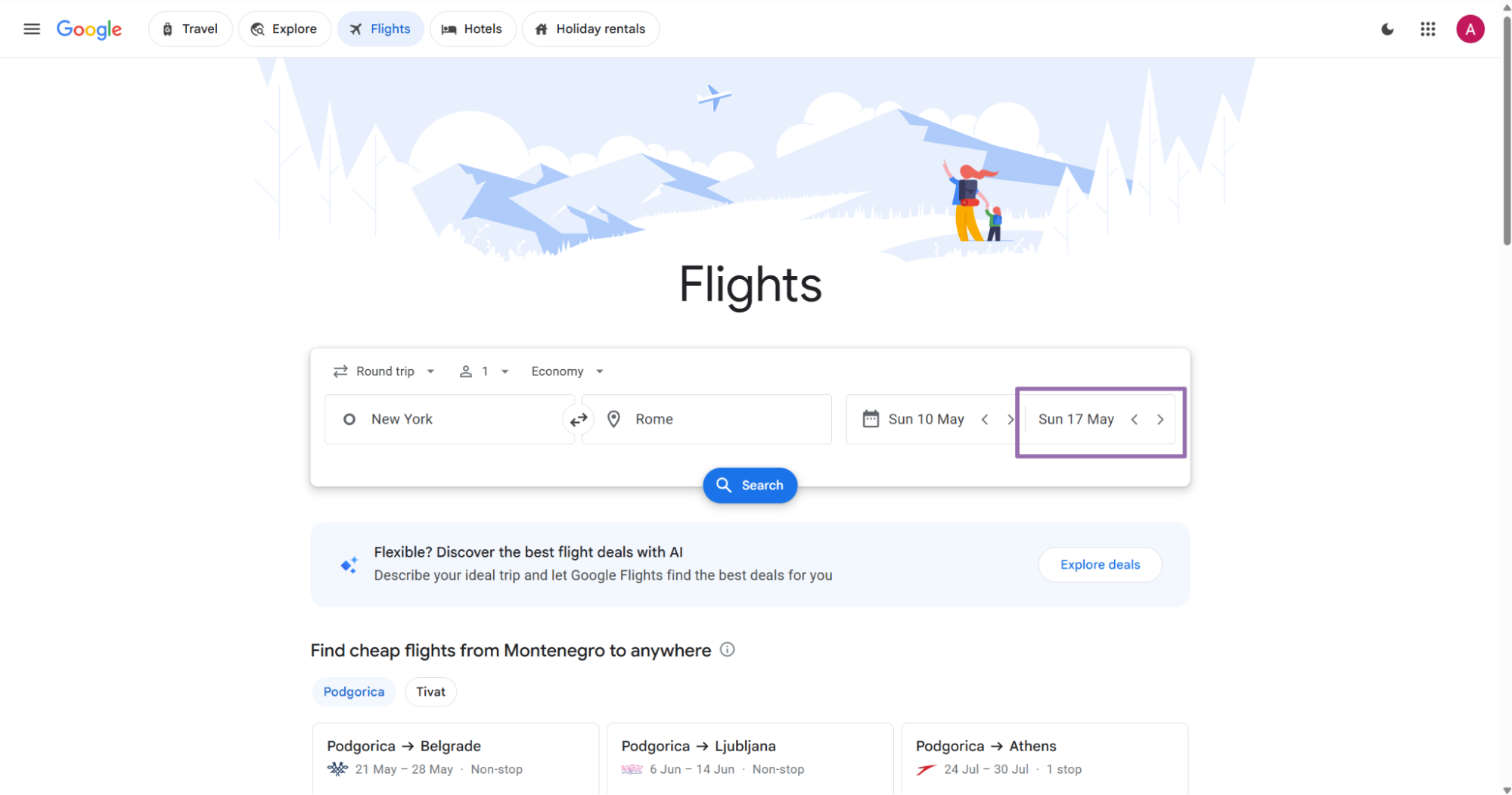
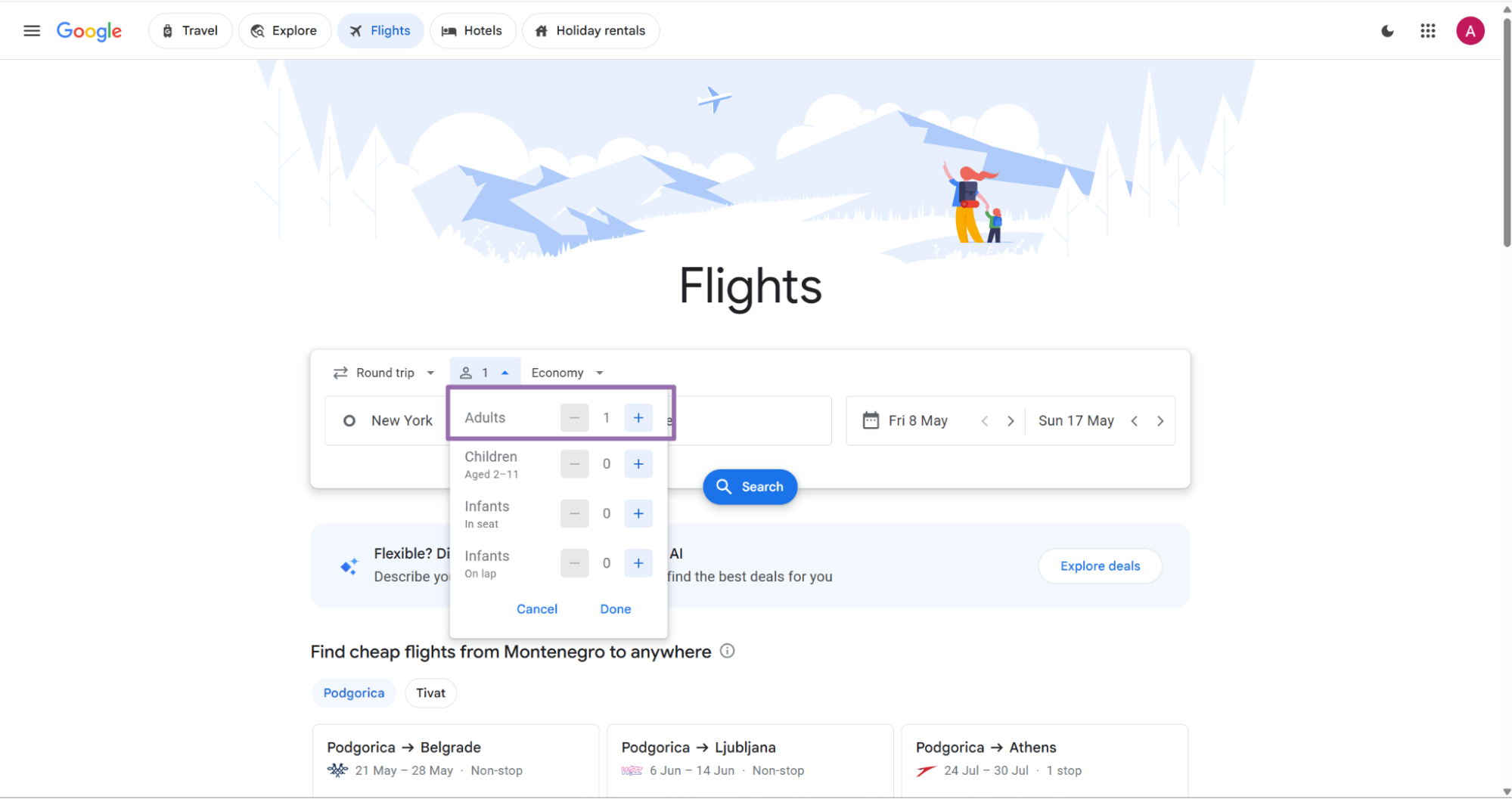
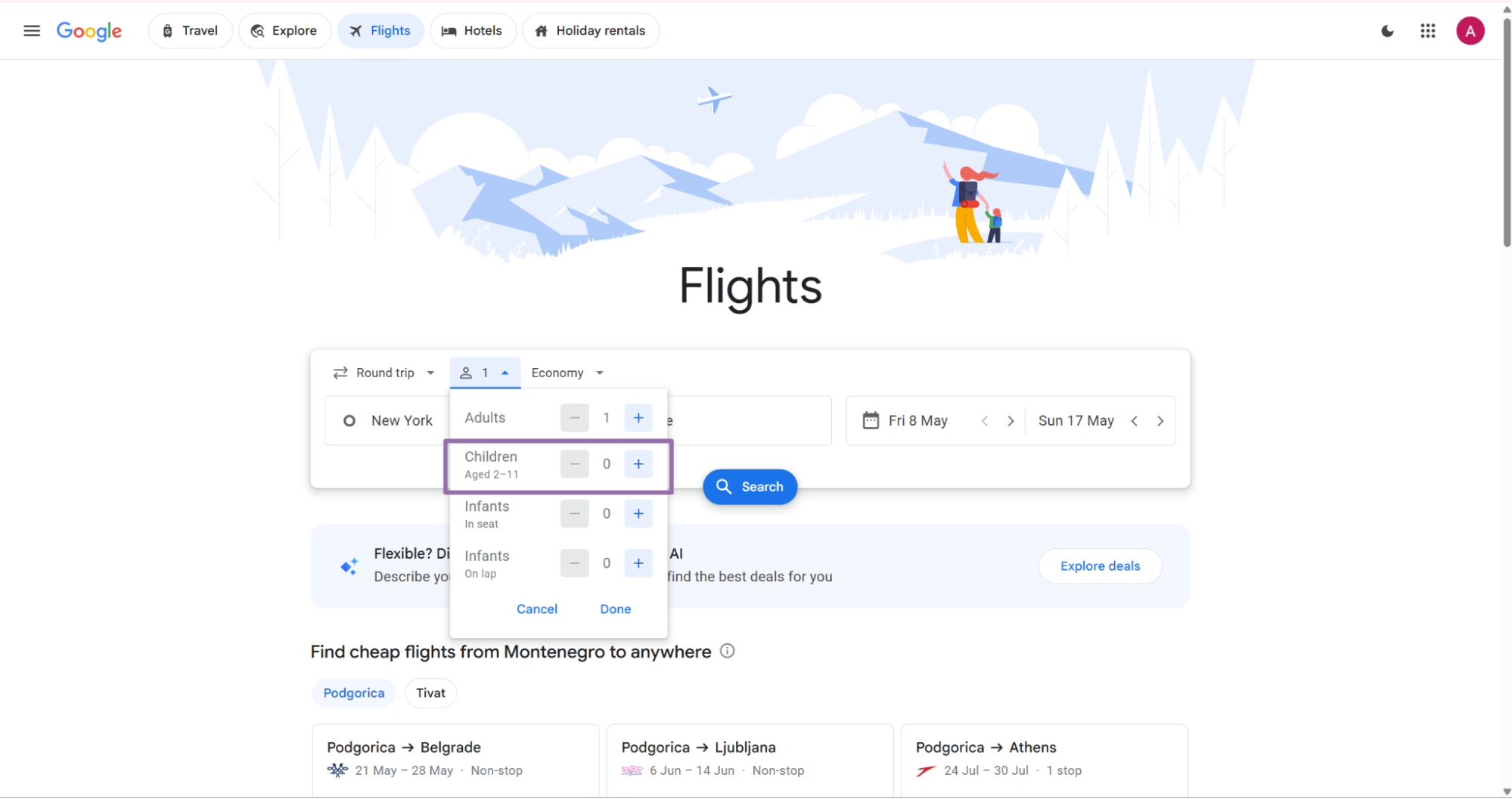
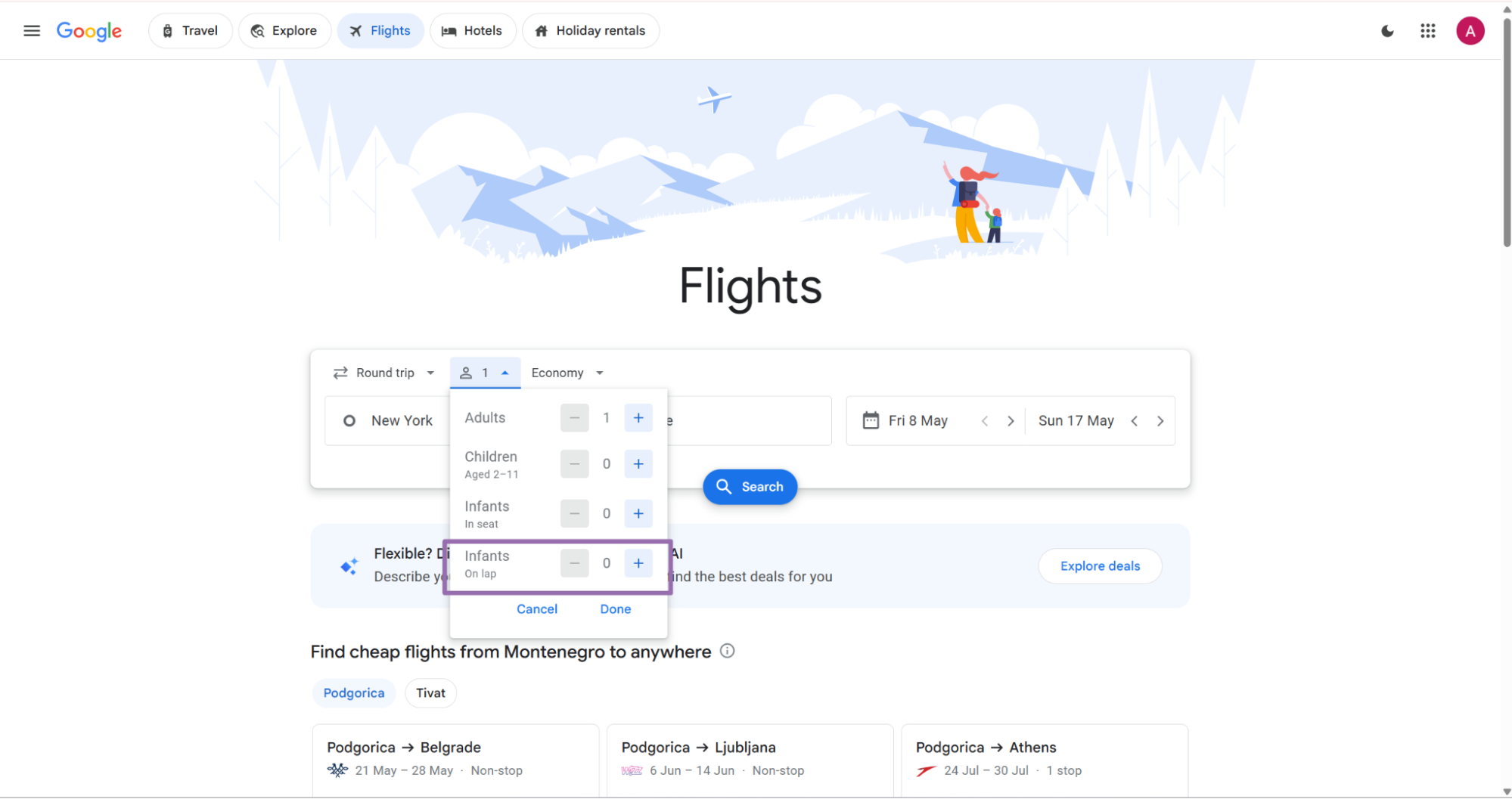
Step 5. Set passengers
Set adults, children, infants in seat, and infants on lap from the passenger selector. Send passenger counts as strings that match the scraper schema.
{
  "adults": "2",
  "children": "0",
  "infants_in_seat": "0",
  "infants_on_lap": "0"
}
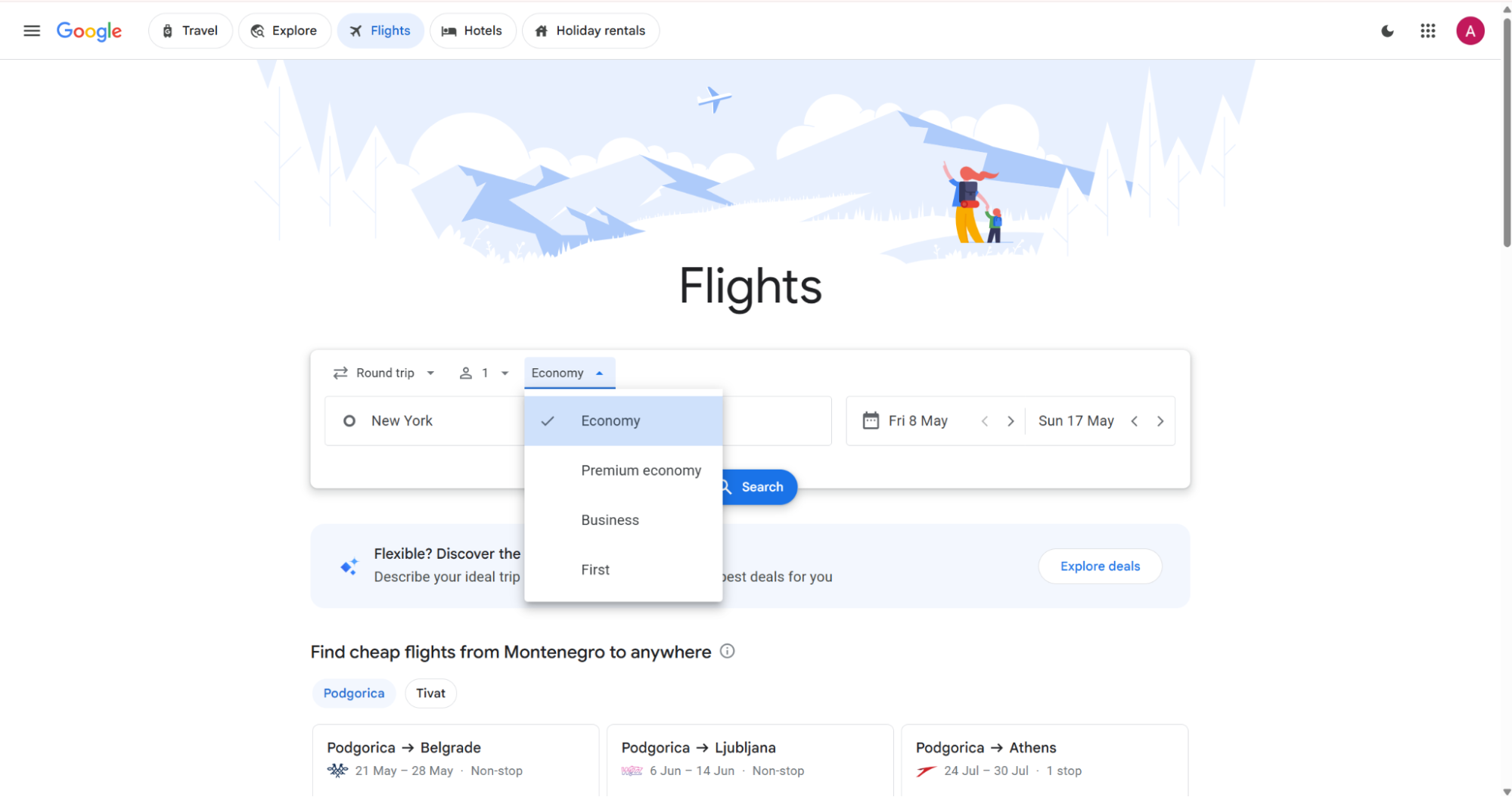
Step 6. Set cabin class
Choose the seat class from the class filter. Send the exact string value, such as Economy or Business.
Example:
{
  "cabin": "Economy"
}
Valid cabin values include Economy, Premium economy, Business, and First. Keep capitalization stable across your input files.
Cabin class changes the result set and the fare range. Store cabin class in every dedupe key and every price snapshot.
Step 7. Run the API request
Use this Python script. Replace YOUR_API_KEY before running it.
"""
Configuration:
    - Set SCRAPER_SLUG to the scraper you want to run.
    - Set SCRAPER_INPUTS to the list of input dicts matching that scraper's schema.
    - Set API_KEY to your scraper API key.
"""

import sys
import time
import json
import requests
import os

API_KEY = "YOUR_API_KEY"

SCRAPER_SLUG = "google-flights-search-by-filters"

SCRAPER_INPUTS = [
    {
        "cabin": "Economy",
        "adults": "2",
        "origin": "New York",
        "return": "2026-06-08T00:00",
        "children": "0",
        "departure": "2026-06-01T00:00",
        "trip_type": "Round trip",
        "destination": "Nashville",
        "infants_on_lap": "0",
        "infants_in_seat": "0"
    }
]

BASE_URL = "https://api.scrapenow.io/api/v1/scraping"
TIMEOUT_SECONDS = 3600
POLL_INTERVAL = 5
SPINNER = "|/-\\"


def build_headers(api_key: str, content_type: str | None = None) -> dict:
    """Build headers using your API key."""
    headers = {"Authorization": f"Bearer {api_key}"}
    if content_type:
        headers["Content-Type"] = content_type
    return headers


def trigger_scrape(slug: str, inputs: list[dict]) -> str:
    """POST to the scrape endpoint and return the job_id."""
    url = f"{BASE_URL}/scrape?scraper={slug}"

    response = requests.post(
        url,
        headers=build_headers(API_KEY, "application/json"),
        json={"inputs": inputs, "limit_per_input": 1},
    )
    response.raise_for_status()
    return response.json()["data"]["job_id"]


def poll_until_done(job_id: str) -> str:
    """Poll the job status until it reaches a terminal state."""
    start = time.time()
    i = 0
    while True:
        elapsed = time.time() - start
        if elapsed > TIMEOUT_SECONDS:
            print(f"\nTimeout after {TIMEOUT_SECONDS}s")
            sys.exit(1)

        data = requests.get(
            f"{BASE_URL}/jobs/{job_id}",
            headers=build_headers(API_KEY),
        ).json()
        status = data["data"]["status"]

        mins, secs = divmod(int(elapsed), 60)
        sys.stdout.write(f"\r[{SPINNER[i % 4]}] Waiting... {status} ({mins}m {secs:02d}s)  ")
        sys.stdout.flush()

        if status in ("completed", "failed"):
            print()
            return status

        time.sleep(POLL_INTERVAL)
        i += 1


def fetch_results(job_id: str) -> dict:
    """Download the completed job results as JSON."""
    response = requests.get(
        f"{BASE_URL}/jobs/{job_id}/results?format=json",
        headers=build_headers(API_KEY),
    )
    response.raise_for_status()
    return response.json()


def save_results(data: dict, slug: str) -> str:
    """Write results to output/{slug}.json and return the filename."""
    os.makedirs("output", exist_ok=True)
    filename = os.path.join("output", f"{slug}.json")
    with open(filename, "w", encoding="utf-8") as f:
        json.dump(data, f, indent=2, ensure_ascii=False)
    return filename


def main() -> None:
    print(f"Triggering scraper: {SCRAPER_SLUG}")
    job_id = trigger_scrape(SCRAPER_SLUG, SCRAPER_INPUTS)
    print(f"Job started: {job_id}")

    final_status = poll_until_done(job_id)

    if final_status != "completed":
        print(f"Job failed with status: {final_status}")
        sys.exit(1)

    print("Fetching results...")
    results = fetch_results(job_id)

    output_file = save_results(results, SCRAPER_SLUG)
    print(f"Results saved to: {output_file}")


if __name__ == "__main__":
    main()
The script does 4 things:
| Step | What happens | Setting |
|---|---|---|
| Trigger job | Starts google-flights-search-by-filters |
POST /scrape?scraper=... |
| Poll job | Checks status every 5 seconds | POLL_INTERVAL = 5 |
| Stop on timeout | Ends after 3600 seconds | TIMEOUT_SECONDS = 3600 |
| Save JSON | Writes results to disk | output/google-flights-search-by-filters.json |
The request sends one input row and asks for one result per input. For larger batches, add more dictionaries to SCRAPER_INPUTS.
Keep batch size practical for your pipeline. I usually start with 10 to 50 inputs, confirm the output shape, then scale the batch after validation passes.
Step 8. Read the JSON output
A successful run returns an array of records. This trimmed response shows the fields you should expect.
[
  {
    "inputs": {
      "cabin": "Economy",
      "adults": "2",
      "origin": "New York",
      "return": "2026-06-08T00:00",
      "children": "0",
      "departure": "2026-06-01T00:00",
      "trip_type": "Round trip",
      "destination": "Nashville",
      "infants_on_lap": "0",
      "infants_in_seat": "0"
    },
    "scrape_status": "success",
    "url": "https://www.google.com/travel/flights/booking?tfs=CBwQAhpKEgoyMDI2LTA2LTAxIh8KA0xHQRIKMjAyNi0wNi0wMRoDQk5BKgJXTjIDMjM0ag0IAxIJL20vMDJfMjg2cgwIAxIIL20vMDVqYm4abBIKMjAyNi0wNi0wOCIfCgNCTkESCjIwMjYtMDYtMDgaA1NUTCoCV04yAzc3MCIgCgNTVEwSCjIwMjYtMDYtMDgaA0xHQSoCV04yBDQ2ODRqDAgDEggvbS8wNWpibnINCAMSCS9tLzAyXzI4NkABQAFIAXABggELCP___________wGYAQE&tfu=CnRDalJJUWxwMVNWcEhWVUl0VkVsQlEwaHFXbmRDUnkwdExTMHRMV05sWjNjeE5TMXVNa0ZCUVVGQlIyOUZWa2xGU0VWSlExRkJFZ3hYVGpjM01IeFhUalEyT0RRYUN3aVNvUTRRQWhvRFFsSk1PQjF3NXZRQxICCAAiAA&hl=en-US",
    "itinerary_id": "CBwQAhpKEgoyMDI2LTA2LTAxIh8KA0xHQRIKMjAyNi0wNi0wMRoDQk5BKgJXTjIDMjM0ag0IAxIJL20vMDJfMjg2cgwIAxIIL20vMDVqYm4abBIKMjAyNi0wNi0wOCIfCgNCTkESCjIwMjYtMDYtMDgaA1NUTCoCV04yAzc3MCIgCgNTVEwSCjIwMjYtMDYtMDgaA0xHQSoCV04yBDQ2ODRqDAgDEggvbS8wNWpibnINCAMSCS9tLzAyXzI4NkABQAFIAXABggELCP___________wGYAQE",
    "search": {
      "passengers": null,
      "legs_query": null
    },
    "pricing": {
      "best_total_price": 45689,
      "currency": "INR",
      "typical_price_text": 45689,
      "typical_range_low": 53000,
      "typical_range_high": 125000,
      "pricing_note_text": "Prices include required taxes + fees for 2 adults. \nOptional charges and \n\nbag fees\n\n may apply."
    },
    "providers": [
      {
        "provider_name": "Southwest",
        "provider_type": "Airline",
        "primary_price": 45689,
        "secondary_price": {
          "value": 478,
          "currency": "USD"
        },
        "link": "https://www.google.com/travel/clk/f?u=ADowPOKNeVkKF_EG1858_HuE4SRwm7ROnYej8qAz7jjFRBjKAFc3OPEBEgiqxHZ5uWhFOHsKqdPsNURi8MvnFX_OC3K4aBKA0bebuPNVzxrgMt2eiVZz2Ao5iuFO0raMg8WdegPwvud2PmpNCCuYg0rA_IdGtwi6WOsIMWgJNb03S-PNxUZPAqugkSPCN1BPnYRXrWP80kkXvhrtX9z9ms8XYouUL-7tJfkpfZr3j2D7UkmSQpGZY6DmH6MRGoUNyOlJNZjcAWCQHT8QJ9ZMOBJxcANXLyI5ExNsVh9bklBzDo0Q6i_O0IQMkjvQw1Ba3jWUiYARDJCW3cZNTvbRpUlXaPgCqPdzygmxxHDQdA8N62HxOdJh_fKDfLll4OJXey5p-eyL-ep8dZ9MijngCPbuJaHIyiaJOHB1elLPBjwvut-fnTLrO6JFN4JUVLvWVY34yePFOFvA9keYjv48UEFVEZDxkpF9pWO2z0FI4YCiJKMoH6pV5iQsRS8SHpiSgEwniFpRfikneZUKK5X-wi5BFPp02oCGxN7_NWNQ3kZxC2cmCIL6ibNXVp6zPfa25714aXawfLv4C_lv5nsUl9HSHz6cbEMECAczS78O3vjATL_ZWGV1c4vmpdM3yWAPxukeYM3Ftt1DroKzHBAMSWq4pYuNoPJxeftEBXVWNK-mNzmkSXn9NjmSm5uRlcTMSefnBJhRm89dsvHMTv9QwsTaHSZAf6lR6wZBi9_Rev-q8K98wcSbSTFlLO4SG0COsYQzA_OE3ZJLEt_X_B1lai5enrxhG52V0f7uqOBiaDsvEBzgE28c2csEJcDcF2m9zZtGGZ-DdRJlicHorc8_rWifRRDN8VkNvhnfaApYJPtISQXvmx-Eh5rwdc5-XZh950ZIjn14f_mlwUjmwhMADLbAHv8T9vmJWaBppR_EILM7c4KLA4Y4HWK5ct6k408ZLYYoa9m08h0OSCCfgQpVZWLMKag3l3AdmrF3eN-hBfpA2ExJr7F7JVndV1mrg41UnY826GHz62eb_5eOQNqL_HaobEOaHC8XSAjnI2hYhLKKjKkDJft6KnzpDSggFIdO0qp1WfYmnnI44Mu2LILl9wvkaAz4copoYf-RjZ"
      }
    ]
  }
]
The link field often contains a long Google redirect URL. Store the full value if analysts need to open the booking provider later.
What data you get back
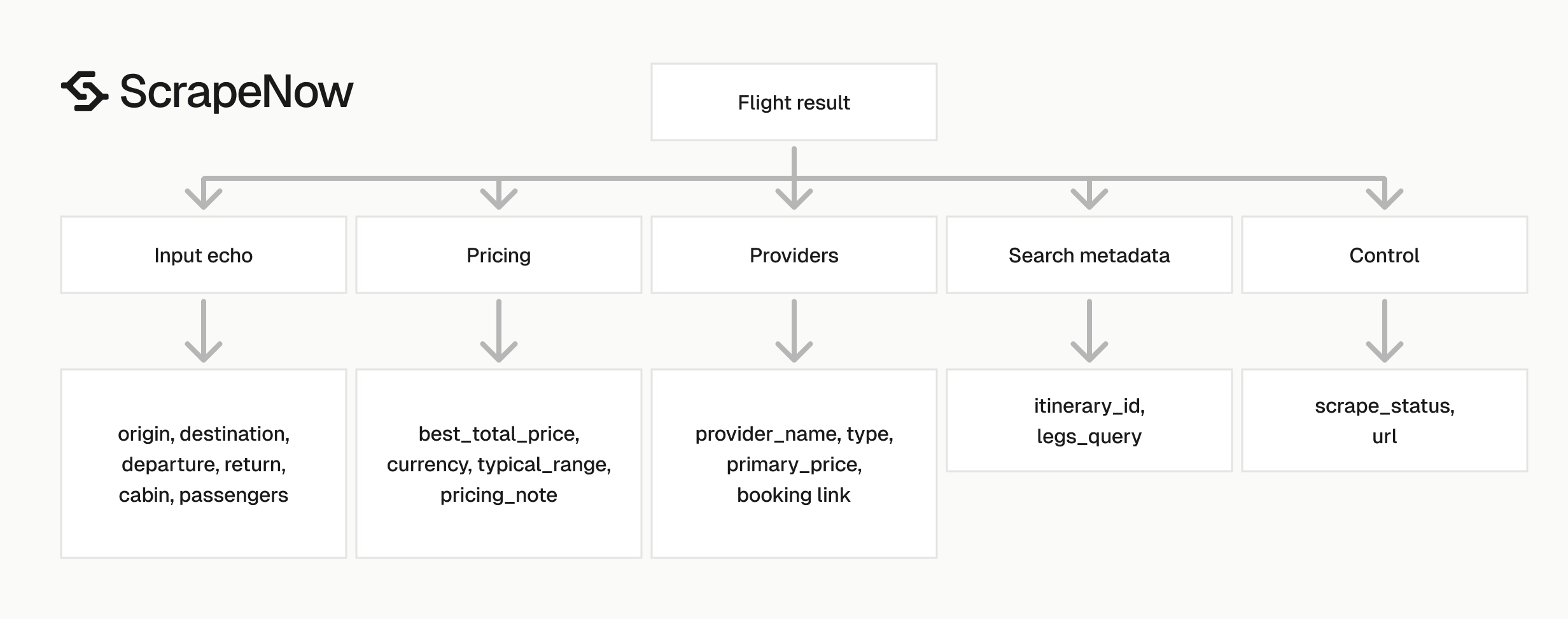
The response keeps your input, scrape status, Google booking URL, itinerary ID, pricing block, and provider list in one record. Keep the full record even if your analytics tables use only a subset.
inputs
The inputs object mirrors the request payload. Use this block for traceability.
If you run 10,000 route and date combinations, this object tells you which query produced each fare. It also lets you replay failed rows without rebuilding the original batch.
"inputs": {
  "cabin": "Economy",
  "adults": "2",
  "origin": "New York",
  "return": "2026-06-08T00:00",
  "children": "0",
  "departure": "2026-06-01T00:00",
  "trip_type": "Round trip",
  "destination": "Nashville",
  "infants_on_lap": "0",
  "infants_in_seat": "0"
}
scrape_status
scrape_status tells you whether the row extracted cleanly. Expected success value:
"scrape_status": "success"
Store failed rows separately and retry them with the same input payload. Keep the original input unchanged so the retry tests the same search.
url
url is the Google Flights booking URL for the returned itinerary. Analysts can open it to inspect a fare manually.
This field also gives your pipeline a deterministic source URL for audits. Store it as text, since these URLs exceed common short URL column lengths.
itinerary_id
itinerary_id is the stable identifier for the returned Google Flights itinerary. Use it for deduplication with route, dates, cabin, and passenger counts.
A good dedupe key looks like this:
origin|destination|departure|return|trip_type|cabin|adults|children|infants_in_seat|infants_on_lap|itinerary_id
This key protects you from duplicate writes when you rerun the same batch. It also separates the same itinerary across cabin classes and passenger mixes.
pricing
The pricing object contains fare numbers and context.
"pricing": {
  "best_total_price": 45689,
  "currency": "INR",
  "typical_price_text": 45689,
  "typical_range_low": 53000,
  "typical_range_high": 125000,
  "pricing_note_text": "Prices include required taxes + fees for 2 adults. \nOptional charges and \n\nbag fees\n\n may apply."
}
Key fields:
| Field | Type | Use |
|---|---|---|
best_total_price |
integer | Main fare value for comparisons |
currency |
string | Currency code, such as INR |
typical_price_text |
integer | Displayed typical price value |
typical_range_low |
integer | Lower bound for typical fare range |
typical_range_high |
integer | Upper bound for typical fare range |
pricing_note_text |
string | Tax, fee, and bag fee notes |
Keep pricing_note_text as text. Parse it only when you own every downstream rule.
Prices can return in a currency tied to the search context. Store the currency with every numeric price, including provider-level secondary prices.
providers
providers is an array of booking options. Each provider can include airline name, provider type, primary price, secondary price, and link.
"providers": [
  {
    "provider_name": "Southwest",
    "provider_type": "Airline",
    "primary_price": 45689,
    "secondary_price": {
      "value": 478,
      "currency": "USD"
    },
    "link": "https://www.google.com/travel/clk/f?u=..."
  }
]
For storage, flatten providers into a child table keyed by the parent itinerary. One itinerary can have multiple providers, and provider order can change between snapshots.
Store primary_price and secondary_price separately. The secondary price often reflects a converted display value, so pair it with its own currency.
Production tips
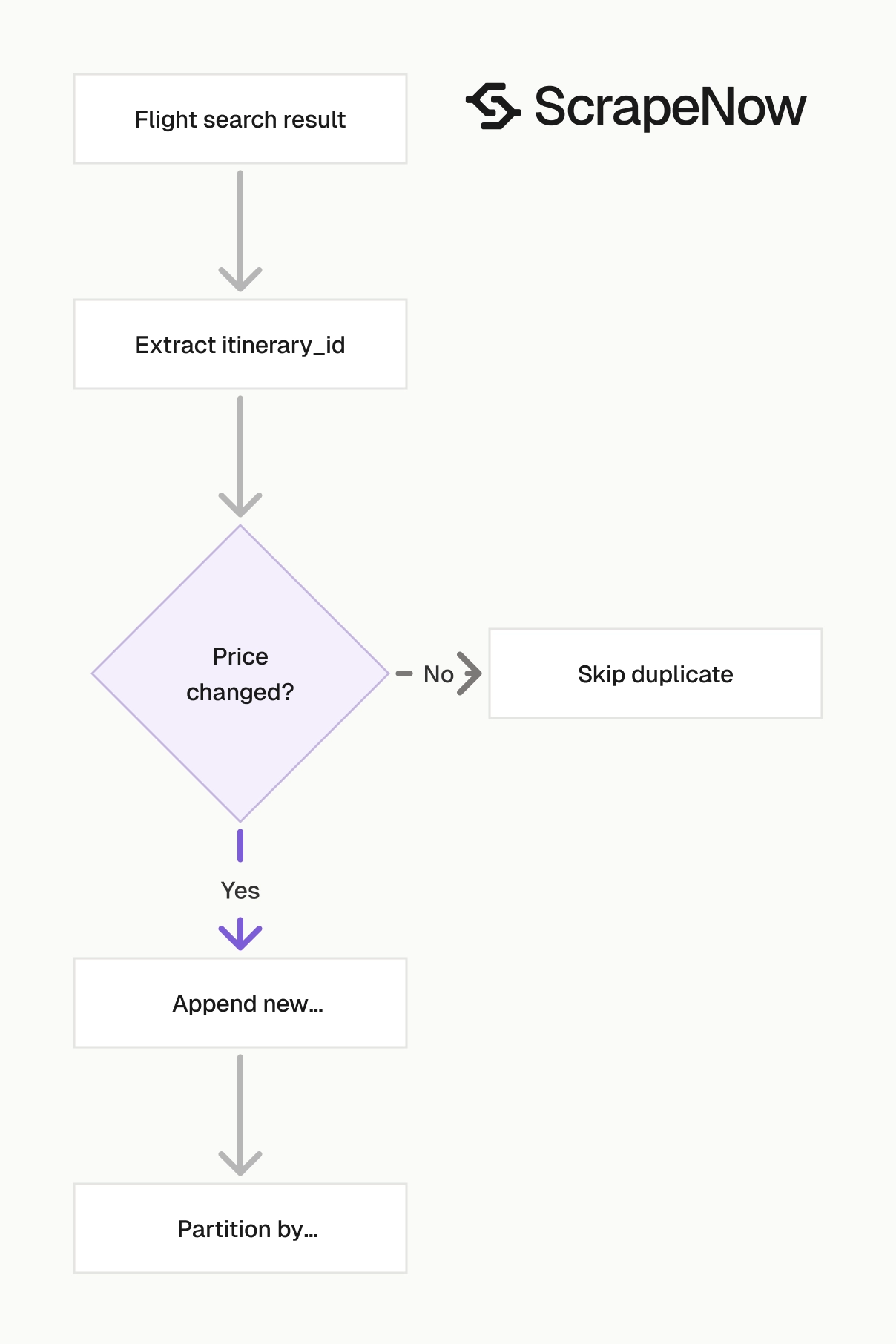
Flight search data changes often. Treat every scrape result as a timestamped snapshot.
Add scraped_at during ingestion. The scrape result tells you what Google returned at that run time, not a permanent fare.
Validate inputs before sending jobs
Invalid date formats and empty route fields waste credits. Validate before you call the API.
from datetime import datetime

REQUIRED_FIELDS = [
    "origin",
    "destination",
    "departure",
    "trip_type",
    "adults",
    "cabin",
]

VALID_TRIP_TYPES = {"One way", "Round trip"}
VALID_CABINS = {"Economy", "Premium economy", "Business", "First"}

def validate_flight_input(row: dict) -> None:
    missing = [field for field in REQUIRED_FIELDS if not row.get(field)]
    if missing:
        raise ValueError(f"Missing fields: {missing}")

    if row["trip_type"] not in VALID_TRIP_TYPES:
        raise ValueError(f"Invalid trip_type: {row['trip_type']}")

    if row["cabin"] not in VALID_CABINS:
        raise ValueError(f"Invalid cabin: {row['cabin']}")

    datetime.fromisoformat(row["departure"])

    if row["trip_type"] == "Round trip":
        if not row.get("return"):
            raise ValueError("Round trip requires return")
        datetime.fromisoformat(row["return"])

    for field in ["adults", "children", "infants_in_seat", "infants_on_lap"]:
        value = int(row.get(field, 0))
        if value < 0:
            raise ValueError(f"{field} cannot be negative")
Run validation before adding rows to SCRAPER_INPUTS.
input_row = {
    "cabin": "Economy",
    "adults": "2",
    "origin": "New York",
    "return": "2026-06-08T00:00",
    "children": "0",
    "departure": "2026-06-01T00:00",
    "trip_type": "Round trip",
    "destination": "Nashville",
    "infants_on_lap": "0",
    "infants_in_seat": "0"
}

validate_flight_input(input_row)
I also reject rows where origin and destination match. Those rows usually come from upstream mapping errors.
For route lists built from airport data, validate IATA codes before generating the scrape inputs. A 3-letter airport code check catches most file formatting issues.
Store a normalized schema
Keep raw JSON. Also store normalized rows for analytics.
A practical schema uses 2 tables.
| Table | Grain | Fields |
|---|---|---|
flight_itineraries |
1 row per itinerary result | route, dates, passengers, cabin, itinerary ID, price, currency, scraped at |
flight_providers |
1 row per provider per itinerary | itinerary ID, provider name, provider type, primary price, secondary price, link |
Example flattening code:
from datetime import datetime, timezone

def flatten_flight_results(results: list[dict]) -> tuple[list[dict], list[dict]]:
    itineraries = []
    providers = []
    scraped_at = datetime.now(timezone.utc).isoformat()

    for item in results:
        inputs = item.get("inputs", {})
        pricing = item.get("pricing", {})
        itinerary_id = item.get("itinerary_id")

        itineraries.append({
            "itinerary_id": itinerary_id,
            "origin": inputs.get("origin"),
            "destination": inputs.get("destination"),
            "departure": inputs.get("departure"),
            "return": inputs.get("return"),
            "trip_type": inputs.get("trip_type"),
            "cabin": inputs.get("cabin"),
            "adults": int(inputs.get("adults", 0)),
            "children": int(inputs.get("children", 0)),
            "infants_in_seat": int(inputs.get("infants_in_seat", 0)),
            "infants_on_lap": int(inputs.get("infants_on_lap", 0)),
            "best_total_price": pricing.get("best_total_price"),
            "currency": pricing.get("currency"),
            "typical_range_low": pricing.get("typical_range_low"),
            "typical_range_high": pricing.get("typical_range_high"),
            "booking_url": item.get("url"),
            "scrape_status": item.get("scrape_status"),
            "scraped_at": scraped_at,
        })

        for provider in item.get("providers", []):
            secondary = provider.get("secondary_price") or {}

            providers.append({
                "itinerary_id": itinerary_id,
                "provider_name": provider.get("provider_name"),
                "provider_type": provider.get("provider_type"),
                "primary_price": provider.get("primary_price"),
                "secondary_price_value": secondary.get("value"),
                "secondary_price_currency": secondary.get("currency"),
                "provider_link": provider.get("link"),
                "scraped_at": scraped_at,
            })

    return itineraries, providers
Use append-only storage for price history. Updating a fare row in place destroys the time series you need for trend analysis.
For warehouses, partition by scrape date. For files, write one raw file per job and one normalized file per ingestion run.
Deduplicate by route, date, and itinerary
Prices move. You need two concepts in storage.
One key identifies the itinerary. Another key identifies the price snapshot.
import hashlib
import json

def make_itinerary_key(item: dict) -> str:
    inputs = item["inputs"]
    parts = [
        inputs.get("origin", ""),
        inputs.get("destination", ""),
        inputs.get("departure", ""),
        inputs.get("return", ""),
        inputs.get("trip_type", ""),
        inputs.get("cabin", ""),
        inputs.get("adults", ""),
        inputs.get("children", ""),
        inputs.get("infants_in_seat", ""),
        inputs.get("infants_on_lap", ""),
        item.get("itinerary_id", ""),
    ]
    return "|".join(parts)

def make_snapshot_hash(item: dict) -> str:
    payload = {
        "key": make_itinerary_key(item),
        "pricing": item.get("pricing", {}),
        "providers": item.get("providers", []),
    }
    raw = json.dumps(payload, sort_keys=True)
    return hashlib.sha256(raw.encode("utf-8")).hexdigest()
Use the itinerary key to avoid duplicate route records. Use the snapshot hash to detect price changes.
A price can change while the itinerary ID stays the same. A provider list can also change while the best fare remains unchanged.
Store both signals. That gives analysts enough detail to separate fare movement from provider availability changes.
Retry failed rows without rerunning the full batch
Keep failed rows in a retry queue. Do not resend successful rows.
def split_results(results: list[dict]) -> tuple[list[dict], list[dict]]:
    good = []
    retry_inputs = []

    for item in results:
        if item.get("scrape_status") == "success":
            good.append(item)
        else:
            retry_inputs.append(item.get("inputs", {}))

    return good, retry_inputs
For scheduled jobs, I use 3 retry attempts with a delay between runs. Past that, write the row to a dead-letter file and inspect the input.
Keep retry jobs small. A queue of 20 failed inputs is easier to inspect than one mixed rerun containing thousands of successful rows.
Add the error payload to your retry logs when the API returns one. Store the job ID with each retry attempt.
Keep raw results for breakage checks
Google UI changes can affect field presence. Store the complete response next to your normalized tables.
Use a folder structure like this:
data/
  raw/
    google-flights-search-by-filters/
      scrape_date=2026-06-01/
        job_123.json
  normalized/
    flight_itineraries.csv
    flight_providers.csv
  dead_letter/
    failed_inputs.json
This saves time when a downstream parser breaks. You can replay normalization from raw JSON instead of paying for another scrape.
Raw files also help with audit requests. When a price looks wrong, you can inspect the exact provider list and pricing note returned that day.
Track run metadata
Store job metadata with every batch. At minimum, keep job ID, scraper slug, input count, start time, end time, and final status.
A small run table gives you operational visibility. It also helps you calculate credit usage by route group or customer account.
Example metadata row:
{
  "job_id": "job_123",
  "scraper_slug": "google-flights-search-by-filters",
  "input_count": 50,
  "started_at": "2026-06-01T10:00:00Z",
  "finished_at": "2026-06-01T10:04:30Z",
  "status": "completed"
}
Use this table to alert on failed batches. Alert on missing output files as well, since a completed job still needs ingestion.
Ready to get this data? Try the Google scraper with your own URLs.
Pricing
ScrapeNow charges per returned row. One row costs one credit, starting at $0.04 per credit for small runs and dropping with volume. No monthly contracts, no proxy fees, no charges for failed rows. See the pricing page for current rates.


