
Flipkart search rows expose SKU, variant ID, rank, price, promo state, and search context.
This Flipkart search scraper extracts product listings from Flipkart search result pages. It returns rank, SKU, variant ID, product URL, title, brand, price, ratings, review counts, images, sponsored blocks, and promo fields.
Data, pricing, catalog, and growth teams use it to track search position, price movement, category coverage, and marketplace availability. You get structured rows without maintaining Flipkart CSS selectors or fixing parsers after layout changes.
Use it for rank tracking, price monitoring, product discovery, and category audits. A common run pulls a keyword search daily, stores rank and price by SKU, then compares movement against the previous run.
How to use this scraper
Use Search Flipkart results when you already have a Flipkart search URL. This path works best in production because the request uses the exact URL you tested in the browser.
Use Search Flipkart results when you need a filtered category search page. This works well for category filters such as Musical Instruments, Mobiles, or Home Furnishing.
Use the keyword scraper when you want the smallest input shape. Keyword input works for broad searches. URL input gives you tighter control over filters, sorting, query parameters, and category context.
If this scraper sits inside a larger Flipkart data pipeline, treat search as the discovery layer. Feed product URLs into product detail scrapers. Then join review data by SKU or variant ID.
A search row tells you where a product appeared. A product detail row tells you what Flipkart showed on the product page. A review row tells you how buyers responded.
Step 1. Get the search results URL
Input variables:
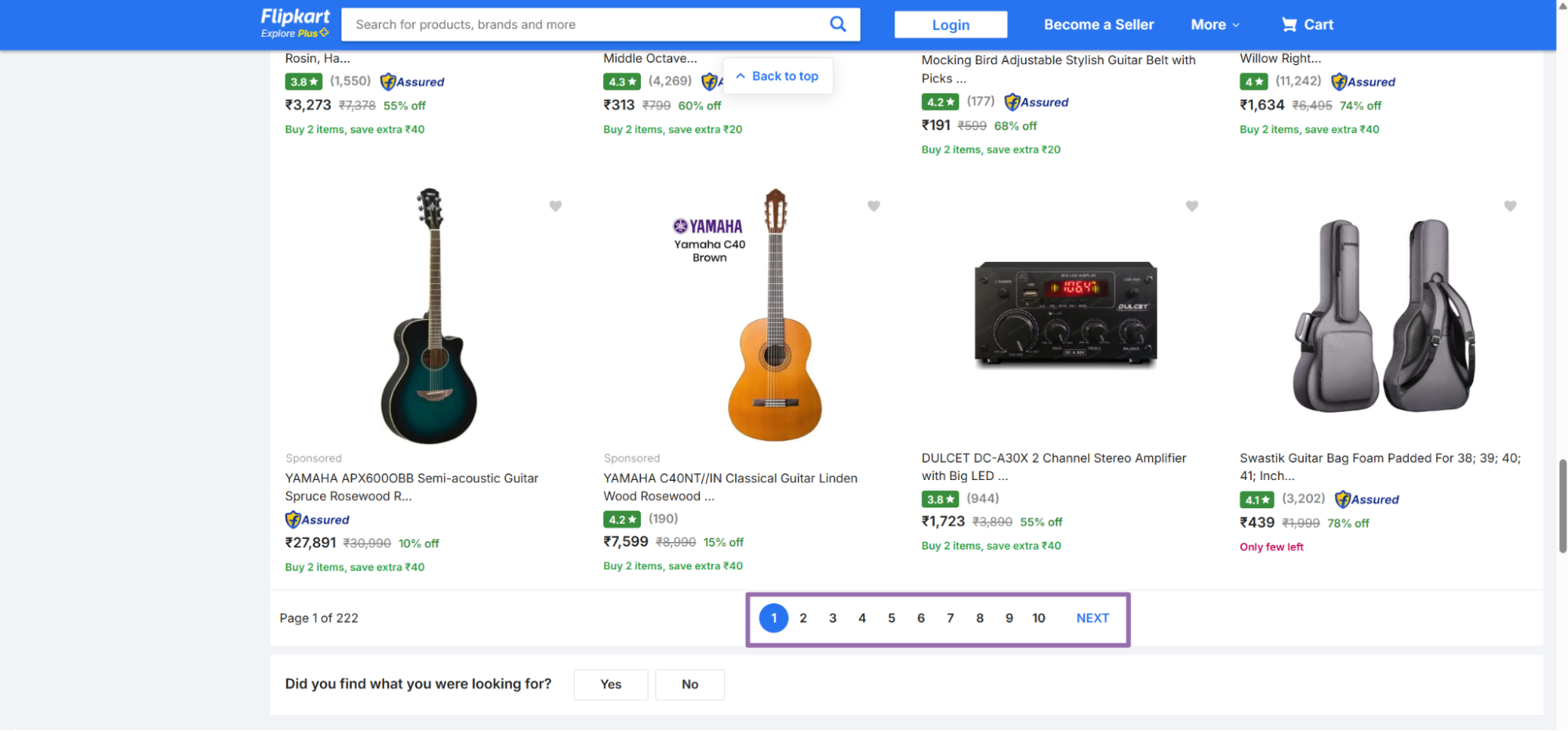
urlis the URL to a search results page on Flipkart. It must start withhttps://www.flipkart.com/.pageis optional. It is the search results page number to scrape. Send it as an integer through the API.
To get the URL:
Open
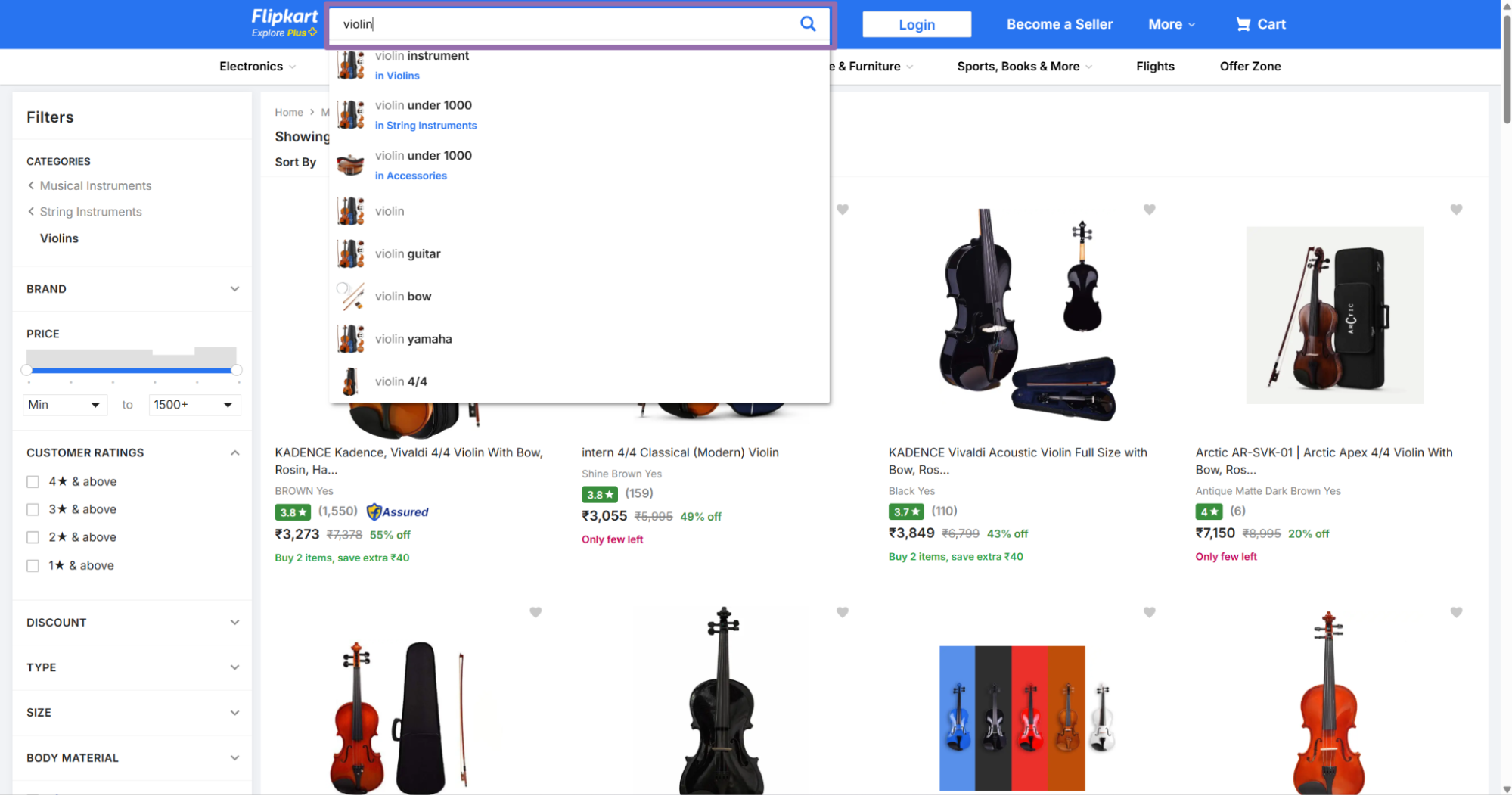
flipkart.com/search.Search for a keyword or seller in the search bar, such as
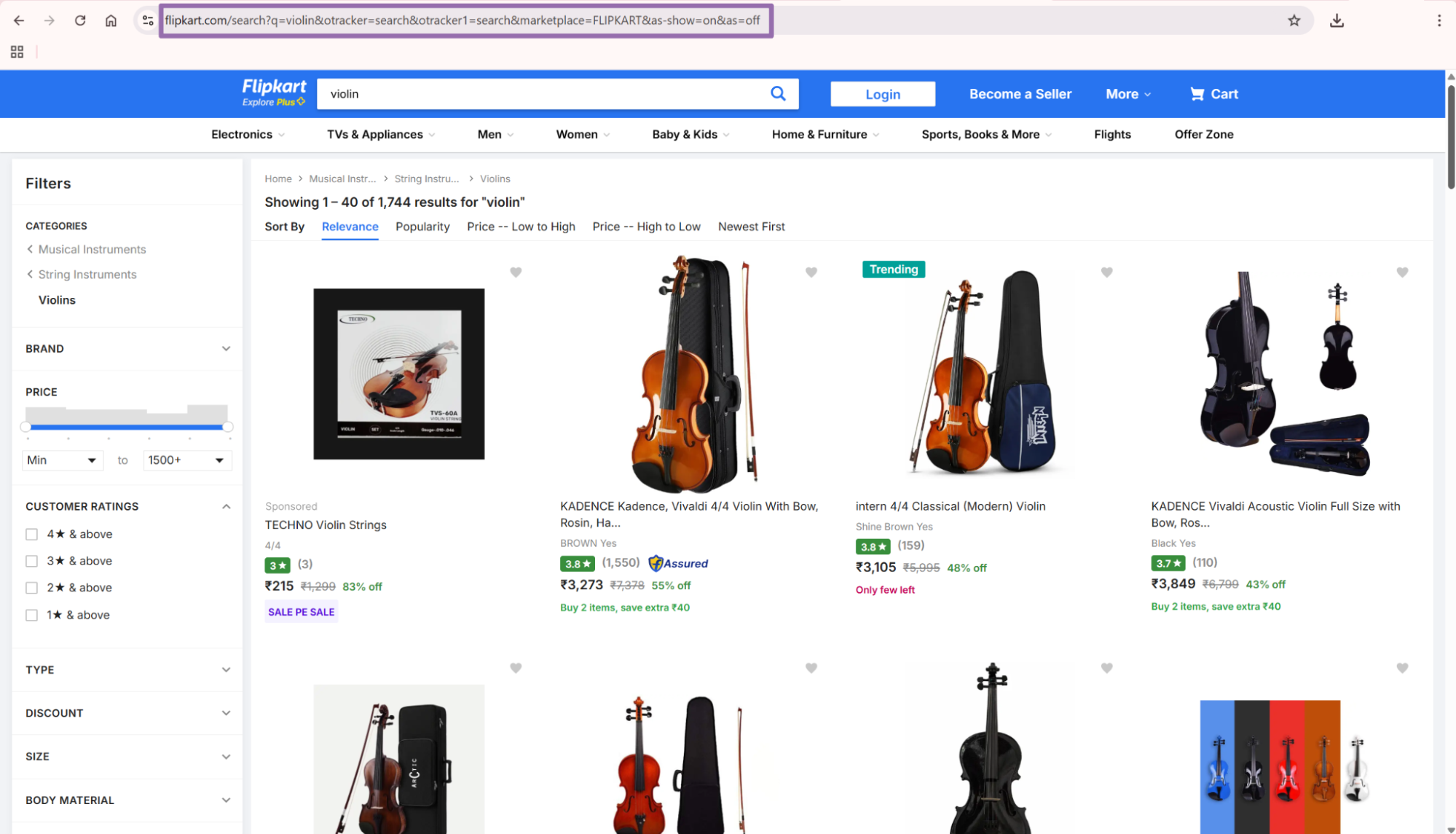
violin.Copy the URL from the address bar.
{
  "url": "https://www.flipkart.com/search?q=violin&otracker=search&otracker1=search&marketplace=FLIPKART&as-show=on&as=off",
  "page": 0
}
Keep the full Flipkart URL rather than rebuilding it from a keyword. Flipkart carries tracking, marketplace, filter, and sort state in query parameters. Removing those parameters changes the returned products.
Store the exact input URL with every output row. That gives you an audit trail when a rank or price change needs review. It also makes reruns easier when a manager asks why a product moved.
If your team compares daily rank, the URL is part of the measurement. A filtered URL and an unfiltered URL can return different product sets for the same keyword.
Step 2. Get a category-filtered search URL
Input variables:
urlis the URL to a search results page on Flipkart. It must start withhttps://www.flipkart.com/.pageis optional. It indicates which search results page the scraper should read. Send it as an integer through the API.
To get it:
Open
flipkart.com/search.Search for a keyword or seller in the search bar, such as
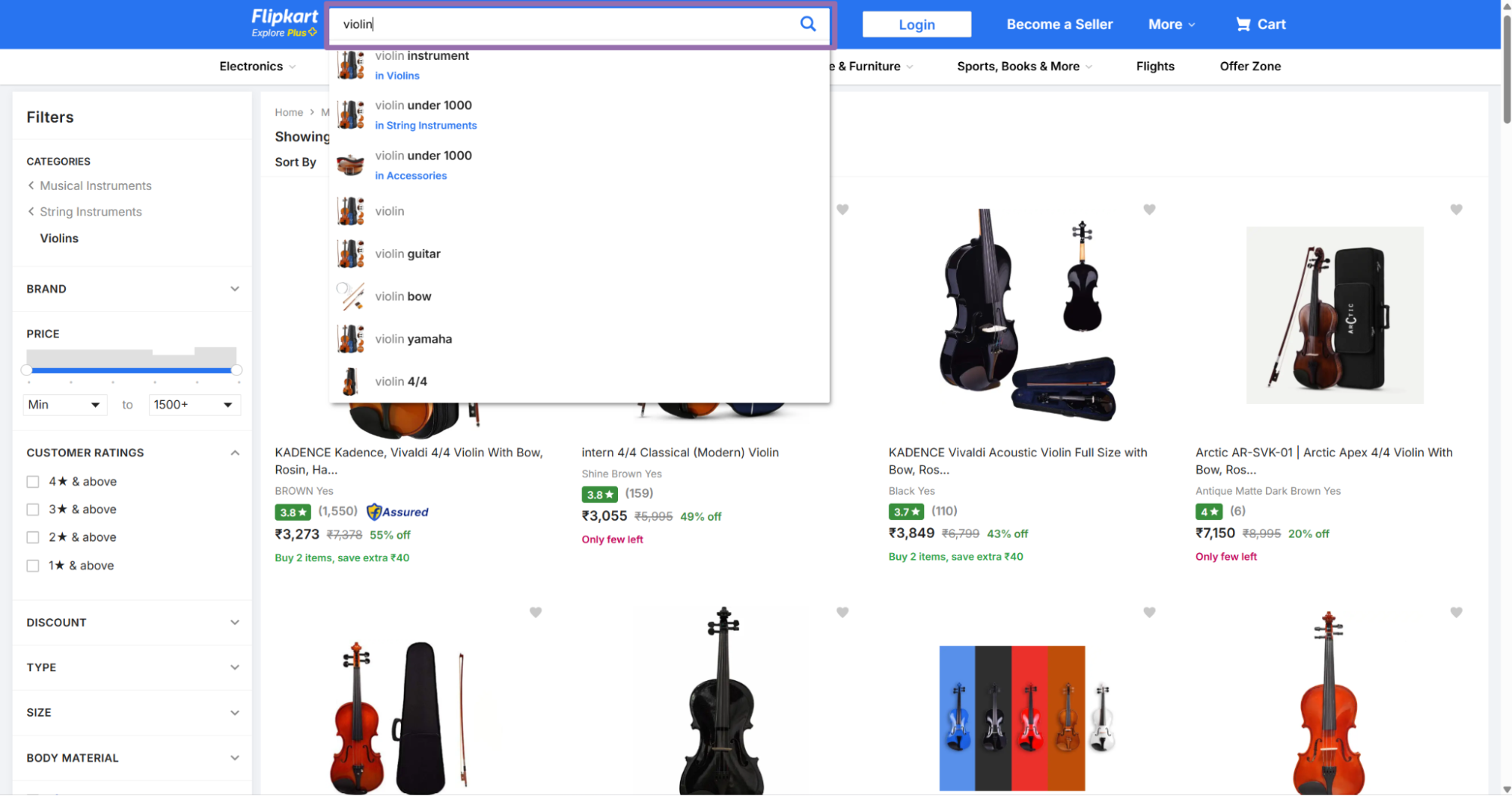
violin.Choose a category from the filters panel on the left, such as
Musical Instruments.Copy the filtered search URL.
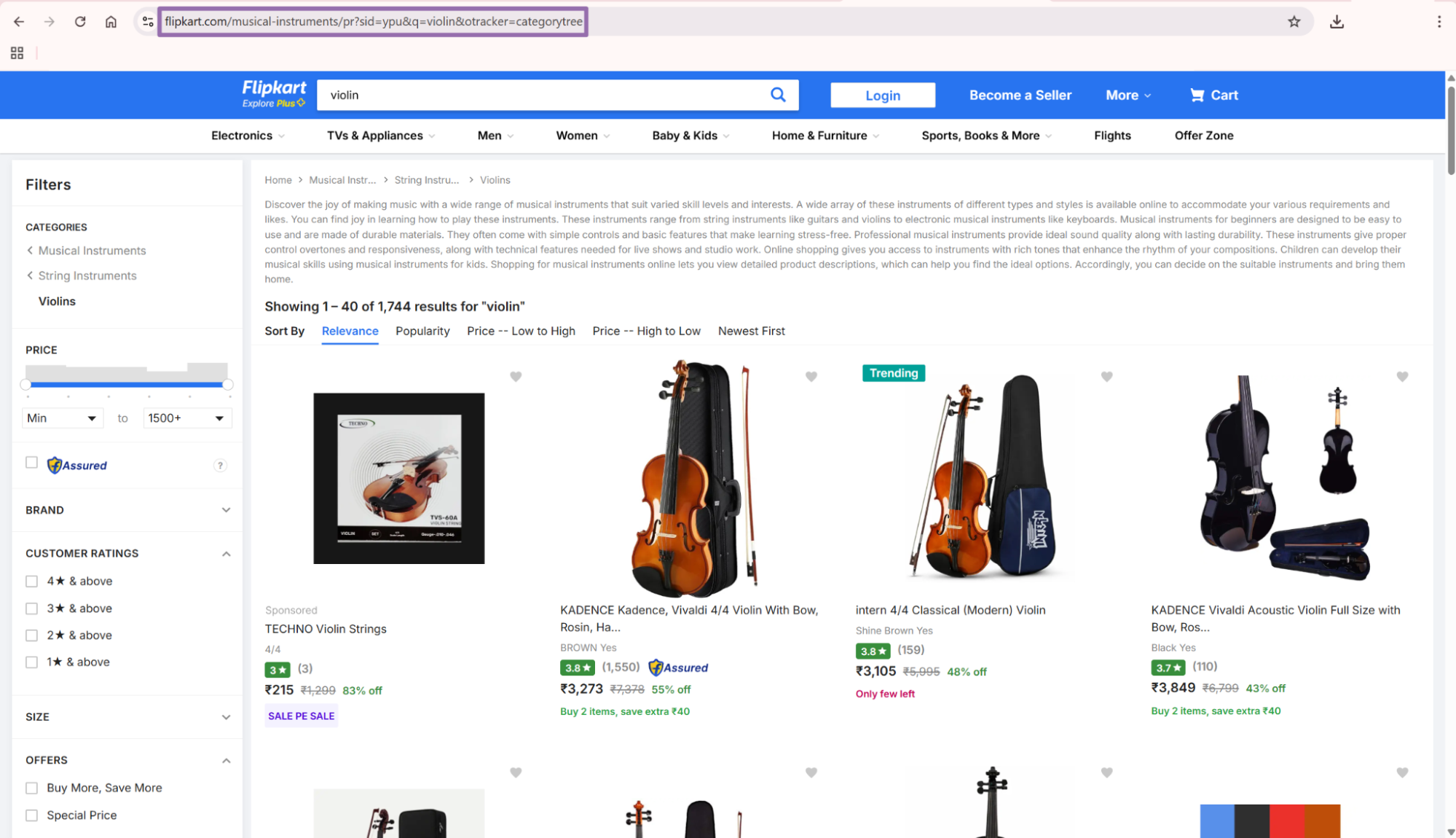
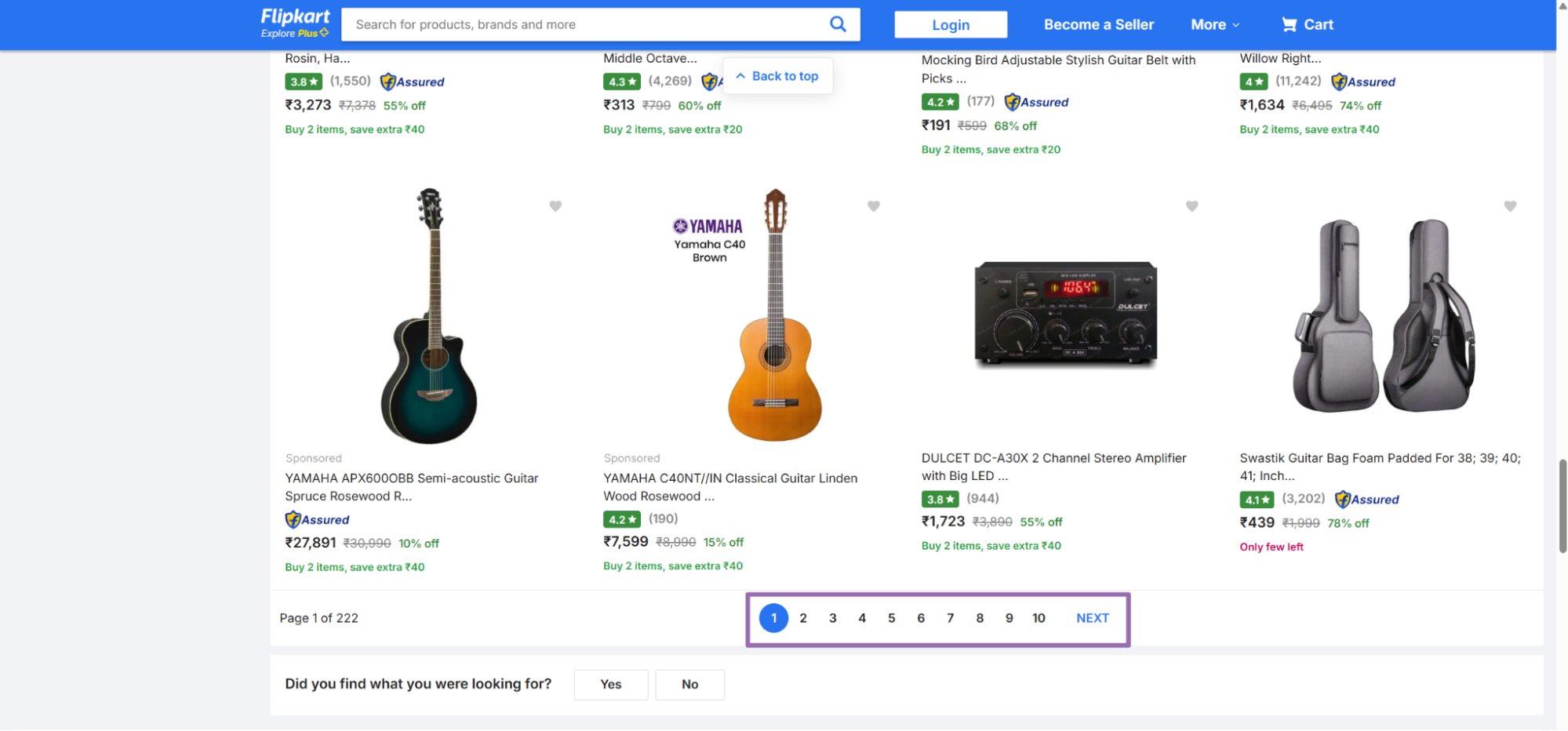
If you want keyword-only input, use the keyword scraper. It accepts a smaller payload and suits discovery jobs where exact filters matter less.
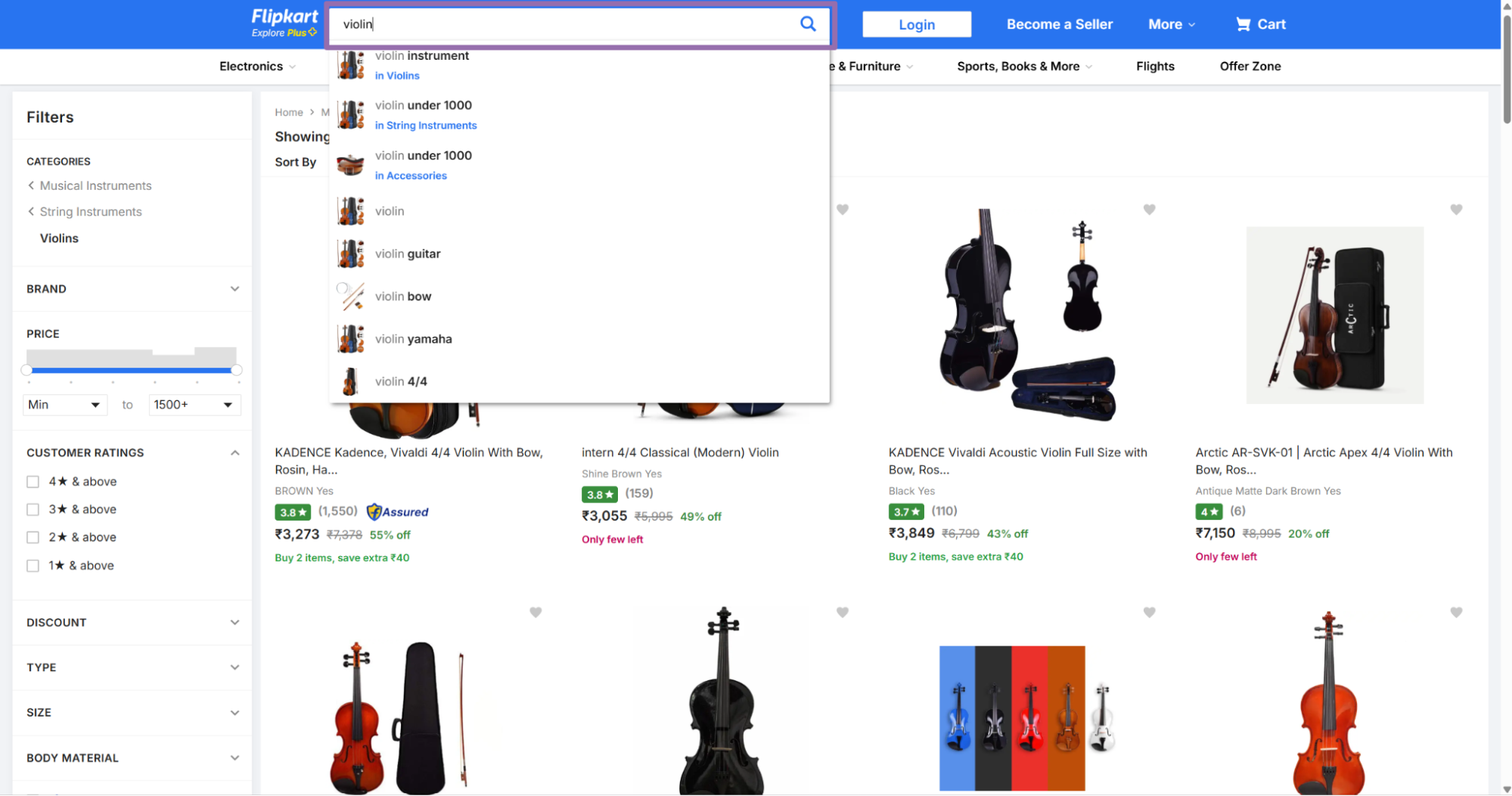
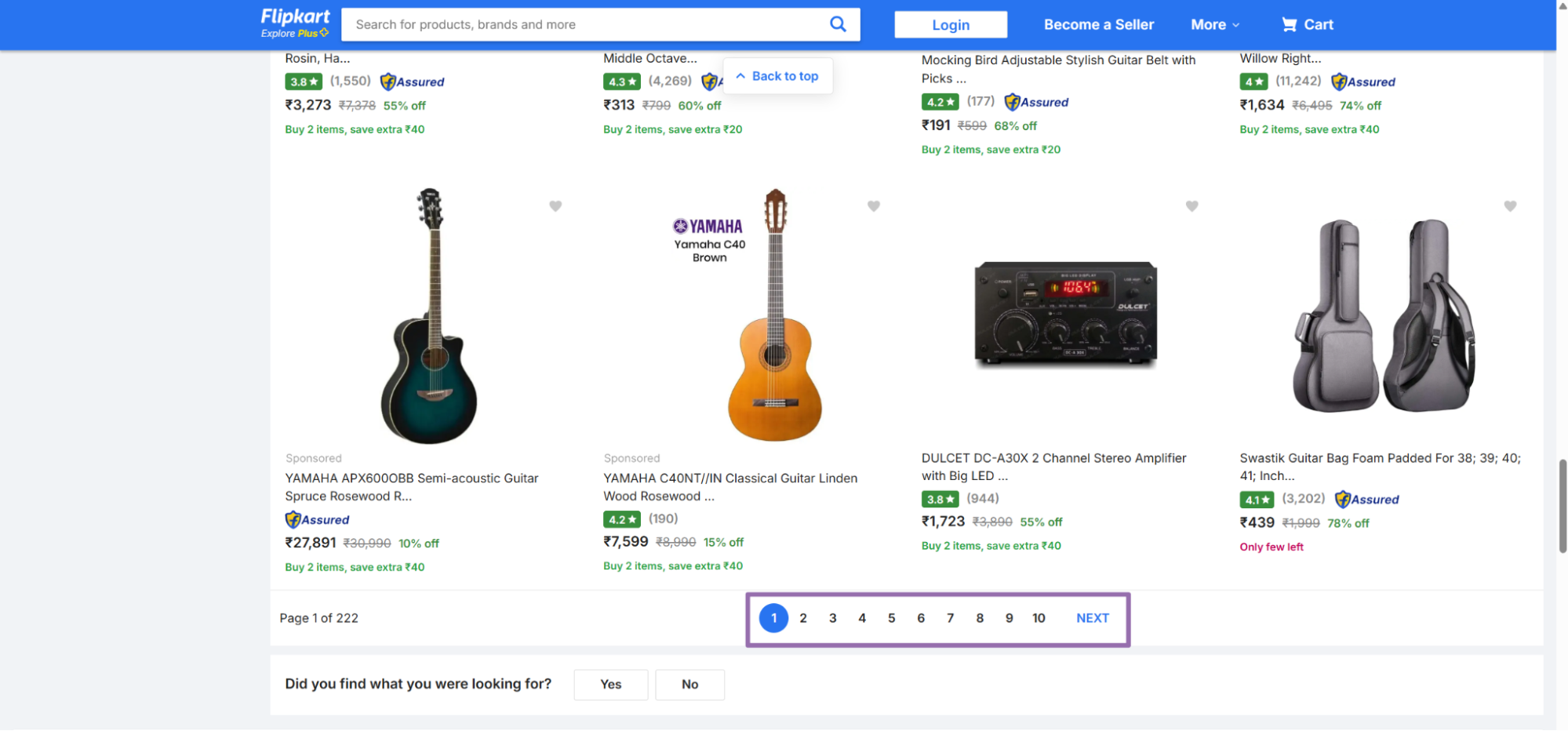
Use category URLs for recurring category audits. Use keyword input for early product discovery, competitor mapping, and quick checks across many search terms.
Step 3. Run the API call
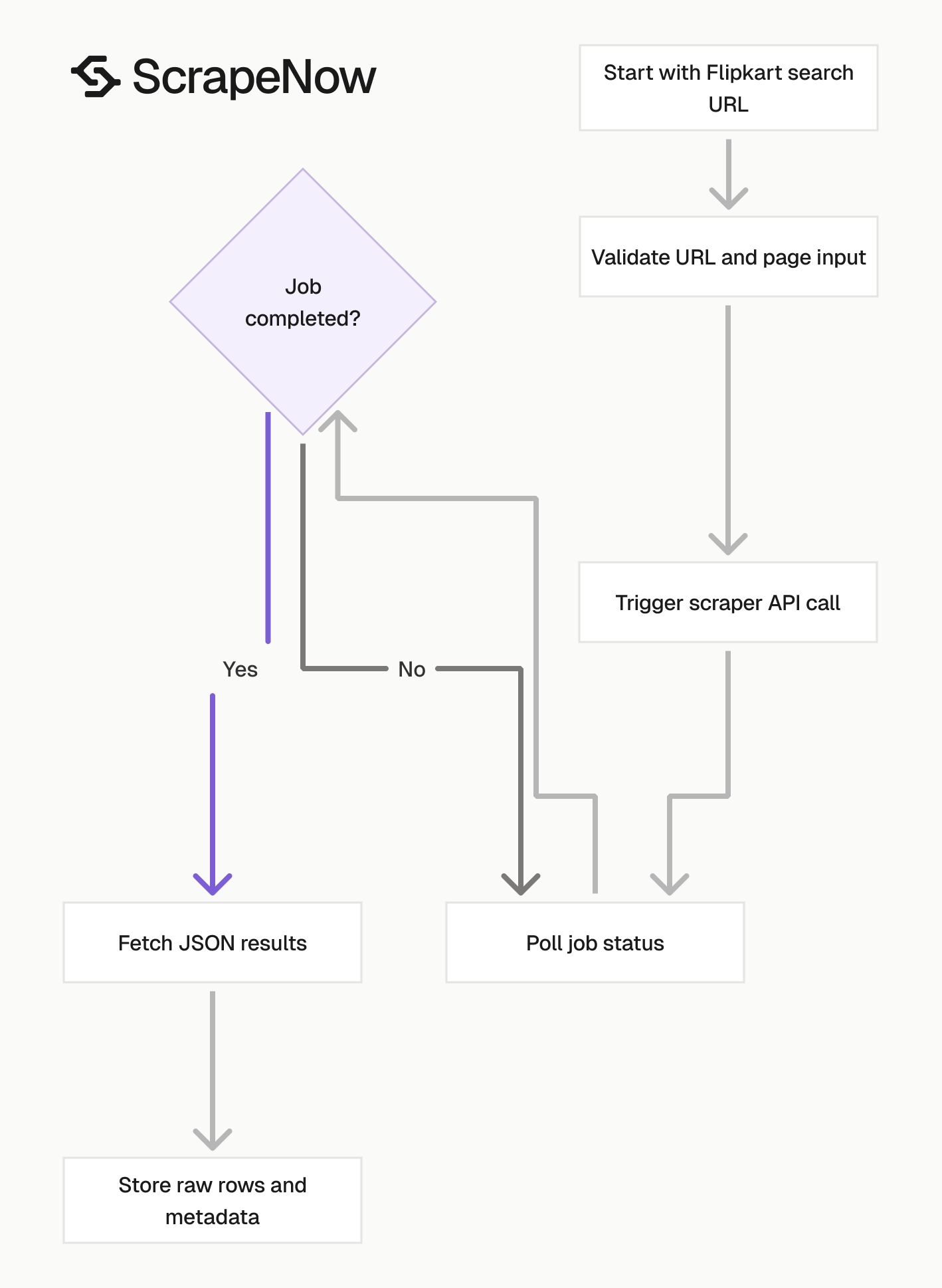
Use this Python script to trigger the scraper, poll the job, fetch the results, and write them to a JSON file.
"""
Configuration:
    - Set SCRAPER_SLUG to the scraper you want to run.
    - Set SCRAPER_INPUTS to the list of input dicts matching that scraper's schema.
    - Set API_KEY to your scraper API key.
"""

import sys
import time
import json
import requests
import os

API_KEY = "YOUR_API_KEY"

SCRAPER_SLUG = "flipkart-search-results-extract-by-url"

SCRAPER_INPUTS = [
    {
        "url": "https://www.flipkart.com/search?q=violin&otracker=search&otracker1=search&marketplace=FLIPKART&as-show=on&as=off",
        "page": 0
    }
]


BASE_URL = "https://api.scrapenow.io/api/v1/scraping"
TIMEOUT_SECONDS = 3600
POLL_INTERVAL = 5
SPINNER = "|/-\\"


def build_headers(api_key: str, content_type: str | None = None) -> dict:
    headers = {"Authorization": f"Bearer {api_key}"}
    if content_type:
        headers["Content-Type"] = content_type
    return headers


def trigger_scrape(slug: str, inputs: list[dict]) -> str:
    url = f"{BASE_URL}/scrape?scraper={slug}"
    response = requests.post(
        url,
        headers=build_headers(API_KEY, "application/json"),
        json={"inputs": inputs},
    )
    response.raise_for_status()
    return response.json()["data"]["job_id"]


def poll_until_done(job_id: str) -> str:
    start = time.time()
    i = 0
    while True:
        elapsed = time.time() - start
        if elapsed > TIMEOUT_SECONDS:
            print(f"\nTimeout after {TIMEOUT_SECONDS}s")
            sys.exit(1)
        response = requests.get(
            f"{BASE_URL}/jobs/{job_id}",
            headers=build_headers(API_KEY),
        )
        response.raise_for_status()
        data = response.json()
        status = data["data"]["status"]
        mins, secs = divmod(int(elapsed), 60)
        sys.stdout.write(
            f"\r[{SPINNER[i % 4]}] Waiting... {status} ({mins}m {secs:02d}s)  "
        )
        sys.stdout.flush()
        if status in ("completed", "failed"):
            print()
            return status
        time.sleep(POLL_INTERVAL)
        i += 1


def fetch_results(job_id: str) -> dict:
    response = requests.get(
        f"{BASE_URL}/jobs/{job_id}/results?format=json",
        headers=build_headers(API_KEY),
    )
    response.raise_for_status()
    return response.json()


def save_results(data: dict, slug: str) -> str:
    os.makedirs("output", exist_ok=True)
    filename = os.path.join("output", f"{slug}.json")
    with open(filename, "w", encoding="utf-8") as f:
        json.dump(data, f, indent=2, ensure_ascii=False)
    return filename


def main() -> None:
    print(f"Triggering scraper: {SCRAPER_SLUG}")
    job_id = trigger_scrape(SCRAPER_SLUG, SCRAPER_INPUTS)
    print(f"Job started: {job_id}")
    final_status = poll_until_done(job_id)
    if final_status != "completed":
        print(f"Job failed with status: {final_status}")
        sys.exit(1)
    print("Fetching results...")
    results = fetch_results(job_id)
    output_file = save_results(results, SCRAPER_SLUG)
    print(f"Results saved to: {output_file}")


if __name__ == "__main__":
    main()
The same API pattern works for the other scrapers in this group. That includes Search Flipkart results and Search Flipkart results. Change the scraper slug and input values in the code for each scraper.
Keep limit_per_input at 1 while you test storage and validation. Increase it after your pipeline handles successful rows, failed rows, empty arrays, and null fields correctly. This saves credits during early schema work.
Use a request timeout on every API call. Long-running jobs are normal for larger batches. Idle HTTP connections waste workers and hide network failures.
For batch work, send multiple input objects in SCRAPER_INPUTS. Keep each object self-contained with its own URL and page number. That makes failed inputs easy to retry.
A batch input can look like this:
[
  {
    "url": "https://www.flipkart.com/search?q=violin&otracker=search&marketplace=FLIPKART",
    "page": 0
  },
  {
    "url": "https://www.flipkart.com/search?q=guitar&otracker=search&marketplace=FLIPKART",
    "page": 0
  }
]
Do not mix unrelated experiments in one production run. Keep a run focused on one report, one category group, or one schedule. Debugging gets easier when inputs share the same business purpose.
Step 4. Read the JSON response
A completed job returns one record per result row. This sample is trimmed from a real response.
[
  {
    "inputs": {
      "url": "https://www.flipkart.com/search?q=violin&otracker=search&otracker1=search&marketplace=FLIPKART&as-show=on&as=off",
      "page": 0
    },
    "scrape_status": "success",
    "rank": 1,
    "page": 1,
    "sponsored_banner_skus": {
      "url": null,
      "star_rating_distribution": {
        "star_1": null,
        "star_2": null,
        "star_3": null,
        "star_4": null,
        "star_5": null,
        "star_6": null,
        "star_7": null,
        "star_8": null,
        "star_9": null,
        "star_10": null
      },
      "sku": null,
      "variant_id": null,
      "rootdomain": null,
      "name": null,
      "brand": null,
      "currency": null,
      "price": null,
      "list_price": null,
      "image_urls": null,
      "average_customer_review": null,
      "number_of_customer_reviews": null,
      "number_of_customer_ratings": null
    },
    "sku": "C43EDE2B0DD6B",
    "variant_id": "VSIHHD2PMWBVGEPP",
    "url": "https://www.flipkart.com/techno-violin-strings/p/itmc43ede2b0dd6b?pid=VSIHHD2PMWBVGEPP",
    "rootdomain": "flipkart.com",
    "name": "TECHNO Violin Strings",
    "brand": "TECHNO",
    "currency": "INR",
    "price": 215,
    "average_customer_review": 3,
    "number_of_customer_reviews": 0,
    "number_of_customer_ratings": 3,
    "star_rating_distribution": {
      "star_1": {
        "number": 1,
        "percentage": 33.33
      },
      "star_2": {
        "number": 0,
        "percentage": 0
      },
      "star_3": {
        "number": 1,
        "percentage": 33.33
      },
      "star_4": {
        "number": 0,
        "percentage": 0
      },
      "star_5": {
        "number": 1,
        "percentage": 33.33
      },
      "star_6": {
        "number": null,
        "percentage": null
      },
      "star_7": {
        "number": null,
        "percentage": null
      },
      "star_8": {
        "number": null,
        "percentage": null
      },
      "star_9": {
        "number": null,
        "percentage": null
      },
      "star_10": {
        "number": null,
        "percentage": null
      }
    },
    "is_promo": true,
    "other_price_options": [
      {
        "promo_text": null,
        "price": 1299,
        "absolute_discount": null,
        "description": null
      },
      {
        "promo_text": null,
        "price": 215,
        "absolute_discount": null,
        "description": null
      }
    ],
    "image_urls": [
      "http://rukmini1.flixcart.com/image/1000/1000/xif0q/violin-string/6/k/u/4-4-4-4-string-violin-set-warm-sound-long-lasting-performance-original-imahhd2p32gaghtw.jpeg",
      "http://rukmini1.flixcart.com/image/1000/1000/xif0q/violin-string/z/6/b/4-4-4-4-string-violin-set-warm-sound-long-lasting-performance-original-imahhd2pjh75yjwn.jpeg",
      "http://rukmini1.flixcart.com/image/1000/1000/xif0q/violin-string/i/b/4/4-4-4-4-violin-set-warm-sound-long-lasting-performance-original-imahhd2pfjbyt8uv.jpeg"
    ]
  }
]
The response keeps the original inputs object beside the extracted fields. That matters when one batch contains several keywords, categories, pages, or filtered URLs. Store it as received.
A successful job can return no product rows if Flipkart has no results for the search. Treat an empty result set as a valid outcome. Store the empty result with run metadata.
Save the raw JSON before transforming it. Raw output gives you a recovery path when a warehouse mapping changes. It also helps support teams compare extracted fields against the original job.
What data you get back
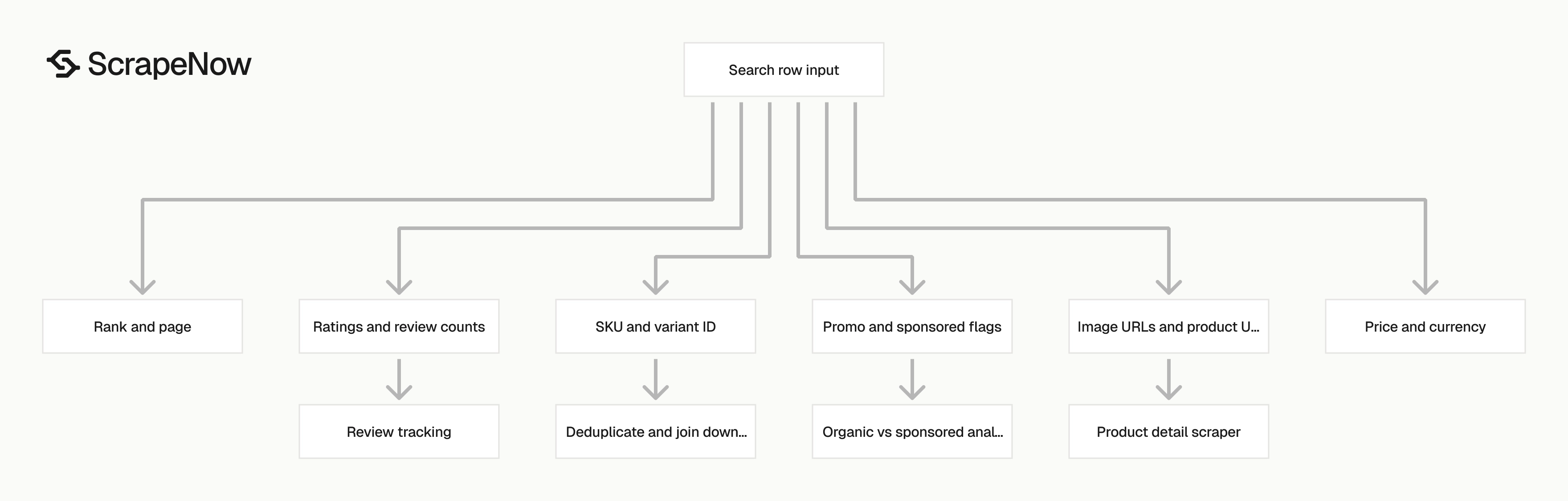
The response is built for search result analysis. Each row keeps the original input, scrape status, rank, product identifiers, price fields, ratings, promo data, and image URLs.
| Field | Type | Use it for |
|---|---|---|
inputs.url |
string | Trace the output row back to the exact Flipkart search URL |
inputs.page |
string or integer | Track the requested search results page |
scrape_status |
string | Separate successful rows from failed rows |
rank |
integer | Measure product position on the page |
page |
integer | Store the page number returned by the scraper |
sku |
string | Deduplicate products across runs |
variant_id |
string | Track variant-level results |
url |
string | Join search rows to product detail scraping |
name |
string | Store product title |
brand |
string | Group results by brand |
currency |
string | Store currency, usually INR for Flipkart |
price |
number | Track current listed price |
average_customer_review |
number | Monitor rating quality |
number_of_customer_reviews |
integer | Track review volume |
number_of_customer_ratings |
integer | Track rating volume |
star_rating_distribution |
object | Store rating breakdown from 1 to 10 keys |
is_promo |
boolean | Flag promotional placements |
other_price_options |
array | Capture alternate price blocks |
image_urls |
array | Store product image assets |
sponsored_banner_skus |
object | Capture sponsored banner data when present |
Ready to get this data? Search Flipkart by keyword.
The sku and variant_id fields are the main IDs to keep. Use sku for product-level joins. Use variant_id when the same product has multiple sellable options.
The rank field starts at 1 for the first organic result in the returned page. If you scrape page 0, store both the requested input page and the returned page field. That prevents zero-based and one-based page indexing from mixing in later jobs.
For product detail enrichment, pass the url values into Extract Flipkart product data. For review tracking, join by SKU and run Extract Flipkart reviews by SKU. This creates a direct path from search visibility to product content and review volume.
Use is_promo and sponsored_banner_skus when you separate organic visibility from paid placement. Product teams usually want organic rank trends. Growth teams often need both organic and sponsored placement.
Keep rating counts separate from review counts. Flipkart can show more ratings than written reviews, so these fields answer different questions. A product with 3,000 ratings and 120 reviews has a different trust profile than one with 120 ratings and 120 reviews.
Treat other_price_options as a JSON array. Flipkart can expose a current price, an older list price, and promo-specific price blocks. Storing the array preserves that context for later analysis.
Where this fits in a Flipkart data pipeline
Search results show visibility. Product pages show catalog content, buy-box state, pricing detail, specifications, and seller context.
Run search scraping first when you need discovery. Use it to find SKUs by keyword, category, or filtered URL. Then enrich the products that appear in the search results.
Run product detail scraping after search scraping when reports need attributes. Product titles, images, specifications, seller fields, and current price often change outside search pages. The product URL from each search row is the join key.
Run review scraping when your team tracks demand signals or customer feedback. Join reviews by SKU or variant ID. Store the review snapshot beside rank and price snapshots.
This gives analysts visibility, price, and reputation in one model. A single SKU can then show rank movement, price movement, rating count movement, and review changes by day.
Production tips
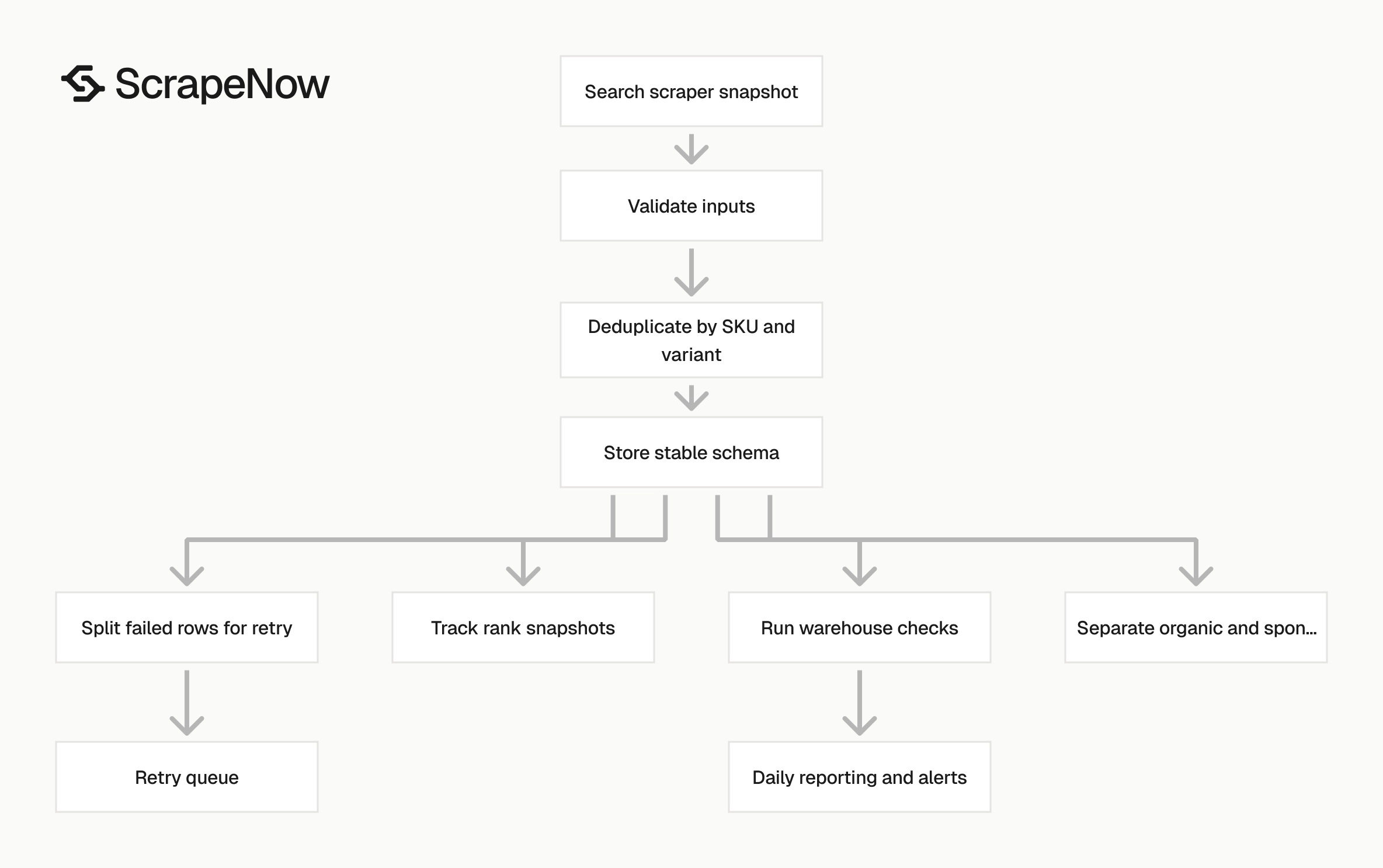
Build validation, deduplication, and failure handling into the first version.
Validate inputs before you spend credits
Reject invalid URLs before calling the API. The scraper expects a Flipkart URL that starts with https://www.flipkart.com/.
from urllib.parse import urlparse

def validate_flipkart_search_input(item: dict) -> dict:
    url = item.get("url")
    page = item.get("page", 0)

    if not isinstance(url, str):
        raise ValueError("url must be a string")

    if not url.startswith("https://www.flipkart.com/"):
        raise ValueError("url must start with https://www.flipkart.com/")

    parsed = urlparse(url)
    if parsed.scheme != "https":
        raise ValueError("url scheme must be https")

    if parsed.netloc != "www.flipkart.com":
        raise ValueError("url host must be www.flipkart.com")

    try:
        page_int = int(page)
    except (TypeError, ValueError):
        raise ValueError("page must be an integer")

    if page_int < 0:
        raise ValueError("page must be 0 or higher")

    return {"url": url, "page": page_int}


inputs = [
    {
        "url": "https://www.flipkart.com/search?q=violin&otracker=search&marketplace=FLIPKART",
        "page": "0"
    }
]

validated_inputs = [validate_flipkart_search_input(item) for item in inputs]
print(validated_inputs)
Expected output:
[
  {
    "url": "https://www.flipkart.com/search?q=violin&otracker=search&marketplace=FLIPKART",
    "page": 0
  }
]
Validate page numbers before the request reaches the scraper. Keep the original URL unchanged after validation.
Deduplicate by SKU and variant
A product can appear across multiple pages, filtered URLs, or category runs. Store one row per sku, variant_id, page, and rank if you care about search position history.
def dedupe_search_results(rows: list[dict]) -> list[dict]:
    seen = set()
    output = []

    for row in rows:
        key = (
            row.get("sku"),
            row.get("variant_id"),
            row.get("inputs", {}).get("url"),
            row.get("page"),
            row.get("rank"),
        )

        if key in seen:
            continue

        seen.add(key)
        output.append(row)

    return output
For daily tracking, add run_date to the key. Use a run ID like 2026-05-30-violin-page-0 for easier backfills and retries.
Store a stable schema
Do not infer column types from the first result. Flipkart search pages can return nulls for sponsored blocks, ratings, price options, and images.
Use a stable schema like this:
{
  "run_id": "2026-05-30-violin-page-0",
  "input_url": "string",
  "input_page": "integer",
  "scrape_status": "string",
  "rank": "integer",
  "page": "integer",
  "sku": "string",
  "variant_id": "string",
  "product_url": "string",
  "name": "string",
  "brand": "string",
  "currency": "string",
  "price": "number",
  "average_customer_review": "number",
  "number_of_customer_reviews": "integer",
  "number_of_customer_ratings": "integer",
  "star_rating_distribution": "json",
  "is_promo": "boolean",
  "other_price_options": "json",
  "image_urls": "json",
  "created_at": "timestamp"
}
Keep star_rating_distribution, other_price_options, and image_urls as JSON fields unless your warehouse requires flattening. Flattening image URLs into image_1, image_2, and image_3 works for small reports. It fails when a product has twelve images.
Store prices as numeric values and currencies as strings. That keeps INR values clean today and leaves room for cross-marketplace reporting later.
Add a created_at timestamp when the row lands in your warehouse. Add a separate scraped_at timestamp if your pipeline records scraper execution time. These fields help when jobs queue behind larger batches.
Keep nullable fields nullable in storage. A null sponsored banner field means the page did not return that block. It should not break the load job.
Treat failed rows as retryable jobs
The API job has a terminal status of completed or failed. A completed job can still contain rows where scrape_status does not equal success. Check both the job status and the row status.
def split_success_and_retry(rows: list[dict]) -> tuple[list[dict], list[dict]]:
    success = []
    retry = []

    for row in rows:
        if row.get("scrape_status") == "success" and row.get("sku"):
            success.append(row)
        else:
            retry.append(row.get("inputs", {}))

    return success, retry
Retry the original inputs object with a retry count. After two or three failures, store the row as a failed scrape and move on.
Keep page runs small
Start with limit_per_input set to 1, as shown in the API code. Run page 0 first, validate the shape, then add more pages after your storage path works.
For search monitoring, a good first production run is 5 keywords, 3 pages per keyword, and 1 run per day. That gives you 15 search pages per day with rank, price, and availability signals.
Add pages only after the first daily runs pass validation. Page depth increases row count, duplicate handling, and storage cost. Most rank monitoring workflows get useful signal from the first few pages.
If your team tracks volatile categories, run smaller batches more often. For example, scrape the first page every 6 hours and deeper pages once per day. That keeps rank alerts fresh without overloading storage.
Keep separate schedules for shallow and deep runs. Shallow runs feed alerts. Deep runs feed category coverage, assortment checks, and historical research.
Track rank changes with snapshots
Store each scrape as a snapshot rather than updating one product row in place. Search rank is time-series data. Overwriting yesterday’s rank removes the history your team needs.
A simple snapshot table needs run_id, run_date, keyword_or_url, sku, variant_id, rank, page, price, and scrape_status. Add brand and is_promo if your reports segment results by seller position or paid placement.
Calculate movement after loading the snapshot. For example, compare today’s rank with yesterday’s rank for the same sku, variant_id, and input URL.
Treat missing products as events. If a SKU ranked 4 yesterday and does not appear today, store that absence. Rank loss is often more useful than rank movement inside the same page.
Track new entries as events as well. A SKU that appears today without a previous rank deserves its own flag. New entries often indicate price changes, promo pushes, or category changes.
Separate organic and sponsored analysis
Sponsored placements can sit beside organic results and change visibility metrics. Keep is_promo and sponsored_banner_skus in the dataset even if your first report ignores them.
For organic rank reports, filter rows where is_promo is false. For paid visibility reports, group sponsored banner data separately and track which SKUs appear across runs.
Do not merge sponsored and organic ranks into one position metric. A sponsored placement and an organic result answer different business questions.
If you build a dashboard, put organic rank and sponsored presence in separate charts. That prevents a paid placement from looking like an organic win. It also gives growth teams a clearer view of paid coverage.
Store promo state with every snapshot. Sponsored placement can change within a day, especially during sales events. Historical promo flags explain rank jumps that product teams would otherwise misread.
Add basic warehouse checks
Run checks after each load. A few low-cost tests catch most ingestion mistakes before the report refreshes.
Useful checks include:
- Count rows by
run_id - Count rows where
scrape_statusis notsuccess - Count rows with missing
sku - Count rows with missing
rank - Count rows where
priceis less than0 - Count duplicate keys by
run_id,sku,variant_id,input_url,page, andrank
Alert on large shifts, not single-row changes. A single missing image URL rarely matters. A 60 percent drop in rows for one keyword deserves review.
Store check results in a small audit table. Include run_id, check name, count, threshold, status, and created timestamp. This keeps report failures tied to the exact scraper run.
Pricing
ScrapeNow charges per returned row. One row costs one credit, starting at $0.04 per credit for small runs and dropping with volume. No monthly contracts, no proxy fees, no charges for failed rows. See the pricing page for current rates.


