ScrapeNow's Facebook Events scraper extracts event ID, title, date, venue, host pages, ticket link, response counts, description, images, and suggested events from public Facebook event URLs. Event teams, ticketing teams, local data teams, and lead-gen pipelines use it to get structured event records without maintaining browser automation.
Use it when your input is a public Facebook Event page. The scraper returns one JSON object per submitted URL, with enough fields to dedupe records, track attendance signals, store ticket metadata, and discover related events.
How to use this scraper
Use Extract Facebook event data when you already have event URLs. Use Find Facebook events by venue when you need events from a venue page.
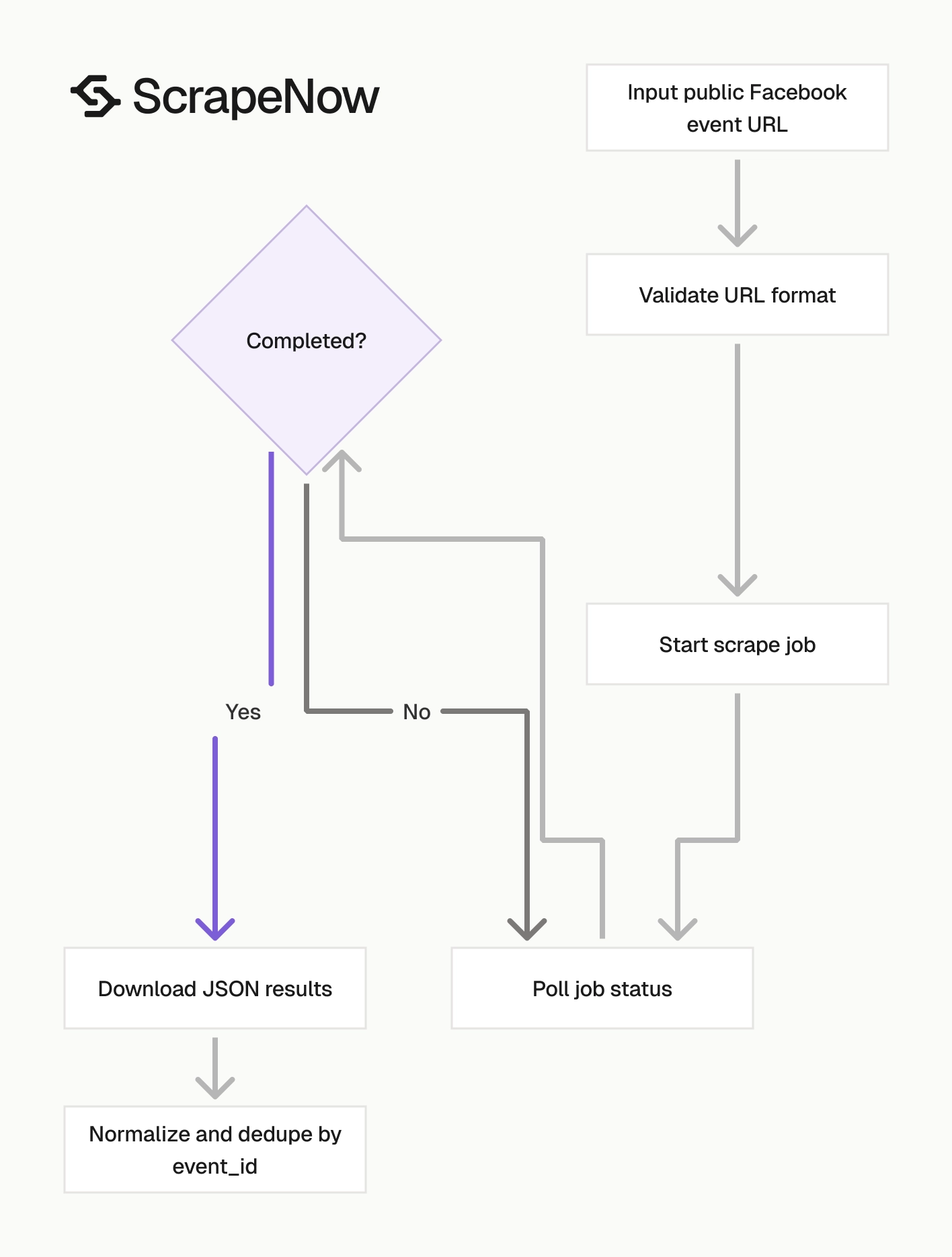
The API flow has 3 calls:
- Start a scrape job with your input URLs.
- Poll the job until it finishes.
- Download results as JSON.
This pattern works well for queues, scheduled venue crawls, and one-off enrichment jobs. Keep the scrape job separate from your ingestion job so retries do not duplicate records in your database.
Get the event URL input
The url input must be a specific Facebook event URL. It must start with https://www.facebook.com/.
Open facebook.com.
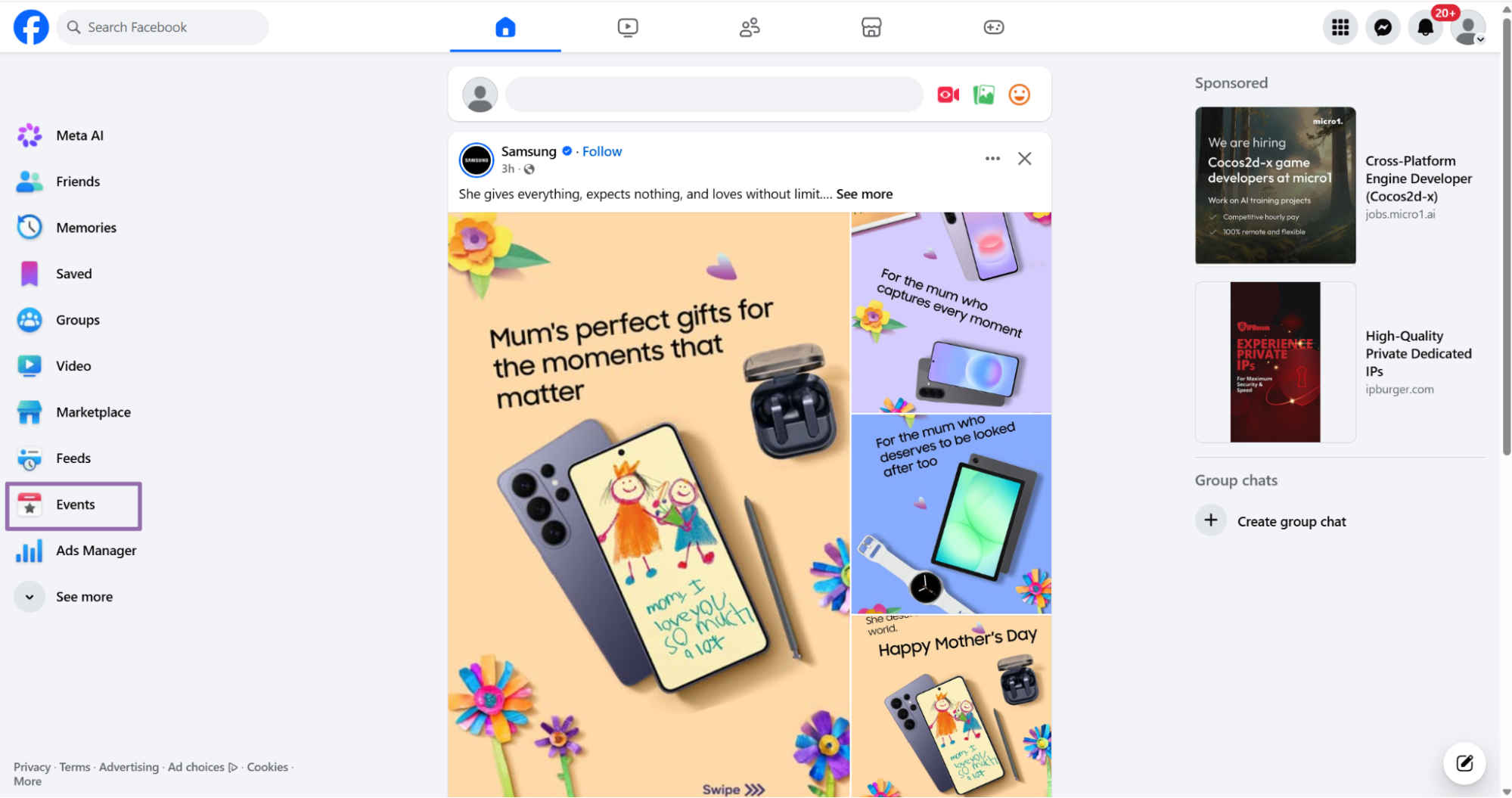
On the Home screen, click the Events tab in the left sidebar.
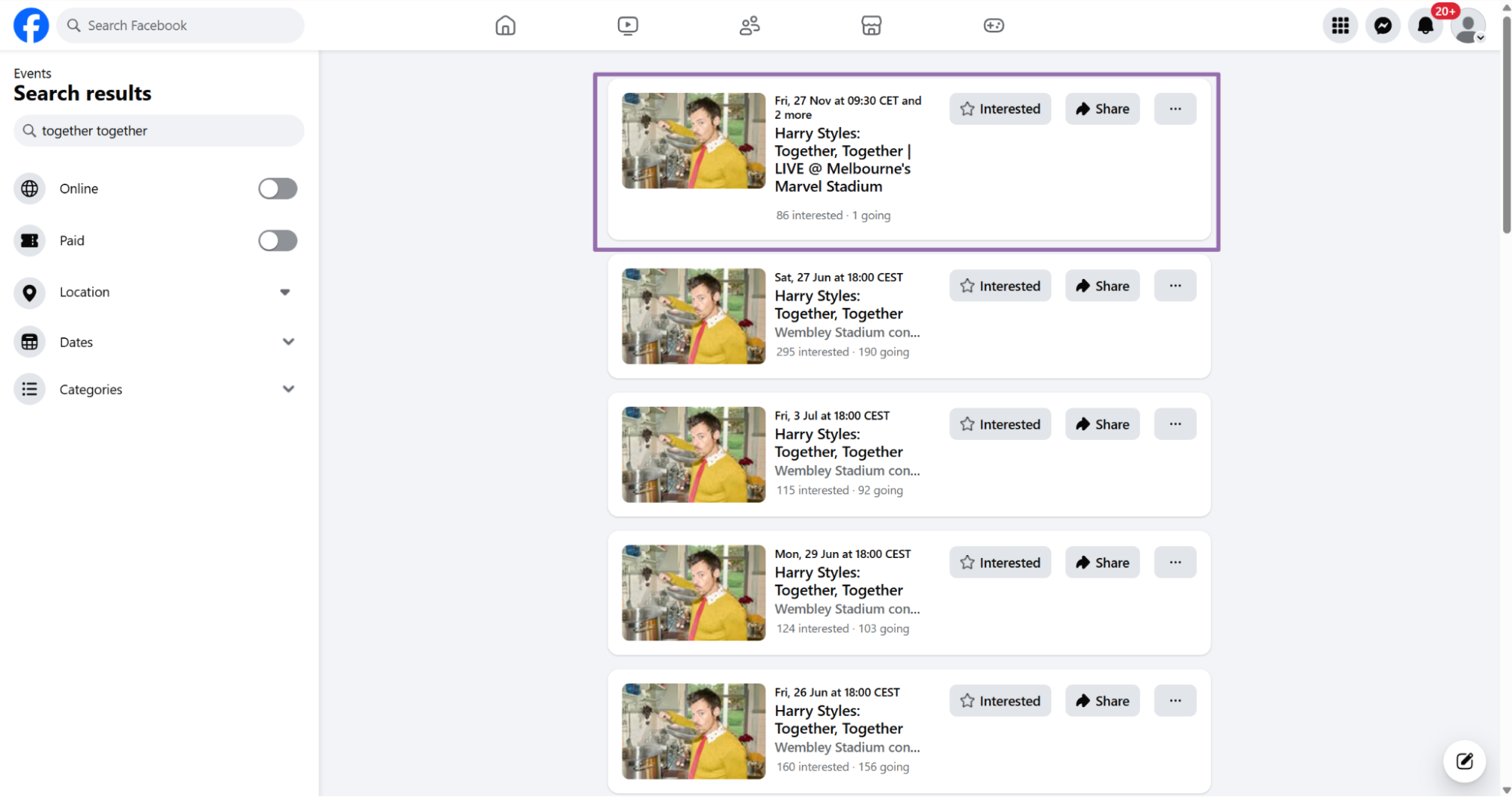
In the search bar, type the keyword for the event you want. This example uses Together Together.
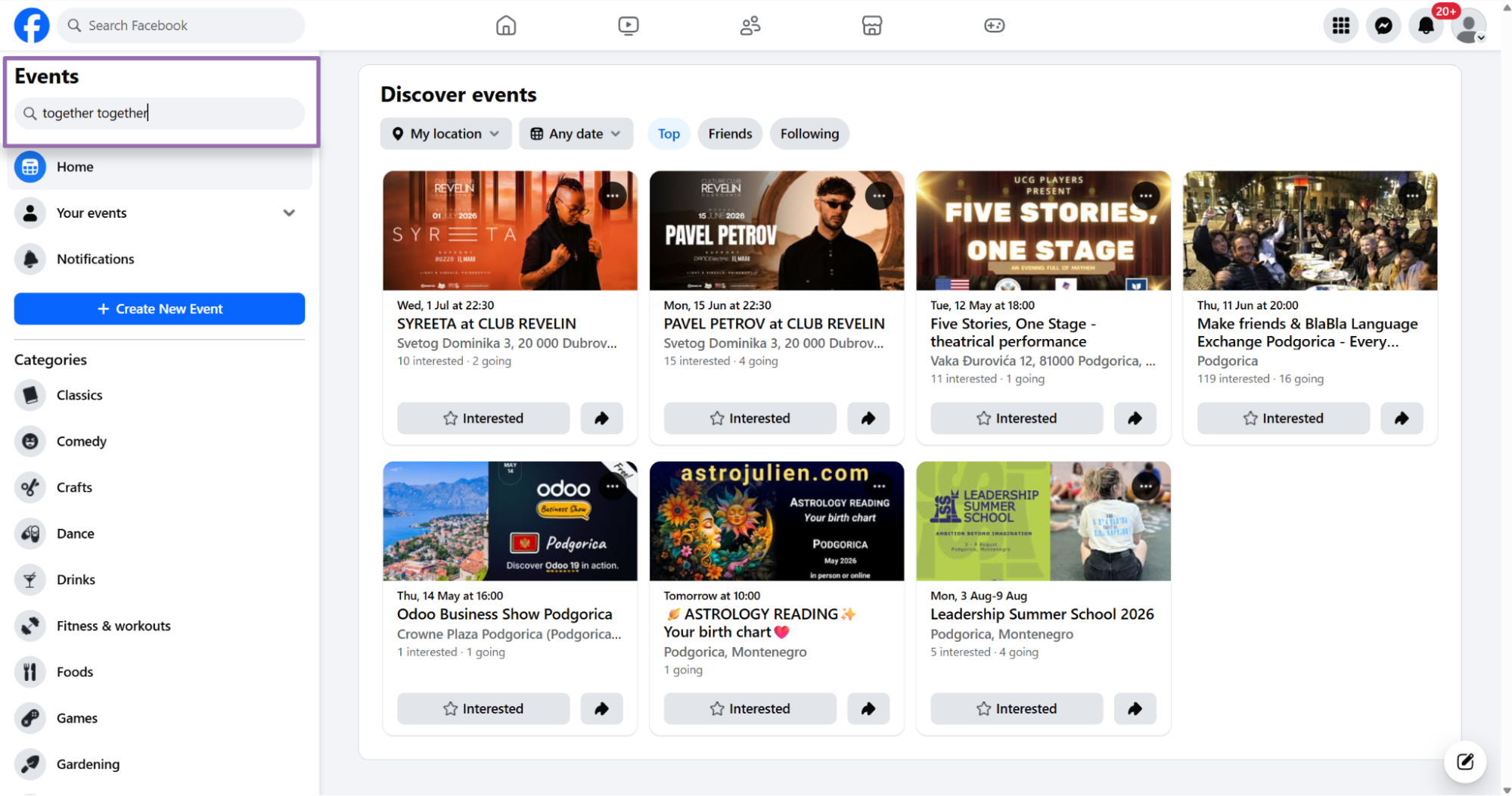
On the results page, click the event you want.
Copy the URL from the address bar.
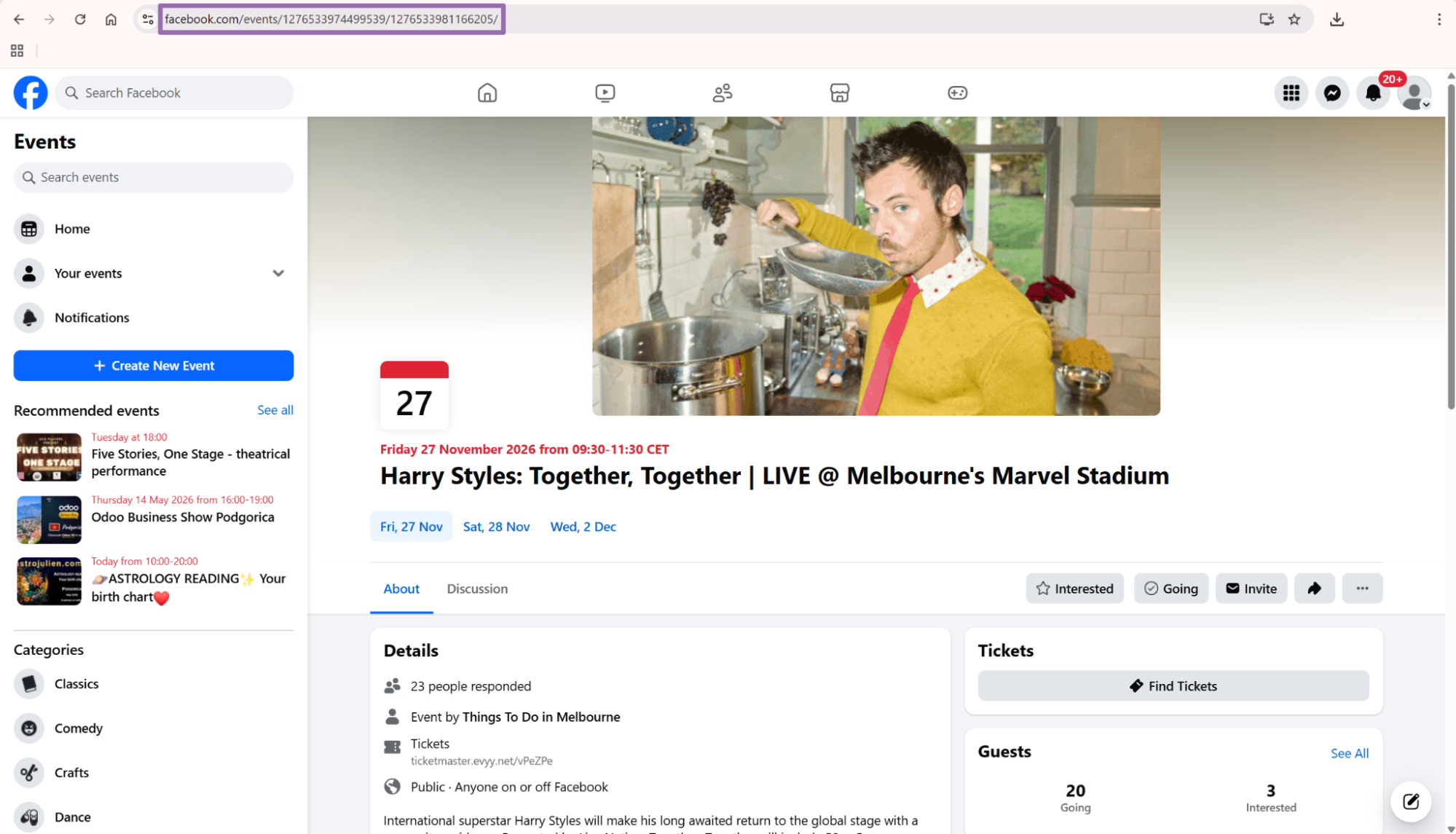
For the scraper used in this example, the input is:
[
  {
    "url": "https://www.facebook.com/events/2067708210743589"
  }
]
Use the canonical event URL when you have it. Remove tracking parameters before storing the URL, since the event_id gives you the stable key.
Run the API request
Use this Python script. Replace YOUR_API_KEY with your ScrapeNow scraper API key.
"""
Configuration:
    - Set SCRAPER_SLUG to the scraper you want to run.
    - Set SCRAPER_INPUTS to the list of input dicts matching that scraper's schema.
    - Set API_KEY to your scraper API key.
"""

import sys
import time
import json
import requests
import os

API_KEY = "YOUR_API_KEY"

SCRAPER_SLUG = "facebook-events-extract-by-url"

SCRAPER_INPUTS = [
    {
        "url": "https://www.facebook.com/events/2067708210743589"
    }
]


BASE_URL = "https://api.scrapenow.io/api/v1/scraping"
TIMEOUT_SECONDS = 3600
POLL_INTERVAL = 5
SPINNER = "|/-\\"


def build_headers(api_key: str, content_type: str | None = None) -> dict:
    headers = {"Authorization": f"Bearer {api_key}"}
    if content_type:
        headers["Content-Type"] = content_type
    return headers


def trigger_scrape(slug: str, inputs: list[dict]) -> str:
    url = f"{BASE_URL}/scrape?scraper={slug}"
    response = requests.post(
        url,
        headers=build_headers(API_KEY, "application/json"),
        json={"inputs": inputs},
    )
    response.raise_for_status()
    return response.json()["data"]["job_id"]


def poll_until_done(job_id: str) -> str:
    start = time.time()
    i = 0
    while True:
        elapsed = time.time() - start
        if elapsed > TIMEOUT_SECONDS:
            print(f"\nTimeout after {TIMEOUT_SECONDS}s")
            sys.exit(1)
        response = requests.get(
            f"{BASE_URL}/jobs/{job_id}",
            headers=build_headers(API_KEY),
        )
        response.raise_for_status()
        data = response.json()
        status = data["data"]["status"]
        mins, secs = divmod(int(elapsed), 60)
        sys.stdout.write(
            f"\r[{SPINNER[i % 4]}] Waiting... {status} ({mins}m {secs:02d}s)  "
        )
        sys.stdout.flush()
        if status in ("completed", "failed"):
            print()
            return status
        time.sleep(POLL_INTERVAL)
        i += 1


def fetch_results(job_id: str) -> dict:
    response = requests.get(
        f"{BASE_URL}/jobs/{job_id}/results?format=json",
        headers=build_headers(API_KEY),
    )
    response.raise_for_status()
    return response.json()


def save_results(data: dict, slug: str) -> str:
    os.makedirs("output", exist_ok=True)
    filename = os.path.join("output", f"{slug}.json")
    with open(filename, "w", encoding="utf-8") as f:
        json.dump(data, f, indent=2, ensure_ascii=False)
    return filename


def main() -> None:
    print(f"Triggering scraper: {SCRAPER_SLUG}")
    job_id = trigger_scrape(SCRAPER_SLUG, SCRAPER_INPUTS)
    print(f"Job started: {job_id}")
    final_status = poll_until_done(job_id)
    if final_status != "completed":
        print(f"Job failed with status: {final_status}")
        sys.exit(1)
    print("Fetching results...")
    results = fetch_results(job_id)
    output_file = save_results(results, SCRAPER_SLUG)
    print(f"Results saved to: {output_file}")


if __name__ == "__main__":
    main()
The same API pattern works for the other scrapers in this group, including Find Facebook events by venue. Change the scraper slug and input values in the code for each scraper.
For batch jobs, send multiple input objects in SCRAPER_INPUTS. Keep batches small enough that a failed job is cheap to rerun.
Search events by venue
For venue-based extraction, the url input points to a venue’s Events page. It must start with https://www.facebook.com/.
Open facebook.com.
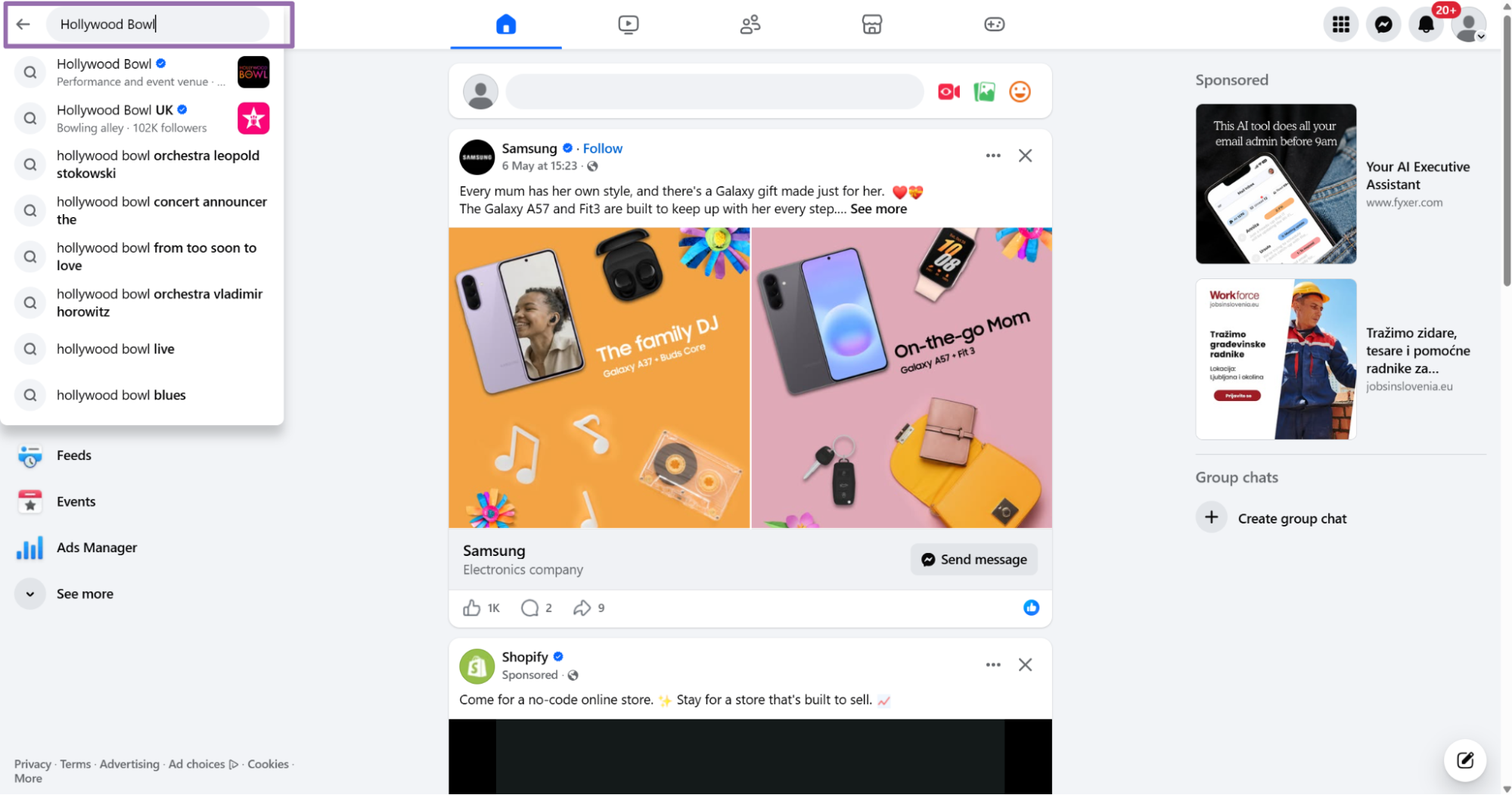
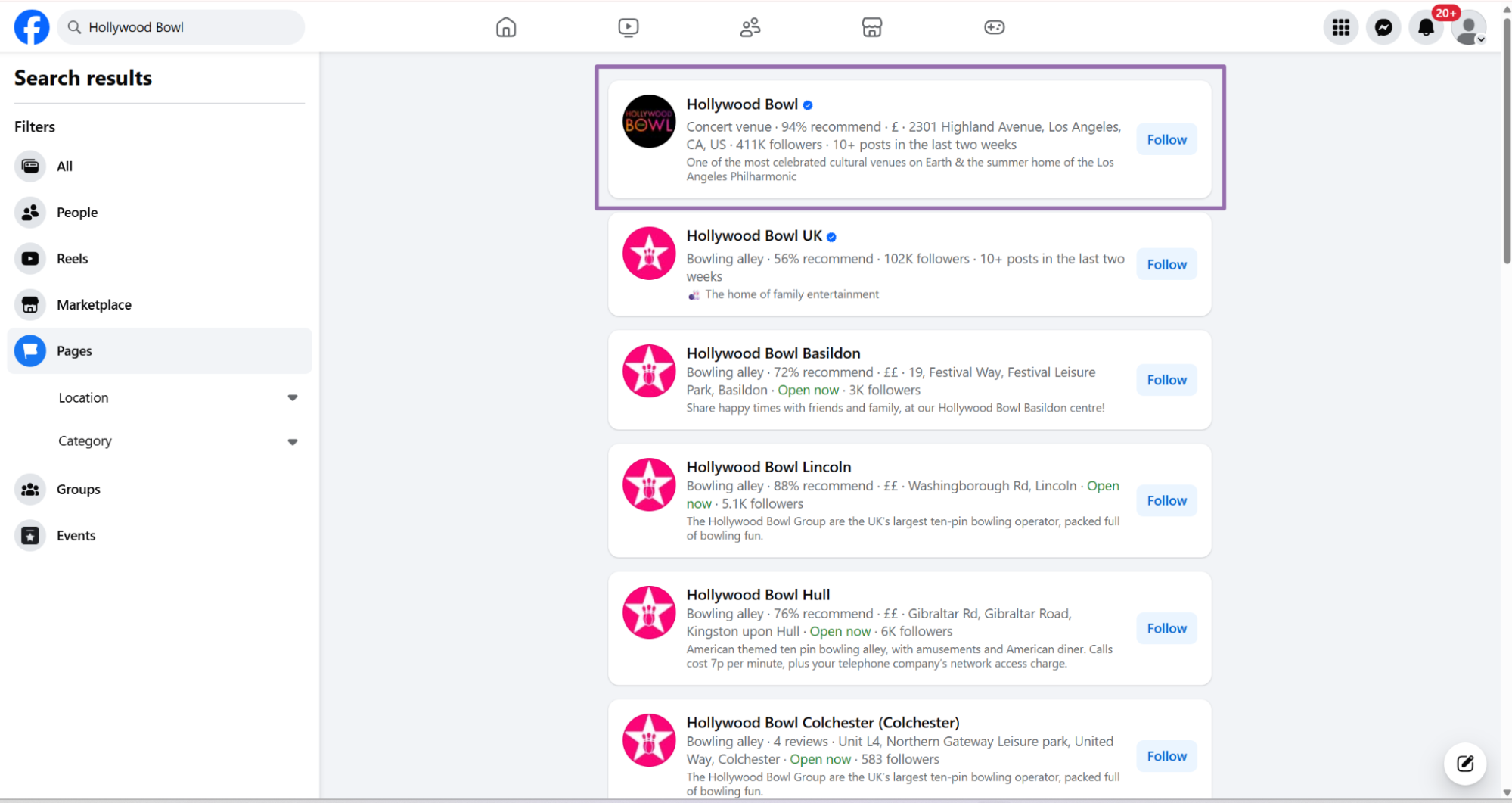
In the search bar, type the business or venue name. This example uses Hollywood Bowl.
On the search result page, choose the Pages filter in the left sidebar. This removes personal profiles, posts, and marketplace results from the page list.
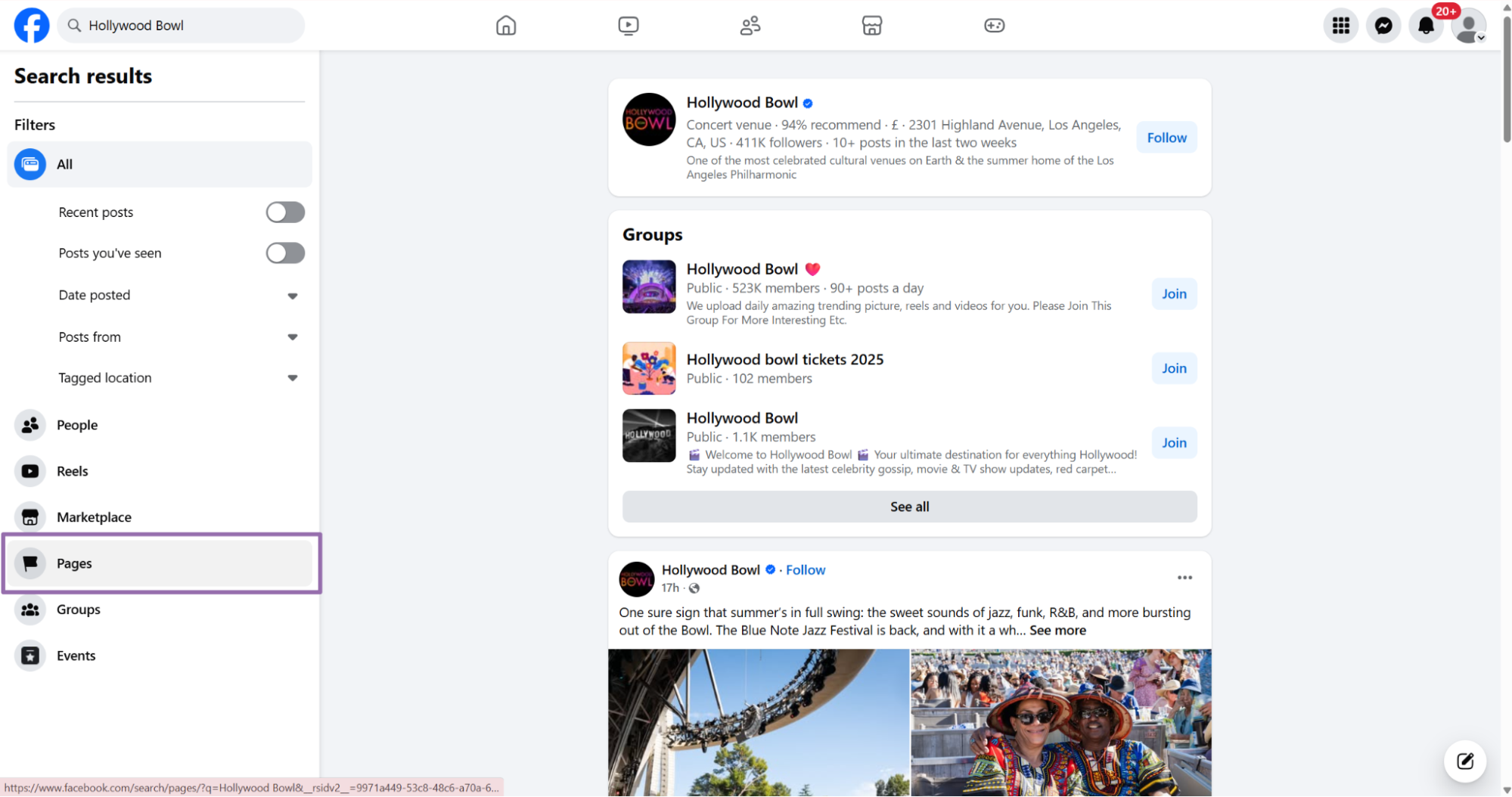
Choose the business page and open the profile.
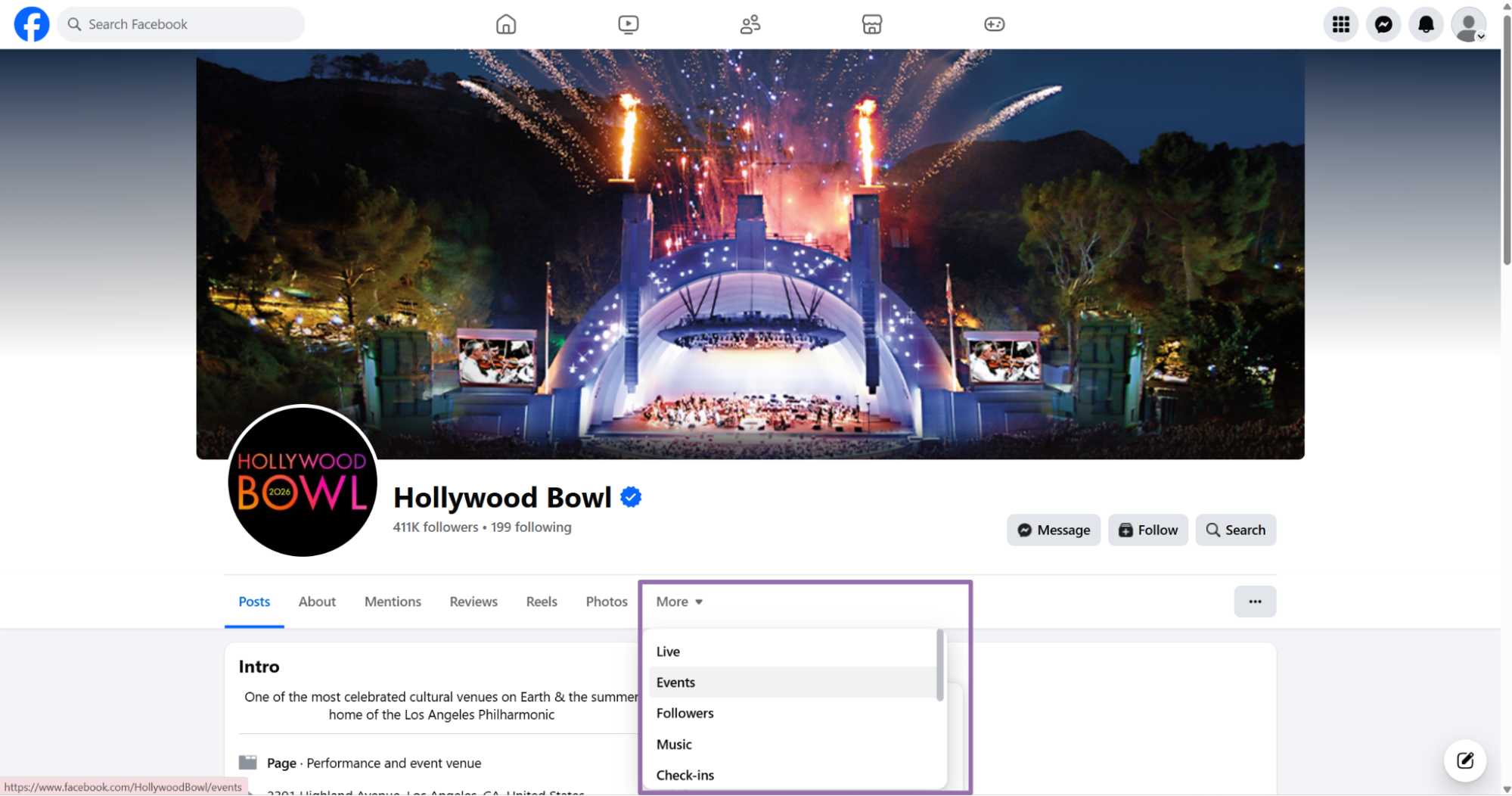
In the profile navigation menu, click the Events section. Facebook often places it under the More tab on pages with crowded navigation.
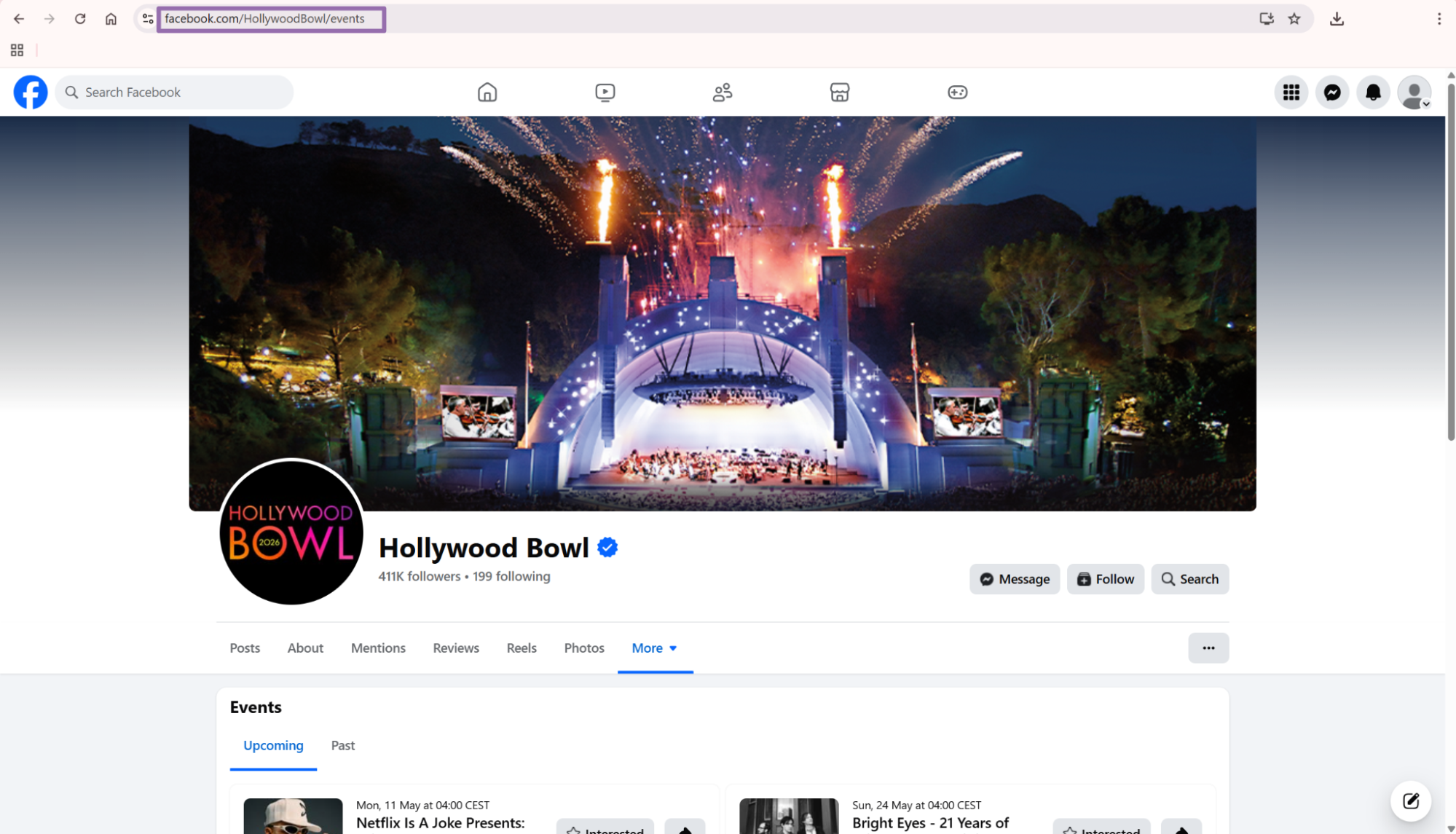
Copy the URL from the address bar.
The venue search scraper also accepts upcoming_only. Send it as the string "true" or "false" when using the API.
[
  {
    "url": "https://www.facebook.com/HollywoodBowl/events",
    "upcoming_only": "true"
  }
]
Use "true" for production venue tracking. Historical events add noise unless your use case needs archive data or promoter history.
Example JSON output
This is a trimmed response from the Facebook Events Extract by URL scraper.
[
  {
    "inputs": {
      "url": "https://www.facebook.com/events/2067708210743589"
    },
    "scrape_status": "success",
    "event_id": "2067708210743589",
    "url": "https://www.facebook.com/events/2067708210743589/",
    "main_image": null,
    "event_date": "2026-06-12T16:00:00.000Z",
    "title": "Harry Styles: Together, Together",
    "people_responded": 765,
    "event_by": null,
    "location": {
      "address": "Wembley Stadium connected by EE",
      "url": "https://facebook.com/WembleyStadium"
    },
    "access_level": [
      "PUBLIC_TYPE"
    ],
    "description": {
      "text": "There is a ticket limit of 8 per onsale (Album Pre-Order Pre-Sale, AMEX Presale and General Sale).Sale Dates and Times:Public Onsale : Fri, 30 Jan 2026 at 11:00 AMAmerican Express Presale : Mon, 26 Jan 2026 at 11:00 AMAlbum Pre-Order Pre-Sale : Mon, 26 Jan 2026 at 11:00 AM",
      "links": [],
      "hashtags": null
    },
    "hashtags": null,
    "hosts": [
      {
        "name": "Harry Styles",
        "url": "https://www.facebook.com/harrystyles",
        "verified": true
      },
      {
        "name": "Live Nation UK",
        "url": "https://www.facebook.com/LiveNationUK",
        "verified": true
      }
    ],
    "suggested_events": [
      {
        "name": "Niall Horan: Dinner Party Live On Tour",
        "url": "https://www.facebook.com/events/907629982271175/",
        "date": "2026-10-02T17:30:00.000Z",
        "people_interested": "296",
        "location": "The O2"
      },
      {
        "name": "Conan Gray: Wishbone World Tour With Special Guest Esha Tewari",
        "url": "https://www.facebook.com/events/1617562709223577/",
        "date": "2026-05-12T17:30:00.000Z",
        "people_interested": "80",
        "location": "The O2"
      },
      {
        "name": "Niagara Renaissance Faire",
        "url": "https://www.facebook.com/events/1918951075681093/",
        "date": "2026-05-16T14:00:00.000Z",
        "people_interested": "7755",
        "location": "Firemans Park"
      }
    ],
    "tickets": {
      "url": "https://ticketmaster.evyy.net/c/253158/2038758/24023?u=https%3A%2F%2Fwww.ticketmaster.co.uk%2Fharry-styles-together-together-london-12-06-2026%2Fevent%2F2300638CB03518FD&utm_medium=affiliate",
      "provider": "Ticketmaster",
      "min_price": null,
      "max_price": null,
      "currency": null
    },
    "duration": null,
    "main_image_downloadable": "https://scontent-yyz1-1.xx.fbcdn.net/v/t39.30808-6/619898733_1347924364042784_6083646616876453960_n.jpg?stp=dst-jpg_s960x960_tt6&_nc_cat=100&ccb=1-7&_nc_sid=75d36f&_nc_ohc=me7WqzIIm58Q7kNvwHv6xgP&_nc_oc=AdpXTenzHyWwVWUt8Qeksjua0xAob-IRI4AYcB7J0YP3VIPmdMSe86JidpAN16NBhg8&_nc_zt=23&_nc_ht=scontent-yyz1-1.xx&_nc_gid=ZLwG4Vn4JQpjUSt4c78w_Q&_nc_ss=79289&oh=00_Af5bZLDLPbZaYNVTyJsVtSygrgfC_0ZJjj4zdCkudngQsA&oe=6A08FB42",
    "responded_object": {
      "going": 212,
      "invited": 553,
      "maybe": null
    },
    "event_start_time": "2026-06-12T16:00:00.000Z"
  }
]
What data you get back
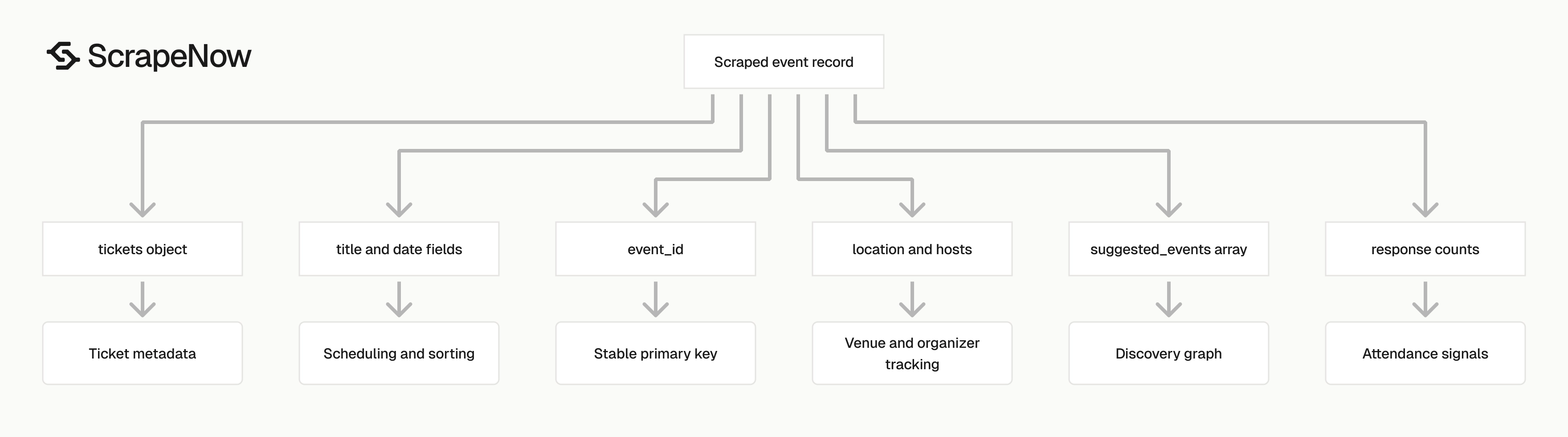
The response is an array. Each object maps one input URL to one extracted Facebook event record.
| Field | Type | Use it for |
|---|---|---|
inputs.url |
string | Trace the result back to your submitted URL |
scrape_status |
string | Filter successful and failed rows |
event_id |
string | Primary key for deduplication |
url |
string | Canonical Facebook event URL |
event_date |
ISO datetime | Scheduling, sorting, upcoming filters |
title |
string | Event name |
people_responded |
integer | Total response count |
responded_object.going |
integer | Attendee intent tracking |
responded_object.invited |
integer | Invite count tracking |
location.address |
string | Venue display name or address |
location.url |
string | Venue or location page URL |
hosts |
array | Host names, URLs, and verification flags |
tickets |
object | Ticket URL, provider, and price fields |
suggested_events |
array | Related event discovery |
main_image_downloadable |
string | Image URL suitable for download |
description.text |
string | Event details, sale notes, rules, and copy |
Use event_id as your stable ID. Facebook URLs include extra path parts and tracking parameters, so raw URL keys create duplicate records.
event_date and event_start_time are ISO timestamps. Store them as timestamps in your warehouse. This keeps date filters, timezone conversion, and weekly rollups clean.
tickets.min_price, tickets.max_price, and tickets.currency can be null. Treat ticket metadata as optional fields because many Facebook events link to external ticketing pages without price data.
people_responded gives you a single top-level engagement count. Use responded_object when you need separate going, invited, and maybe counts.
suggested_events gives you discovery edges from one event to related events. Store these rows separately if you build a recommendation graph or venue-level event map.
Ready to get this data? Extract Facebook event data.
Production tips
Validate URLs before sending jobs
Invalid inputs consume credits and produce failure rows that do not help your pipeline. Reject URLs that do not start with https://www.facebook.com/. Reject non-event URLs for extract-by-URL jobs.
from urllib.parse import urlparse

def validate_facebook_event_url(url: str) -> None:
    parsed = urlparse(url)

    if parsed.scheme != "https":
        raise ValueError(f"Invalid scheme: {url}")

    if parsed.netloc != "www.facebook.com":
        raise ValueError(f"Invalid host: {url}")

    if not parsed.path.startswith("/events/"):
        raise ValueError(f"Expected Facebook event URL: {url}")


urls = [
    "https://www.facebook.com/events/2067708210743589",
    "https://www.facebook.com/events/907629982271175/"
]

for url in urls:
    validate_facebook_event_url(url)
For venue scraping, validate the host and accept Facebook page URLs that point to a business profile or events section. Send upcoming_only as "true" when your pipeline needs future events.
Add validation before you call the API.
Normalize URLs before storage
Facebook URLs collect tracking parameters from shares, ads, and browser sessions. Normalize them before you persist inputs or compare records.
from urllib.parse import urlparse

def normalize_facebook_url(url: str) -> str:
    parsed = urlparse(url)
    path = parsed.path.rstrip("/")

    return f"https://www.facebook.com{path}/"


raw_url = "https://www.facebook.com/events/2067708210743589/?acontext=%7B%7D"
print(normalize_facebook_url(raw_url))
This keeps your queue smaller and reduces duplicate submissions. The final dedupe step should still use event_id, since the scraper returns the canonical event identifier.
Deduplicate by event ID
The stable key is event_id. If it is missing, extract the numeric ID from the canonical URL as a fallback.
import re

def event_key(row: dict) -> str | None:
    if row.get("event_id"):
        return row["event_id"]

    url = row.get("url", "")
    match = re.search(r"/events/(\d+)", url)
    return match.group(1) if match else None


def dedupe_events(rows: list[dict]) -> list[dict]:
    seen = set()
    output = []

    for row in rows:
        key = event_key(row)

        if not key:
            continue

        if key in seen:
            continue

        seen.add(key)
        output.append(row)

    return output
Run dedupe after every batch. Suggested events can surface URLs you already scraped through venue pages.
Store a stable schema
Do not flatten every nested object into one wide table in the first version. Events, hosts, tickets, and suggested events have different update patterns.
A production warehouse layout uses 4 tables:
| Table | Primary key | Notes |
|---|---|---|
facebook_events |
event_id |
One row per event |
facebook_event_hosts |
event_id, host_url |
Multiple hosts per event |
facebook_event_tickets |
event_id |
One ticket object per event |
facebook_suggested_events |
source_event_id, suggested_event_url |
Related event graph |
For facebook_events, keep these columns:
CREATE TABLE facebook_events (
  event_id TEXT PRIMARY KEY,
  url TEXT NOT NULL,
  title TEXT,
  event_date TIMESTAMP,
  event_start_time TIMESTAMP,
  people_responded INTEGER,
  going_count INTEGER,
  invited_count INTEGER,
  maybe_count INTEGER,
  location_address TEXT,
  location_url TEXT,
  access_level TEXT,
  description_text TEXT,
  main_image_url TEXT,
  scraped_at TIMESTAMP NOT NULL
);
Keep raw JSON too. Store scraped_at on every row so you know which version of each record you are reading.
Treat nulls as normal data
Public Facebook event pages vary. Some events have ticket links, some have price ranges, and some have a downloadable image.
Some pages hide host metadata or expose only a venue name. Your parser should accept those records and leave missing fields as null.
Use safe accessors:
def normalize_event(row: dict) -> dict:
    responded = row.get("responded_object") or {}
    location = row.get("location") or {}
    description = row.get("description") or {}
    tickets = row.get("tickets") or {}

    return {
        "event_id": row.get("event_id"),
        "url": row.get("url"),
        "title": row.get("title"),
        "event_date": row.get("event_date"),
        "event_start_time": row.get("event_start_time"),
        "people_responded": row.get("people_responded"),
        "going_count": responded.get("going"),
        "invited_count": responded.get("invited"),
        "maybe_count": responded.get("maybe"),
        "location_address": location.get("address"),
        "location_url": location.get("url"),
        "description_text": description.get("text"),
        "ticket_url": tickets.get("url"),
        "ticket_provider": tickets.get("provider"),
        "main_image_url": row.get("main_image_downloadable"),
        "scrape_status": row.get("scrape_status")
    }
Do not fail a full batch because one event has tickets: null or main_image: null. Treat nulls as part of the contract.
Split retries by failure type
Check both job-level status and row-level scrape_status. Retry failed inputs with a cap of 2 attempts.
def split_results(rows: list[dict]) -> tuple[list[dict], list[dict]]:
    successes = []
    failures = []

    for row in rows:
        if row.get("scrape_status") == "success" and row.get("event_id"):
            successes.append(row)
        else:
            failures.append(row)

    return successes, failures
Schedule venue jobs with a fixed cadence
For active venues, run venue search daily and dedupe by event_id. For low-volume venues, weekly is enough. Use event extraction after venue discovery when you need the full event object.
Choosing the right Facebook Events scraper
Use this table when adding jobs to a pipeline.
| Job type | Scraper | Input | Best use |
|---|---|---|---|
| Extract one known event | Extract Facebook event data | Event URL | Enriching event links from a queue |
| Extract events from one venue | Find Facebook events by venue | Venue Events URL | Tracking upcoming events for a venue |
| Extract Facebook Page content | Extract Facebook page posts | Page URL | Pulling posts from an organizer page |
| Extract Marketplace listing details | Get Marketplace listing data | Listing URL | Enriching individual Marketplace items |
If your pipeline covers more than Events, Browse all 86+ scrapers across 14 platforms. For Facebook event work, start with Events Extract by URL and add venue search when you need discovery.
A common setup uses venue search as the source of new URLs. The pipeline then sends those URLs to extract-by-URL, normalizes the results, and writes them into the event tables.
Pricing
ScrapeNow charges per returned row. One row costs one credit, starting at $0.04 per credit for small runs and dropping with volume. No monthly contracts, no proxy fees, no charges for failed rows. See the pricing page for current rates.
Run the Python script above with your API key and one public event URL. If you already have URLs, use Extract Facebook event data. If your source is a venue page, use Find Facebook events by venue and set upcoming_only to "true" for future events.


