Amazon product detail pages contain title, ASIN, brand, pricing, seller info, ratings, and variant data. The ScrapeNow Amazon products scraper extracts 20+ fields from each product URL and returns structured JSON.
The Amazon Products Scraper extracts title, brand, price, availability, ASIN, seller, rating, review count, images, variations, categories, and product metadata. It returns one structured row per product page, which is the shape most warehouses and monitoring jobs need.
Pricing teams use it to track competitor prices and Buy Box changes. Catalog teams use it to fill missing product attributes. Data engineers use it to collect product detail pages without maintaining selectors, proxy rotation, browser sessions, or parsing code.
Start with product URLs or ASIN-based URLs. If you need product discovery, run a search scraper first. Then send the returned product URLs into the product extraction scraper.
How to use this scraper
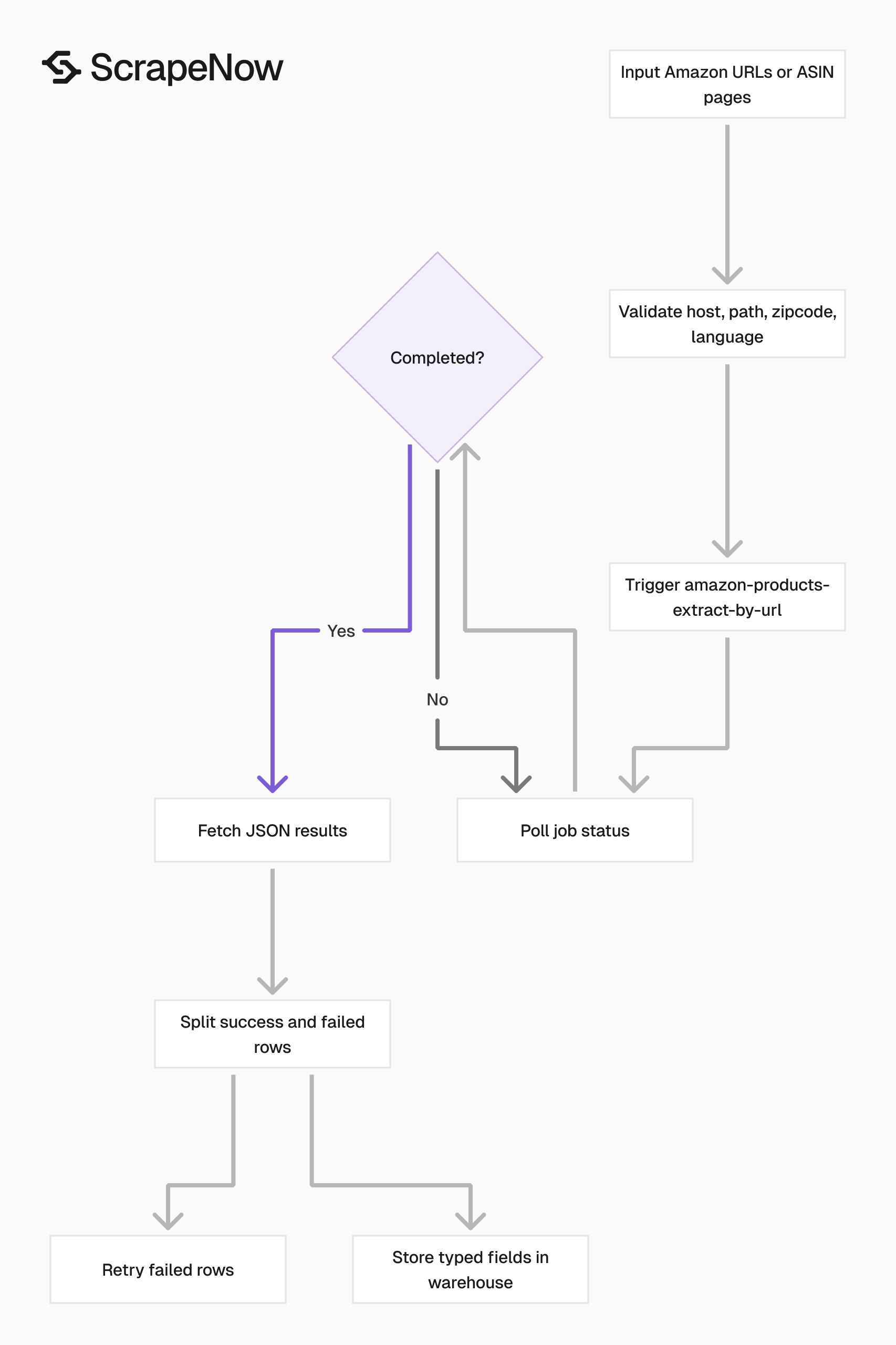
Use Extract Amazon product data when you already have product URLs or ASIN-based product pages. This scraper reads the product detail page and returns one structured result per input URL.
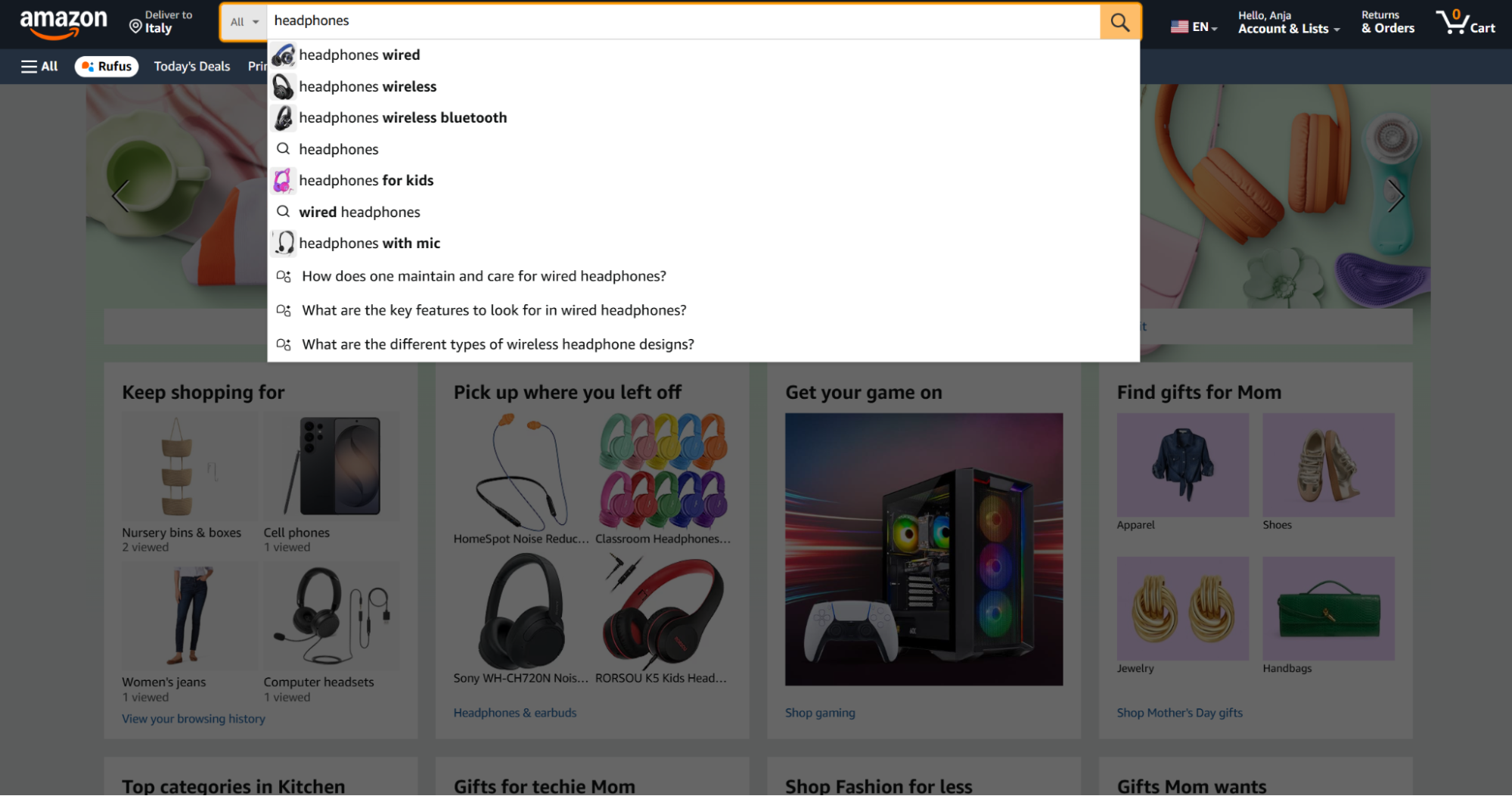
Use Search Amazon products by keyword when you need products from a keyword like headphones. This scraper starts from Amazon search results and returns product URLs you can feed into the extract-by-URL scraper.
Use Search Amazon products by URL when you already have an Amazon search results URL. This works well when your team builds marketplace URLs with filters, category paths, or query parameters.
A typical production flow has three stages. Search returns product URLs, product extraction returns detail-page rows, and your warehouse stores typed fields plus the raw response.
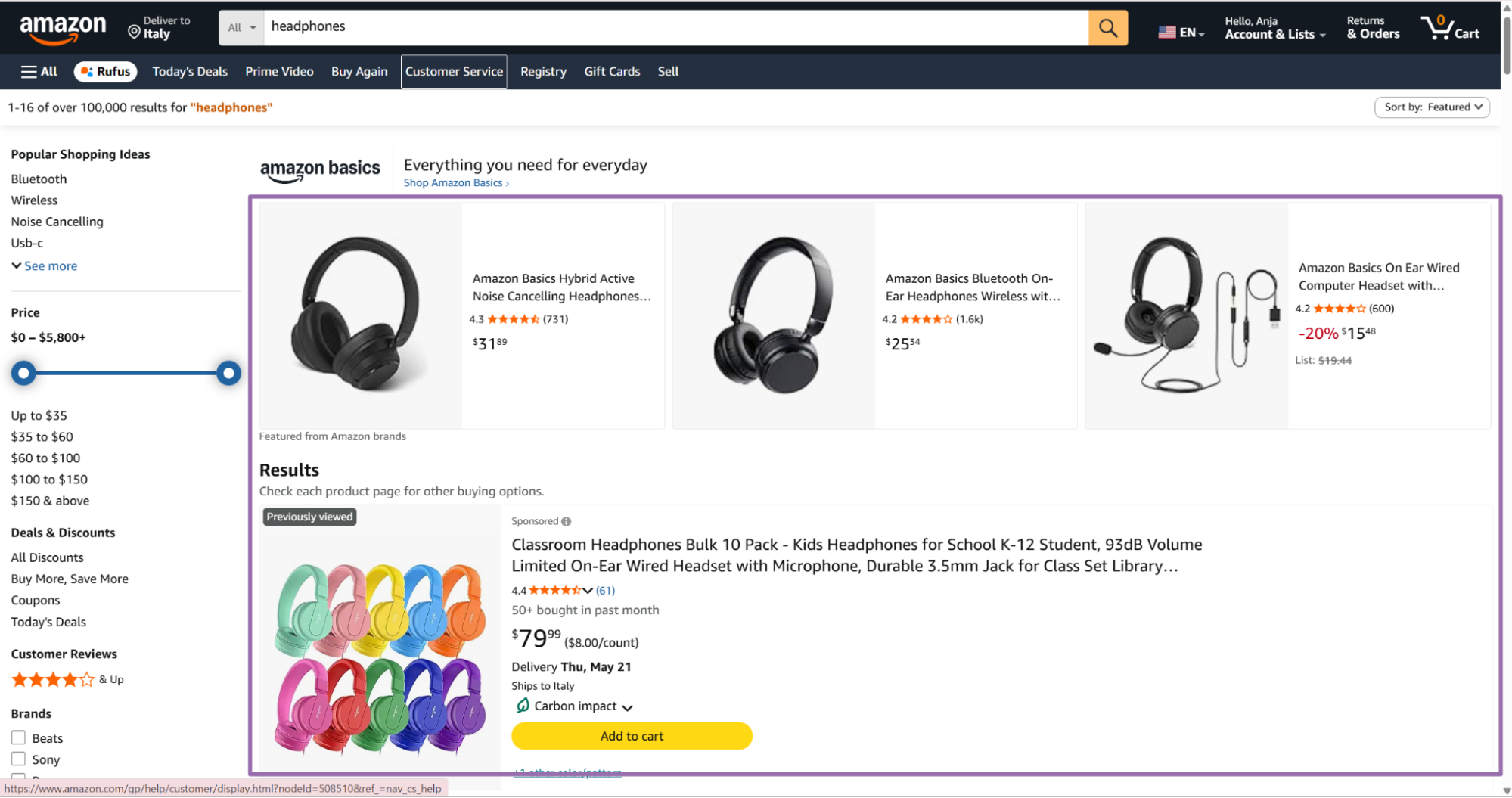
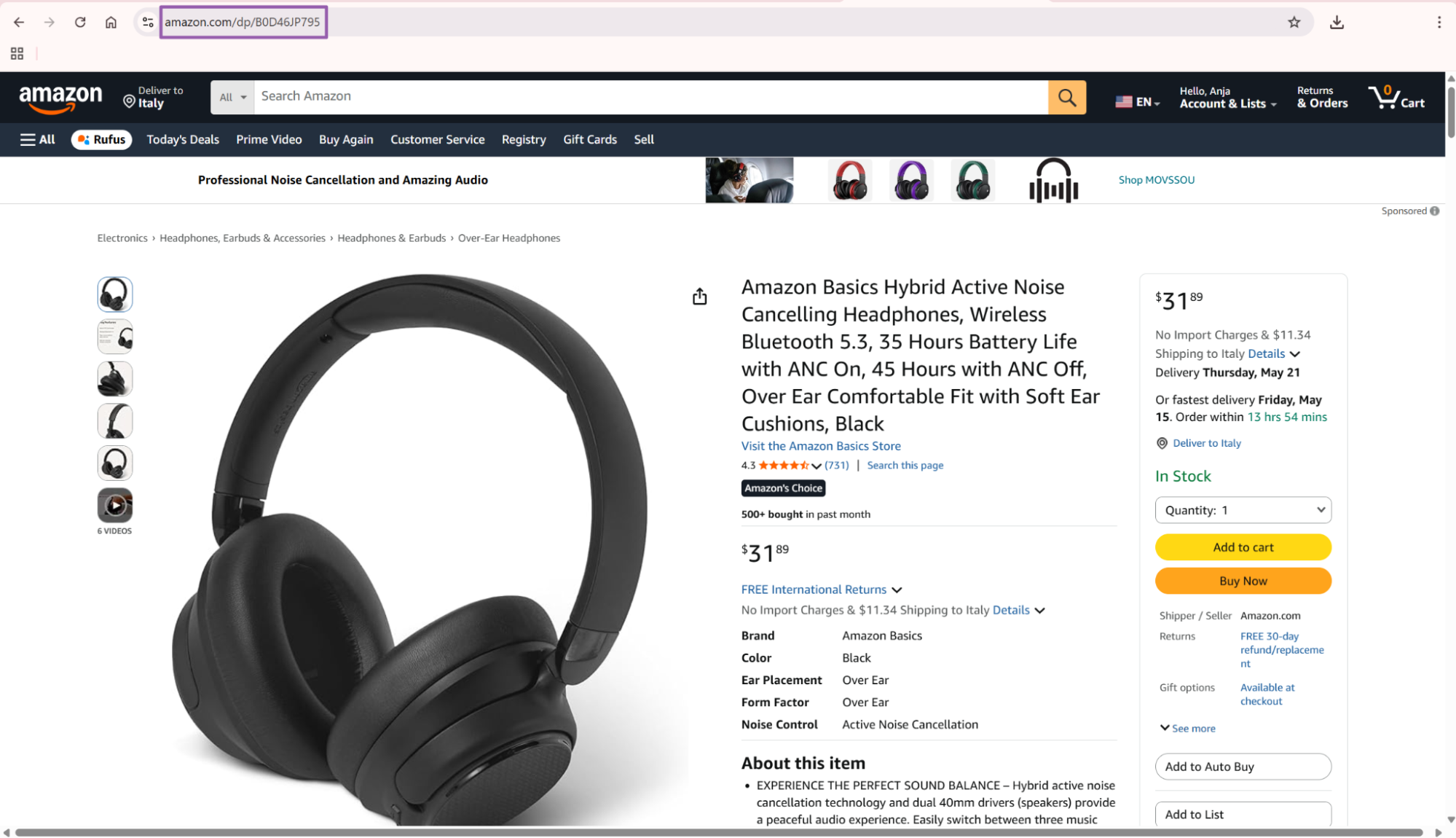
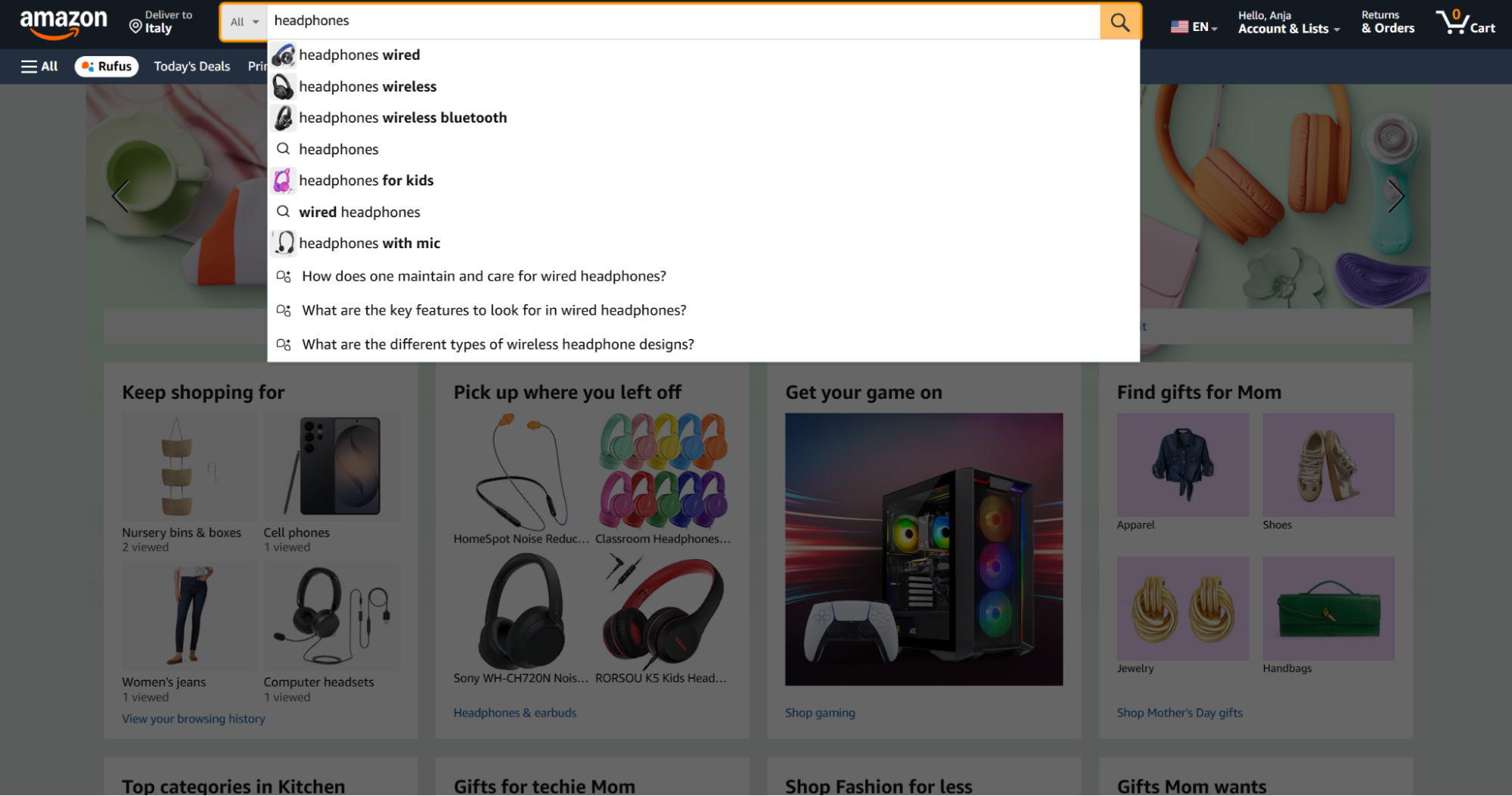
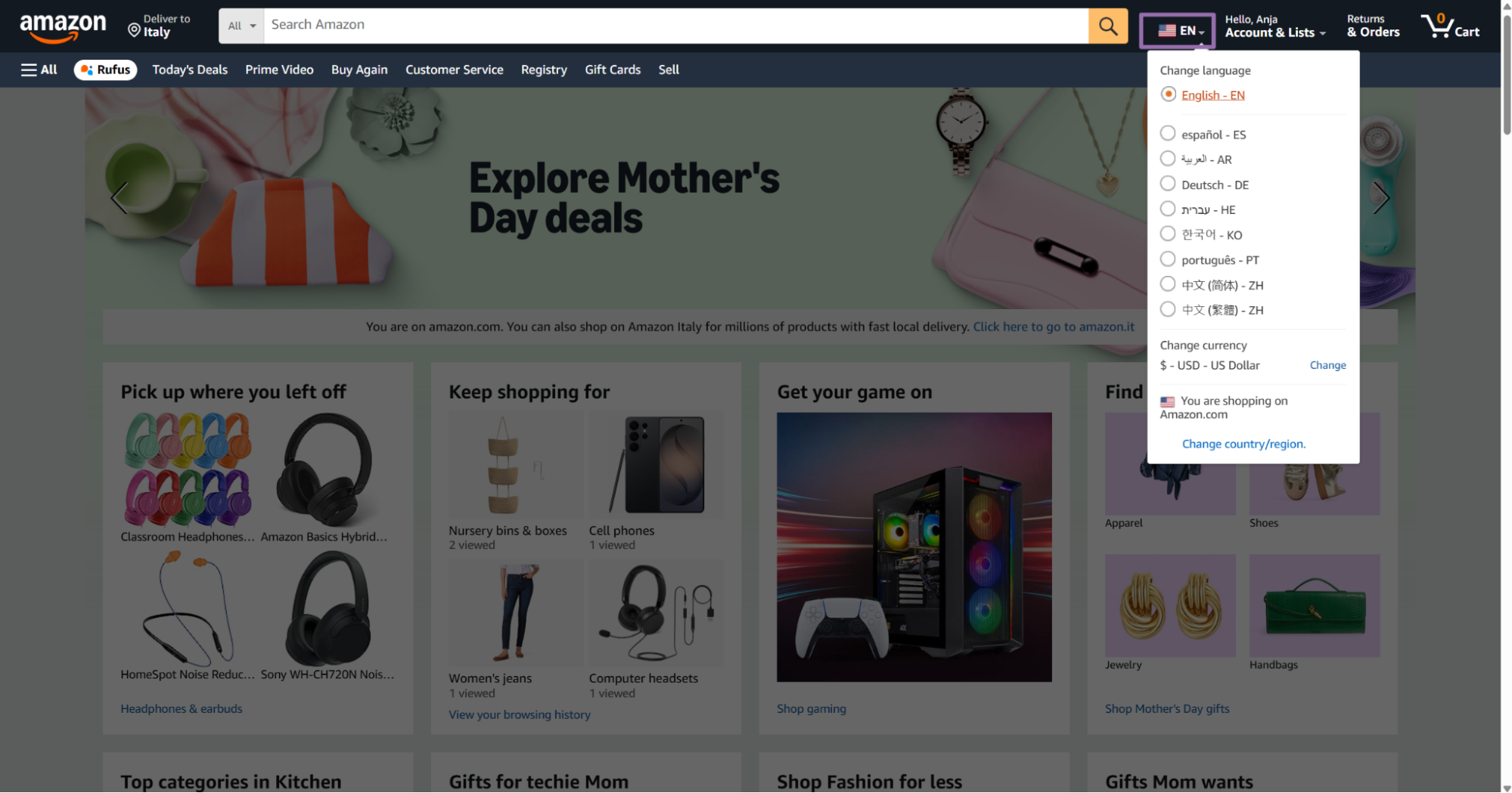
Step 1. Get the product URL
Input variables for the Amazon Products Extract by URL scraper:
| Field | Required | Example | Notes |
|---|---|---|---|
url |
Yes | https://www.amazon.com/.../dp/B0BS1QCFHX |
Direct Amazon product URL. It must start with https://www.amazon.com/. |
zipcode |
No | 10001 |
ZIP or postal code for local product results. |
language |
No | EN |
Product listing language. |
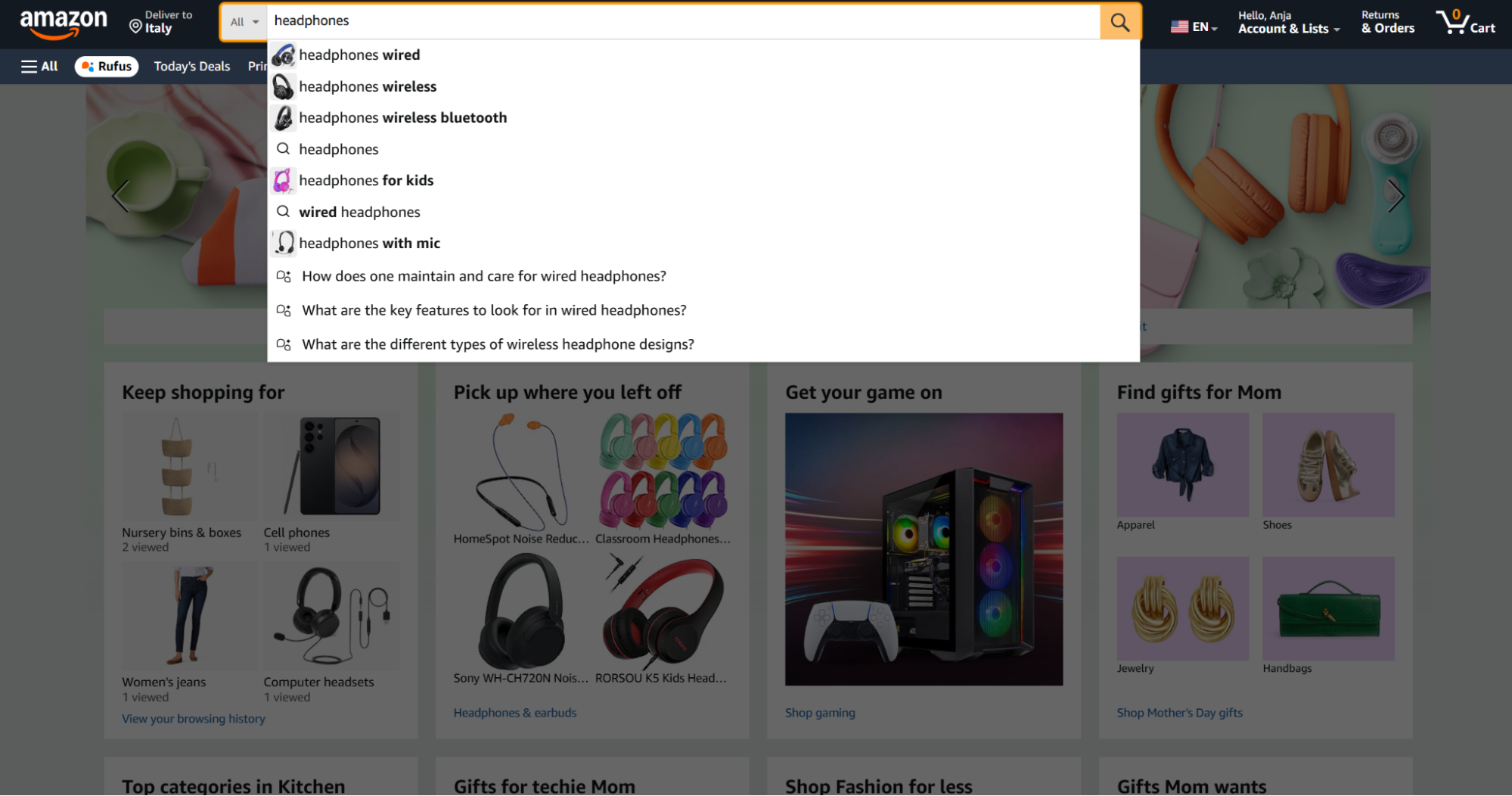
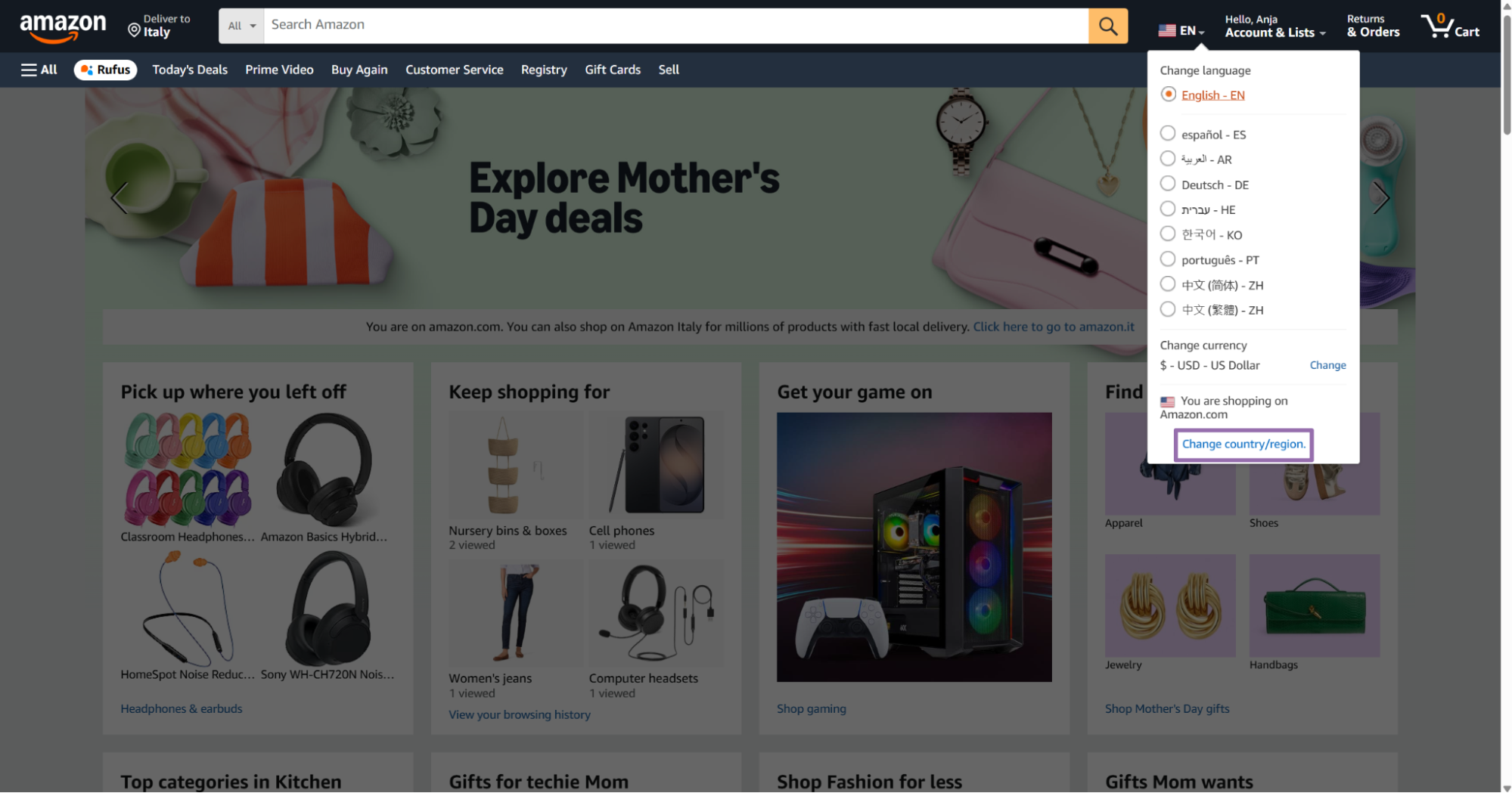
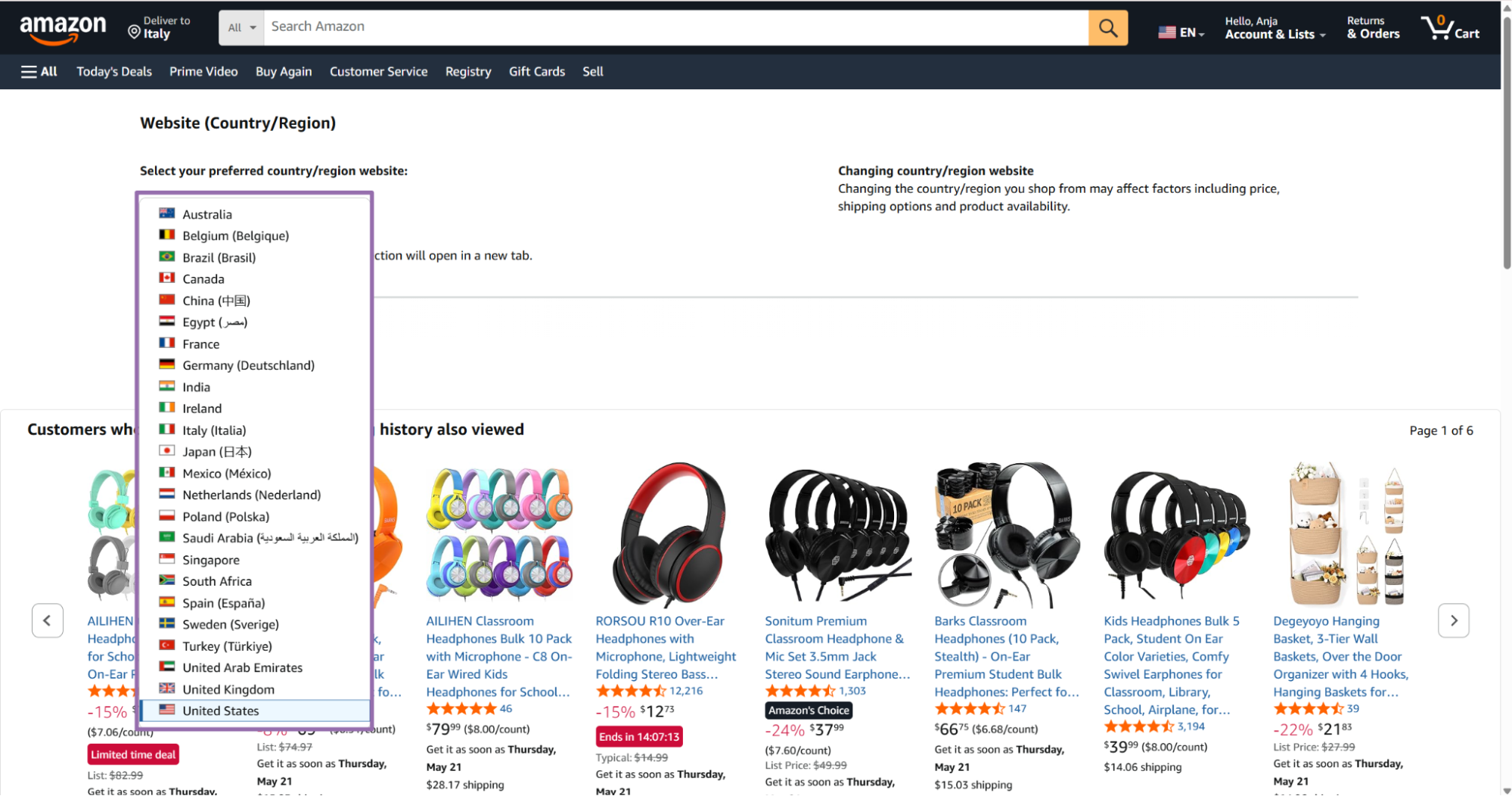
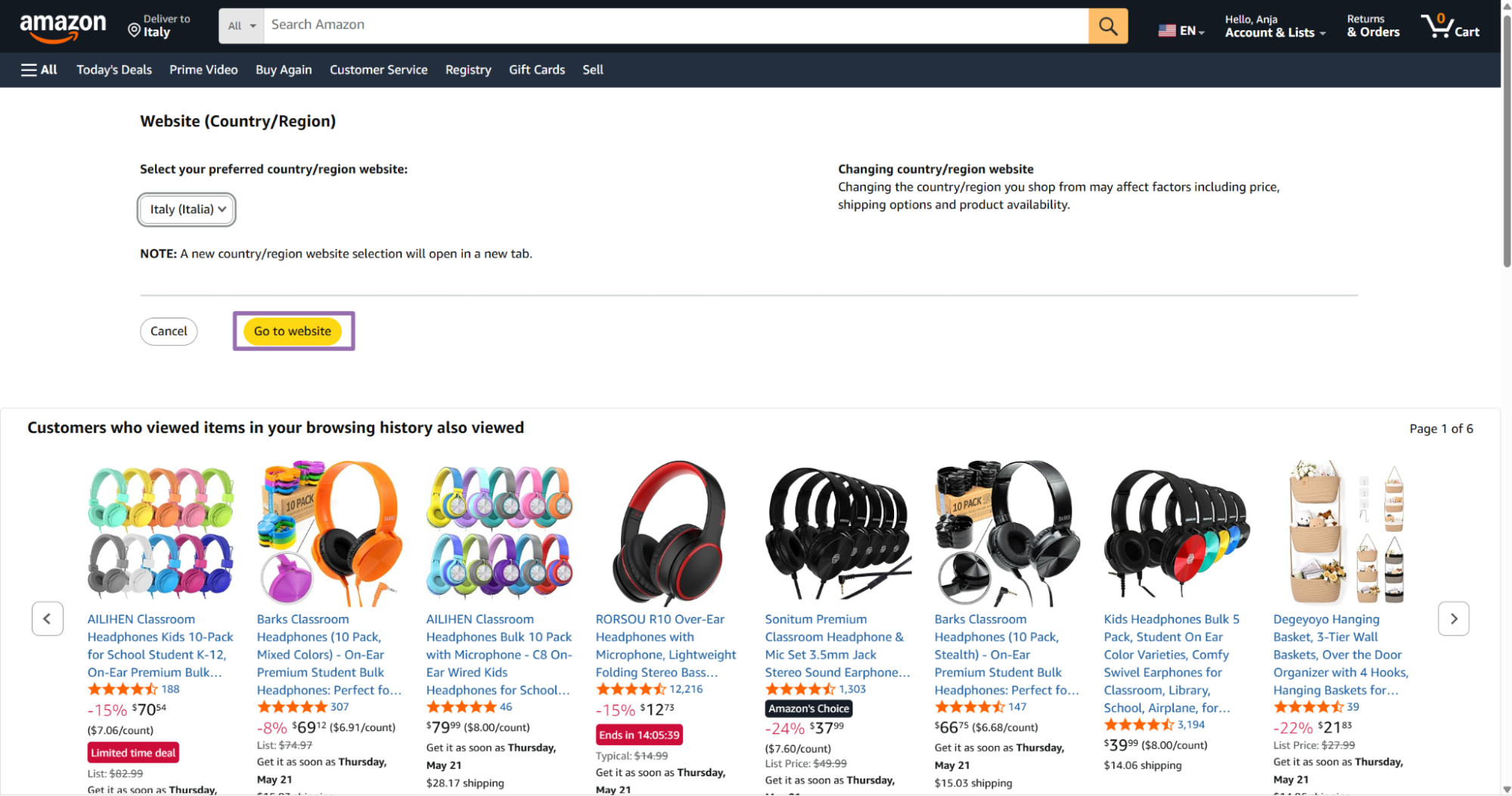
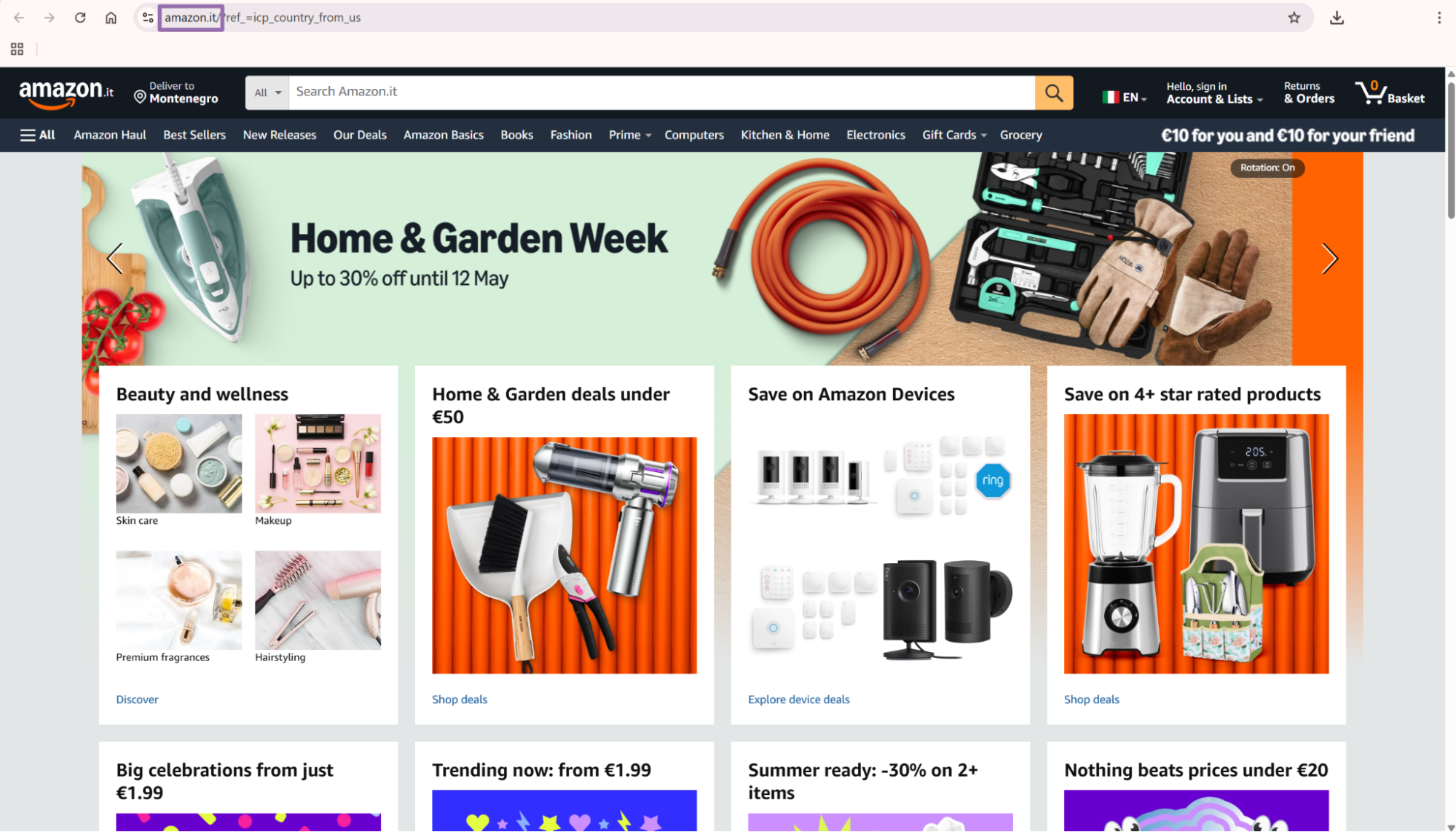
Open amazon.com.
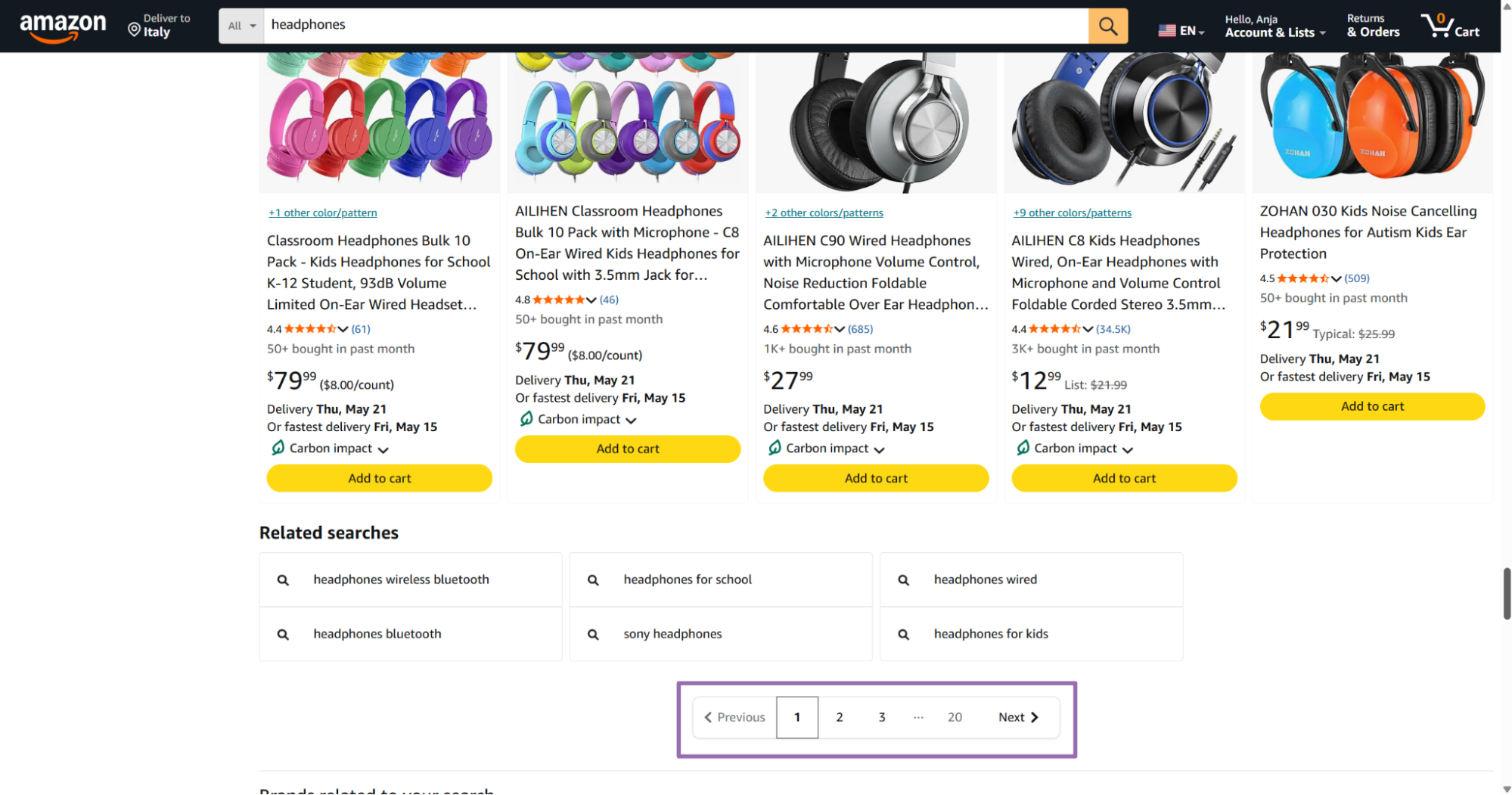
Step 2. Run the scraper from Python
Set API_KEY, keep the scraper slug as the Amazon Products Extract by URL scraper, and replace the URL in SCRAPER_INPUTS.
The script below starts a scrape job, polls until the job finishes, downloads JSON results, and writes the file to output/amazon-products-extract-by-url.json.
"""
Configuration:
    - Set SCRAPER_SLUG to the scraper you want to run.
    - Set SCRAPER_INPUTS to the list of input dicts matching that scraper's schema.
    - Set API_KEY to your scraper API key.
"""

import sys
import time
import json
import requests
import os

API_KEY = "YOUR_API_KEY"

SCRAPER_SLUG = "amazon-products-extract-by-url"

SCRAPER_INPUTS = [
    {
        "url": "https://www.amazon.com/Sony-WH-CH720N-Canceling-Headphones-Microphone/dp/B0BS1QCFHX/ref=sr_1_1?dib=eyJ2IjoiMSJ9.gHAnVEZa5rFUsKuVZw3s1Ola0T-OmGjy0_VEjjd60LT5FCbyBj7mJw9_Td0RZWLEVhmlTVl3ZxR35rjHE3iizvpMM0KYRCPzXaaBcG3a7drPip0anuHhnZTSXrybn4bViygJ4kinpWsr7aDK8OatNgR1zKd5cgoSf3zoxtJaGu8rovNZ_TZWg8mhXqiqAp5GSnXpDIa3v4p-5QThqkn7dY64b1BcdIL9MrEA2J_ihJA.niQEc1mNoYBFUFkpSiKIIYDukhN6j3R4dqgA3q5RwBA&dib_tag=se&keywords=headphones&qid=1774097206&sr=8-1",
        "language": "EN",
        "zipcode": "10001"
    }
]


BASE_URL = "https://api.scrapenow.io/api/v1/scraping"
TIMEOUT_SECONDS = 3600
POLL_INTERVAL = 5
SPINNER = "|/-\\"


def build_headers(api_key: str, content_type: str | None = None) -> dict:
    headers = {"Authorization": f"Bearer {api_key}"}
    if content_type:
        headers["Content-Type"] = content_type
    return headers


def trigger_scrape(slug: str, inputs: list[dict]) -> str:
    url = f"{BASE_URL}/scrape?scraper={slug}"
    response = requests.post(
        url,
        headers=build_headers(API_KEY, "application/json"),
        json={"inputs": inputs},
    )
    response.raise_for_status()
    return response.json()["data"]["job_id"]


def poll_until_done(job_id: str) -> str:
    start = time.time()
    i = 0
    while True:
        elapsed = time.time() - start
        if elapsed > TIMEOUT_SECONDS:
            print(f"\nTimeout after {TIMEOUT_SECONDS}s")
            sys.exit(1)
        response = requests.get(
            f"{BASE_URL}/jobs/{job_id}",
            headers=build_headers(API_KEY),
        )
        response.raise_for_status()
        data = response.json()
        status = data["data"]["status"]
        mins, secs = divmod(int(elapsed), 60)
        sys.stdout.write(
            f"\r[{SPINNER[i % 4]}] Waiting... {status} ({mins}m {secs:02d}s)  "
        )
        sys.stdout.flush()
        if status in ("completed", "failed"):
            print()
            return status
        time.sleep(POLL_INTERVAL)
        i += 1


def fetch_results(job_id: str) -> dict:
    response = requests.get(
        f"{BASE_URL}/jobs/{job_id}/results?format=json",
        headers=build_headers(API_KEY),
    )
    response.raise_for_status()
    return response.json()


def save_results(data: dict, slug: str) -> str:
    os.makedirs("output", exist_ok=True)
    filename = os.path.join("output", f"{slug}.json")
    with open(filename, "w", encoding="utf-8") as f:
        json.dump(data, f, indent=2, ensure_ascii=False)
    return filename


def main() -> None:
    print(f"Triggering scraper: {SCRAPER_SLUG}")
    job_id = trigger_scrape(SCRAPER_SLUG, SCRAPER_INPUTS)
    print(f"Job started: {job_id}")
    final_status = poll_until_done(job_id)
    if final_status != "completed":
        print(f"Job failed with status: {final_status}")
        sys.exit(1)
    print("Fetching results...")
    results = fetch_results(job_id)
    output_file = save_results(results, SCRAPER_SLUG)
    print(f"Results saved to: {output_file}")


if __name__ == "__main__":
    main()
The same API pattern works for the other scrapers in this group. Change the scraper slug and input values in the code for each scraper.
Keep batches small while you test. A batch of 5 URLs exposes schema issues faster than a batch of 5,000 URLs.
Use one product first when you wire the endpoint into a new pipeline. Check the status, response shape, file path, and downstream loader before increasing batch size.
Step 3. Read the output file
The script saves results to:
output/amazon-products-extract-by-url.json
A completed job returns one result object per input. If you submit 100 product URLs, expect up to 100 result objects back.
Each result includes the original input fields and the extracted Amazon product data. Keep both. The input fields tell you which URL, language, and ZIP code produced that row.
Do not throw away failed rows. They carry the original input and status, which you need for retry logic and audit trails.
API response sample
This is a trimmed response from the Amazon Products Extract by URL scraper.
[
{
"inputs": {
"url": "https://www.amazon.com/Sony-WH-CH720N-Canceling-Headphones-Microphone/dp/B0BS1QCFHX/ref=sr_1_1?dib=eyJ2IjoiMSJ9.gHAnVEZa5rFUsKuVZw3s1Ola0T-OmGjy0_VEjjd60LT5FCbyBj7mJw9_Td0RZWLEVhmlTVl3ZxR35rjHE3iizvpMM0KYRCPzXaaBcG3a7drPip0anuHhnZTSXrybn4bViygJ4kinpWsr7aDK8OatNgR1zKd5cgoSf3zoxtJaGu8rovNZ_TZWg8mhXqiqAp5GSnXpDIa3v4p-5QThqkn7dY64b1BcdIL9MrEA2J_ihJA.niQEc1mNoYBFUFkpSiKIIYDukhN6j3R4dqgA3q5RwBA&dib_tag=se&keywords=headphones&qid=1774097206&sr=8-1",
"language": "EN",
"zipcode": "10001"
},
"scrape_status": "success",
"title": "Sony WH-CH720N Noise Canceling Wireless Headphones Bluetooth Over The Ear Headset with Microphone and Alexa Built-in, Black New",
"seller_name": "Amazon.com",
"brand": "Sony",
"description": "Turn down the world's noise with the long-lasting noise cancellation performance. Featuring Dual Noise Sensor technology and an Integrated Processor V1, the WH-CH720N allows you to fully immerse yourself in music without any distractions. Ergonomically designed to be lightweight, comfortable, and with up to 35 hours of battery life, you’ll almost forget you’re wearing it.",
"initial_price": 179.99,
"currency": "USD",
"availability": "In Stock",
"reviews_count": 15650,
"categories": [
"Electronics",
"Headphones, Earbuds & Accessories",
"Headphones & Earbuds",
"Over-Ear Headphones"
],
"parent_asin": "B0DJRY1KZT",
"asin": "B0BS1QCFHX",
"buybox_seller": "Amazon.com",
"number_of_sellers": 1,
"root_bs_rank": 412,
"answered_questions": 0,
"domain": "https://www.amazon.com/",
"images_count": 13,
"url": "https://www.amazon.com/Sony-WH-CH720N-Canceling-Headphones-Microphone/dp/B0BS1QCFHX?th=1&psc=1&language=en_US¤cy=USD",
"video_count": 7,
"image_url": "https://m.media-amazon.com/images/I/51rpbVmi9XL._AC_SL1200_.jpg",
"item_weight": "3.5 Ounces",
"rating": 4.4,
"seller_id": "ATVPDKIKX0DER",
"image": "https://m.media-amazon.com/images/I/51rpbVmi9XL._AC_SL1200_.jpg",
"model_number": "WHCH720N/B",
"manufacturer": "SONY",
"department": "Electronics",
"plus_content": true,
"upc": "027242925397",
"video": true,
"final_price_high": null,
"variations": [
{
"name": "White",
"asin": "B0BS74M665",
"price": 149,
"currency": "USD",
"unit_price": null,
"image": "https://m.media-amazon.com/images/I/31PFiCIw3WL._SS64_.jpg",
"color": "White",
"size": null
},
{
"name": "Pink",
"asin": "B0DY8TS92J",
"price": 178,
"currency": "USD",
"unit_price": null,
"image": "https://m.media-amazon.com/images/I/31wZqFBwjZL._SS64_.jpg",
"color": "Pink",
"size": null
},
{
"name": "Black",
"asin": "B0BS1QCFHX",
"price": null,
"currency": "USD",
"unit_price": null,
"image": "...",
"color": "Black",
"size": null
}
]
}
]
What data you get back, key fields in the API response
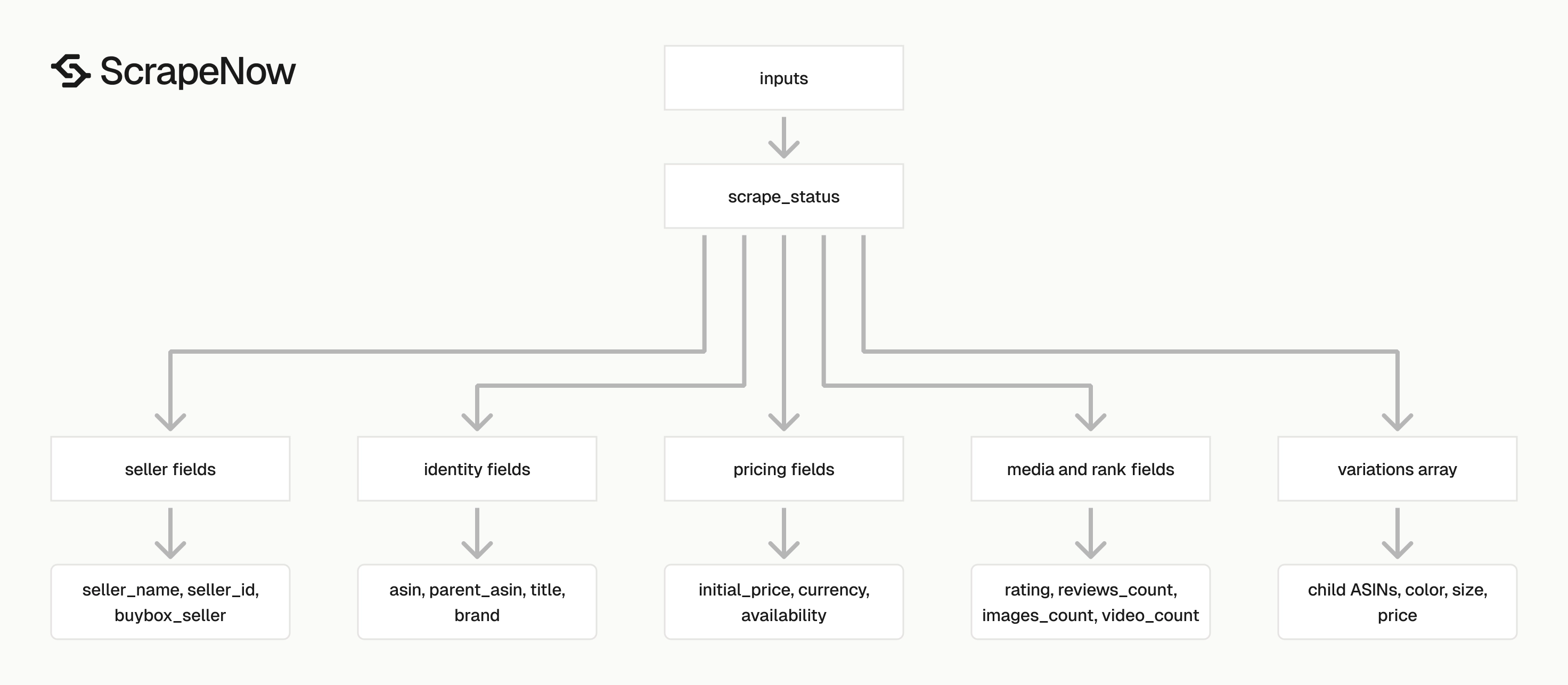
Each result includes inputs, scrape_status, and the extracted product fields. Store inputs in your warehouse because it ties the returned row back to the URL, language, and ZIP code you sent.
Treat scrape_status as a required field in downstream jobs. Load successful rows into product tables, and route failed rows into retry or review queues.
Plan the table shape before you schedule large runs. Product pages return identity fields, pricing fields, seller fields, media fields, and variation arrays.
Product identity fields
Use these fields as primary product identifiers:
| Field | Type | Use |
|---|---|---|
asin |
string | Amazon item ID for the specific product page. |
parent_asin |
string | Parent product ID for variation groups. |
title |
string | Product title shown on the detail page. |
brand |
string | Brand name extracted from the page. |
manufacturer |
string | Manufacturer field when Amazon exposes it. |
model_number |
string | Model or part number. |
upc |
string | UPC when present. |
For most pipelines, store asin and domain together as the unique key. The same ASIN can appear across marketplaces with different pricing, language, and availability.
Keep parent_asin when you monitor apparel, electronics, beauty, or home goods. Those categories often group color, size, count, and bundle options under one parent listing.
Keep model_number and upc when you match Amazon data to internal catalog records. ASINs work inside Amazon, while UPCs and model numbers help across retailers.
Price and availability fields
The price fields are numeric, so you can load them into Postgres, BigQuery, Snowflake, or a pandas dataframe without string cleanup.
| Field | Type | Example |
|---|---|---|
initial_price |
number | 179.99 |
final_price_high |
number or null | null |
currency |
string | USD |
availability |
string | In Stock |
Use zipcode for local availability checks. The same product can show different delivery status by postal code.
Keep currency with every price. Amazon marketplaces can share similar product titles and ASINs, and currency mistakes break price comparison reports.
Store null prices as null. Replacing null with zero corrupts margin reports, alerting rules, and price history charts.
Seller and Buy Box fields
The seller fields tell you who owns the listing placement at scrape time.
| Field | Type | Example |
|---|---|---|
seller_name |
string | Amazon.com |
seller_id |
string | ATVPDKIKX0DER |
buybox_seller |
string | Amazon.com |
number_of_sellers |
number | 1 |
Buy Box ownership changes during the day. If you monitor sellers, run scheduled jobs and store scraped_at with every row.
If you need seller-level extraction, pair product scraping with Get Amazon seller data. Product pages give seller signals, and seller pages give seller-specific profile data.
Track seller_id when it exists. Seller names can change, while seller IDs give you a better join key for historical reporting.
Reviews, ranking, and media fields
These fields work well for catalog scoring and product monitoring.
| Field | Type | Example |
|---|---|---|
rating |
number | 4.4 |
reviews_count |
number | 15650 |
answered_questions |
number | 0 |
root_bs_rank |
number | 412 |
images_count |
number | 13 |
video_count |
number | 7 |
plus_content |
boolean | true |
Use rating and review count for trend monitoring. A rating change from 4.6 to 4.2 matters more when review count grows at the same time.
For review text, ratings by reviewer, and review-level metadata, use Extract Amazon reviews after you collect product URLs.
Use images_count, video_count, and plus_content for listing quality checks. Thin media coverage often correlates with weaker conversion in catalog audits.
Variations
variations returns child ASINs for product options like color and size. Each variation object can include name, asin, price, currency, image, color, and size.
Treat variations as child rows in your database. A single product page can return 3, 10, or 50 variation records depending on the category.
Variation pricing can differ from the main product price. Store the variation ASIN and variation price instead of applying the parent price to every child row.
Do not flatten variations into comma-separated strings. That format breaks joins, price comparisons, and change detection.
A simple variation table should include parent ASIN, child ASIN, option fields, price, currency, image, and scraped_at. That shape keeps product rows and child rows separate.
Ready to get this data? Extract Amazon product data.
Production tips, validation, deduplication, schema, error handling
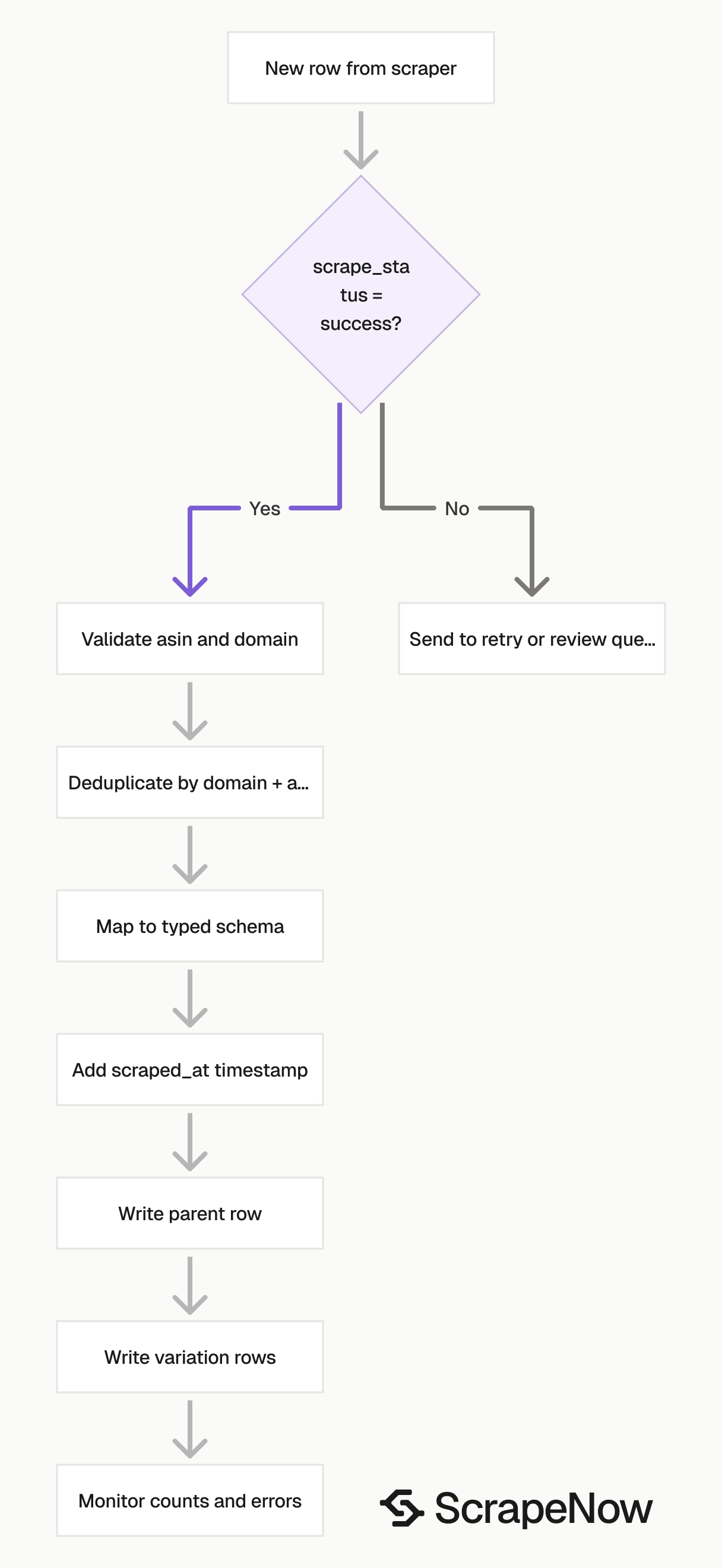
Validate inputs before you trigger jobs, dedupe by ASIN after extraction, and store scrape failures as rows.
Validate URLs before sending jobs
Reject non-Amazon URLs before they hit the API. This catches invalid queue messages and copied marketplace URLs that this scraper does not support.
from urllib.parse import urlparse

def validate_amazon_product_input(item: dict) -> None:
    url = item.get("url", "")
    parsed = urlparse(url)

    if parsed.scheme != "https":
        raise ValueError(f"URL must use https: {url}")

    if parsed.netloc != "www.amazon.com":
        raise ValueError(f"URL must start with https://www.amazon.com/: {url}")

    if "/dp/" not in parsed.path and "/gp/product/" not in parsed.path:
        raise ValueError(f"URL does not look like an Amazon product page: {url}")

    zipcode = item.get("zipcode")
    if zipcode is not None and not str(zipcode).strip():
        raise ValueError("zipcode cannot be blank")

    language = item.get("language")
    if language is not None and len(language) > 5:
        raise ValueError(f"language looks invalid: {language}")


for input_item in SCRAPER_INPUTS:
    validate_amazon_product_input(input_item)
Run this before trigger_scrape(). Invalid inputs should fail locally instead of waiting for a scrape job.
Dedupe by marketplace and ASIN
Amazon URLs contain noise. Search parameters, tracking parameters, and variation parameters can create multiple URLs for the same ASIN.
Use the returned domain and asin as your stable key.
import json

def dedupe_products(rows: list[dict]) -> list[dict]:
    seen = set()
    output = []

    for row in rows:
        if row.get("scrape_status") != "success":
            output.append(row)
            continue

        key = (row.get("domain"), row.get("asin"))

        if key in seen:
            continue

        seen.add(key)
        output.append(row)

    return output


with open("output/amazon-products-extract-by-url.json", "r", encoding="utf-8") as f:
    rows = json.load(f)

clean_rows = dedupe_products(rows)

with open("output/amazon-products-extract-by-url-deduped.json", "w", encoding="utf-8") as f:
    json.dump(clean_rows, f, indent=2, ensure_ascii=False)
Keep failed rows in the output for retry. Deduplicate after extraction since the returned ASIN is a better key than the raw input URL.
Store a typed schema
Do not store product data in one untyped JSON column unless you are prototyping. At minimum, split common fields into typed columns and keep the raw object for fields you do not query daily.
A practical product table shape looks like this:
| Column | Type |
|---|---|
asin |
text |
parent_asin |
text |
domain |
text |
url |
text |
title |
text |
brand |
text |
seller_name |
text |
buybox_seller |
text |
initial_price |
numeric |
currency |
text |
availability |
text |
rating |
numeric |
reviews_count |
integer |
root_bs_rank |
integer |
images_count |
integer |
video_count |
integer |
scraped_at |
timestamp |
raw_json |
jsonb |
Store variations in a separate table keyed by parent_asin, asin, and scraped_at.
Use numeric columns for price, rating, rank, and counts. Keep raw_json for fields you have not modeled yet.
Add a scrape timestamp
Add scraped_at when you write rows, even if the API response includes timing metadata elsewhere. A timestamp in your warehouse makes price history, availability checks, and seller changes queryable.
from datetime import datetime, timezone

def add_scraped_at(rows: list[dict]) -> list[dict]:
    timestamp = datetime.now(timezone.utc).isoformat()

    for row in rows:
        row["scraped_at"] = timestamp

    return rows
Use UTC and create the timestamp once per batch so every row shares the same collection time.
Retry failed jobs with a cap
A failed job should enter a retry queue with a hard cap. I use 3 attempts for product detail pages, then write the failure to a dead-letter table.
import time

MAX_ATTEMPTS = 3

def run_with_retries(slug: str, inputs: list[dict]) -> dict:
    last_error = None

    for attempt in range(1, MAX_ATTEMPTS + 1):
        try:
            job_id = trigger_scrape(slug, inputs)
            status = poll_until_done(job_id)

            if status == "completed":
                return fetch_results(job_id)

            last_error = f"Job ended with status {status}"
        except requests.HTTPError as exc:
            last_error = str(exc)

        sleep_seconds = attempt * 10
        print(f"Attempt {attempt} failed. Retrying in {sleep_seconds}s")
        time.sleep(sleep_seconds)

    raise RuntimeError(f"Scrape failed after {MAX_ATTEMPTS} attempts: {last_error}")
Use small batches for retries so one invalid input does not block the run. Log the input payload, job ID, and error message with each attempt.
Monitor row counts and status rates
Track submitted inputs, successful rows, failed rows, and duplicate rows. Alert when row counts fall outside your expected range.
Which Amazon product scraper to use
ScrapeNow has different Amazon product scrapers because product discovery and product detail extraction are separate jobs.
| Scraper | Use it when | Main input |
|---|---|---|
| Extract Amazon product data | You already have product URLs and need detail-page data. | url |
| Search Amazon products by keyword | You need products returned for a keyword search. | keyword |
| Search Amazon products by URL | You already built or copied an Amazon search URL. | url |
| Extract Amazon reviews | You need review-level data for a product. | product review URL |
| Get Amazon seller data | You need seller profile data. | seller URL |
For a product monitoring pipeline, start with keyword search to discover ASINs. Then run product extract by URL on the product detail pages.
Add reviews and sellers only when you need those separate datasets. Review extraction adds row volume fast, and seller extraction belongs in its own table.
The broader ScrapeNow extractor catalog is at Browse all 86+ scrapers. It includes extractors for Amazon, Google, LinkedIn, TikTok, Instagram, YouTube, Zillow, Indeed, Glassdoor, Flipkart, Crunchbase, Yelp, Facebook, and X.
Use one scraper for one job. Mixing search results, product rows, reviews, and sellers in one table creates fragile reporting and expensive cleanup.
Pricing
ScrapeNow charges per returned row. One row costs one credit, starting at $0.04 per credit for small runs and dropping with volume. No monthly contracts, no proxy fees, no charges for failed rows. See the pricing page for current rates.


