The Amazon global product scraper extracts 30+ fields from any Amazon product URL, including title, ASIN, brand, seller, price, availability, rating, review count, categories, images, variations, and Buy Box data.
How to use this scraper
The product URL scraper takes one required input and one optional filter:
| Input | Required | Type | Notes |
|---|---|---|---|
url |
Yes | string | Direct Amazon product URL. It must start with https://www.amazon.com/ |
bought_past_month |
No | integer | Minimum recent purchase count during the last 30 days. Valid range is 0 to 1000000 |
Use the Extract global Amazon product data scraper when you already have product URLs or ASIN-derived URLs. If you need product discovery first, start with Search Amazon products by keyword.
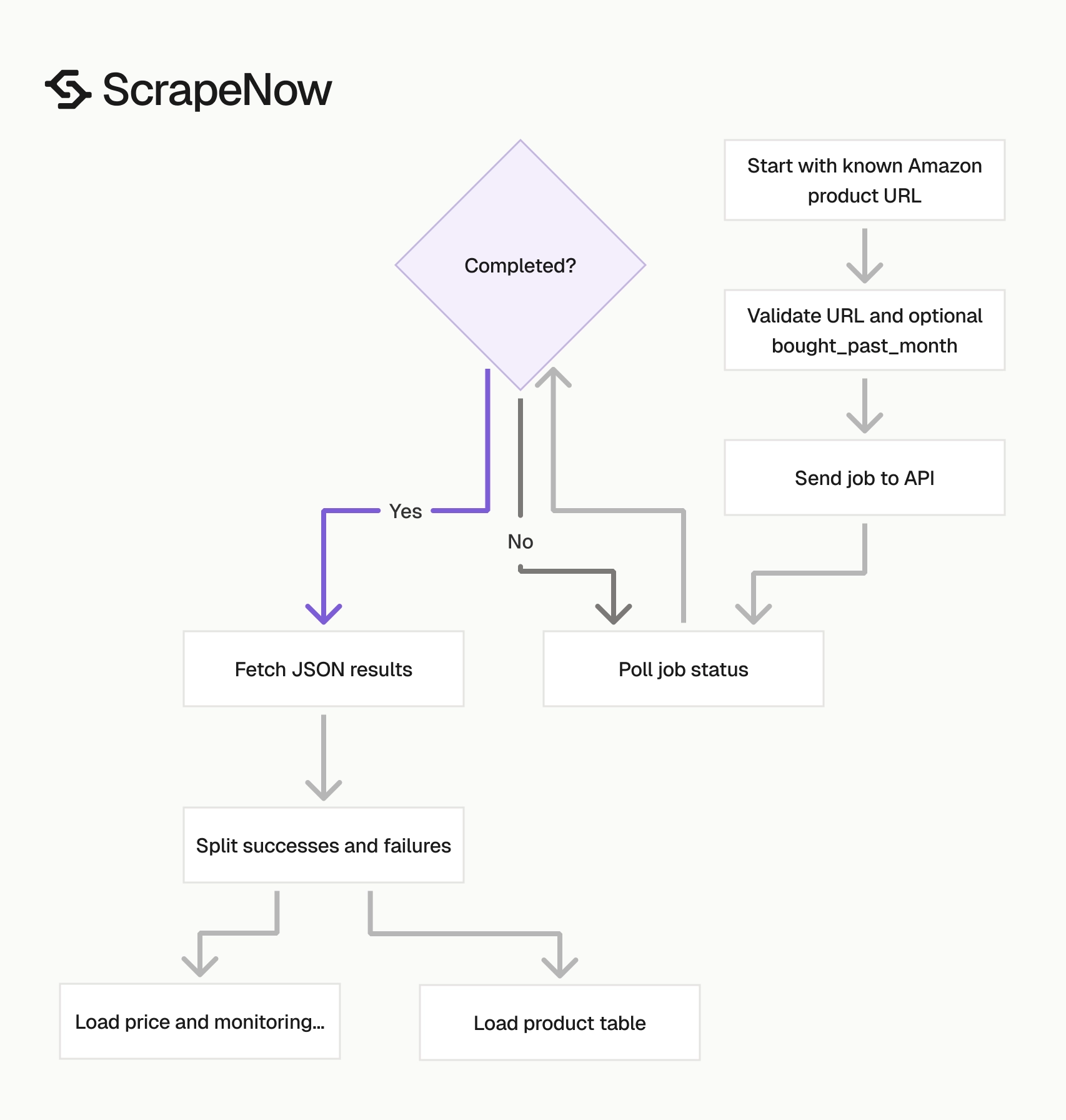
The normal flow has two jobs. Search scrapers build the URL list. The product scraper turns each known product page into a structured product record.
This split keeps your pipeline easier to debug. Search failures belong in one queue, and product extraction failures belong in another.
Get the product URL input
Open
amazon.com.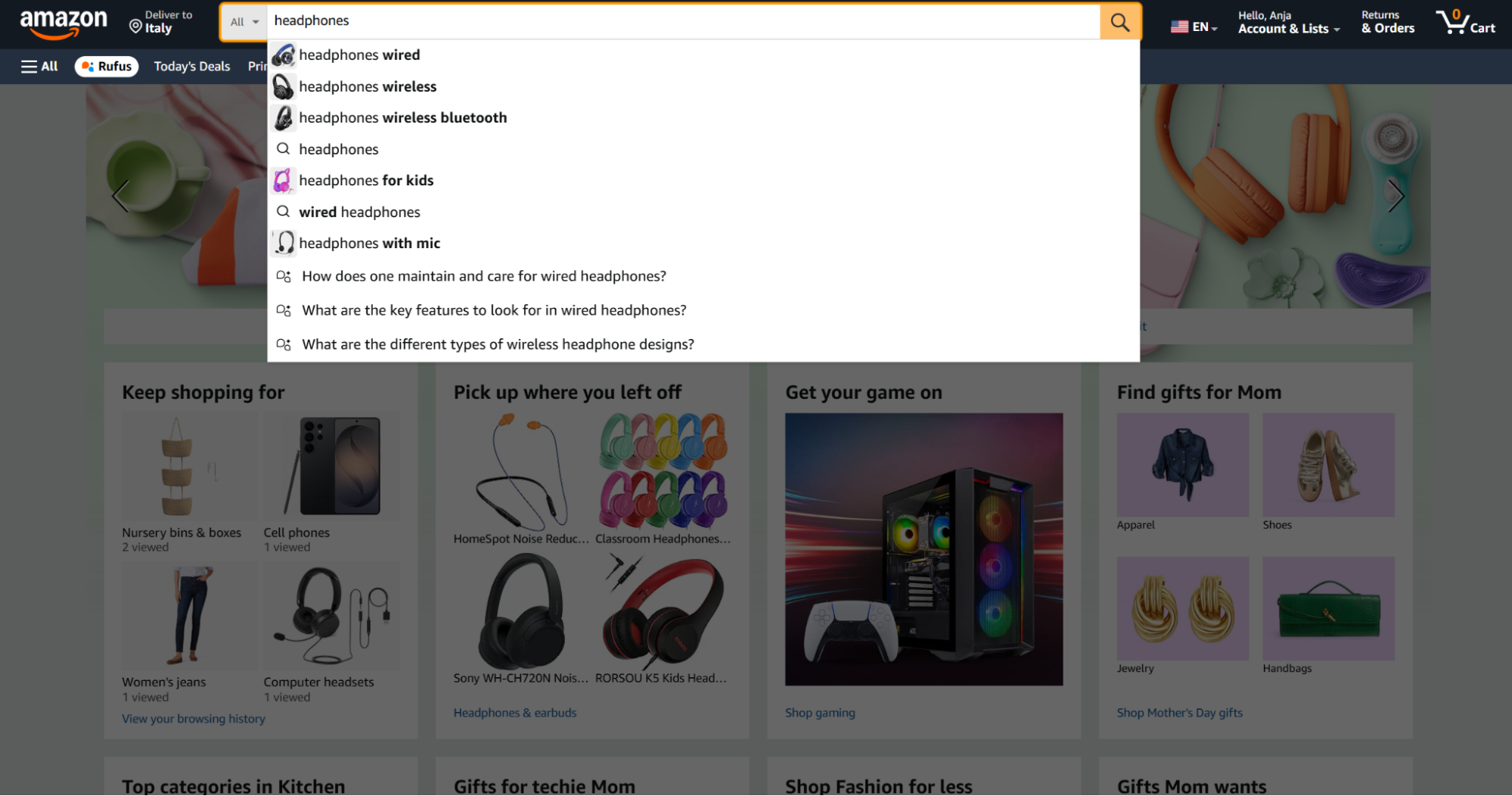
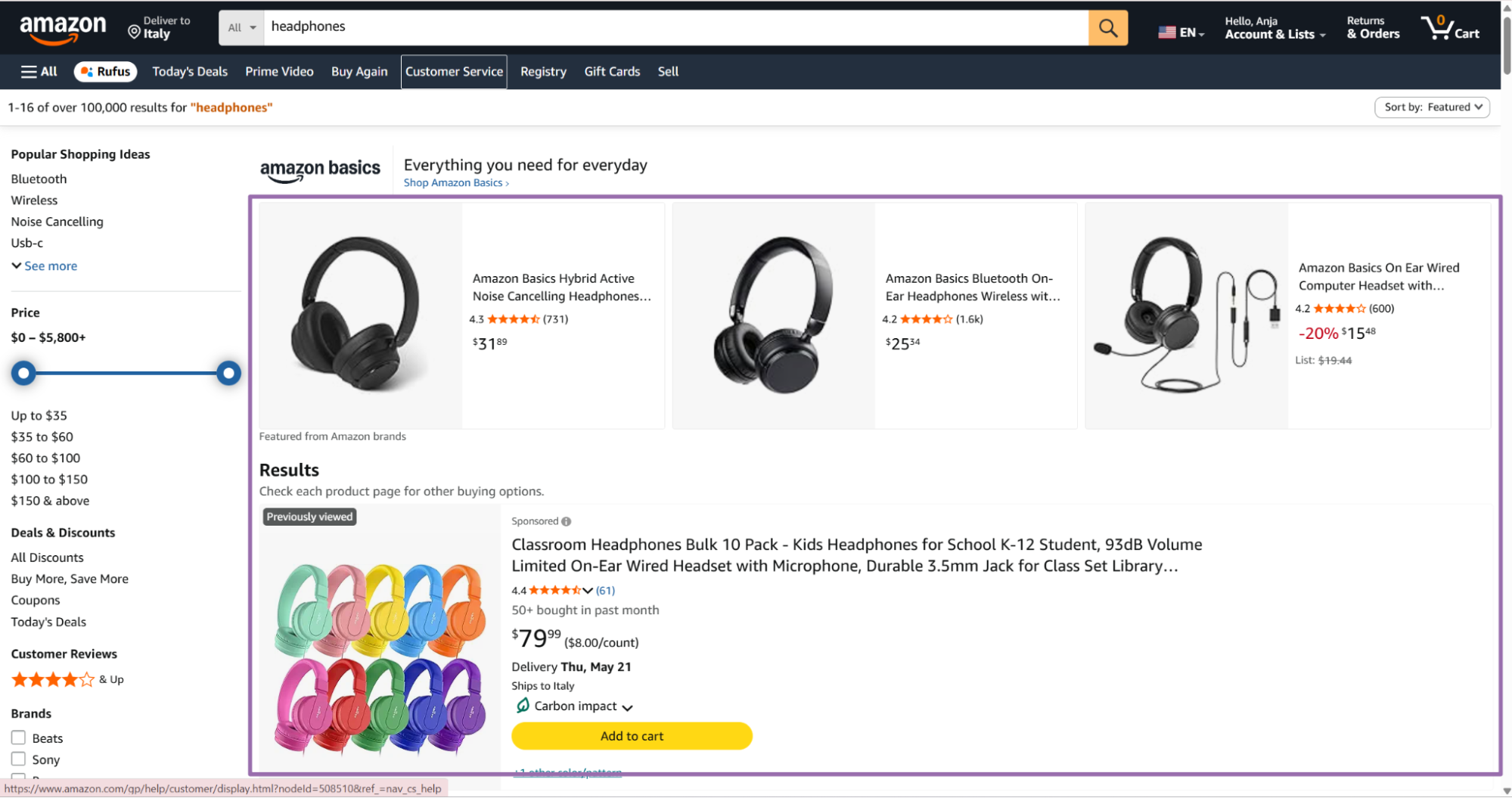
Type your product keyword in the Amazon search bar to find a seed product Search for a seed product, such as
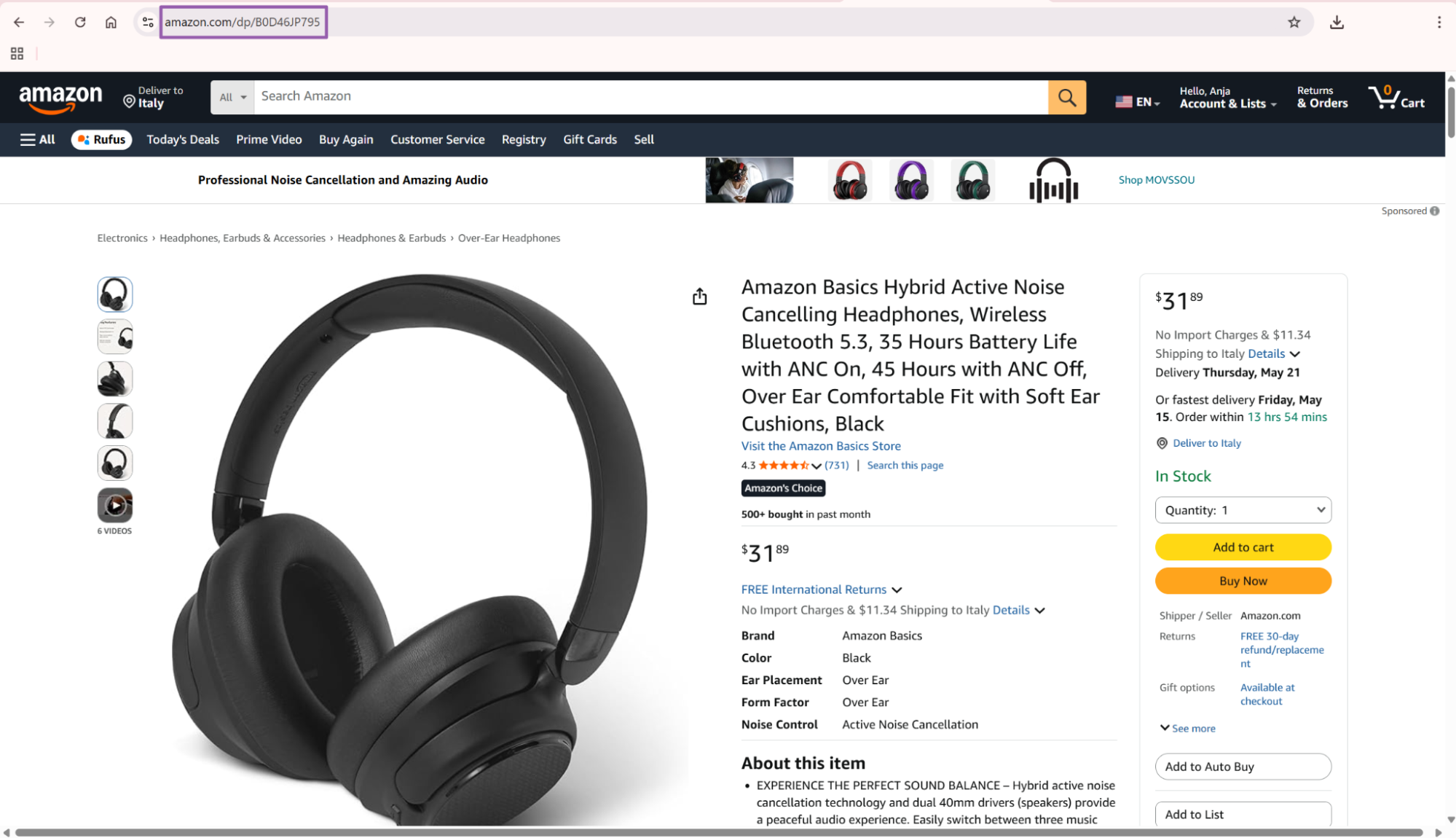
headphones.Open the product page by clicking the product result.
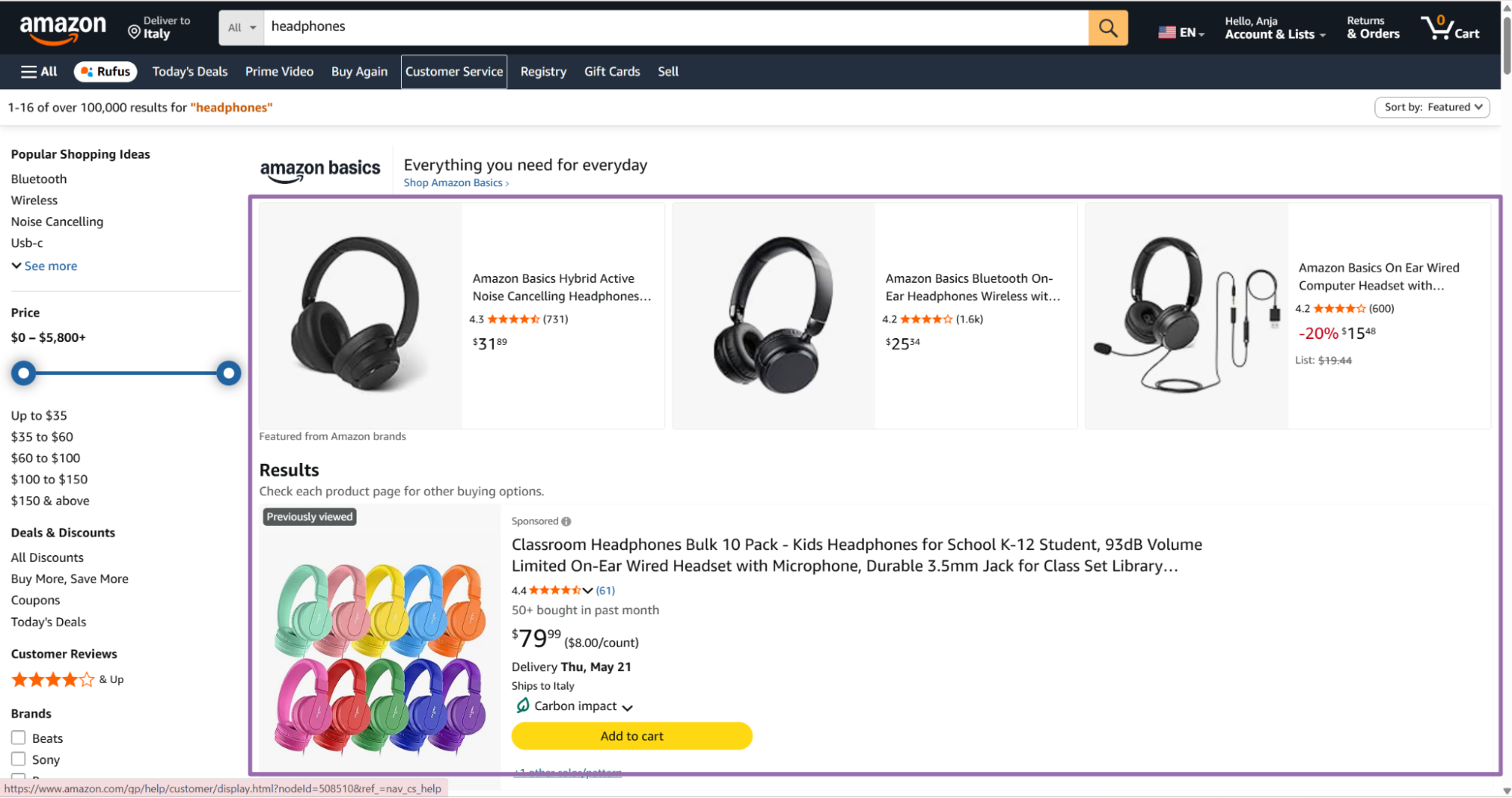
Amazon search results with a product selected Copy the URL from the browser address bar.
{
  "url": "https://www.amazon.com/dp/B0CYZD22FB",
  "bought_past_month": 10
}
Short /dp/ASIN URLs work well because they remove tracking parameters. Amazon URLs with query strings also work when they still point to a valid product page on amazon.com.
Prefer canonical ASIN URLs for scheduled jobs. They make deduplication easier, reduce URL churn, and remove session parameters that add no value downstream.
Run the scraper through the API
Use this Python script. Replace YOUR_API_KEY, then run it with Python 3.
"""
Configuration:
    - Set SCRAPER_SLUG to the scraper you want to run.
    - Set SCRAPER_INPUTS to the list of input dicts matching that scraper schema.
    - Set API_KEY to your scraper API key.
"""

import sys
import time
import json
import requests
from pathlib import Path

API_KEY = "YOUR_API_KEY"

SCRAPER_SLUG = "amazon-global-products-extract-by-url"

SCRAPER_INPUTS = [
    {
        "url": "https://www.amazon.com/dp/B0CYZD22FB",
        "bought_past_month": 10
    }
]


BASE_URL = "https://api.scrapenow.io/api/v1/scraping"
TIMEOUT_SECONDS = 3600
POLL_INTERVAL = 5
SPINNER = "|/-\\"


def build_headers(api_key: str, content_type: str | None = None) -> dict:
    headers = {"Authorization": f"Bearer {api_key}"}
    if content_type:
        headers["Content-Type"] = content_type
    return headers


def trigger_scrape(slug: str, inputs: list[dict]) -> str:
    url = f"{BASE_URL}/scrape?scraper={slug}"
    response = requests.post(
        url,
        headers=build_headers(API_KEY, "application/json"),
        json={"inputs": inputs},
    )
    response.raise_for_status()
    return response.json()["data"]["job_id"]


def poll_until_done(job_id: str) -> str:
    start = time.time()
    i = 0
    while True:
        elapsed = time.time() - start
        if elapsed > TIMEOUT_SECONDS:
            print(f"\nTimeout after {TIMEOUT_SECONDS}s")
            sys.exit(1)
        response = requests.get(
            f"{BASE_URL}/jobs/{job_id}",
            headers=build_headers(API_KEY),
        )
        response.raise_for_status()
        data = response.json()
        status = data["data"]["status"]
        mins, secs = divmod(int(elapsed), 60)
        sys.stdout.write(
            f"\r[{SPINNER[i % 4]}] Waiting... {status} ({mins}m {secs:02d}s)  "
        )
        sys.stdout.flush()
        if status in ("completed", "failed"):
            print()
            return status
        time.sleep(POLL_INTERVAL)
        i += 1


def fetch_results(job_id: str) -> dict:
    response = requests.get(
        f"{BASE_URL}/jobs/{job_id}/results?format=json",
        headers=build_headers(API_KEY),
    )
    response.raise_for_status()
    return response.json()


def save_results(data: dict, slug: str) -> str:
    os.makedirs("output", exist_ok=True)
    filename = os.path.join("output", f"{slug}.json")
    with open(filename, "w", encoding="utf-8") as f:
        json.dump(data, f, indent=2, ensure_ascii=False)
    return filename


def main() -> None:
    print(f"Triggering scraper: {SCRAPER_SLUG}")
    job_id = trigger_scrape(SCRAPER_SLUG, SCRAPER_INPUTS)
    print(f"Job started: {job_id}")
    final_status = poll_until_done(job_id)
    if final_status != "completed":
        print(f"Job failed with status: {final_status}")
        sys.exit(1)
    print("Fetching results...")
    results = fetch_results(job_id)
    output_file = save_results(results, SCRAPER_SLUG)
    print(f"Results saved to: {output_file}")


if __name__ == "__main__":
    main()
The same API pattern works for the other scrapers in this group. Change the scraper slug and input values in the code for each scraper.
For batch jobs, send multiple input dictionaries in SCRAPER_INPUTS. Keep your batch size aligned with your retry plan.
A 500 URL batch is easier to replay than a 50,000 URL batch after an upstream data issue. Smaller batches also make failed inputs easier to isolate when a source feed includes deleted listings.
Use a job ID as the replay boundary. Store the job ID, input batch hash, run time, and result file path in your own run log.
Use brand search inputs when you need a storefront URL
The brand search scraper accepts a URL to a brand or seller page. The URL must start with https://www.amazon.com/.
Open
amazon.com.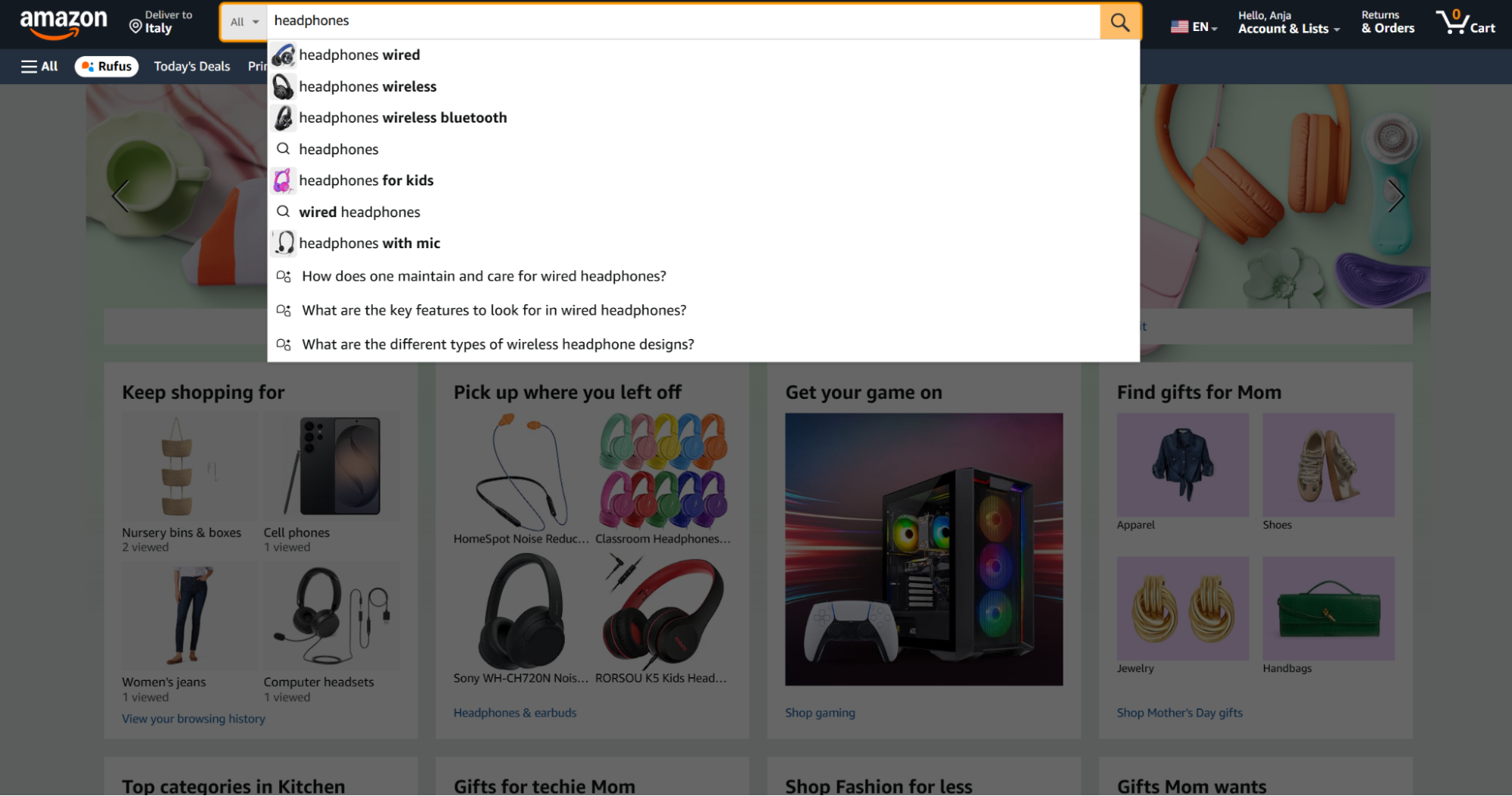
Search for a product keyword on Amazon to find your target brand seller Search for the desired product, such as
headphones.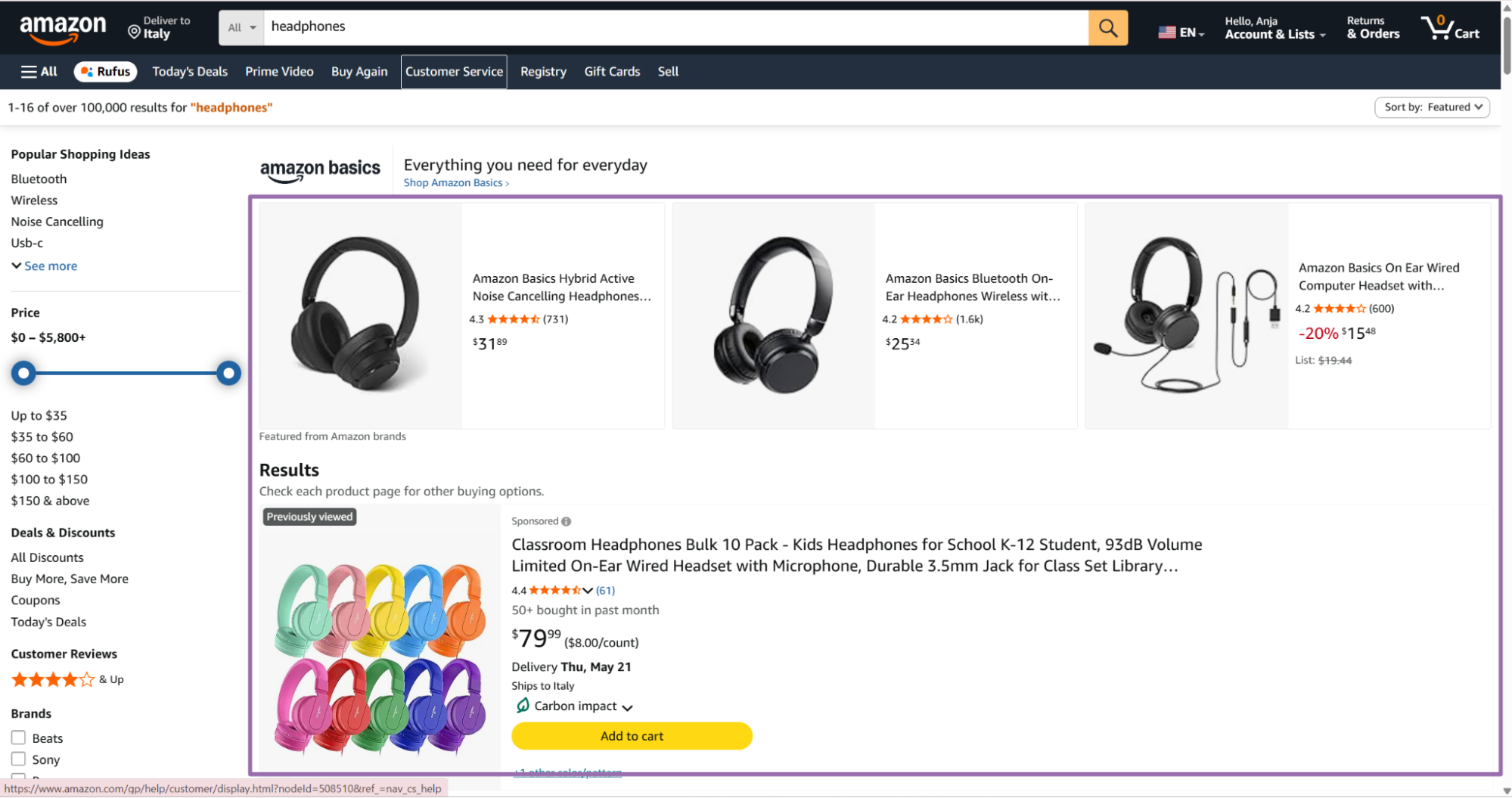
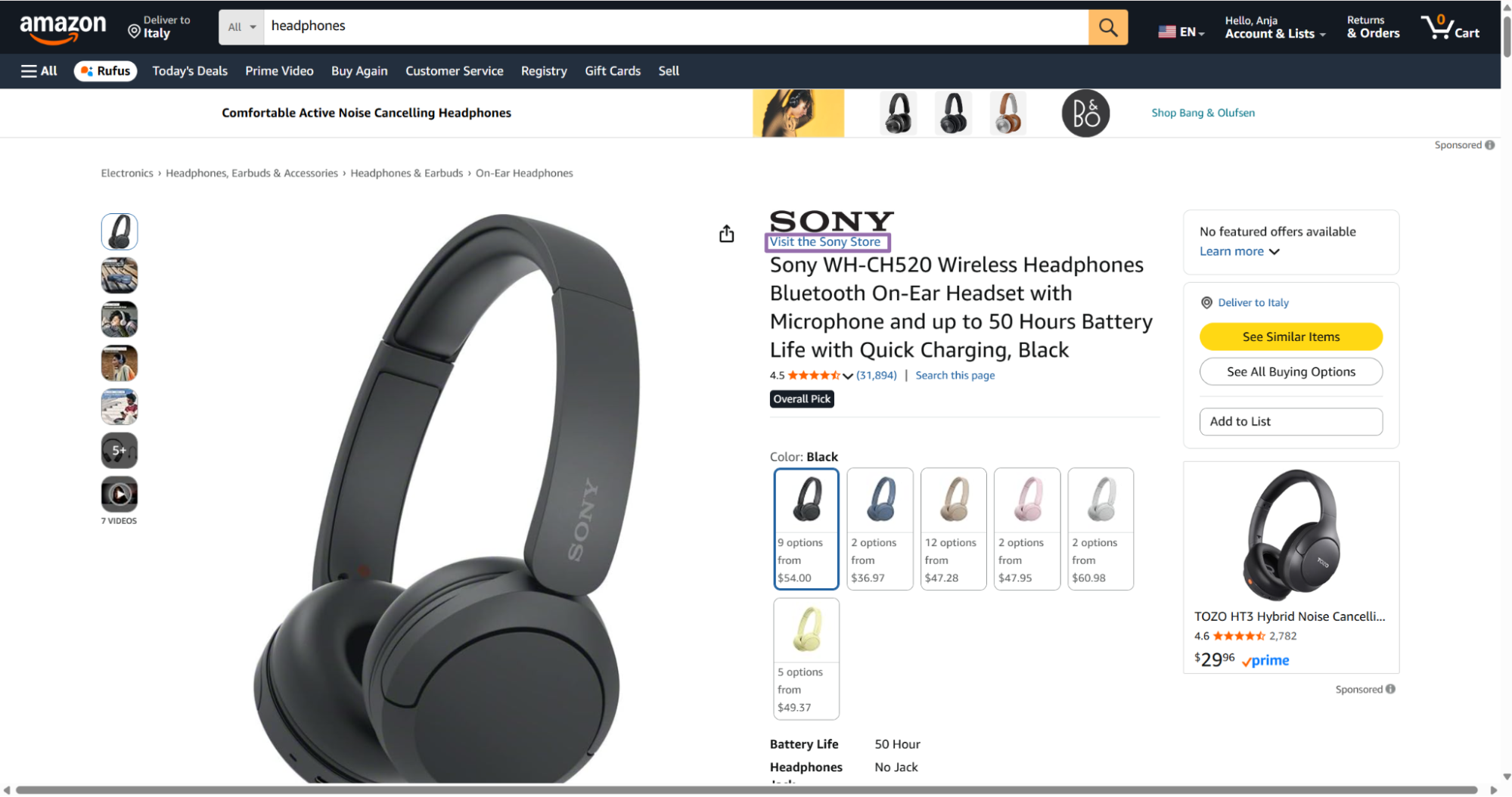
Amazon search page with headphones query Open a product from the target brand.
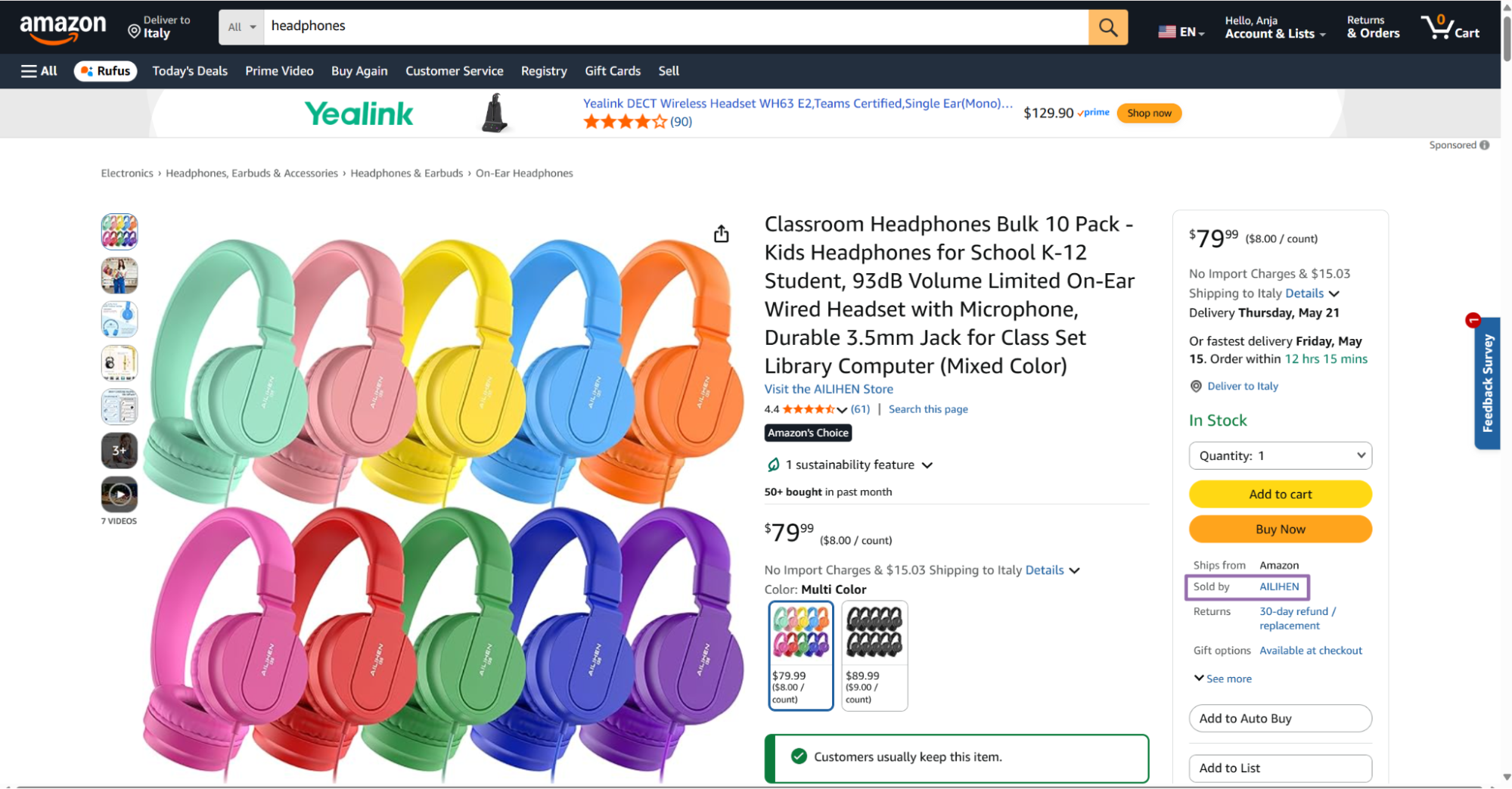
Amazon product page from the target brand Click the seller link in the right panel below the Buy Now button.
Amazon opens the seller page. Copy the Seller ID from the URL after the
seller=parameter.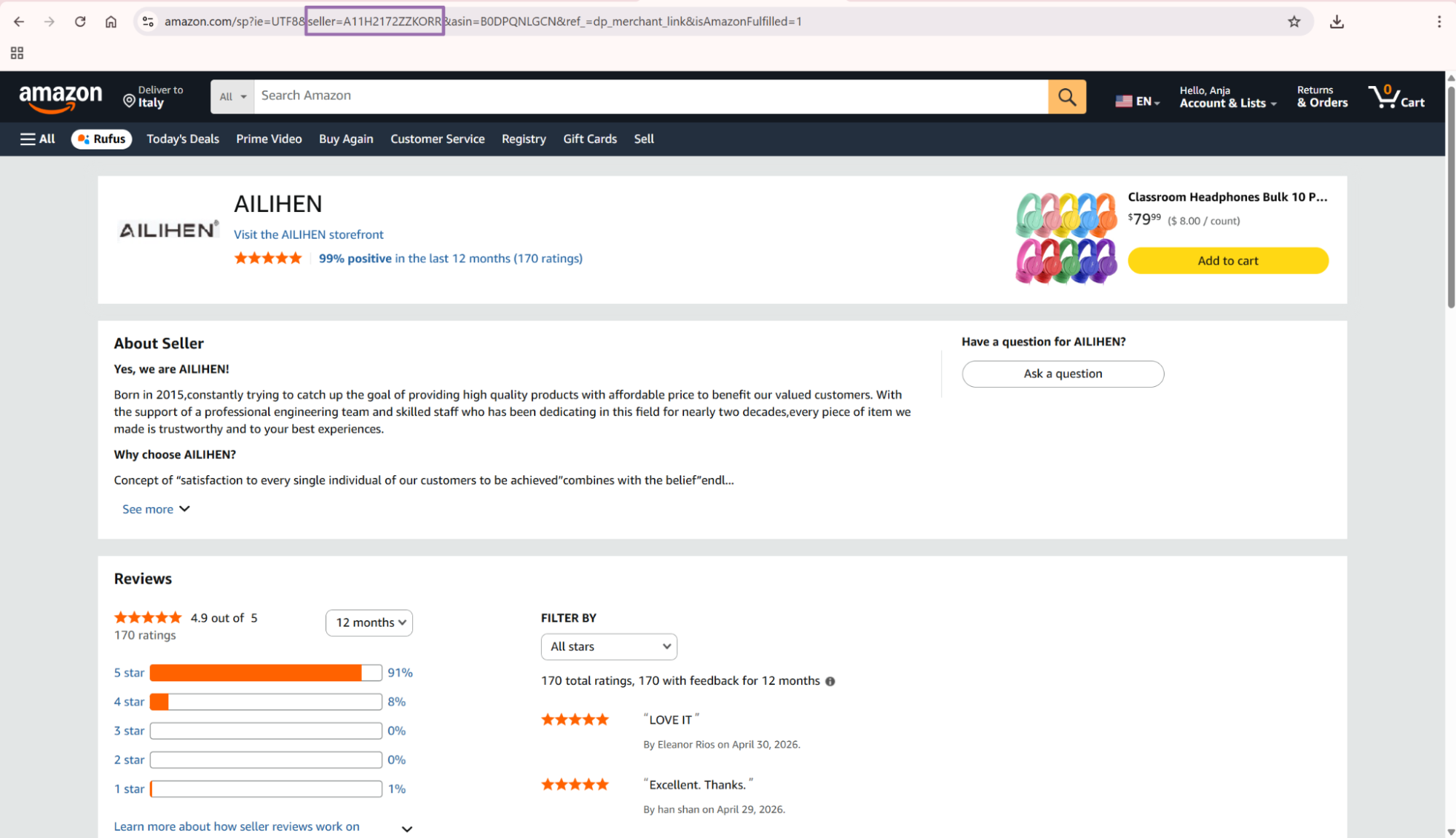
Amazon seller page URL containing seller ID parameter Build the URL using this format:
https://www.amazon.com/s?me=SELLER_ID
Example:
https://www.amazon.com/s?me=A11H2172ZZKORR
For URL-based product discovery, Search Amazon products by URL works well when you already have a category, storefront, or filtered Amazon results page. Use it for saved searches, category pages, and filtered result URLs that your team already tracks.
Keep the seller ID with every product URL returned from the discovery step. That gives you a clean join key when you compare seller coverage against the extracted product record.
How to search by keyword
Start with keyword-based discovery when you have a search term but no product URLs yet.
Open amazon.com and type your keyword into the search bar.
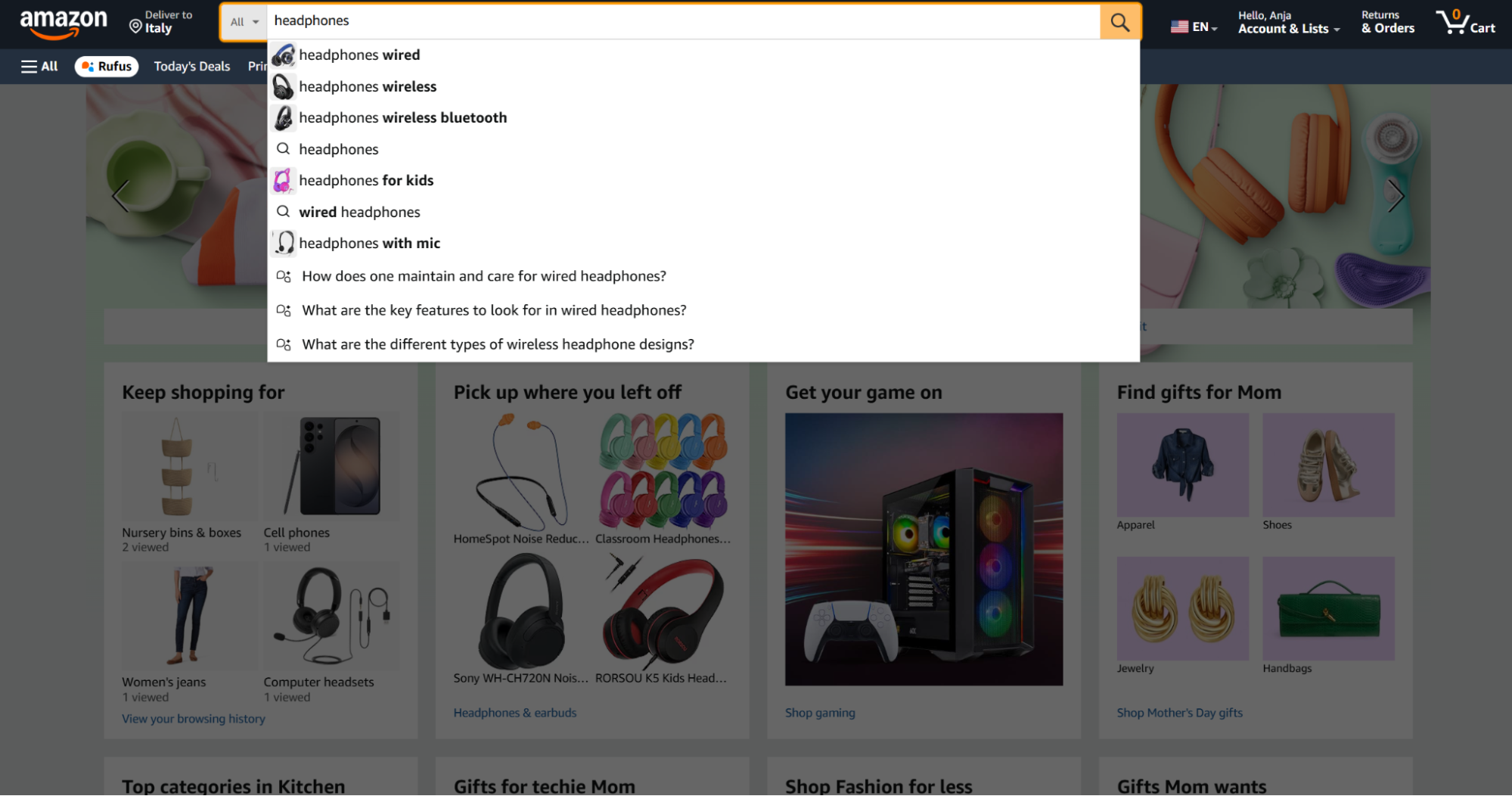
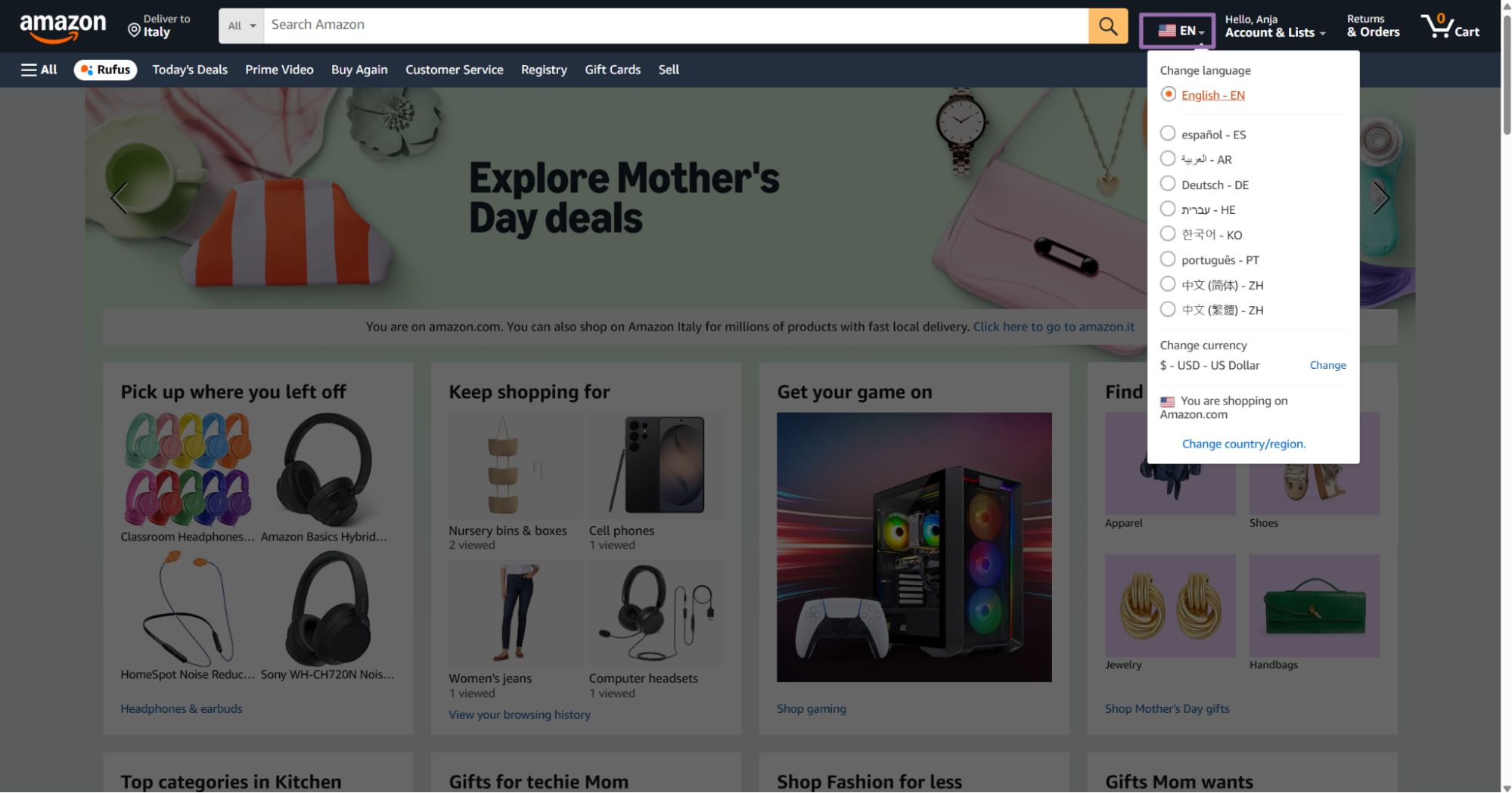
Amazon returns a results page with product listings matching your query.
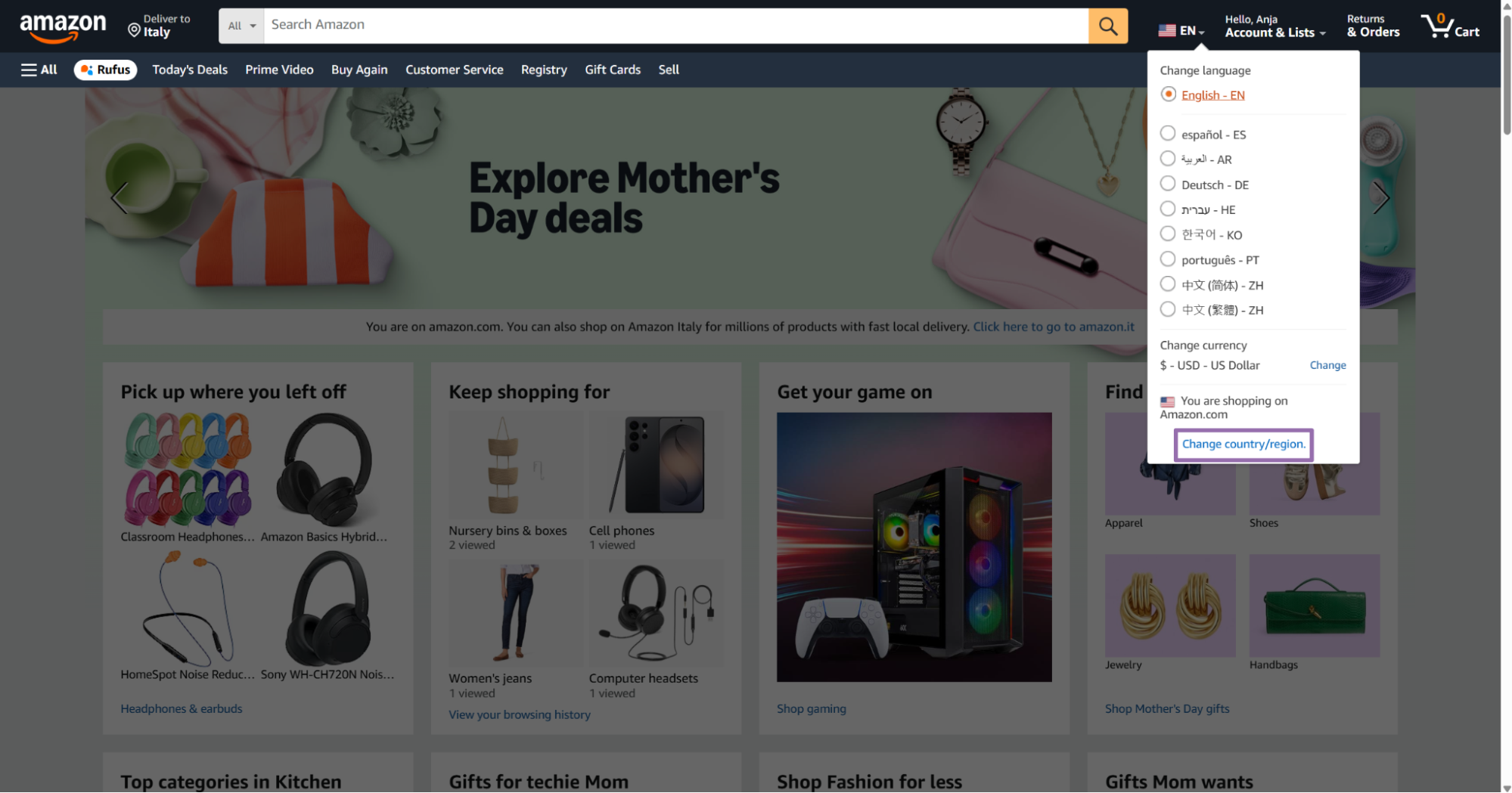
If you need results from a specific country, click the delivery location dropdown and select your target marketplace.
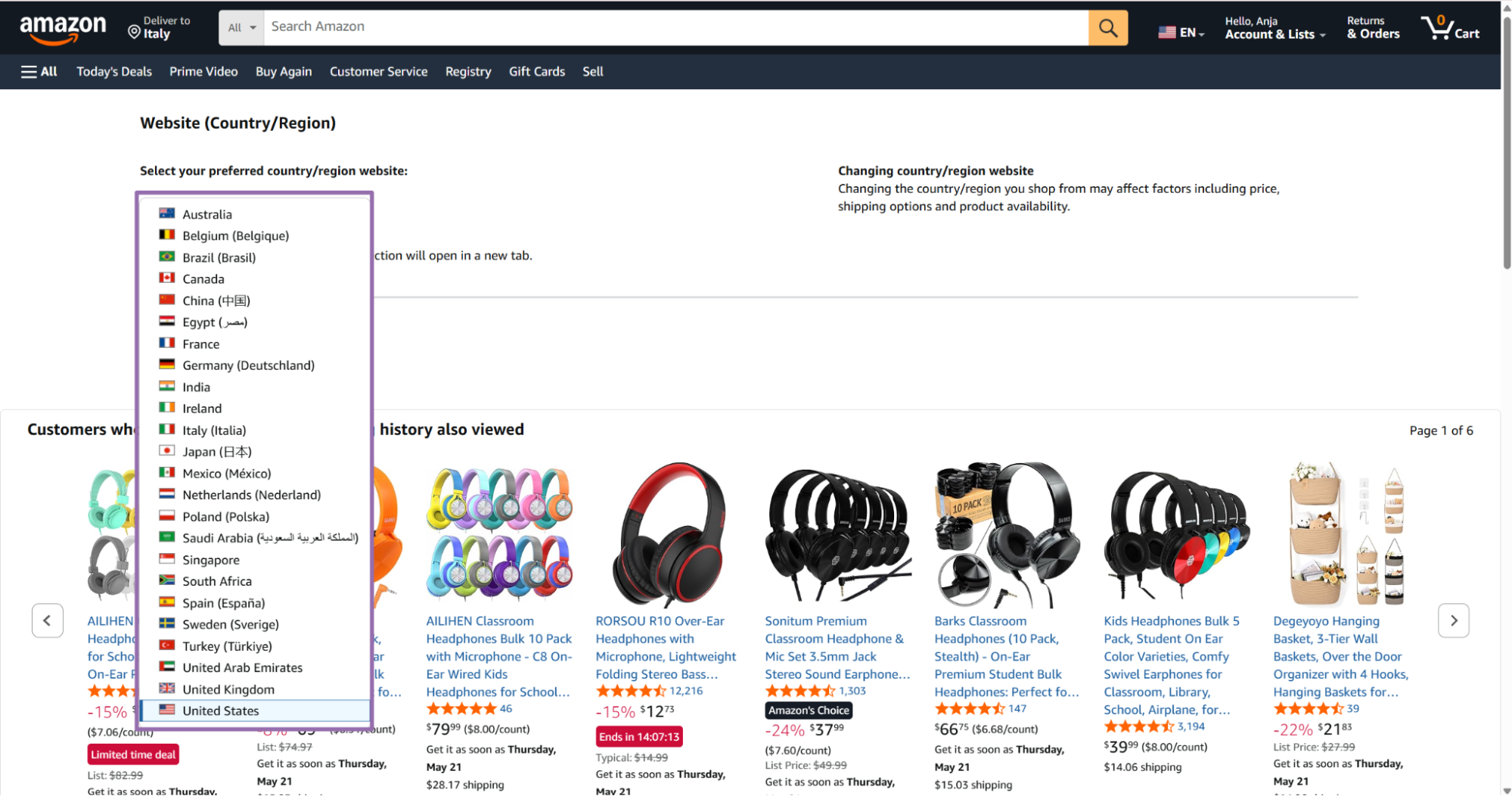
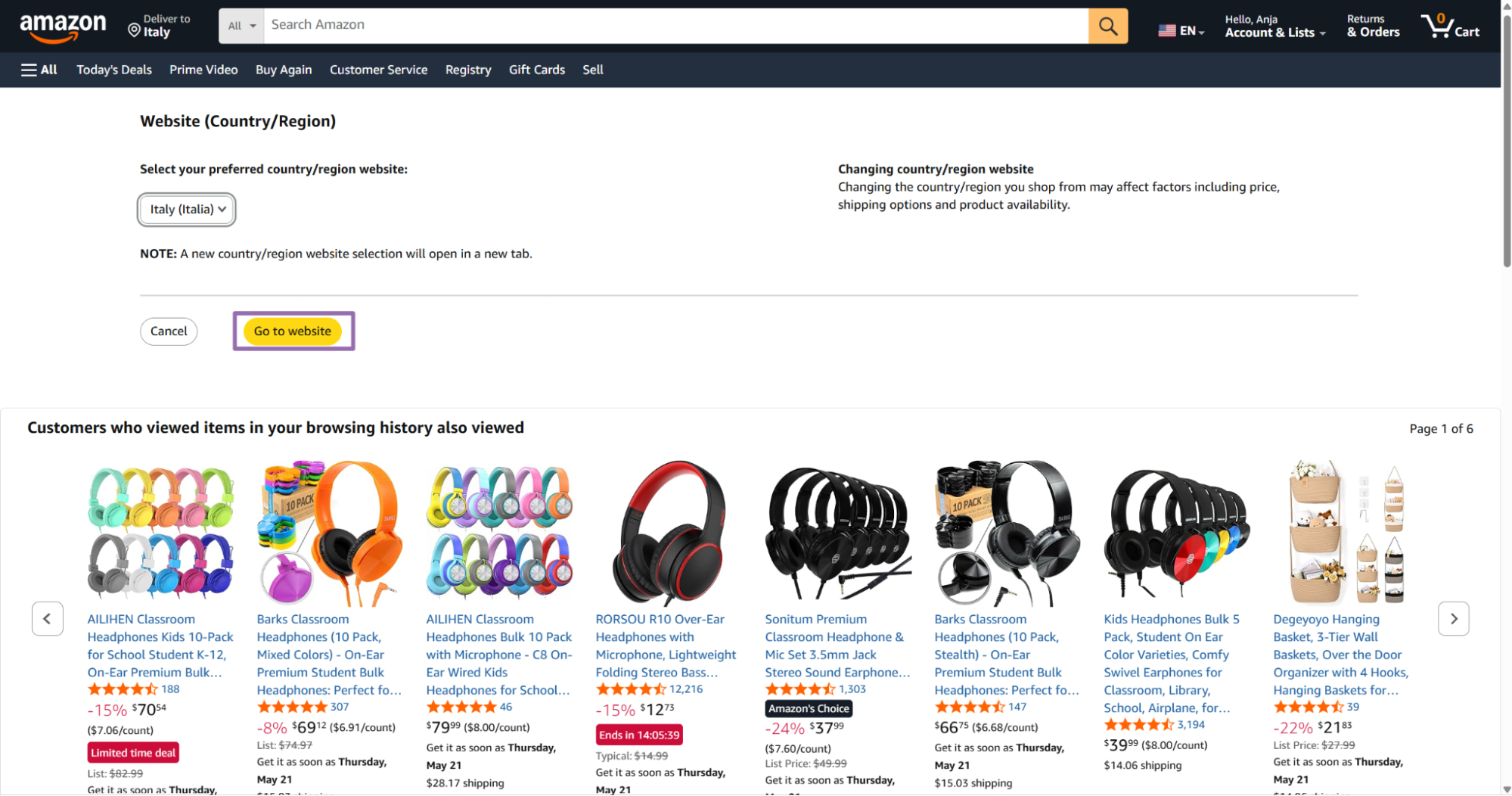
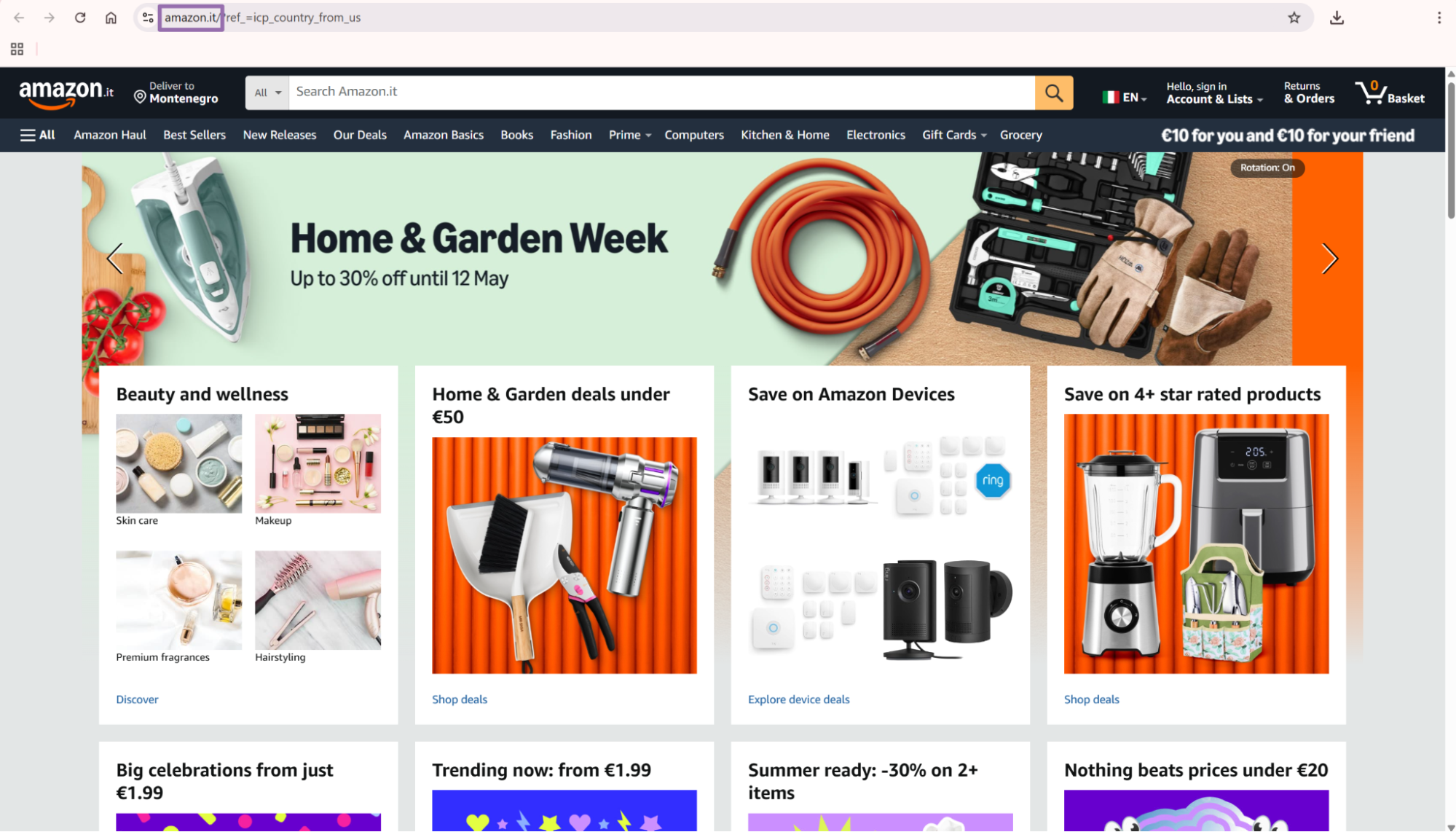
Copy the search results URL from the address bar. This URL becomes the input for the keyword search scraper.
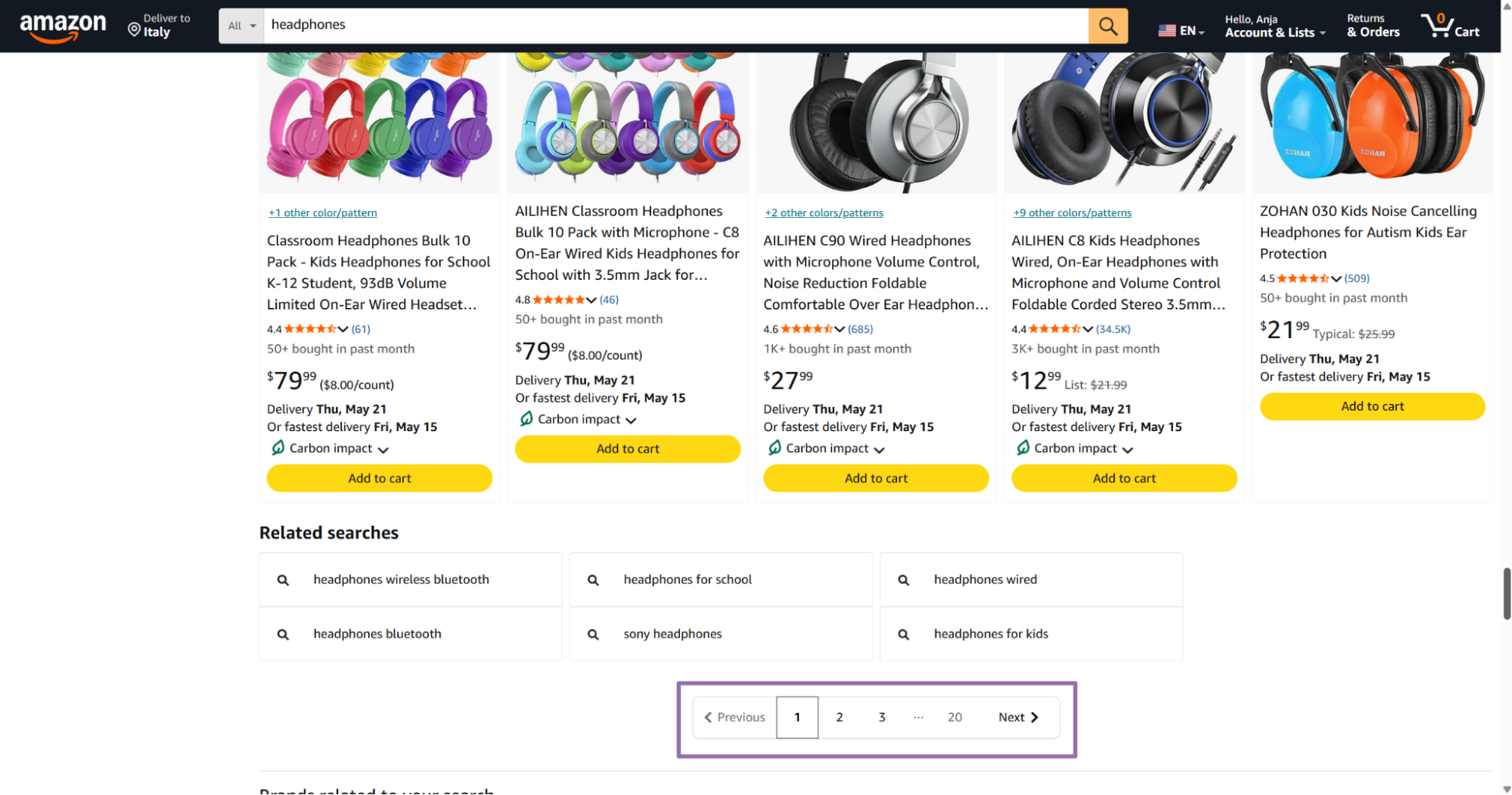
Save the query, country context, and result page URL with each batch. Those fields explain why a product entered your pipeline.
How to search by seller
Use seller search when your input starts from a seller profile or seller-specific Amazon page. This works well for marketplace monitoring, unauthorized seller checks, and catalog audits.
Search for any product on Amazon to find a seller you want to track.
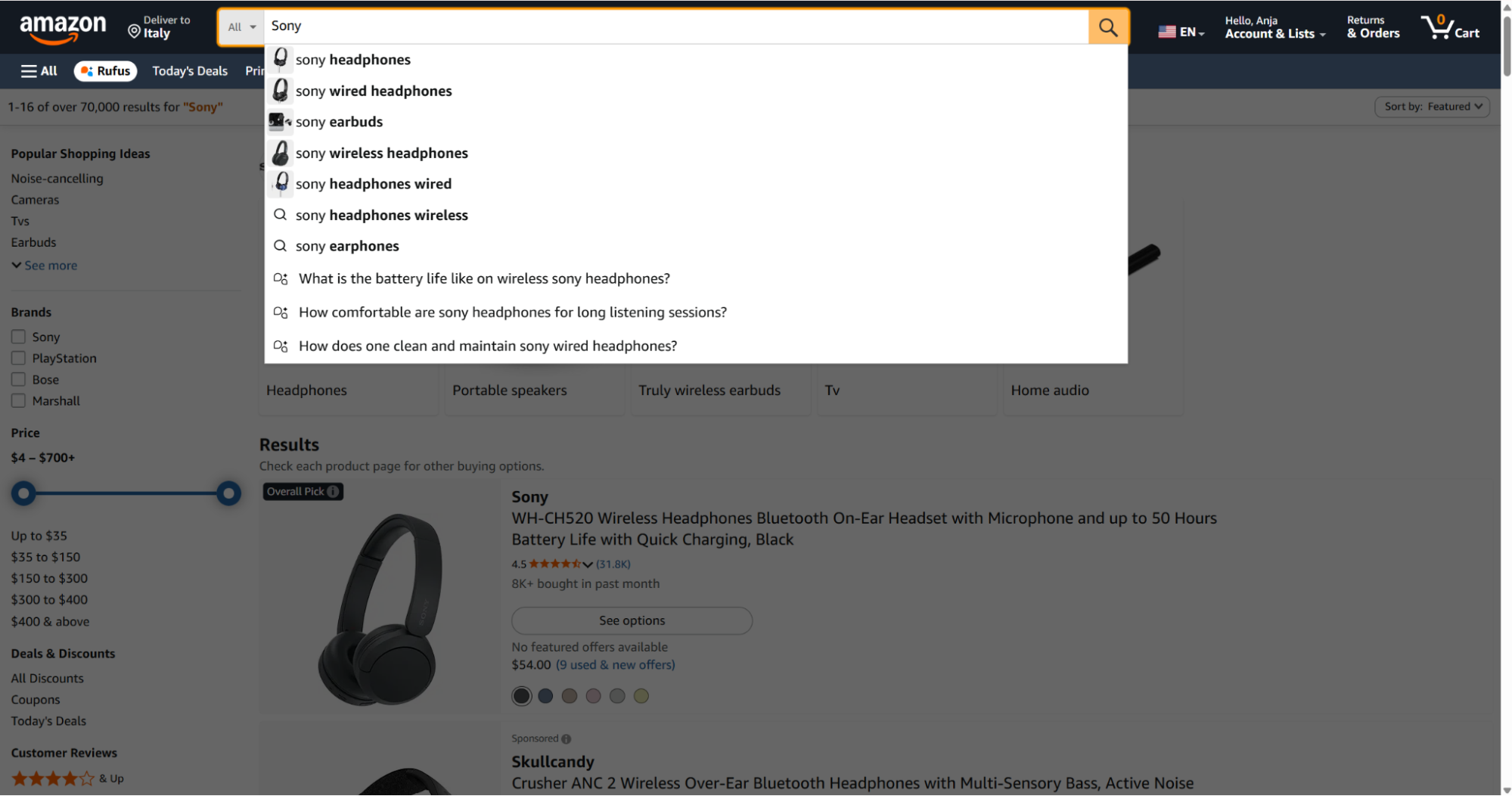
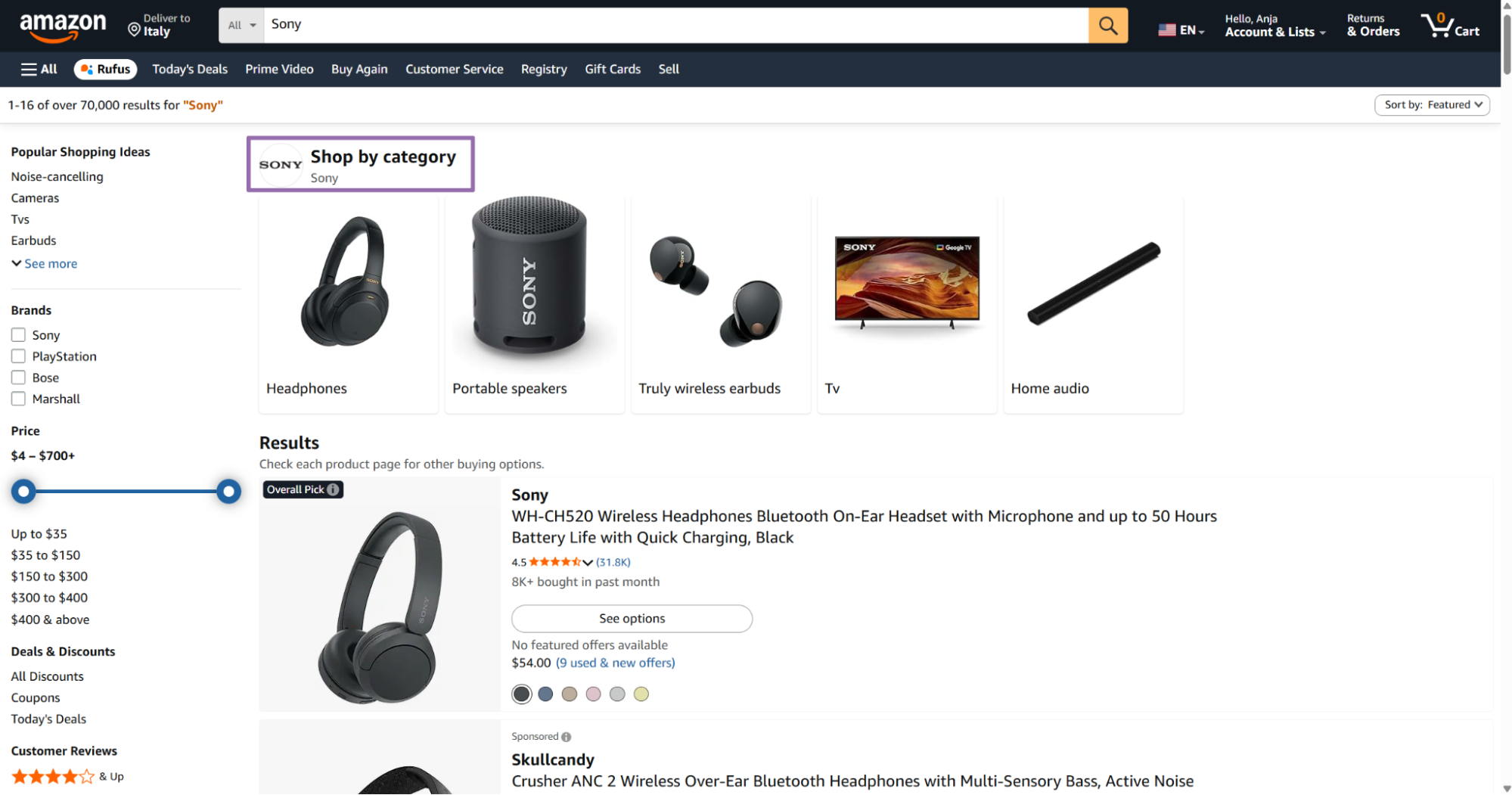
Open any product listing and scroll down to find the seller information section.
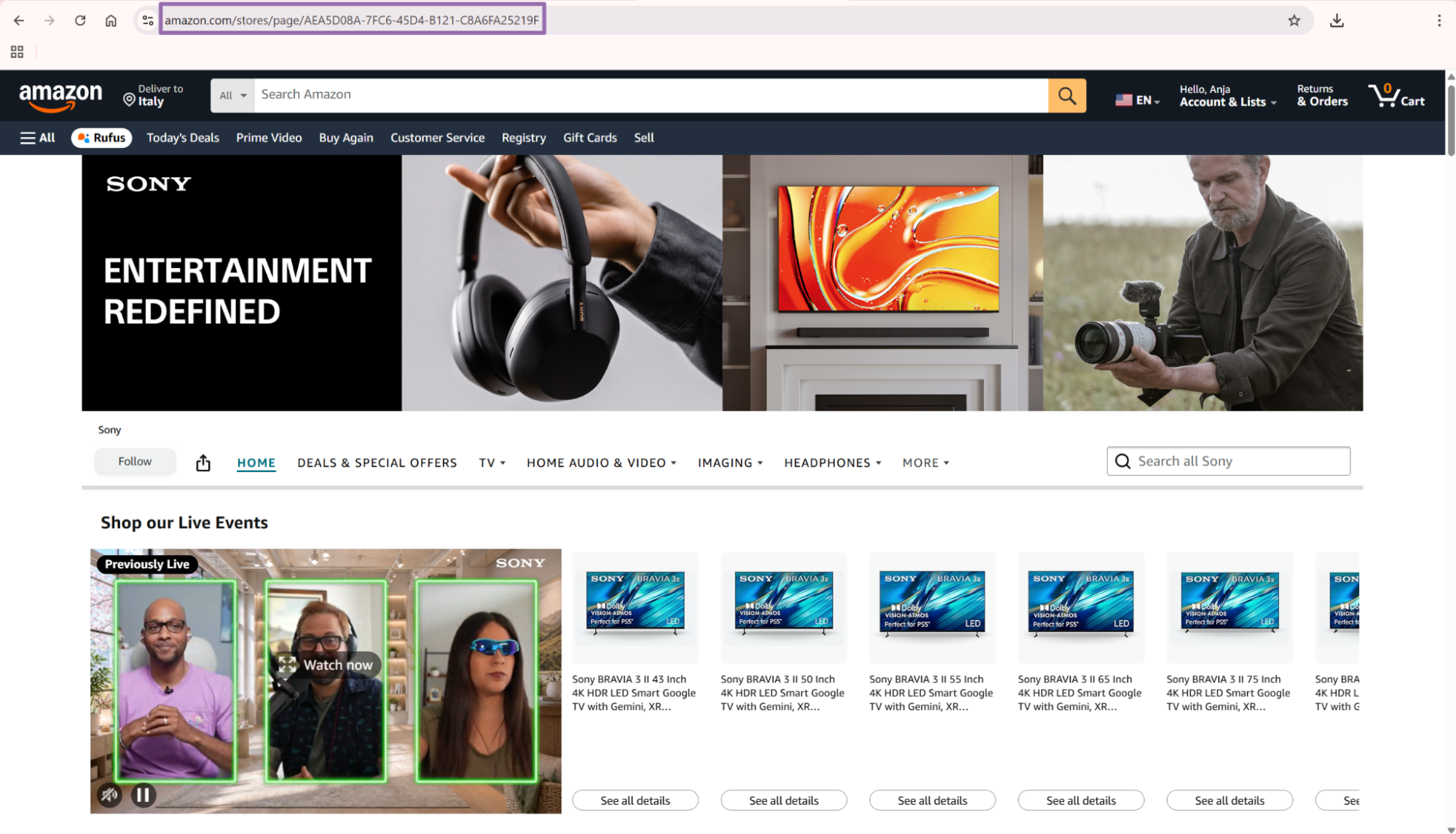
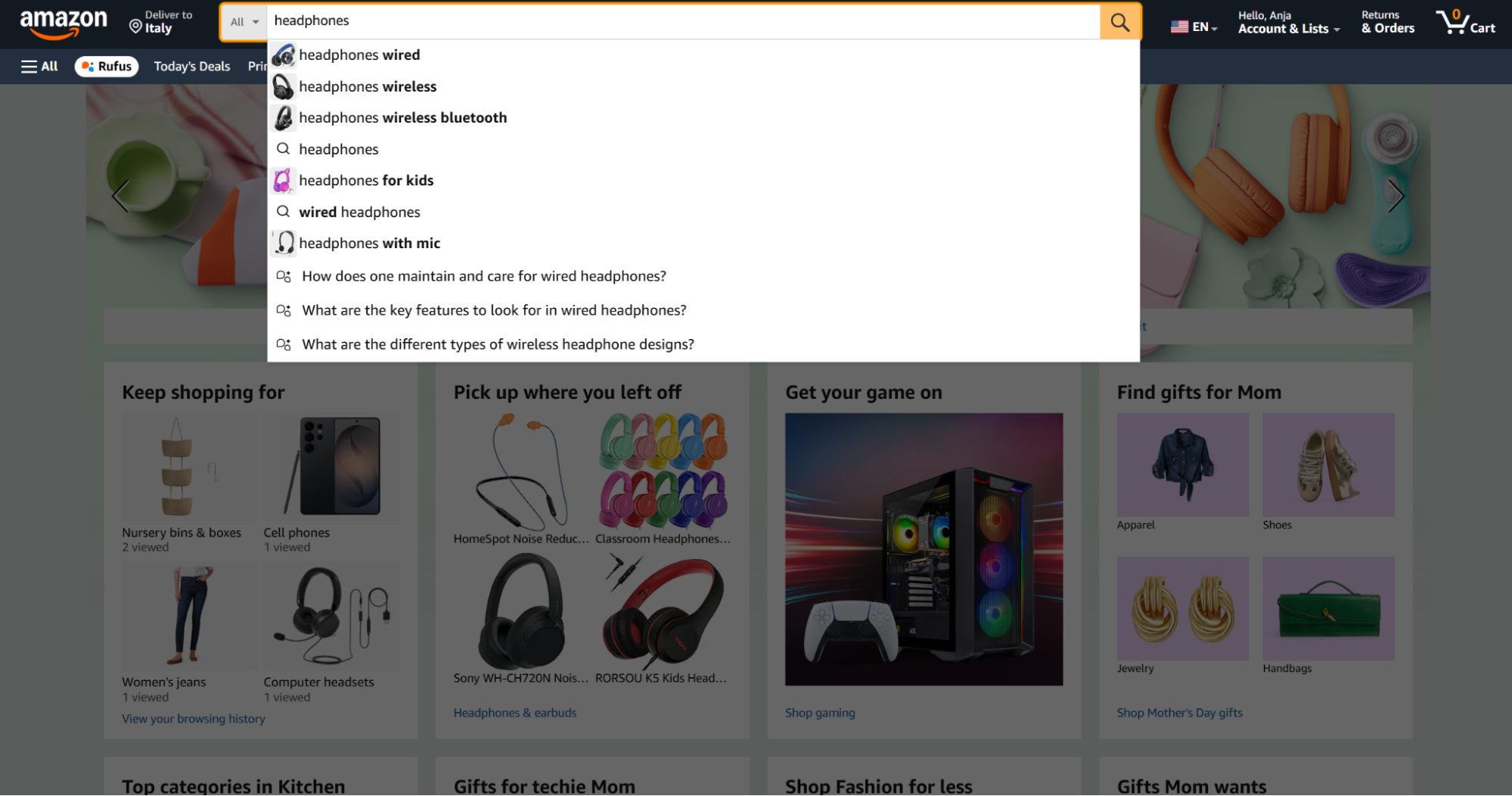
The seller profile page shows all products from that seller. Copy the seller ID from the URL.
After seller search returns product URLs, run the product scraper for price, availability, Buy Box seller, and catalog fields. For unauthorized seller checks, compare the seller ID from the search against the Buy Box seller from extraction. A mismatch gives your monitoring job a concrete review target.
API response sample
A completed job returns an array of result objects. Each object includes the original input, scrape status, normalized product fields, pricing fields, seller fields, and variant data.
[
  {
    "inputs": {
      "url": "https://www.amazon.com/dp/B0CYZD22FB",
      "bought_past_month": 10
    },
    "scrape_status": "success",
    "title": "AILIHEN Kids Headphones Bulk 10-Pack for K-12 School Classroom, On-Ear Wired Headset with Microphone for Students Children with 93dB Volume Limited, 3.5mm Jack for Chromebooks Tablets Laptop Computer",
    "seller_name": "AILIHEN",
    "brand": "AILIHEN",
    "description": "About this item Safe Sound Protection(<93dB): The World Health Organisation (WHO) recommends 93dB as the maximum safe volume level for kids and teens during their daily use. Here we introduce AILIHEN wholesale headphones, specially designed for teenagers to a safe sound to prevent damage to their hearing in daily life Built-in Mic: The headphones come with a built-in microphone, making them a suitable choice during study or leisure time. They can chat easily with teachers, friends, and parents while they’re busy learning, or with friends and family during downtime Designed for Students: the on-ear headphones have an adjustable headband and lightweigt design that can adjust to a perfect fit. With soft memory-protein cushioned earmuffs and pillow soft headband for ultra comfort, minimizes the pressure on the ears while wearing Durable and Foldable: Premium build quality with tangle-free nylon fabric cables which can withstand pulling and tangling, the standard audio jack will be compatible with most 3.5mm enabled audio cables like cellphones, laptops, kindle, tablets and etc. The foldable design would make the headphones more portable and storage Stereo Sound: They feature dynamic 40mm drivers that deliver deep clear sound, with audio clarity that makes listening to music, playing a game, or watching a show a pure pleasure on home use or airplane travels › See more product details",
    "initial_price": 78.84,
    "currency": "USD",
    "availability": "In Stock",
    "reviews_count": 983,
    "categories": [
      "Electronics",
      "Headphones, Earbuds & Accessories",
      "Headphones & Earbuds",
      "On-Ear Headphones"
    ],
    "parent_asin": "B09N76B4RD",
    "asin": "B0CYZD22FB",
    "buybox_seller": "AILIHEN",
    "number_of_sellers": 1,
    "root_bs_rank": 19118,
    "answered_questions": 0,
    "domain": "https://www.amazon.com/",
    "images_count": 8,
    "url": "https://www.amazon.com/dp/B0CYZD22FB?th=1&psc=1",
    "video_count": 1,
    "image_url": "https://m.media-amazon.com/images/I/81HDB2yrP-L._AC_SL1500_.jpg",
    "item_weight": "2.01 Kilograms",
    "rating": 4.4,
    "seller_id": "A11H2172ZZKORR",
    "discount": "-5%",
    "model_number": "I35PACK",
    "manufacturer": "AILIHEN",
    "department": "Electronics",
    "plus_content": true,
    "video": false,
    "final_price_high": null,
    "final_price": 74.89,
    "variations": [
      {
        "name": "Multi Color",
        "asin": "B09TR1Y3MZ",
        "price": null,
        "currency": null,
        "unit": null,
        "unit_price": null
      }
    ]
  }
]
Treat the response as an event record from the scrape time. Prices, seller ownership, stock state, ratings, review counts, and Buy Box data change often.
Do not treat a product response as a permanent catalog truth. Store the scrape timestamp beside every row that can change.
What data you get back
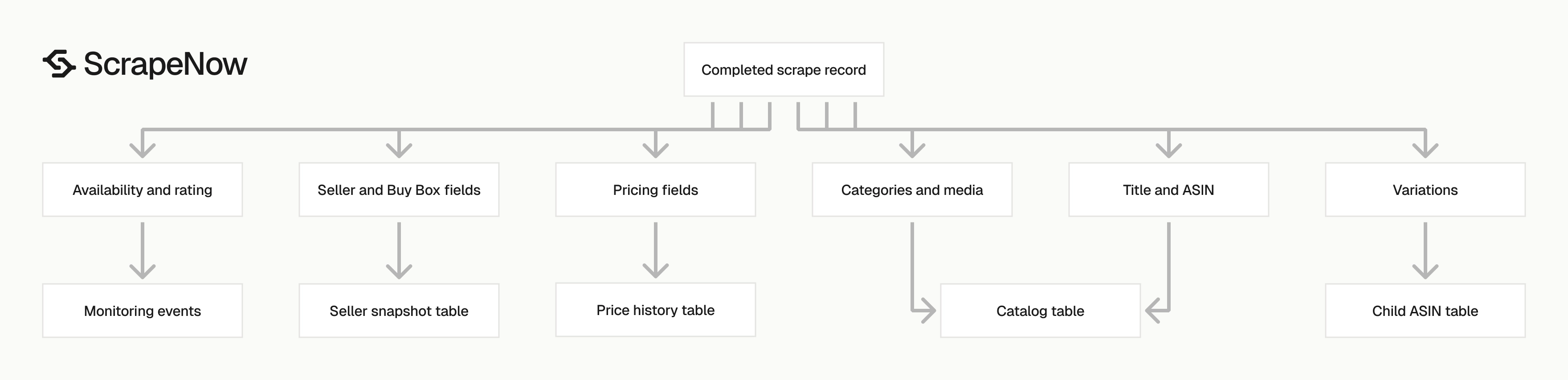
The scraper returns enough product detail to build a catalog row, price history row, seller snapshot, or product monitoring event.
| Field | Use it for |
|---|---|
scrape_status |
Separate successful records from failed inputs before loading data |
title |
Product catalog title and matching logic |
asin |
Primary product key for Amazon item-level records |
parent_asin |
Grouping variants under one parent listing |
brand |
Brand-level reporting and product grouping |
seller_name |
Seller display name from the listing |
seller_id |
Stable seller key, useful for joins |
buybox_seller |
Buy Box monitoring |
initial_price |
Pre-discount or listed price |
final_price |
Current purchasable price |
currency |
Price normalization across countries |
availability |
Stock state, such as In Stock |
rating |
Average star rating |
reviews_count |
Review volume at scrape time |
categories |
Product taxonomy path |
root_bs_rank |
Root category Best Sellers Rank |
images_count |
Media depth check |
image_url |
Main product image |
video_count |
Count of listing videos |
variations |
Variant ASINs, names, prices, and units |
Ready to get this data? Extract global Amazon product data.
For review-level extraction, use Extract Amazon reviews after product extraction. For seller inventory checks, pair the product scraper with Get Amazon seller data.
Store fields by workload. Catalog systems usually need asin, parent_asin, title, brand, manufacturer, model_number, categories, and image_url.
Price monitoring jobs usually need asin, seller_id, buybox_seller, initial_price, final_price, currency, discount, and availability. Seller monitoring jobs usually need asin, seller_id, seller_name, buybox_seller, number_of_sellers, and availability.
Variation tracking needs a separate table. Child ASINs can carry different prices, colors, sizes, package counts, and stock states under one parent listing.
Production tips for clean product data
Amazon product data has inconsistent edges. Treat every record as semi-structured data, even when the scraper returns a stable schema.
Amazon changes page modules, seller widgets, and variation layouts across categories. Headphones, grocery items, apparel, and replacement parts expose different combinations of price, unit price, variant, and seller data.
Your loader should accept missing fields. A missing final_price_high value on a single-price product is normal, and a missing unit price on headphones is normal.
Validate inputs before sending jobs
Reject malformed URLs before you spend credits. The scraper expects URLs that start with https://www.amazon.com/.
from urllib.parse import urlparse

def validate_amazon_product_input(item: dict) -> tuple[bool, str | None]:
    url = item.get("url")
    bought_past_month = item.get("bought_past_month", 0)

    if not isinstance(url, str) or not url.startswith("https://www.amazon.com/"):
        return False, "url must start with https://www.amazon.com/"

    if not isinstance(bought_past_month, int):
        return False, "bought_past_month must be an integer"

    if bought_past_month < 0 or bought_past_month > 1000000:
        return False, "bought_past_month must be between 0 and 1000000"

    parsed = urlparse(url)
    if not parsed.netloc.endswith("amazon.com"):
        return False, "url must use amazon.com"

    return True, None


inputs = [
    {
        "url": "https://www.amazon.com/dp/B0CYZD22FB",
        "bought_past_month": 10
    }
]

valid_inputs = []
for item in inputs:
    ok, error = validate_amazon_product_input(item)
    if ok:
        valid_inputs.append(item)
    else:
        print(f"Skipping input: {error}")
Validate locally before large runs. Normalize URLs by removing marketing parameters like tag, ref, and psc when a clean ASIN URL is available.
Deduplicate by ASIN before loading
Use asin as the product-level key. Use parent_asin when you want variant groups.
import json
from pathlib import Path

def dedupe_products(records: list[dict]) -> list[dict]:
    seen = {}
    for record in records:
        if record.get("scrape_status") != "success":
            continue

        asin = record.get("asin")
        if not asin:
            continue

        seen[asin] = record

    return list(seen.values())


data = json.loads(Path("amazon-global-products-extract-by-url-output.json").read_text())
clean_records = dedupe_products(data)

print(f"Loaded {len(data)} raw records")
print(f"Kept {len(clean_records)} unique ASIN records")
If you scrape the same ASIN from multiple URLs, keep the newest record by scrape timestamp. Do not dedupe variation rows too early since a parent listing can contain multiple child ASINs with different prices and stock states.
Store failed records with the original input
Keep failures. Failed inputs show deleted listings, blocked product pages, malformed URLs, unavailable marketplace pages, and schema changes.
def partition_results(records: list[dict]) -> tuple[list[dict], list[dict]]:
    successes = []
    failures = []

    for record in records:
        if record.get("scrape_status") == "success":
            successes.append(record)
        else:
            failures.append({
                "inputs": record.get("inputs"),
                "scrape_status": record.get("scrape_status"),
                "raw": record
            })

    return successes, failures
Retry failures once. If a URL fails twice, send it to a dead-letter table. Store the error payload as JSON since schema changes often show up first in failed rows.
Track field freshness
Use scrape time as part of your record identity. Add a scraped_at timestamp and a source_job_id to each table.
| Data type | Suggested storage pattern |
|---|---|
| Catalog fields | Latest row per ASIN plus daily snapshot |
| Price fields | Append-only event table |
| Availability | Append-only event table |
| Reviews and rating | Daily metric event |
| Buy Box seller | Append-only seller event |
| Variations | Latest row per child ASIN plus change history |
Handle variant data as its own workload
Store each variation as a child row with the parent ASIN, child ASIN, name, price, currency, unit, and unit price. Tie the variation array to the same scrape time as the parent product record.
Set retry rules before the first large run
Retry once for transient failures. Send repeated failures to a dead-letter table with the input URL, error payload, job ID, and first failure time.
Which Amazon scraper to use
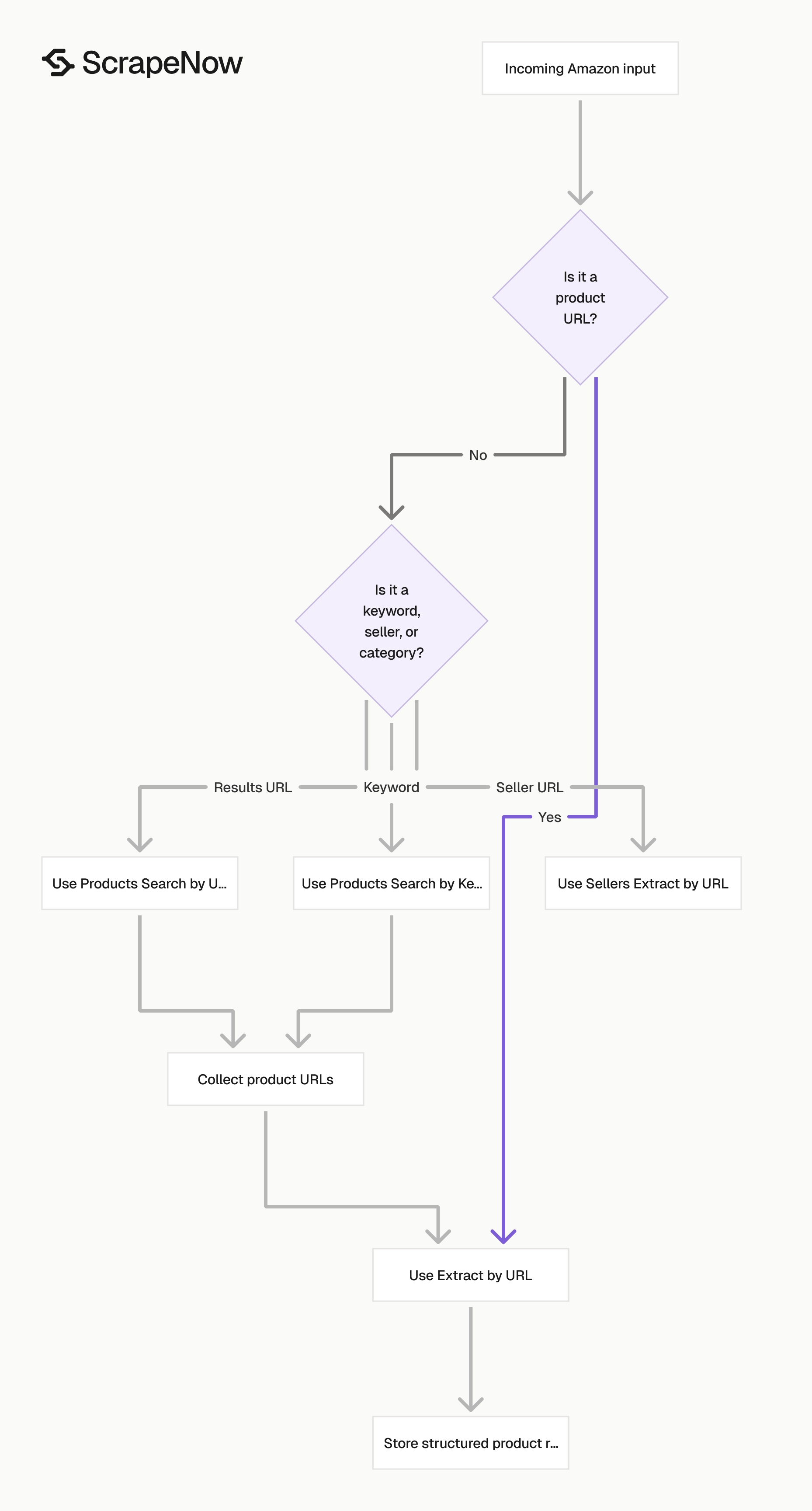
Use the global product URL scraper when URL coverage matters more than search discovery. Use search scrapers when you need to build the product URL list first.
| Job | Scraper |
|---|---|
| Extract one known product page | Extract global Amazon product data |
| Find products from a keyword | Search Amazon products by keyword |
| Extract details from known Amazon product URLs | Extract Amazon product data |
| Extract products from a results URL | Search Amazon products by URL |
| Pull review records for a product | Extract Amazon reviews |
| Pull seller data from seller URLs | Get Amazon seller data |
The full scraper catalog is in the Browse all 86+ scrapers hub. It includes Amazon, Google, LinkedIn, TikTok, Instagram, Facebook, YouTube, Zillow, Indeed, Glassdoor, Flipkart, Crunchbase, Yelp, and X scrapers.
Pick the scraper from the shape of your input. A keyword belongs in a search scraper.
A product URL belongs in an extract scraper. A seller URL belongs in a seller scraper.
If your pipeline starts with search terms, run discovery first and store the returned URLs. If your pipeline starts with a product feed, skip discovery and send the product URLs straight to extraction.
Pricing
ScrapeNow charges per returned row. One row costs one credit, starting at $0.04 per credit for small runs and dropping with volume. No monthly contracts, no proxy fees, no charges for failed rows. See the pricing page for current rates.
Start with 10 product URLs. Run the script above against the Extract global Amazon product data scraper.
Inspect asin, final_price, availability, seller_id, and variations. Then load the valid records into your product table.
After the first test run, add input validation, ASIN deduplication, failure storage, and separate product and price tables. Those four pieces stop most production data issues before they reach your application.
For the second run, use a batch that matches your real workload. If your production feed has 5,000 URLs, test with 500 URLs before moving to the full set.
Keep the test output, run log, and loader logs together. That gives you a complete trail from input URL to structured product record.


